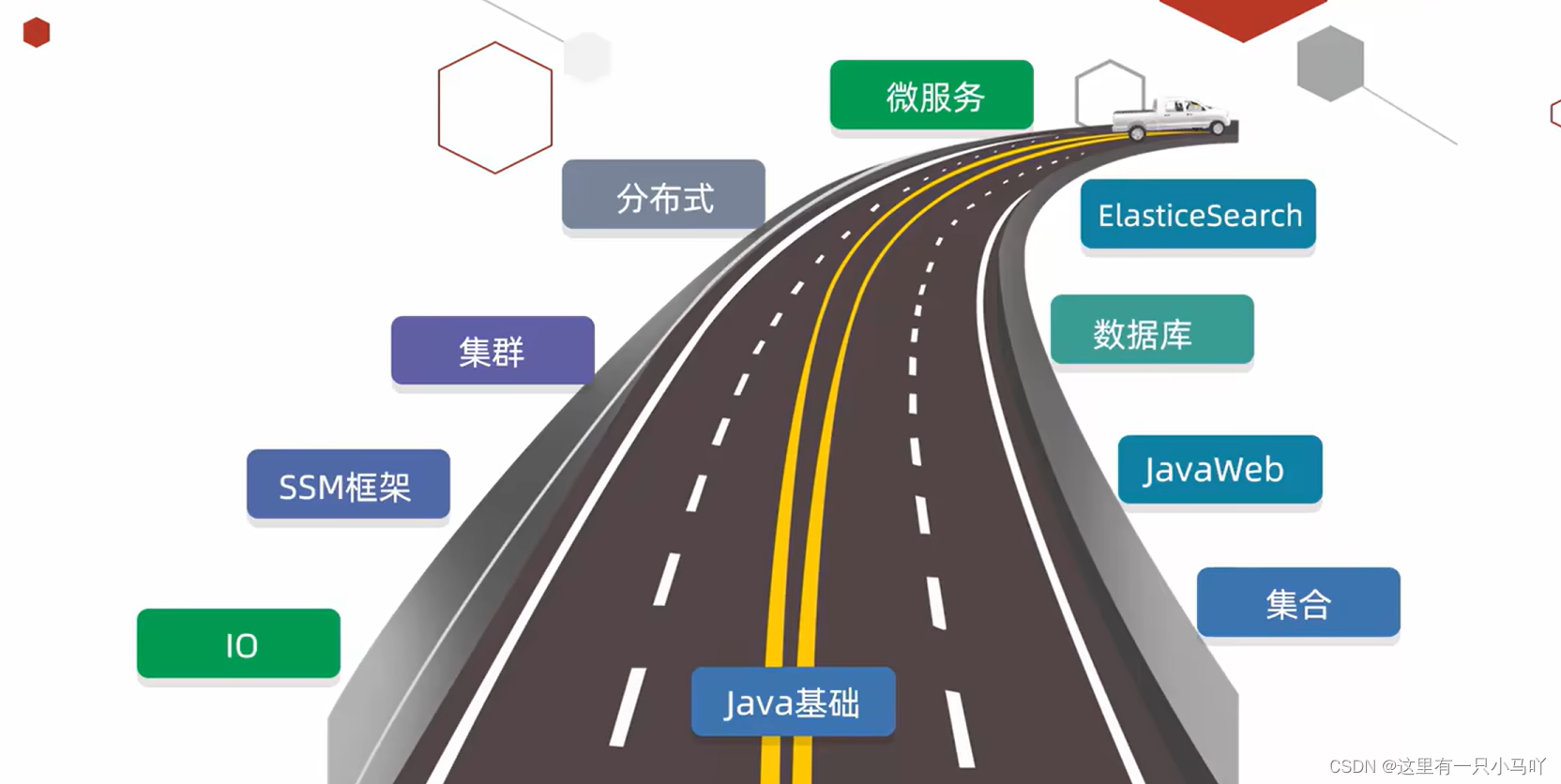
黑马程序员Java零基础视频教程_上部(P1-P80)学习笔记 1. Java入门 1.1 Java学习介绍
1.2 Java人机交互
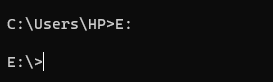
CMD:在windows中,利用命令行的方式操作计算机。
可以打开文件,打开文件夹,创建文件夹等等
CMD
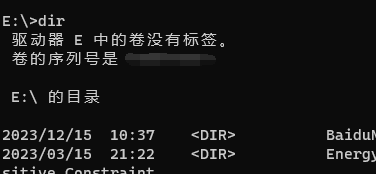
盘符名称+冒号:dir
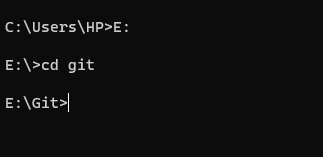
cd目录
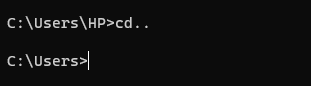
1.2.1 常用CMD命令 cd ..
cd目录1\目录2\...cd itheima\VavaSE
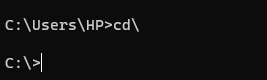
cd\
clsexit
QQ是经常打开的软件,每次打开的时候都要切换盘符,并且进入多层文件夹,太麻烦了!
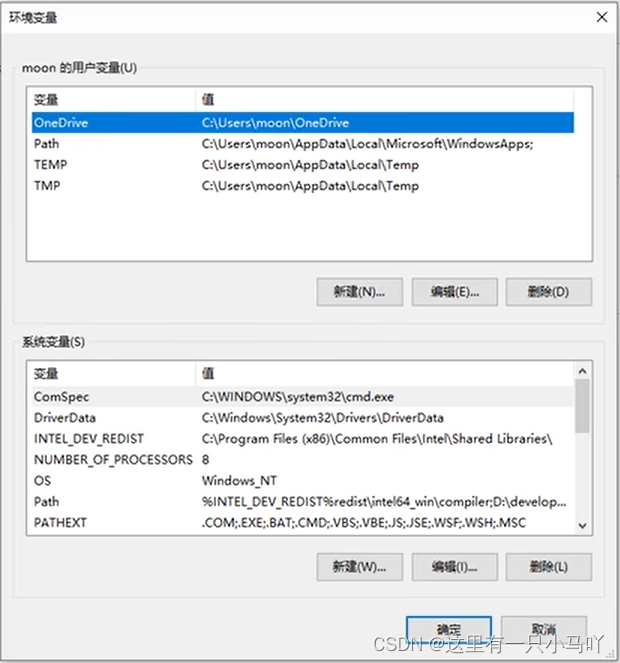
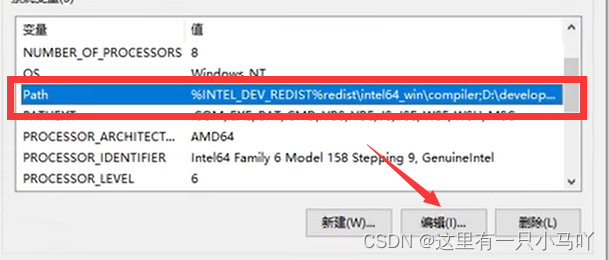
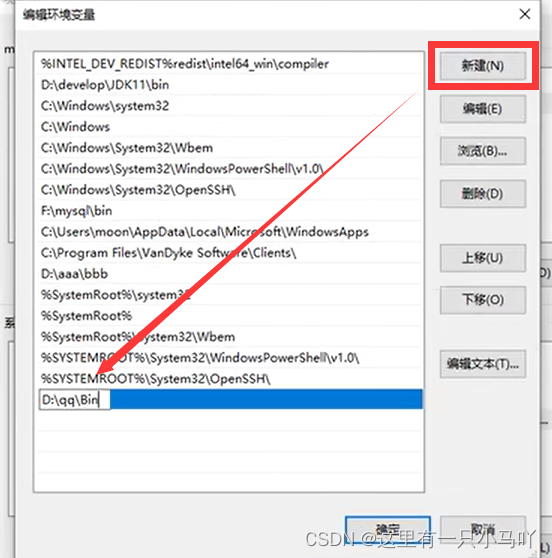
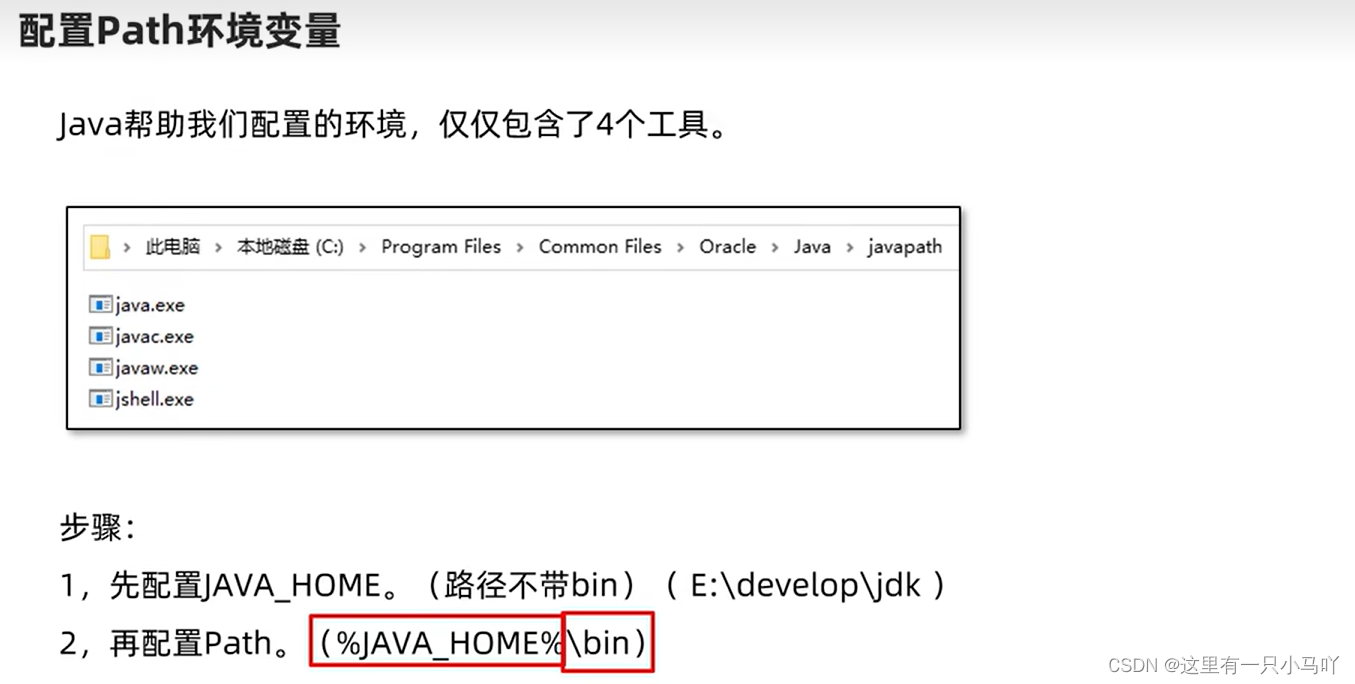
只要把QQ的路径记录在电脑的环境变量 里!!在当前目录下寻找后,如果没有找到,就去环境变量里去找。
Win+E,右键属性,高级系统设置 ,高级,环境变量。
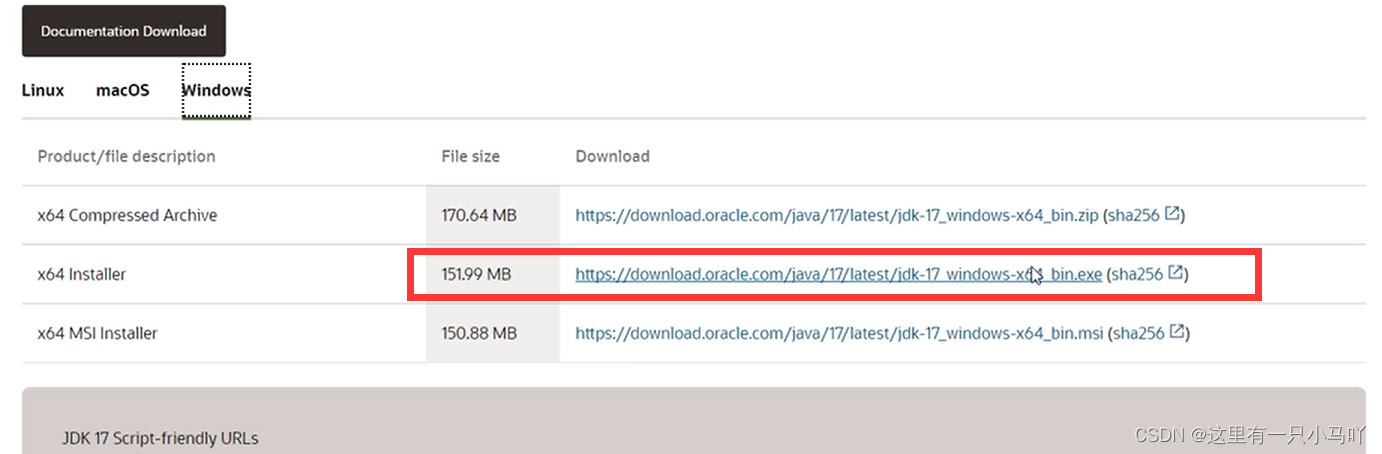
2. Java基础学习 2.1 Java入门 1、JDK
JDK是Java初学时用的,比较麻烦,小千建议大家开始学习Java的时候结合记事本使用,可以强迫熟悉Java语句和Java程序的基础结构。当然严格来说,编程软件里面应该不包括它,它只是支持Java的底层工具。
2、Jbuilder
Jbuilder是一个可视化Java开发工具。它是在Java2平台上开发商业应用程序、数据库、发布程序的优秀工具。它支持J2EE,所以程序员可以快速的转换企业版Java应用程序。
JBuilder 对重量级框架的支持比较好。比如EJB。
3、Eclipse
Eclipse是一个开放源代码的、基于Java的可扩展开发平台。就其本身而言,它只是一个框架和一组服务,用于通过插件组件构建开发环境。幸运的是,Eclipse 附带了一个标准的插件集,包括Java开发工具(Java Development Kit,JDK)。
4、NetBeans
NetBeans包括开源的开发环境和应用平台,NetBeans IDE可以使开发人员利用Java平台能够快速创建Web、企业、桌面以及移动的应用程序,NetBeans IDE已经支持PHP、Ruby、Java、Groovy、Grails和C/C++等开发语言。
5、MyEclipse
MyEclipse是在eclipse基础上加上自己的插件开发而成的功能强大的企业级集成开发环境,主要用于Java、Java EE以及移动应用的开发。MyEclipse的功能非常强大,支持也十分广泛,尤其是对各种开源产品的支持相当不错。
下面以JDK为例:
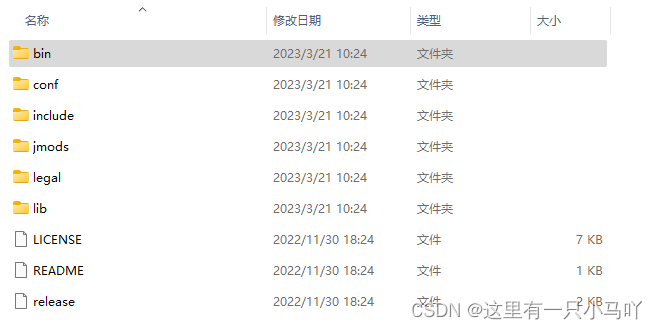
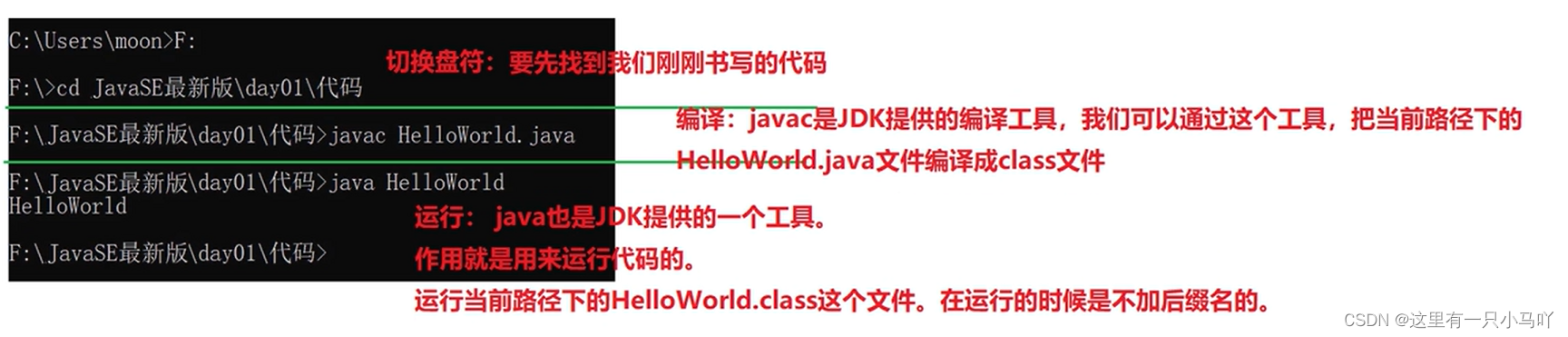
bin:该路径下存放了各种工具命令。其中比较重要的有: javac和java
conf:该路径下存放了相关配置文件。
include:该路径下存放了一些平台特定的头文件。
jmods:该路径下存放了各种模块。
legal:该路径下存放了各模块的授权文档。
lib:该路径下存放了工具的一些补充AR包。
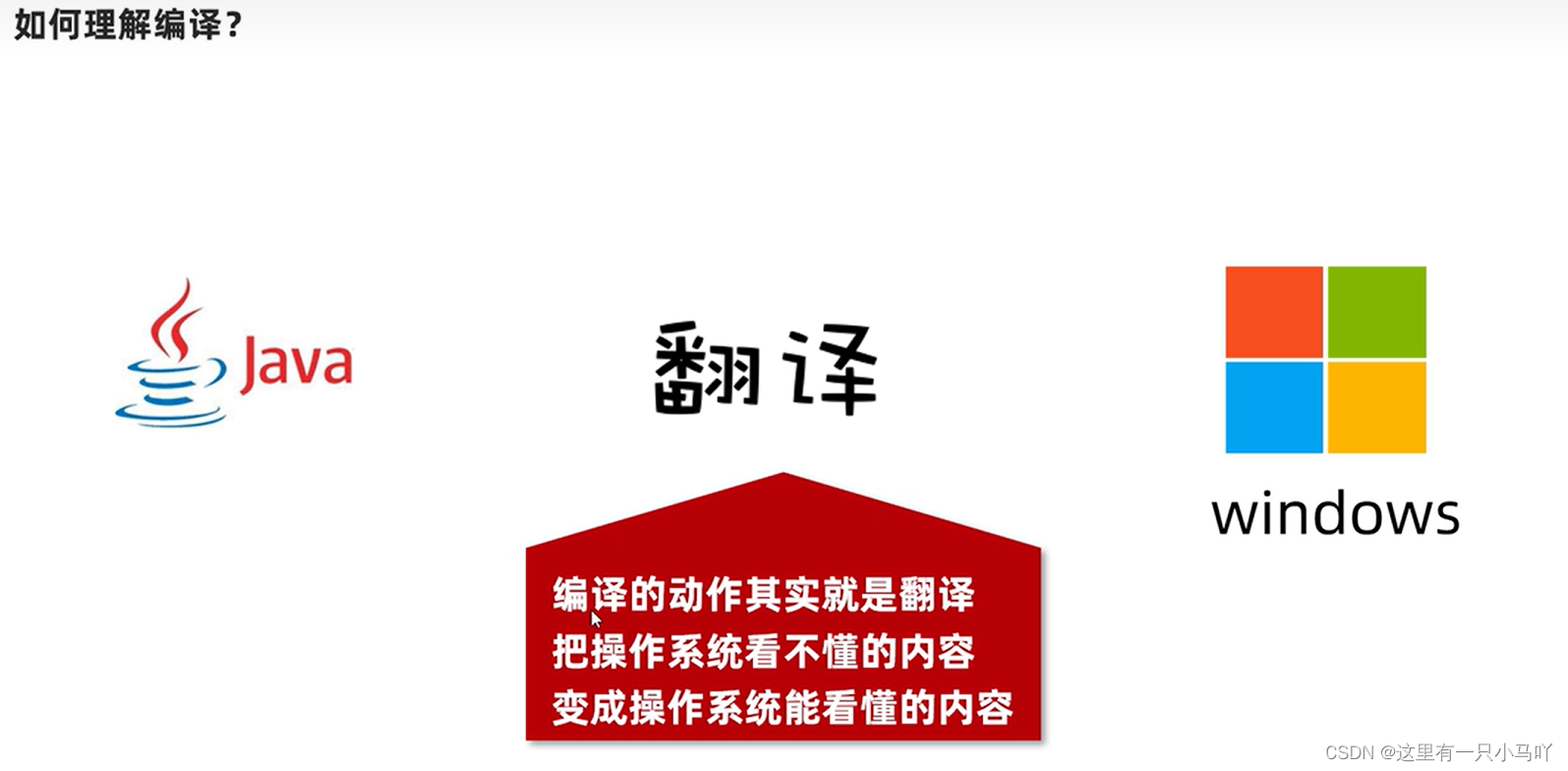
Java中的编译分为两个部分 :
源码文件编译成字节码文件(前端编译)
字节码文件被虚拟机加载以后编译成机器码(后端编译)
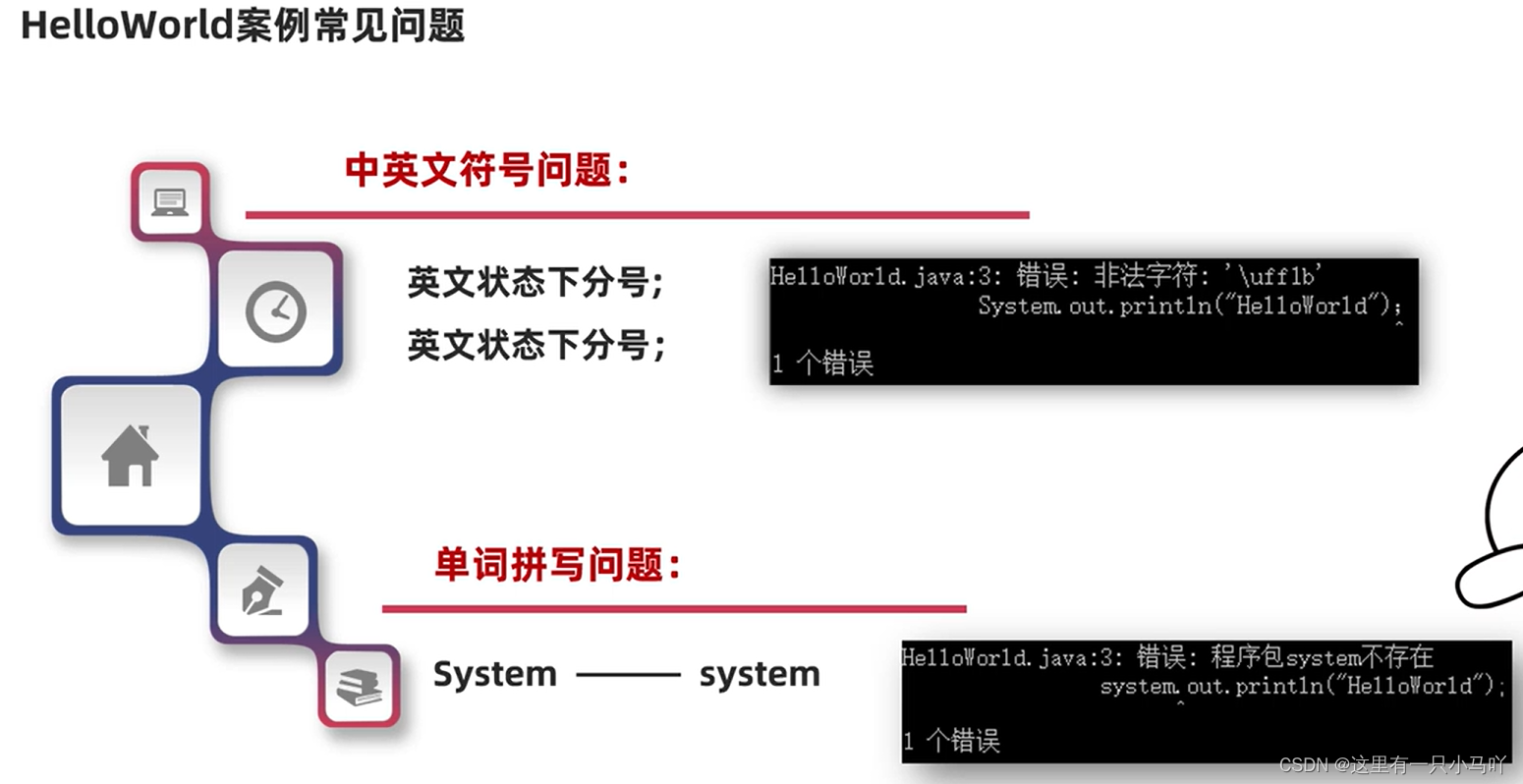
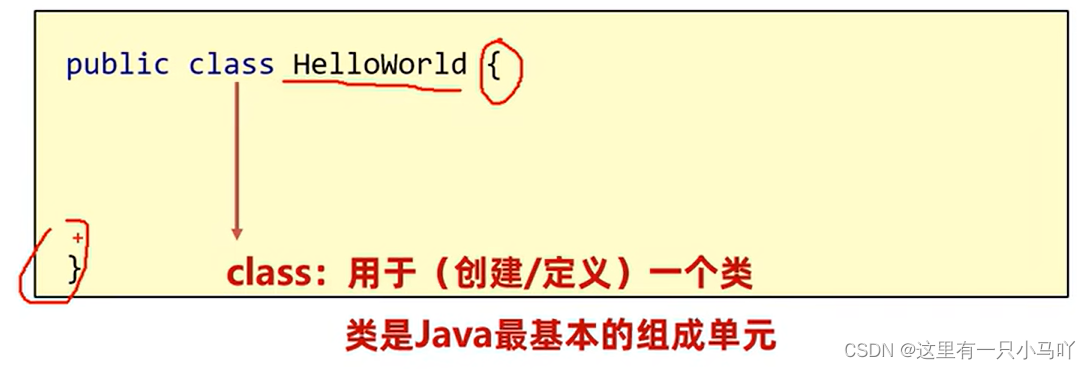
2.1.1 HelloWorld代码案例 1 2 3 4 5 public class HelloWorld { public static void main (String[] args) { System.out.println("HelloWorld" ); } }
2.1.2 配置Path环境变量
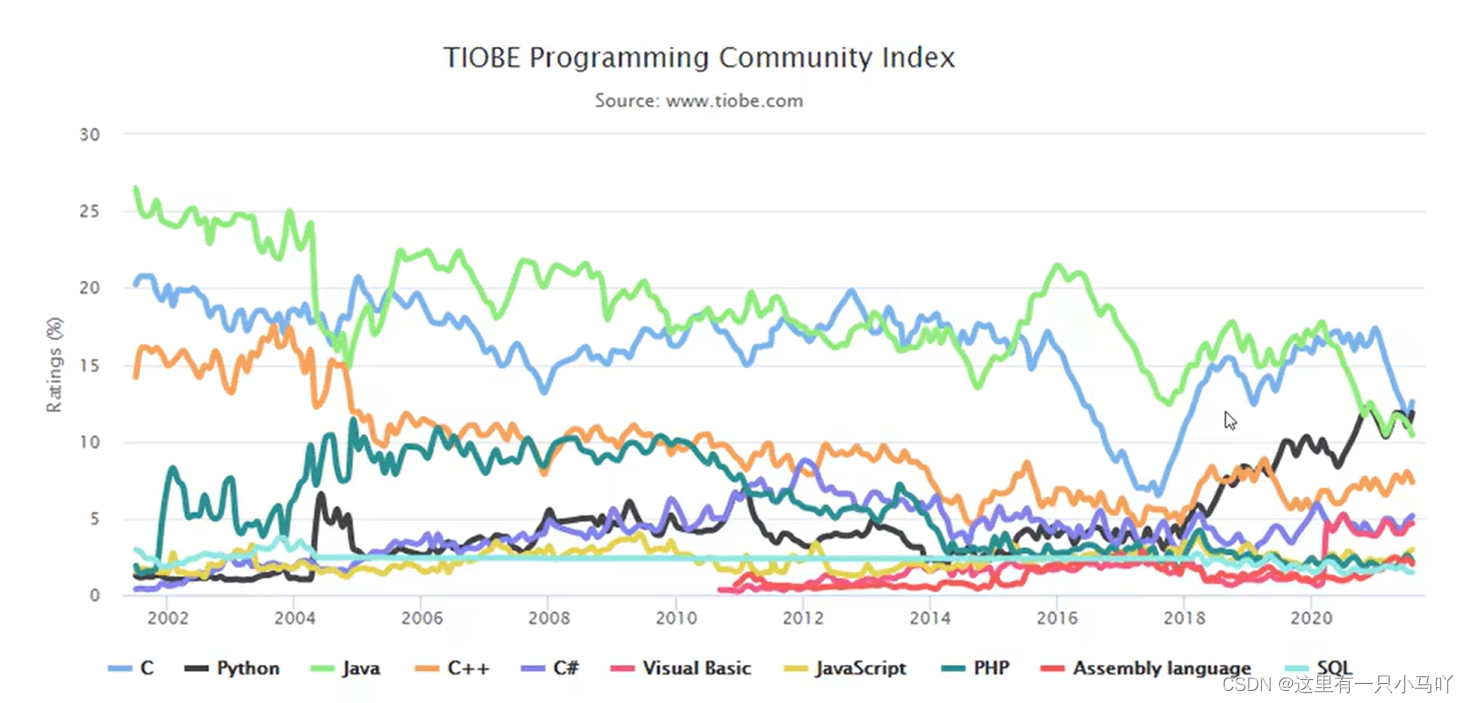
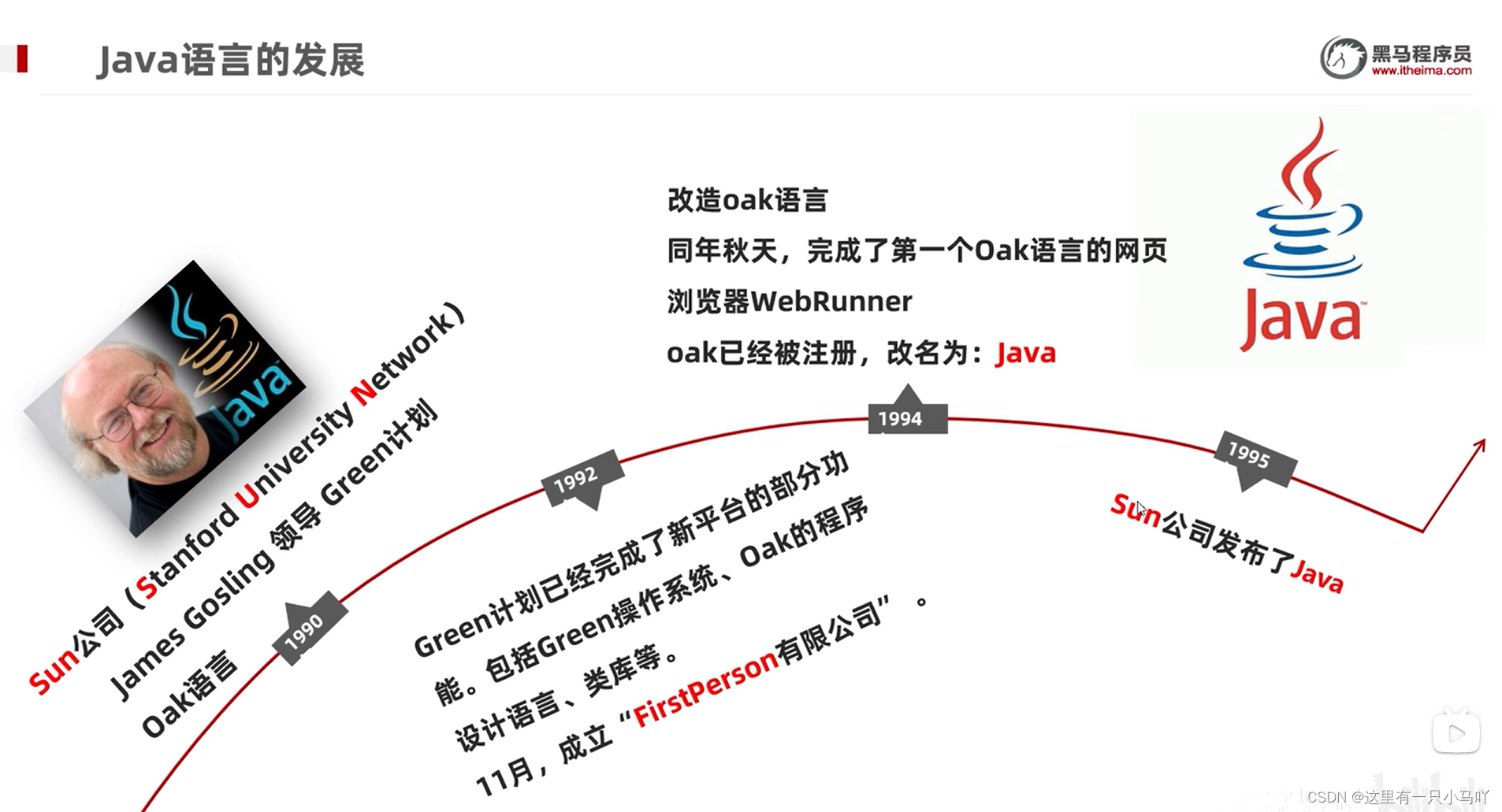
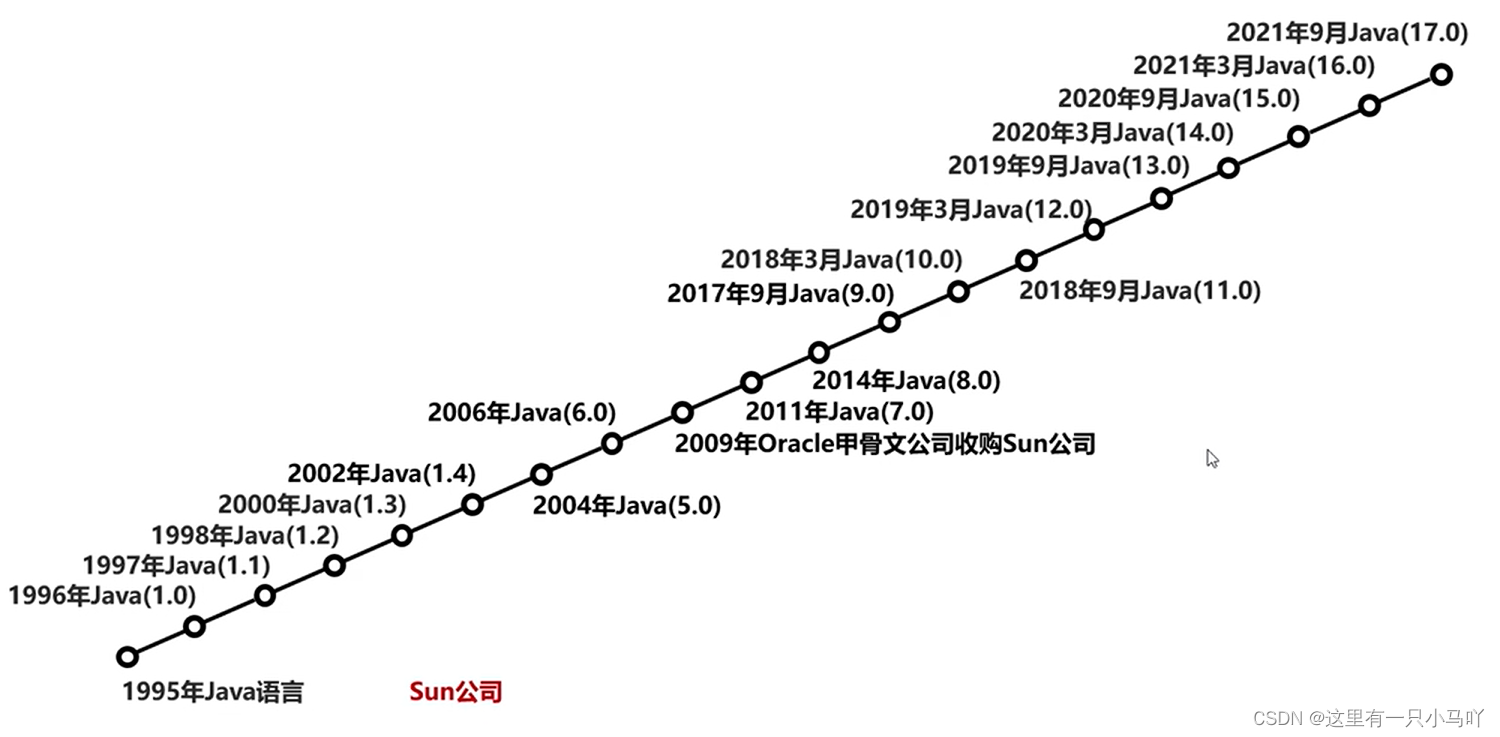
2.1.3 Java语言发展
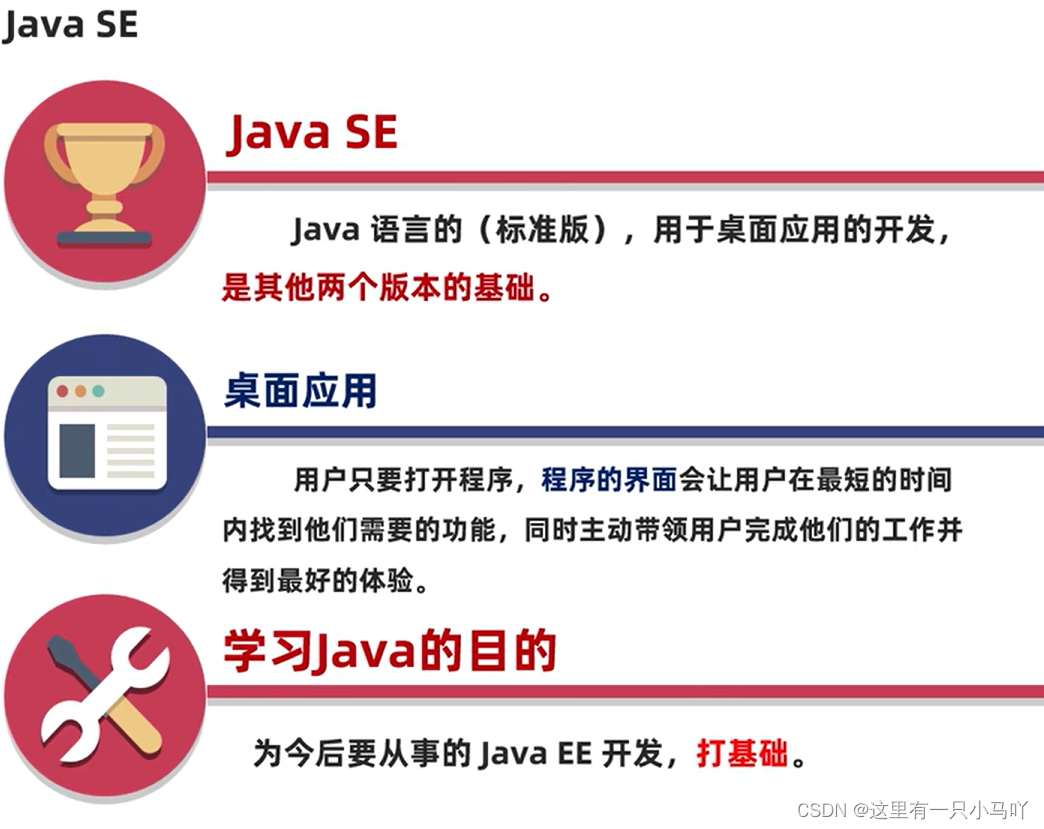
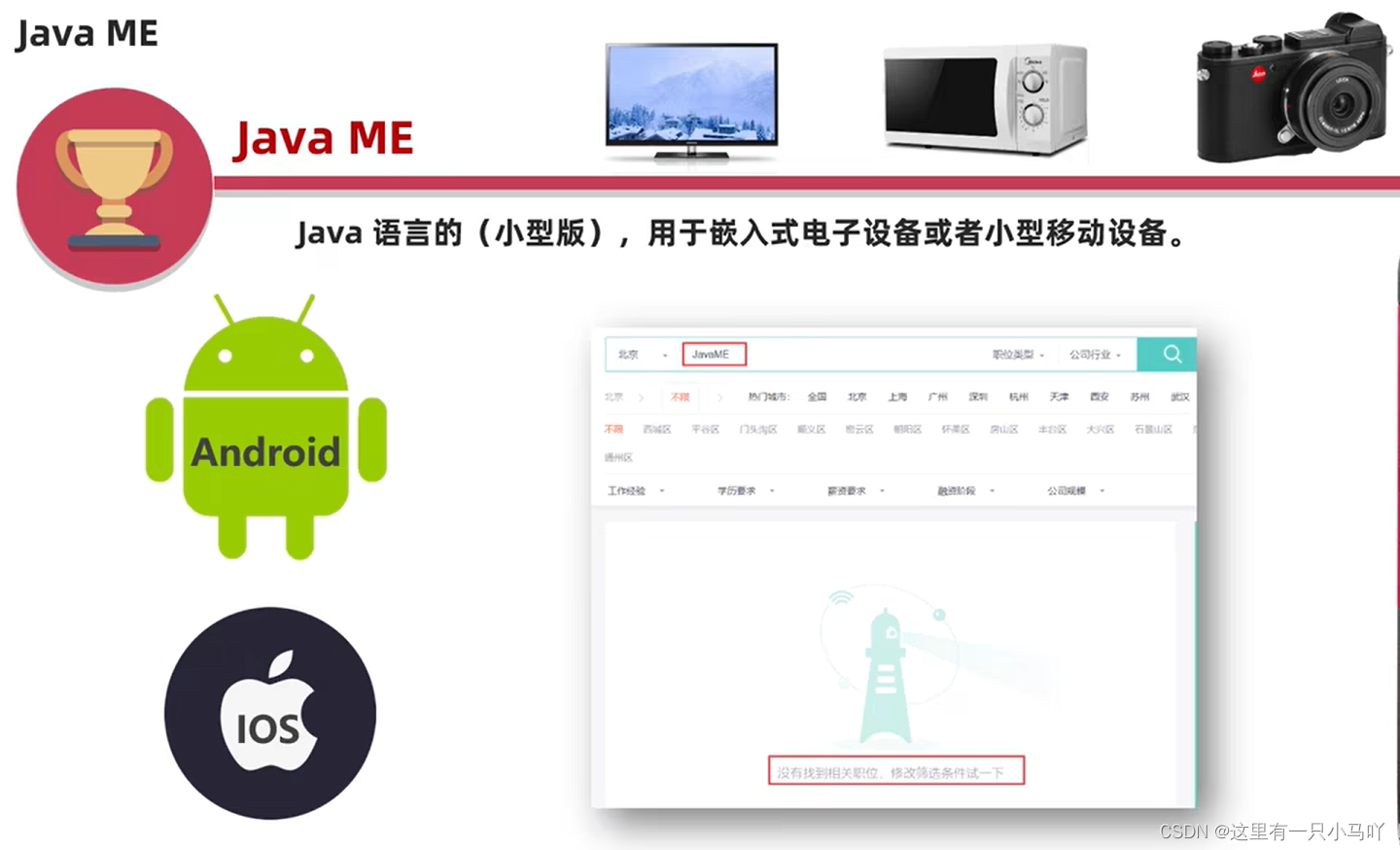
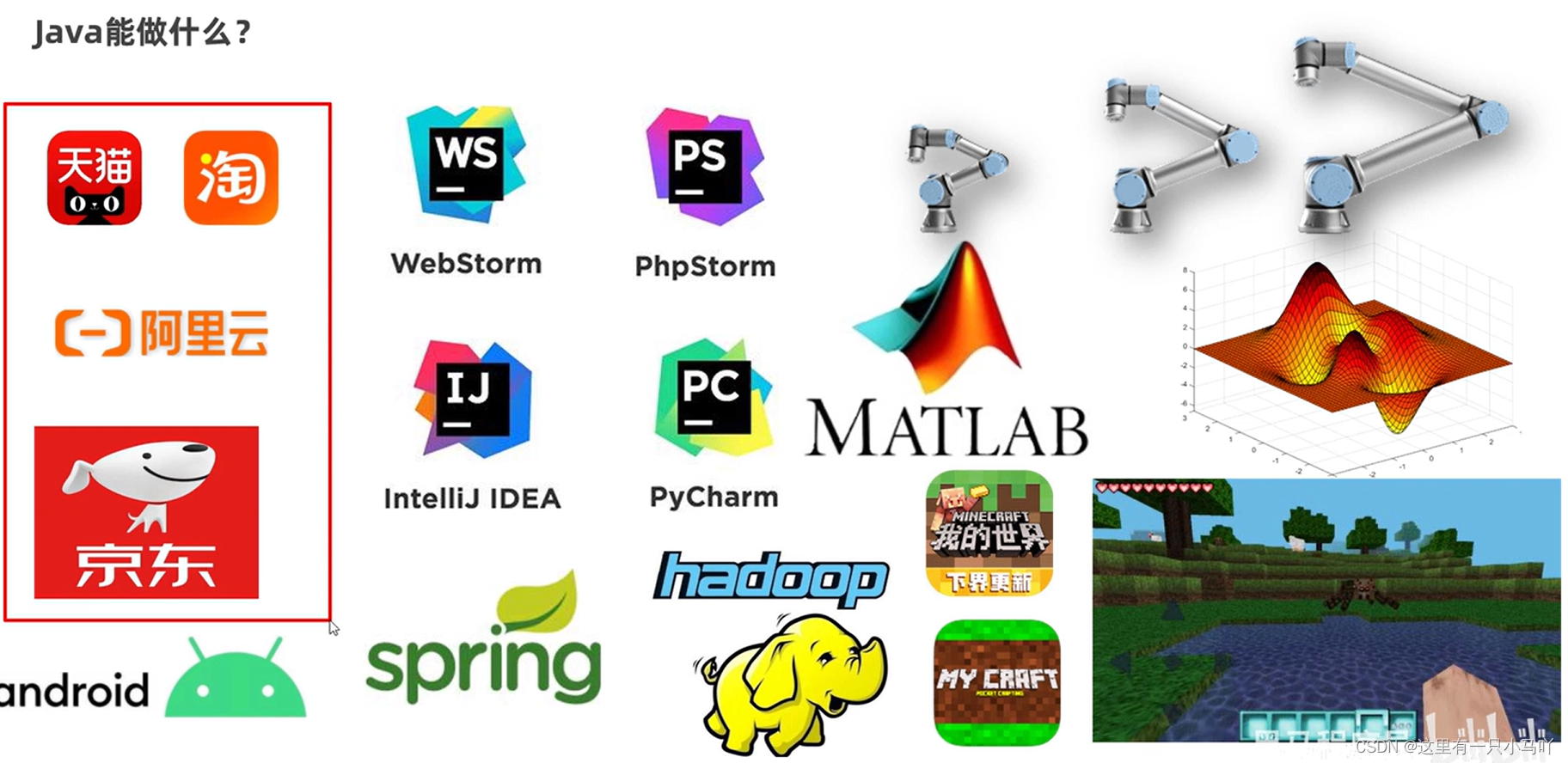
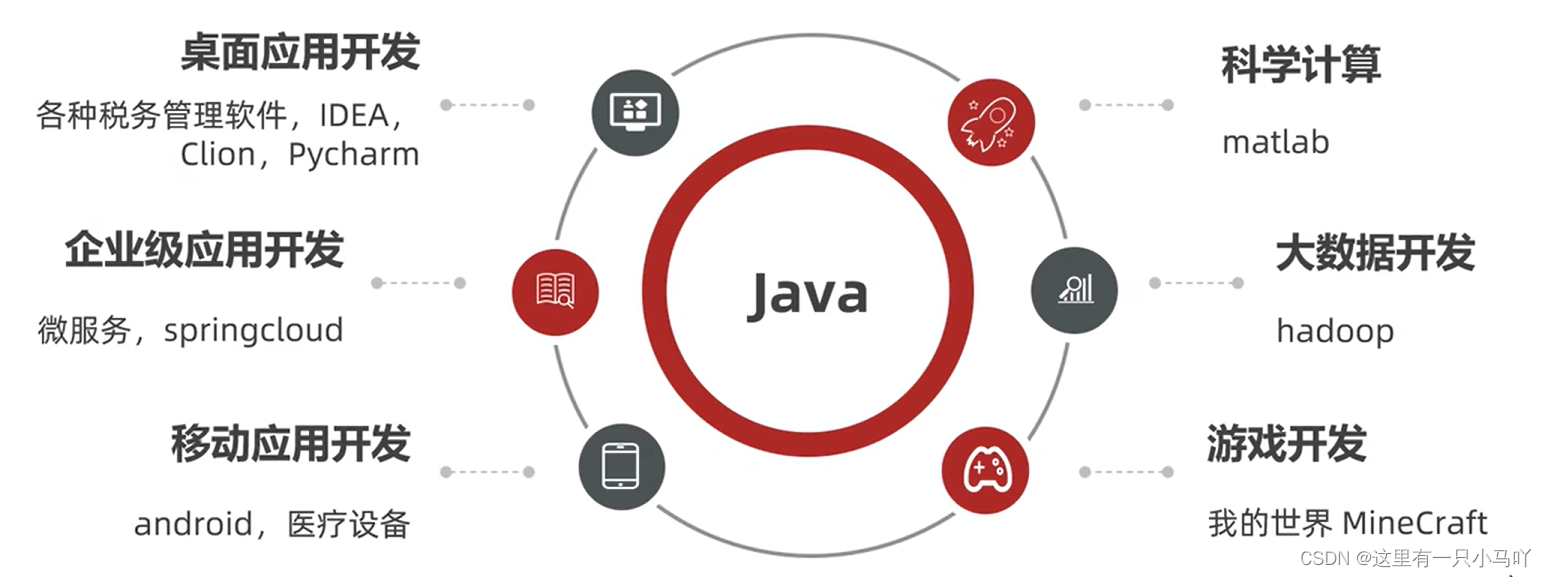
2.1.4 Java能干什么? 三大使用平台:JavaSE、JavaME、JavaEE
2.2.5 Java为什么这么火?
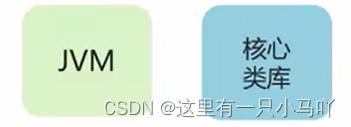
JVM (Java Virtual Machine) : Java虚拟机,真正运行Java程序的地方
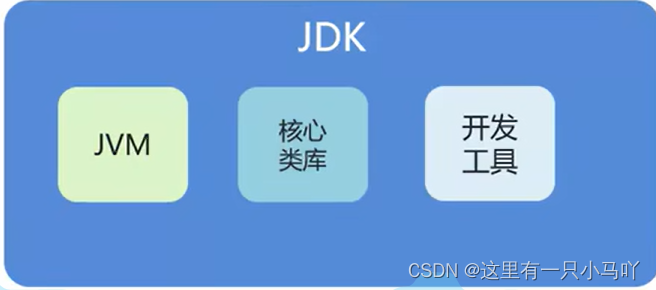
JDK是什么?有哪些内容组成?
JDK是Java开发工具包
JVM虛 拟机: Java程序运行的地方
核心类库: Java已经写好的东西,我们可以直接用。
开发工具: javac、java、 jdb、jhat…
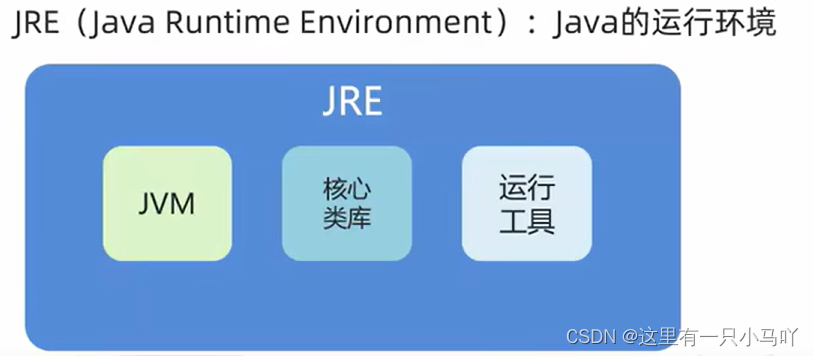
jJRE是什么? 有哪些内容组成?
JRE是Java运行环境
JVM、核心类库、运行工具
jDK, JRE, JVM三者的包含关系
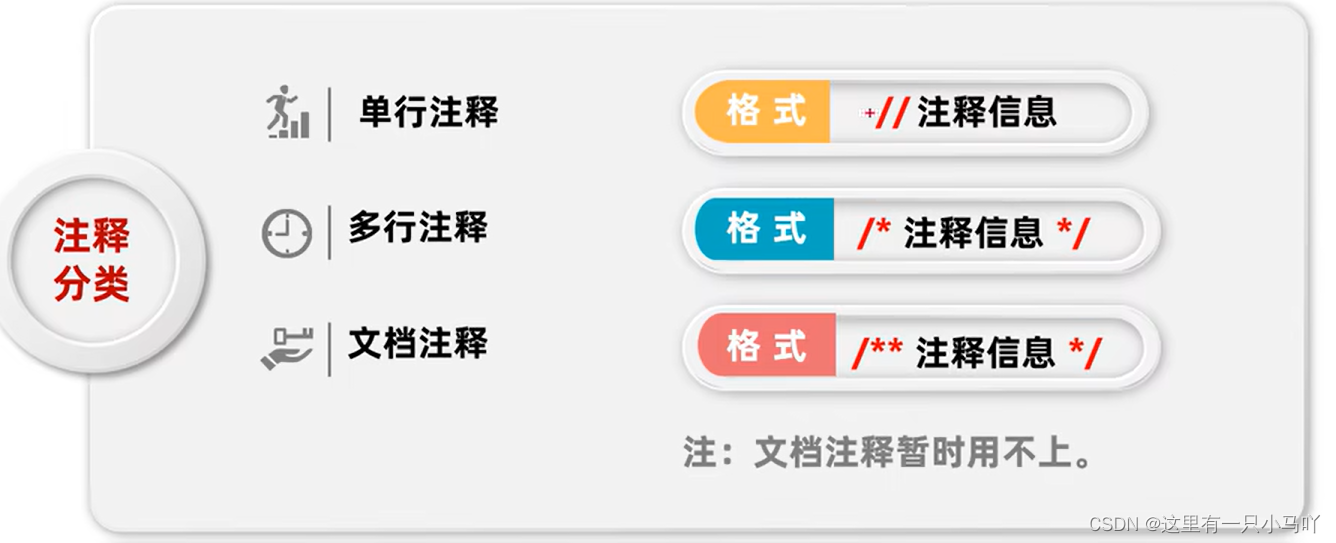
2.2 小概念 2.2.1 注释、关键字、字面量
注释:注释是在程序指定位置添加的说明性信息,简单理解,就是对代码的一种解释
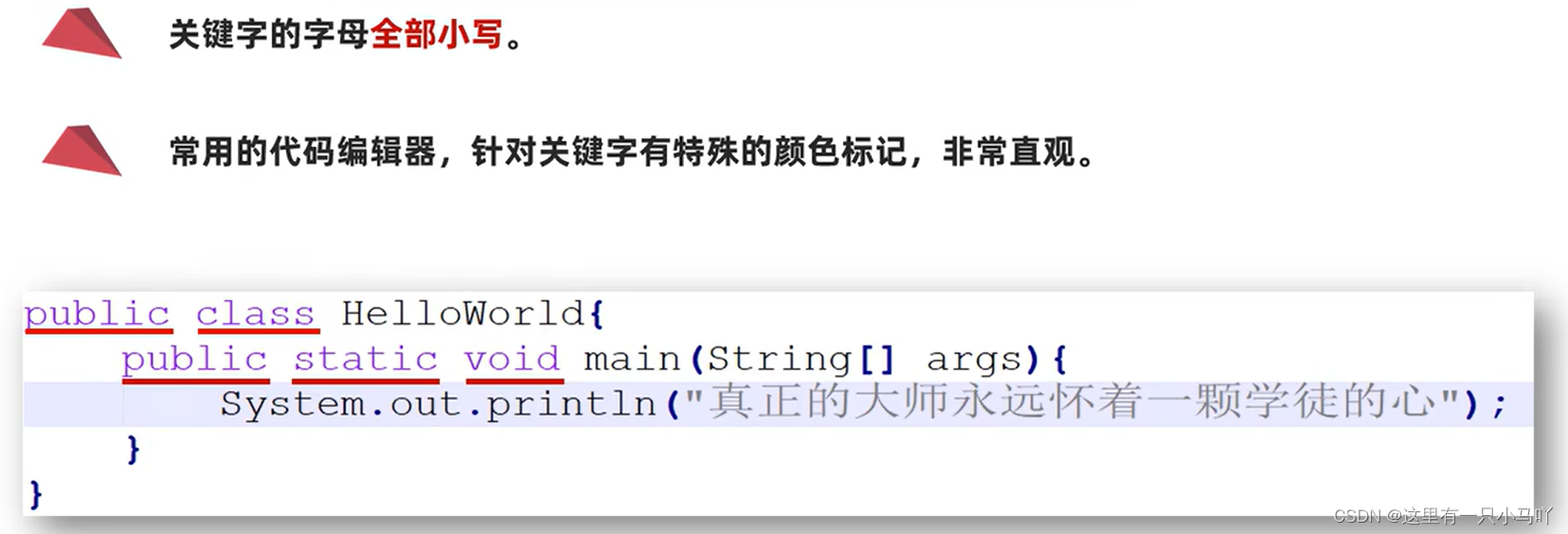
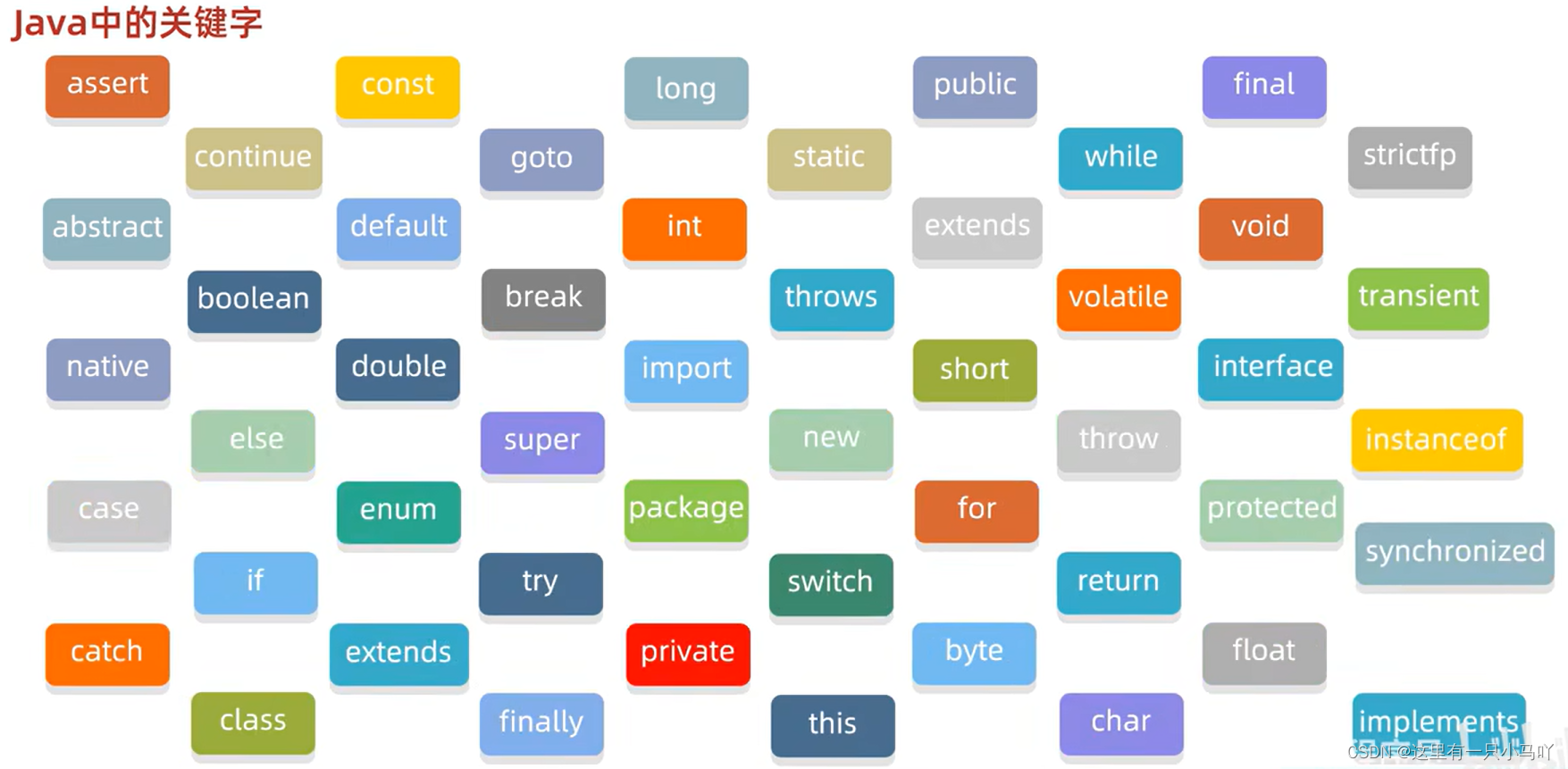
关键字:被Java赋予了特定涵义的英文单词
字面量:整数类型、小数类型、字符串类型、字符类型、布尔类型、空类型
字面量类型
说明
举例
整数类型
不带小数点的数字
666, -88
小数类型
带小数点的数字
13.14, -5.21
字符串类型
用双引号括起来的内容
“HelloWorld”,“黑马程序员”
字符类型
用单引号括起来的,内容只能有一个
‘A’, ‘0’,‘我’
布尔类型
布尔值,表示真假,只有两个值
true, false
空类型
一个特殊的值,空值
值是: null
1 2 3 4 5 6 7 8 9 10 11 12 13 14 15 public class Main { public static void main (String[] args) { System.out.println("Hello world!" ); System.out.println(666 ); System.out.println(-999 ); System.out.println(-1.2 ); System.out.println('男' ); System.out.println(true ); System.out.println(false ); } }
2.2.2 \t制表符 在打印的时候,把前面字符串 的长度补齐到8,或者8的整数倍。最少补1个空格,最多补8个空格。
1 2 3 4 5 6 7 8 public class Main { public static void main (String[] args) { System.out.println("Hello" +'\t' +"World" ); System.out.println("HelloWorld" ); } }
变量:数据类型 变量名=数据值;
1 2 3 4 5 6 7 8 9 10 11 12 13 14 15 16 17 18 19 20 21 22 23 24 25 26 27 28 29 30 31 32 33 34 35 36 37 38 39 40 41 42 43 public class Main { public static void main (String[] args) { int a = 10 ; double b = 10.1 ; System.out.println (a) ; System.out.println (b) ; } } Lobster AIjava运行12345678910111213141516 public class Main { public static void main (String[] args) { int a= 10 ; System.out.println(a) ; System.out.println(a) ; System.out.println(a) ; int b= 30 ; int c= 20 ; System.out.println(b + c) ; b = 70 ; System.out.println(b) ; int d=100 ,e=200 ,f=300 ; System.out.println(d) ; System.out.println(e) ; System.out.println(f) ; boolean w = true ; System.out.println(w); } }
2.2.3 变量的注意事项
只能存一个值
变量名不允许重复定义
一条语句可以定义多个变量
变量在使用之前一定要进行赋值
变量的作用域范围
2.2.4 变量计算-计算公交车人数 1 2 3 4 5 6 7 8 9 10 11 12 13 14 15 16 17 18 19 20 public class Main { public static void main (String[] args) { int count = 0 ; count=count+1 ; count=count+2 -1 ; count=count+2 -1 ; count=count-1 ; count=count+1 ; System.out.println(count) ; } }
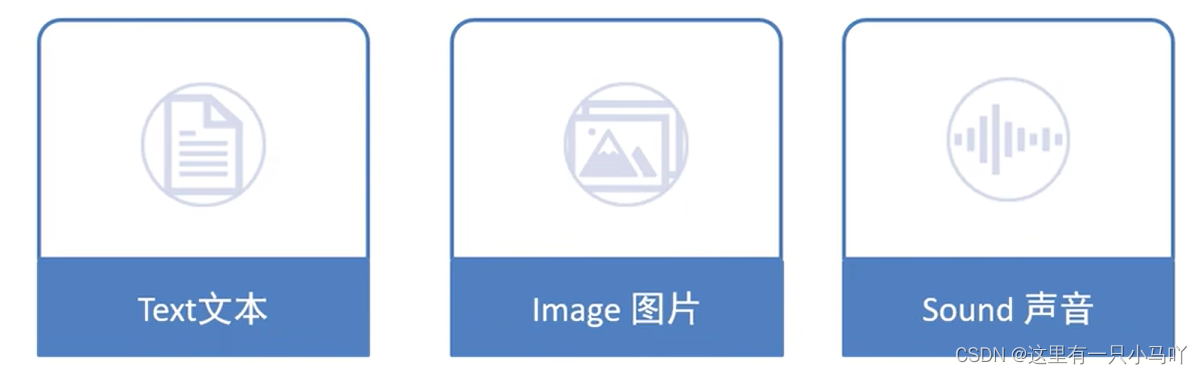
2.2.5 计算机的存储规则
2.2.6 计算机的存储规则
GB2312编码BIG5编码GBK编码Unicode编码
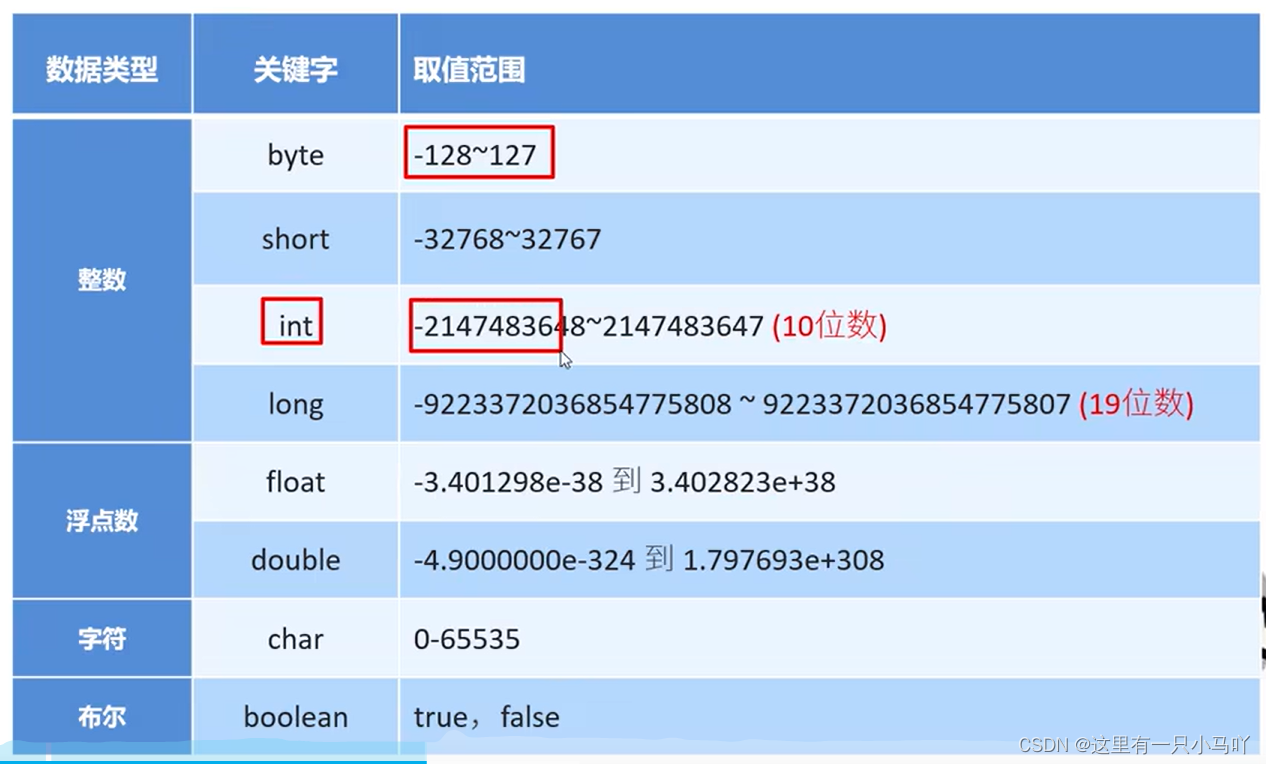
2.2.7 数据类型 1. 基本数据类型:
1 2 3 4 5 6 7 8 9 10 11 12 13 14 15 16 17 18 19 20 21 22 23 24 25 26 27 28 29 30 31 32 33 34 35 36 37 public class Main { public static void main (String[] args) { byte b = 10 ; System.out.println(b) ; short s=20 ; System.out.println(s) ; int i=30 ; System.out.println(i) ; long n = 9999999999L ; System.out.println(n); } } Lobster AIjava运行1234567891011121314151617181920 public class Main { public static void main (String[] args) { float f = 10.1F ; System.out.println(f) ; double d = 20.2 ; System.out.println(d) ; char c='中' ; System.out.println(c) ; boolean o = true ; System.out.println(o) ; } }
整数和小数取值范围大小关系:double > float > long > int > short > byte
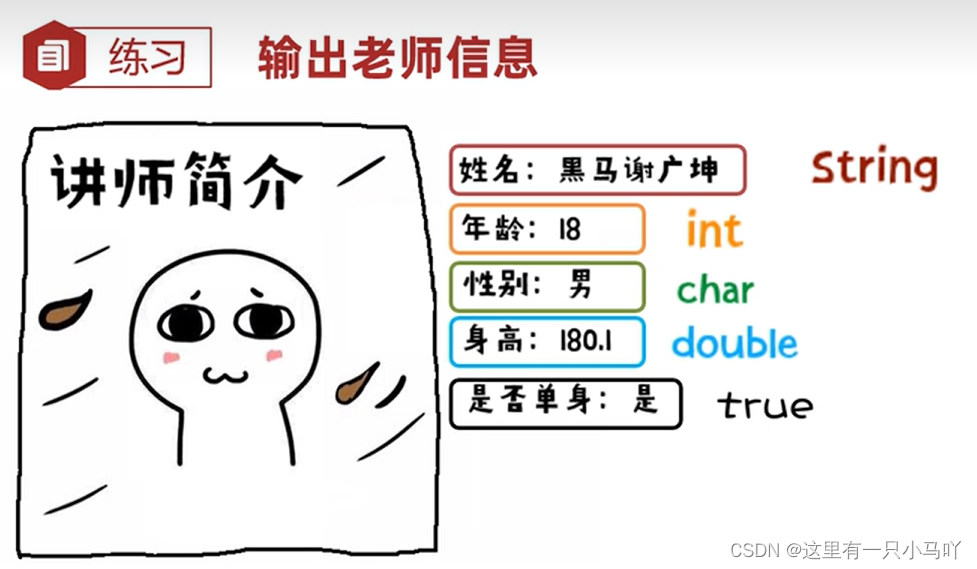
1 2 3 4 5 6 7 8 9 10 11 12 13 14 15 16 17 18 19 20 public class Main { public static void main (String[] args) { String name = "黑马王大拿" ; int age = 18 ; char gender = '男' ; double height = 180.1 ; boolean flag = true ; System.out.println("name:" +'\t' +name); System.out.println("age:" +'\t' +age); System.out.println("gender:" +'\t' +gender); System.out.println("height:" +'\t' +height); System.out.println("flag:" +'\t' +flag); } }
2. 引用数据类型:
类、 接口类型、 数组类型、 枚举类型、 注解类型、 字符串型,例:String 类型就是引用类型
2.2.8 标识符
标识符命名规则——硬性要求
由数字、字母、下划线_和美元符$
组成 不能以数字开头
不能是关键字
区分大小写
标识符命名规则——软性建议
小驼峰命名法:方法、变量
规范1:标识符是一个单词的时候,全部小写
范例1: name
规范2:标识符由多个单词组成的时候,第一个单词首字母小写,其他单词首字母大写
范例2: firstName
大驼峰命名法:类名
规范1:标识符是一个单词的时候,首字母大写
范例1: Student
规范2:标识符由多个单词组成的时候,每个单词的首字母大写
范例2: GoodStudent
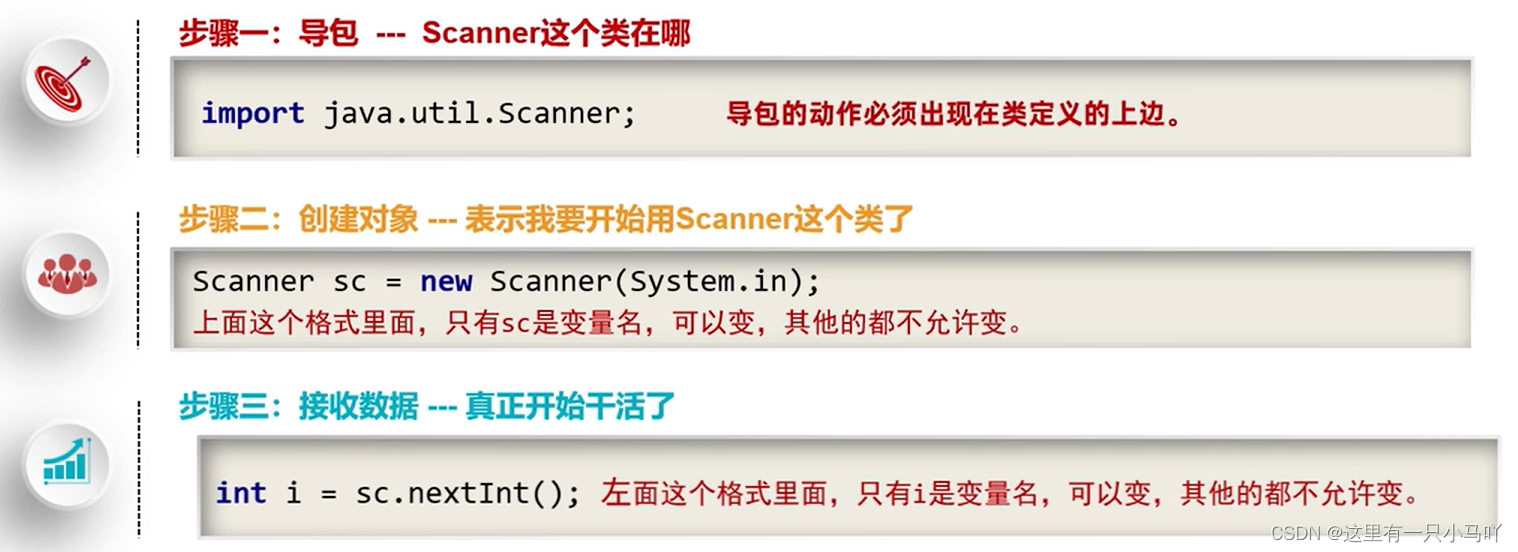
2.2.9 键盘录入 Java帮我们写好一个类叫Scanner,这个类就可以接收键盘输入的数字。
1 2 3 4 5 6 7 8 9 10 import java.util.Scanner;public class Main { public static void main (String[] args) { Scanner sc = new Scanner (System.in); System.out.println("Please input int:" ); int s = sc.nextInt(); System.out.println(s); } }
输入2个数字:
1 2 3 4 5 6 7 8 9 10 11 12 import java.util.Scanner;public class Main { public static void main (String[] args) { Scanner sc = new Scanner (System.in); System.out.println("Please input first num:" ); int s = sc.nextInt(); System.out.println("Please input second num:" ); int a = sc.nextInt(); System.out.println("Add:" ); System.out.println(s+a); } }
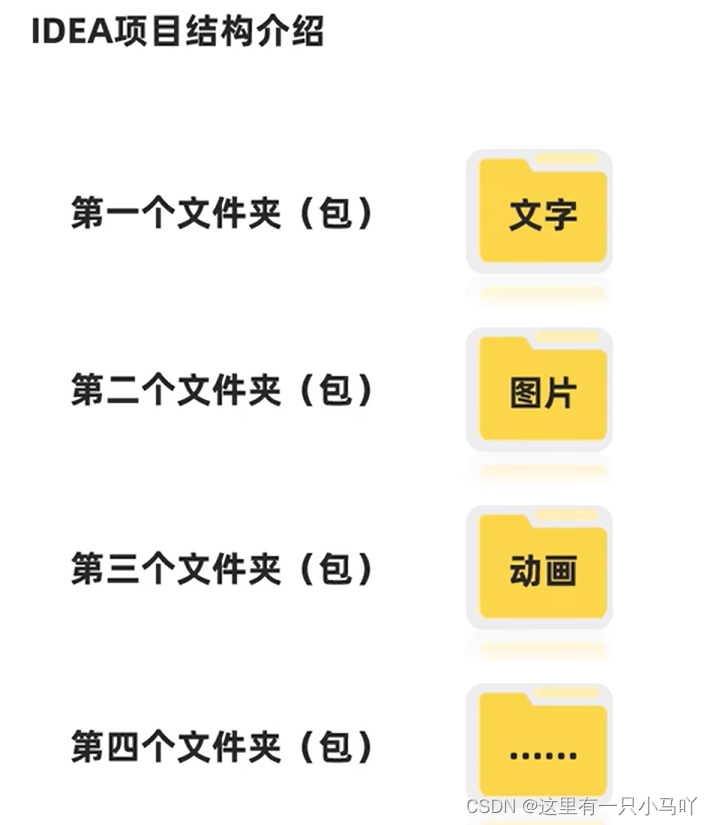
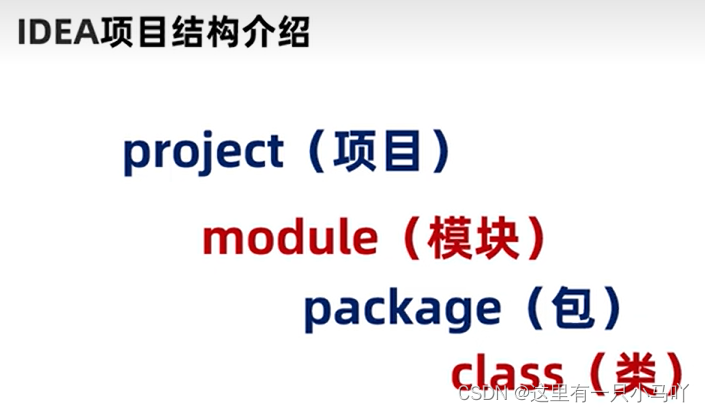
2.3 Idea 和运算符 2.3.1 IDEA 看看2位大牛的文字。
注意:文件名与类名保持一致
IDEA中模块相关操作:新建模块、删除模块、修改模块、导入模块
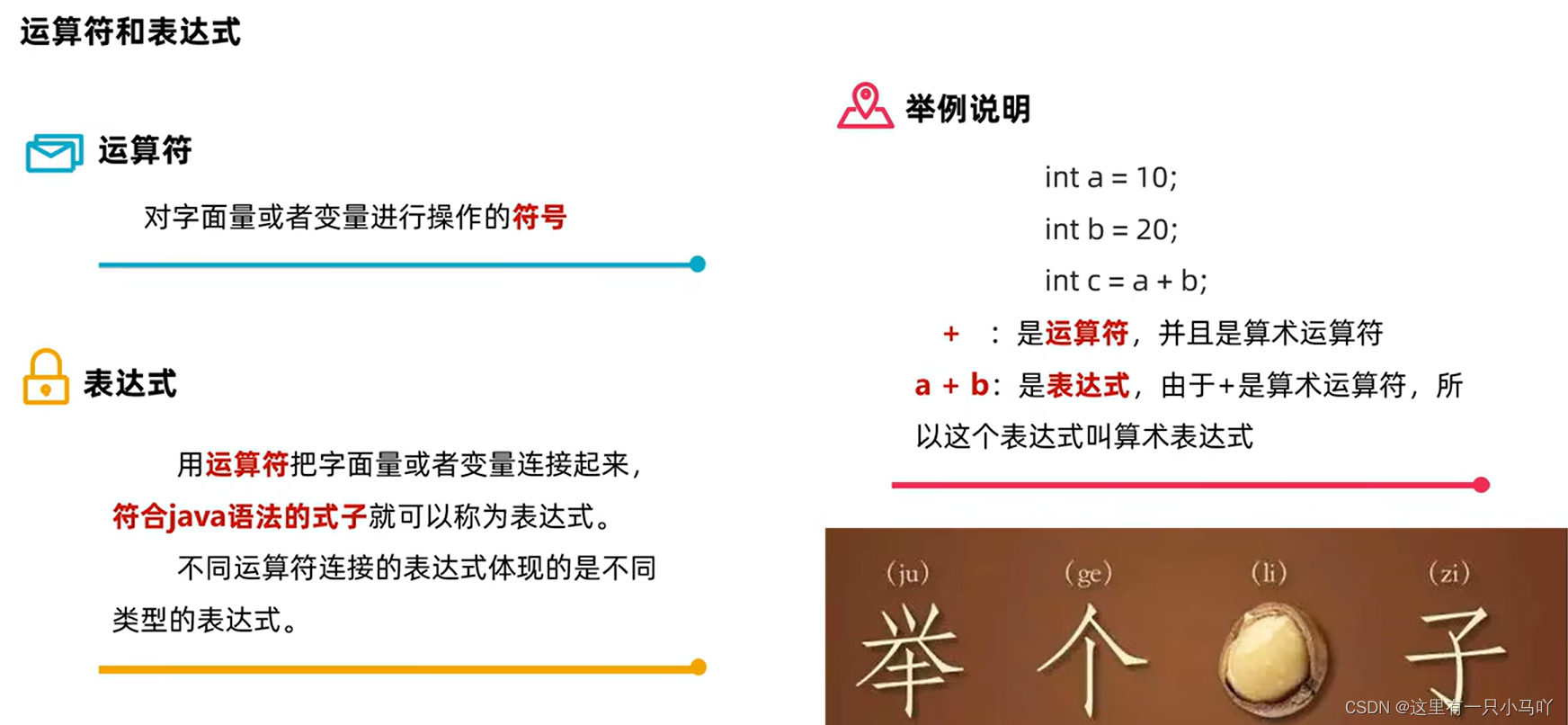
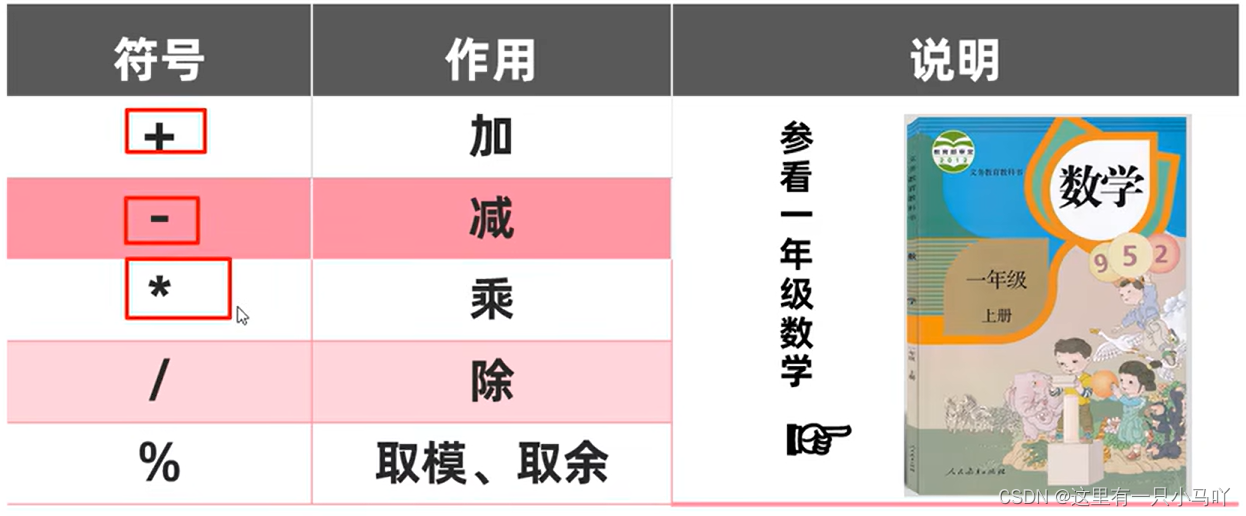
2.3.2 运算符 算术运算符
1 2 3 4 5 6 7 8 9 10 11 12 13 14 15 16 17 18 19 public class Main { public static void main (String[] args) { System.out.println(3 + 2 ); System.out.println(5 - 1 ); System.out.println(7 * 9 ); System.out.println(1.1 + 1.01 ); System.out.println(1.1 - 1.01 ); System.out.println(1.1 * 1.01 ); System.out.println(10 /3 ); System.out.println(10.0 /3 ); System.out.println(10 %3 ); } }
输出三位数的个、十、百
1 2 3 4 5 6 7 8 9 10 11 import java.util.Scanner;public class Main { public static void main (String[] args) { Scanner sc = new Scanner (System.in); System.out.println("please input a 三位数" ); int num = sc.nextInt(); System.out.println("个位" +'\t' +num%10 ); System.out.println("十位" +'\t' +(num/10 )%10 ); System.out.println("百位" +'\t' +num/100 ); } }
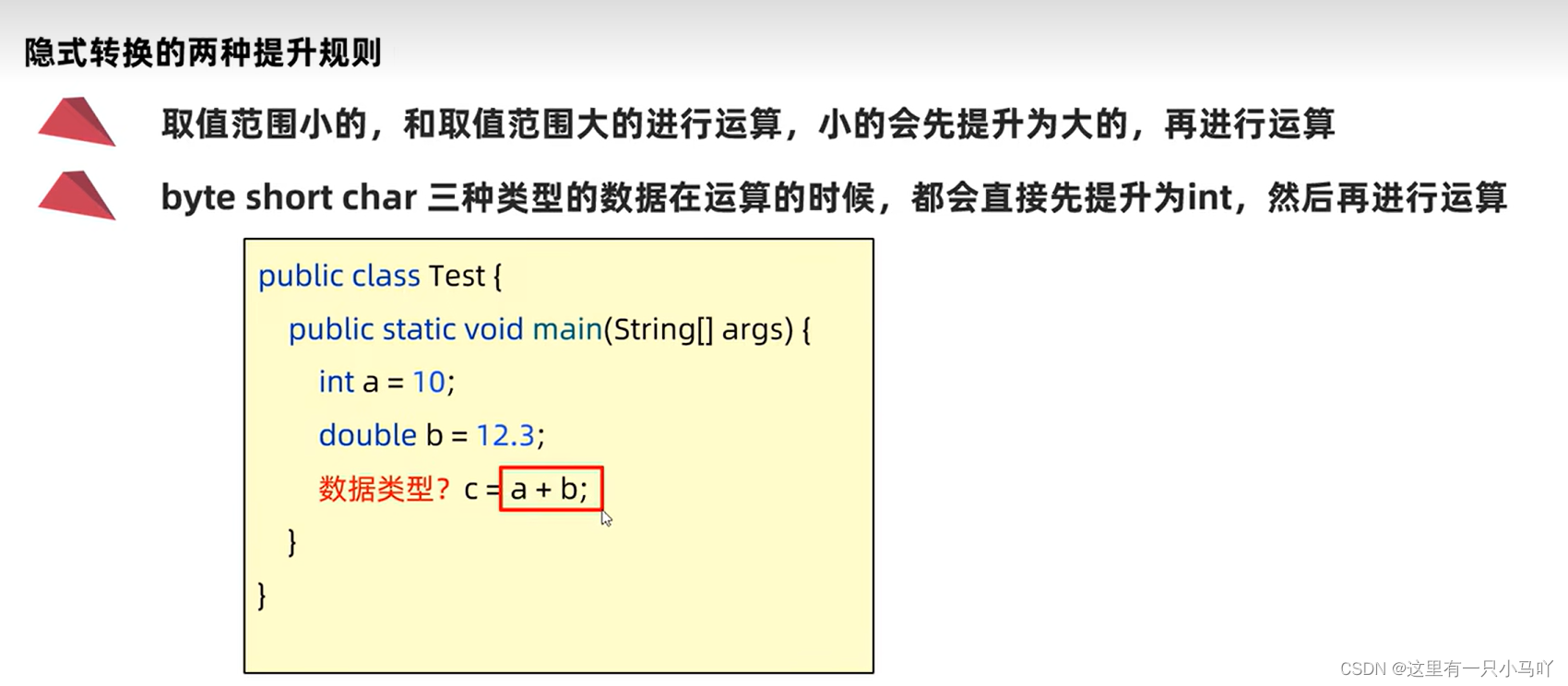
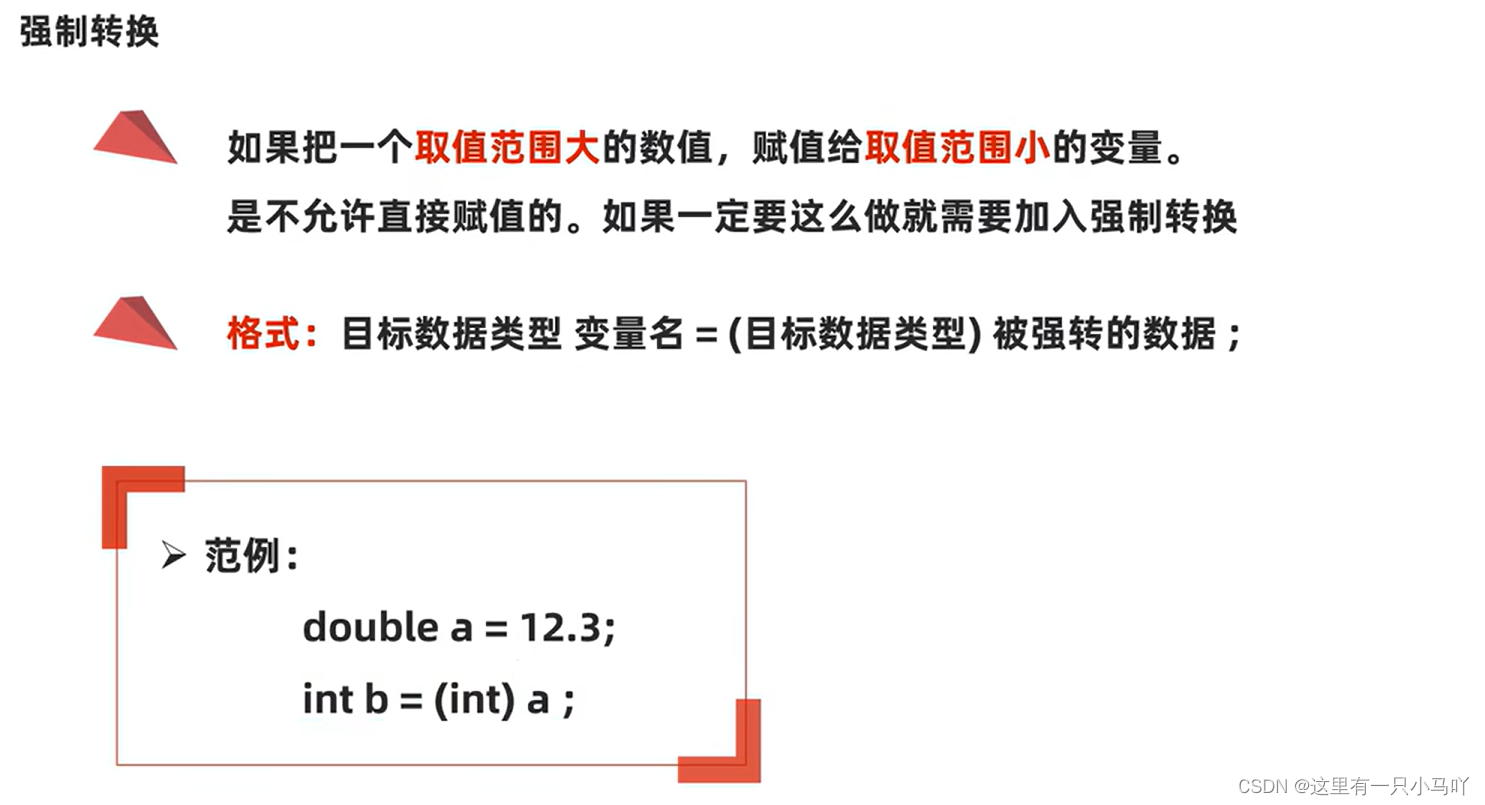
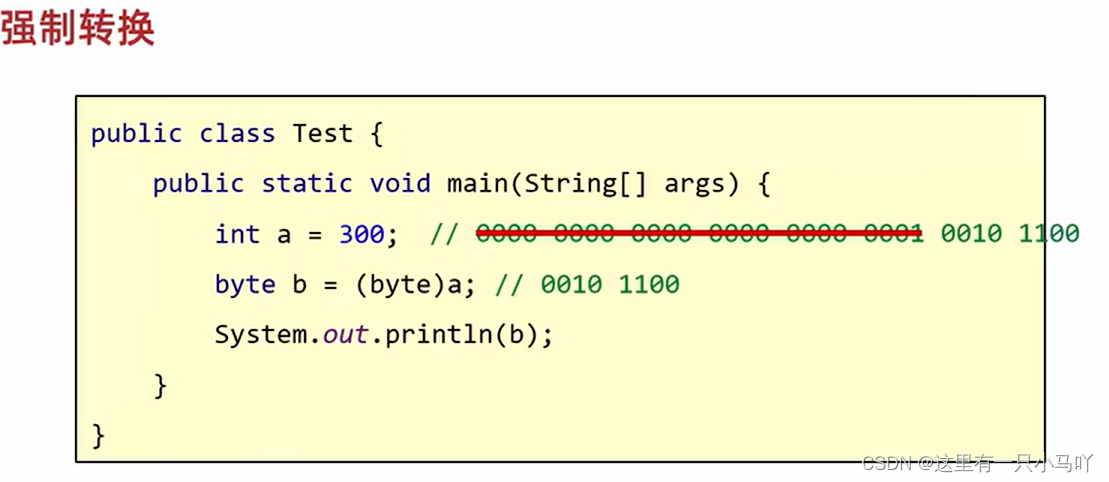
1 2 3 4 5 6 7 8 9 10 11 12 public class Main { public static void main (String[] args) { byte b1 = 19 ; byte b2 = 20 ; byte result = (byte )(b1 + b2); System. out. println(result); } }
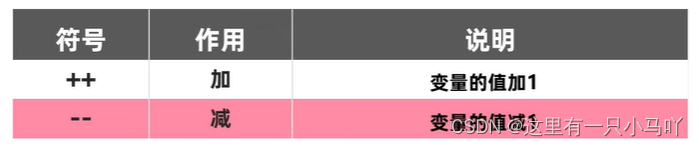
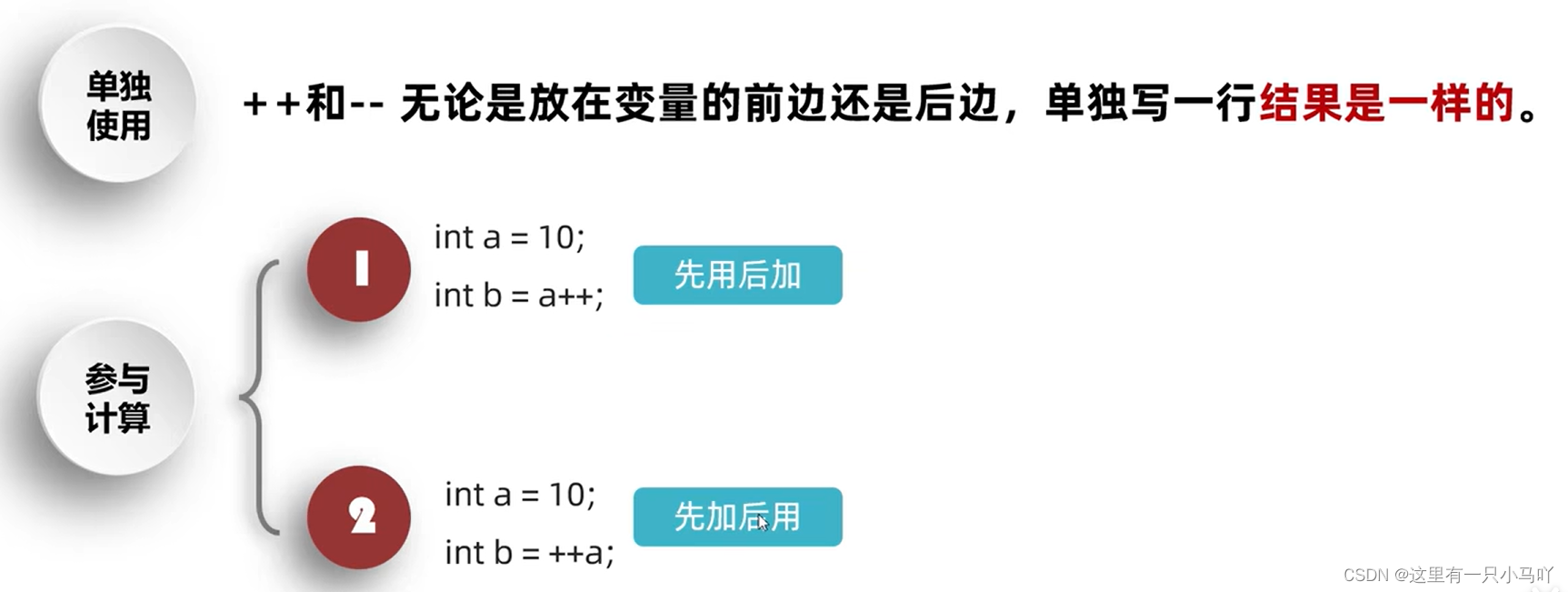
自增自减运算符 ++a 也可后写a++
1 2 3 4 5 6 7 8 9 10 public class Main { public static void main (String[] args) { int x = 10 ; int y = x++; int z = ++x; System.out.println(x); System.out.println(y); System.out.println(z); } }
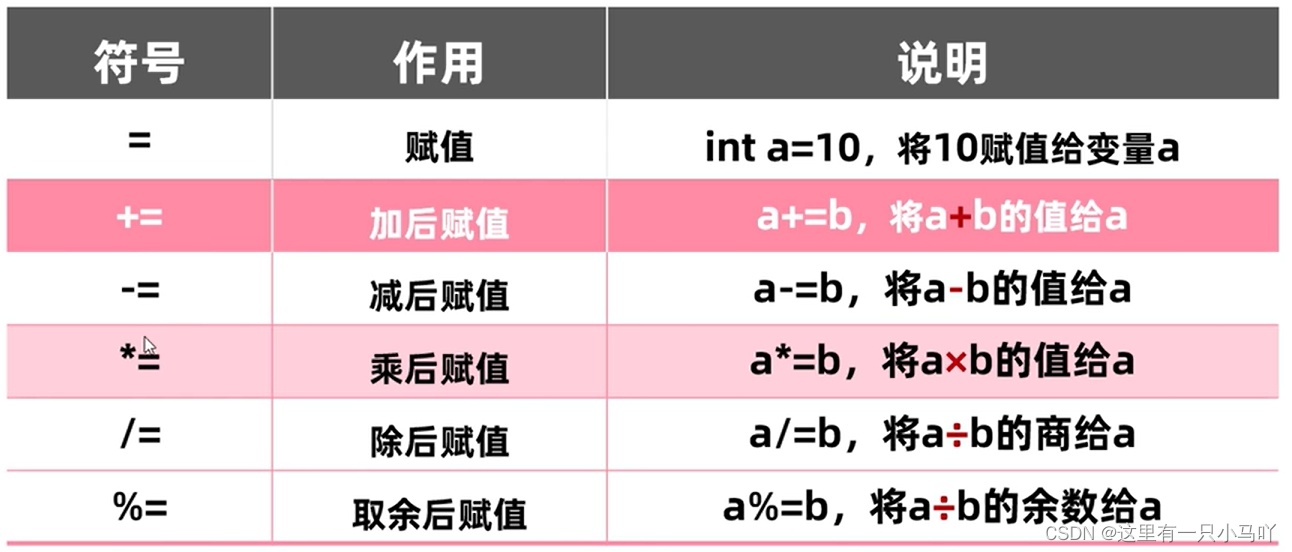
赋值运算符 关系运算符
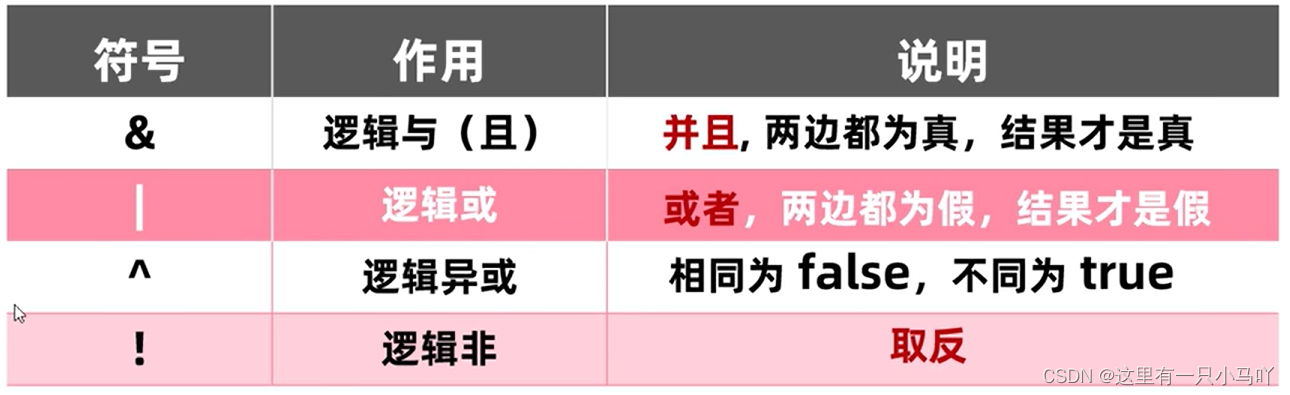
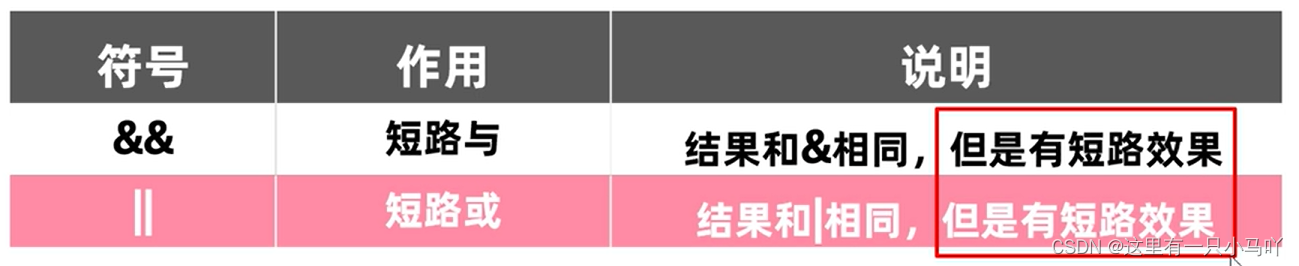
逻辑运算符
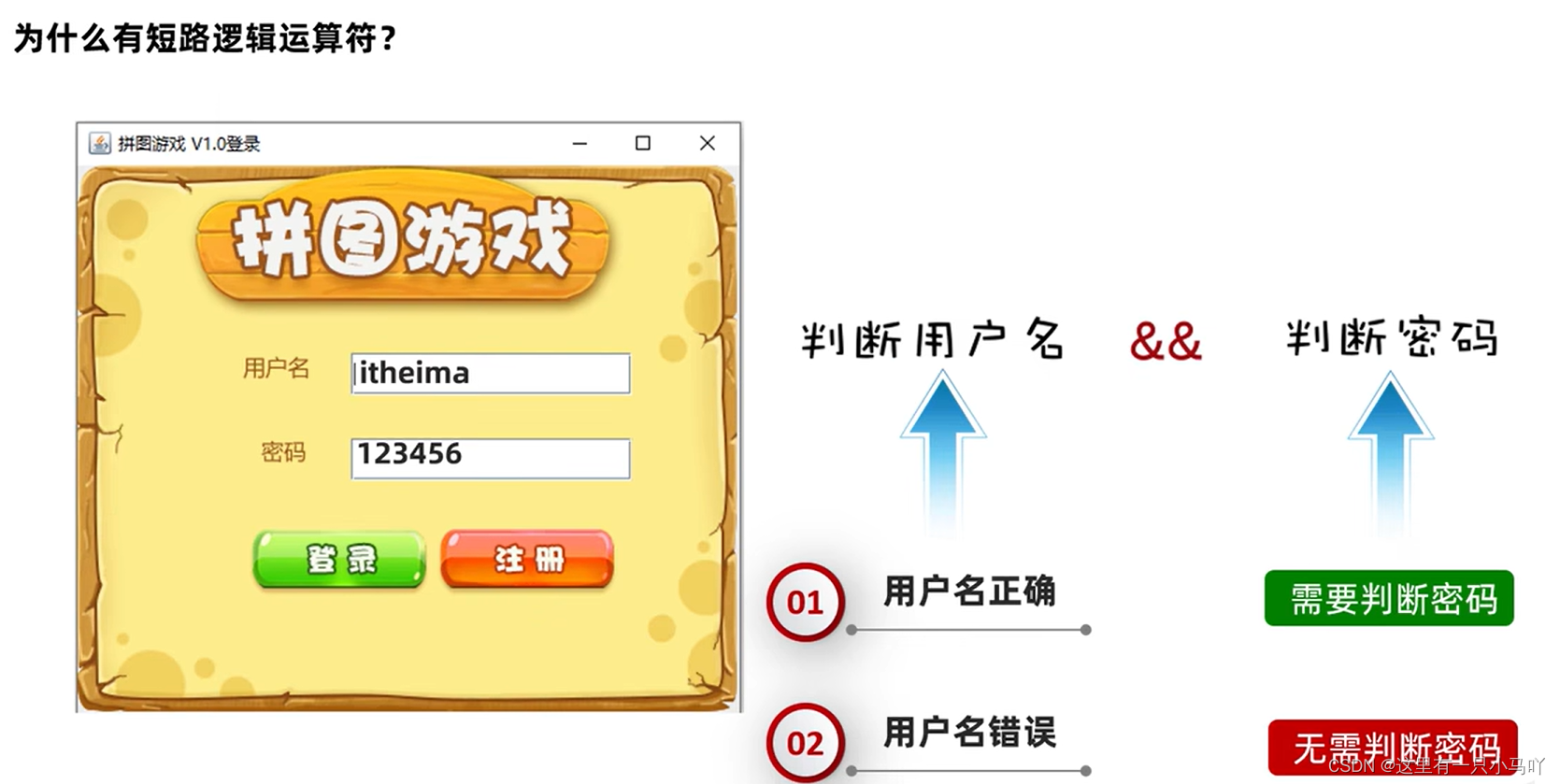
当左边的表达式能确定最终的结果,那么右边就不会参与运行了
三元运算符 ——关系表达式?表达式1:表达式2;
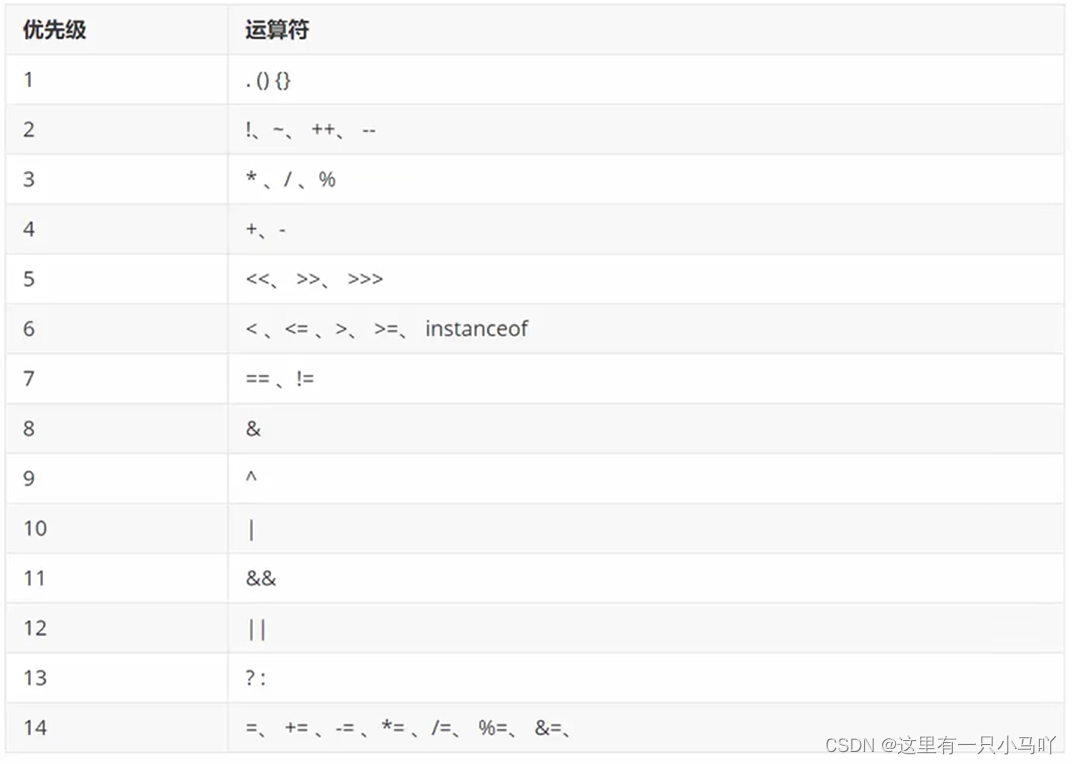
运算符优先级
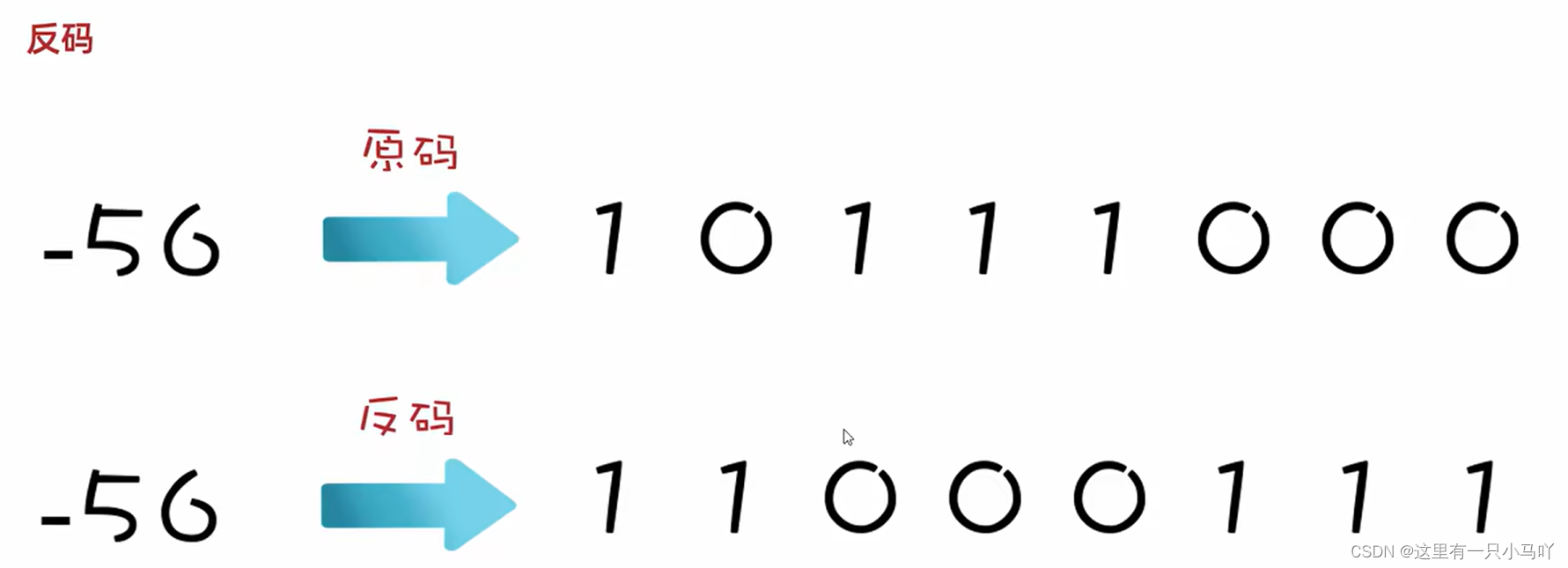
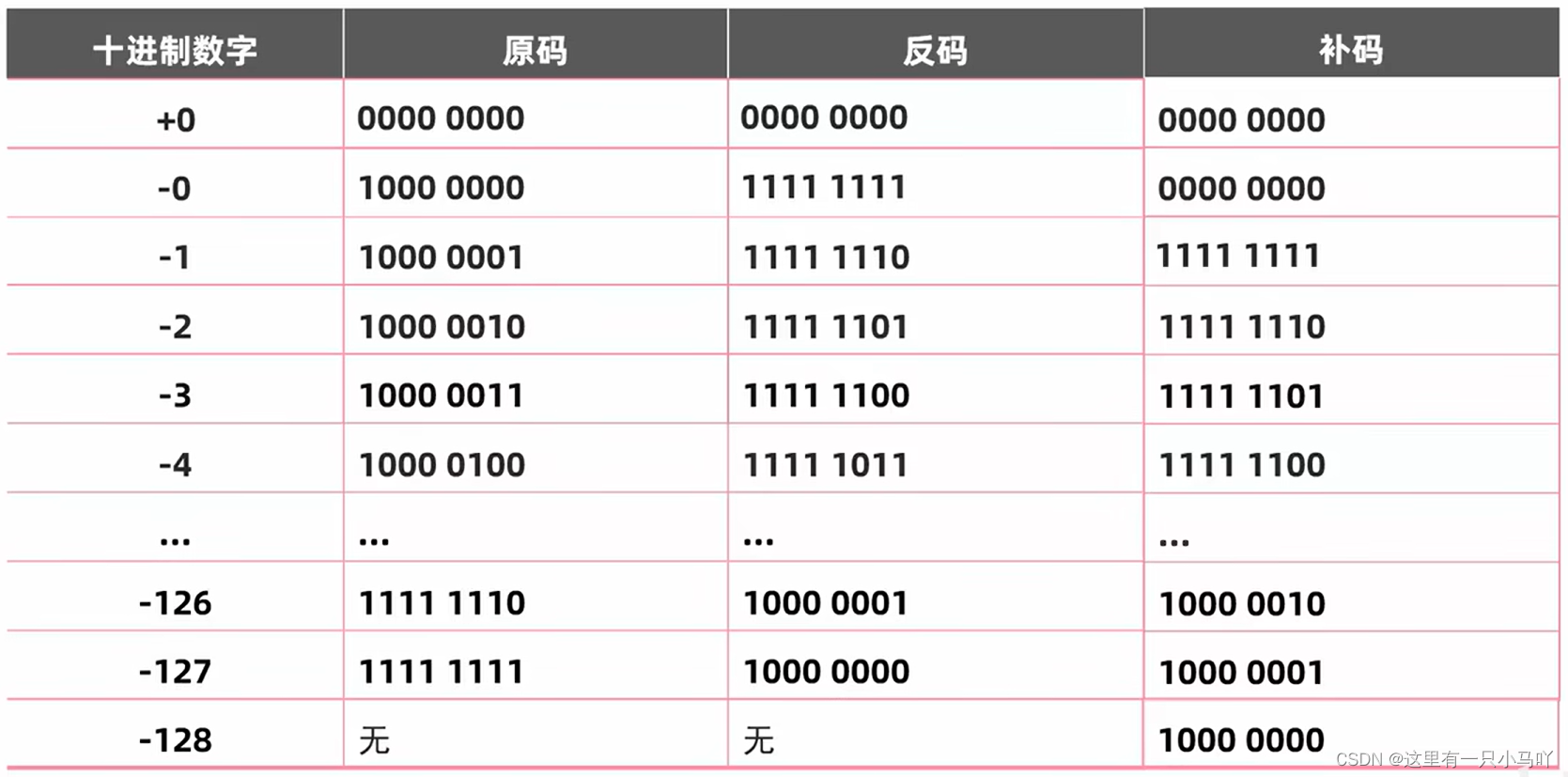
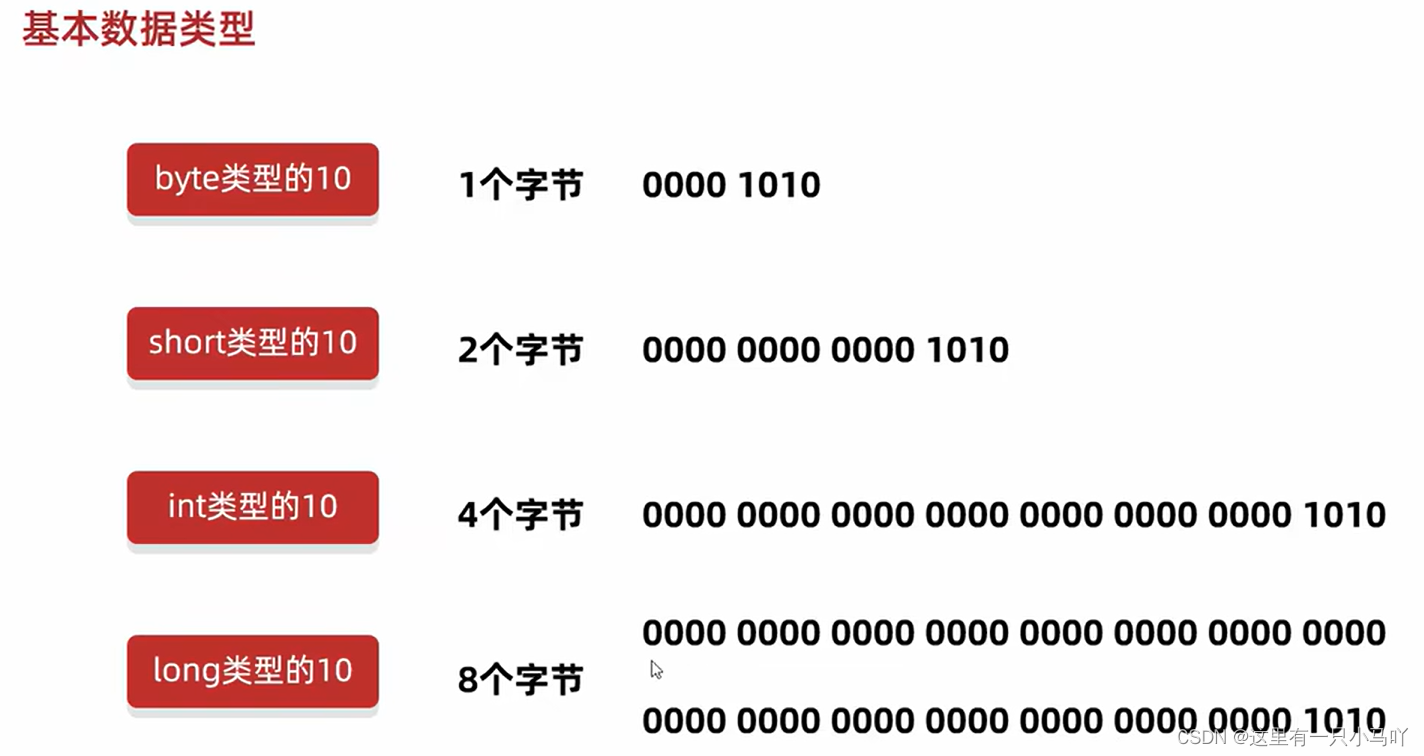
计算机实际只存储补码, 所以原码转换为补码的过程,也可以理解为数据存储到计算机内存中的过程
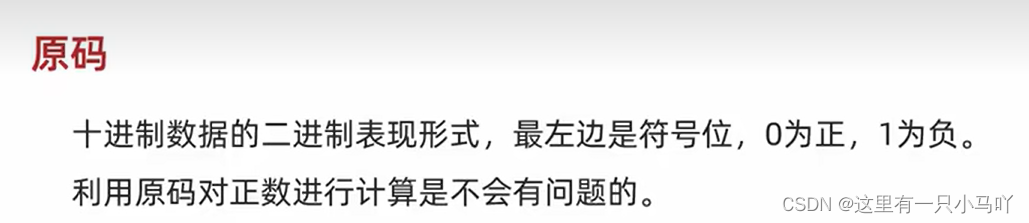
原码
计算机中是用补码计算的,所以一个字节是+127~-128
2.4 判断和循环 2.4.1 顺序结构: 1 2 3 4 5 6 7 8 public class Main { public static void main (String[] args) { System.out.println("努力做主人喜欢的事" ); System.out.println("大小如驾到!统统闪开! " ); System.out.println("凛冬已至,故乡的梅花开了吗" ); System.out.println("心怀不惧,方能翱翔于天际" ); } }
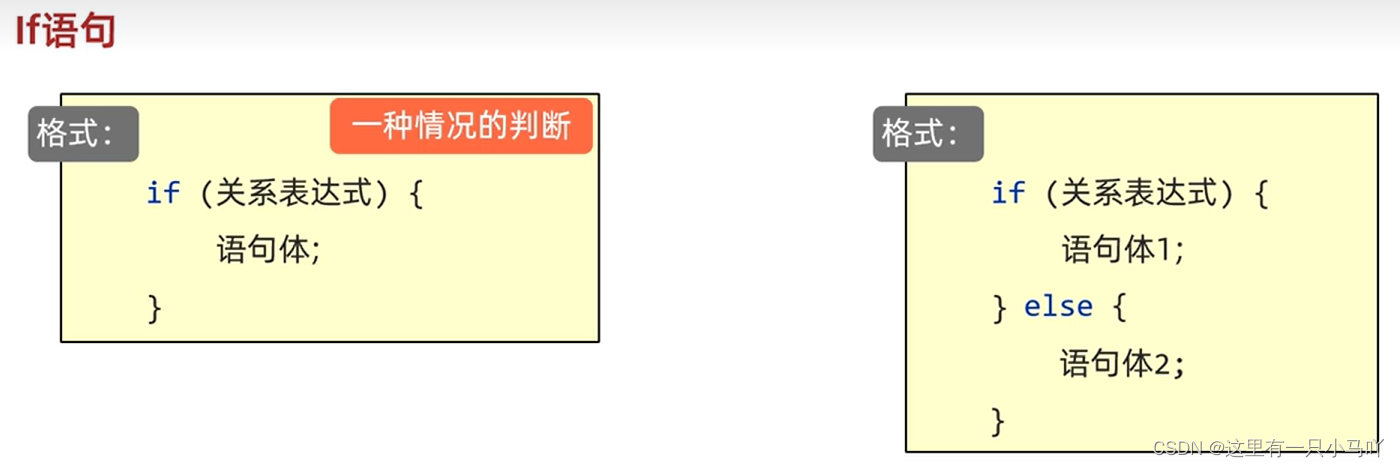
2.4.2 分支结构:If语句 1 2 3 4 5 6 7 8 9 10 11 12 13 14 15 import java.util.Scanner;public class Main { public static void main (String[] args) { Scanner sc = new Scanner (System.in); System.out.println("请输入女婿的酒量:" ); int num = sc.nextInt(); if (num>10 ) { System.out.println("OK" ); } else { System.out.println("Get Out" ); } } }
在实际开发中,电影院选座也会使用到if判断。假设某影院售卖了100张票,票的序号为1~100。
1 2 3 4 5 6 7 8 9 10 11 12 13 14 15 16 17 18 19 20 import java.util.Scanner;public class Main { public static void main (String[] args) { Scanner sc = new Scanner (System. in); System.out.println("请录入一个票号" ); int ticket = sc.nextInt(); if (ticket >=0 && ticket <= 100 ){ if (ticket % 2 == 1 ){ System.out.println("坐左边" ); }else { System.out.println("坐右边" ); } } } }
2.4.3 分支结构:switch语句
1 2 3 4 5 6 7 8 9 10 11 12 13 14 15 16 17 18 19 20 21 22 23 24 import java.util.Scanner;public class Main { public static void main (String[] args) { Scanner sc = new Scanner (System.in); System.out.println("请输入1到5之间的一个数,我会猜到他的属性:" ); int num = sc.nextInt(); switch (num) { case 1 : System.out.println("比0大,比2小" );break ; case 2 : System.out.println("比1大,比3小" );break ; case 3 : System.out.println("比2大,比4小" );break ; case 4 : System.out.println("比3大,比5小" );break ; case 5 : System.out.println("比4大,比6小" );break ; default : System.out.println("请按照要求输入" );break ; } } }
位置: default不一定是写在最下面的,我们可以写在任意位置。只不过习惯会写在最下面
省略: default可以省略, 语法不会有问题,但是不建议省略。
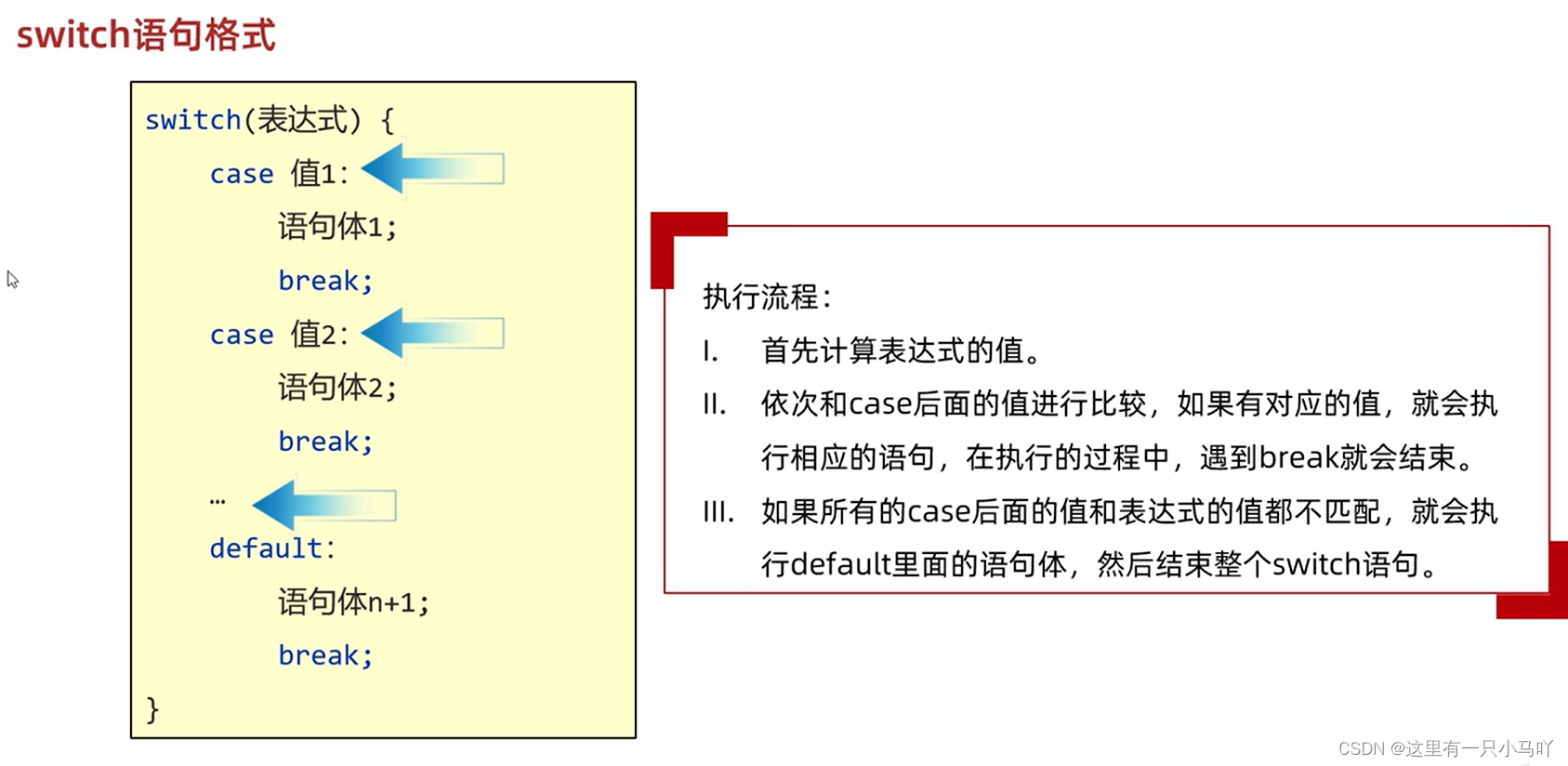
执行流程:
首先还是会拿着小括号中表达式的值跟下面每一个case进行匹配。
如果匹配上了,就会执行对应的语句体,如果此时发现了break,那么结束整个switch语句。
如果没有发现break,那么程序会继续执行下一个case的语句体,一 直遇到break或者右大括号为止。
switch新特性:
1 2 3 4 5 6 7 8 9 10 11 12 13 14 15 16 17 18 19 20 21 22 23 24 25 26 27 28 29 30 31 32 33 34 35 36 37 38 39 40 41 42 43 44 45 46 47 48 49 50 51 52 53 54 55 56 57 58 59 60 61 62 63 64 65 66 67 68 69 70 71 72 73 74 import java.util.Scanner;public class Main { public static void main (String[] args) { Scanner sc = new Scanner (System.in); System.out.println("请输入1到5之间的一个数,我会猜到他的属性:" ); int num = sc.nextInt(); switch (num) { case 1 -> { System.out.println("比0大,比2小" ); } case 2 -> { System.out.println("比1大,比3小" ); } case 3 -> { System.out.println("比2大,比4小" ); } case 4 -> { System.out.println("比3大,比5小" ); } case 5 -> { System.out.println("比4大,比6小" ); } default -> { System.out.println("请按照要求输入" ); } } } } import java.util.Scanner;public class Main { public static void main (String[] args) { Scanner sc = new Scanner (System.in); System.out.println("请录入一个整数表示星期" ); int week = sc.nextInt(); switch (week) { case 1 : case 2 : case 3 : case 4 : case 5 : System.out.println("工作日" ); break ; case 6 : case 7 : System.out.println("休息日" ); break ; default : System.out.println("没有这个星期" ); break ; } } } Lobster AIjava运行123456789101112131415161718192021222324252627 import java.util.Scanner;public class Main { public static void main (String[] args) { Scanner sc = new Scanner (System.in); System.out.println("请录入一个整数表示星期" ); int week = sc.nextInt(); switch (week) { case 1 ,2 ,3 ,4 ,5 ->System.out.println("工作日" ); case 6 ,7 ->System.out.println("休息日" ); default -> System.out.println("没有这个星期" ); } } }
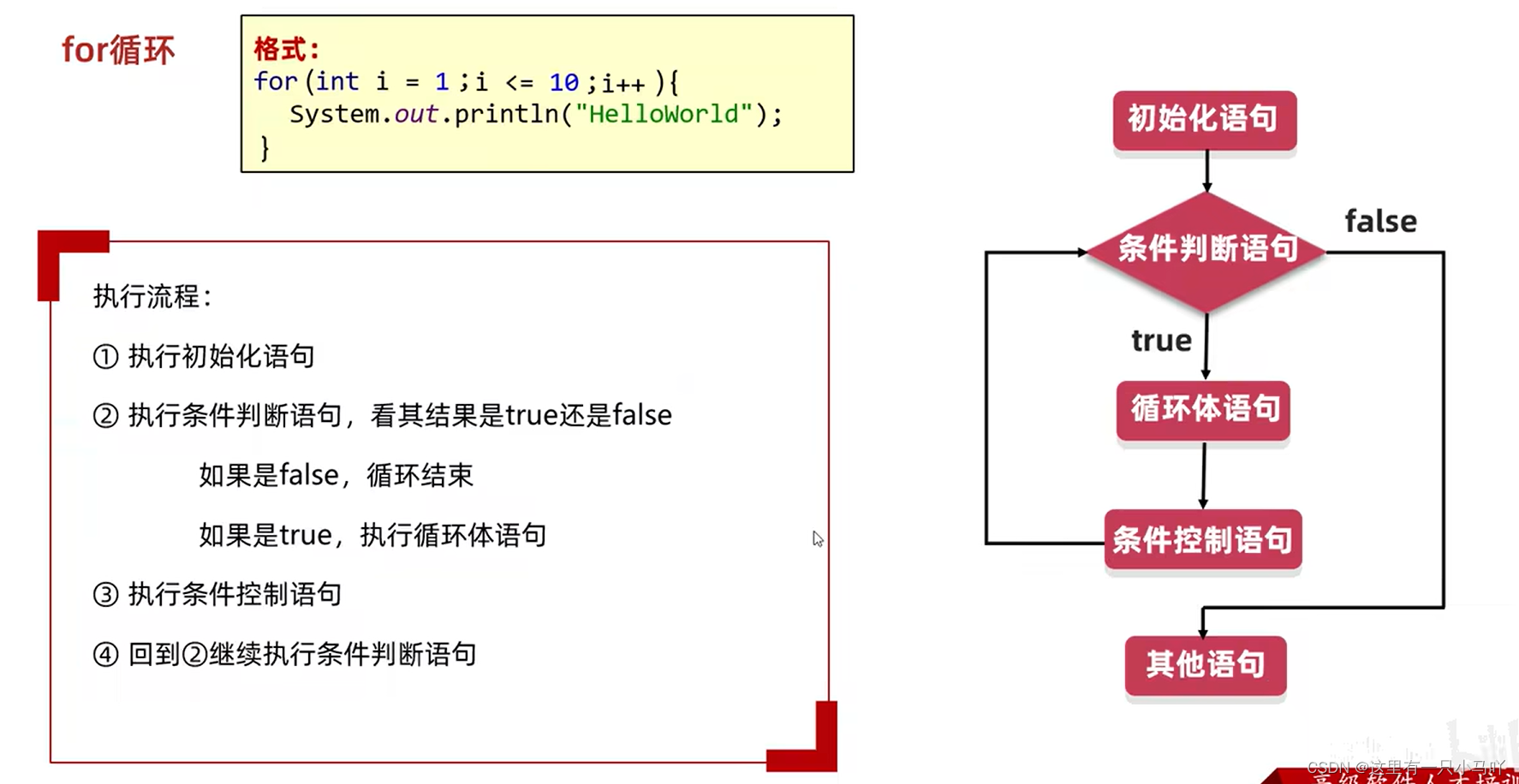
2.4.4 分支结构:For语句
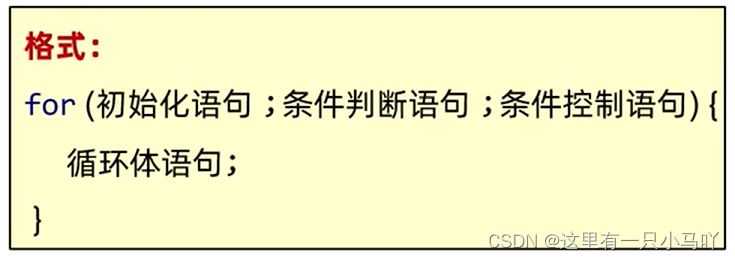
1 2 3 4 5 6 7 8 public class Main { public static void main (String[] args) { for (int i = 1 ;i<5 ;i++) { System.out.println(i); } } }
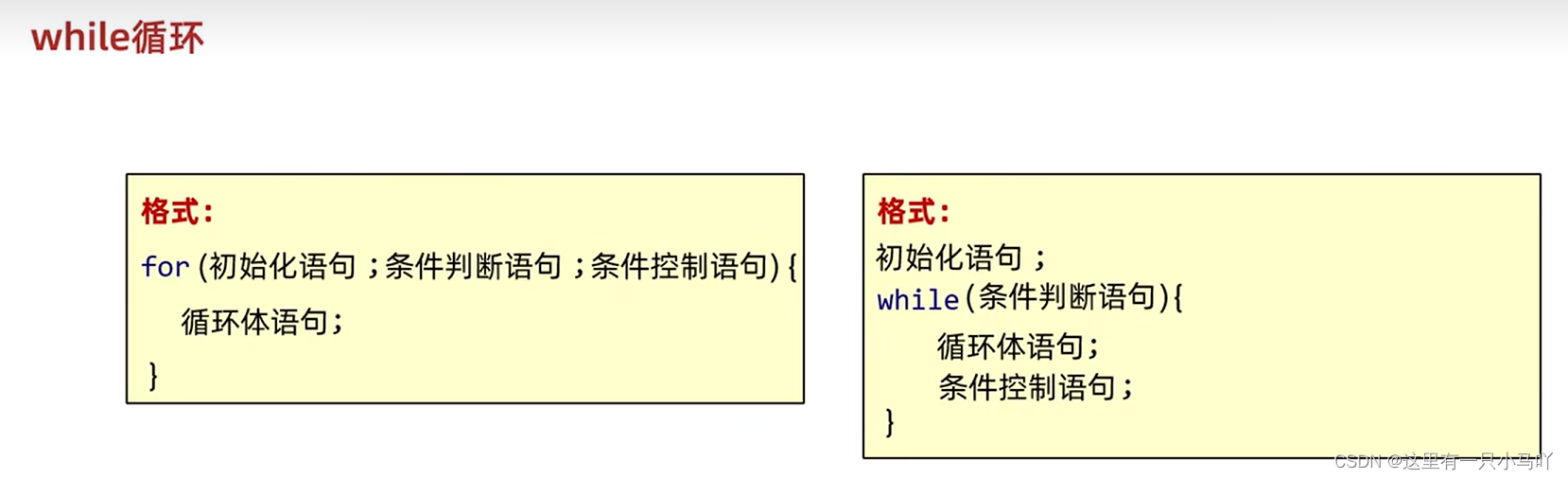
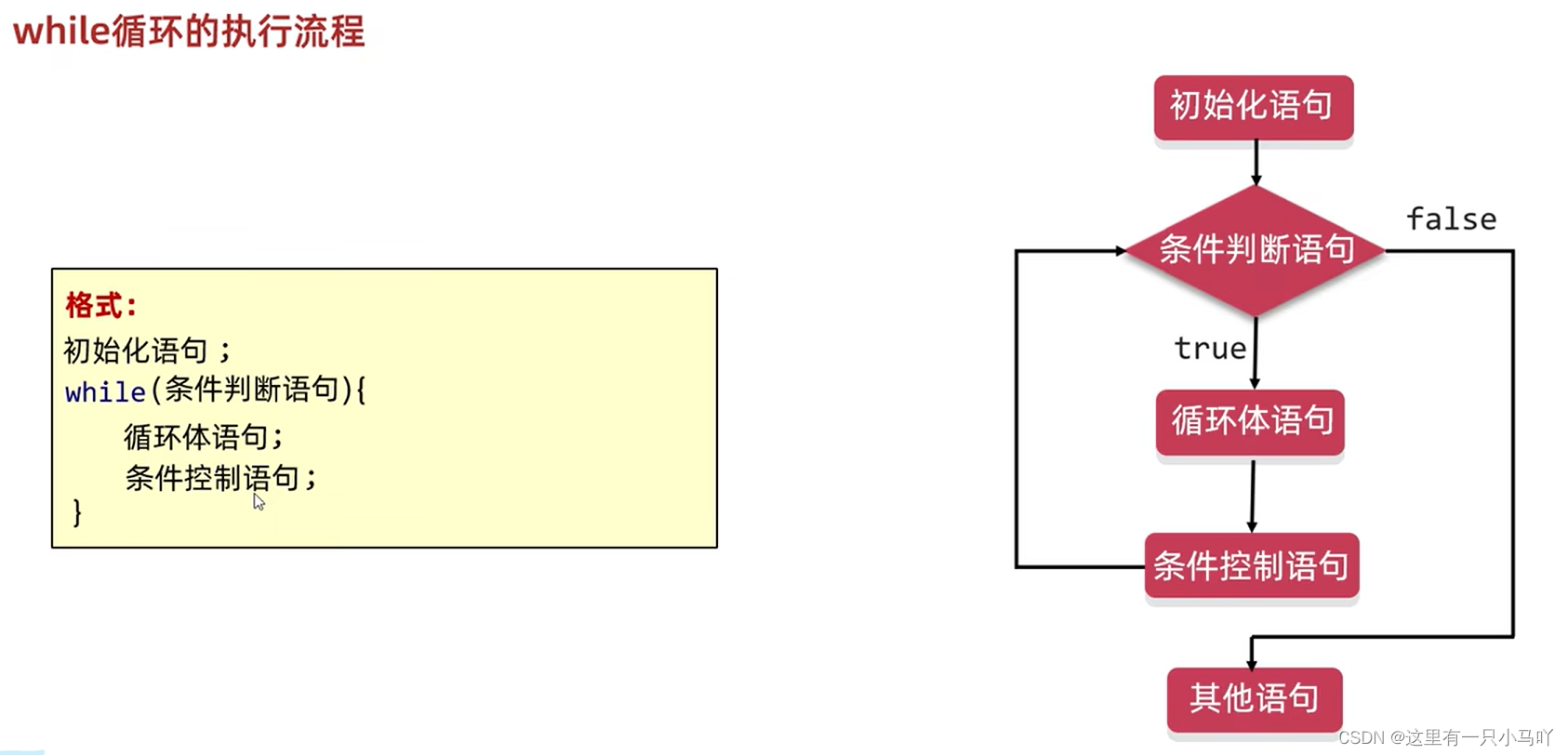
2.4.5 分支结构:While语句
1 2 3 4 5 6 7 8 9 10 public class Main { public static void main (String[] args) { int j = 1 ; while (j<5 ) { System.out.println(j); j++; } } }
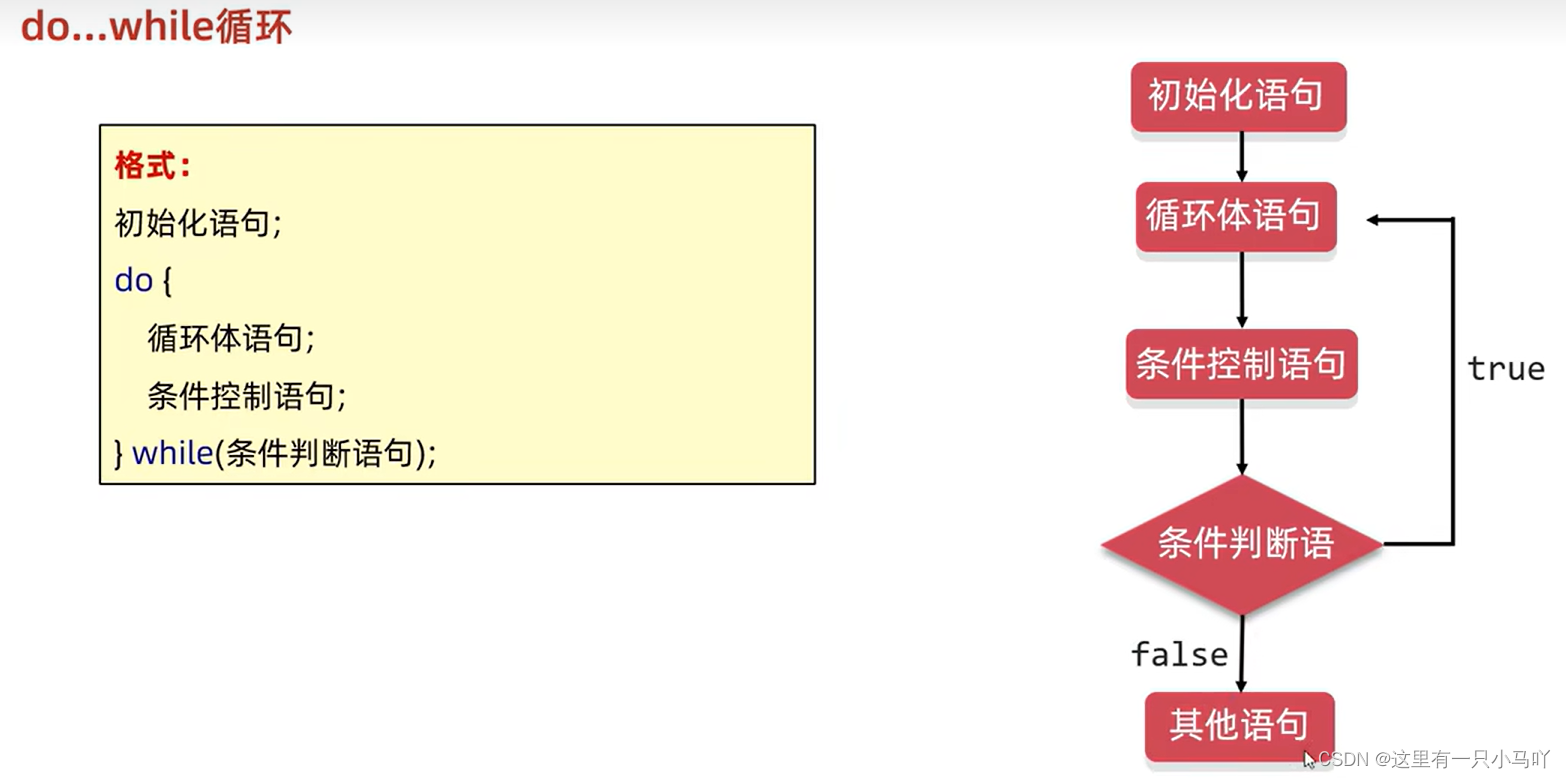
2.4.6 分支结构:Do…While语句
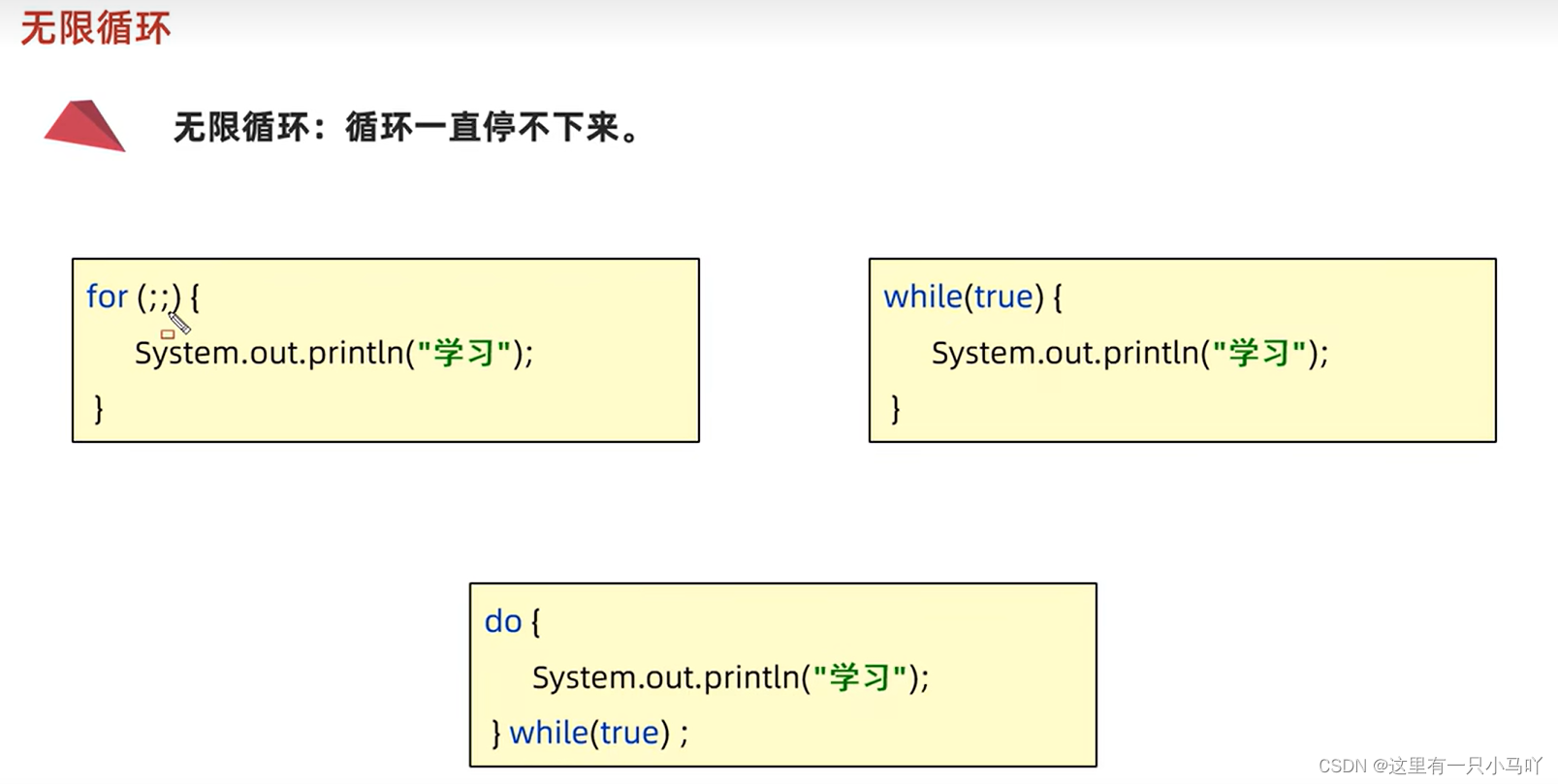
2.4.7 无限循环
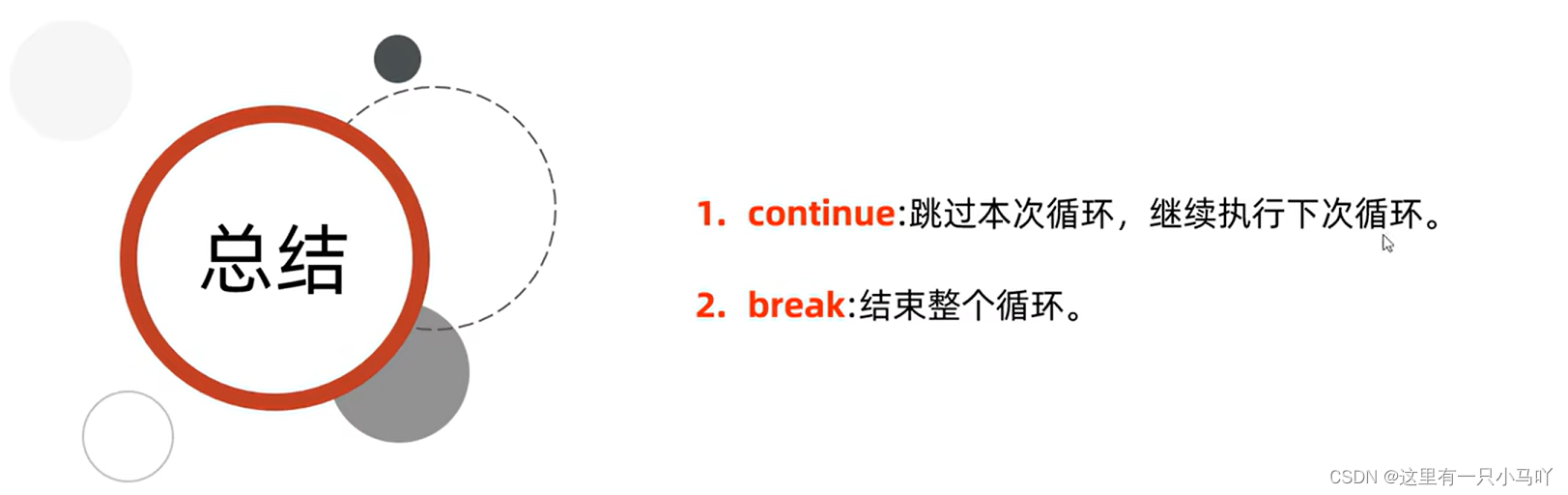
2.4.8 跳转控制语句 1 2 3 4 5 6 7 8 9 10 11 12 public class Main { public static void main (String[] args) { for (int i = 1 ;i<5 ;i++) { if (i ==3 ) { continue ; } System.out.println(i); } } }
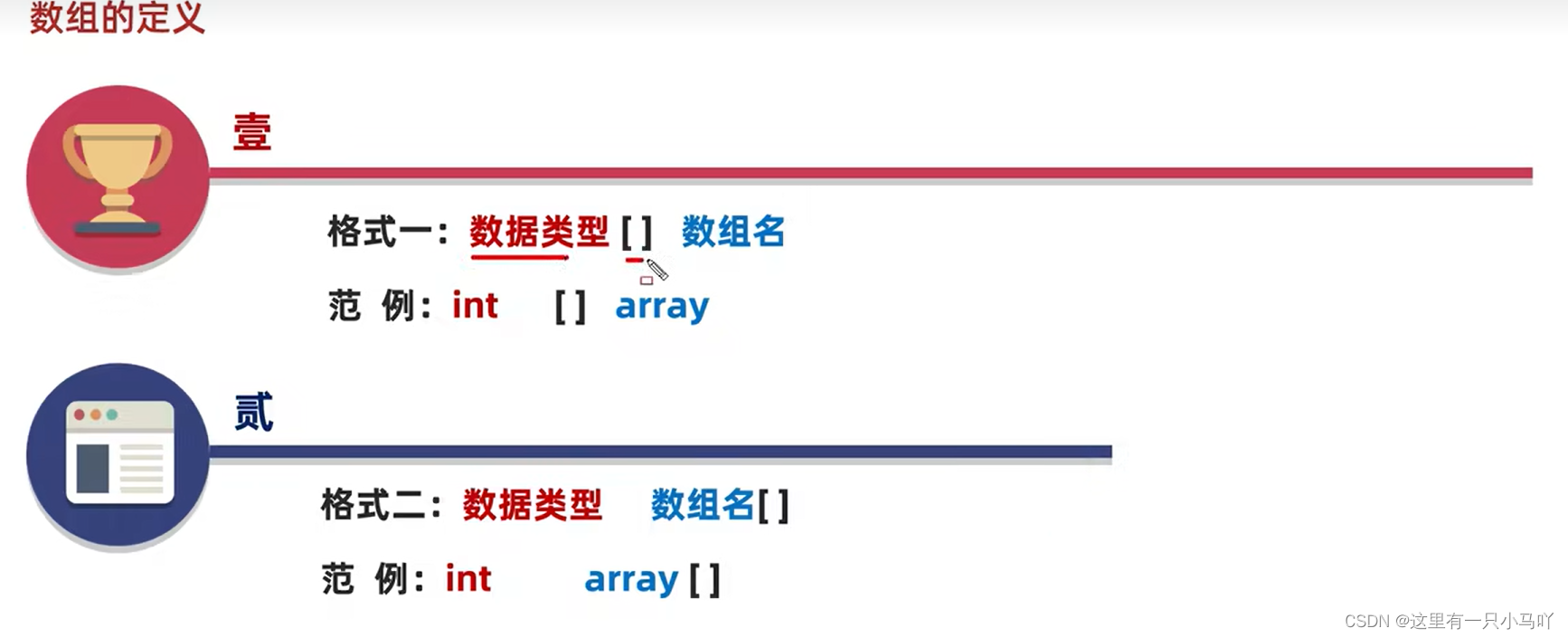
2.5 数组 2.5.1 数组介绍 数组:是一种容器,可以用来存储同种数据类型的多个值
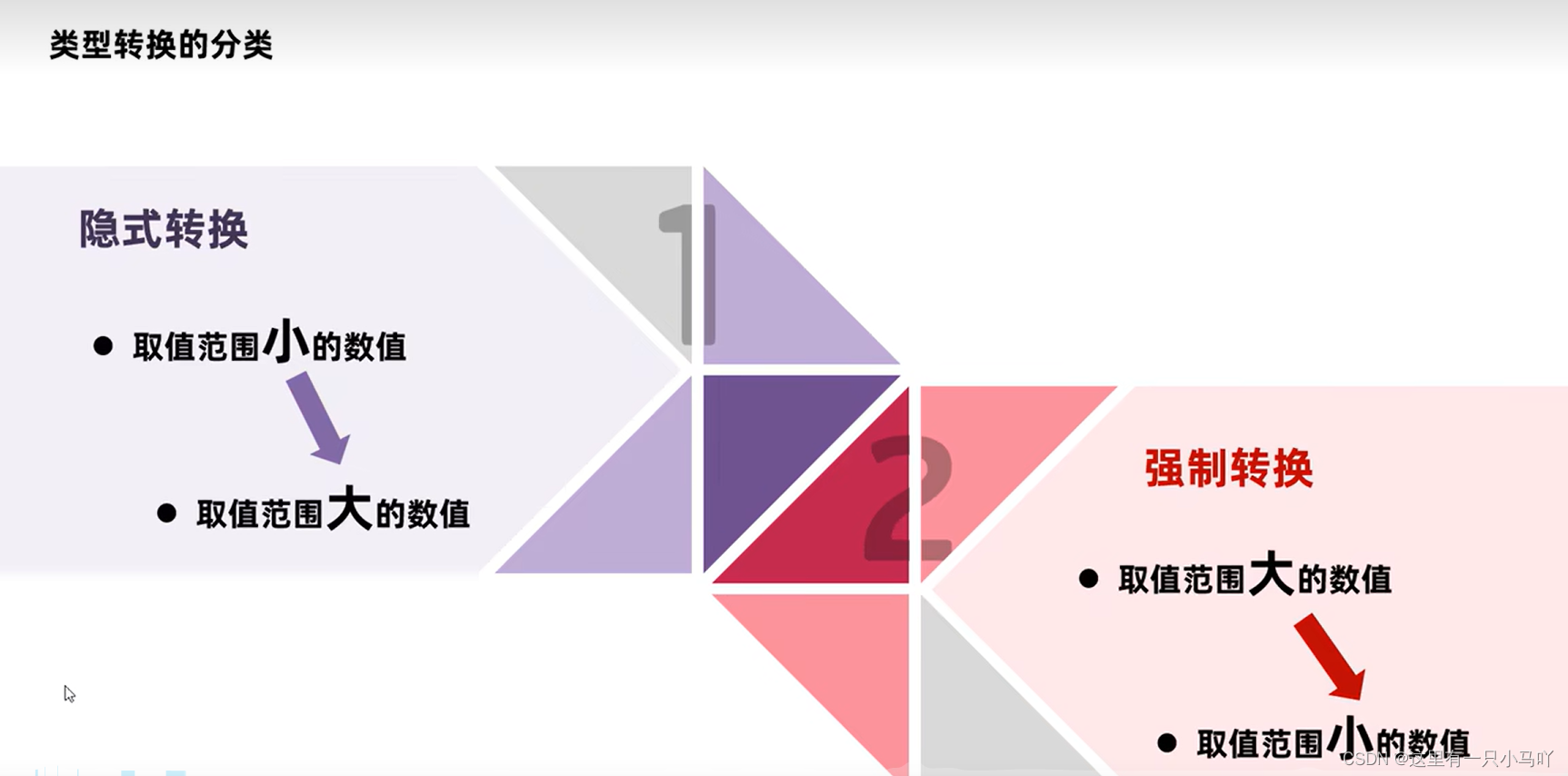
数组容器在存储数据的时候,需要结合隐式转换考虑
例如:int类型的数组容器( boolean (×) byte(√) short(√) int(√) double(×))
例如:double类型的数组容器( byte(√) short(√) int(√) long(√) float(√) double(√))
建议:容器的类型,和存储的数据类型保持一致
2.5.2 数组的定义与静态初始化
完整格式:数据类型[] 数组名 = new 数据类型[] {元素1,元素2,元素3... };
省略格式:数据类型[] 数组名 = {元素1,元素2,元素3... };
数值一旦确定长度,长度不可发生改变。
1 2 3 4 5 6 7 8 9 10 11 12 13 14 15 16 17 18 19 20 21 22 23 24 25 26 27 28 29 30 public class Main { public static void main (String[] args) { int [] arr1 = new int []{11 ,12 ,13 ,14 }; int [] arr2 = {11 ,12 ,13 ,14 }; String[] arr3 = new String []{"zhangsan" ,"lisi" , "wangwu" }; String[] arr4 = {" zhangsan" , "lisi" ,"wangwu" }; double [] arrs = new double []{1.93 ,1.75 ,1.73 ,1.81 }; double [] arr6 = {1.93 ,1.75 ,1.73 ,1.81 }; } } public class Main { public static void main (String[] args) { int [] arr1 = new int []{11 ,12 ,13 ,14 }; int [] arr2 = {11 ,12 ,13 ,14 }; System.out.println(arr1); } }
2.5.3 数组元素访问 1 2 3 4 5 6 7 8 9 10 11 12 13 14 15 16 17 18 19 20 21 22 23 24 public class Main { public static void main (String[] args) { int [] arr1 = new int []{11 ,12 ,13 ,14 }; int [] arr2 = {11 ,12 ,13 ,14 }; System.out.println(arr1[2 ]); } } public class Main { public static void main (String[] args) { int [] arr1 = new int []{11 ,12 ,13 ,14 }; int [] arr2 = {11 ,12 ,13 ,14 }; System.out.println(arr1[2 ]); arr1[2 ]=100 ; System.out.println(arr1[2 ]); } }
2.5.4 数组遍历 数组遍历:将数组中所有的内容取出来,取出来之后可以(打印,求和,判断…)
1 2 3 4 5 6 7 8 9 10 public class Main { public static void main (String[] args) { int [] arr1 = new int []{11 ,12 ,13 ,14 }; for (int i = 0 ;i< arr1.length;i++){ System.out.println(arr1[i]); } } }
2.5.5 数组动态初始化 动态初始化:初始化时只指定数组长度,由系统为数组分配初始值。格式:数据类型[] 数组名 = new 数据类型[数组长度];
1 2 3 4 5 6 7 8 9 10 11 12 13 14 15 16 17 18 19 20 21 22 23 import java.util.Scanner;public class Main { public static void main (String[] args) { String[] arr = new String [50 ]; arr[0 ] = "zhangsan" ; arr[1 ] = "lisi" ; System.out.println(arr[0 ]); System.out.println(arr[1 ]); System.out.println(arr[2 ]); } }
数组动态初始化和静态初始化的区别
动态初始化:手动指定数组长度,由系统给出默认初始化值。
只明确元素个数,不明确具体数值,推荐使用动态初始化
举例:使用数组容器来存储键盘录入的5个整数。
int[] arr={?????};
静态初始化:手动指定数组元素,系统会根据元素个数,计算出数组的长度。
需求中已经明确了要操作的具体数据,直接静态初始化即可。
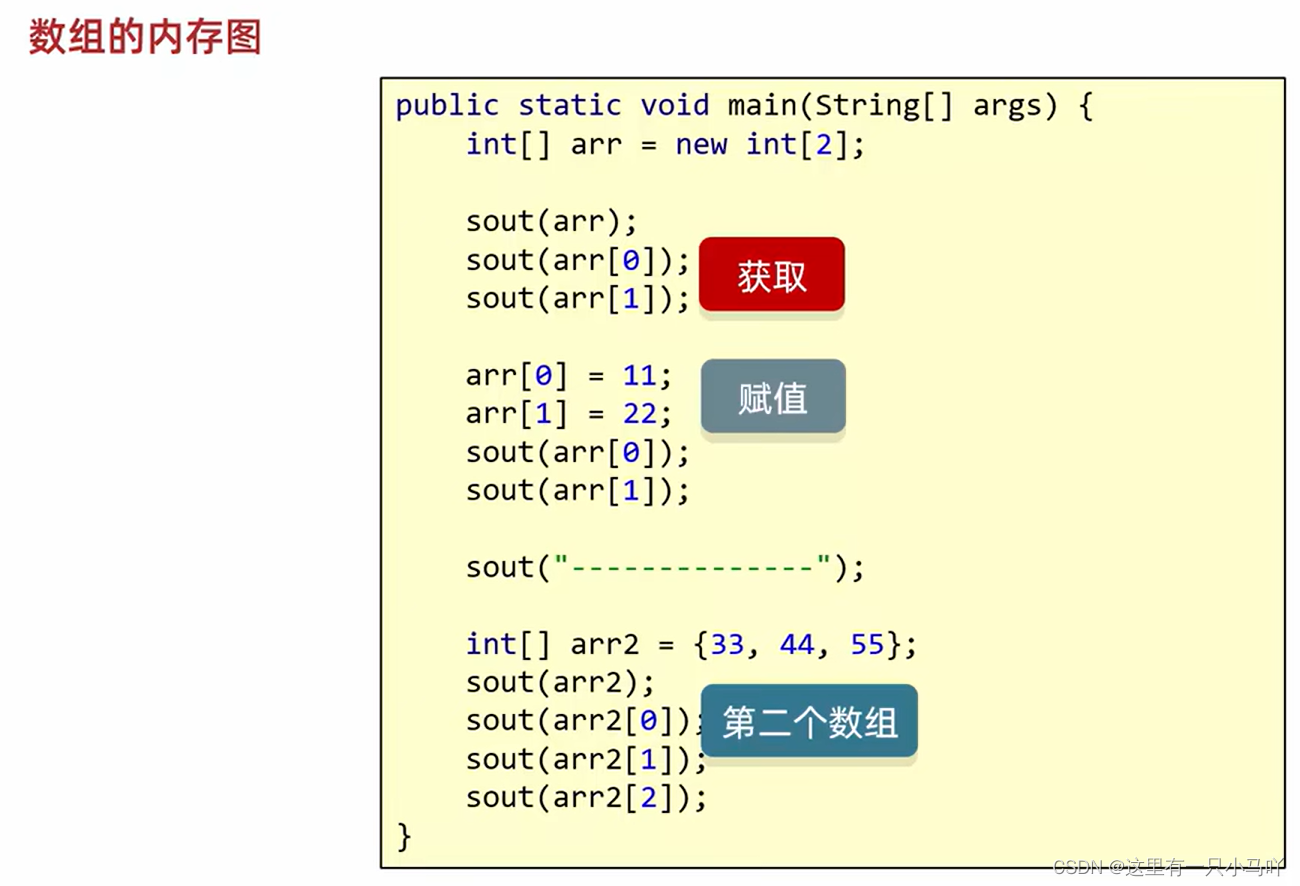
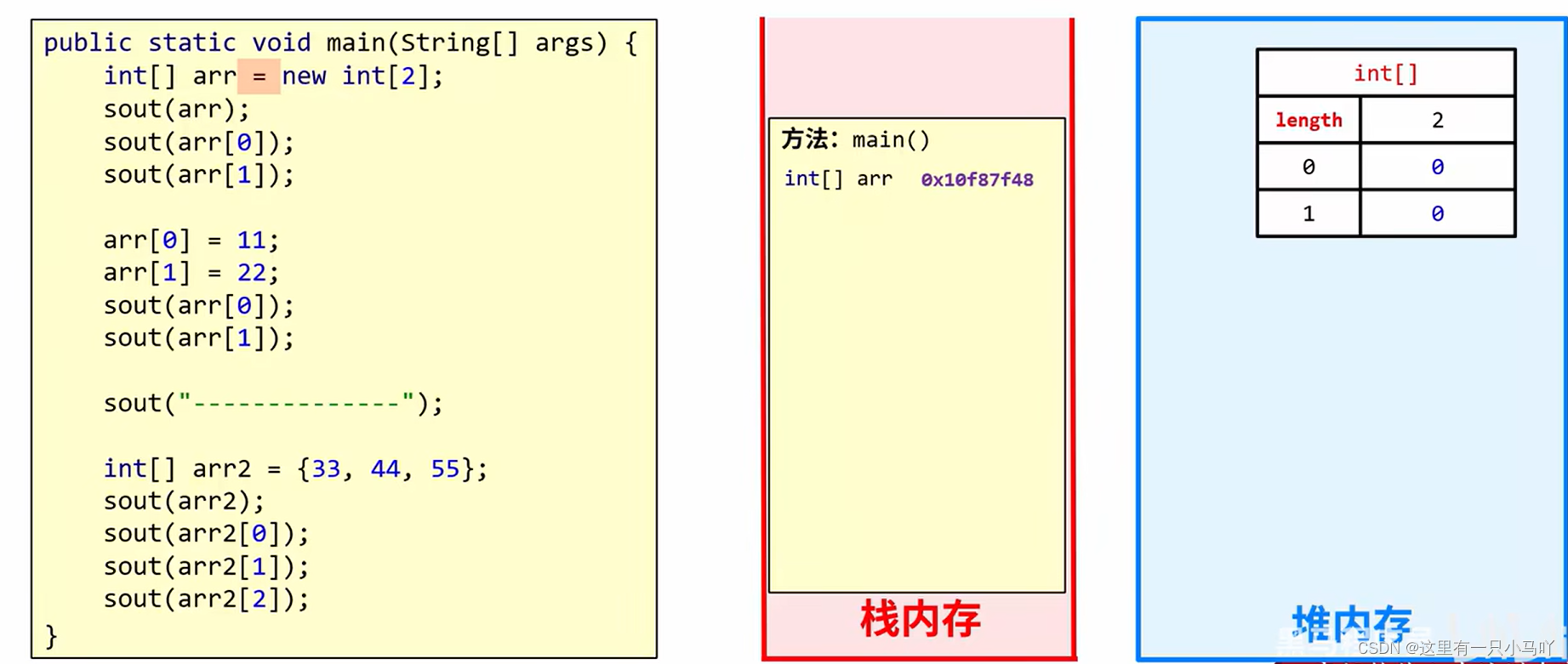
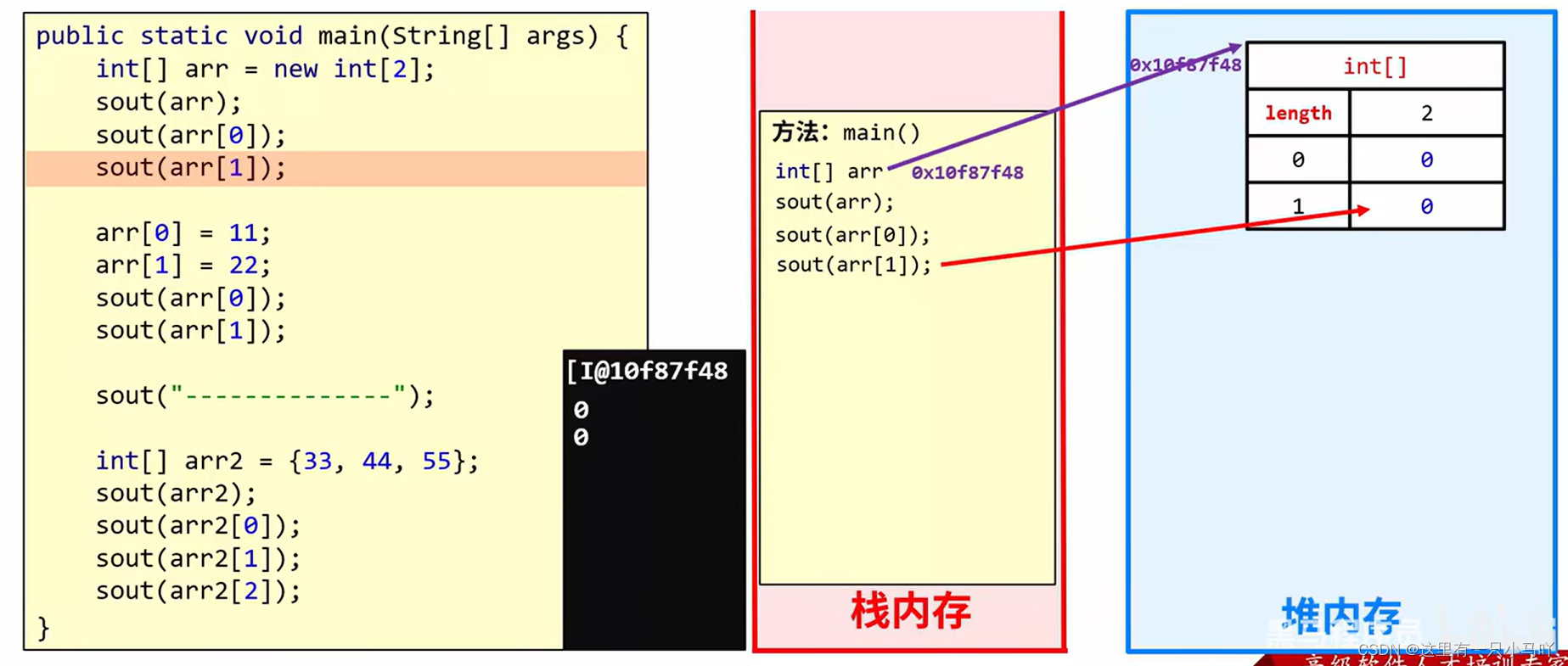
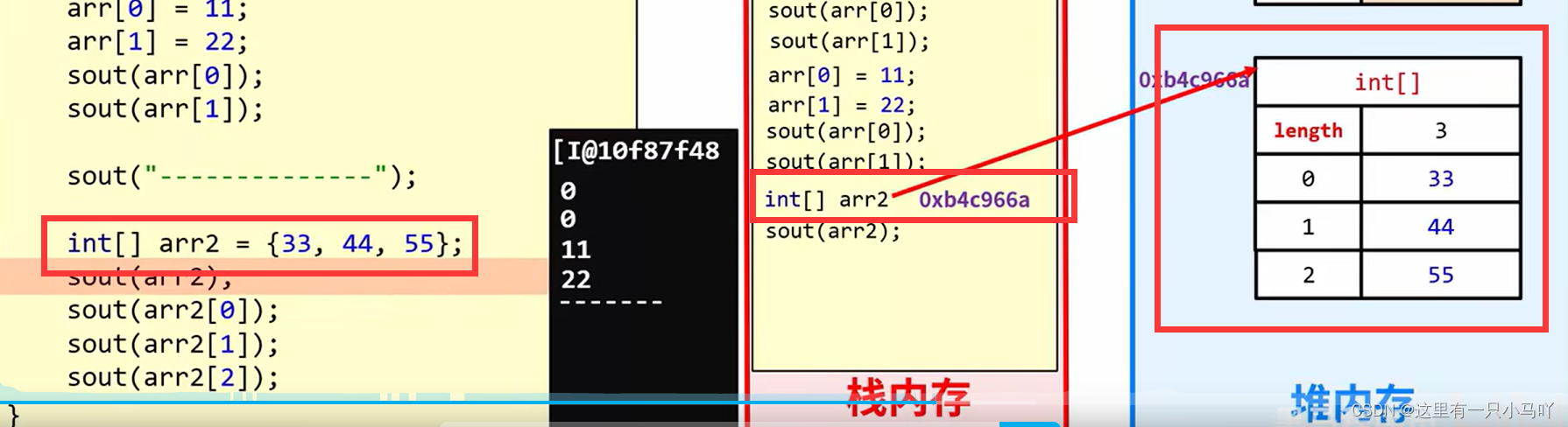
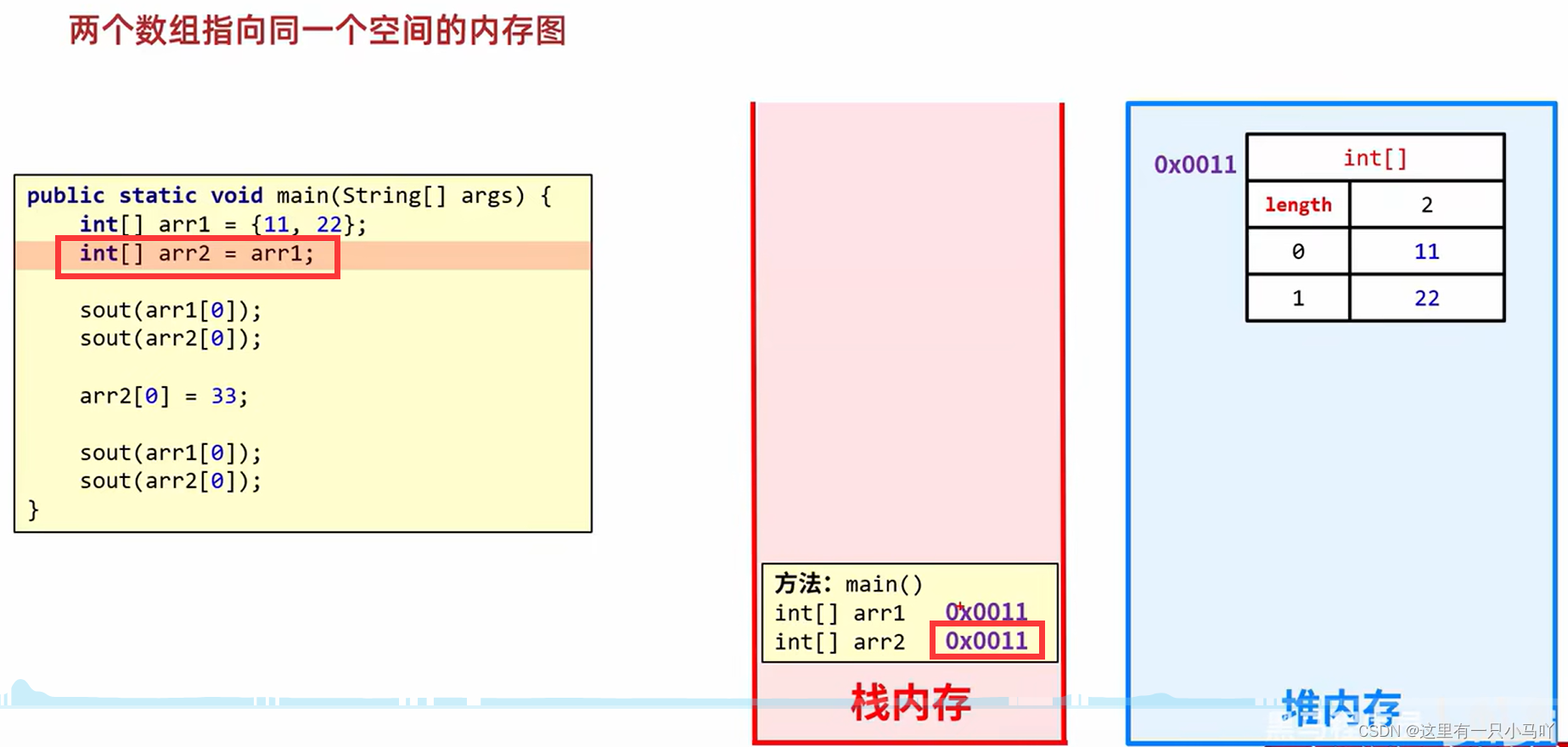
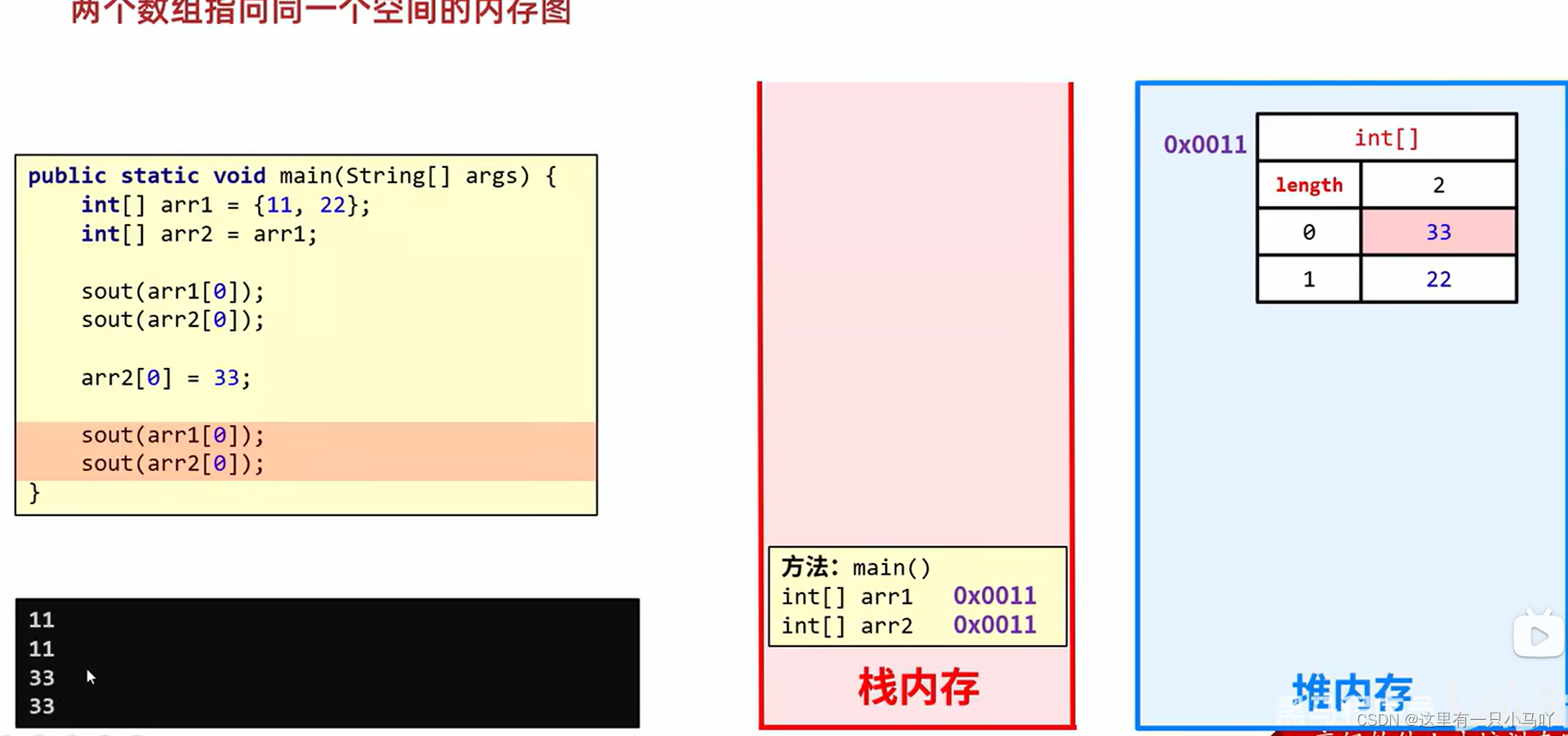
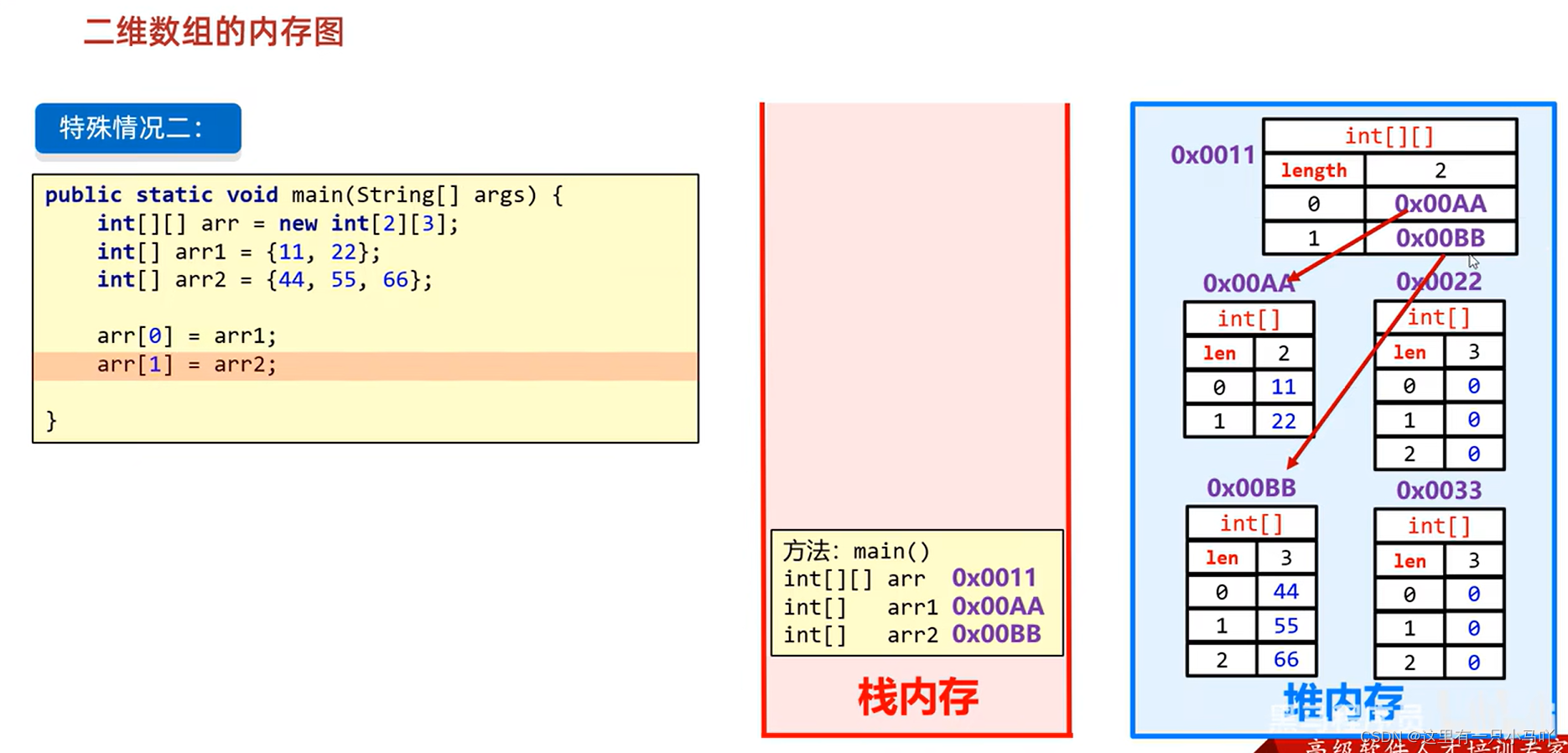
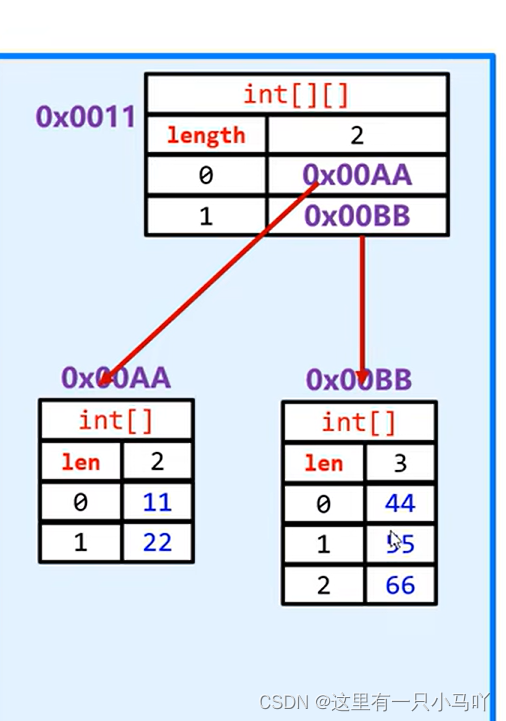
2.5.6 数组内存图
注意:
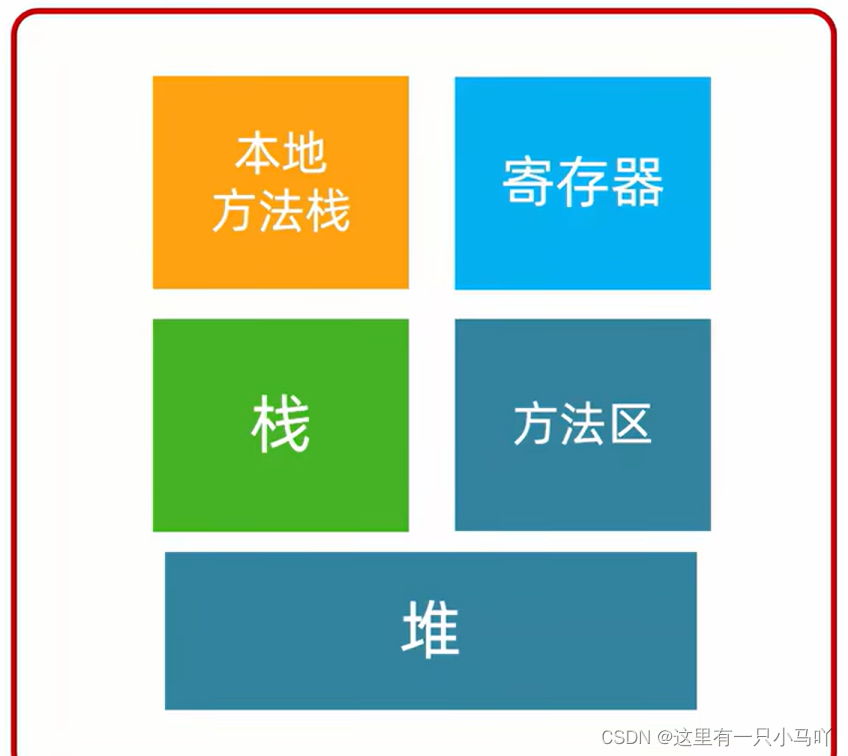
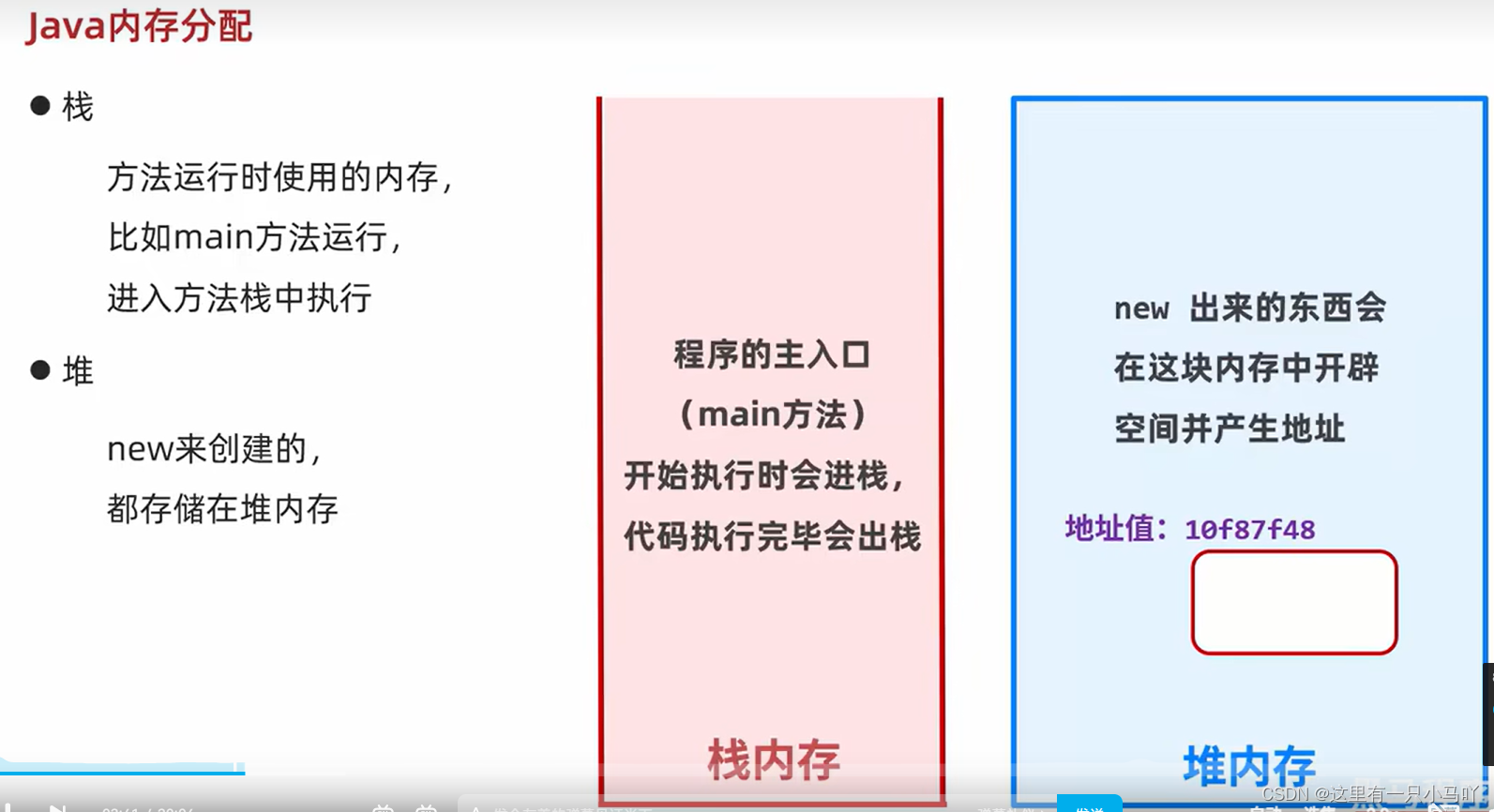
Java内存分配
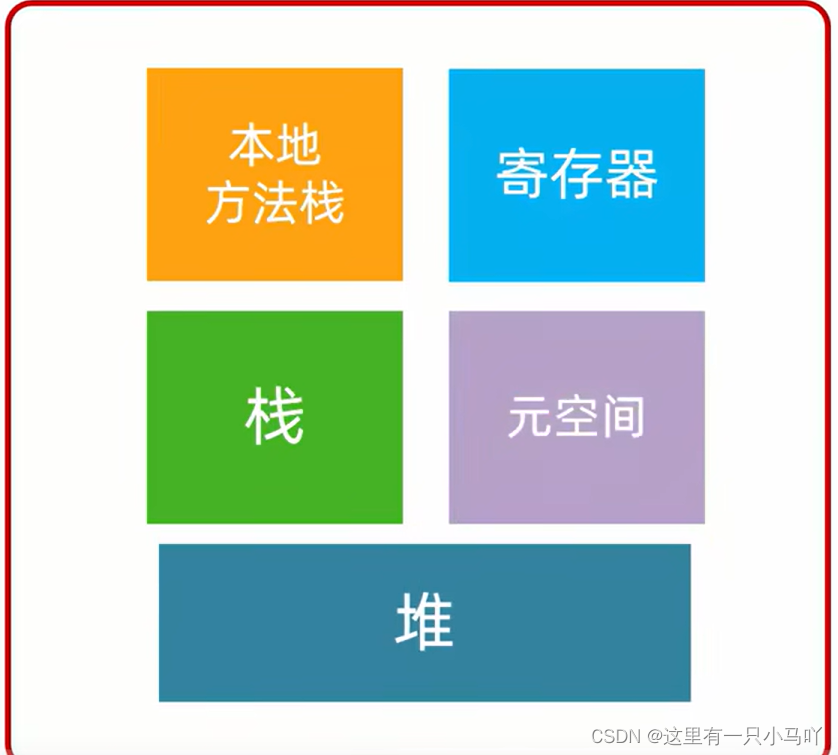
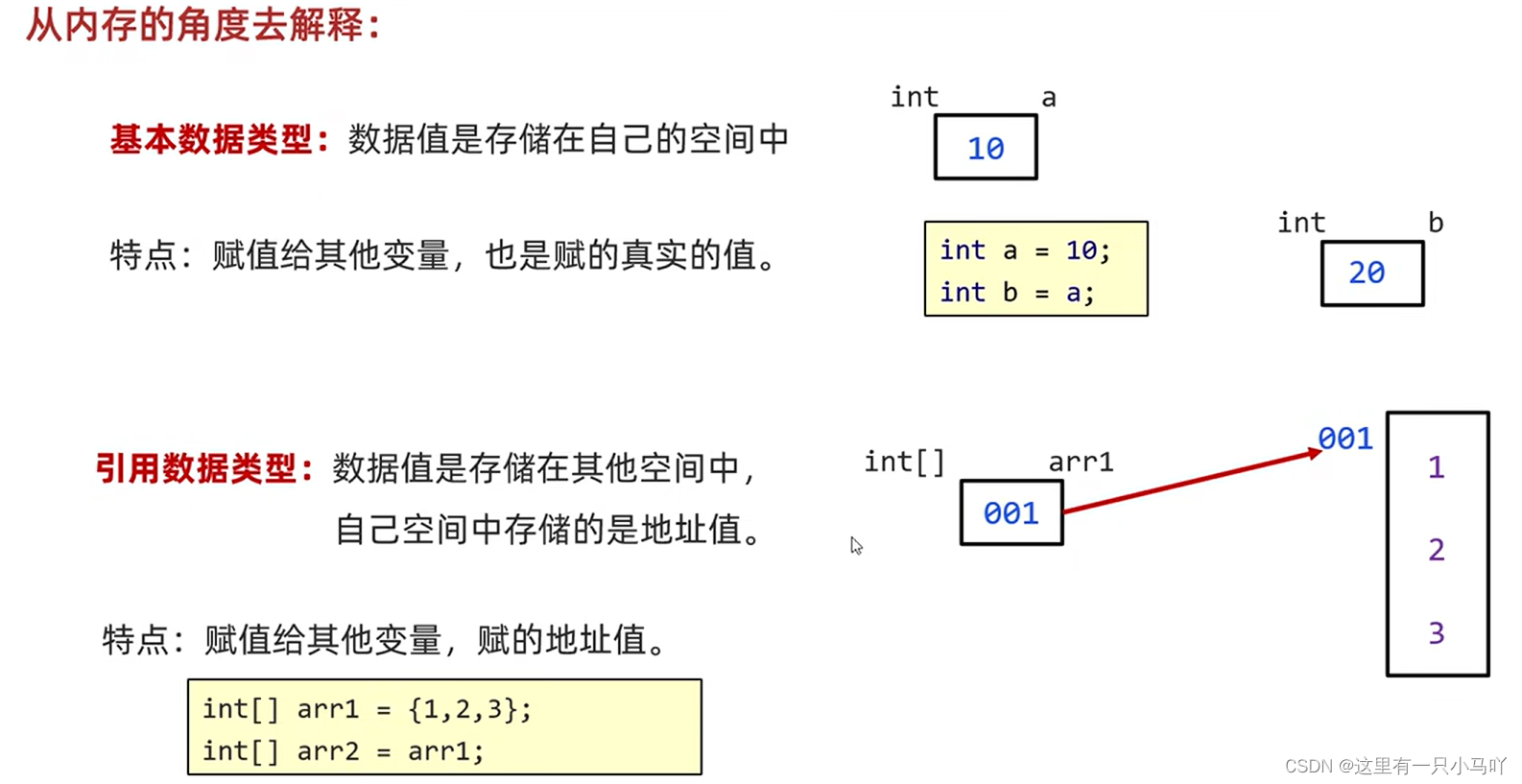
栈 方法运行时使用的内存,比如main方法运行,进入方法栈中执行堆 存储对象或者数组,new来创建的,都存储在堆内存方法区 存储可以运行的class文件本地方法栈 JVM在 使用操作系统功能的时候使用,和我们开发无关寄存器 . 给CPU使用,和我们开发无关
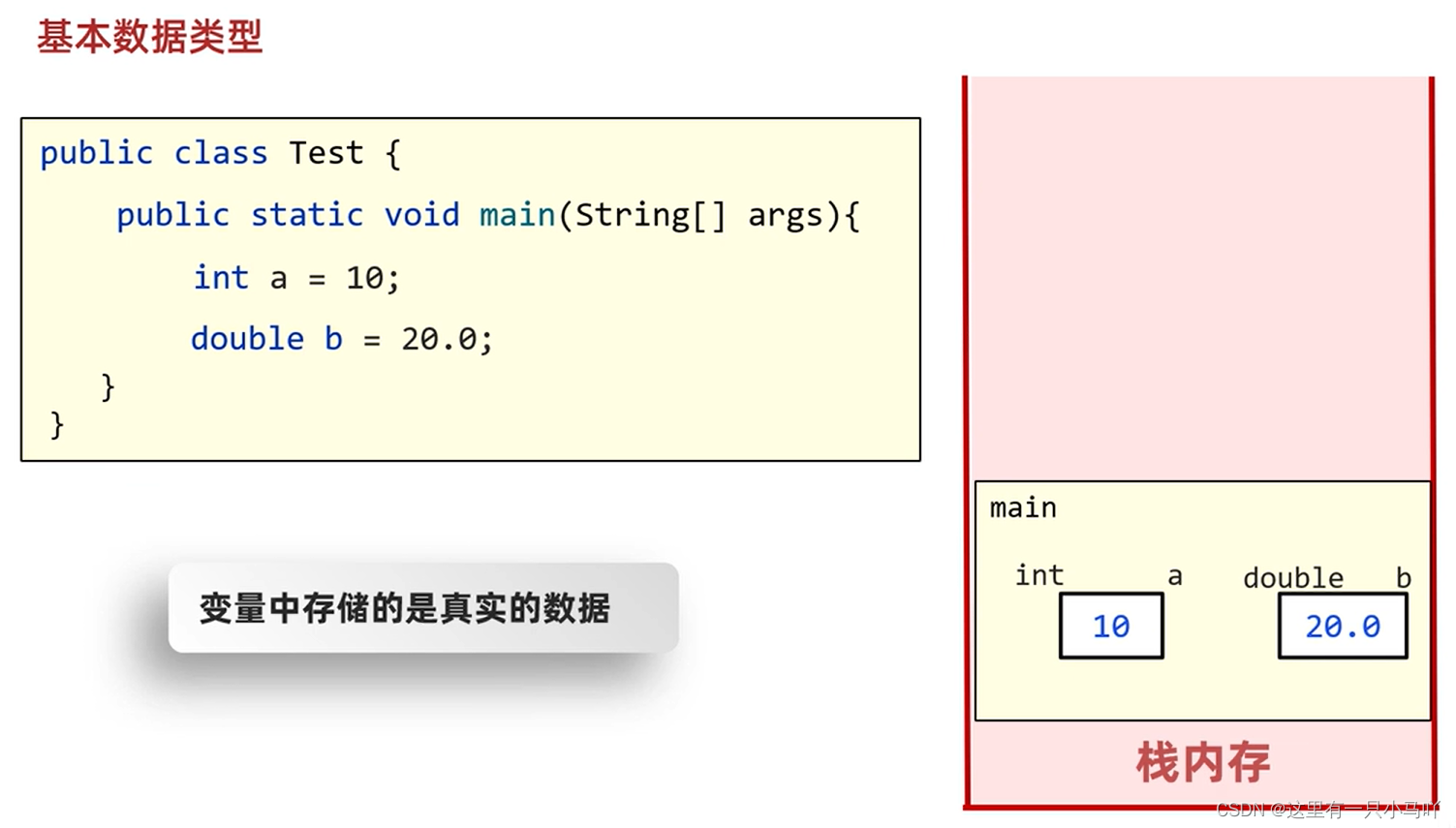
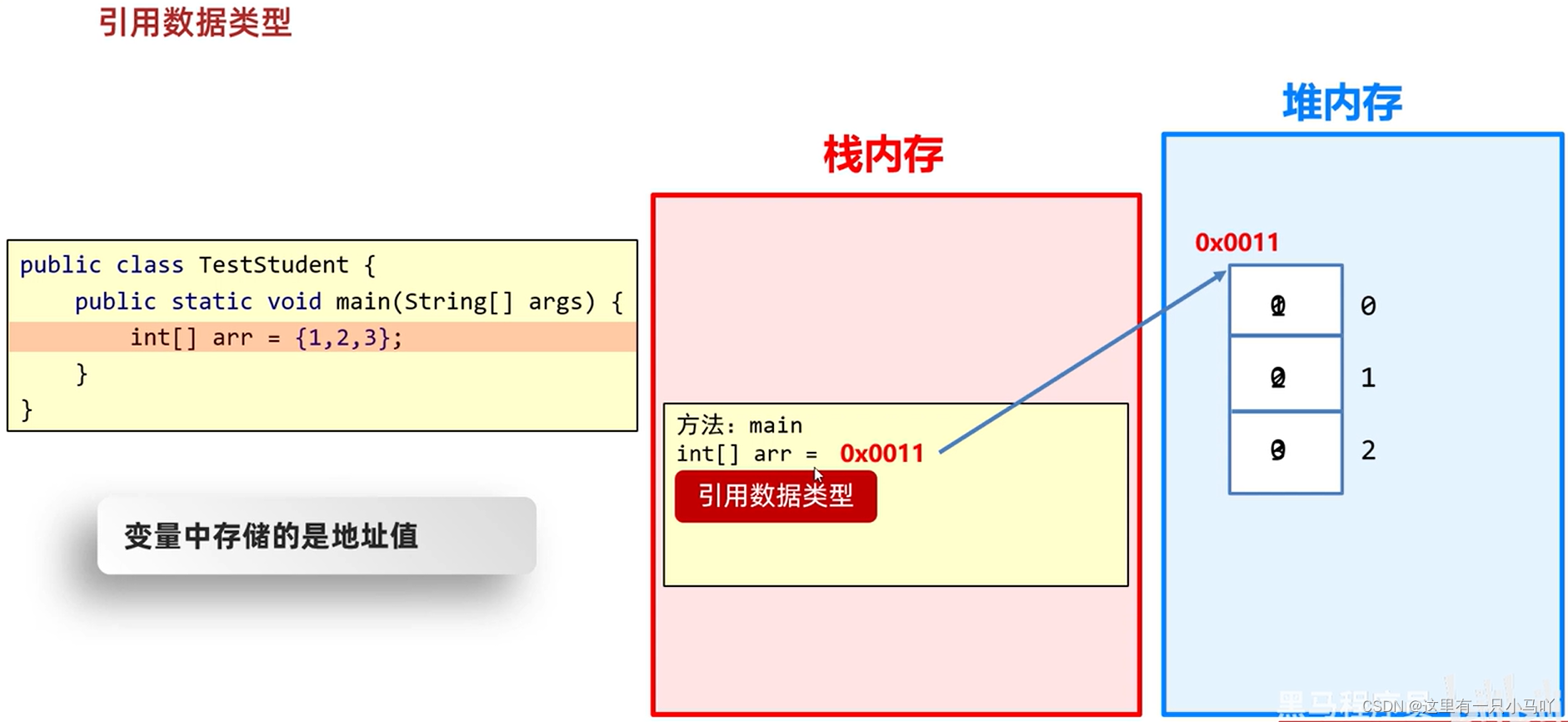
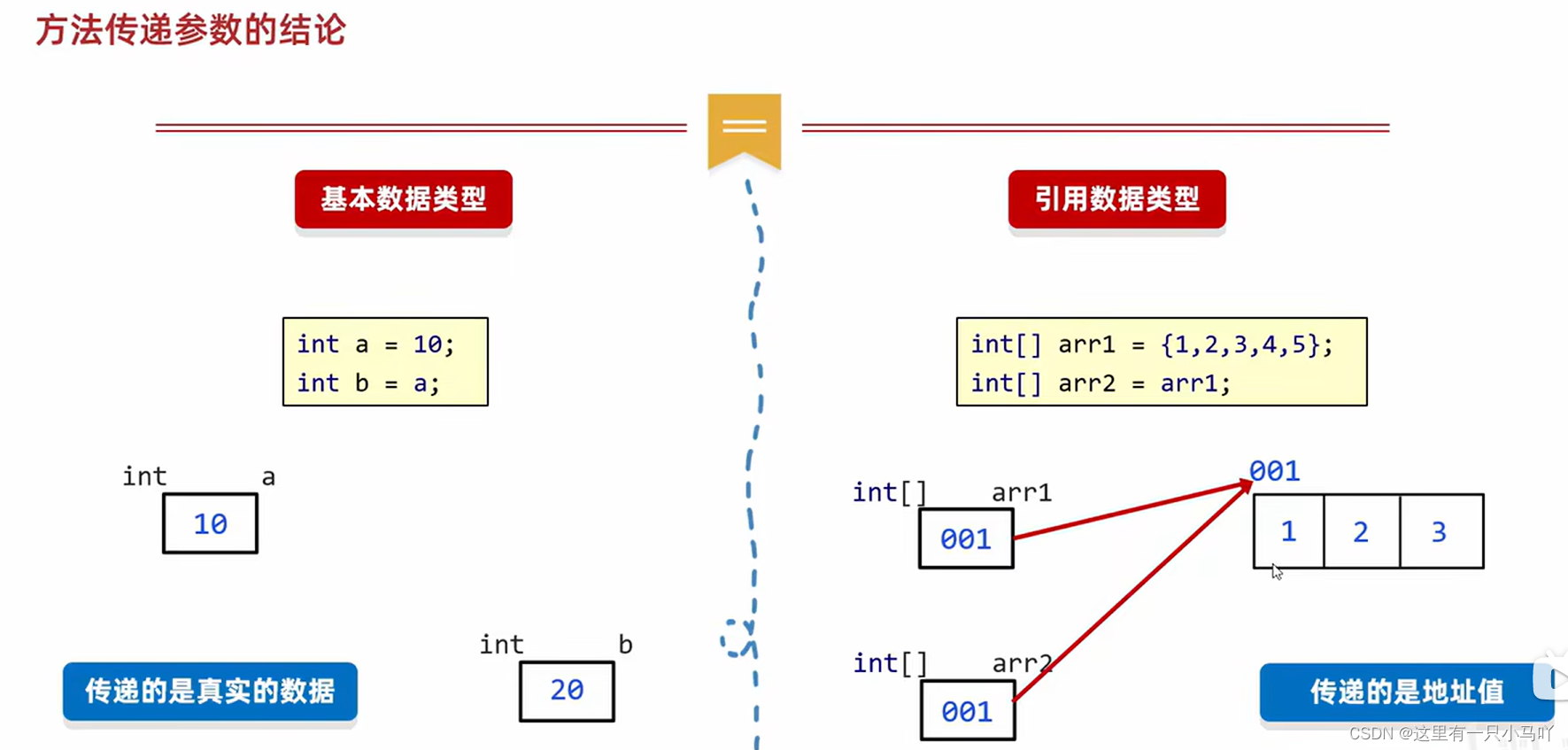
变量中存储的是真实数据,数组内存存地址。
2.5.7 数组常见问题 当访问了数组中不存在的索引,就会引发索引越界异常。
2.5.8 数组常见操作 求最值
1 2 3 4 5 6 7 8 9 10 11 12 13 14 15 public class Main { public static void main (String[] args) { int [] arr = {33 ,5 ,22 ,44 ,55 }; int minn = arr[0 ]; int maxx = arr[0 ]; for (int i = 0 ;i < arr.length;i++) { if (arr[i]>maxx) maxx = arr[i]; if (arr[i]<minn) minn = arr[i]; } System.out.println(maxx); System.out.println(minn); } }
求和
1 2 3 4 5 6 7 8 9 10 11 12 13 14 15 16 17 18 19 20 21 22 23 24 25 26 27 28 29 30 31 32 33 34 35 public class Main { public static void main (String[] args) { int [] arr = {33 ,5 ,22 ,44 ,55 }; int add = 0 ; for (int i = 0 ;i < arr.length;i++) { add = add + arr[i]; } System.out.println(add); } } Lobster AIjava运行12345678910111213 import java.util.Random;import java.util.Scanner;public class Main { public static void main (String[] args) { int [] arr = new int [10 ]; Random r = new Random (); for (int i = 0 ;i < arr.length;i++) { int num = r.nextInt(100 )+1 ; arr[i] = num; } int add = 0 ; for (int i = 0 ;i < arr.length;i++) { add = add + arr[i]; } System.out.println(add); } }
交换数据
1 2 3 4 5 6 7 8 9 10 11 12 13 14 15 16 17 18 import java.util.Random;import java.util.Scanner;public class Main { public static void main (String[] args) { int [] arr = {1 ,2 ,3 ,4 ,5 }; int temp = arr[0 ]; arr[0 ] = arr[4 ]; arr[4 ] = temp; for (int i = 0 ; i < arr.length; i++) { System.out.print(arr[i] + " " ); } } }
打乱数据
1 2 3 4 5 6 7 8 9 10 11 12 13 14 15 16 17 18 19 20 21 import java.util.Random;import java.util.Scanner;public class Main { public static void main (String[] args) { int [] arr = {1 ,2 ,3 ,4 ,5 }; Random r = new Random (); int num = r.nextInt(arr.length); for (int i = 0 ; i < arr.length; i++) { int temp = arr[i]; arr[i] = arr[num]; arr[num] = temp; } for (int i = 0 ; i < arr.length; i++) { System.out.print(arr[i] + " " ); } } }
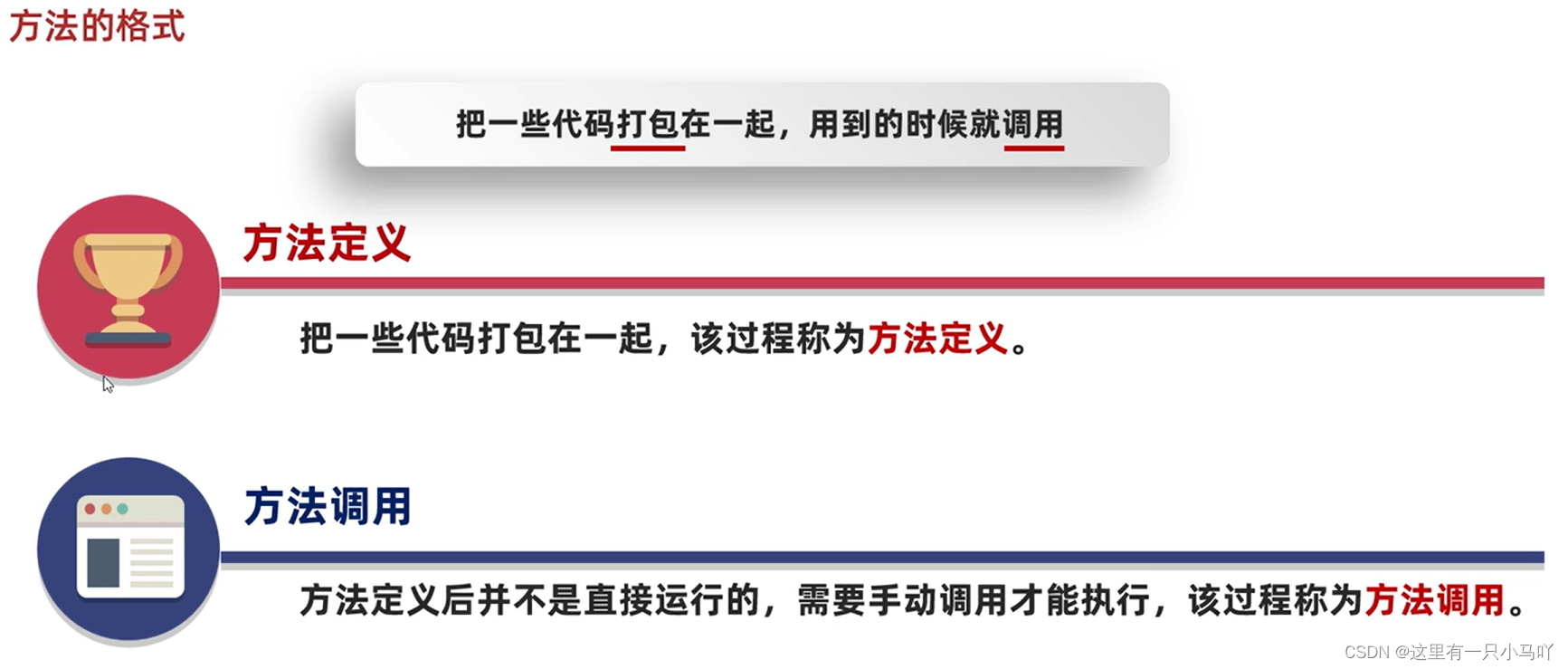
2.6 方法 2.6.1 什么是方法? 方法(method)是程序中最小的执行单元。 将重复的 代码打包,避免重复度过高,复用性差。
什么是方法?
实际开发中,什么时候用到方法?
实际开发中,方法有什么好处?
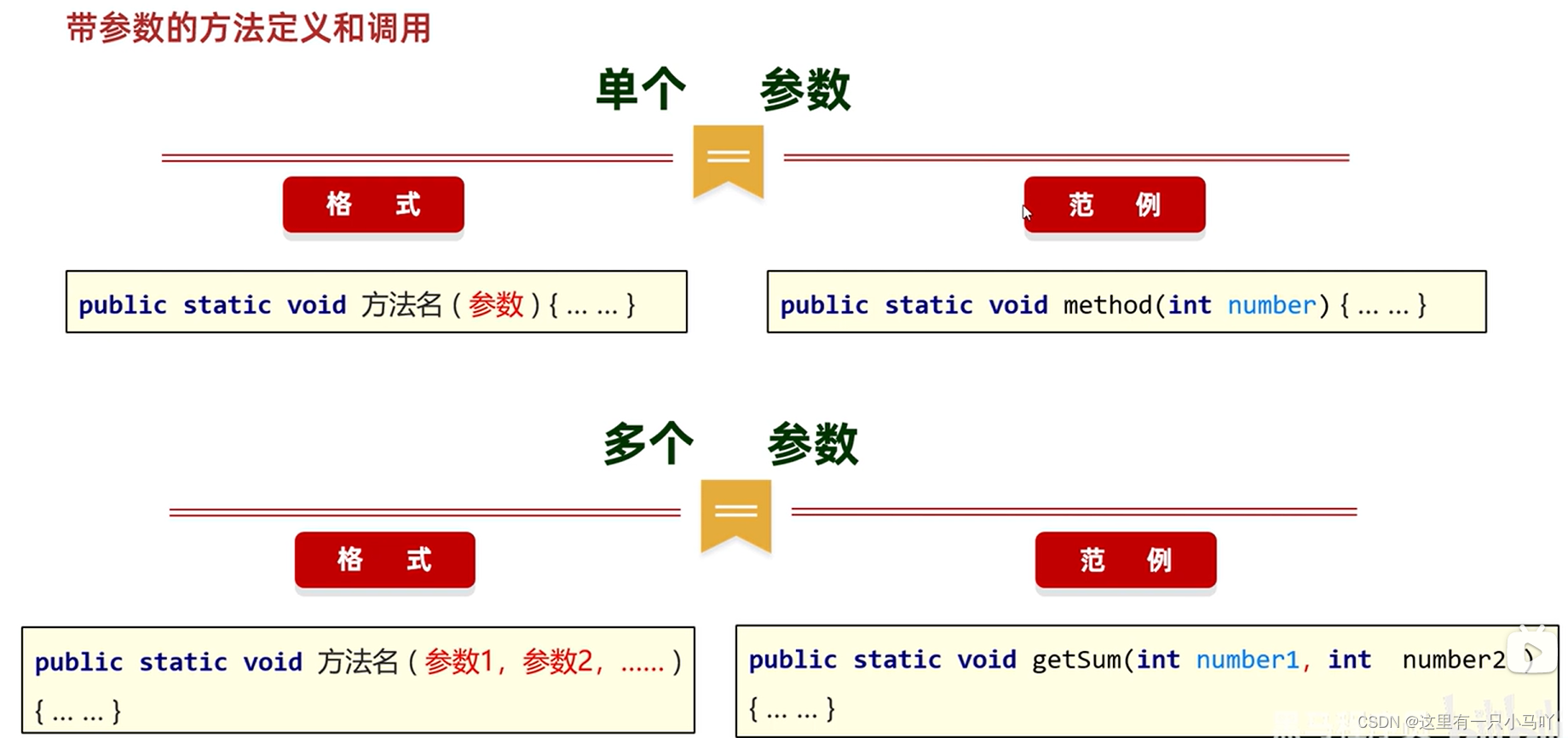
2.6.2 方法的格式
1 2 3 4 public static 返回值类型 方法名(参数) { 方法体; return 返回值; }
2.6.3 方法的调用 1 2 3 4 5 6 7 8 9 10 11 12 13 14 15 16 public class Main { public static void main (String[] args) { playGame(); } public static void playGame () { System. out. println("选人物" ); System. out. println("准备开局" ); System. out. println("对线" ); System. out. println("崩盘" ); System. out. println("骂队友" ); System. out. println("送人头" ); System. out. println("GG" ); } }
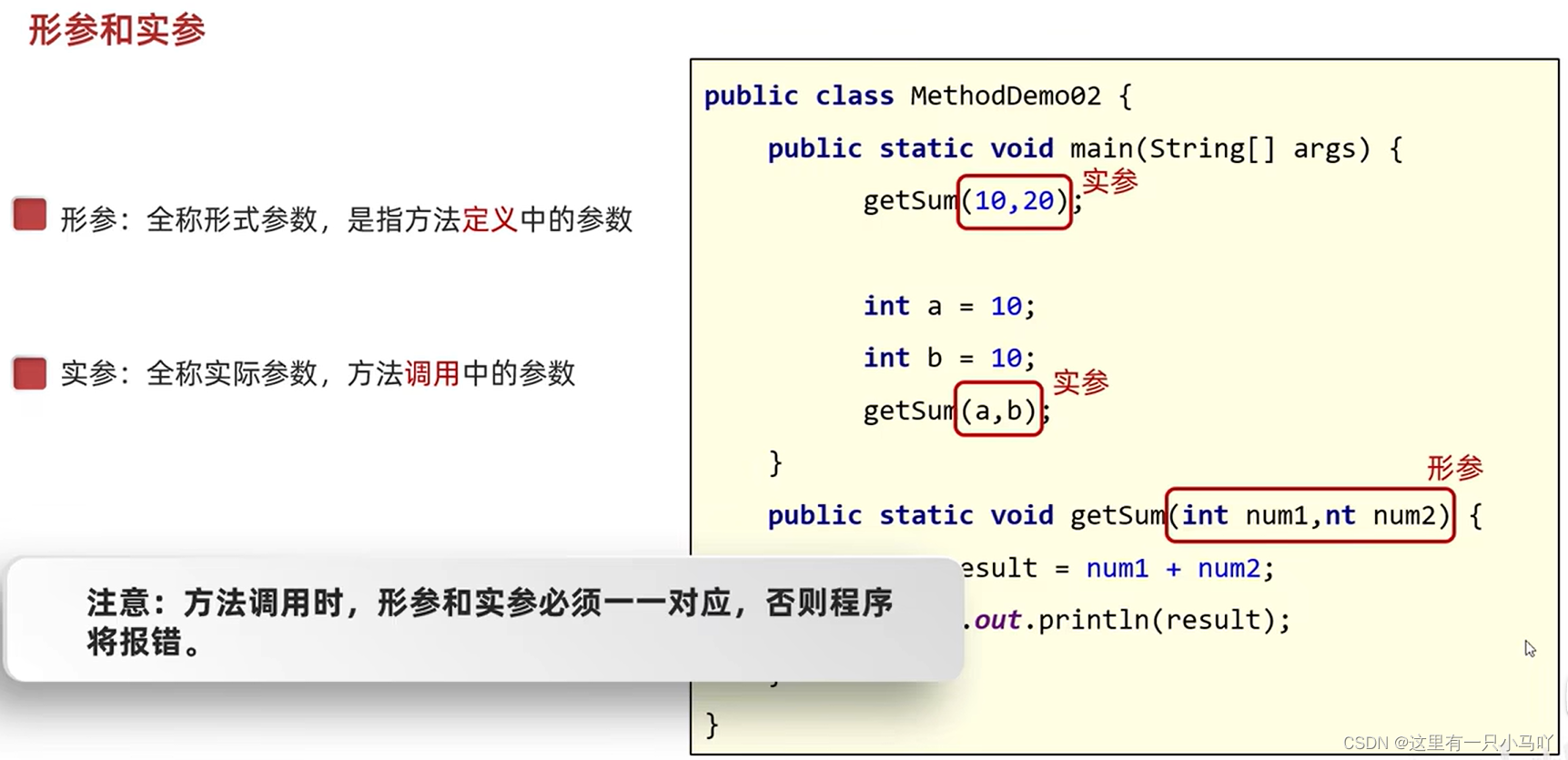
带参数的调用:
1 2 3 4 5 6 7 8 9 public class Main { public static void main (String[] args) { GetSum(10 ,20 ); GetSum(20 ,34 ); } public static void GetSum (int a,int b) { System. out. println(a+b); } }
1 2 3 4 5 6 7 8 9 10 11 public class Main { public static void main (String[] args) { double a = Square(1.1 ,2.2 ); System.out.println(a); } public static double Square (double len,double width) { double result = (len+width)*2 ; return result; } }
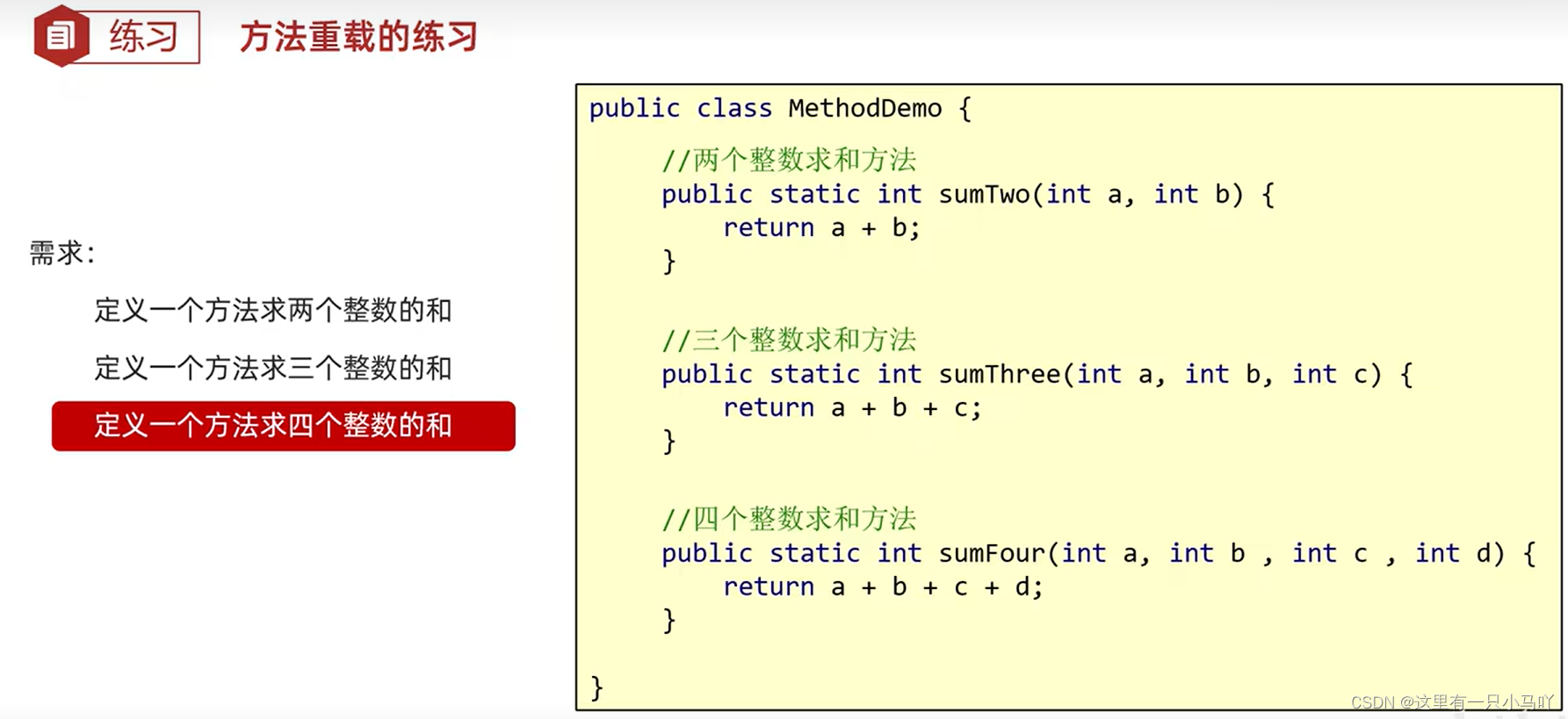
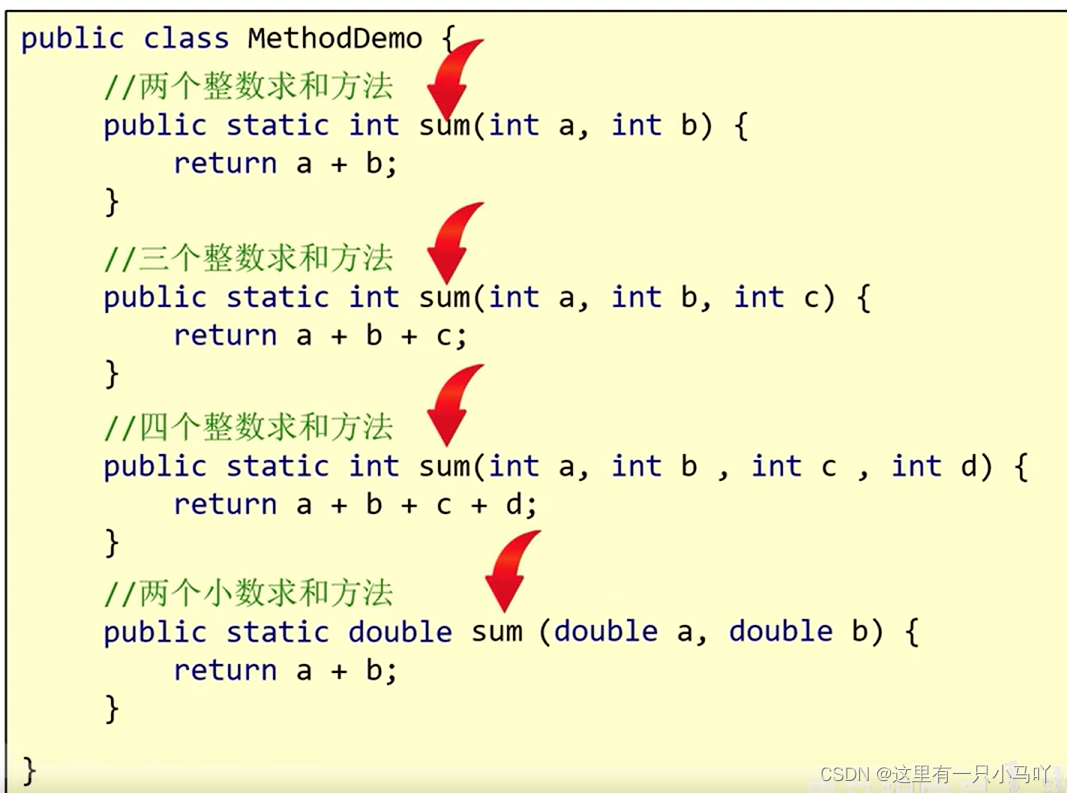
2.6.4 方法的重载
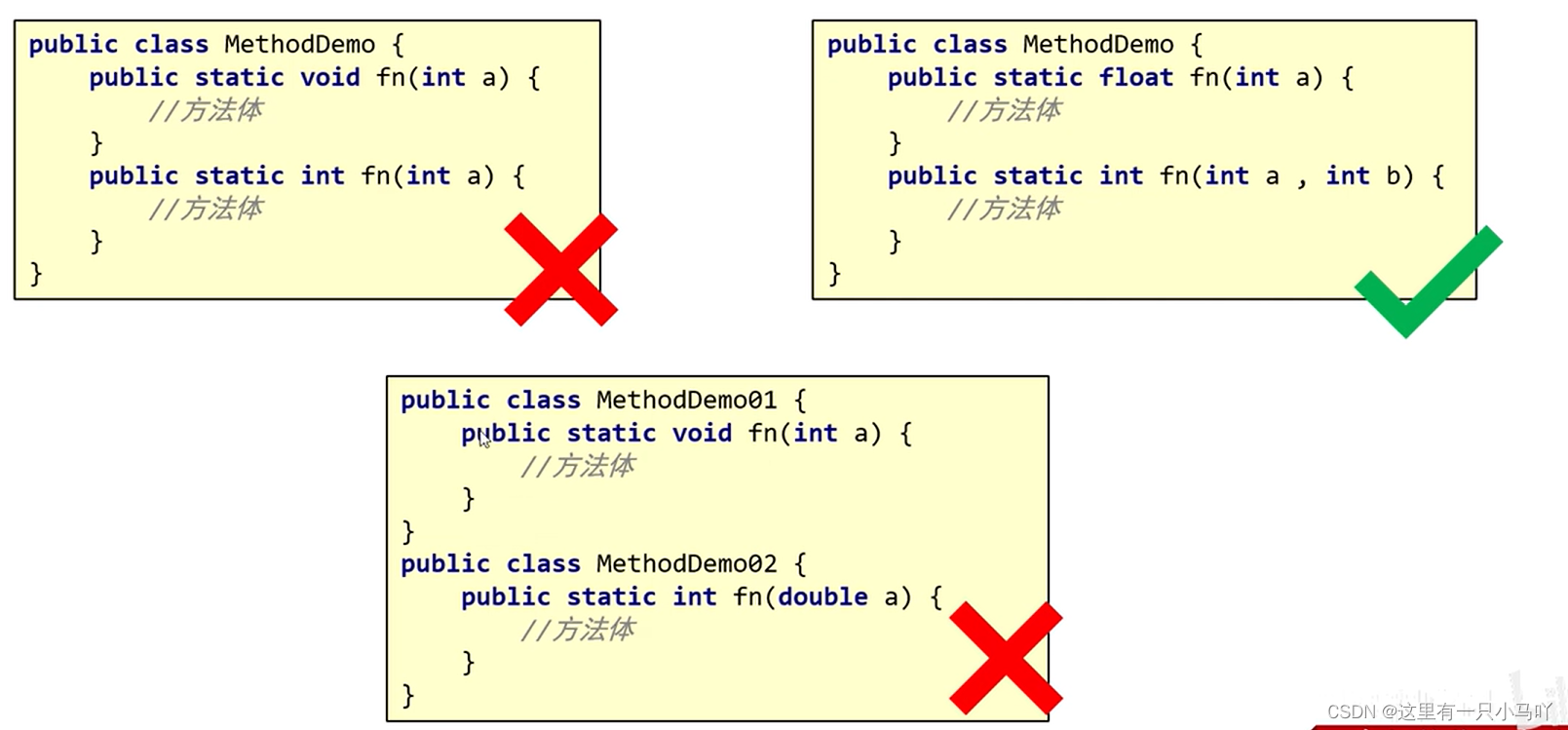
在同一个类中,定义了多个同名的方法,这些同名的方法具有同种的功能。
每个方法具有不同的参数类型或参数个数,这些同名的方法,就构成了重载关系
简单记:同一个类中,方法名相同,参数不同的方法。与返回值无关。
参数不同:个数不同、类型不同、顺序不同
1 2 3 4 5 6 7 8 9 10 11 12 13 14 15 16 17 18 19 20 public class Main { public static void main (String[] args) { int [] arr = {1 ,2 ,3 ,4 ,5 ,6 ,7 ,8 ,9 }; int [] r = copyOfRange(arr,0 ,6 ); for (int i = 0 ;i< r.length;i++) { System.out.println(r[i]); } } public static int [] copyOfRange(int [] arr,int from,int to) { int [] result = new int [to-from]; for (int i = 0 ;i<result.length;i++) { result[i] = arr[i+from]; } return result; } }
2.6.5 方法的内存 1. 方法调用的基本内存原理
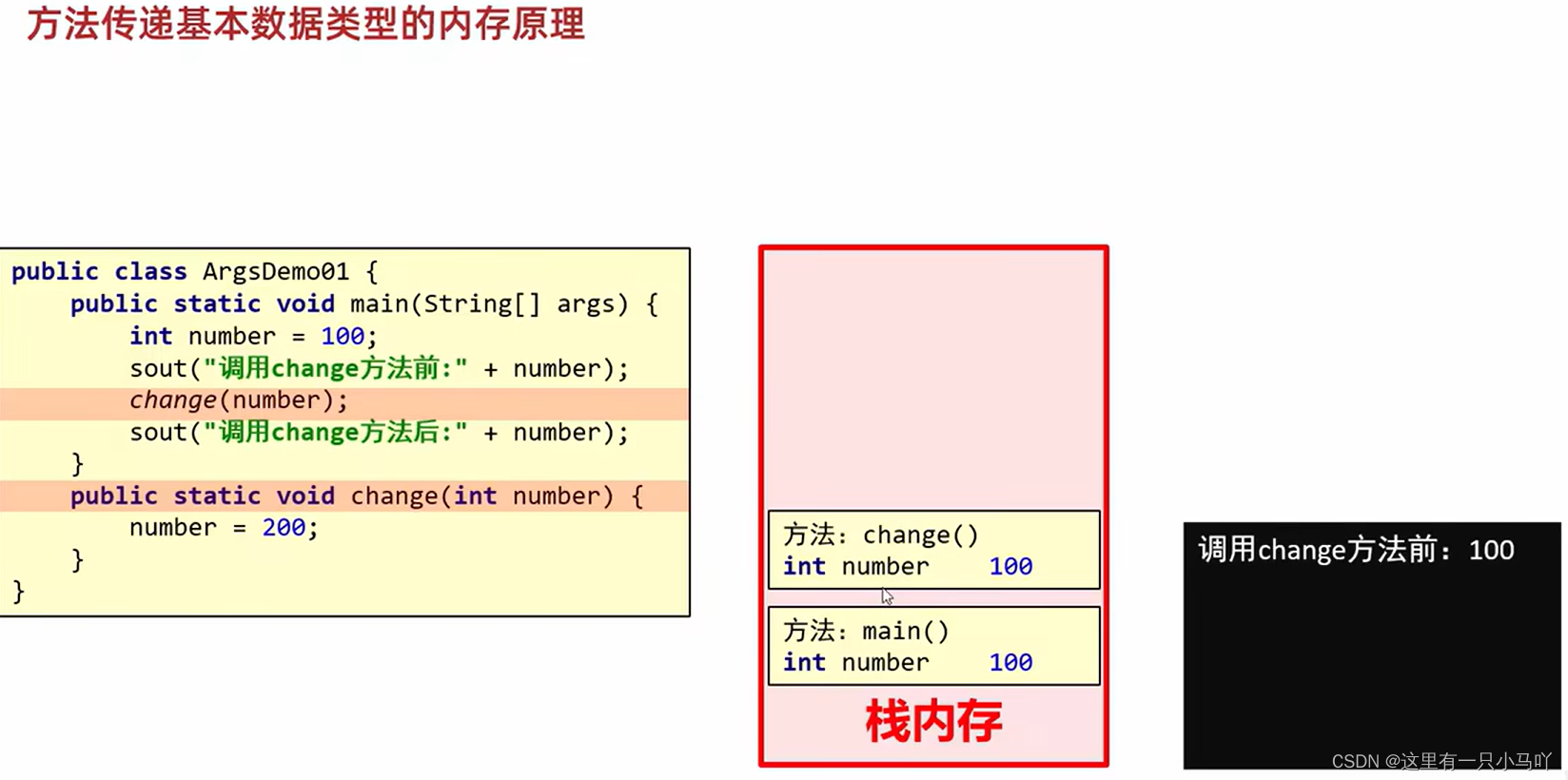
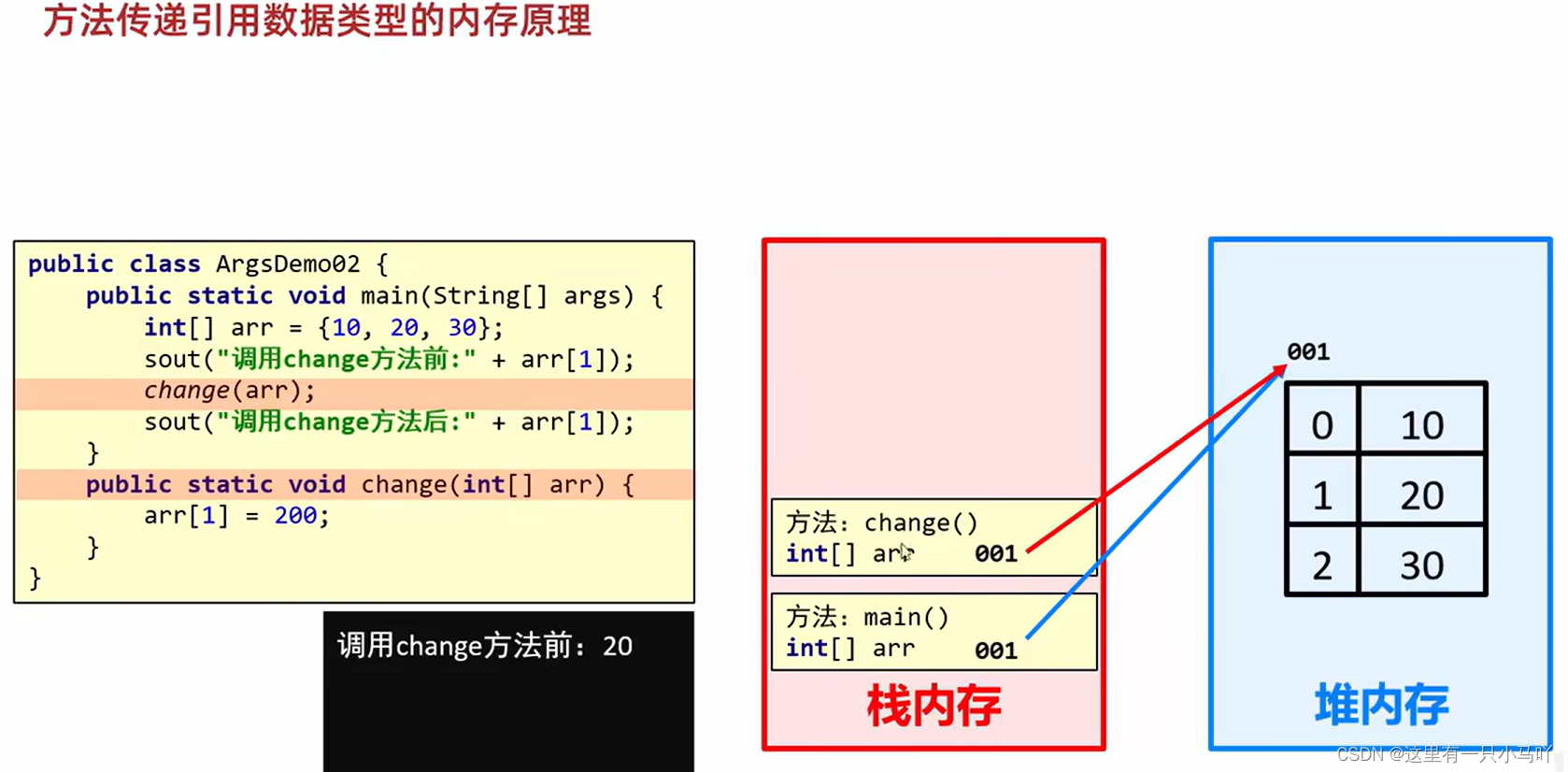
2. 方法传递基本数据类型的内存原理 3. 方法传递引用数据类型的内存原理
1 2 3 4 5 6 7 8 9 10 11 12 13 14 public class Main { public static void main (String[] args) { int number = 100 ; System.out.println("调用change方法前:" + number); change(number); System.out.println("调用change方法后:" + number); } public static void change (int number) { number =200 ; } }
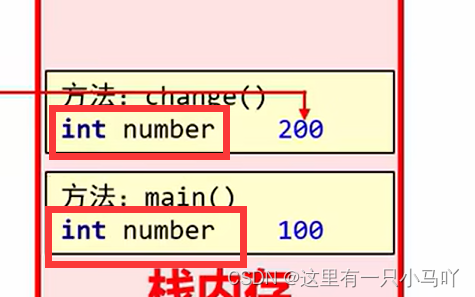
传递基本数据类型时,传递的是真实的数据,形参的改变,不影响实际参数的值
1 2 3 4 5 6 7 8 9 10 11 12 13 public class Main { public static void main (String[] args) { int []number = {1 ,2 ,3 }; System.out.println("调用change方法前:" + number[1 ]); change(number); System.out.println("调用change方法后:" + number[1 ]); } public static void change (int [] number) { number[1 ] =200 ; } }
传递引用数据类型时,传递的是地址值,形参的改变,影响实际参数的值
3.综合练习 3.1 买飞机票 需求:
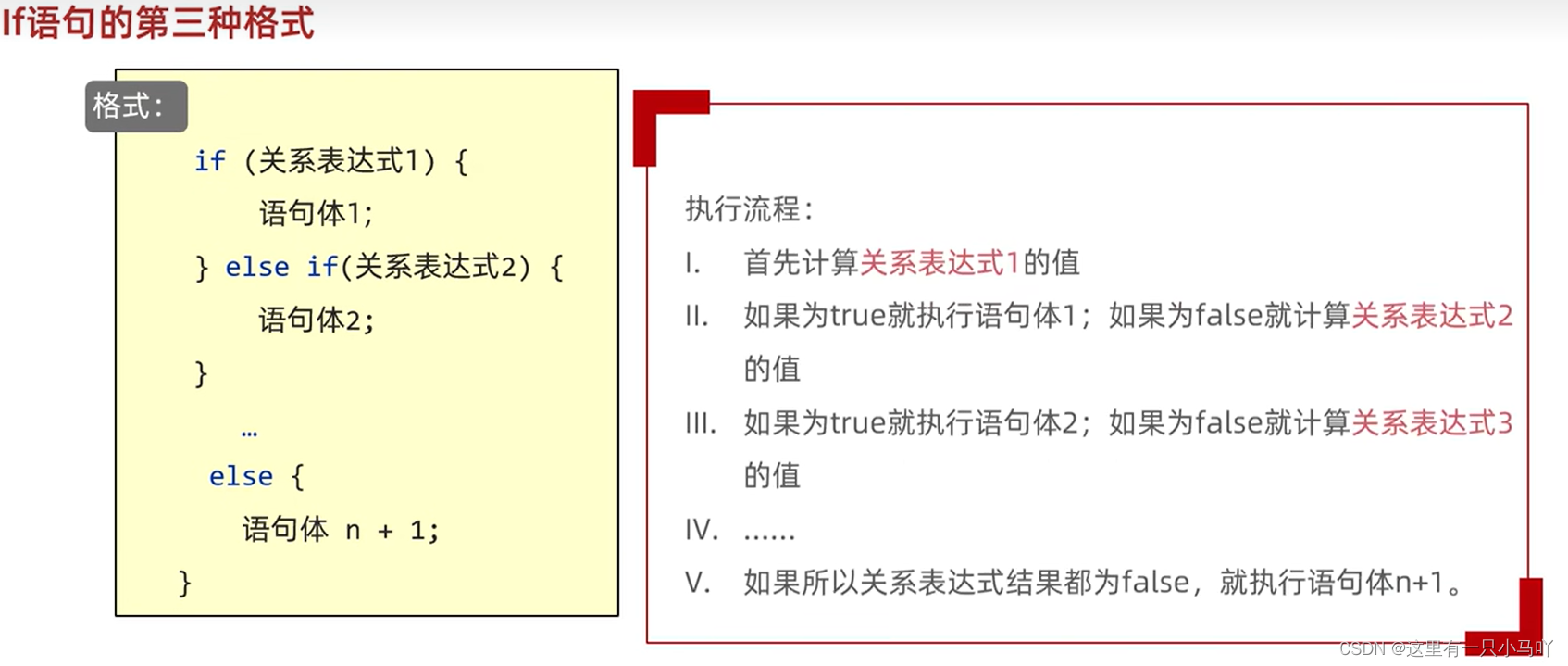
1 2 3 4 5 6 7 8 9 10 11 12 13 14 15 16 17 18 19 20 21 22 23 24 25 26 27 28 29 30 31 32 33 34 35 36 37 38 39 import java.sql.SQLOutput;import java.util.Scanner;public class Main { public static void main (String[] args) { Scanner sc = new Scanner (System. in); System.out.println("请输入机票的原价" ); int ticket = sc.nextInt(); System.out.println("请输入当前的月份" ); int month = sc. nextInt(); System.out.println("请输入当前购买的舱位0头等舱,1经济舱" ); int seat= sc.nextInt(); if (month>=5 && month<=10 ) { if (seat==0 ) { ticket = (int )(ticket * 0.9 ); } else { ticket = (int )(ticket * 0.85 ); } } else if ((month>=1 &&month<=4 )||(month >=11 && month<= 12 )) { if (seat==0 ) { ticket = (int )(ticket * 0.7 ); } else { ticket = (int )(ticket * 0.65 ); } } else { System.out.println("不合法的月份" ); } System.out.println(ticket); } }
Ctrl+alt+M
1 2 3 4 5 6 7 8 9 10 11 12 13 14 15 16 17 18 19 20 21 22 23 24 25 26 27 28 29 30 31 32 33 34 import java.sql.SQLOutput;import java.util.Scanner;public class Main { public static void main (String[] args) { Scanner sc = new Scanner (System. in); System.out.println("请输入机票的原价" ); int ticket = sc.nextInt(); System.out.println("请输入当前的月份" ); int month = sc. nextInt(); System.out.println("请输入当前购买的舱位0头等舱,1经济舱" ); int seat= sc.nextInt(); if (month>=5 && month<=10 ) { ticket = getTicket(seat, ticket, 0.9 , 0.85 ); } else if ((month>=1 &&month<=4 )||(month >=11 && month<= 12 )) { ticket = getTicket(seat, ticket, 0.7 , 0.65 ); } else { System.out.println("不合法的月份" ); } System.out.println(ticket); } public static int getTicket (int seat, int ticket, double x, double x1) { if (seat == 0 ) { ticket = (int ) (ticket * x); } else { ticket = (int ) (ticket * x1); } return ticket; } }
3.2 找质数 判断101-200之间有多少个质数。
1 2 3 4 5 6 7 8 9 10 11 12 13 14 15 16 17 18 19 20 21 22 23 24 25 26 public class Main { public static void main (String[] args) { int count = 0 ; for (int i = 101 ; i <= 200 ; i++) { boolean flag = true ; for (int j = 2 ; j < i; j++) { if (i % j == 0 ) { flag = false ; break ; } } if (flag) { System.out.println("当前数字" + i + "是质数" ); count++; } } System.out.println("一共有" + count + "个质数" ); } }
3.3 开发验证码 随机生成5位验证码,前四位是大小写字母,最后一位是数字
1 2 3 4 5 6 7 8 9 10 11 12 13 14 15 16 17 18 import java.util.Random;public class Main { public static void main (String[] args) { char [] yzm = new char [5 ]; Random r = new Random (); for (int i = 0 ;i<=3 ;i++) { yzm[i] = (char )(r.nextBoolean()?r.nextInt(65 ,91 ):r.nextInt(97 ,123 )); } yzm[4 ] = (char )(r.nextInt(48 ,58 )); for (int i = 0 ;i<yzm.length;i++) { System.out.print(yzm[i]); } } }
3.4 数值元素的复制 把一个数组复制到新数组中
1 2 3 4 5 6 7 8 9 10 11 12 13 14 15 16 17 18 19 20 21 public class Main { public static void main (String[] args) { int [] arr = {1 ,2 ,3 ,4 ,5 }; int [] newArr = new int [arr.length]; for (int i = 0 ; i < arr.length; i++) { newArr[i] = arr[i]; } for (int i = 0 ; i < newArr.length; i++) { System.out .print(newArr[i]); } } }
3.5 评委打分 需求:
1 2 3 4 5 6 7 8 9 10 11 12 13 14 15 16 17 18 19 20 21 22 23 24 25 26 27 28 29 30 31 package com.mochu.project1;import java.util.Scanner;public class JudgeScore { public static void main (String[] args) { int [] scores = new int [6 ]; Scanner sc = new Scanner (System.in); for (int i = 0 ; i < scores.length; i++) { System.out.print("请输入第" + (i + 1 ) + "位评委的分数:" ); int score = sc.nextInt(); scores[i] = score; } int max = scores[0 ]; int min = scores[0 ]; int sum = 0 ; for (int i = 0 ; i < scores.length; i++) { if (scores[i] > max) { max = scores[i]; } if (scores[i] < min) { min = scores[i]; } sum += scores[i]; } double result = (sum - max - min) * 1.0 / (scores.length - 2 ); System.out.println("选手最终得分是:" + result); } }
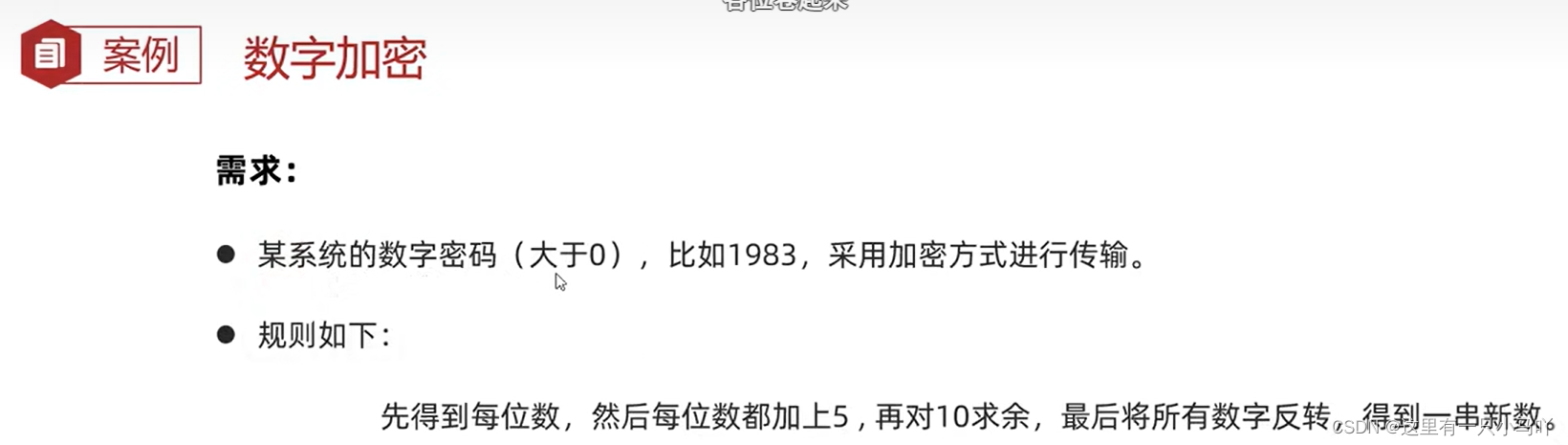
3.6 数学加密和解密
1 2 3 4 5 6 7 8 9 10 11 12 13 14 15 16 17 18 19 20 21 22 23 24 25 26 27 28 29 30 31 32 33 34 35 36 37 package com.mochu.project1;import java.util.Scanner;public class NumberEncrypt { public static void main (String[] args) { System.out.print("请输入需要加密的数字个数:" ); Scanner sc = new Scanner (System.in); int length = sc.nextInt(); int [] arr = new int [length]; for (int i = 0 ; i < arr.length; i++) { System.out.print("请输入第" + (i + 1 ) + "位数字:" ); int number = sc.nextInt(); arr[i] = number; } printArray(arr); for (int i = 0 ; i < arr.length; i++) { arr[i] = (arr[i] + 5 ) % 10 ; } for (int i = 0 , j = arr.length - 1 ; i < j; i++, j--) { int temp = arr[j]; arr[j] = arr[i]; arr[i] = temp; } printArray(arr); } public static void printArray (int [] arr) { System.out.print("[" ); for (int i = 0 ; i < arr.length; i++) { System.out.print(i == arr.length - 1 ? arr[i] : arr[i] + ", " ); } System.out.println("]" ); } }
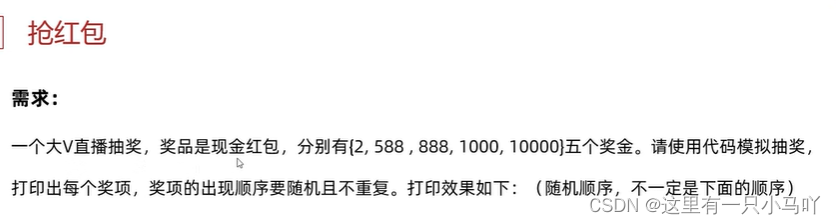
3.7 抽奖的两种实现方式
1 2 3 4 5 6 7 8 9 10 11 12 13 14 15 16 17 18 19 20 21 22 23 24 25 26 27 28 29 30 import java.util.Random;public class Main { public static void main (String[] args) { int [] chi = {2 ,588 ,888 ,1000 ,10000 }; Random r = new Random (); int [] chi2= new int [chi.length]; int i = chi.length; while (i>0 ) { int temp = r.nextInt(0 ,5 ); boolean flag = true ; for (int j = 0 ;j<chi2.length-i+1 ;j++) { if (chi2[j]==chi[temp]) { flag = false ; break ; } } if (flag==true ) { System.out.println(chi[temp]+"被取出" ); chi2[chi2.length-i]=chi[temp]; i--; } } } }
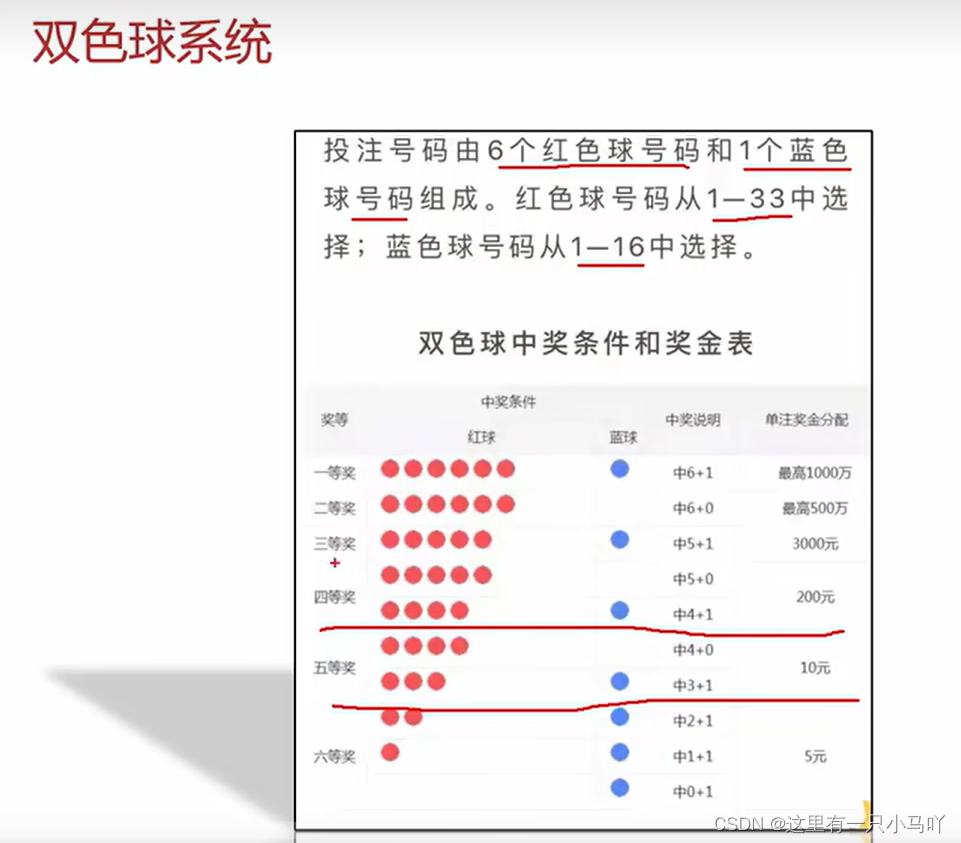
3.8 双色球彩票系统
1 2 3 4 5 6 7 8 9 10 11 12 13 14 15 16 17 18 19 20 21 22 23 24 25 26 27 28 29 30 31 32 33 34 35 36 37 38 39 40 41 42 43 44 45 46 47 48 49 50 51 52 53 54 55 56 57 58 59 60 61 62 63 64 65 66 67 68 69 70 71 72 73 74 75 76 77 78 79 80 81 82 83 84 85 86 87 88 89 90 91 92 93 94 95 96 97 98 99 100 101 package com.mochu.project1;import java.util.Random;import java.util.Scanner;public class DoubleColorBall { public static void main (String[] args) { int [] lucknumbers = createLuckyNumber(); int [] inputnumbers = userInputNumbers(); judge(lucknumbers, inputnumbers); } public static void judge (int [] lucknumbers, int [] inputnumbers) { int redballcount = 0 ; int blueballcount = 0 ; for (int i = 0 ; i < inputnumbers.length - 1 ; i++) { for (int j = 0 ; j < lucknumbers.length - 1 ; j++) { if (inputnumbers[i] == lucknumbers[j]) { redballcount++; break ; } } } blueballcount = inputnumbers[inputnumbers.length - 1 ] == lucknumbers[lucknumbers.length - 1 ] ? 1 : 0 ; System.out.println("您的号码是:" ); printArray(inputnumbers); System.out.println("中奖号码是:" ); printArray(lucknumbers); System.out.println("您命中了" + redballcount + "个红球" ); System.out.println("您" + (blueballcount == 1 ? "命中了" : "没有命中" ) + "蓝球" ); if (blueballcount == 1 && redballcount < 3 ) { System.out.println("恭喜您!,获得5元奖励~" ); }else if (blueballcount == 1 && redballcount == 3 || blueballcount == 0 && redballcount == 4 ) { System.out.println("恭喜您!获得10元奖励~" ); }else if (blueballcount == 1 && redballcount == 4 || blueballcount == 0 && redballcount == 5 ) { System.out.println("恭喜您!获得200元奖励~" ); }else if (blueballcount == 1 && redballcount == 5 ) { System.out.println("恭喜您!获得3000元奖励~" ); }else if (blueballcount == 0 && redballcount == 6 ) { System.out.println("恭喜您!获得500万奖励~" ); }else if (blueballcount == 1 && redballcount == 6 ) { System.out.println("恭喜您!获得1000万奖励~" ); }else { System.out.println("很遗憾,您没有获奖" ); } } public static int [] userInputNumbers() { int [] inputNumbers = new int [7 ]; Scanner sc = new Scanner (System.in); for (int i = 0 ; i < inputNumbers.length - 1 ; i++) { System.out.print("请输入第" + (i + 1 ) + "个红球号码(1-33,要求不重复):" ); inputNumbers[i] = sc.nextInt(); } System.out.print("请输入篮球号码(1-16,要求不重复):" ); inputNumbers[inputNumbers.length - 1 ] = sc.nextInt(); return inputNumbers; } public static int [] createLuckyNumber() { int [] numbers = new int [7 ]; Random rd = new Random (); for (int i = 0 ; i < numbers.length - 1 ; i++) { while (true ) { int data = rd.nextInt(33 ) + 1 ; boolean flag = true ; for (int j = 0 ; j < i; j++) { if (numbers[j] == data) { flag = false ; break ; } } if (flag) { numbers[i] = data; break ; } } } numbers[numbers.length - 1 ] = rd.nextInt(16 ) + 1 ; return numbers; } public static void printArray (int [] arr) { System.out.print("[" ); for (int i = 0 ; i < arr.length; i++) { System.out.print(i == arr.length -1 ? arr[i] : arr[i] + ", " ); } System.out.println("]" ); } }
3.9 二维数组 什么是二维数组?数组中存数组
当我们需要把数据分组管理的时候,就需要用到二维数组
二维数组的静态初始化
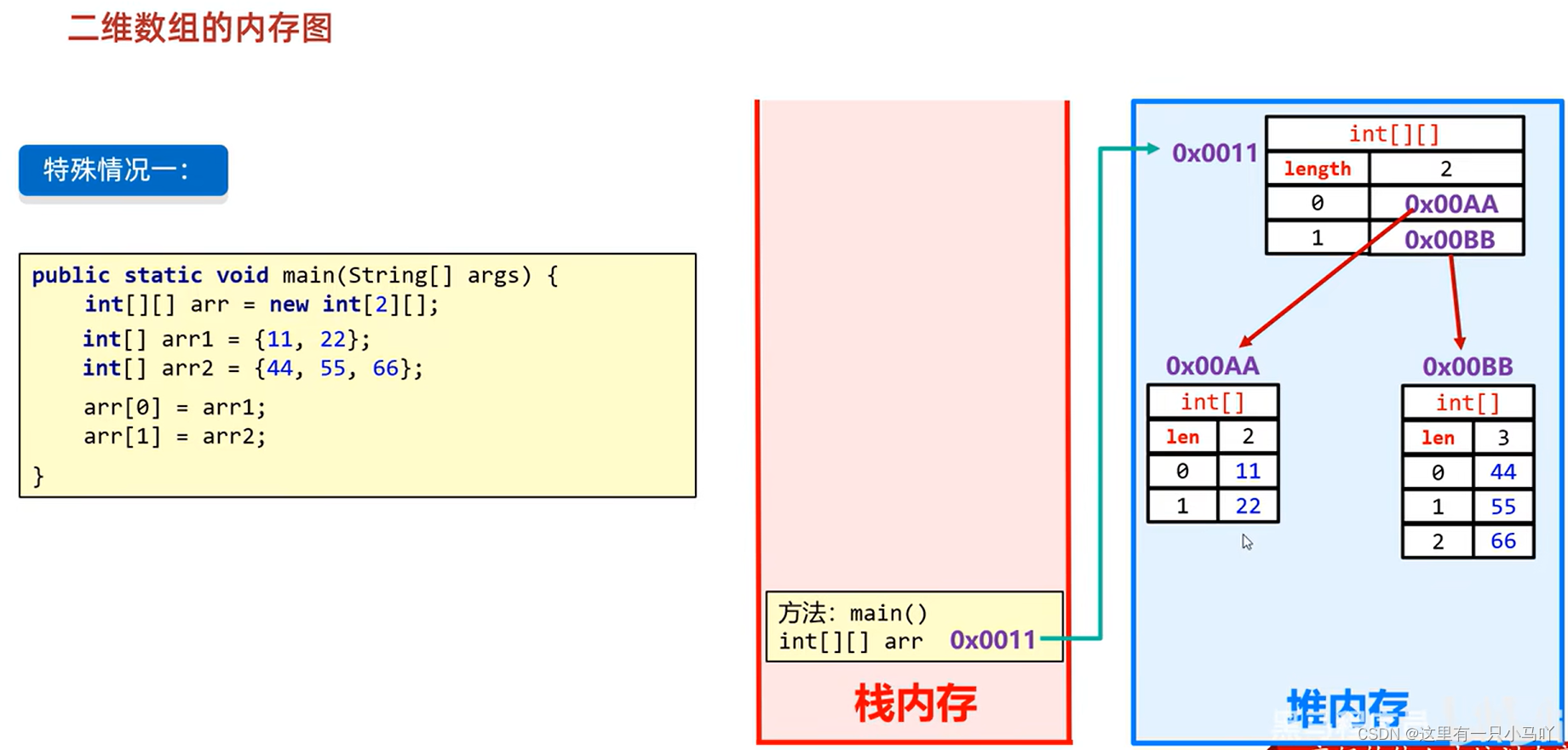
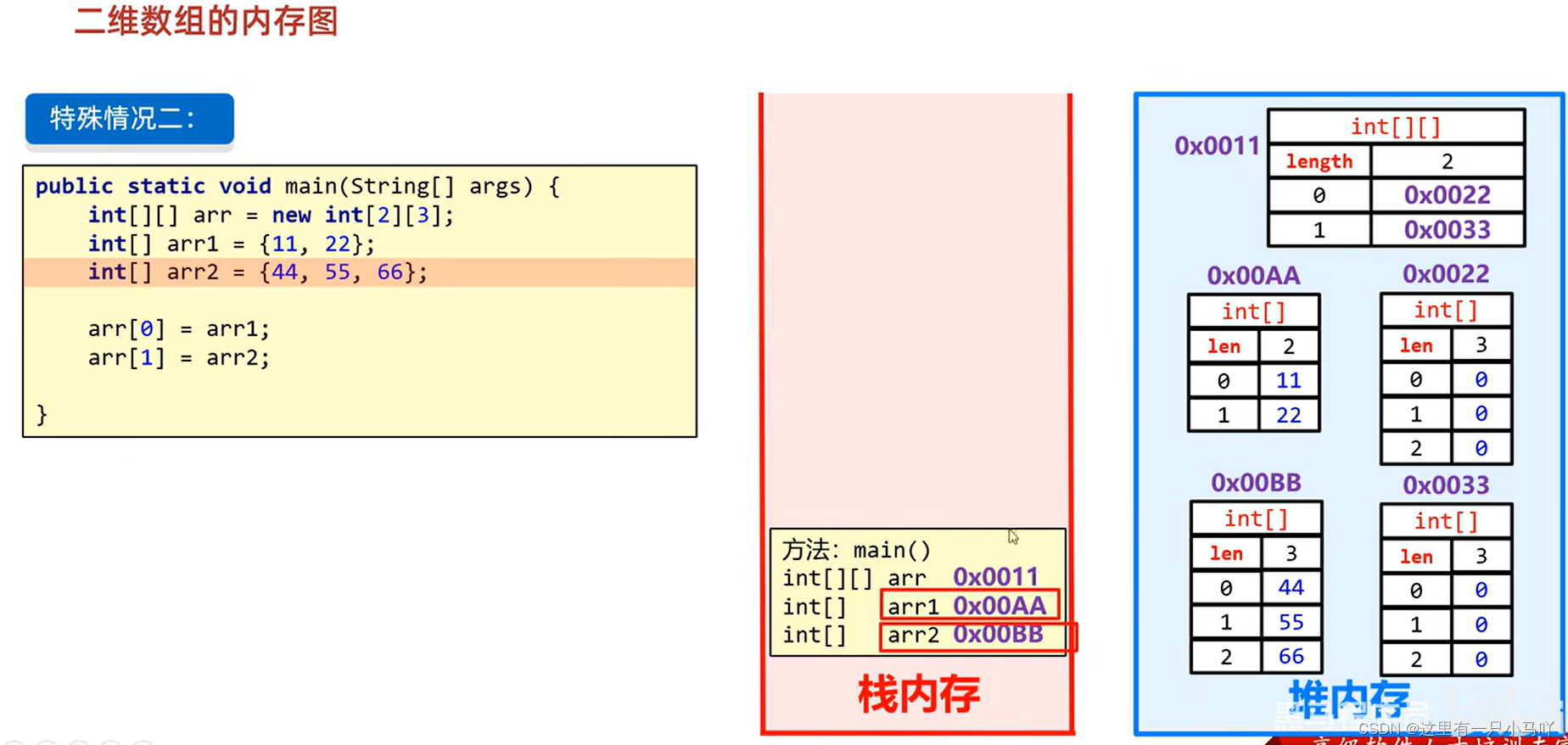
格式:数据类型 [][] 数组名 = new 数据类型[][] {{元素1,元素2},{元素1,元素2}}; 范例: int[][] arr = new int[][]{11,22},{33,44}; 简化格式:数据类型[][]数组名= {{元素1,元素2}, {元素1,元素2}};
1 2 3 4 5 6 7 8 9 10 11 12 13 14 15 16 17 18 19 20 21 22 23 24 25 26 27 28 29 30 31 32 33 34 35 36 37 38 public class Main { public static void main (String[] args) { int [][] arr= new int [][]{{1 ,2 ,3 },{4 ,5 ,6 ,7 ,8 ,9 }}; int [][] arr1= {{1 ,2 ,3 },{4 ,5 ,6 ,7 ,8 ,9 }}; int [][] arr2={ {1 ,2 ,3 }, {4 ,5 ,6 ,7 ,8 ,9 } }; System.out.println(arr2[0 ]); System.out.println(arr2[0 ][0 ]); } } public class Main { public static void main (String[] args) { int [][] arr= new int [][]{{1 ,2 ,3 },{4 ,5 ,6 ,7 ,8 ,9 }}; int [][] arr1= {{1 ,2 ,3 },{4 ,5 ,6 ,7 ,8 ,9 }}; int [][] arr2={ {1 ,2 ,3 }, {4 ,5 ,6 ,7 ,8 ,9 } }; for (int i = 0 ; i < arr2.length ; i++) { for (int j=0 ;j < arr2[i].length ; j++){ System.out.println(arr2[i][j]); } } } }
二维数组的动态初始化
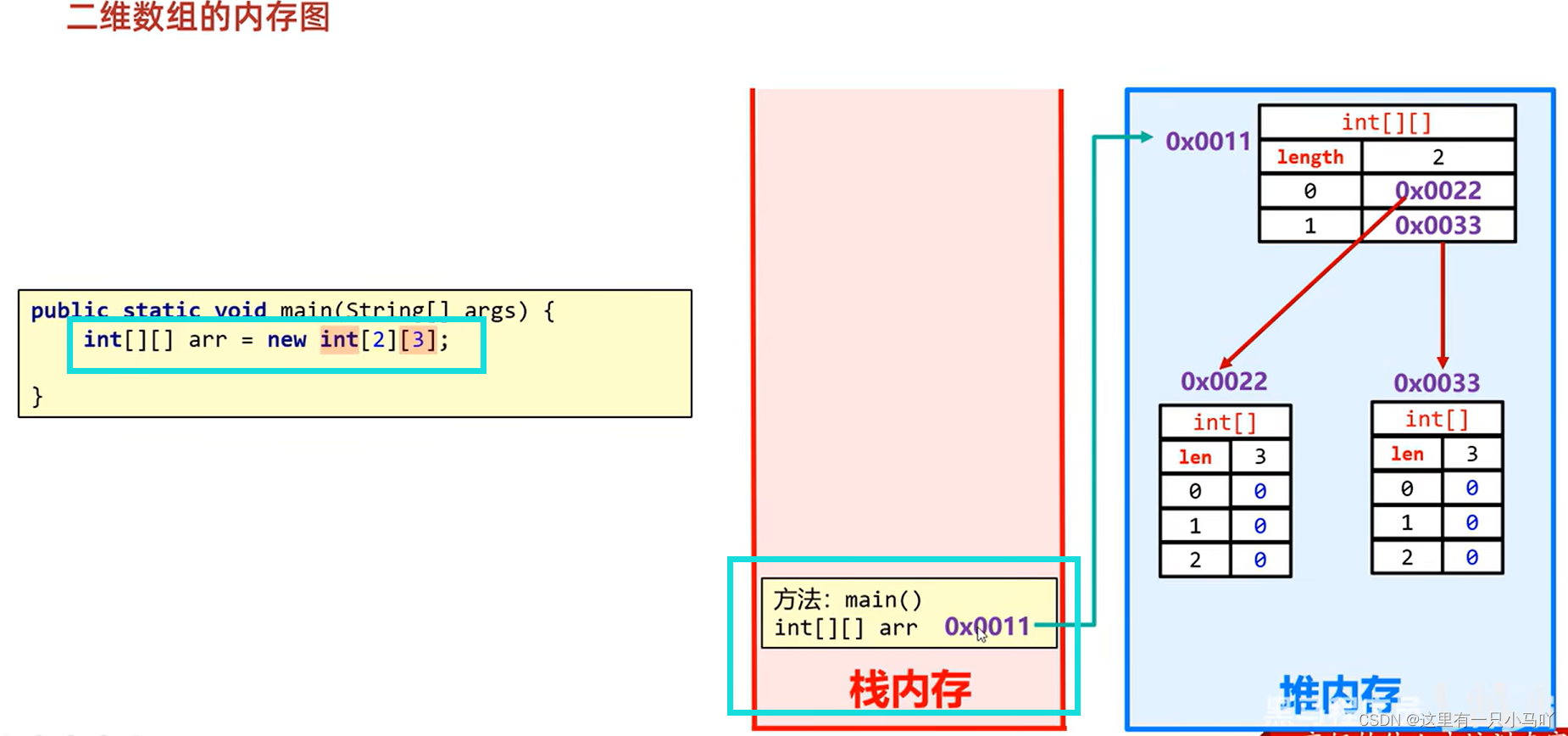
格式: 数据类型[][]数组名= new数据类型[m][n];
m表示这个二维数组,可以存放多少个一维数组
n表示每一个一维数组,可以存放多少个元素
1 2 3 4 5 6 7 8 9 10 11 12 13 public class Main { public static void main (String[] args) { int [][] arr= new int [3 ][5 ]; arr[0 ][1 ] = 10 ; for (int i = 0 ; i < arr.length; i++) { for (int i1 = 0 ; i1 < arr[i].length; i1++) { System.out.print(arr[i][i1]+" " ); } System.out.println(); } } }
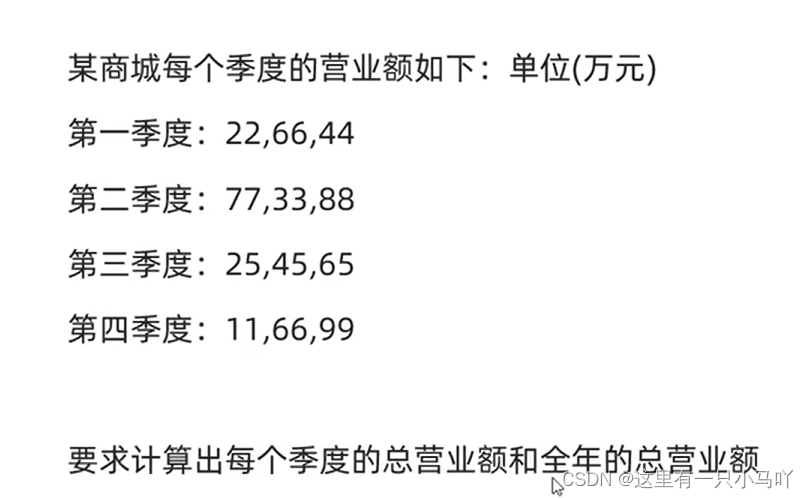
1 2 3 4 5 6 7 8 9 10 11 12 13 14 15 16 17 18 19 20 21 22 23 24 25 26 27 28 29 30 31 32 public class Main { public static void main (String[] args) { int [][] arr = { {22 ,66 ,44 }, {77 ,33 ,88 }, {25 ,45 ,65 }, {11 ,66 ,99 } }; int b = 0 ; for (int i = 0 ; i < arr.length; i++) { int a = 0 ; for (int i1 = 0 ; i1 < arr[i].length; i1++) { a = a +arr[i][i1]; } System.out.println(a); b= b+a; a = 0 ; } System.out.println(b); } }




 微信
微信 支付宝
支付宝