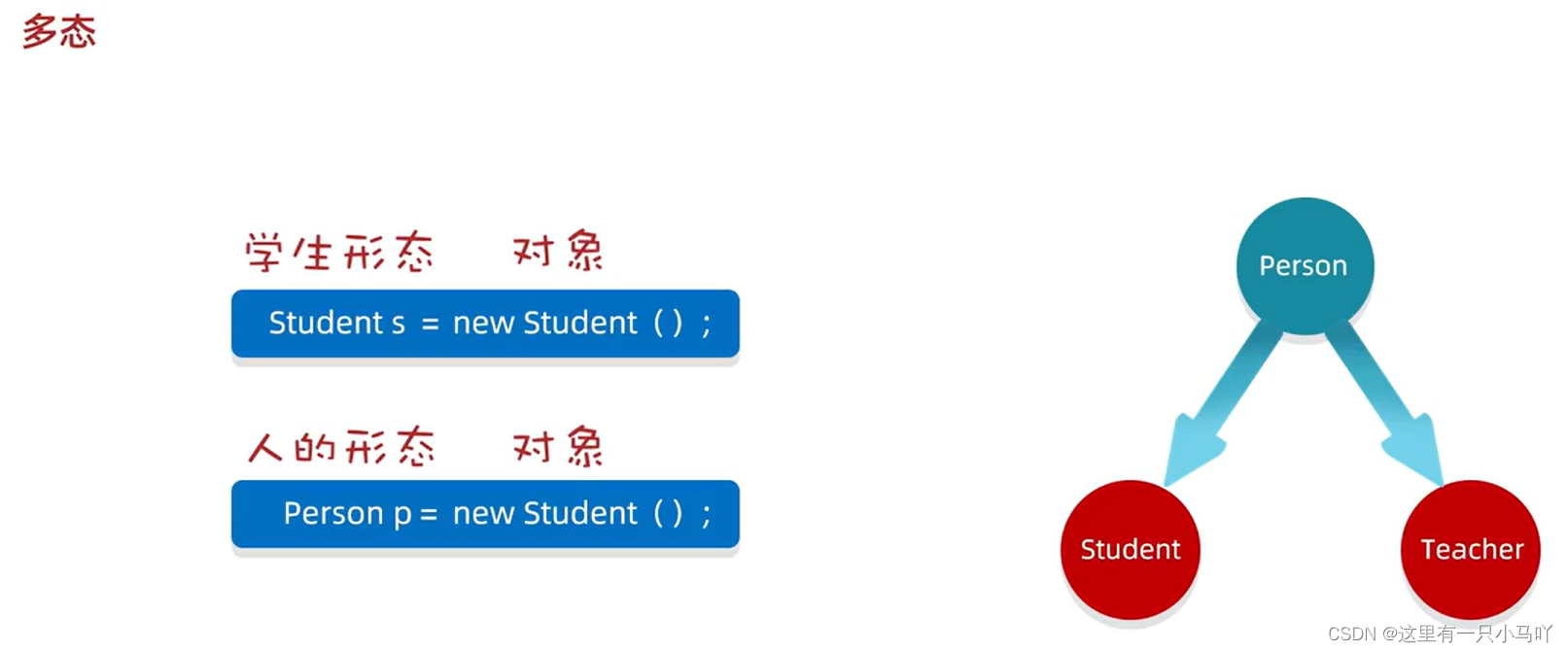
黑马程序员Java零基础视频教程_上部(P129-P176)学习笔记 1. 面向对象进阶 1.1 认识多态 什么是多态?
多态的表现形式: 父类类型 对象名称 = 子类对象;
多态的前提:
Animal.java
1
2
3
4
5
6
7
package Demo1; public class Animal public void eat(){ System.out.println("动物吃东西" ); } }
Cat.java
1
2
3
4
5
6
7
8
9
package Demo1; public class Cat extends Animal @Override public void eat() { System.out.println("猫吃鱼" ); } }
AnimalDemo.java
1
2
3
4
5
6
7
8
9
10
11
12
13
14
15
16
17
18
19
20
21
22
package Demo1; public class AnimalDemo public static void main(String [] args) { Animal a = new Cat(); a.eat(); } }
多态调用成员的特点
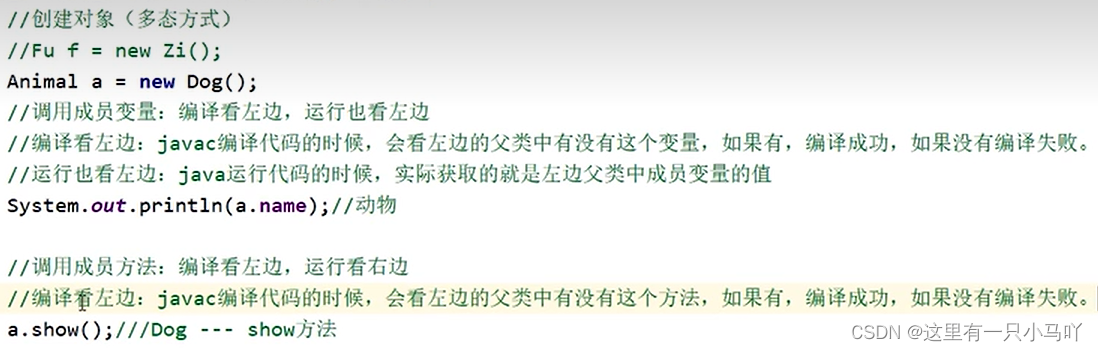
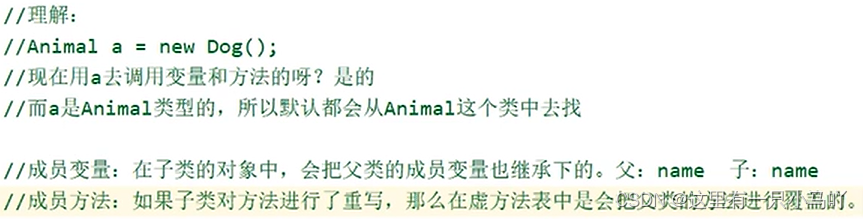
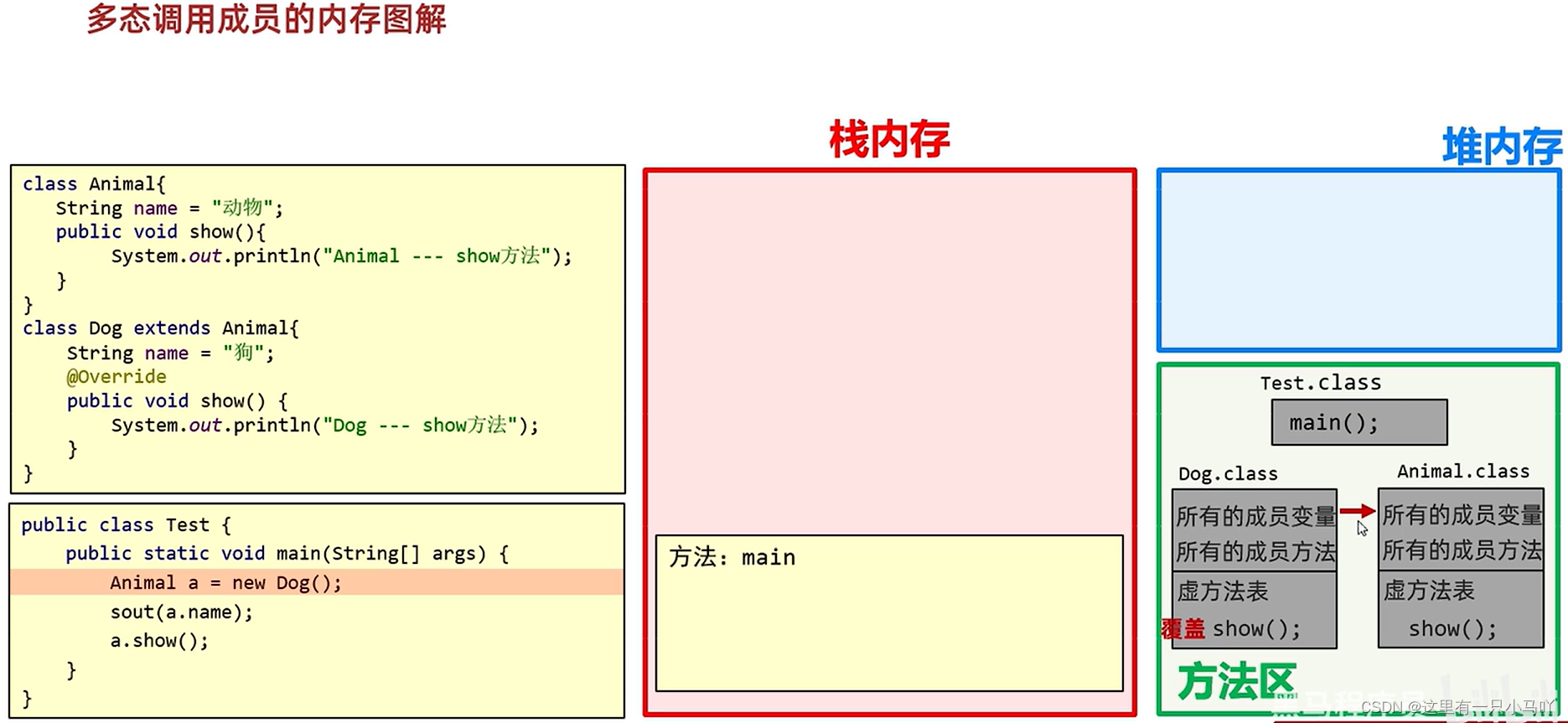
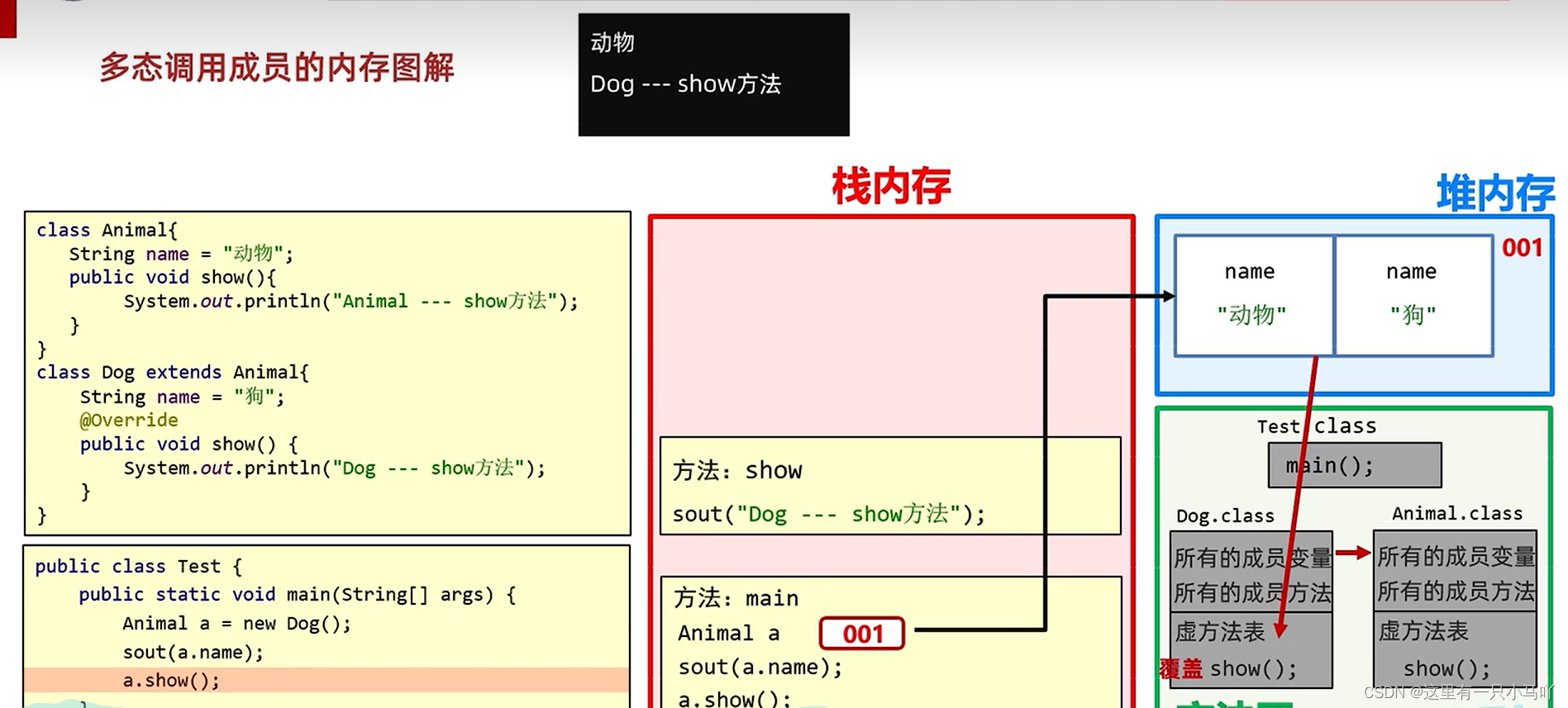
变量调用:编译看左边,运行也看左边。
方法调用:编译看左边,运行看右边。
1.2 多态的优势与劣势 优势:
在多态形式下,右边对象可以实现解耦合,便于扩展和维护。
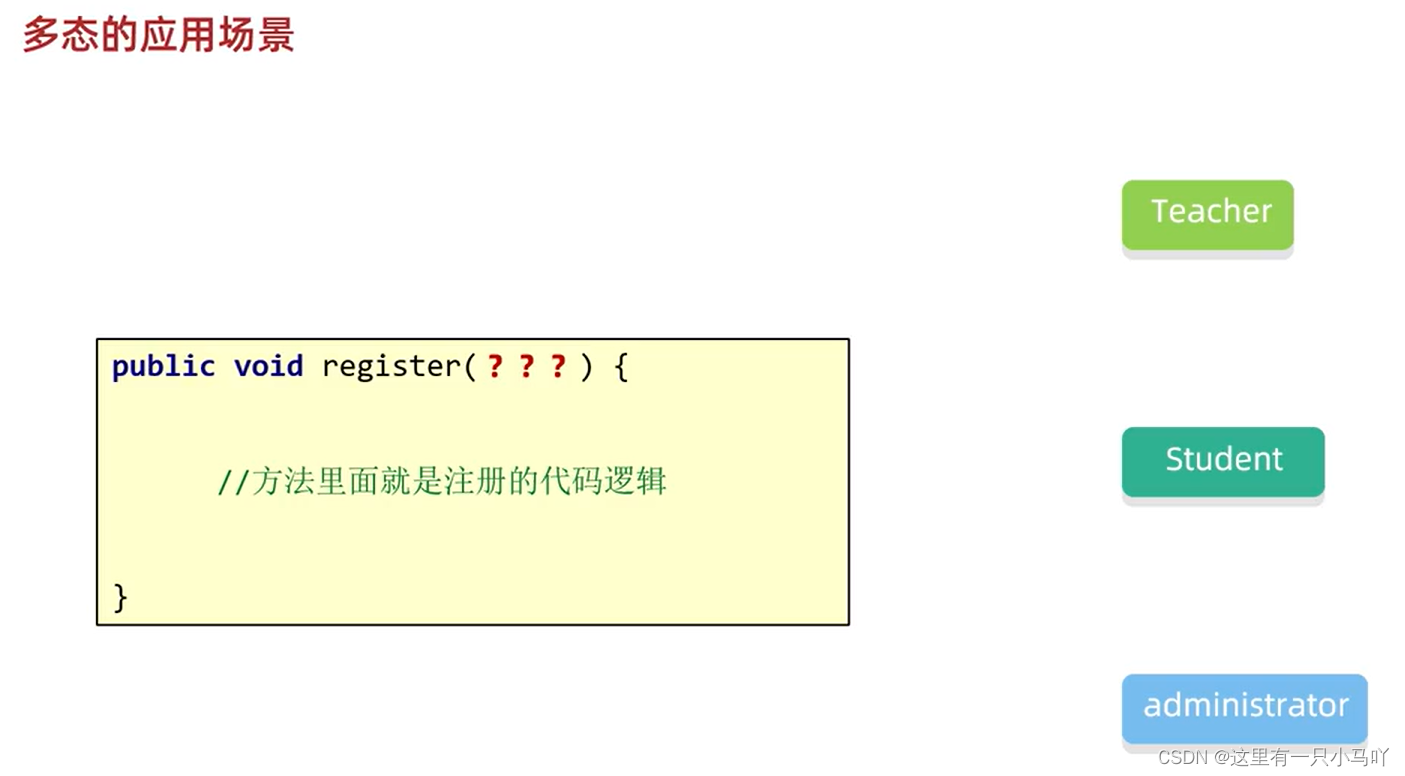
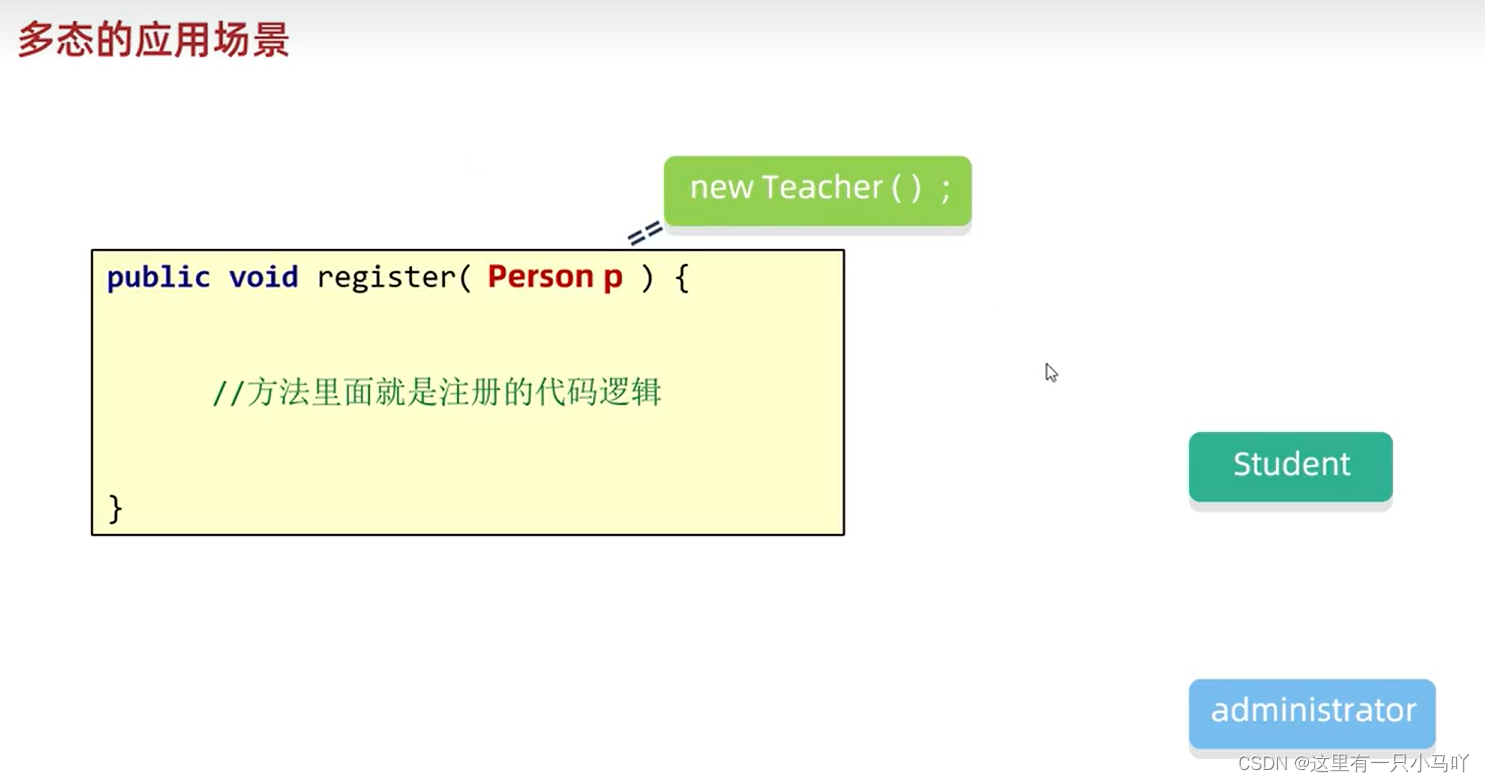
定义方法的时候,使用父类型作为参数,可以接收所有子类对象,体现多态的扩展性与便利。
弊端:
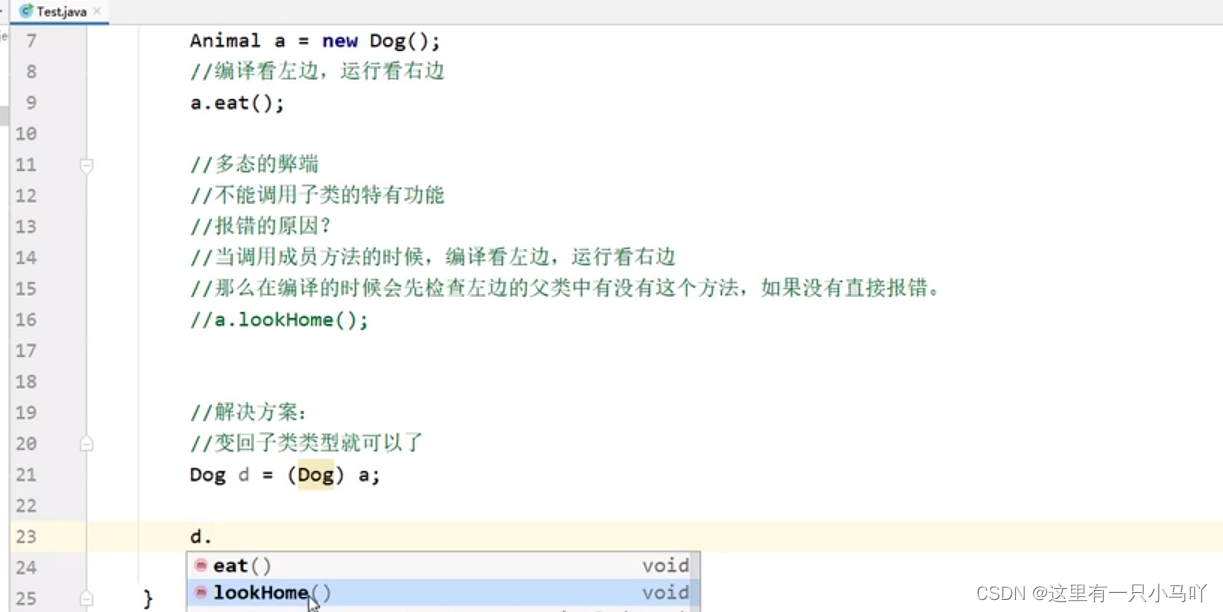
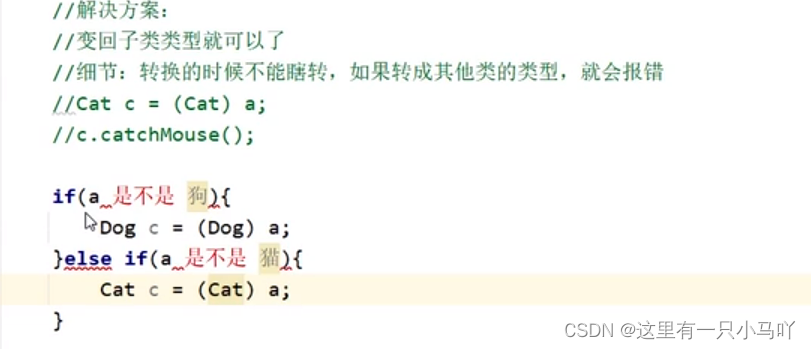
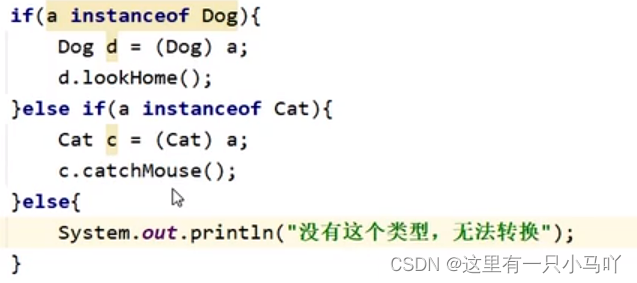
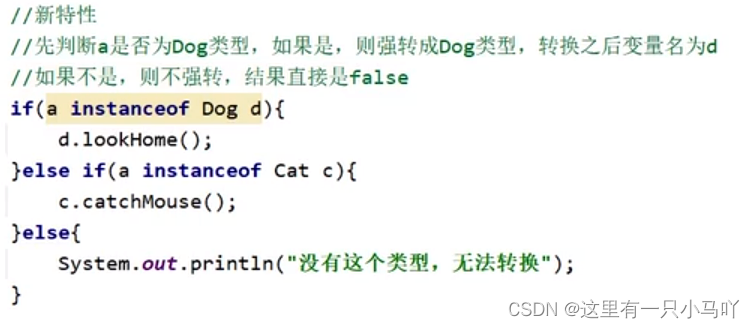
不能调用子类的特有功能
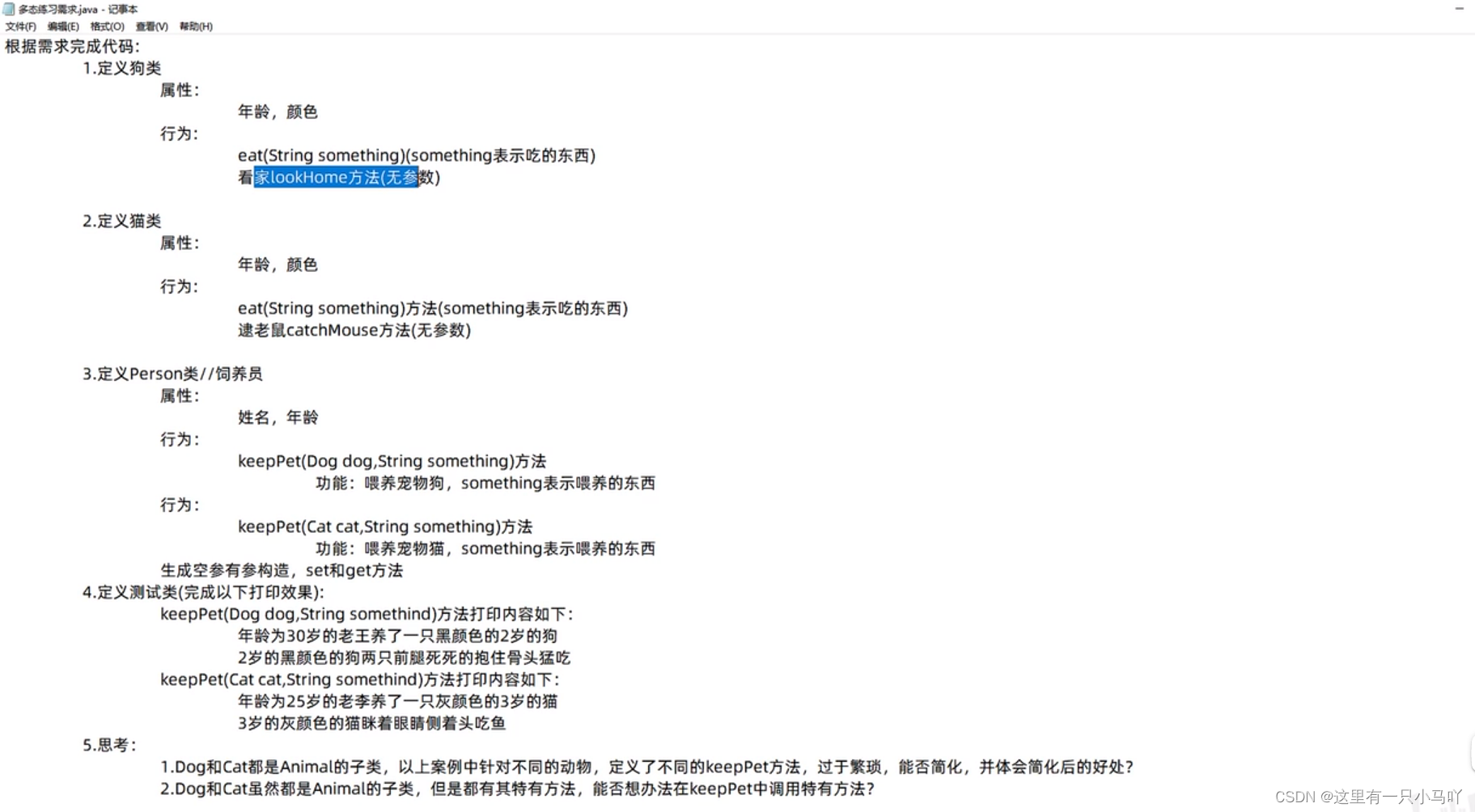
1.3 多态的综合练习 Animal.java
1
2
3
4
5
6
7
8
9
10
11
12
13
14
15
16
17
18
19
20
21
22
23
24
25
26
27
28
29
30
31
32
33
34
package Duotai;public class Animal { private int age; private String color; public Animal () { } public Animal (int age, String color) { this .age = age; this .color = color; } public int getAge () { return age; } public void setAge (int age) { this .age = age; } public String getColor () { return color; } public void setColor (String color) { this .color = color; } public void eat (String food) { System.out.println("在吃东西" ); } }
Cat.java
1
2
3
4
5
6
7
8
9
10
11
12
13
package Duotai;public class Cat extends Animal { public Cat () { } public Cat (int age, String color) { super (age, color); } public void catchMouse () { System.out.println("抓老鼠" ); } }
Dog.java
1
2
3
4
5
6
7
8
9
10
11
12
13
14
package Duotai;public class Dog extends Animal { public Dog () { } public Dog (int age, String color) { super (age, color); } public void lookHome () { System.out.println("在看家" ); } }
Person.java
1
2
3
4
5
6
7
8
9
10
11
12
13
14
15
16
17
18
19
20
21
22
23
24
25
26
27
28
29
30
31
32
33
34
35
36
37
38
39
40
41
42
43
44
package Duotai;public class Person { private int age; private String name; public Person () { } public Person (int age, String name) { this .age = age; this .name = name; } public int getAge () { return age; } public void setAge (int age) { this .age = age; } public String getName () { return name; } public void setName (String name) { this .name = name; } public void keepPet (Animal a, String food) { if ( a instanceof Dog d ) { System.out.println(d.getAge()+" 岁 " +d.getColor()+" 的狗两条腿死死的抱住 " +food+" 猛吃" ); } else if (a instanceof Cat c) { System.out.println(c.getAge()+" 岁 " +c.getColor()+" 的猫眯着眼睛侧着头吃 " +food); } else { System.out.println("这是什么动物 这是废物 宝贝" ); } } }
Test.java
1
2
3
4
5
6
7
8
9
10
11
12
13
14
package Duotai;public class Test { public static void main (String[] args) { Animal a1 = new Dog (2 ,"黑色" ); Animal a2 = new Cat (3 ,"灰色" ); Person p1 = new Person (30 ,"老王" ); Person p2 = new Person (25 ,"老李" ); System.out.println("年龄 " +p1.getAge()+" 的 " +p1.getName()+"养了一只 " +a1.getAge()+" 岁的狗" ); p1.keepPet(a1,"肉" ); System.out.println("年龄 " +p2.getAge()+" 的 " +p2.getName()+"养了一只 " +a2.getAge()+" 岁的猫" ); p2.keepPet(a2,"小鱼干" ); } }
1.4 包、final、权限修饰符、代码块 什么是包?
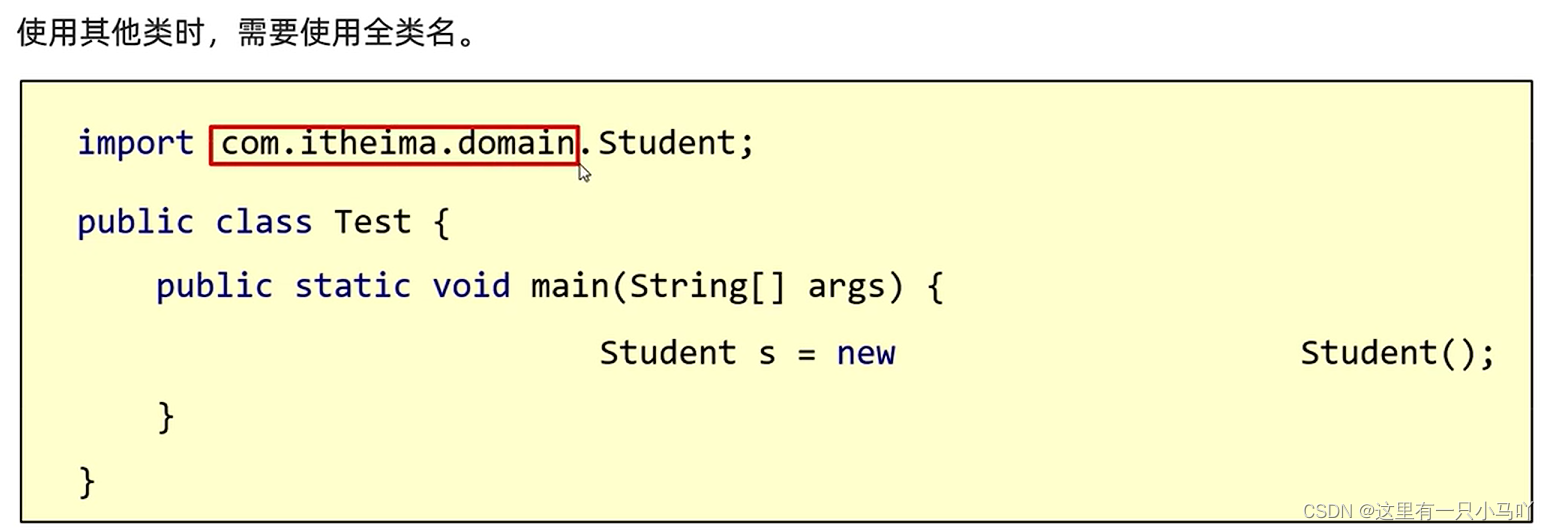
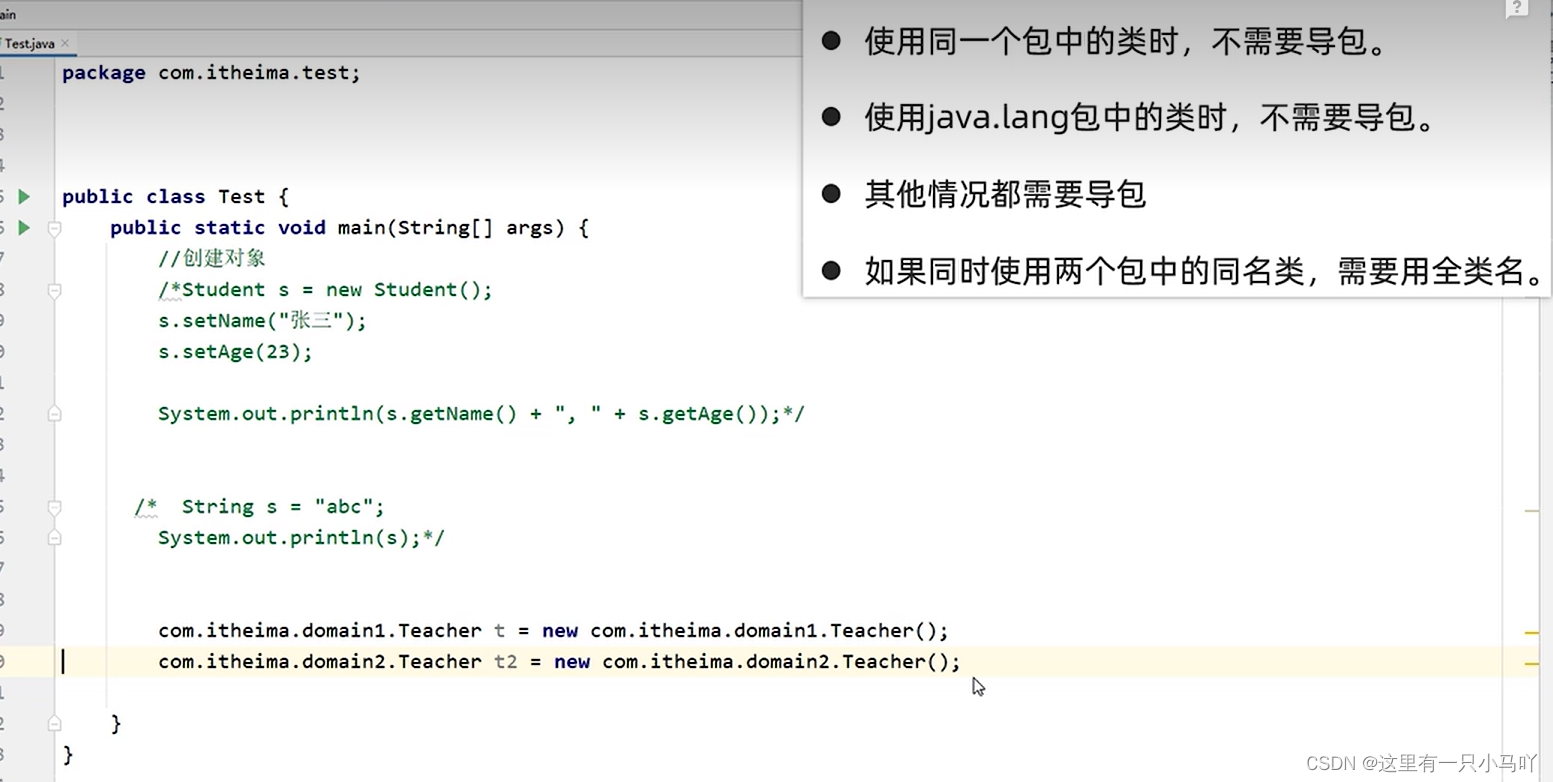
使用其他类的规则
使用同一个包中的类时,不需要导包。
使用java.lang包中 的类时,不需要导包。
其他情况都需要导包
如果同时使用两个包中的同名类,需要用全类名。
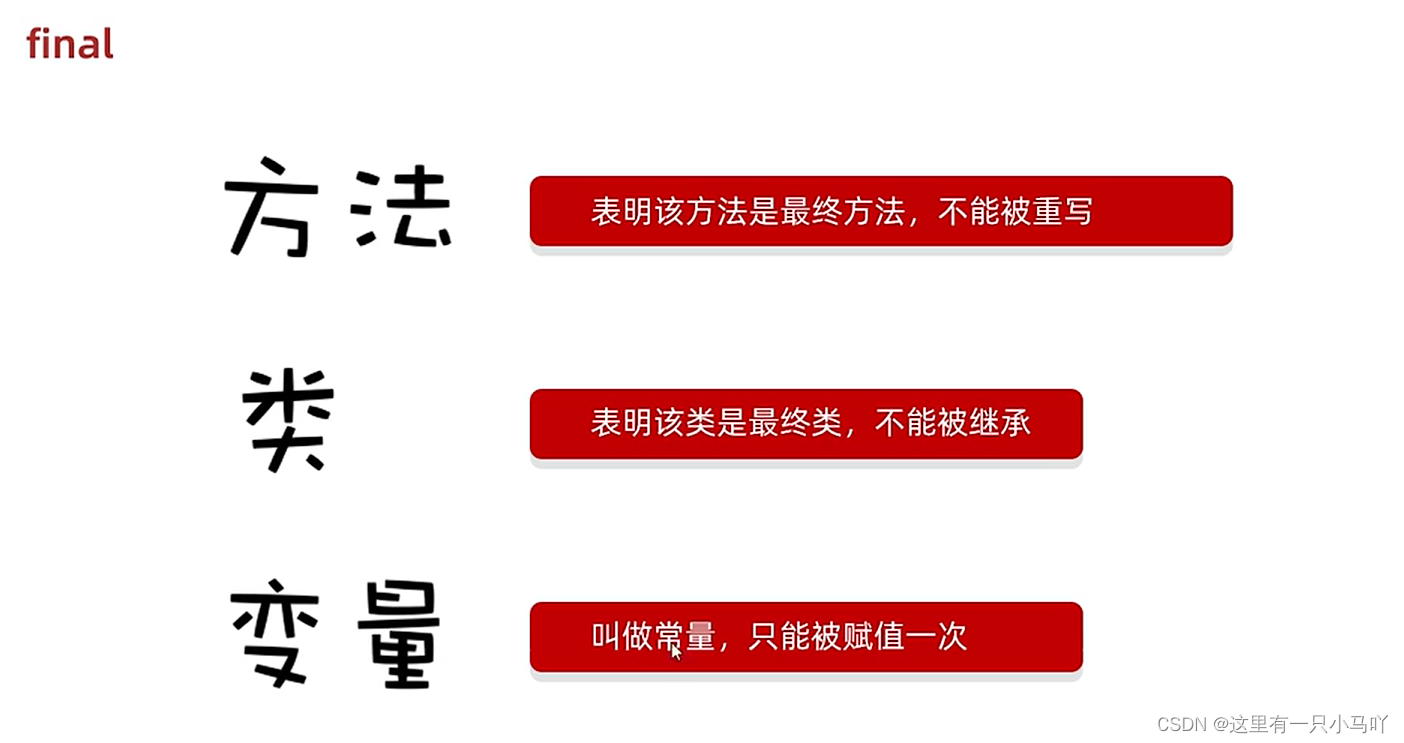
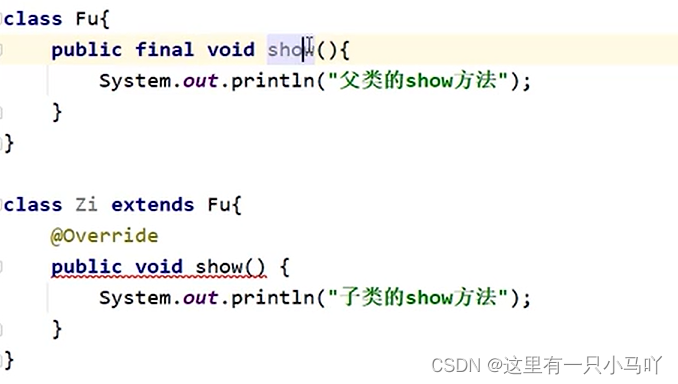
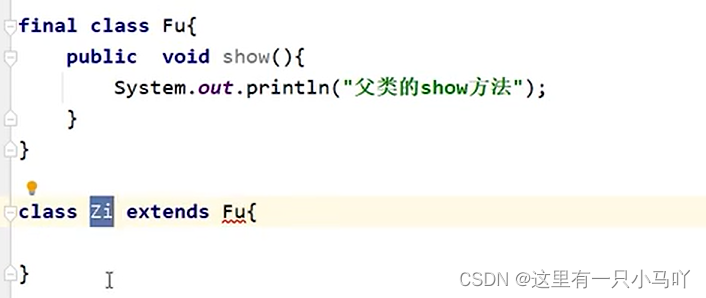
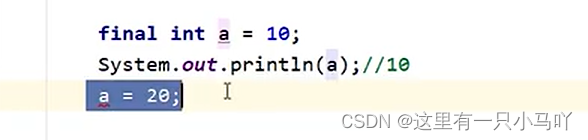
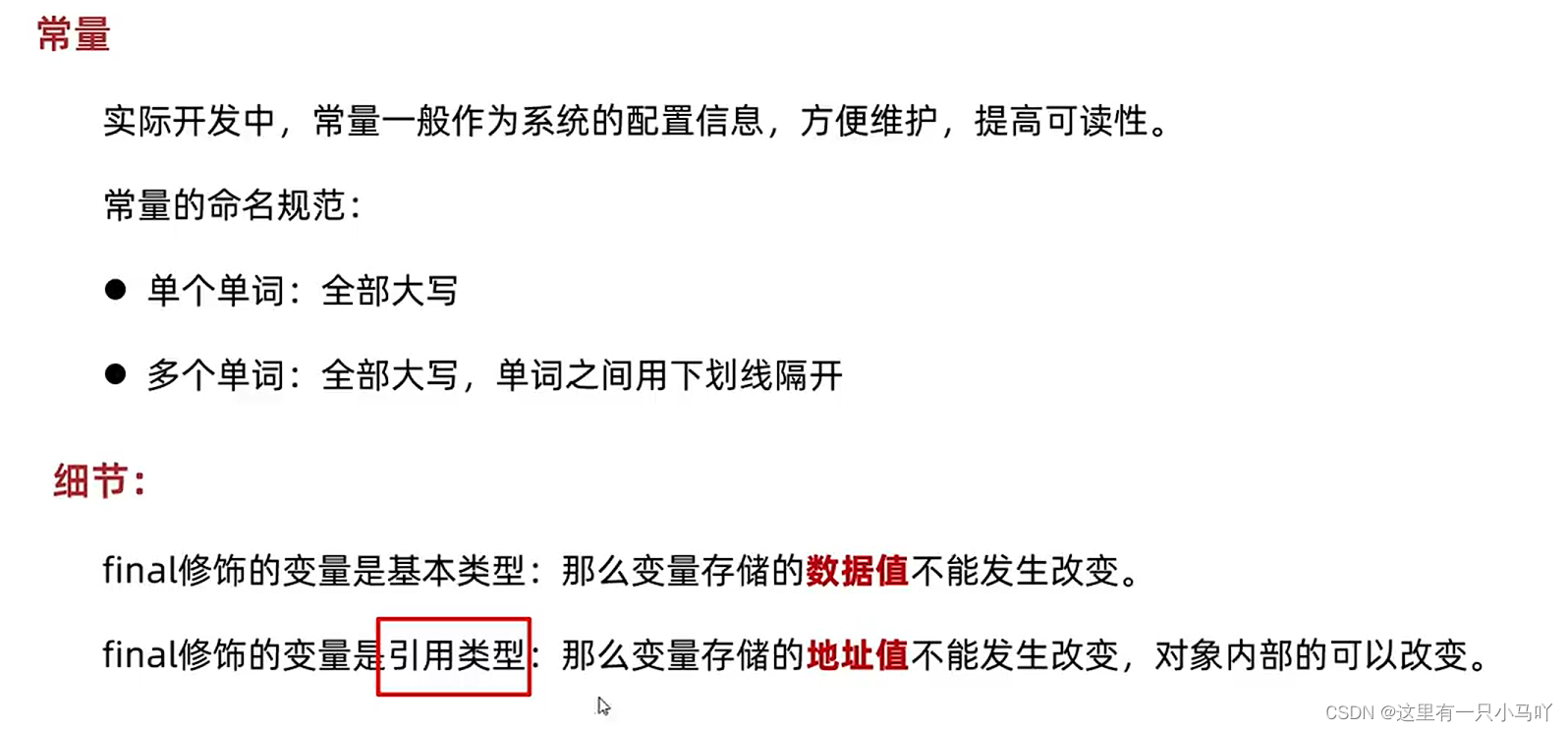
final
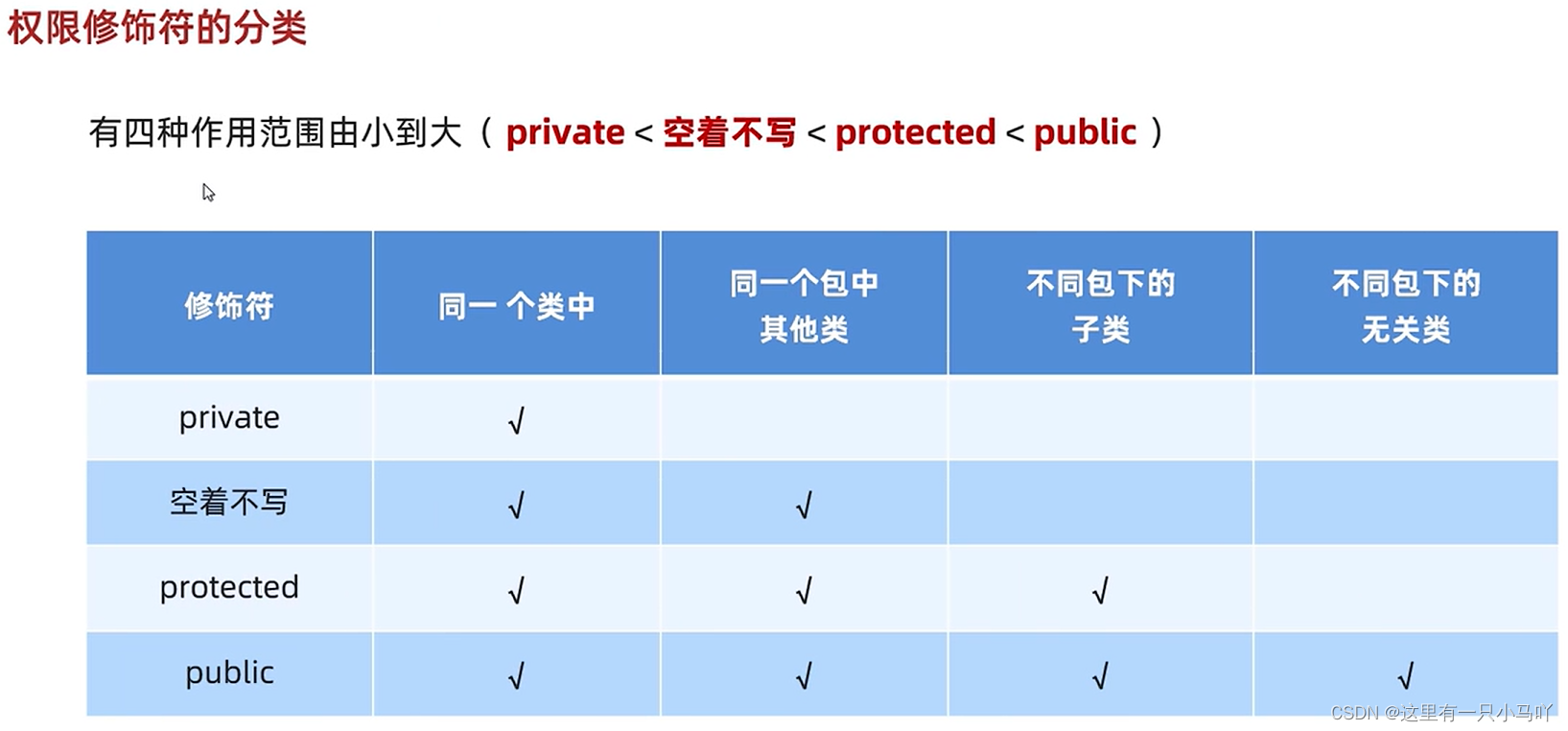
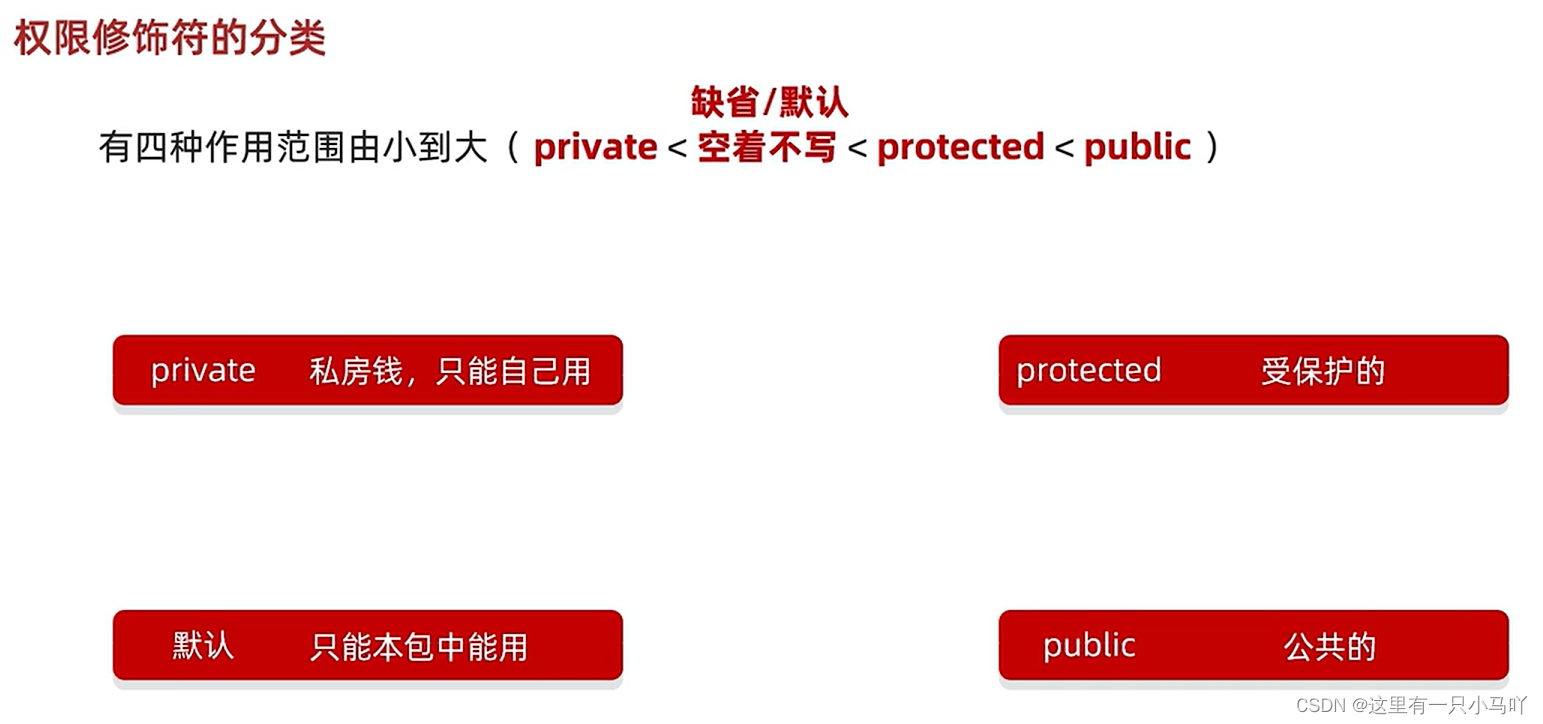
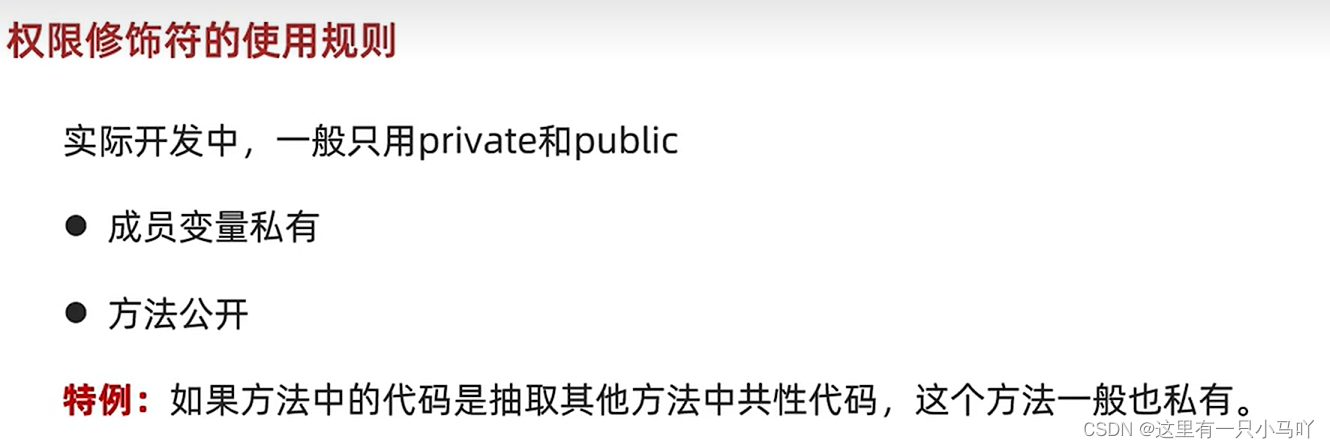
权限修饰符
权限修饰符:是用来控制一个成员能够被访问的范围的。
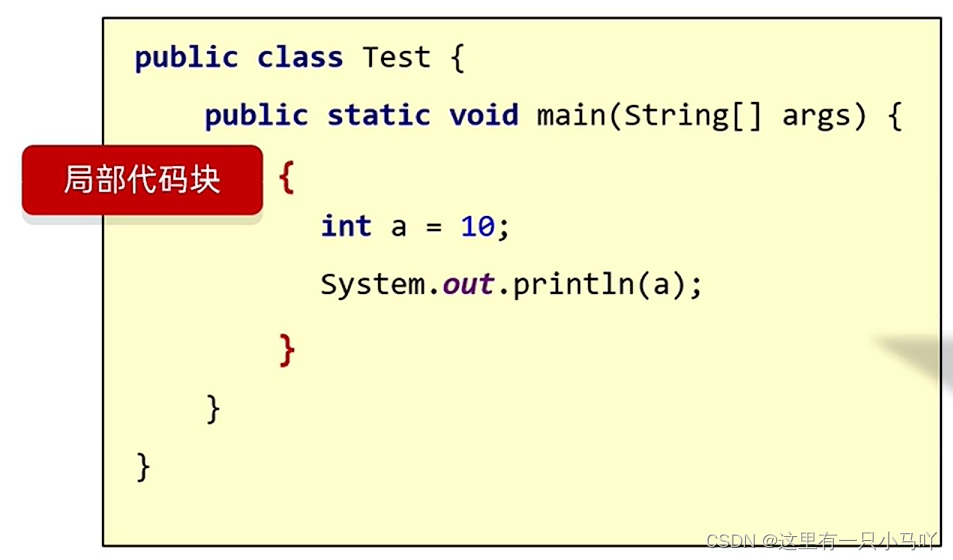
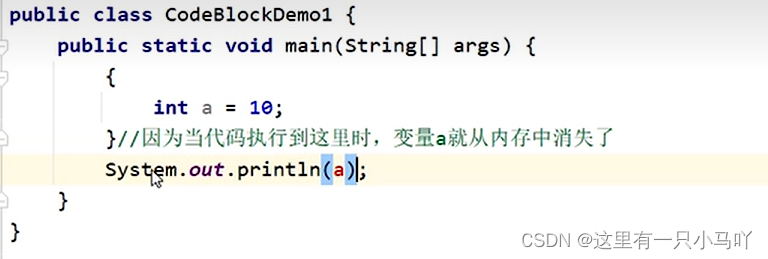
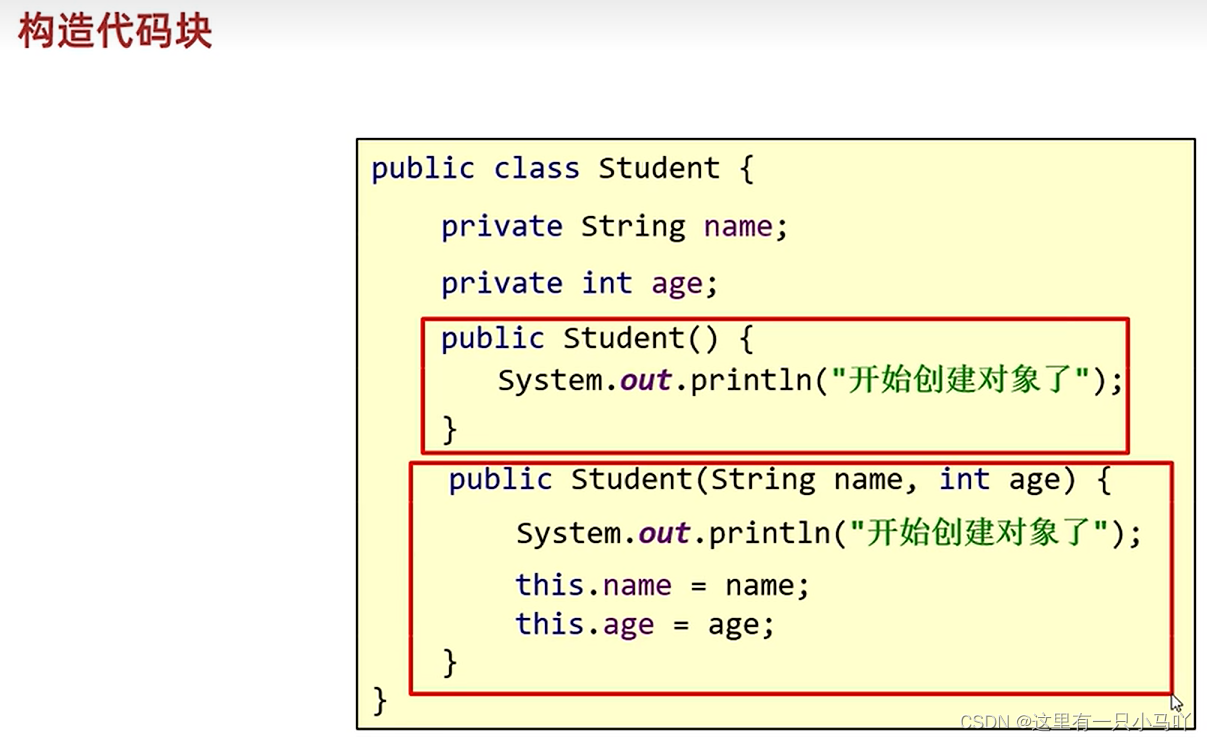
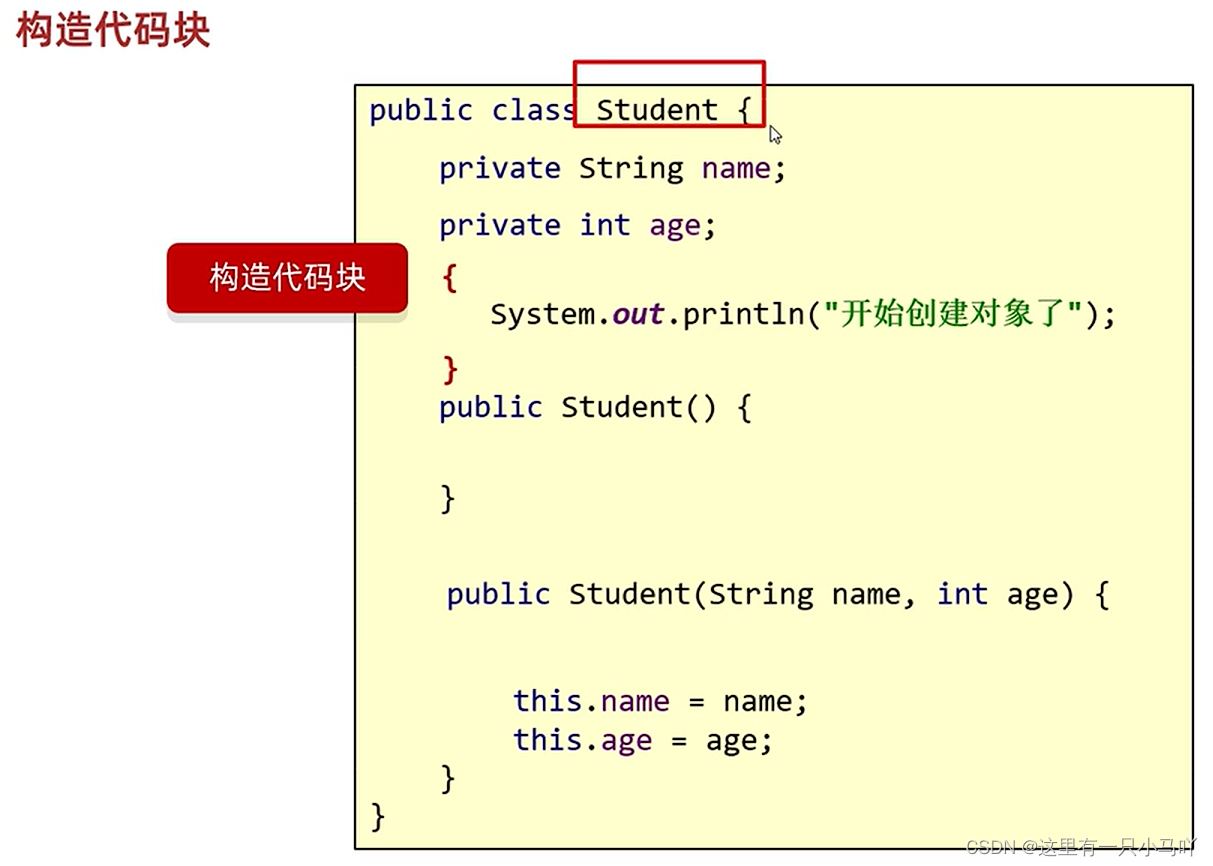
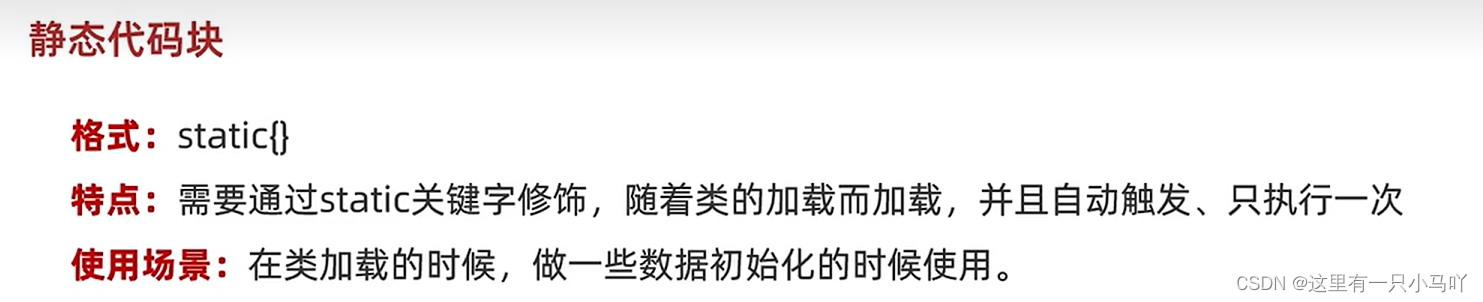
代码块
局部代码块
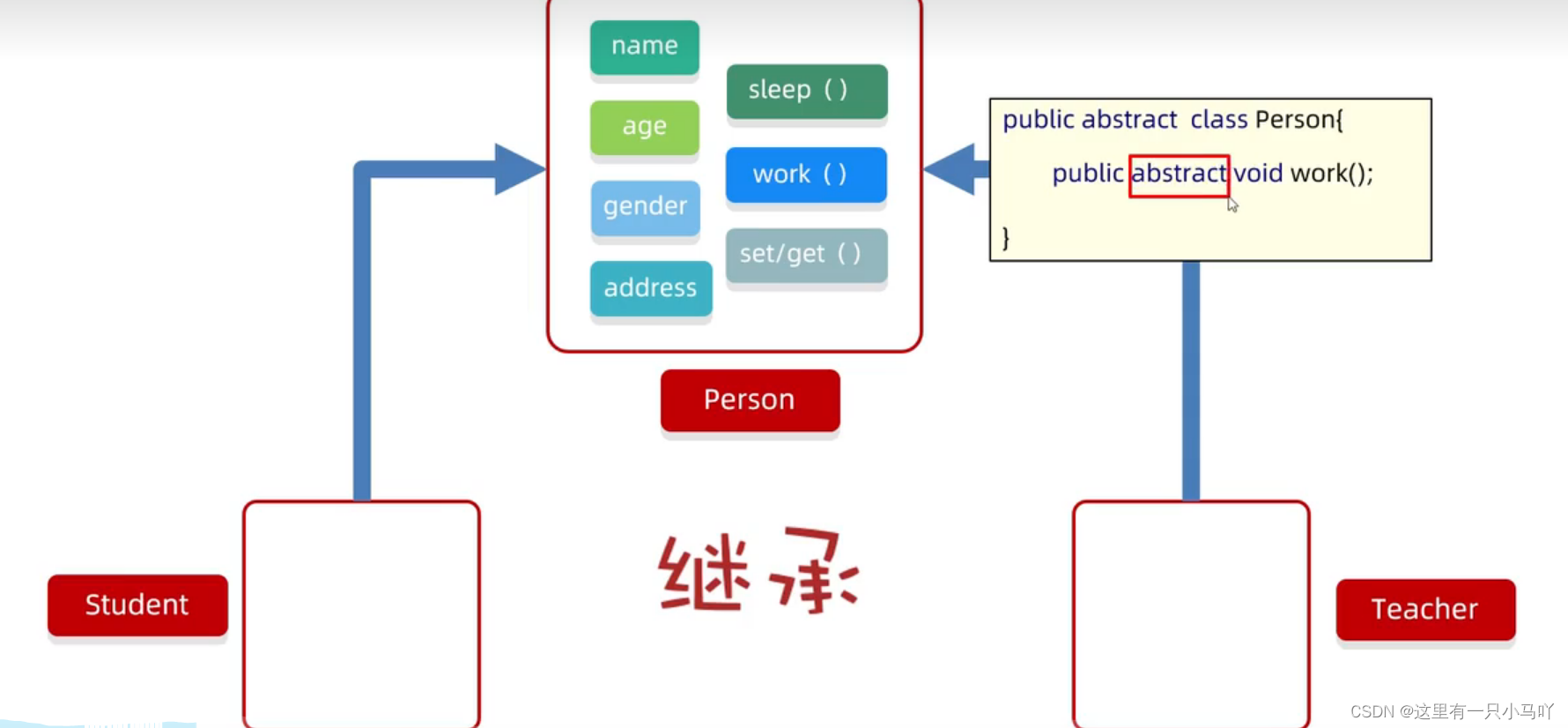
1.5 抽象类与抽象方法
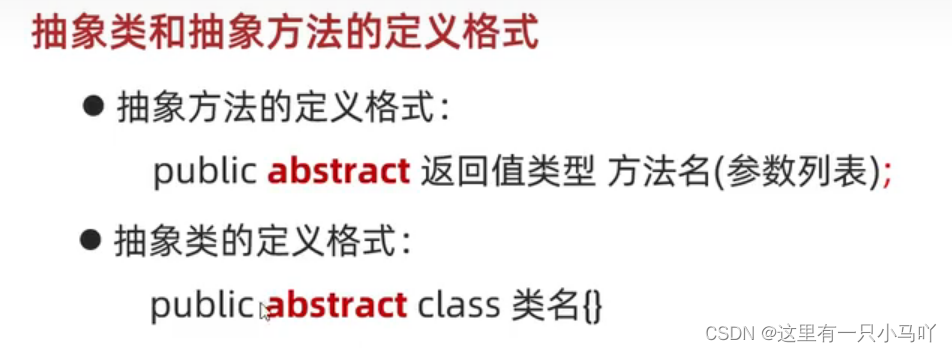
抽象方法
●抽象方法:将共性的行为(方法)抽取到父类之后。
●抽象类:如果一个类中存在抽象方法,那么该类就必须声明为抽象类。
1
2
3
public abstract class Pers { public abstract void work () ; }
抽象类和抽象方法的注意事项
抽象类不能实例化
抽象类中不一定有抽象方法,有抽象方法的类一定是抽象类
可以有构造方法
抽象类的子类
Dog.java
1
2
3
4
5
6
7
8
9
10
11
package com.itheima;public abstract class Dog { public void eat () { System.out.println("吃gongliang" ); } public abstract void drink () ; }
Hashiqi.java
1
2
3
4
5
6
7
8
9
10
11
12
13
14
15
16
package com.itheima;public class Hashiqi extends Dog { @Override public void eat () { System.out.println("吃rou" ); } @Override public void drink () { System.out.println("喝水" ); } public void caijia () { System.out.println("我在拆家" ); } }
Test.java
1
2
3
4
5
6
7
8
9
package com.itheima;public class Test { public static void main (String[] args) { Dog hh = new Hashiqi (); hh.drink(); } }
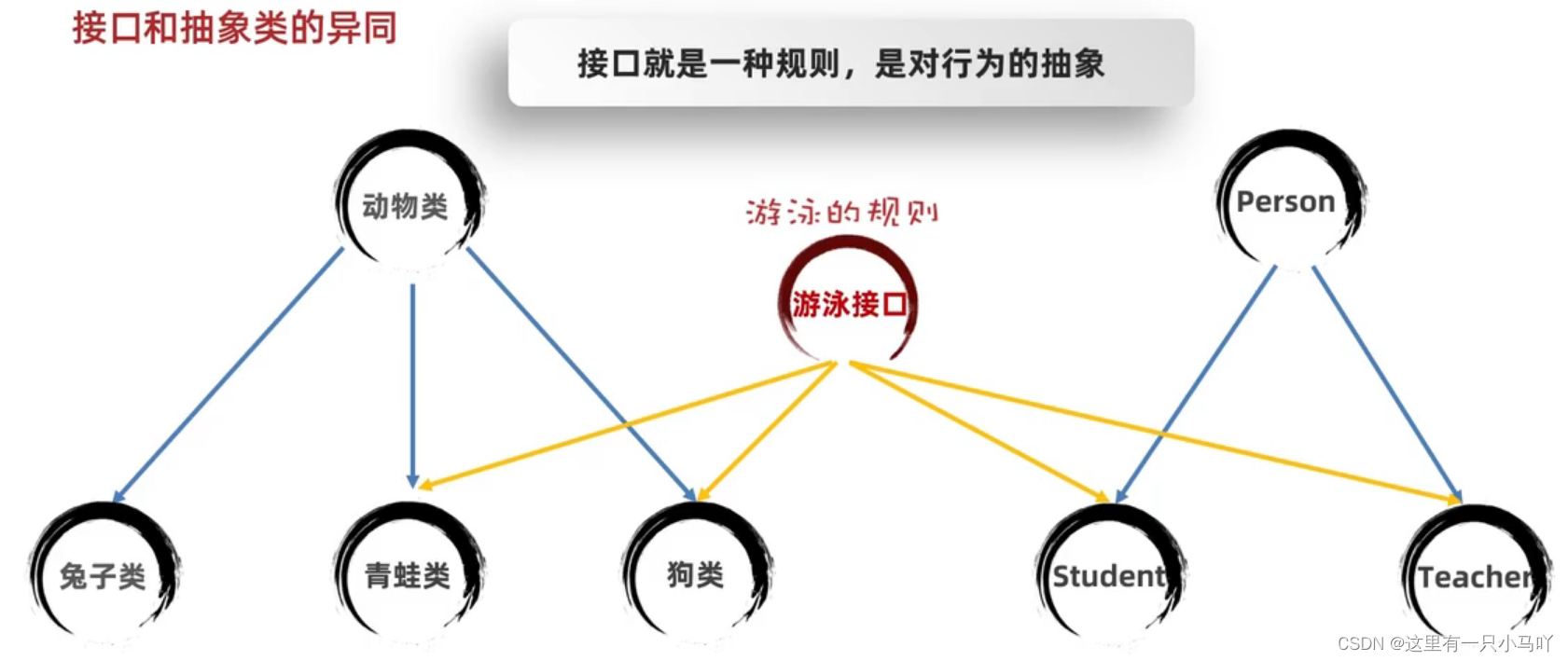
1.6 接口
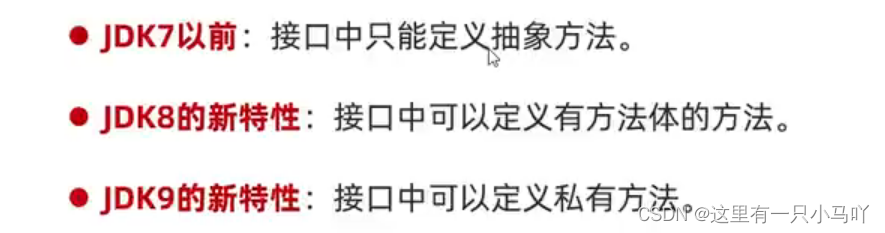
接口的定义和使用
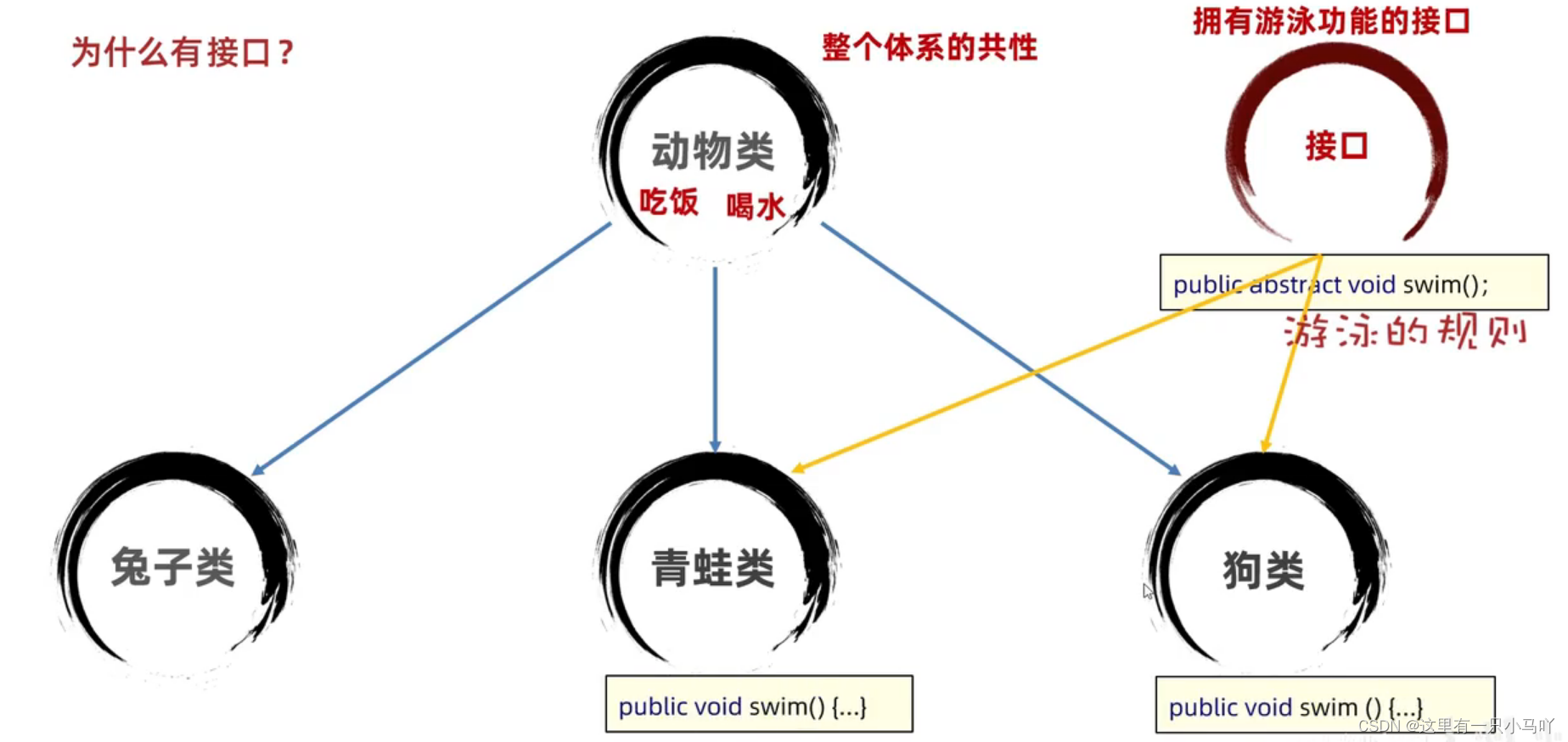
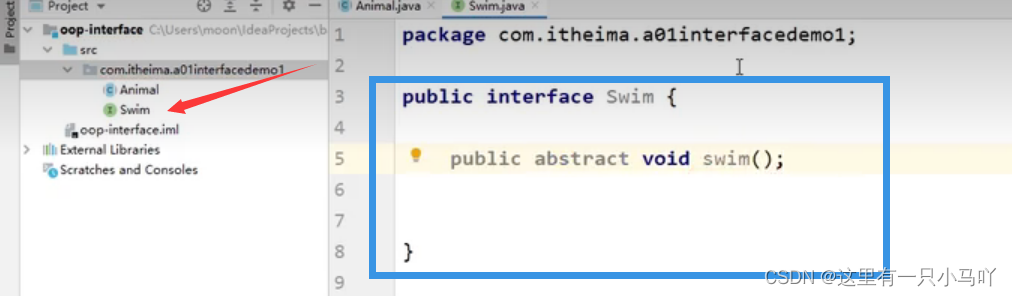
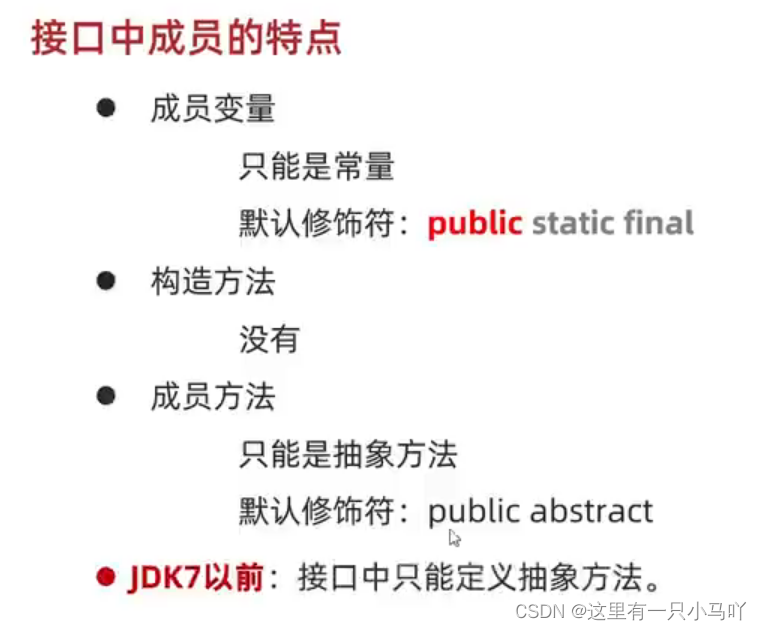
接口用关键字interface来定义public interface接口名{}
接口不能实例化
接口和类之间是实现关系, 通过implements关键字表示public class类名implements接口名{}
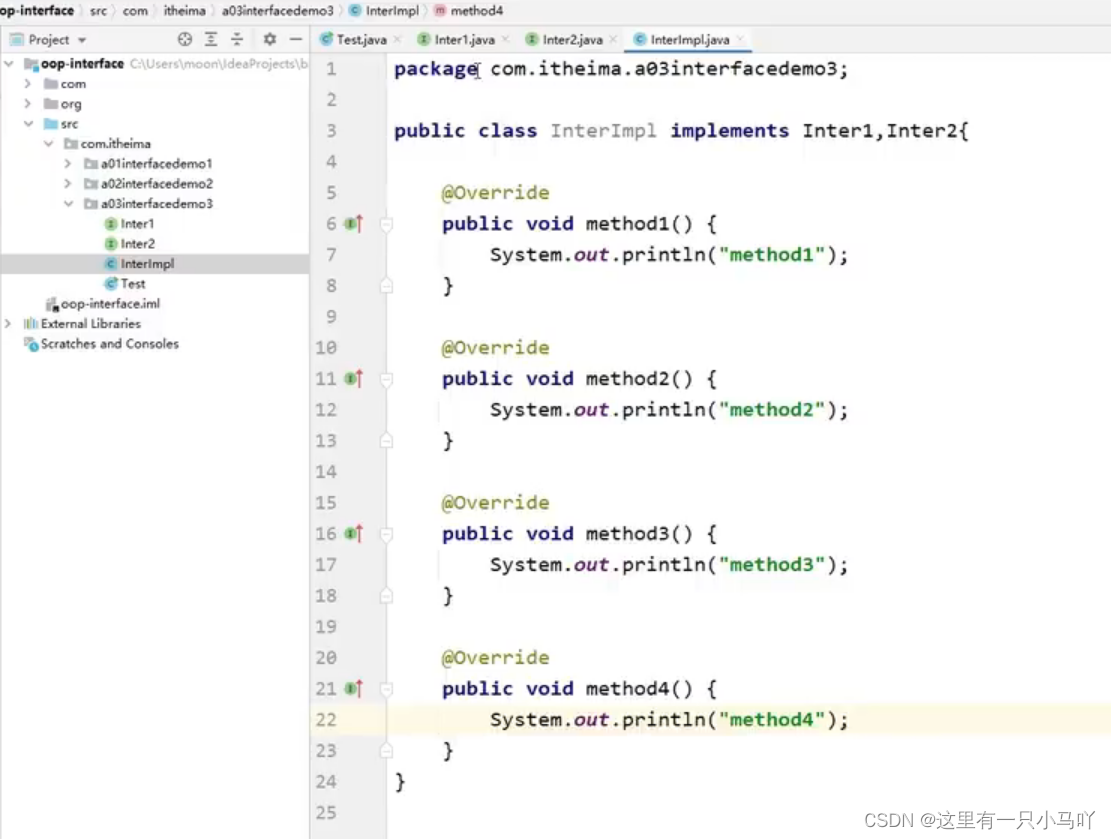
接口的子类(实现类)
要么重写接口中的所有抽象方法
接口和类之间的关系
●类和类的关系
继承关系,只能单继承,不能多继承,但是可以多层继承
●类和接口的关系
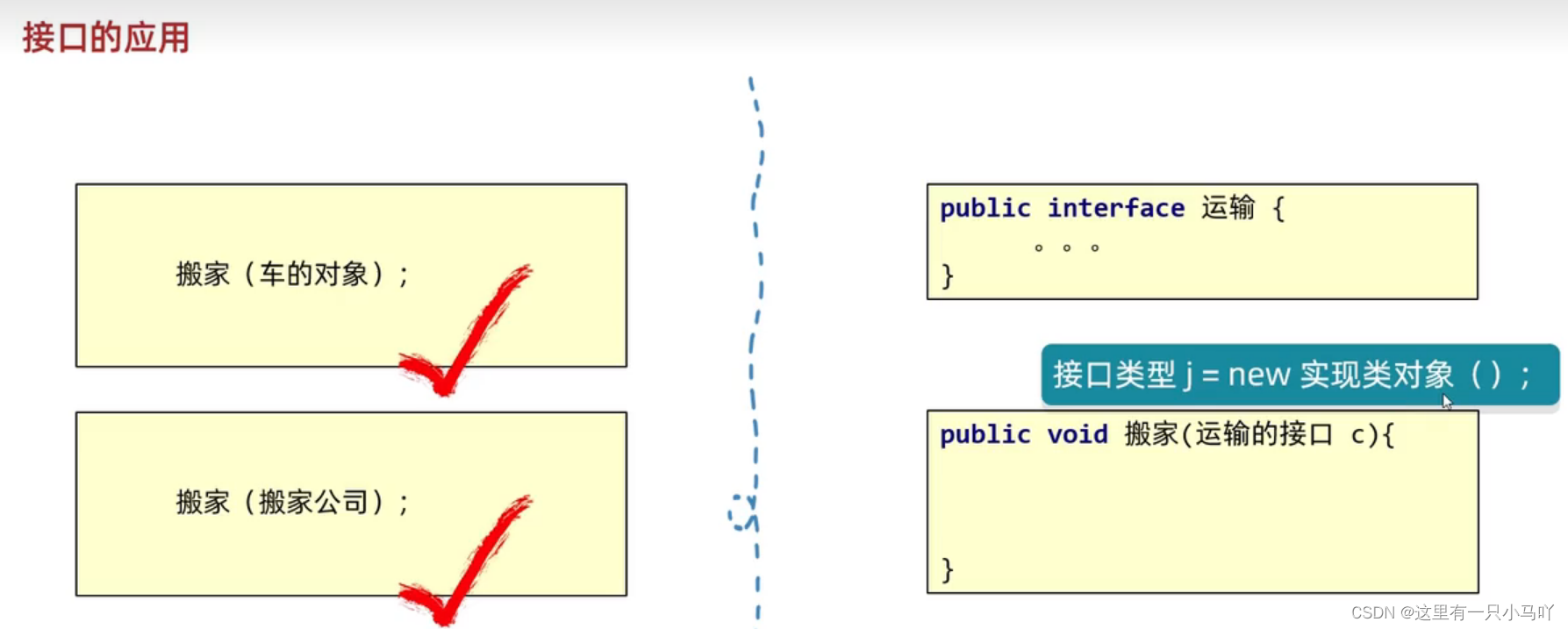
实现关系,可以单实现,也可以多实现,还可以在继承一个类的同时实现多个接口
●接口和接口的关系
继承关系,可以单继承,也可以多继承
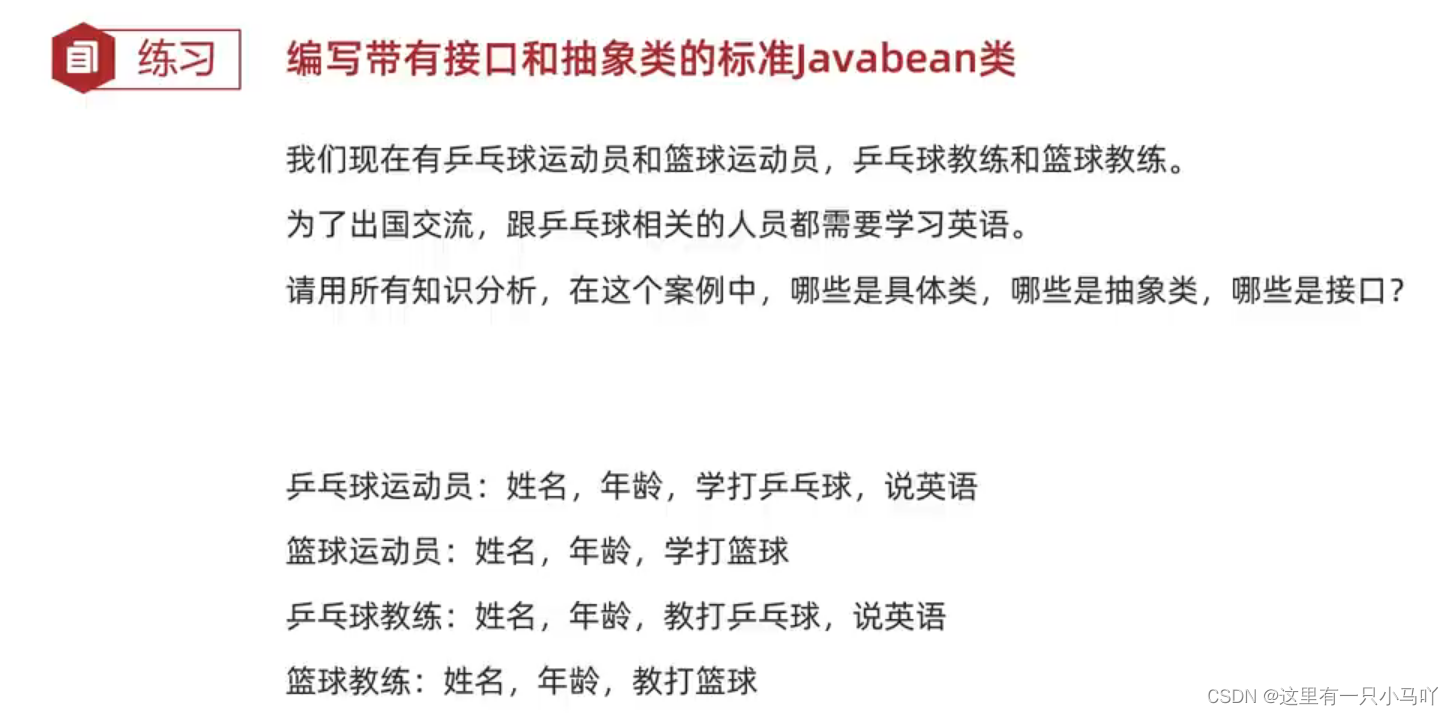
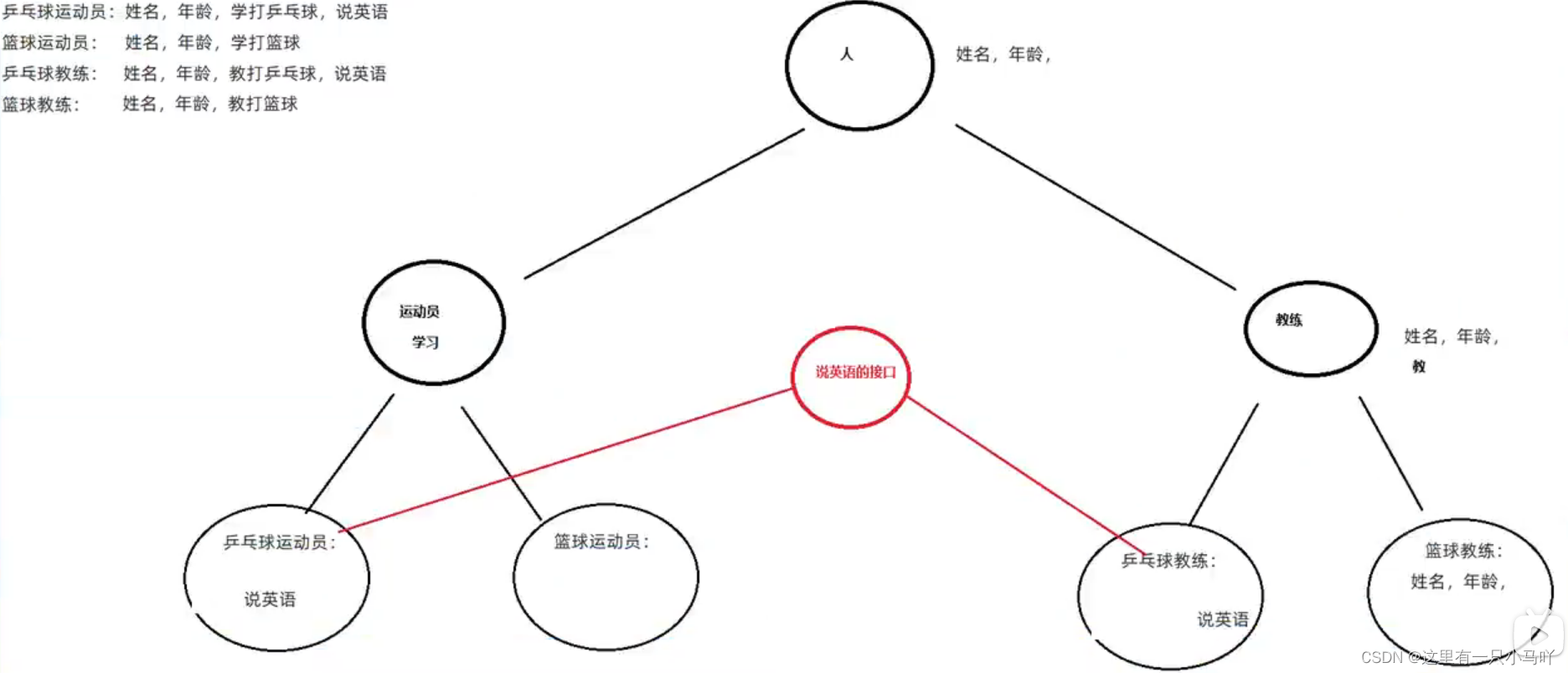
1.6.1 接口与抽象类的综合练习
1
2
3
4
5
6
7
8
9
10
11
12
13
14
15
16
17
18
19
20
21
22
23
24
25
26
27
28
29
30
package Interface;public class Person { private String name; private int Age; public Person (String name, int age) { this .name = name; Age = age; } public Person () { } public String getName () { return name; } public void setName (String name) { this .name = name; } public int getAge () { return Age; } public void setAge (int age) { Age = age; } }
Ydy.java
1
2
3
4
5
6
7
8
9
10
11
package Interface;public abstract class Ydy extends Person { public Ydy (String name, int age) { super (name, age); } public Ydy () { } public abstract void work () ; }
Jl.java
1
2
3
4
5
6
7
8
9
10
11
package Interface;public abstract class Jl extends Person { public Jl (String name, int age) { super (name, age); } public Jl () { } public abstract void teach () ; }
English.java
1
2
3
4
5
6
7
8
package Interface;public interface English { public static void English () { System.out.println("学英语" ); } }
Pp_Ydy.java
1
2
3
4
5
6
7
8
9
10
11
12
13
14
package Interface;public class Pp_Ydy extends Ydy implements English { public Pp_Ydy (String name, int age) { super (name, age); } public Pp_Ydy () { } @Override public void work () { System.out.println("学乒乓球" ); } }
Baskertball_Ydy.java
1
2
3
4
5
6
7
8
9
10
11
12
13
14
package Interface;public class Basketball_Ydy extends Ydy { public Basketball_Ydy (String name, int age) { super (name, age); } public Basketball_Ydy () { } @Override public void work () { System.out.println("学篮球" ); } }
Pp_Jl.java
1
2
3
4
5
6
7
8
9
10
11
12
13
14
package Interface;public class Pp_Jl extends Jl implements English { public Pp_Jl (String name, int age) { super (name, age); } public Pp_Jl () { } @Override public void teach () { System.out.println("教乒乓球" ); } }
Baskertball_Jl.java
1
2
3
4
5
6
7
8
9
10
11
12
13
14
package Interface;public class Basketball_Jl extends Jl { public Basketball_Jl (String name, int age) { super (name, age); } public Basketball_Jl () { } @Override public void teach () { System.out.println("教篮球" ); } }
Test.java
1
2
3
4
5
6
7
8
9
10
11
12
13
14
15
16
17
18
19
20
21
22
23
24
25
26
27
28
29
30
package Interface;public class Test implements English { public static void main (String[] args) { Person p1 = new Pp_Ydy ("11" ,23 ); Person p2 = new Pp_Jl ("22" ,45 ); Person p3 = new Basketball_Ydy ("33" ,45 ); Person p4 = new Basketball_Jl ("44" ,56 ); System.out.println(p1.getName()+p1.getAge()); if (p1 instanceof Pp_Ydy){ ((Pp_Ydy) p1).work(); } System.out.println(p2.getName()+p2.getAge()); if (p2 instanceof Pp_Jl){ ((Pp_Jl) p2).teach(); } System.out.println(p3.getName()+p3.getAge()); if (p3 instanceof Basketball_Ydy){ ((Basketball_Ydy) p3).work(); } System.out.println(p4.getName()+p4.getAge()); if (p4 instanceof Basketball_Jl){ ((Basketball_Jl) p4).teach(); } } }
1.6.2 接口多学三招
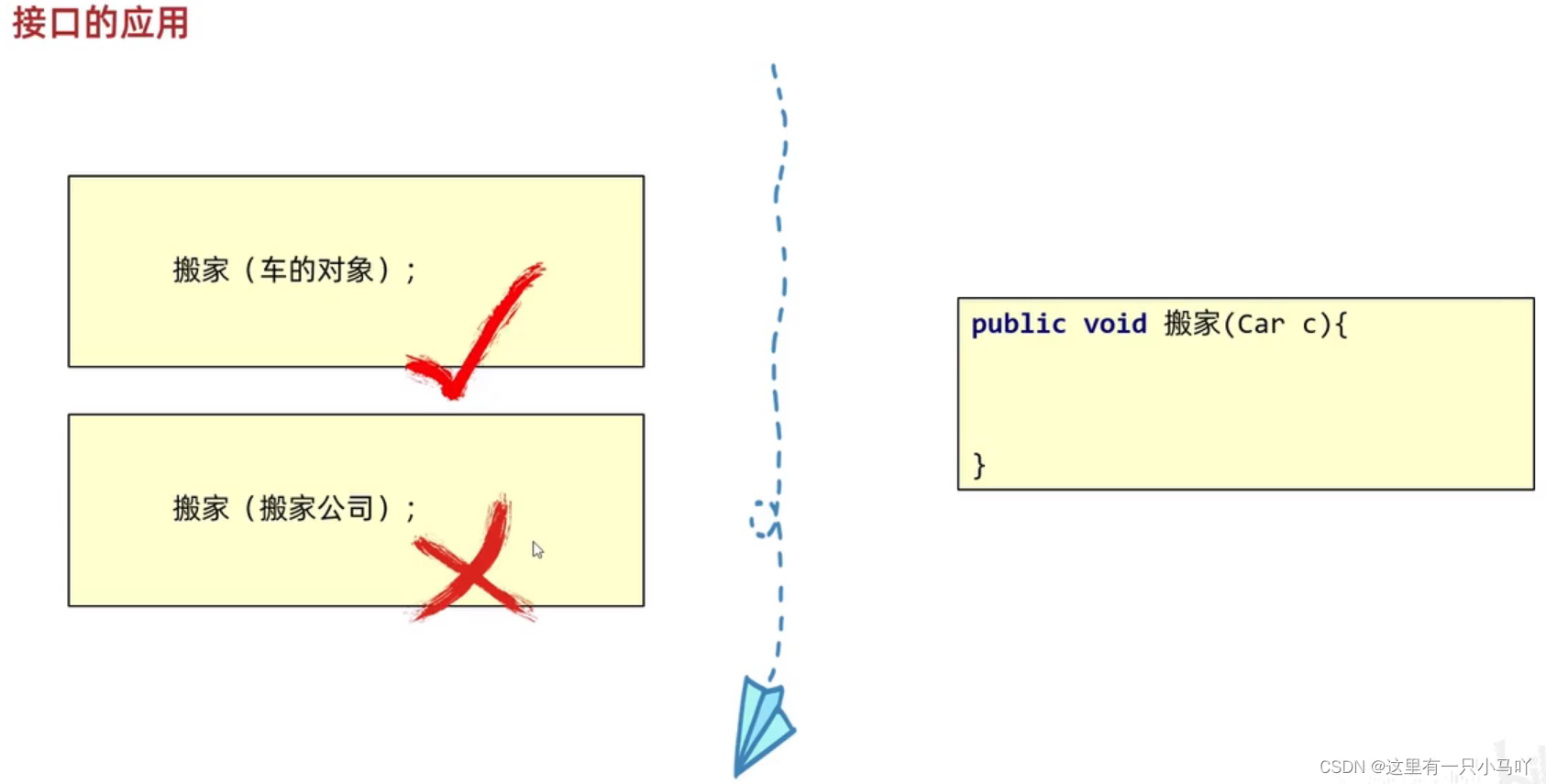
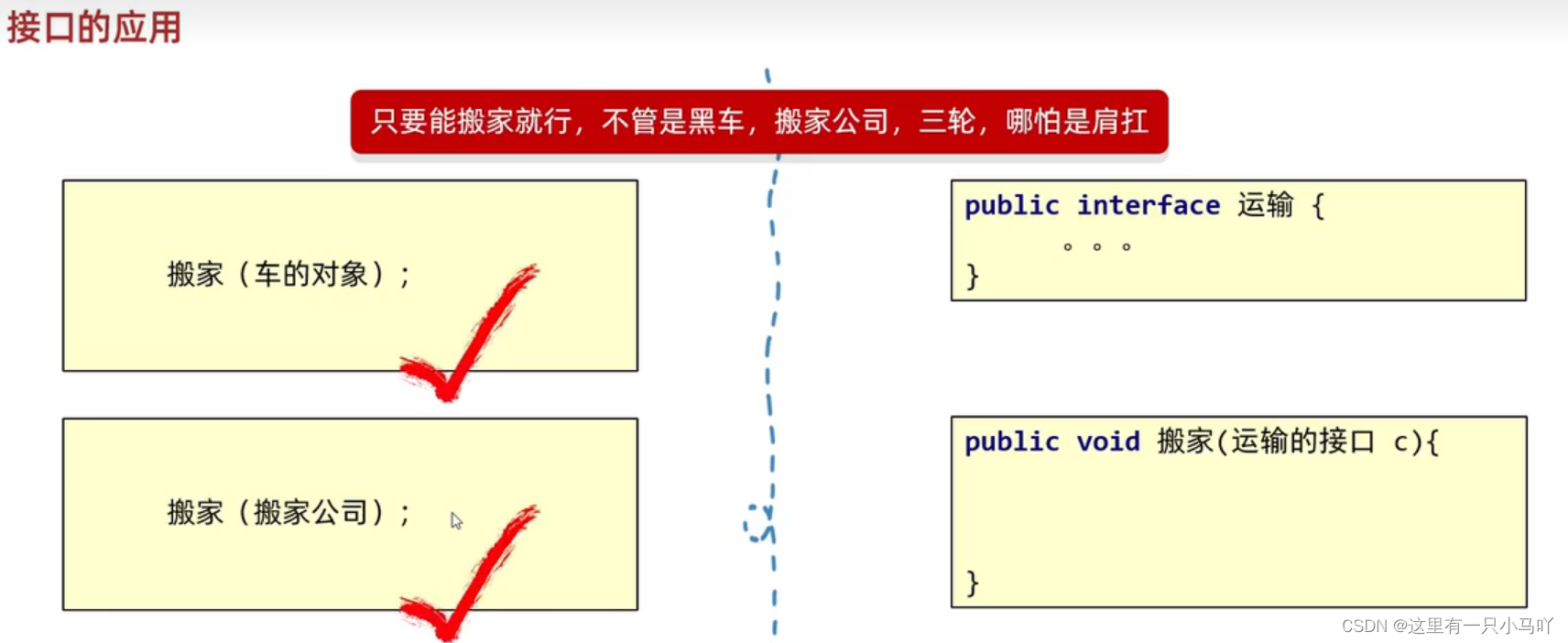
1.接口代表规则,是行为的抽象。想要让哪个类拥有一个行为,就让这个类实现对应的接口就可以了。
适配器设计模式
设计模式(Design pattern): 是一套被反复使用、多数人知晓的、经过分类编目的、代码设计经验的总结。适配器设计模式 :解决接口与接口实现类之间的矛盾问题
简单理解:设计模式就是各种套路。
适配器设计模式:解决接口与接口实现类之间的矛盾问题
1.当一个接口中抽象方法过多,但是我只要使用其中一部分的时候,就可以适配器设计模式
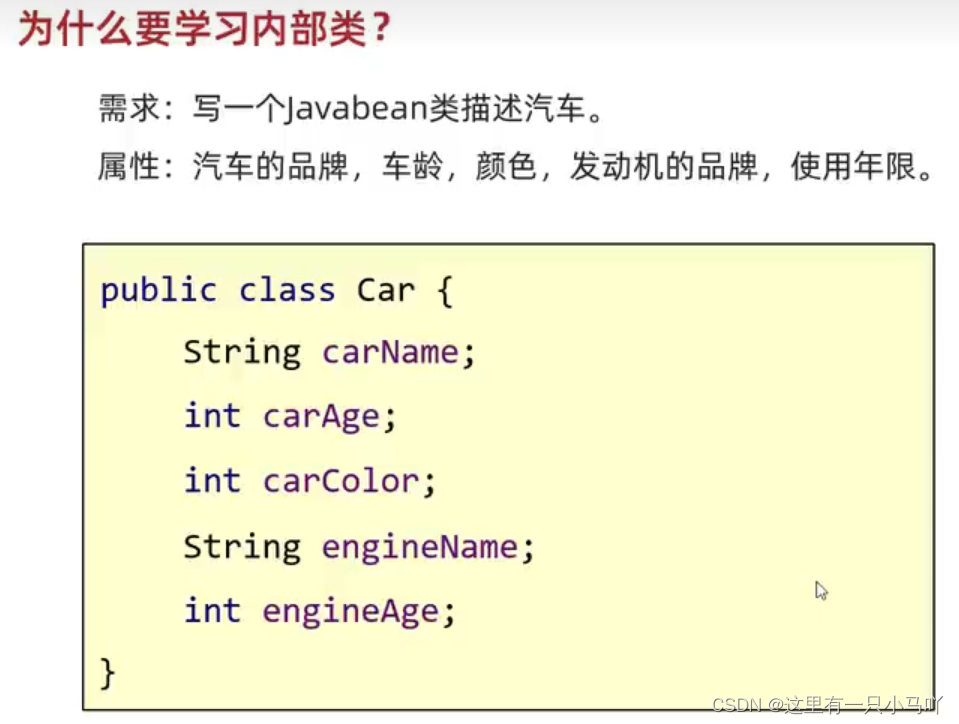
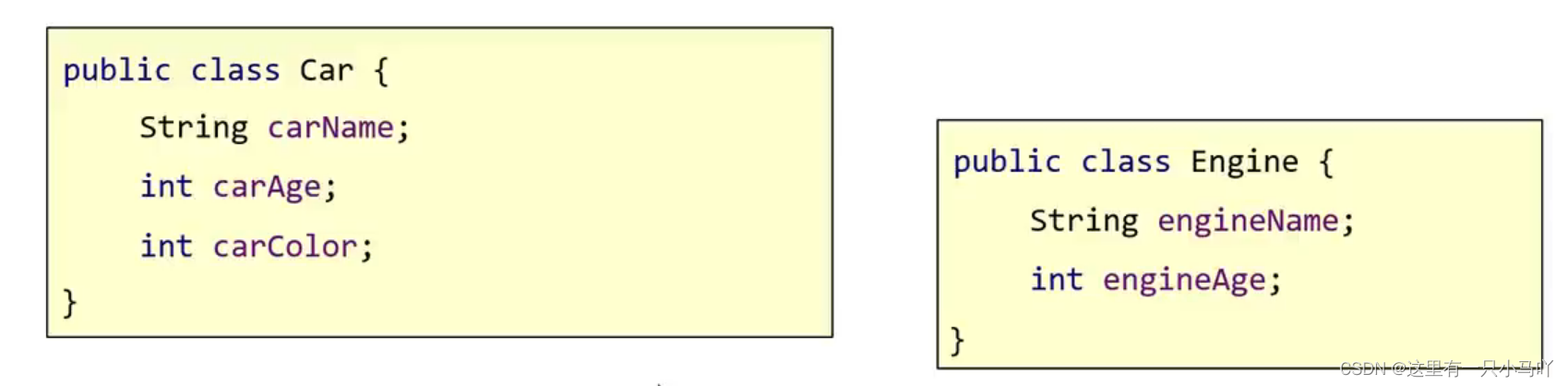
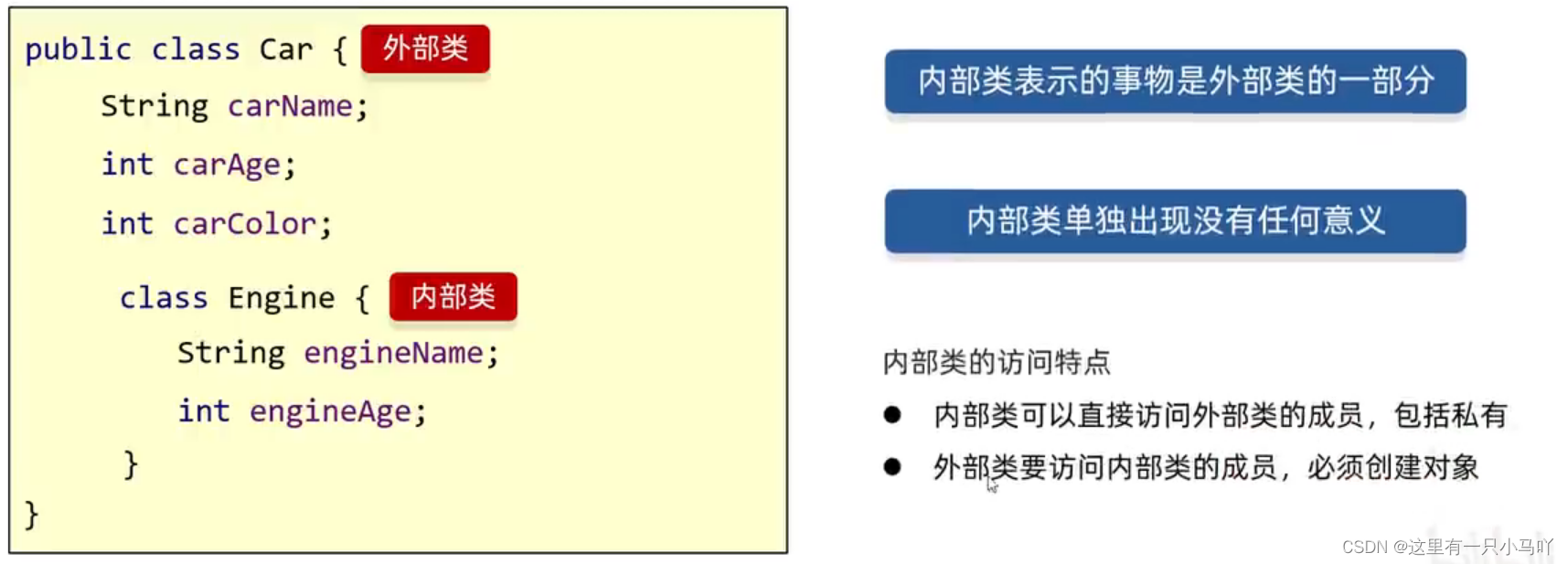
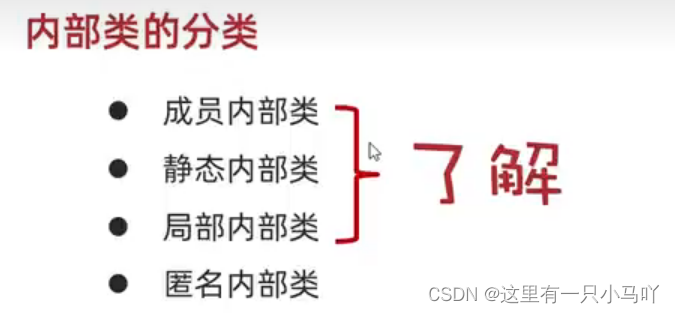
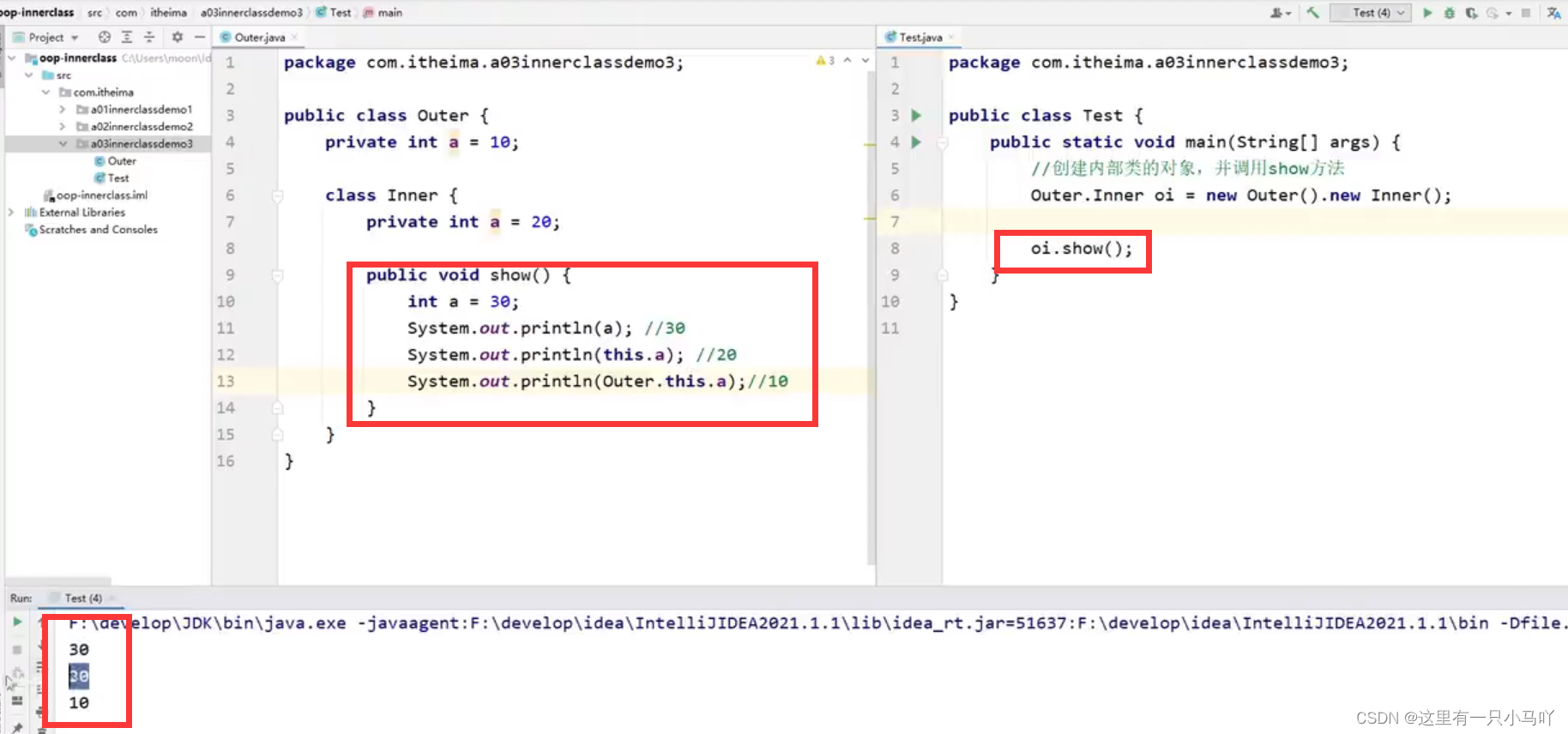
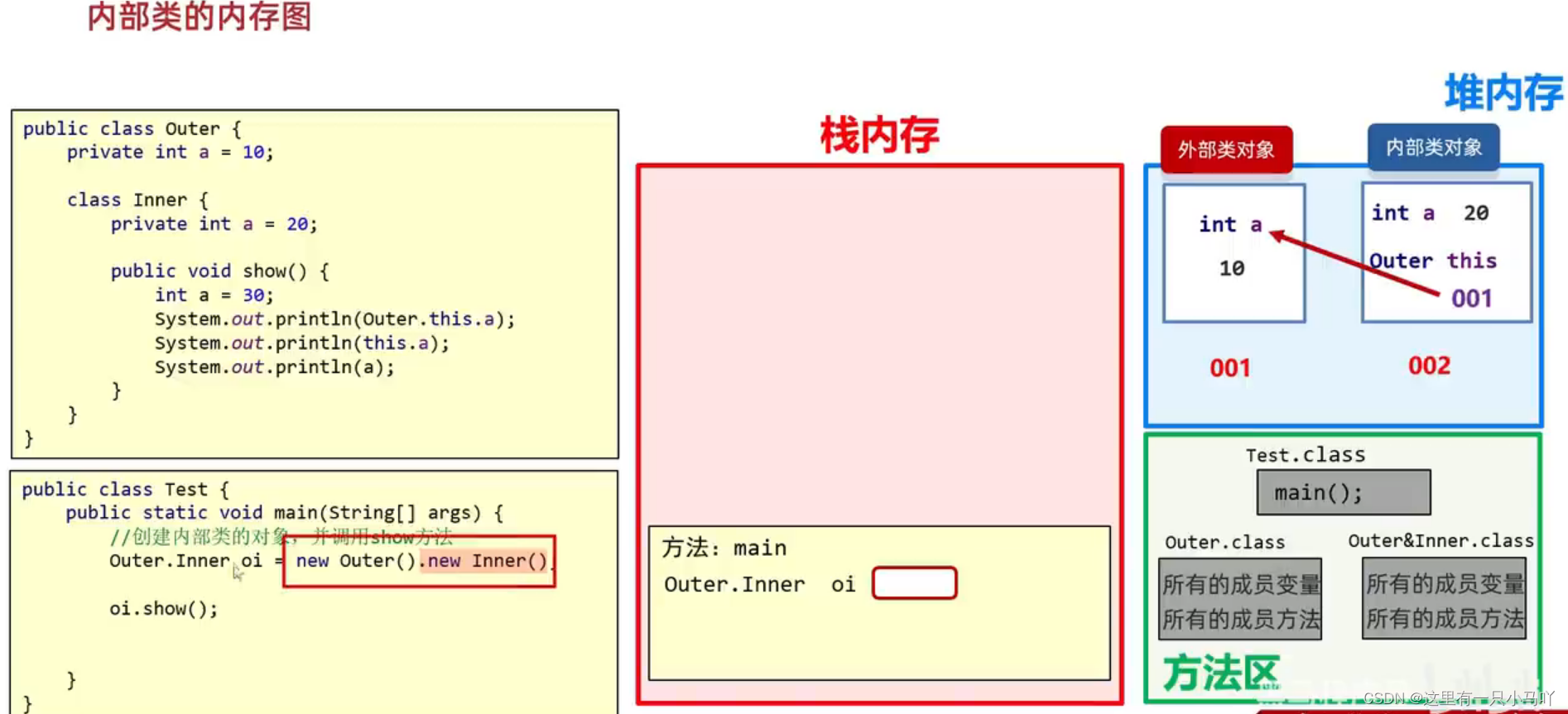
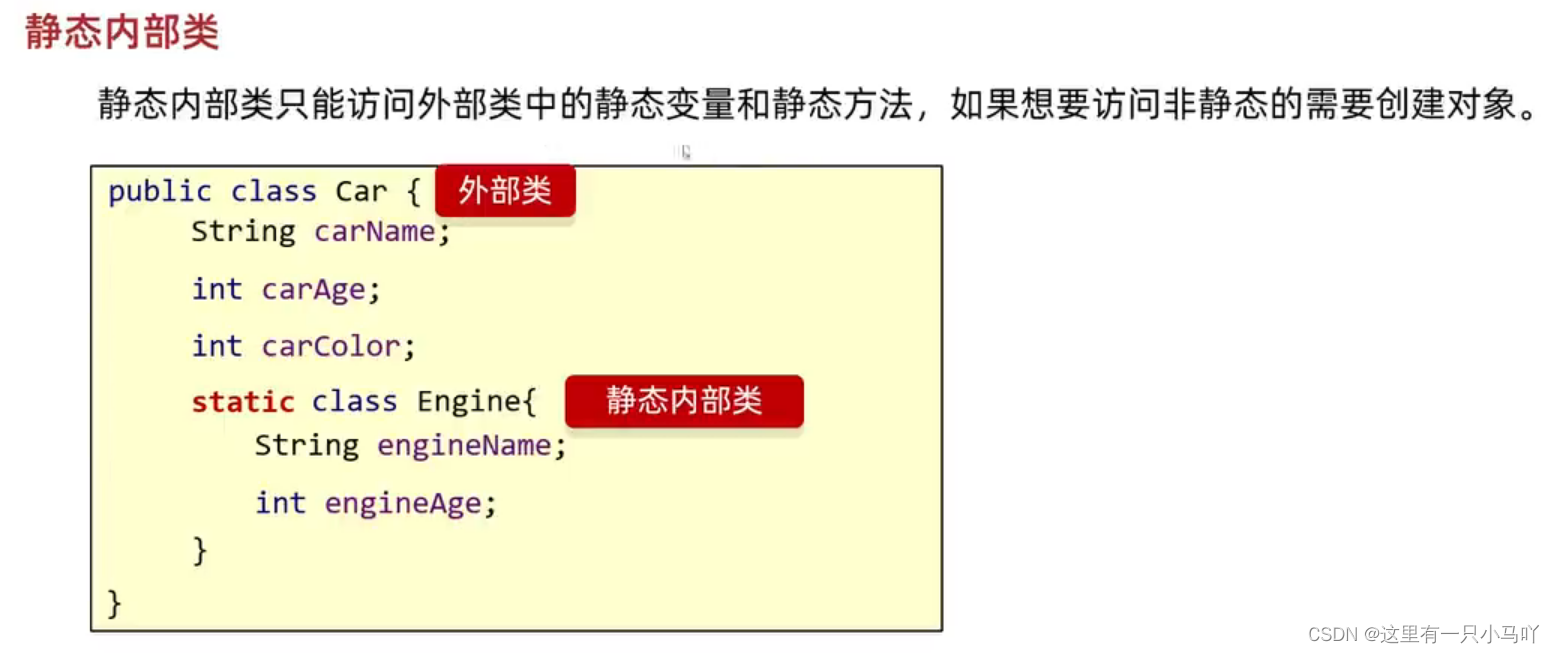
1.7 内部类 什么是内部类?
在一个类的里面,再定义一个类。
1
2
3
4
5
6
7
8
9
10
11
12
13
14
15
16
17
18
19
20
21
22
23
24
25
26
27
28
29
30
31
32
33
34
35
36
37
38
39
40
41
42
43
44
45
46
47
48
49
50
51
52
53
54
55
56
57
58
59
60
61
62
63
64
65
66
67
68
69
70
71
72
73
74
75
76
77
78
79
80
81
82
83
84
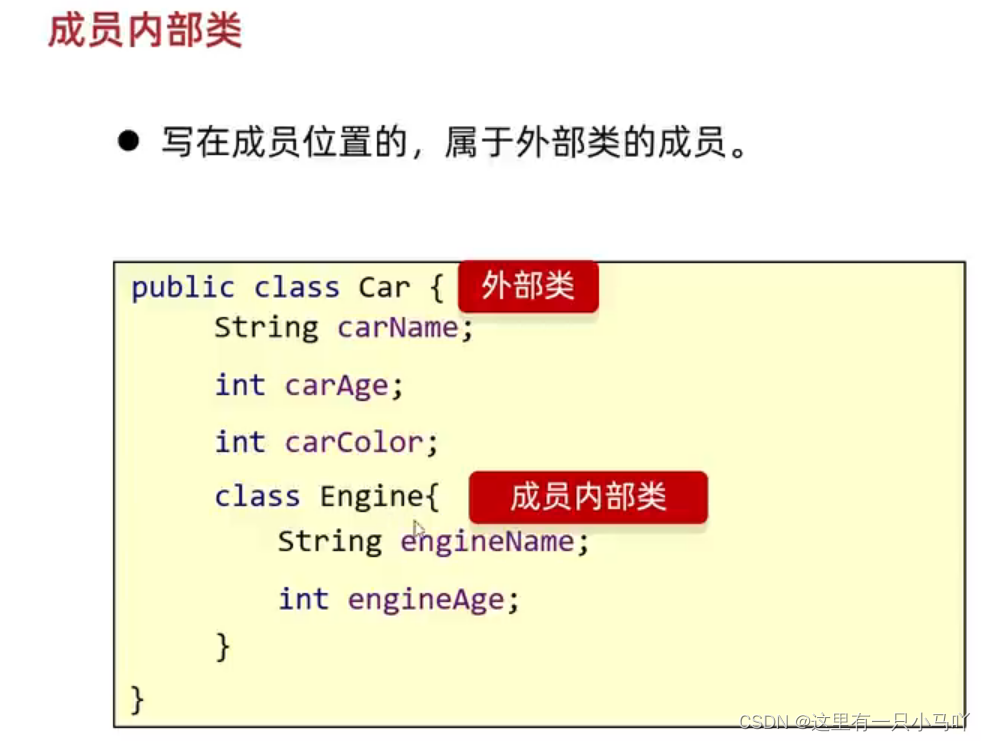
package Neibulei;import Interface.Person;public class Car { private String Carname; private int Carage; private String Carcolor; class engine { private String name; private int age; public engine (String name, int age) { this .name = name; this .age = age; } public engine () { } public String getName () { return name; } public void setName (String name) { this .name = name; } public int getAge () { return age; } public void setAge (int age) { this .age = age; } } public Car () { } public Car (String carname, int carage, String carcolor) { Carname = carname; Carage = carage; Carcolor = carcolor; } public String getCarname () { return Carname; } public void setCarname (String carname) { Carname = carname; } public int getCarage () { return Carage; } public void setCarage (int carage) { Carage = carage; } public String getCarcolor () { return Carcolor; } public void setCarcolor (String carcolor) { Carcolor = carcolor; } public void show () { System.out.println(this .Carname); engine e = new engine (); System.out.println(e.name); } } package Neibulei;public class Main { public static void main (String[] args) { Car c = new Car (); } }
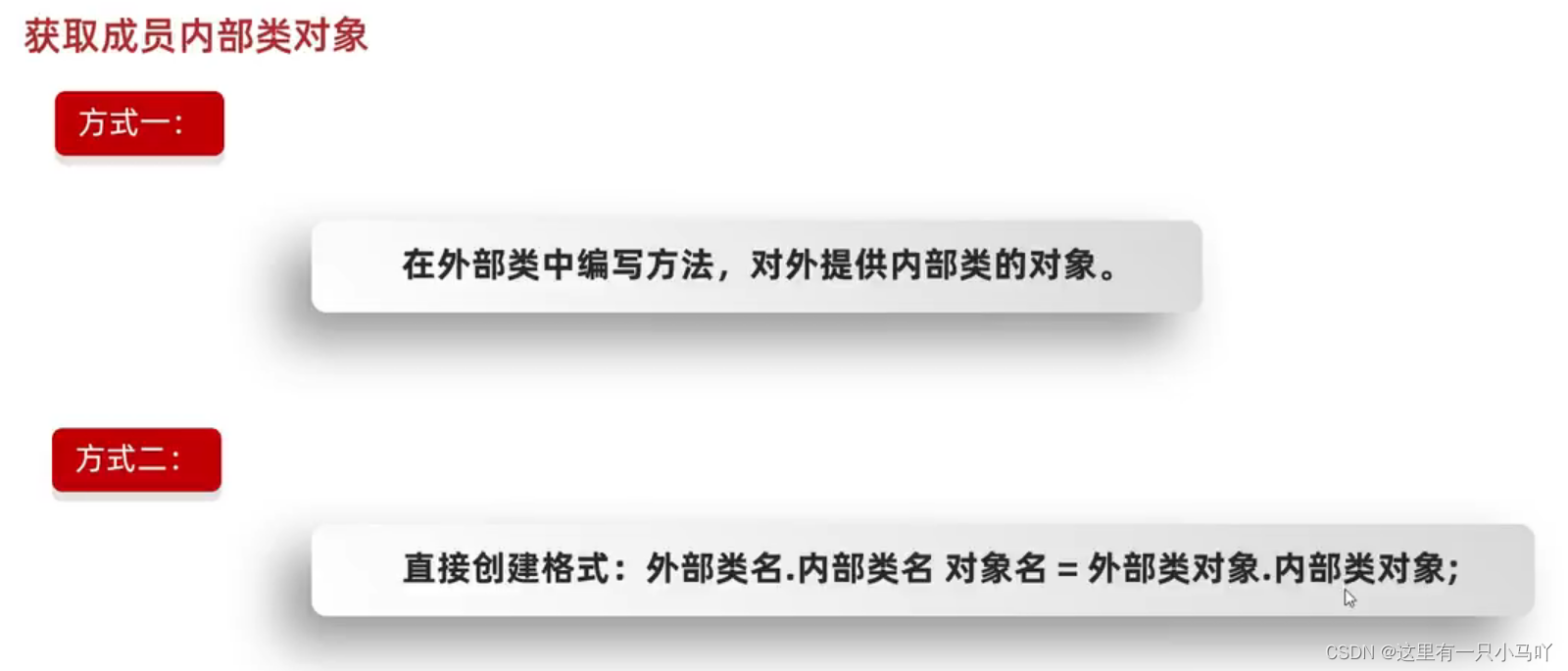
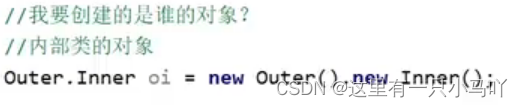
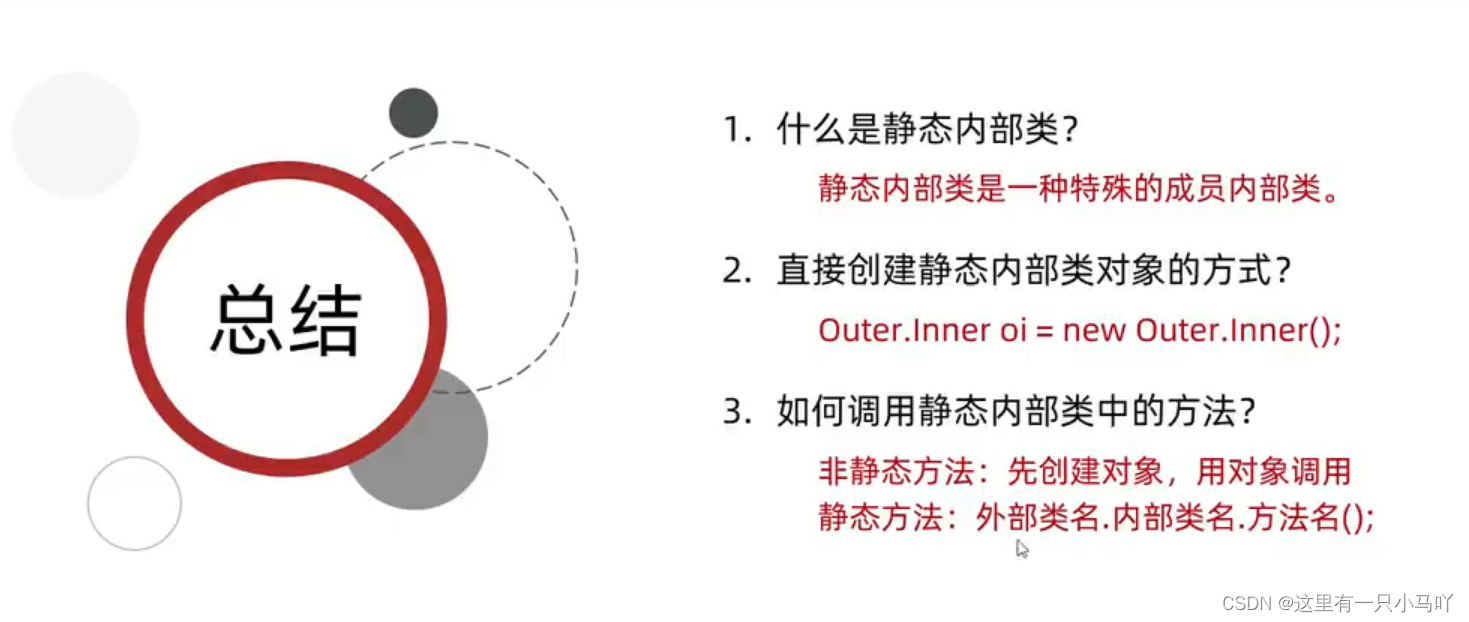
外部类名.内部类名 对象名= new 外部类名.内部类名();外部类名.内部类名.方法名();
局部内部类
将内部类定义在方法里面就叫做局部内部类,类似于方法里面的局部变量。
外界是无法直接使用,需要在方法内部创建对象并使用。
该类可以直接访问外部类的成员,也可以访问方法内的局部变量。
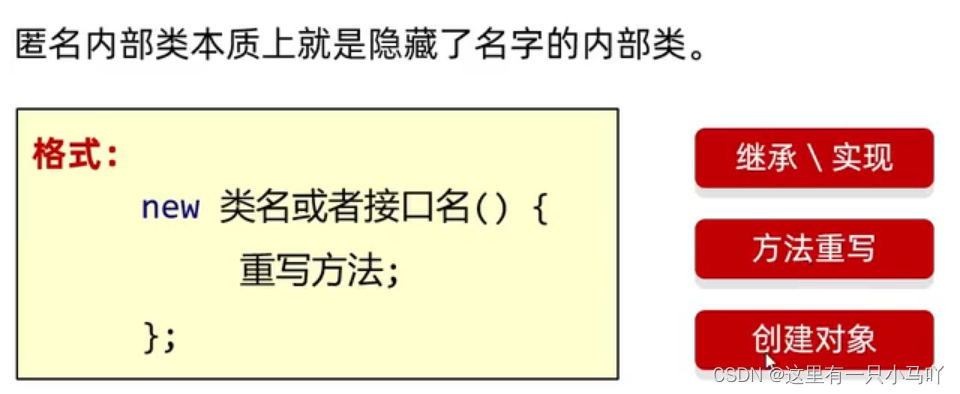
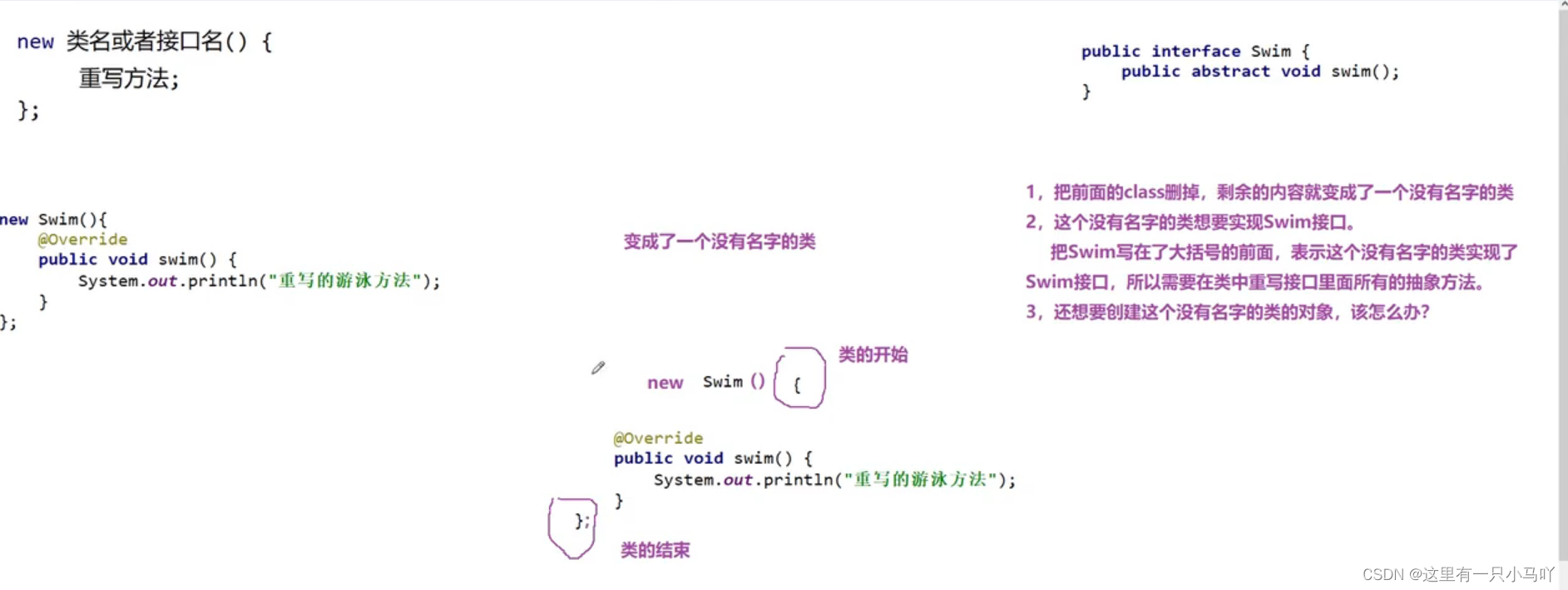
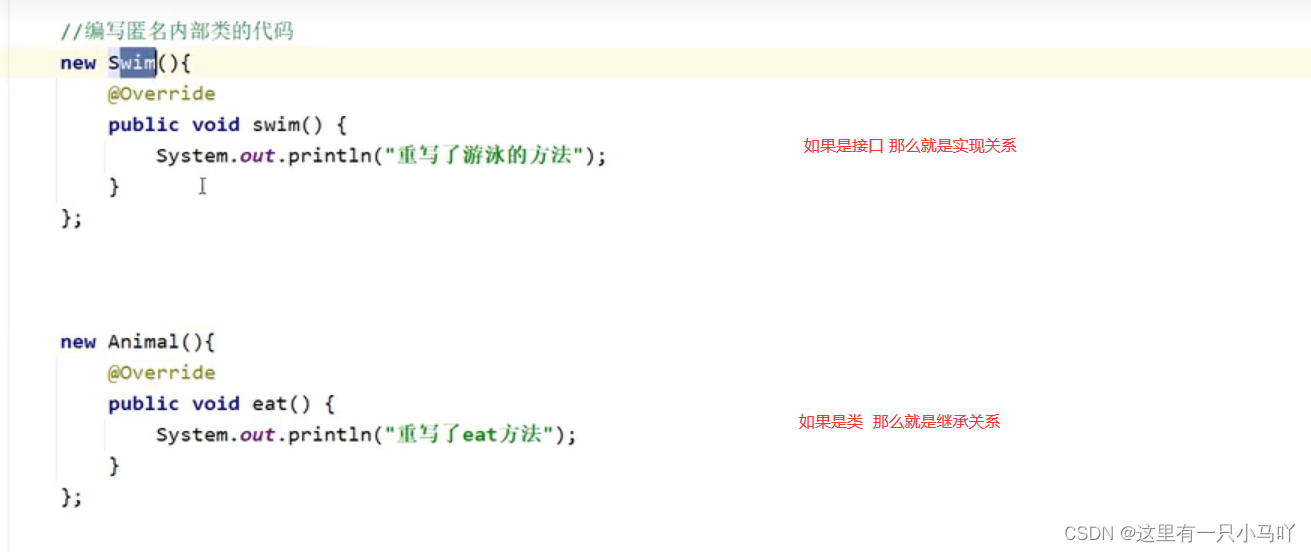
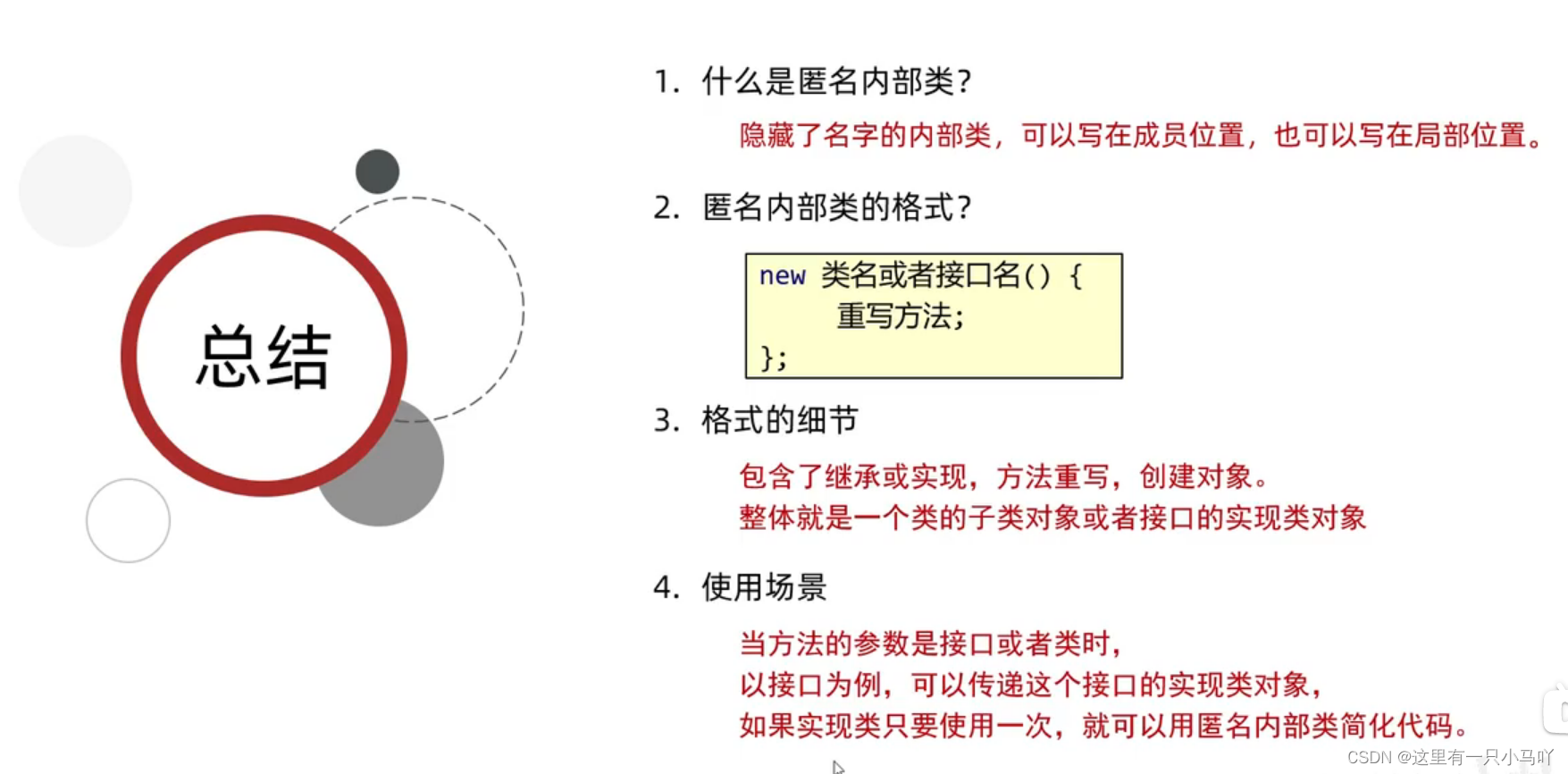
匿名内部类
1
2
3
4
5
6
7
8
9
10
11
12
13
14
15
16
17
18
19
20
package Niming;public interface Swim { public abstract void swim () ; } Lobster AIjava运行123456 package Niming;public class Test { public static void main (String[] args) { new Swim (){ @Override public void swim () { System.out.println("重写了游泳的方法" ); } }; } }
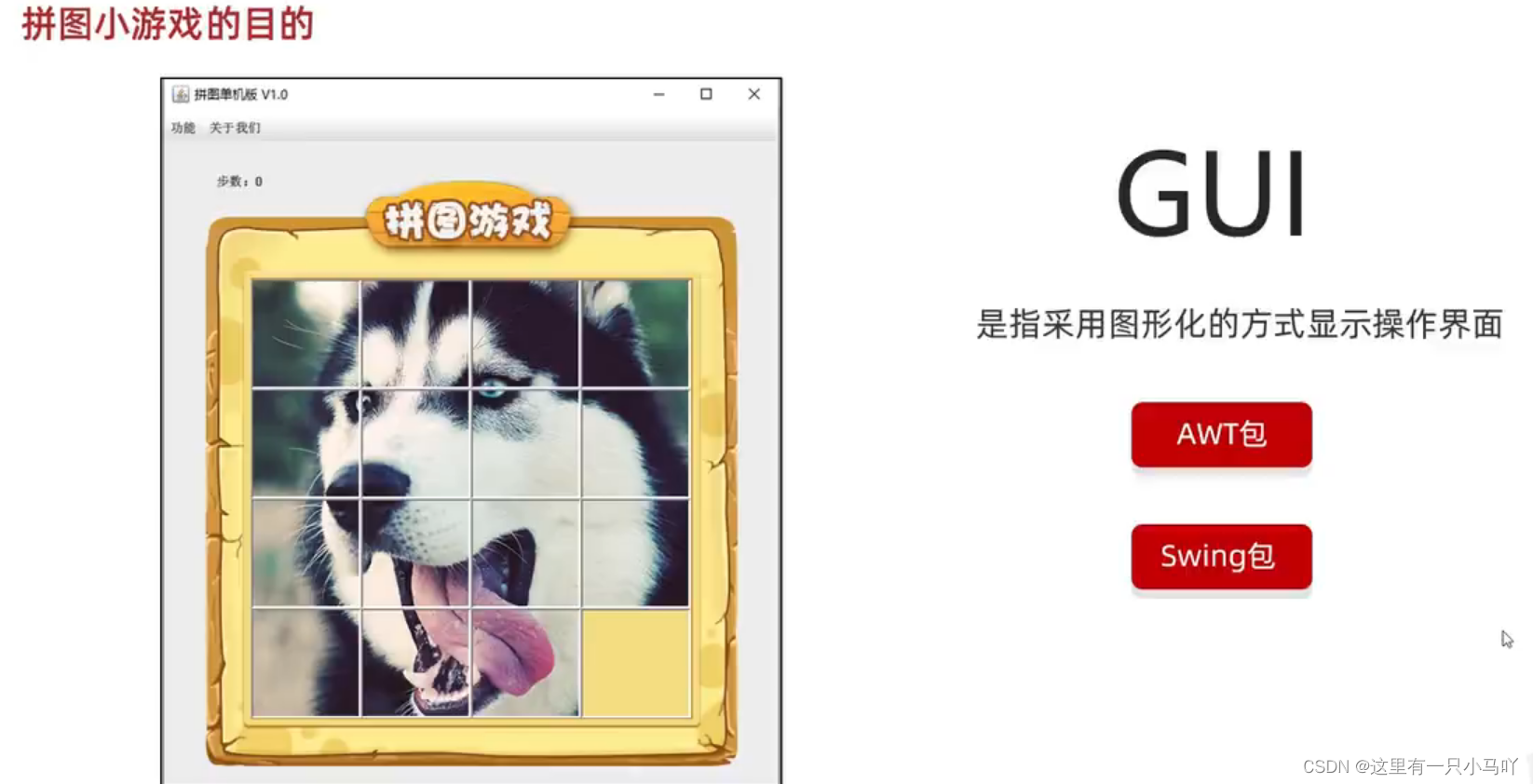
1.8 拼图小游戏
大家可以看着 这个大牛的博客:
Java实现魔板拼图小游戏(完整版)
2. 常用API 2.1 Math
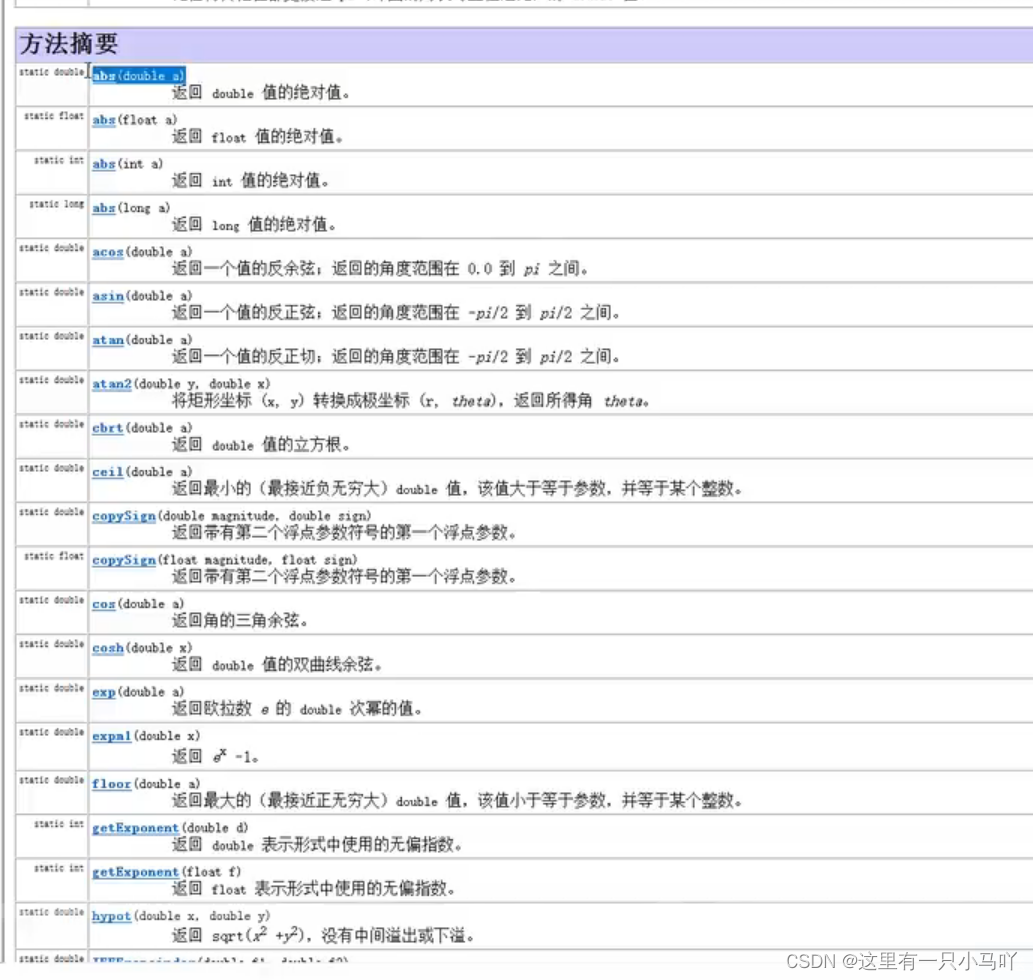
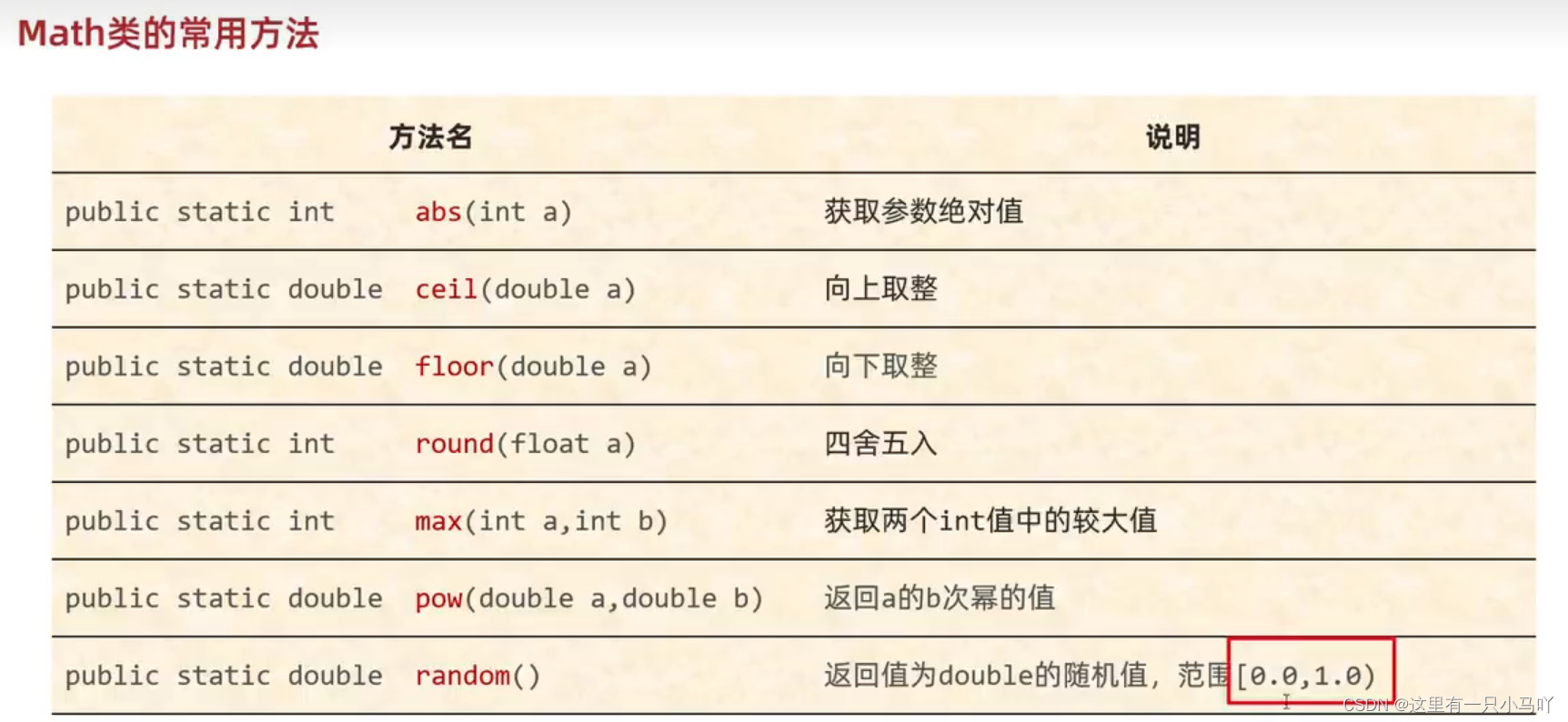
Math:帮助我们进行数学计算的工具类
里面的方法都是静态的。
判断质数
1
2
3
4
5
6
7
8
9
10
11
12
13
14
15
16
17
18
19
import java.util.Scanner;public class main { public static void main (String[] args) { Scanner sc = new Scanner (System.in); System.out.println("请输入一个正整数,我将判断它是否为质数" ); int num = sc.nextInt(); System.out.println(isPrime(num)); } public static boolean isPrime (int num) { for (int i = 2 ;i<=Math.sqrt(num);i++) { if (num%i ==0 )return false ; } return true ; } }
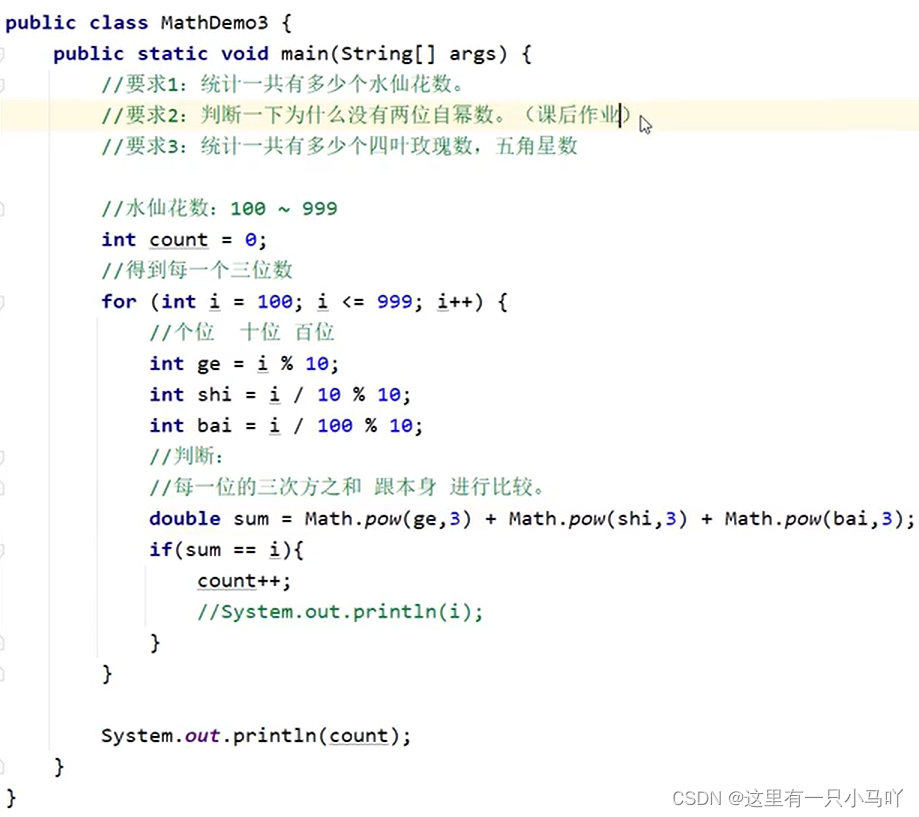
自幂数,一个n位自然数等于自身各个数位上数字的n次幂之和
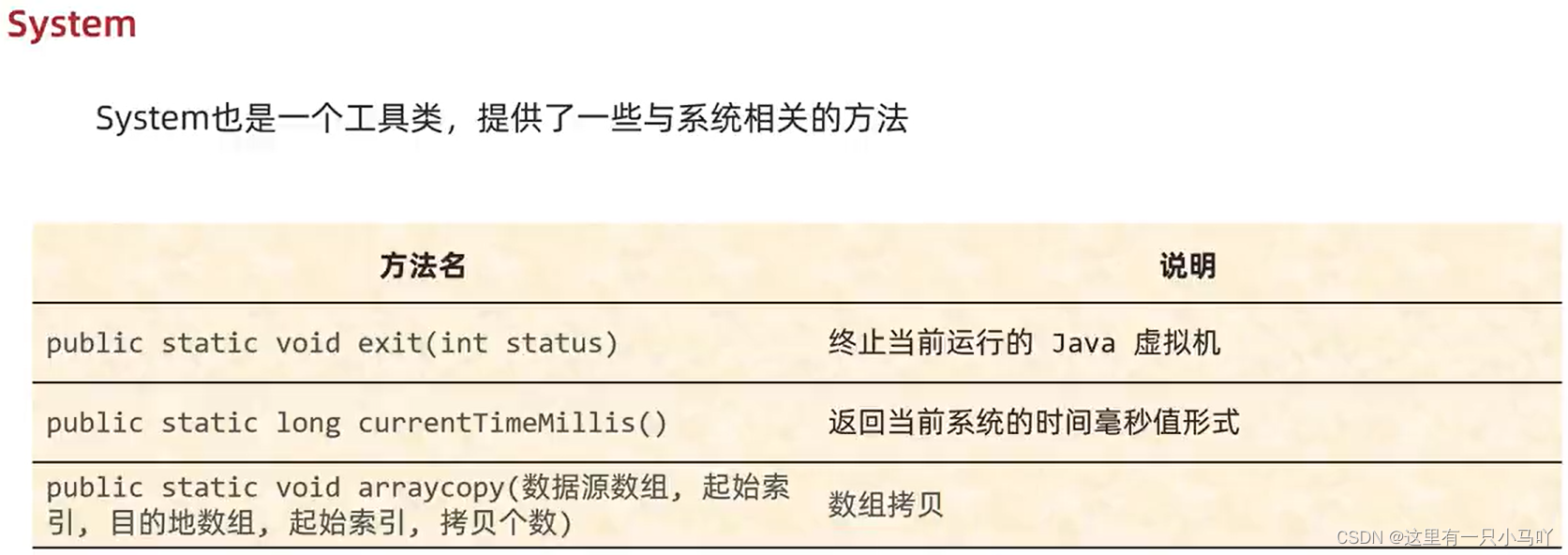
2.2 System System也是一个工具类,提供了一些与系统相关的方法。
1
2
3
4
5
6
7
8
9
10
11
12
13
14
15
16
17
18
19
20
21
22
23
24
25
26
27
28
public class main { public static void main (String[] args) { System.out.println(System.currentTimeMillis()); } } Lobster AIjava运行1234567 public class main { public static void main (String[] args) { int [] arr1 = {1 ,2 ,3 ,4 ,5 ,6 ,7 ,8 ,9 ,10 }; int [] arr2 = new int [10 ]; System.arraycopy(arr1,0 ,arr2,0 ,10 ); for (int i = 0 ; i < arr2.length; i++) { System.out.print(arr2[i]+" " ); } } }
如果数据源数组和月的地数组都是基本数据类型,那么两者的类型必须保持一致, 否则会报错
在拷贝的时候需要考虑数组的长度,如果超出范围也会报错
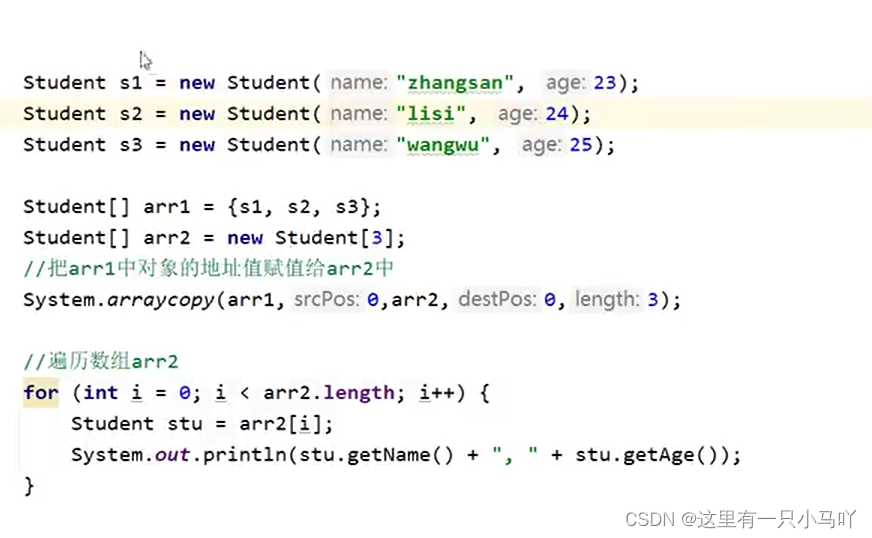
如果数据源数组和目的地数组都是引用数据类型,那么子类类型可以赋值给父类类型
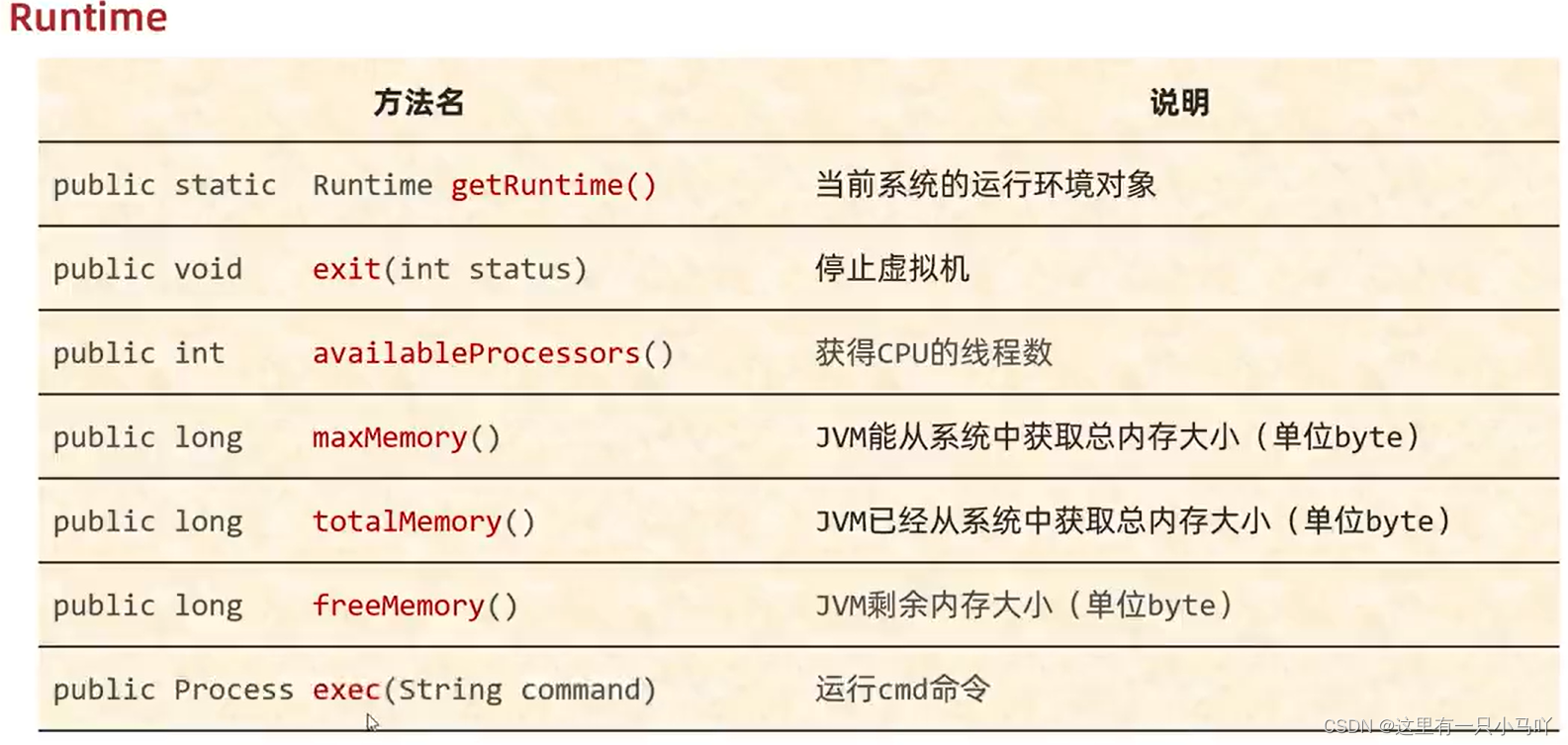
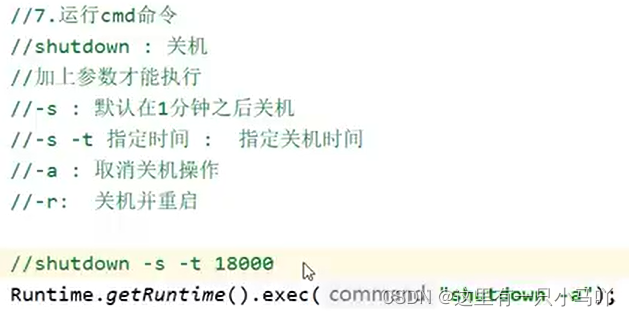
2.3 Runtime Runtime表示当前虚拟机 的运行环境
1
2
3
4
5
6
7
8
9
10
11
12
13
14
15
16
17
18
19
20
21
22
23
import java.io.IOException;public class main { public static void main (String[] args) throws IOException { System.out.println(Runtime.getRuntime().availableProcessors()); System.out.println(Runtime.getRuntime().maxMemory()/1024 /1024 ); System.out.println(Runtime.getRuntime().totalMemory()/1024 /1024 ); System.out.println(Runtime.getRuntime().freeMemory()/1024 /1024 ); Runtime.getRuntime().exec("TIM" ); } }
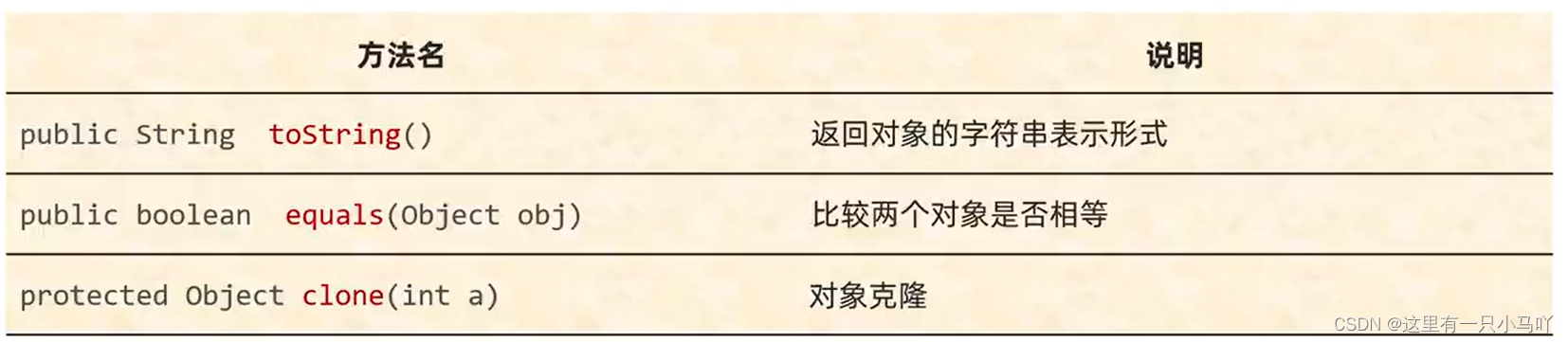
2.4 Object和Objects Object是Java中的顶级父类。所有的类都直接或间接的继承于Object类。
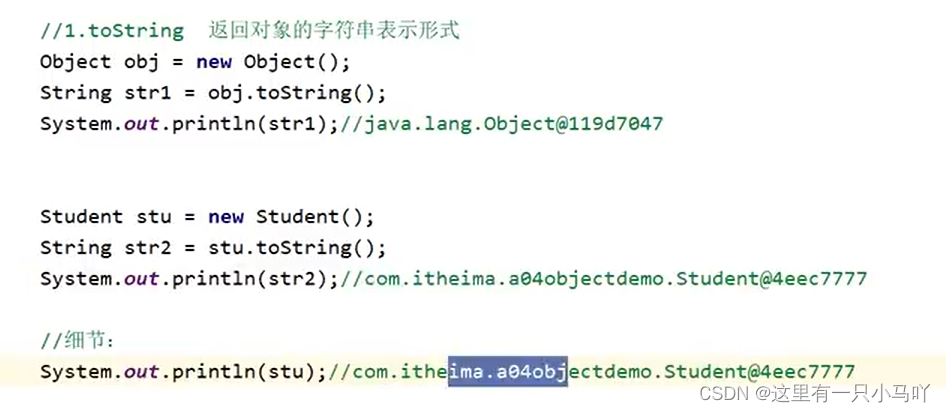
2.4.1 toString() 1 2 3 4 5 6 7 8 9 import java.io.IOException;public class main { public static void main (String[] args) { Object obj = new Object (); String str = obj.toString(); System.out.println(str); } }
Ctrl+b,然后Ctrl+F12 搜索 toString
Ctrl+B
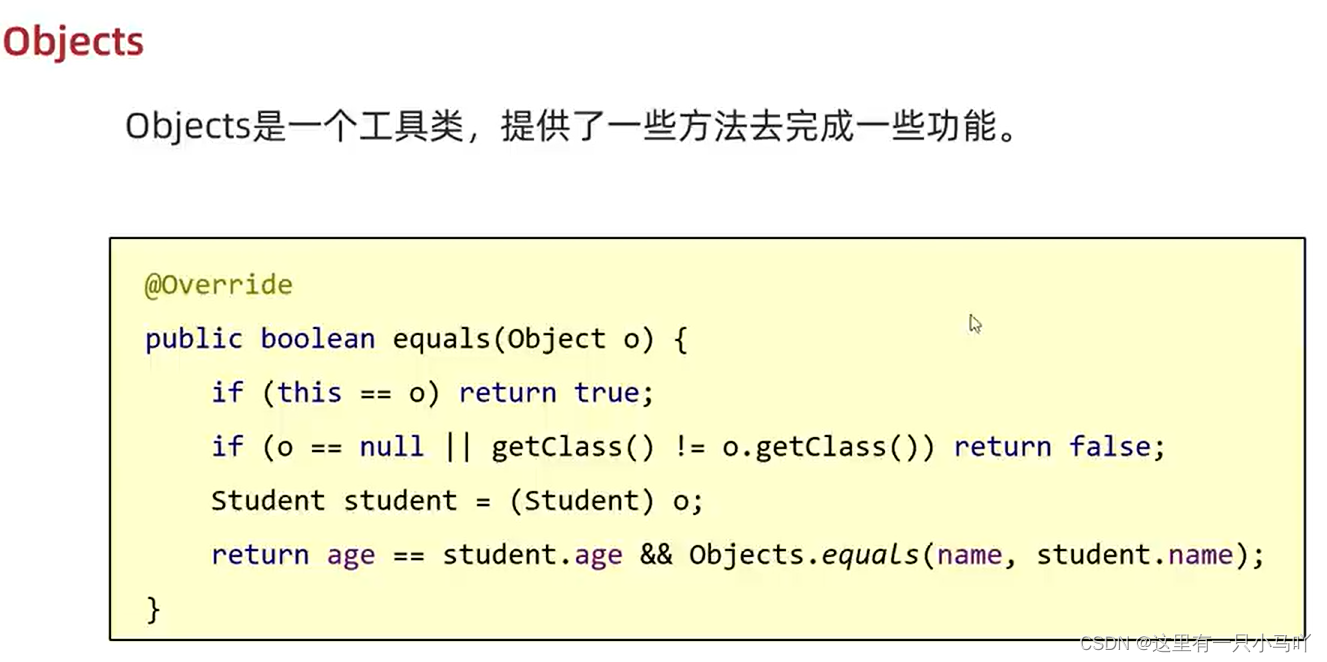
2.4.2 equals
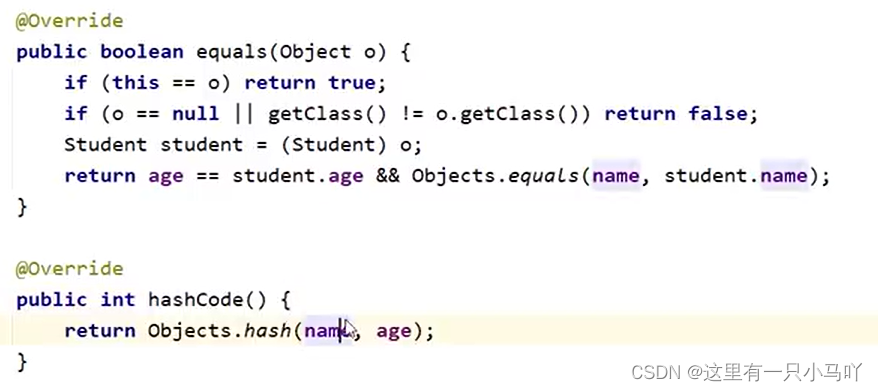
那么就要在子类里面重写(Object是父类),Ctrl+insert 点击equals() and hashCode(),一直点击next,到结束。可以输出下面的内容。
重写之后的equals方法比较的就是对象内部的属性值了。
1 2 3 4 5 6 7 8 9 10 11 12 13 14 15 16 17 18 19 20 21 22 23 import java.io.IOException;import java.util.StringJoiner;public class main { public static void main (String[] args) { String s = "abc" ; StringBuilder sb = new StringBuilder ("abc" ); System.out.println(s.equals(sb)); System.out.println(sb.equals(s)); } }
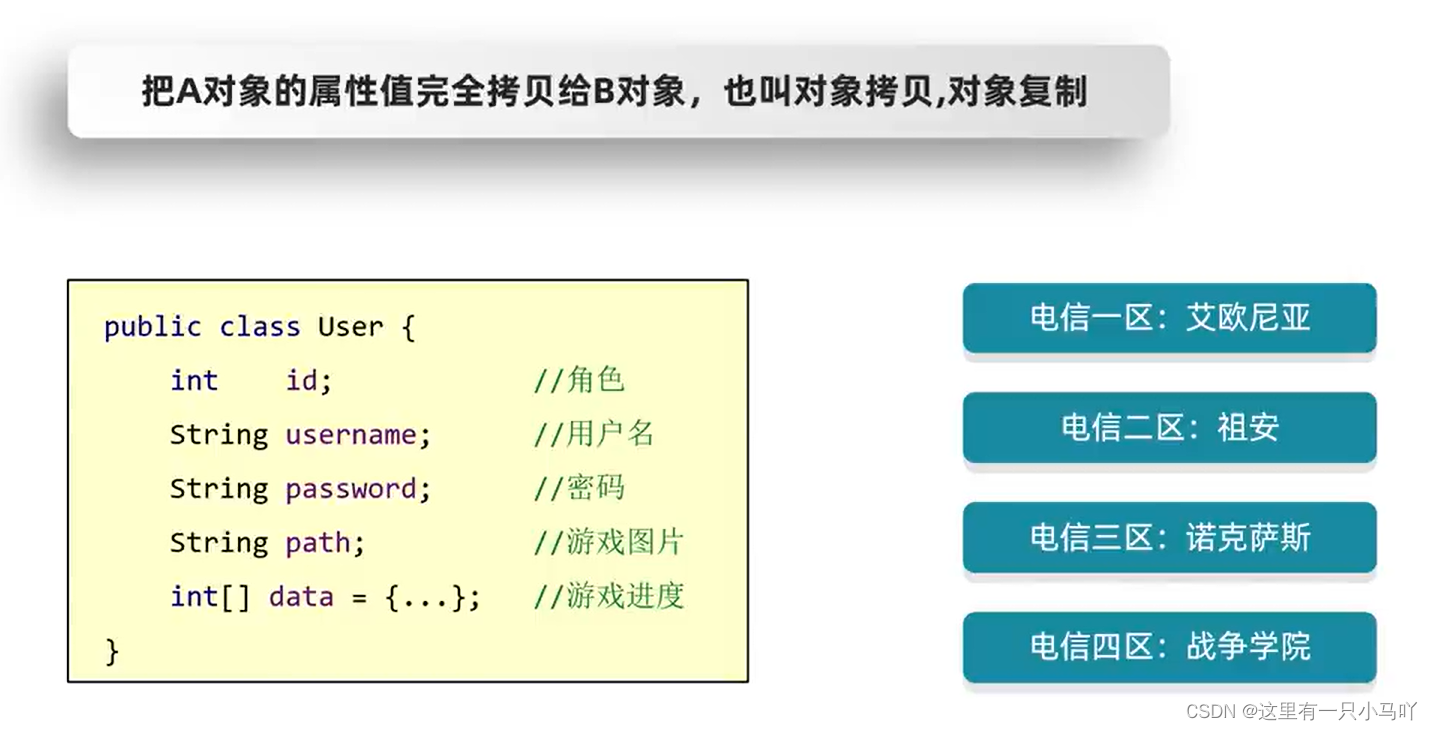
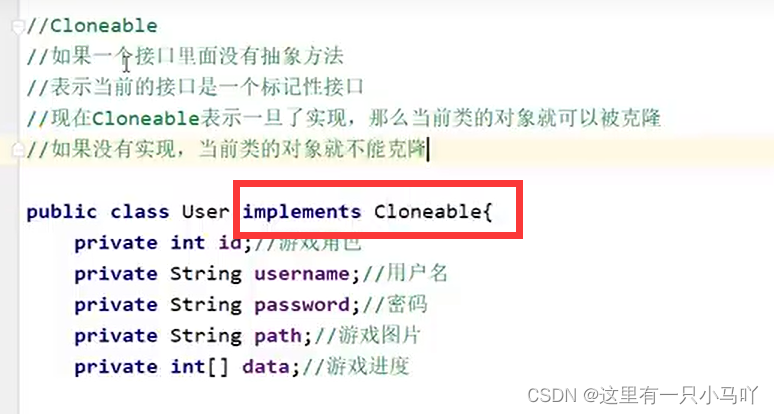
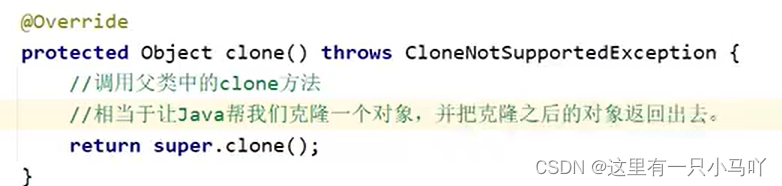
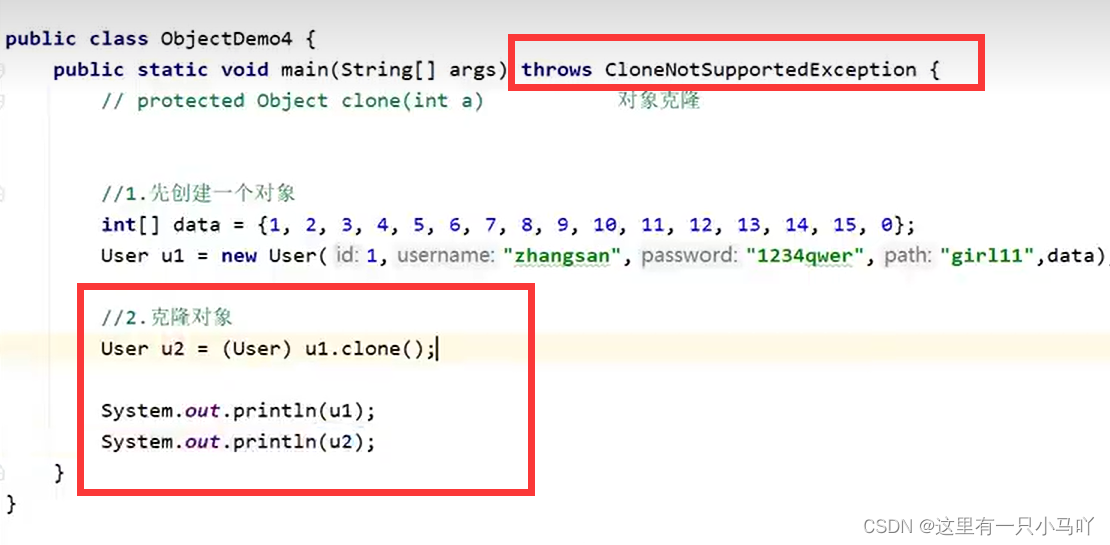
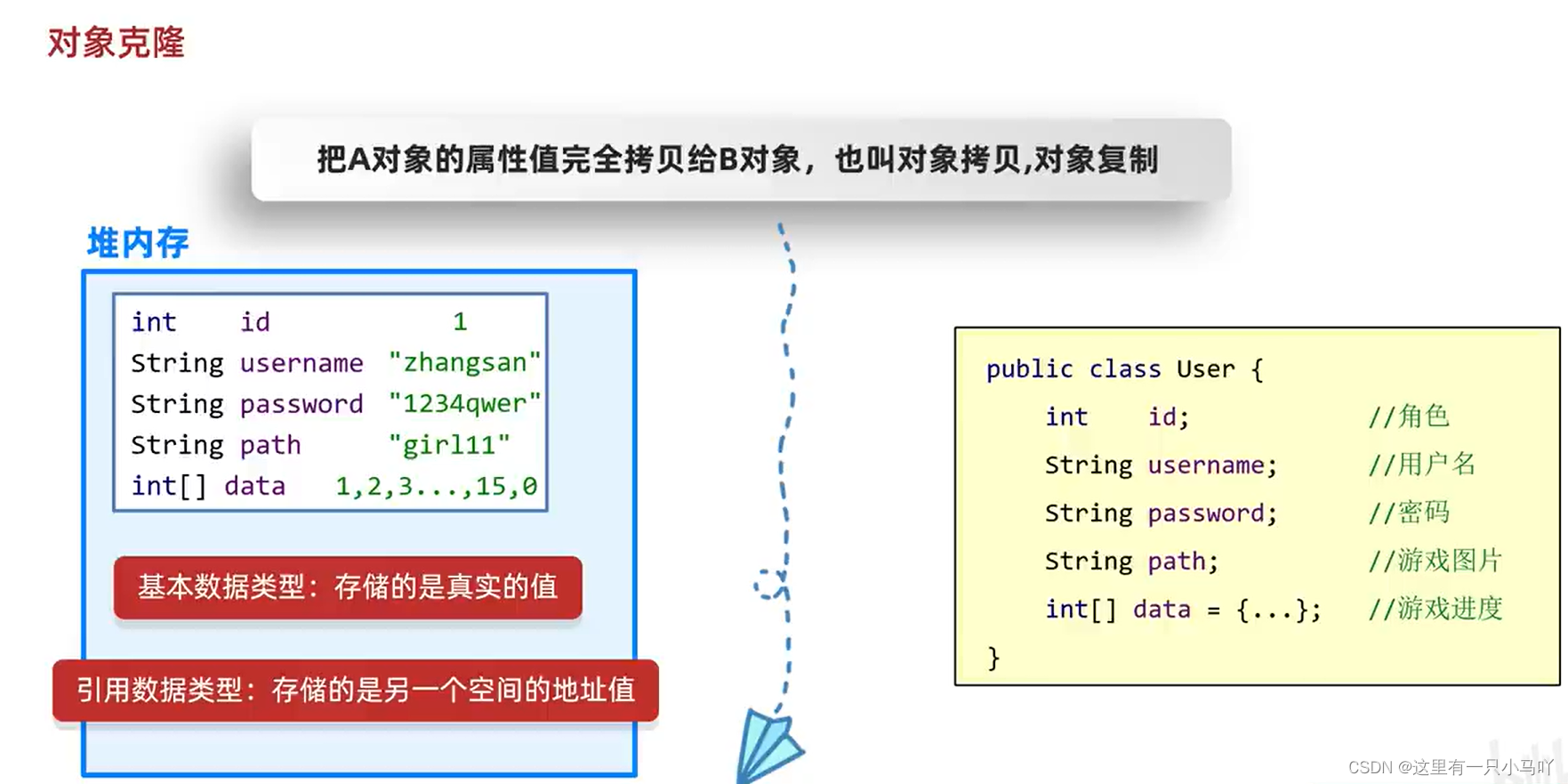
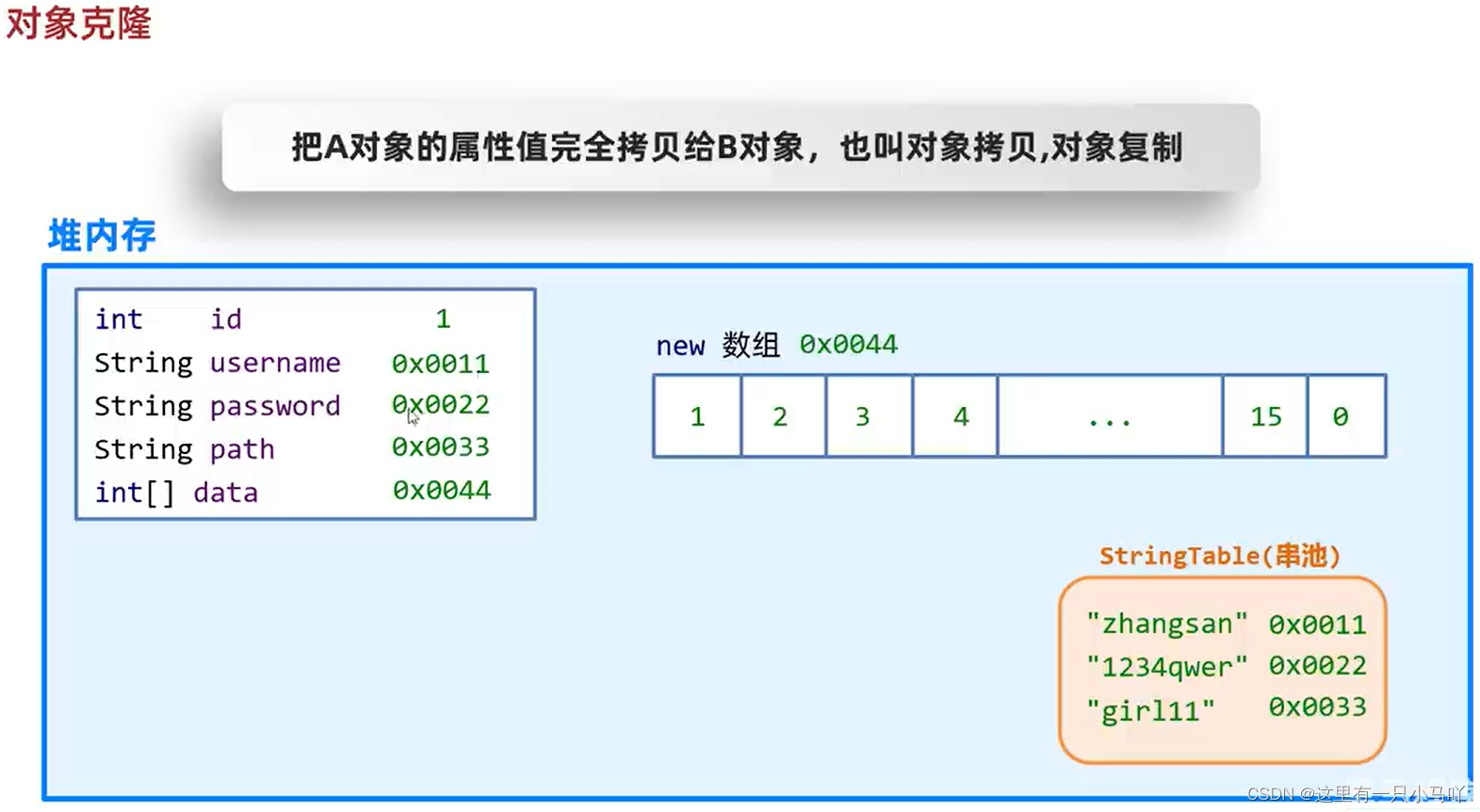
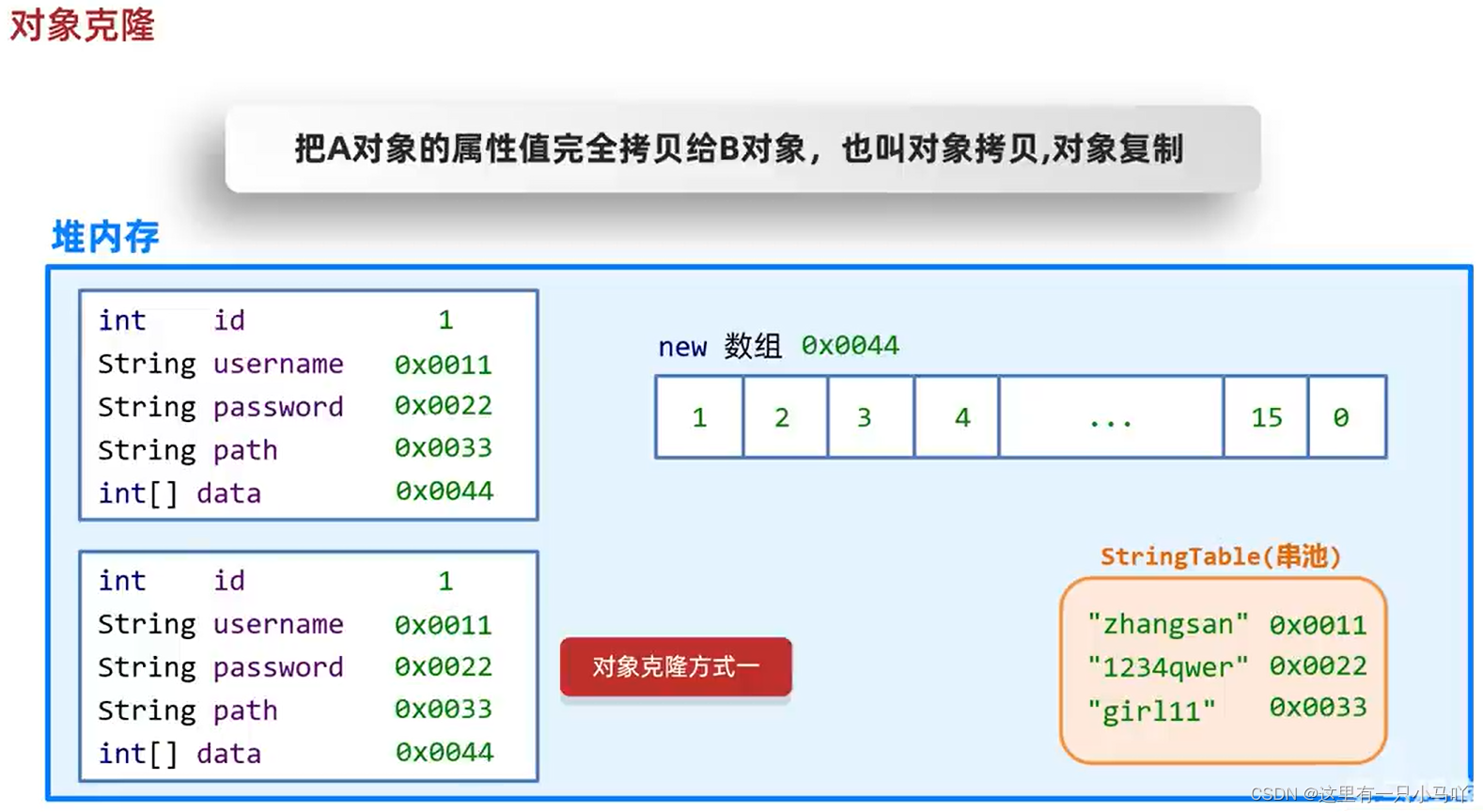
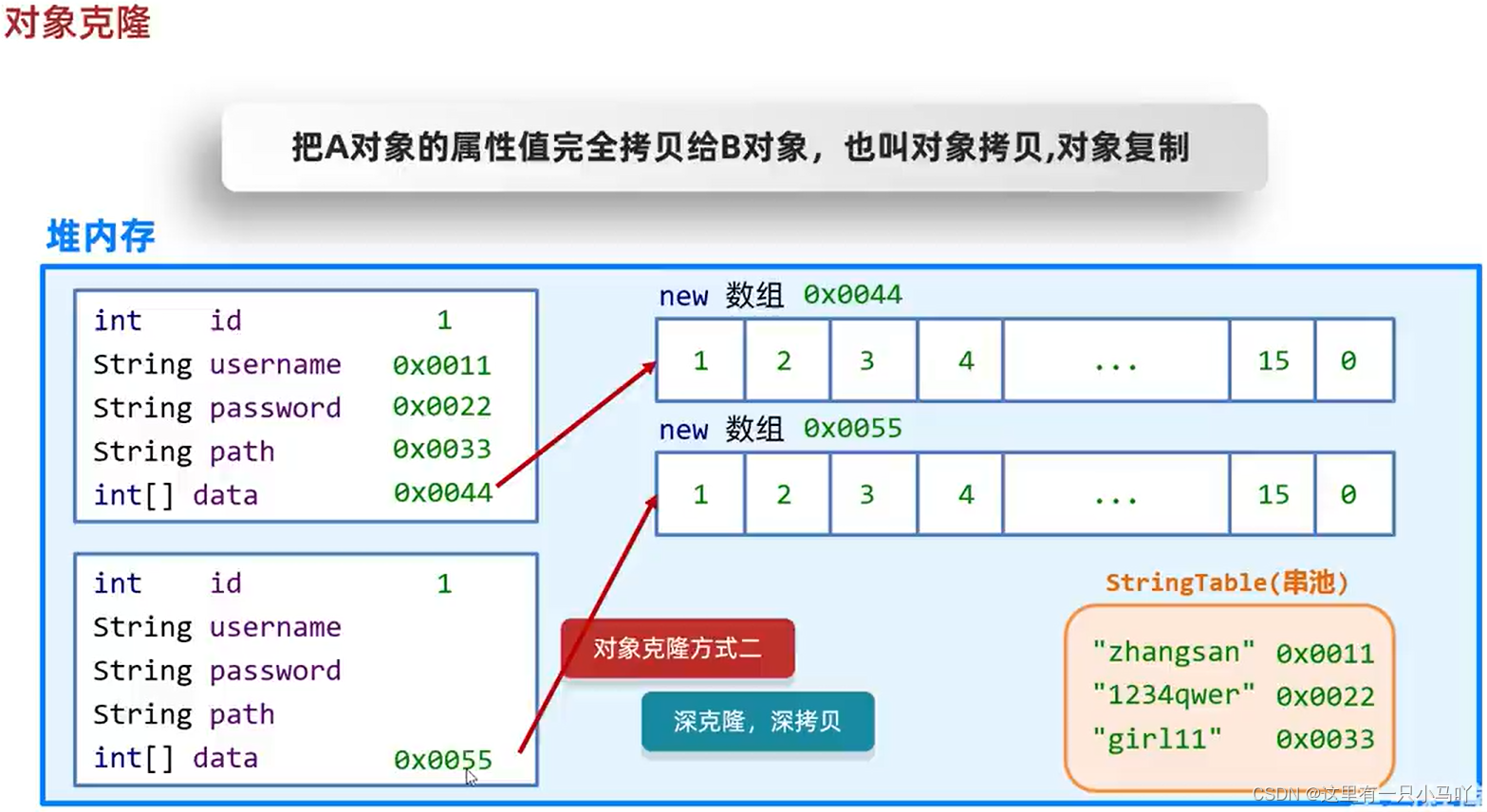
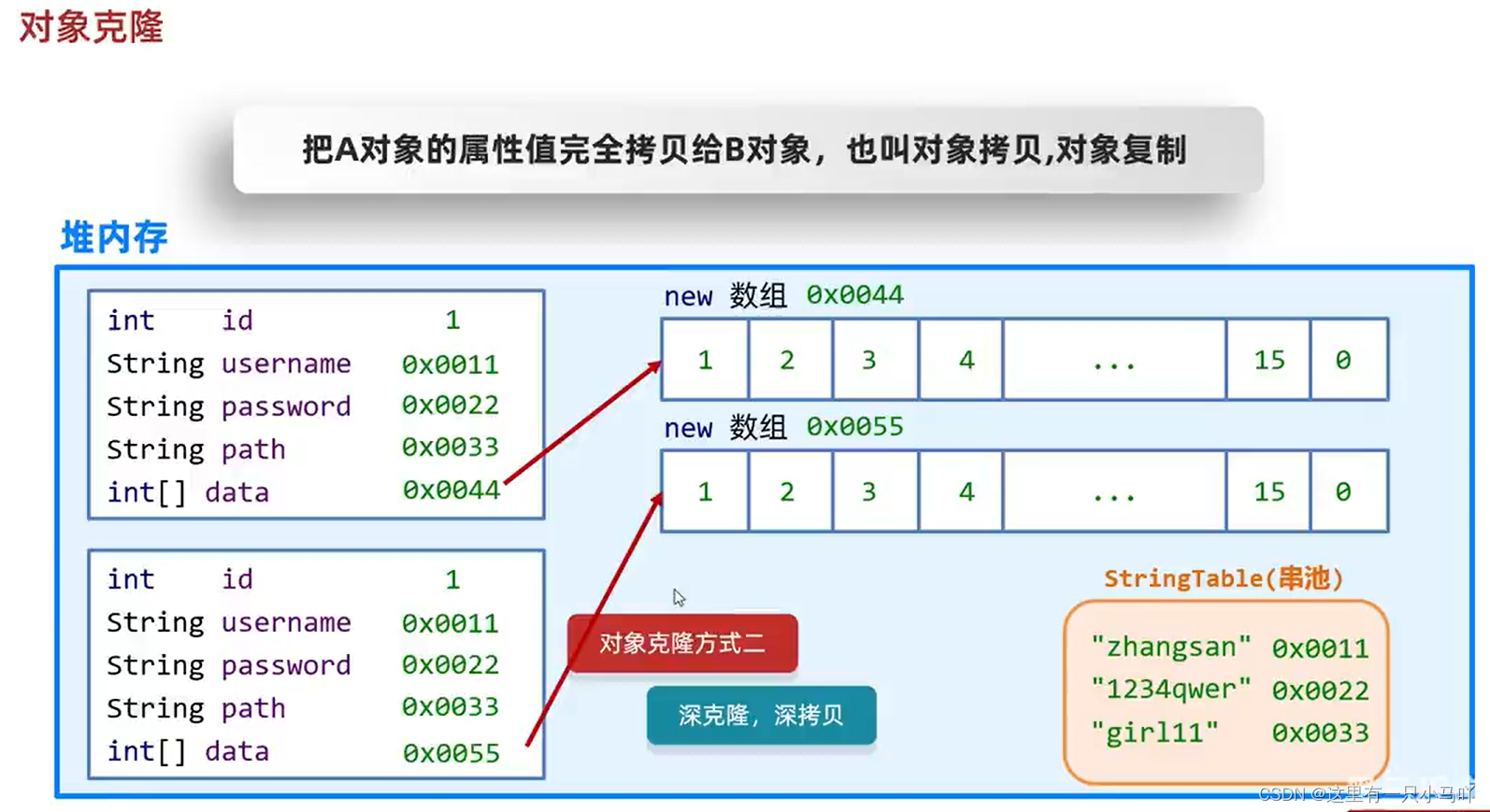
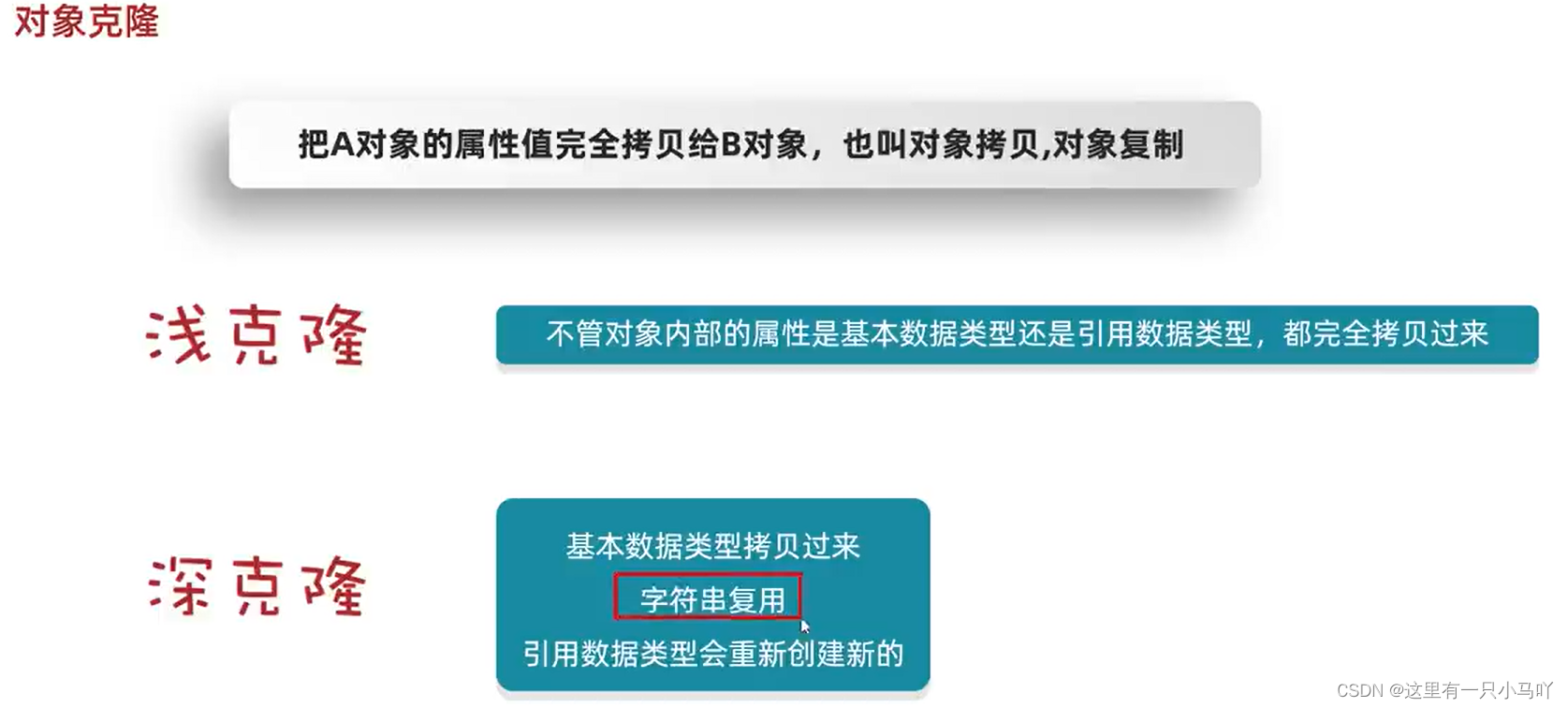
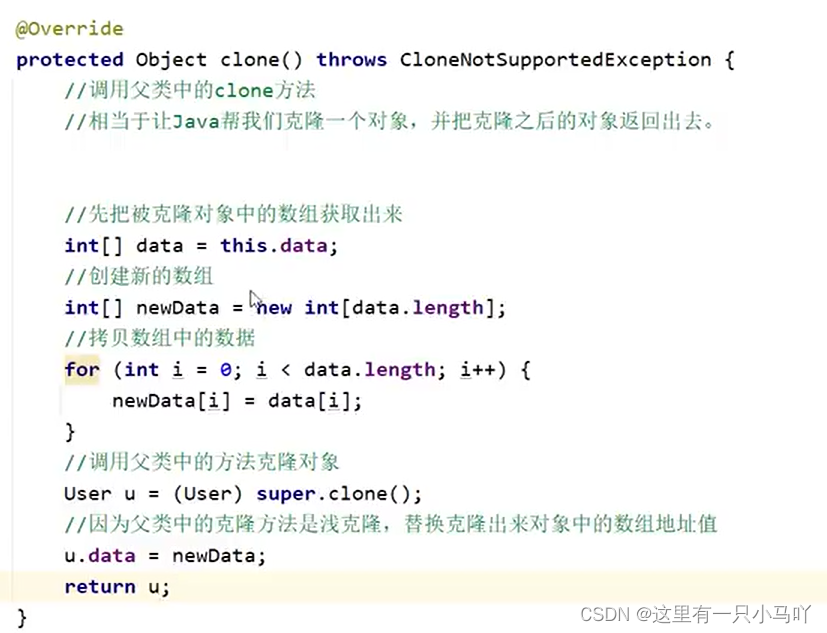
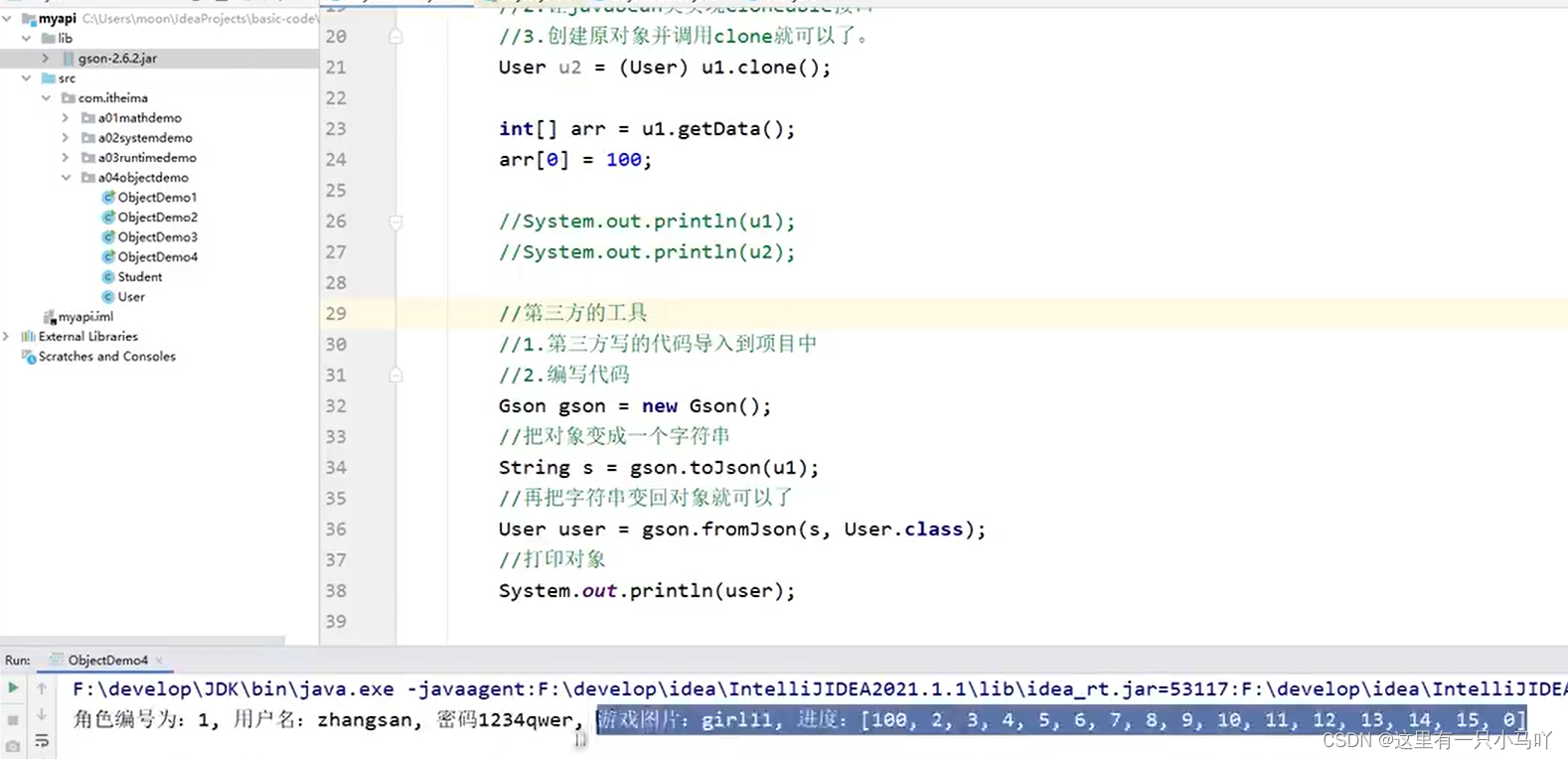
2.4.3 Clone 把A对象的属性值完全拷贝给B对象,也叫对象拷贝,对象复制
深克隆 :
2.5 BigInteger和BigDecimal 2.5.1 BigInteger 介绍 在Java中,整数有四种类型: byte, short, int, long。
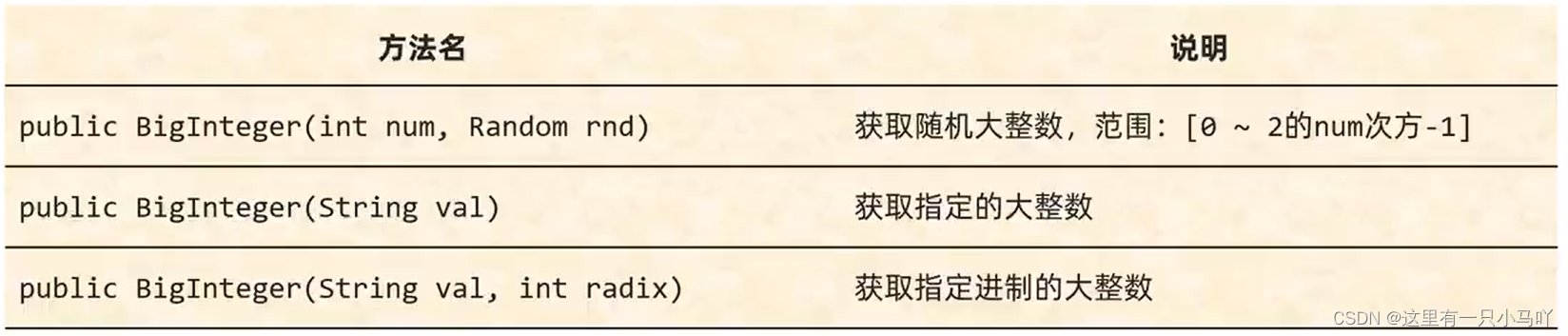
2.5.2 BigInteger 构造方法
1 2 3 4 5 6 7 8 9 10 11 12 13 14 15 16 17 18 19 20 21 22 23 24 25 26 27 28 29 30 31 import java.math.BigInteger;import java.util.Random;public class main { public static void main (String[] args) { Random r = new Random (); BigInteger bg1 = new BigInteger (4 ,r); System.out.println(bg1); } } import java.math.BigInteger;public class main { public static void main (String[] args) { BigInteger bg1 = new BigInteger ("99999999999999999999999999999999999" ); System.out.println(bg1); } } Lobster AIjava运行12345678910 import java.math.BigInteger;public class main { public static void main (String[] args) { BigInteger bg1 = new BigInteger ("99999999999999999999999999999999999" ,11 ); System.out.println(bg1); } }
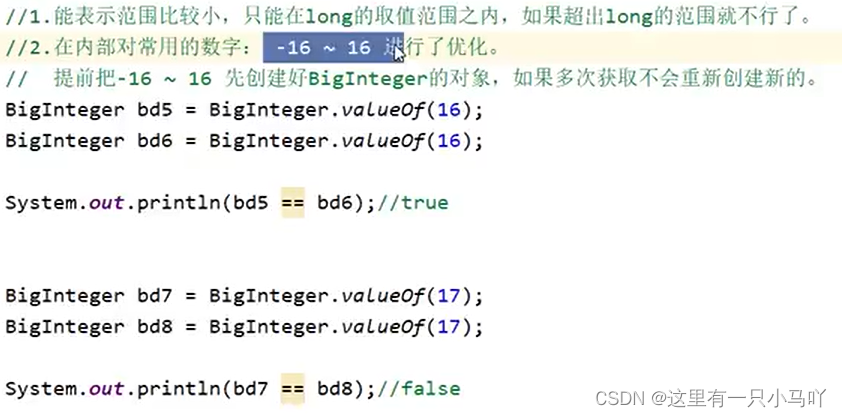
1 2 3 4 5 6 7 8 9 10 11 12 13 14 import java.math.BigInteger;public class main { public static void main (String[] args) { BigInteger bg1 = BigInteger.valueOf(1000 ); System.out.println(bg1); System.out.println(Long.MAX_VALUE); System.out.println(Long.MIN_VALUE); } }
BigInteger构造方法小结
①如果BigInteger表示的数字没有超出long的范围,可以用静态方法获取。
②如果BigInteger表示的超出long的范围,可以用构造方法获取。
③对象一旦创建,BigInteger内部记录的值不能发生改变。
④只要进行计算都会产生一个新的BigInteger对象
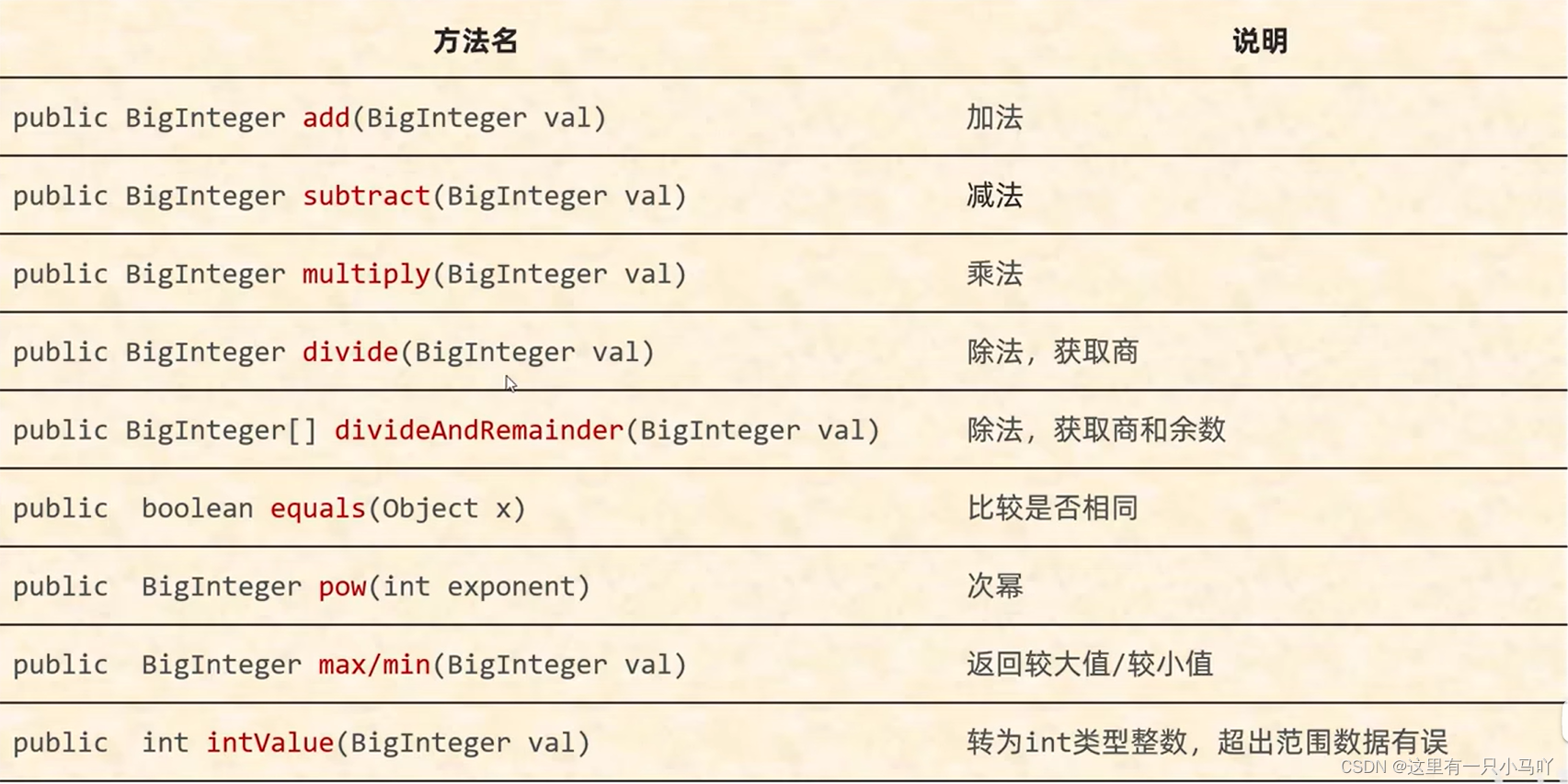
2.5.3 BigInteger 成员方法
1 2 3 4 5 6 7 8 9 10 11 12 13 14 15 16 17 18 19 20 21 22 23 24 25 26 27 28 29 30 31 32 import java.math.BigInteger;public class main { public static void main (String[] args) { BigInteger bg1 = BigInteger.valueOf(1000 ); BigInteger bg2 = BigInteger.valueOf(20 ); System.out.println(bg1.add(bg2)); System.out.println(bg1.subtract(bg2)); System.out.println(bg1.multiply(bg2)); System.out.println(bg1.divide(bg2)); BigInteger bg3 = BigInteger.valueOf(21 ); BigInteger[] arr = bg1.divideAndRemainder(bg3); System.out.println(arr[0 ]); System.out.println(arr[1 ]); System.out.println(bg2.pow(2 )); BigInteger bg4 = bg1.max(bg2); System.out.println(bg4); System.out.println(bg4 == bg1); System.out.println(bg4 == bg2); int a = bg1.intValue(); System.out.println(a); System.out.println(bg1.longValue()); System.out.println(bg1.doubleValue()); } }
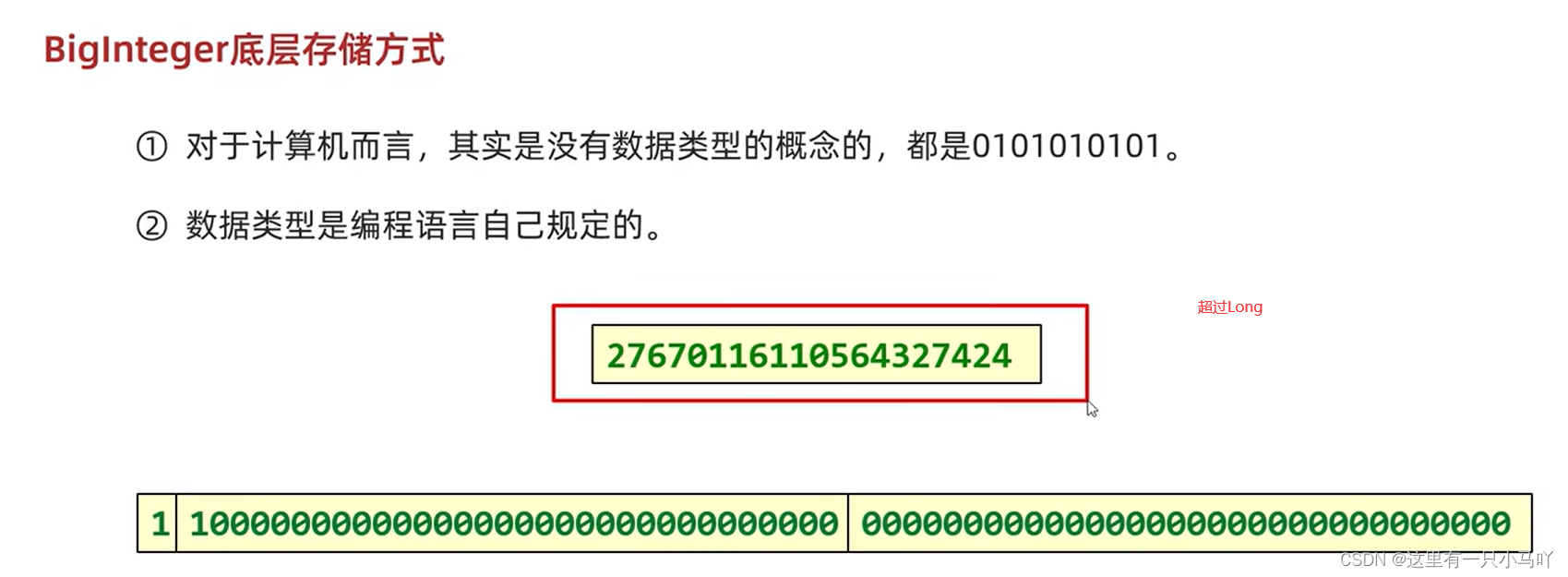
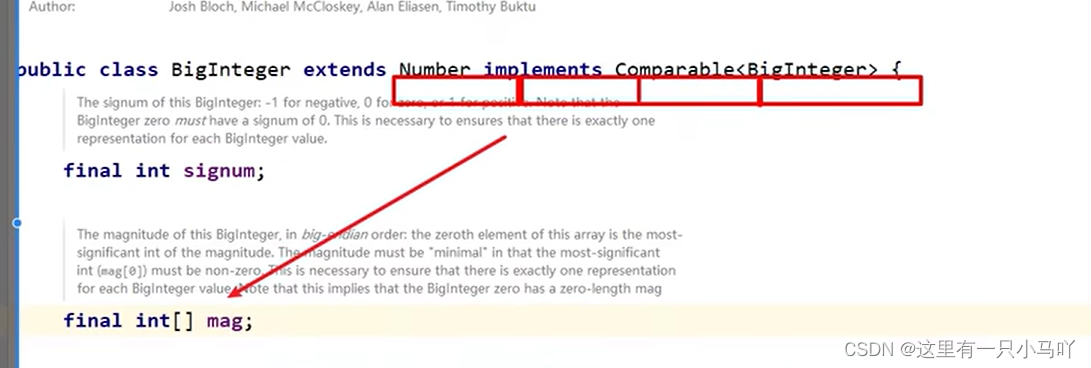
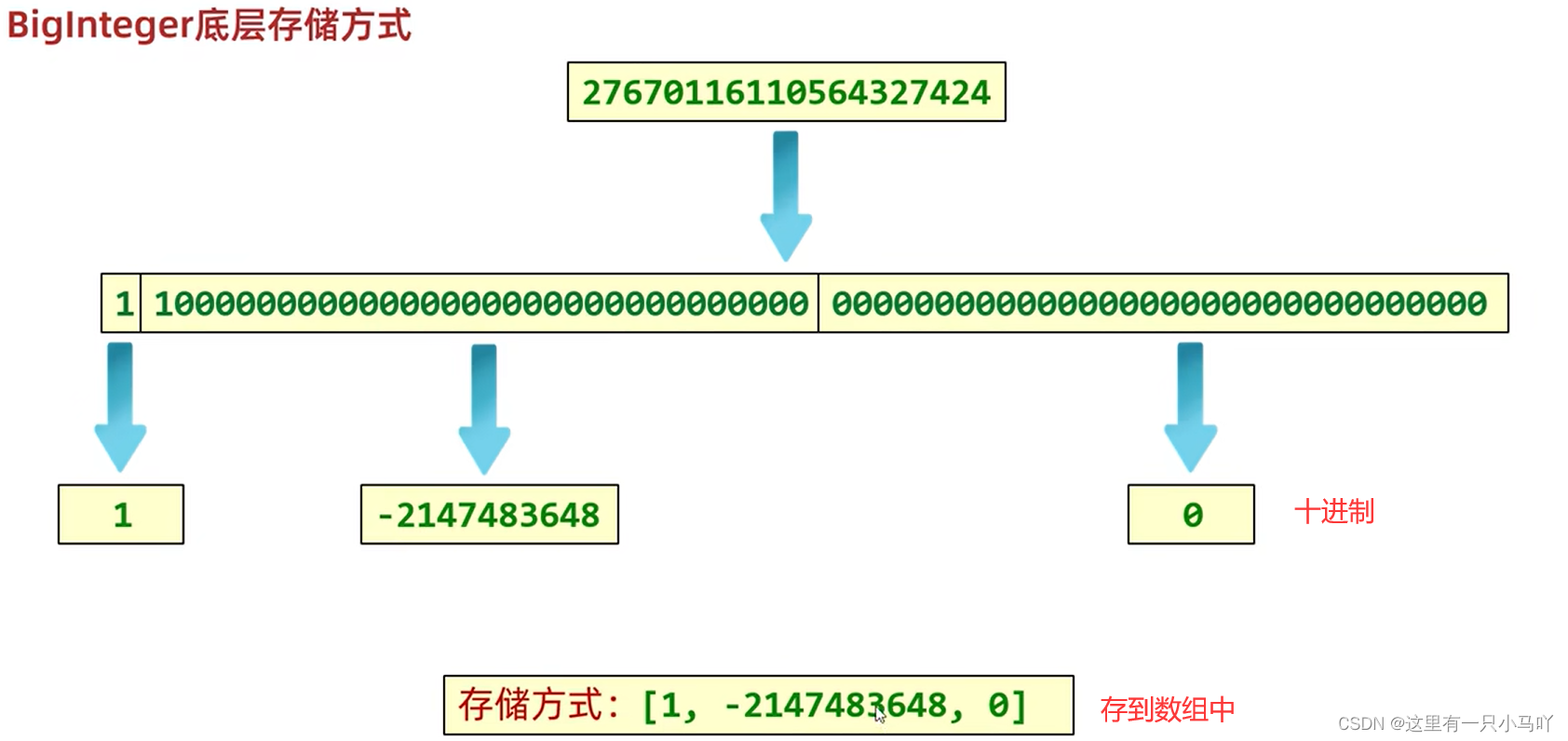
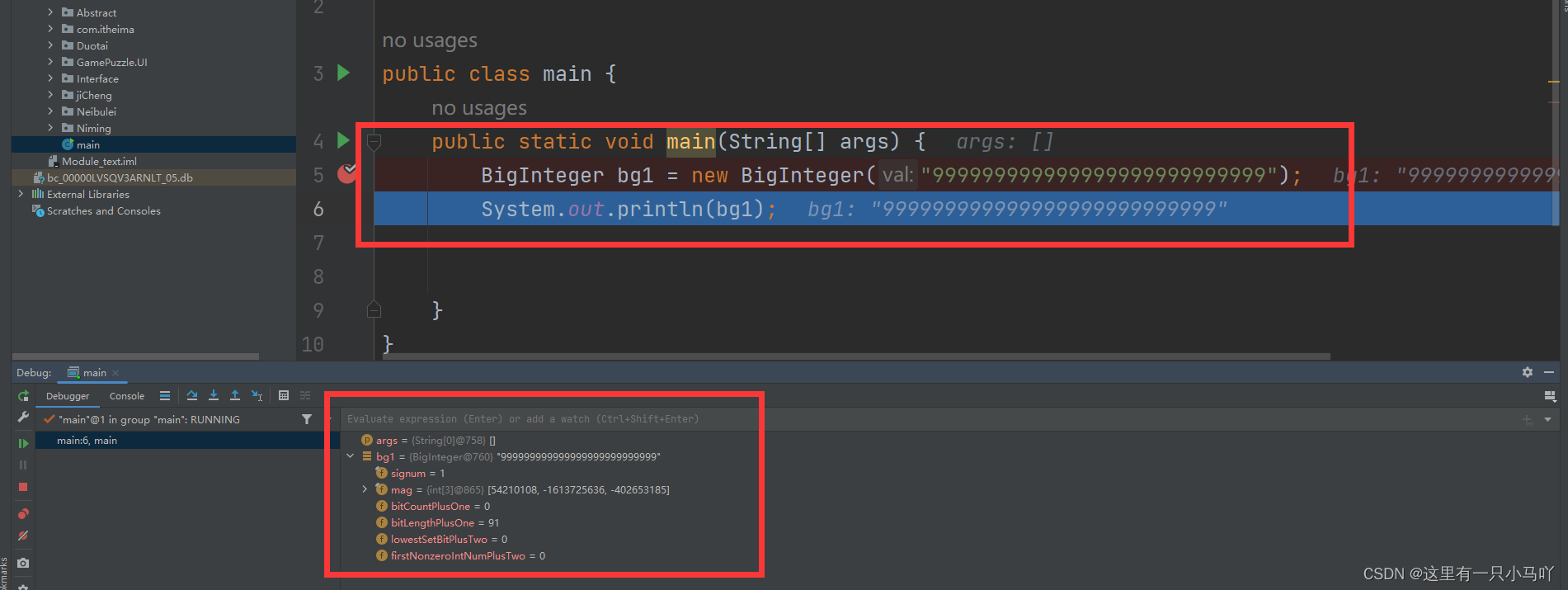
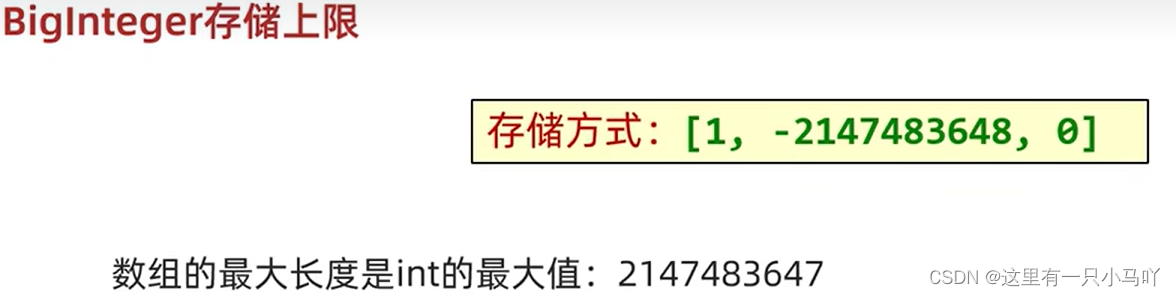
2.5.4 BigInteger 底层存储方式
BigInteger能表示的最大数字为: 42亿的21亿次方
2.5.5 BigDecimal 介绍 1 2 3 4 5 6 7 8 9 10 11 12 public class main { public static void main (String[] args) { System.out.println(0.09 +0.01 ); System.out.println(0.216 -0.1 ); System.out.println(0.22 *0.1 ); System.out.println(0.09 /0.1 ); } }
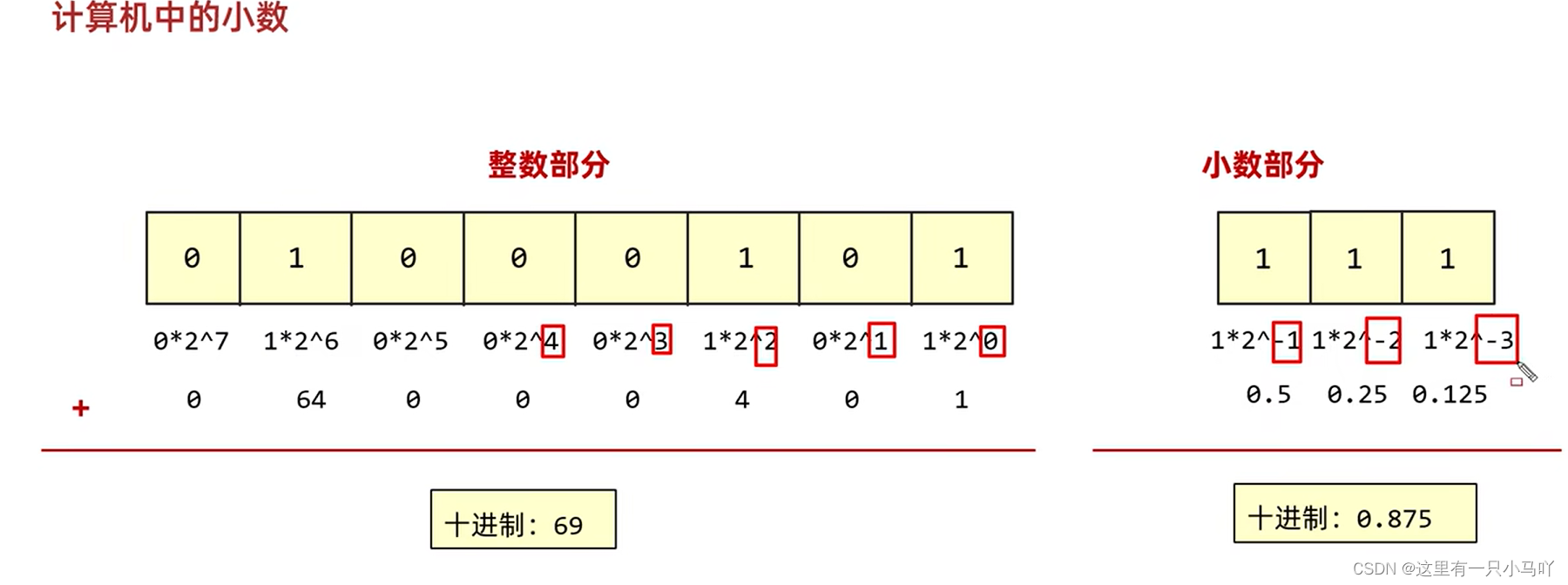
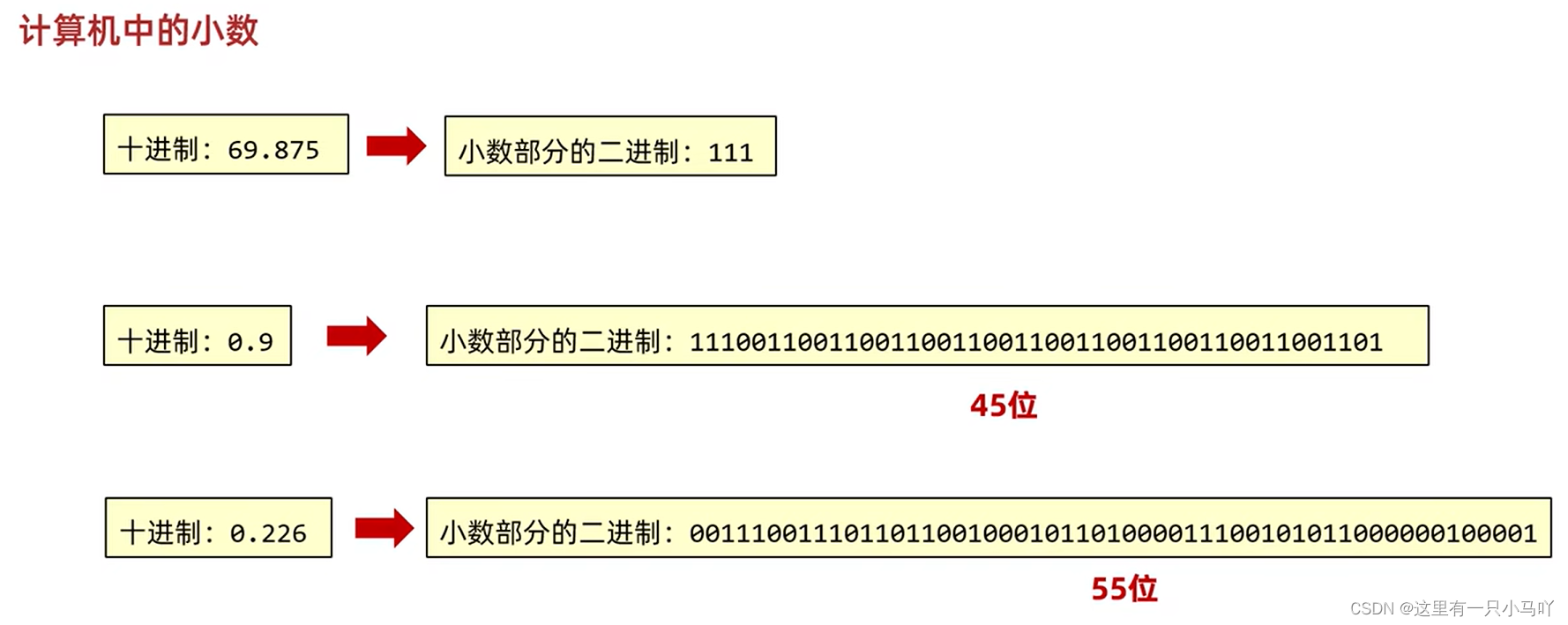
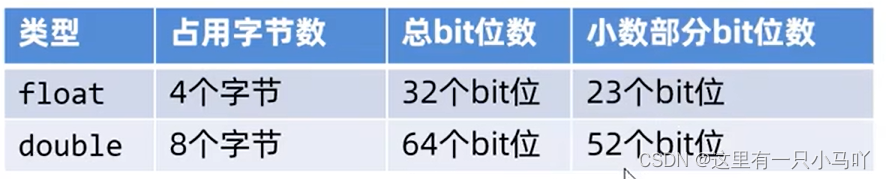
发现一个问题,不是我们现实的计算结果 计算机结果不精确。
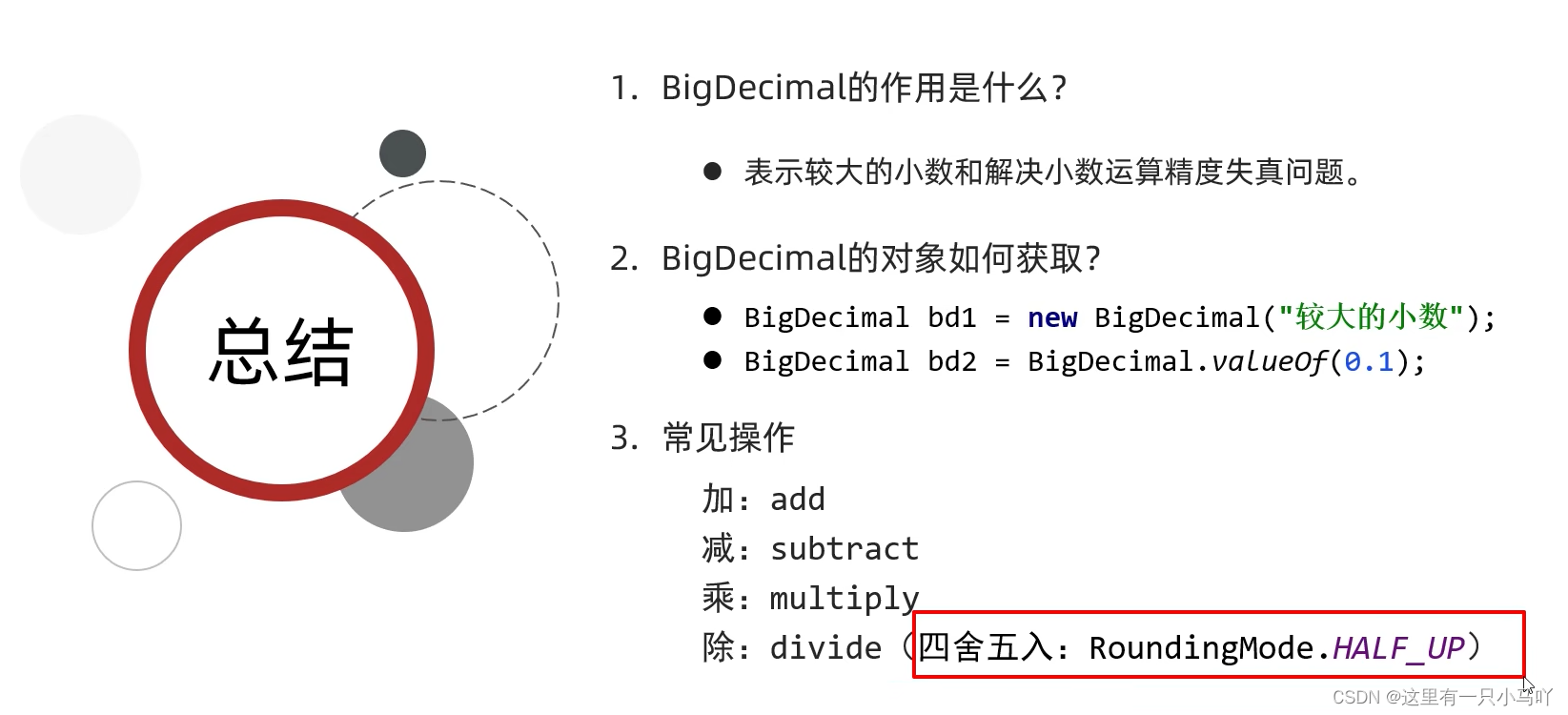
BigDecima的作用
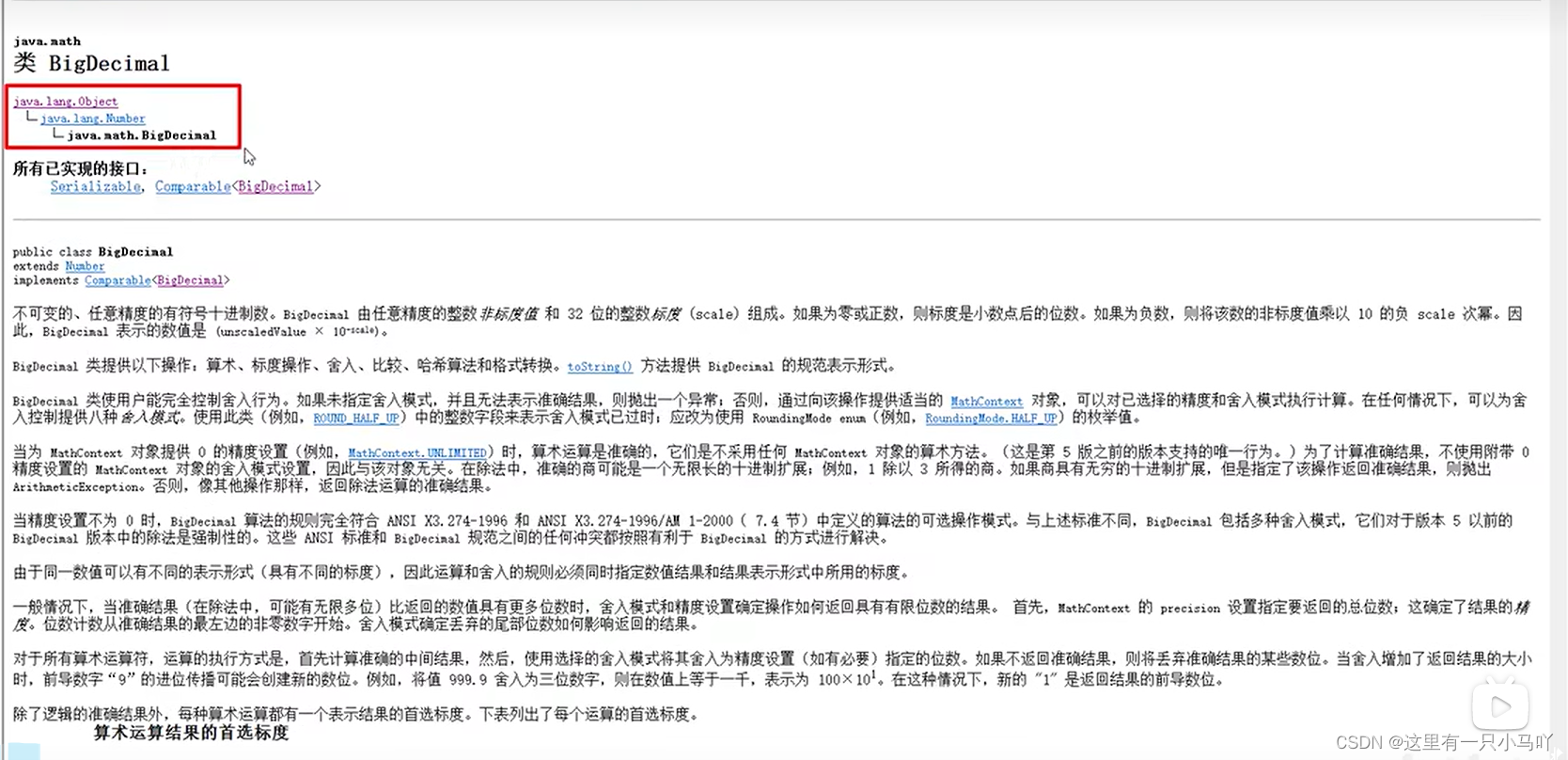
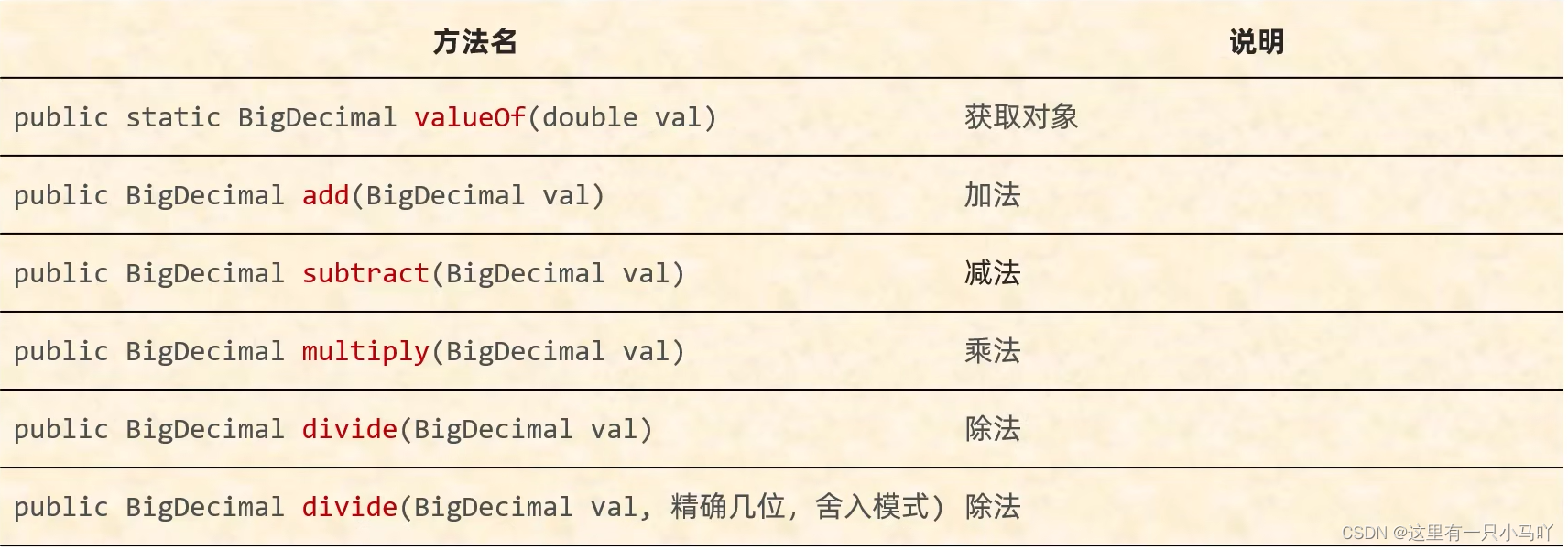
2.5.6 BigDecimal 介绍 1 2 3 4 5 6 7 8 9 10 11 12 13 14 15 16 17 18 19 20 21 22 23 24 25 26 27 28 29 30 31 import java.math.BigDecimal;public class main { public static void main (String[] args) { BigDecimal bd1 = new BigDecimal (0.01 ); BigDecimal bd2 = new BigDecimal (0.09 ); System.out.println(bd1); System.out.println(bd2); BigDecimal bd3 = new BigDecimal ("0.01" ); BigDecimal bd4 = new BigDecimal ("0.09" ); System.out.println(bd3); System.out.println(bd4); BigDecimal bd6 = BigDecimal.valueOf(10 ); System.out.println(bd6); } }
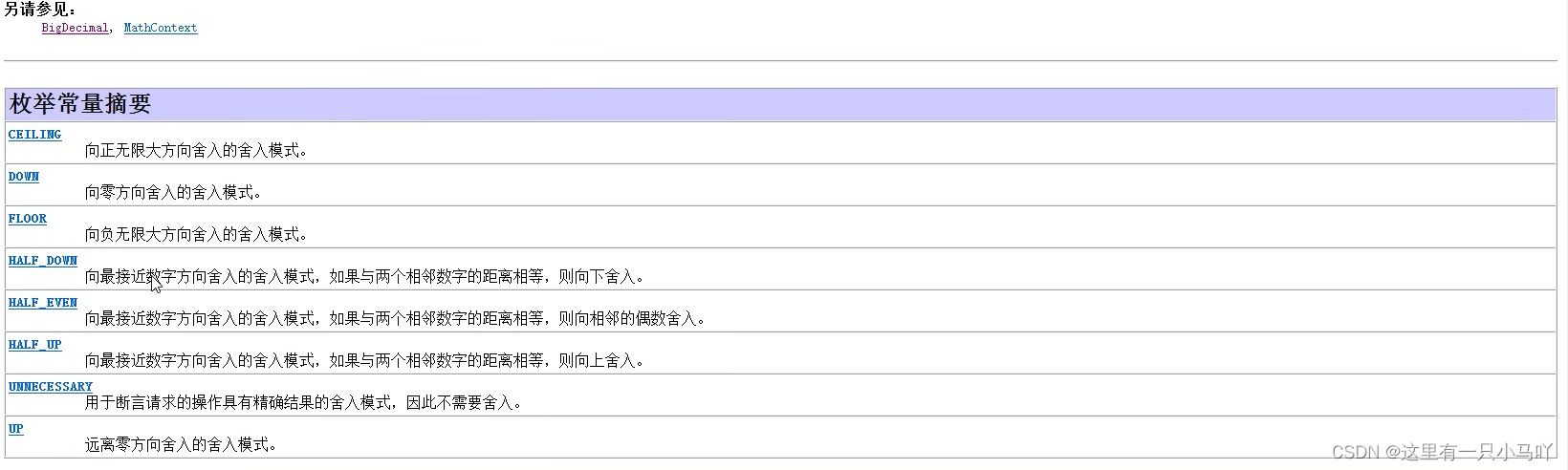
1 2 3 4 5 6 7 8 9 10 11 12 13 14 15 16 17 18 19 20 21 22 23 import java.math.BigDecimal;public class main { public static void main (String[] args) { BigDecimal bd1 = BigDecimal.valueOf(10.0 ); BigDecimal bd2 = BigDecimal.valueOf(3.0 ); BigDecimal bd3 = bd1.add(bd2); System.out.println(bd3); BigDecimal bd4 = bd1.subtract(bd2); System.out.println(bd4); BigDecimal bd5 = bd1.multiply(bd2); System. out. println(bd5); BigDecimal bd6 = bd1.divide(bd2,2 , BigDecimal.ROUND_HALF_UP); System. out. println(bd6); } }
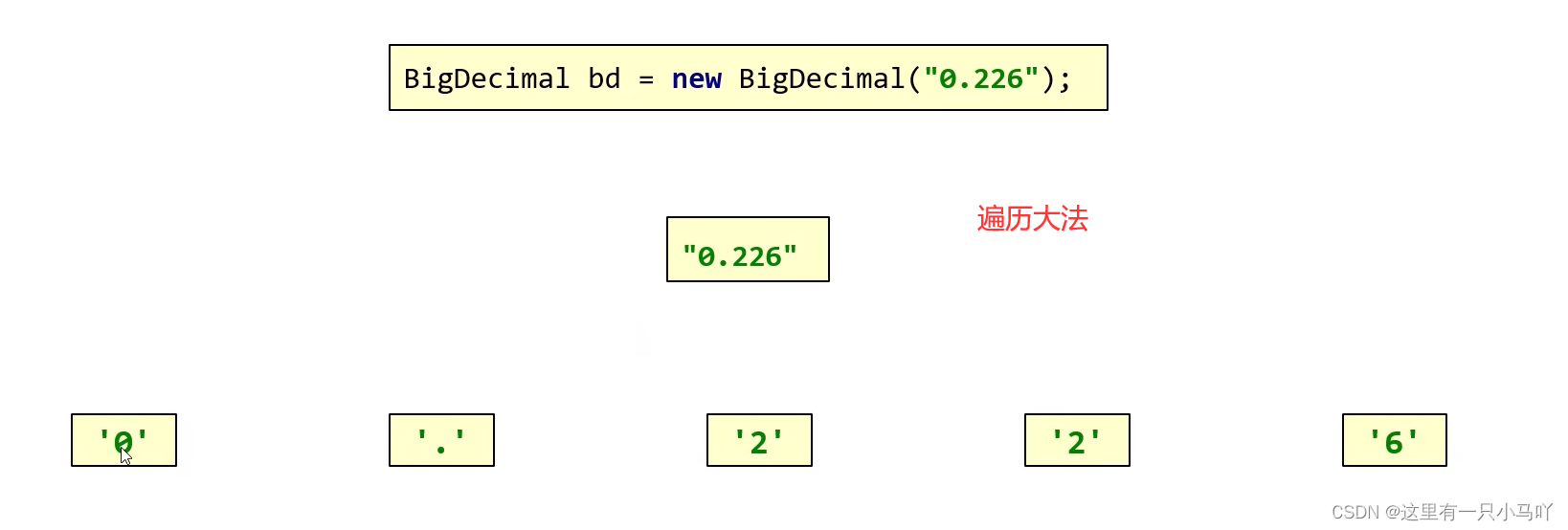
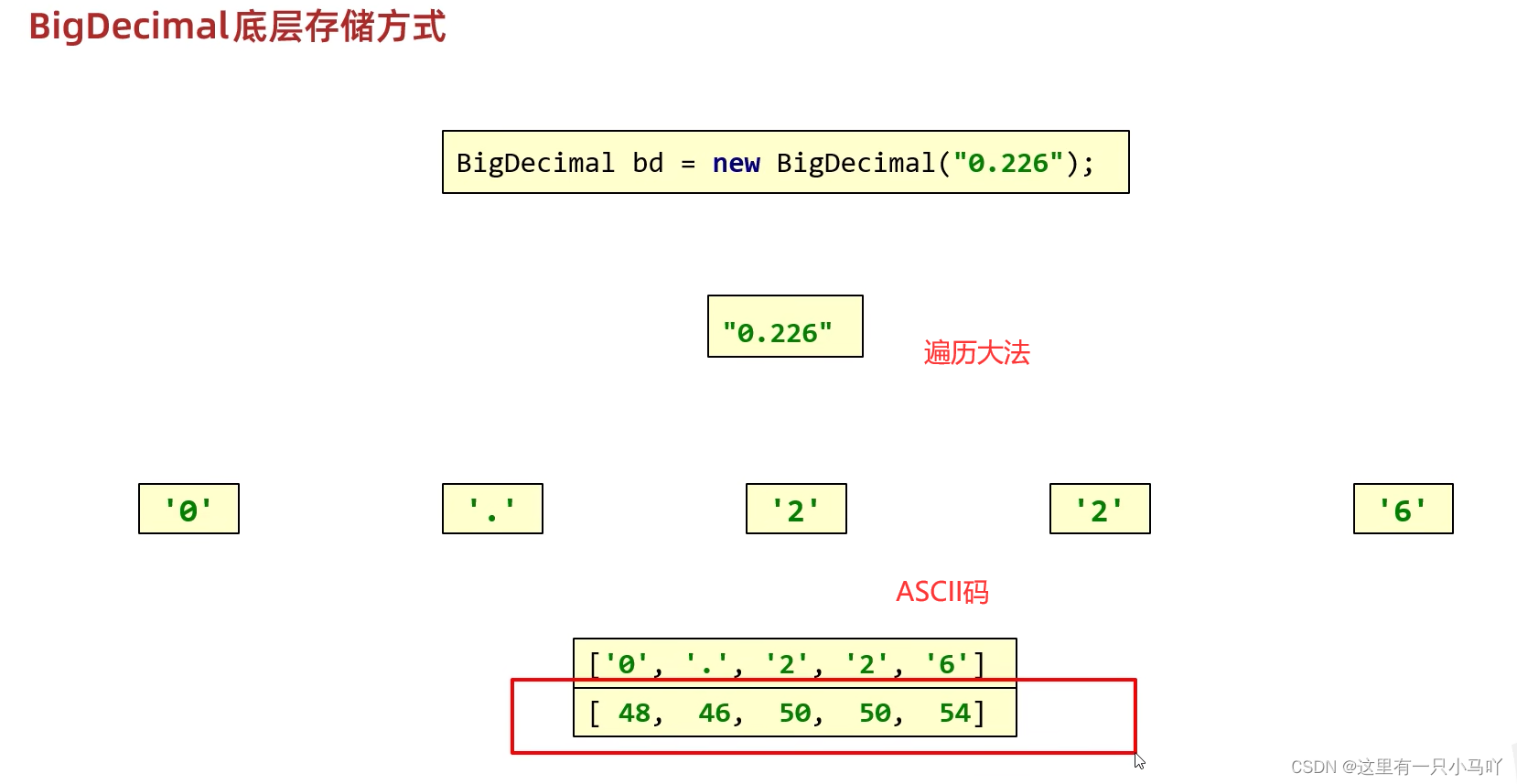
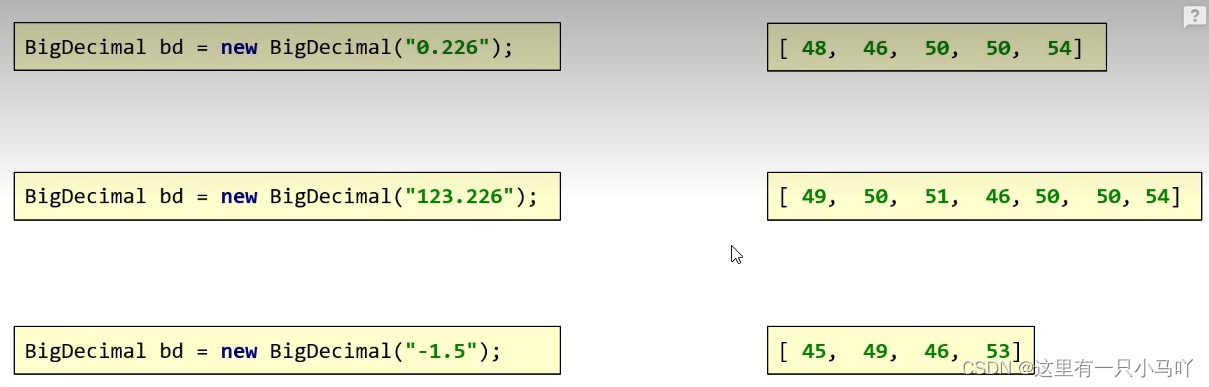
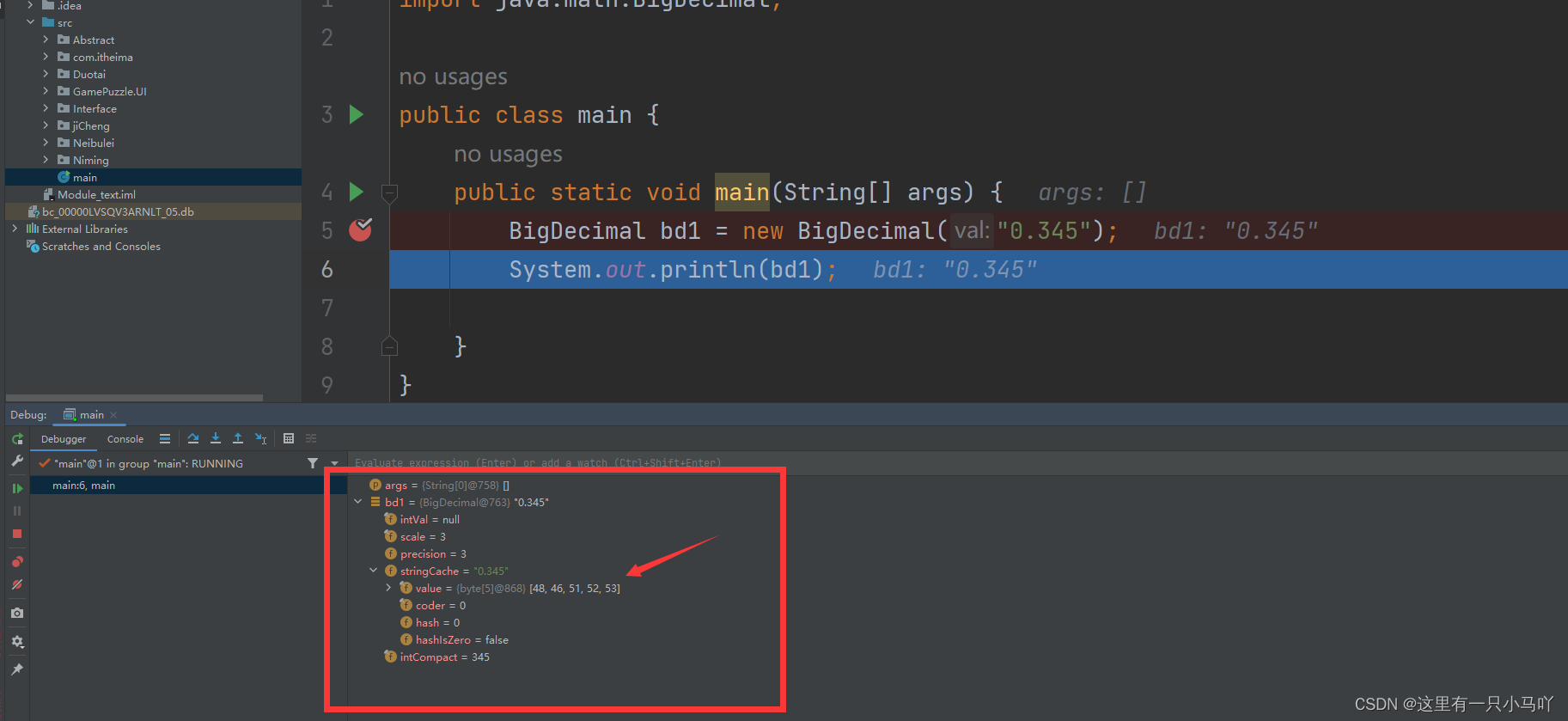
2.5.7 BigDecimal 底层存储方式
2.6 正则表达式 先爽一下正则表达式
1 2 3 4 5 6 7 8 9 10 11 12 13 14 15 16 17 18 19 import java.math.BigDecimal;public class main { public static void main (String[] args) { String qq = "1234868790" ; System.out.println(checkQQ(qq)); } public static boolean checkQQ (String qq) { int len = qq.length(); if (len <6 || len >20 ) {return false ;} if (qq.charAt(0 ) == '0' ){return false ;} for (int i = 0 ; i < len; i++) { char c= qq.charAt(i); if (c <'0' ||c >'9' ) return false ; } return true ; } }
正则表达式:
1 2 3 4 5 6 public class main { public static void main (String[] args) { String qq = "1234868790" ; System.out.println(qq.matches("[1-9]\\d{5,19}" )); } }
//校验用户名是否满足规则
正则表达式的作用
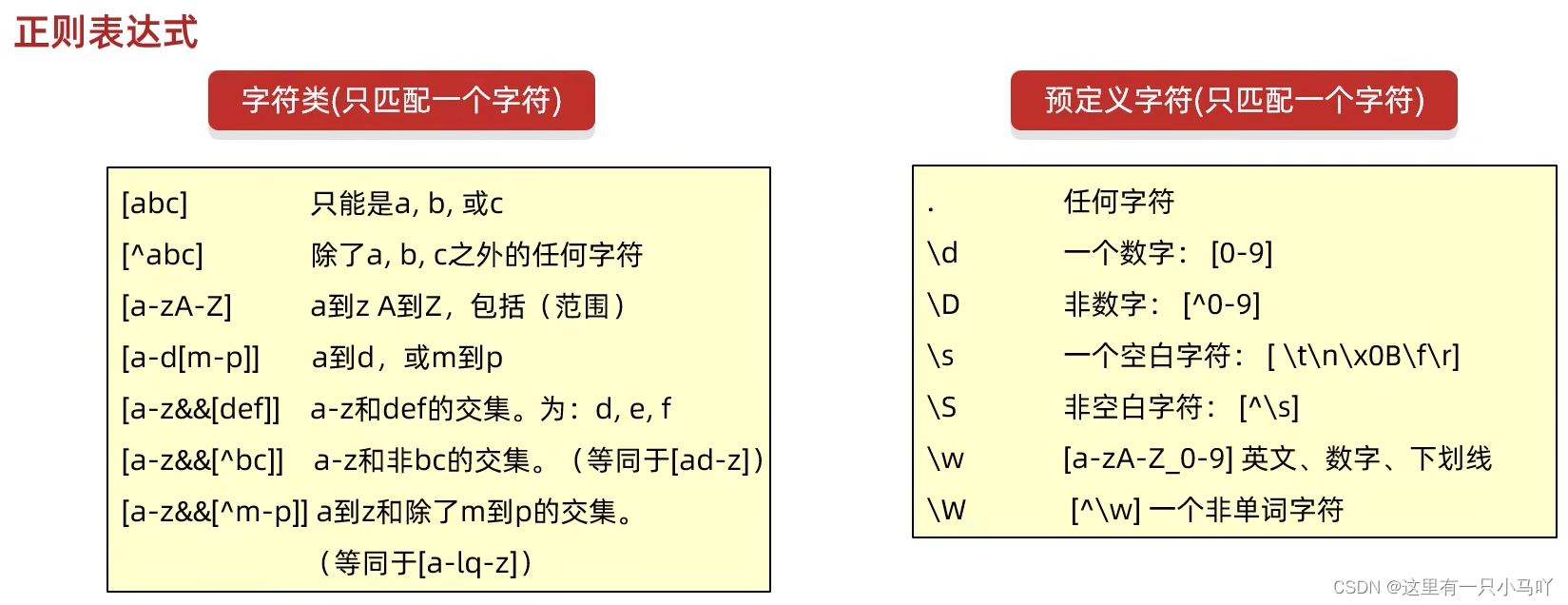
2.6.1 正则表达式——字符类 1 2 3 4 5 6 7 8 9 10 11 12 13 14 15 16 17 18 19 20 21 22 23 24 25 26 27 28 29 30 31 32 33 34 35 36 37 38 39 40 41 42 43 44 45 46 47 48 49 50 51 52 53 54 55 56 57 58 59 import java.math.BigDecimal;public class main { public static void main (String[] args) { System.out.println("---------1------------" ); System.out.println("a" .matches("[abc]" )); System.out.println("z" .matches("[abc]" )); System.out.println("ab" .matches("[abc]" )); System.out.println("ab" .matches("[abc][abc]" )); System.out.println("-------------2-----------" ); System.out.println("a" .matches("[^abc]" )); System.out.println("z" .matches("[^abc]" )); System.out.println("zz" .matches("[^abc]" )); System.out.println("zz" .matches("[^abc][^abc]" )); System.out.println("-----------3-----------" ); System.out.println("a" .matches("[a-zA-z]" )); System.out.println("z" .matches("[a-zA-Z]" )); System.out.println("aa" .matches("[a-zA-Z]" )); System.out.println("zz" .matches("[a-zA-Z]" )); System.out.println("0" .matches("[a-zA-Z]" )); System. out . println("----------4-------------" ); System . out .println("a" .matches("[a-d[m-p]]" )); System. out . println("d" .matches("[a-d[m-p]]" )); System. out . println("m" .matches("[a-d[m-p]]" )); System. out . println("p" .matches("[a-d[m-p]]" )); System. out . println("e" .matches("[a-d[m-p]]" )); System. out . println("0" .matches("[a-d[m-p]]" )); System.out.println("------------5-----------" ); System.out.println("&" .matches("[a-z&[def]]" )); System.out.println("a" .matches("[a-z&&[def]]" )); System.out.println("d" .matches("[a-z&&[def]]" )); System.out.println("0" .matches("[a-z&&[def]]" )); System.out.println("----------6---------" ); System.out.println("a" .matches("[a-z&&[^bc]]" )); System.out.println("b" .matches("[a-z&&[^bc]]" )); System.out.println("0" .matches("[a-z&&[^bc]]" )); System .out.println("-----------7-------------" ); System. out.println("a" . matches("[a-z&&[^m-p]]" )); System .out.println( "m" .matches("[a-z&&[^m-p]]" )); System. out.println( "0" .matches("[a-z&&[^m-p]]" )); } }
2.6.2 正则表达式——预定义
1 2 3 4 5 6 7 8 9 10 11 12 13 14 15 16 17 18 19 20 21 22 23 24 25 26 27 28 29 30 31 32 33 34 35 36 37 38 39 40 41 import java.math.BigDecimal;public class main { public static void main (String[] args) { System. out. println("-------------------------" ); System. out. println("你" . matches( ".." )); System. out. println("你a" .matches( ".." )); System. out. println("-------------------------" ); System. out. println("a" . matches("\\d" )); System. out. println("3" . matches("\\d" )); System. out. println("333" .matches("\\d" )); System. out. println("-------------------------" ); System. out. println("z" .matches( "\\w" )); System. out. println("2" .matches( "\\w" )); System. out. println("21" .matches( "\\w" )); System .out. println("你" .matches( "\\w" )); System. out. println("-------------------------" ); System .out.println("你" .matches("\\W" )); System. out. println("-------------------------" ); System. out. println("2442fsfsf" .matches("\\w{6,}" )); System .out .println( "244f" . matches( "\\W{6,}" )); System. out. println("-------------------------" ); System. out .println( "23dF" .matches("[a-zA-Z0-9]{4}" )); System .out. println("23_ F" .matches("[a-zA-Z0-9]{4}" )); System. out .println( "23dF" .matches("[\\w&&[^_]]{4}" )); System .out .println("23_ F" . matches("[\\w&&[^_]]{4}" )); } }
2.6.3 正则表达式练习
需求:
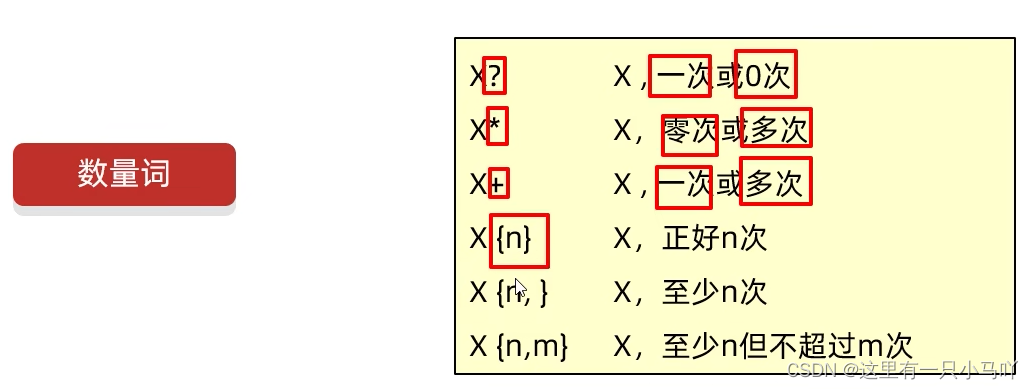
1 2 3 4 5 6 7 8 9 10 11 12 13 14 15 16 17 18 19 20 21 22 23 24 25 26 27 28 29 30 31 32 33 34 35 36 37 38 39 40 41 42 43 44 45 46 47 48 49 50 51 52 53 54 55 56 57 58 59 60 61 public class main { public static void main (String[] args) { String regex1 = "1[3-9]\\d{9}" ; System. out. println("13112345678" . matches (regex1)); System. out. println( "13712345667" . matches(regex1)); System. out. println( "13945679027" . matches(regex1)); System. out. println( "139456790271" . matches(regex1)); } } public class main { public static void main (String[] args) { String regex2 = "0\\d{2,3}-?[1-9]\\d{4,9}" ; System.out.println("020-2324242" . matches(regex2)); System.out.println("02122442" . matches (regex2)); System.out.println("027-42424" . matches (regex2)); System.out.println("0712-3242434" .matches (regex2)); } } public class main { public static void main (String[] args) { String regex3 = "\\w+@[\\w&&[^_ ]]{2,6}(\\.[a-zA-z]{2,3}){1,2}" ; System . out. println("3232323@qq.com" . matches (regex3)); System . out. println("zhangsan@itcast.cnn" . matches (regex3)); System. out . println("d1ei0009@163.com" . matches(regex3)); System. out . println("d1ei0009@pci.com.cn" . matches(regex3)); } }
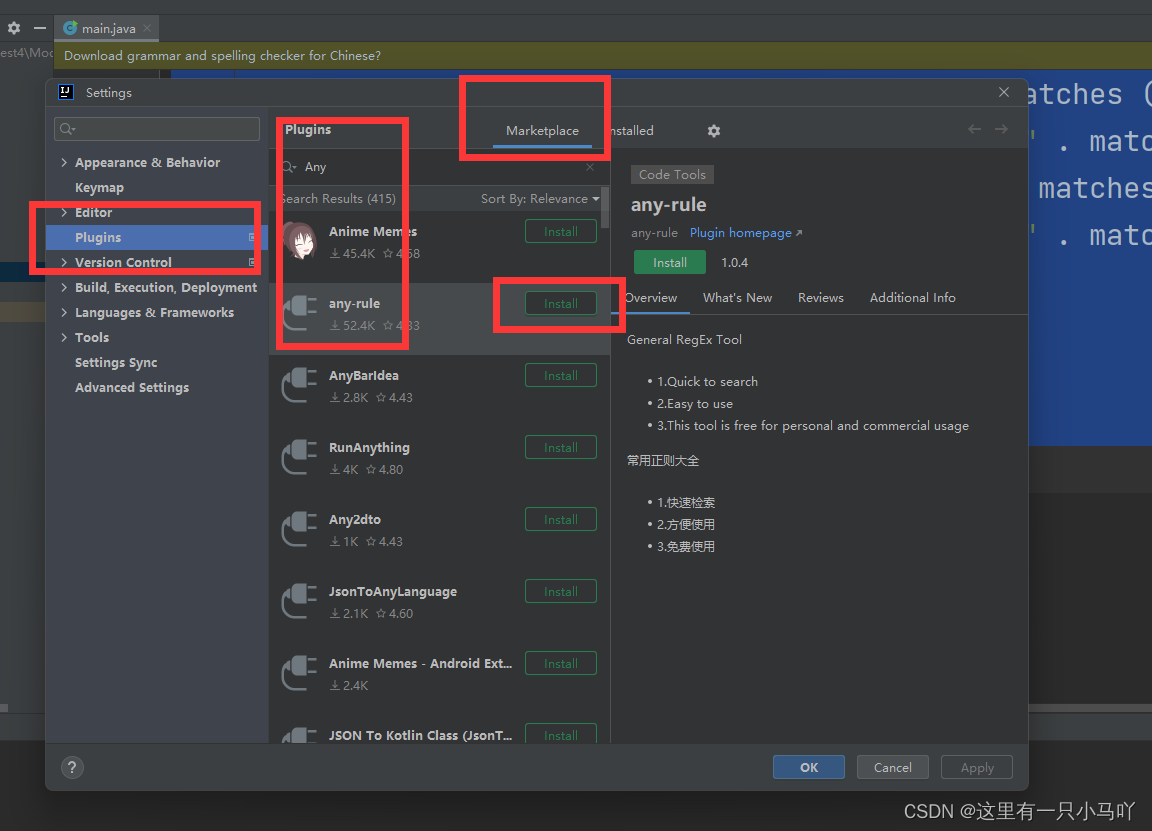
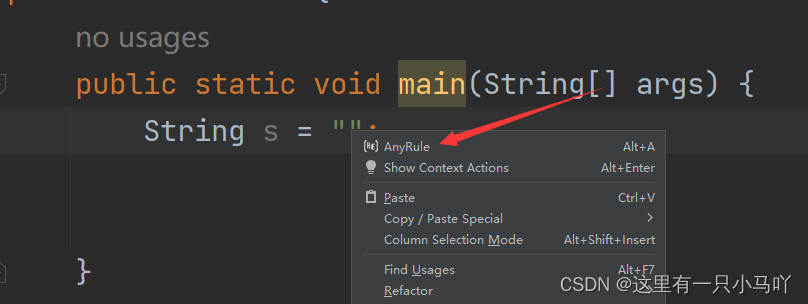
下载anyrule 不用自己写了
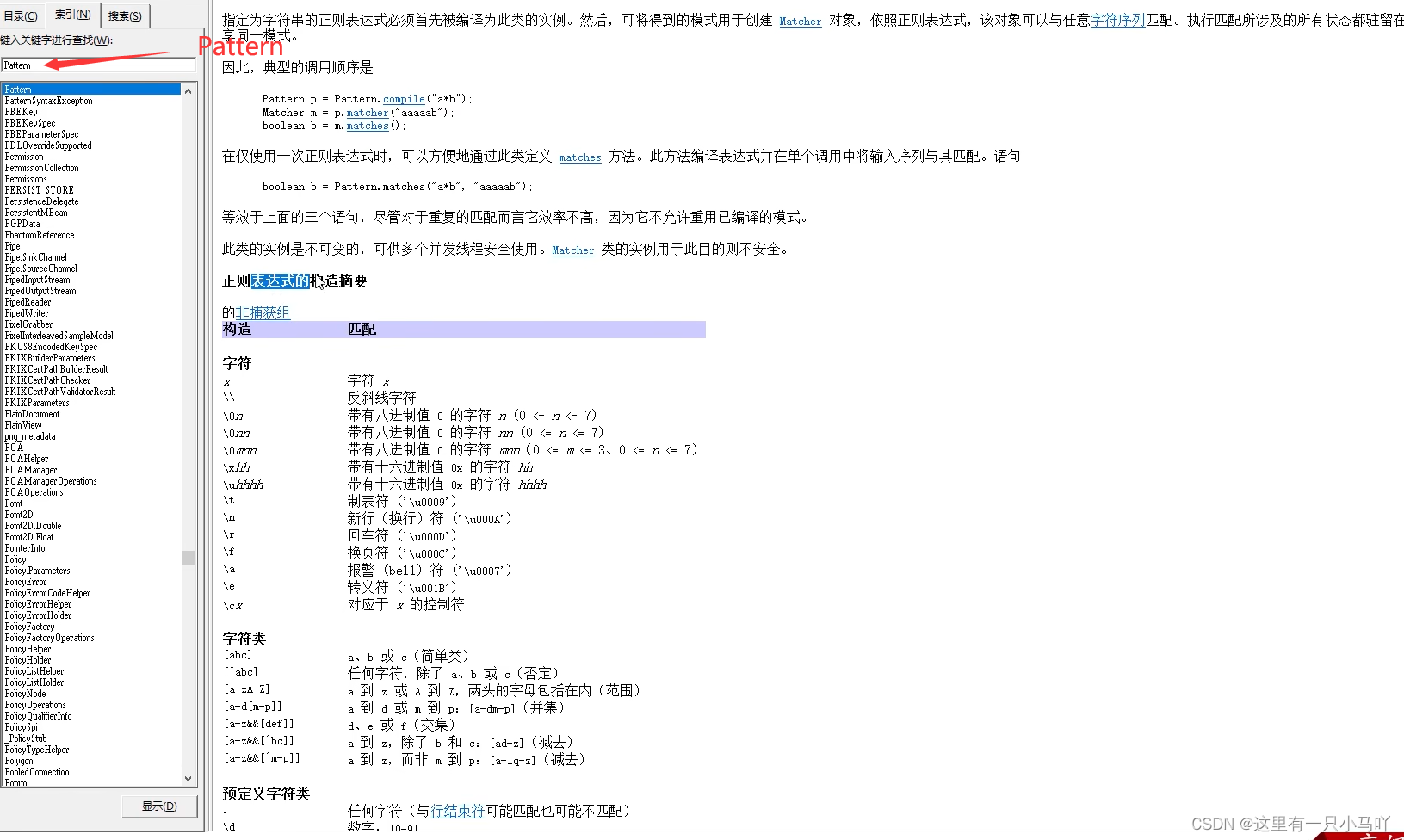
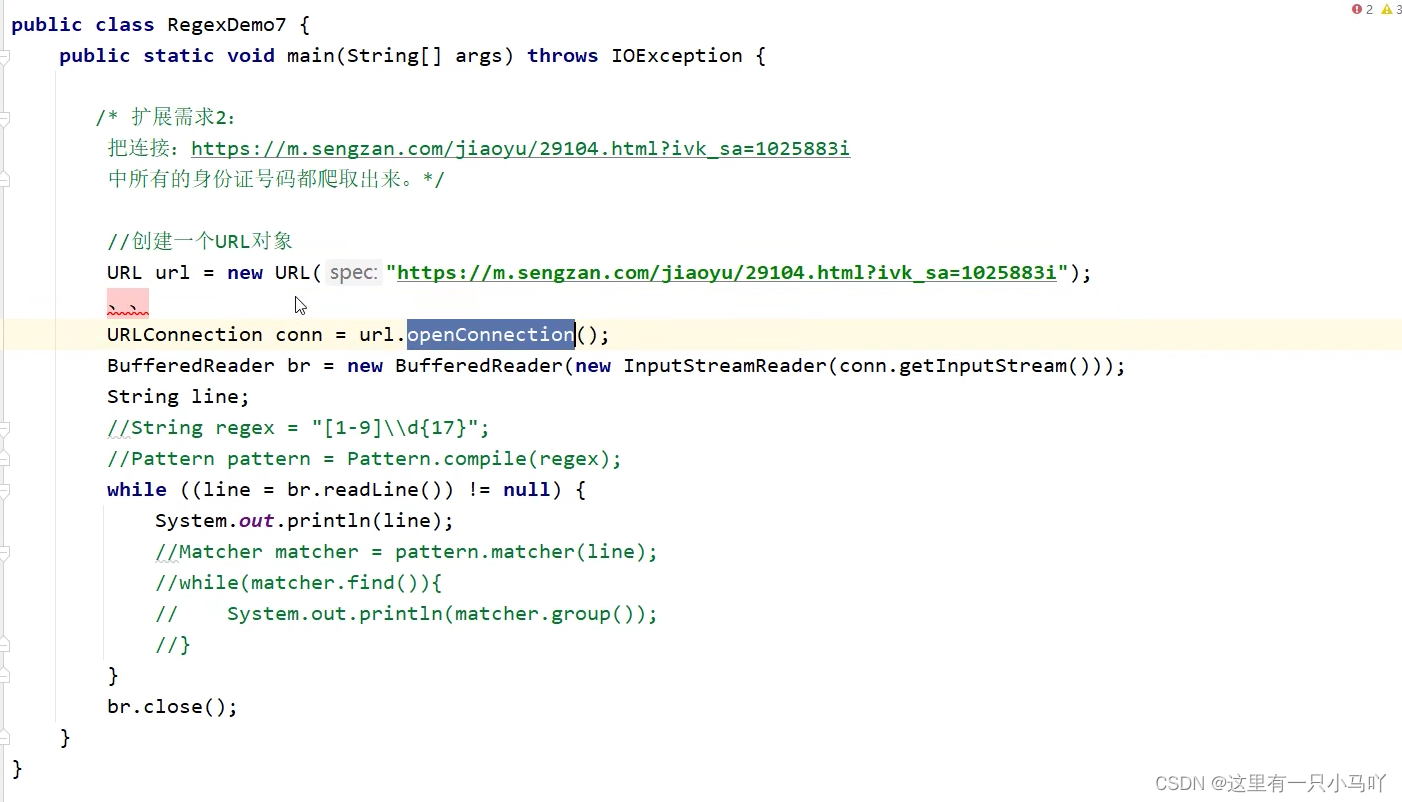
2.6.4 爬虫 1 2 3 4 5 6 7 8 9 10 11 12 13 14 15 16 17 18 19 20 21 22 import java.util.regex.Matcher;import java.util.regex.Pattern;public class main { public static void main (String[] args) { String str = "Java自从95年问世以来,经历了很多版本,目前企业中用的最多的是Java8和Java11, " + "因为这两个是长期支持版本,下一个长期支持版本是Java17,相信在未来不久Java17也会逐渐登上历史舞台" ; Pattern p = Pattern.compile("Java\\d{0,2}" ); Matcher m = p.matcher(str); while (m. find()) { String s = m.group(); System.out.println(s); } } }
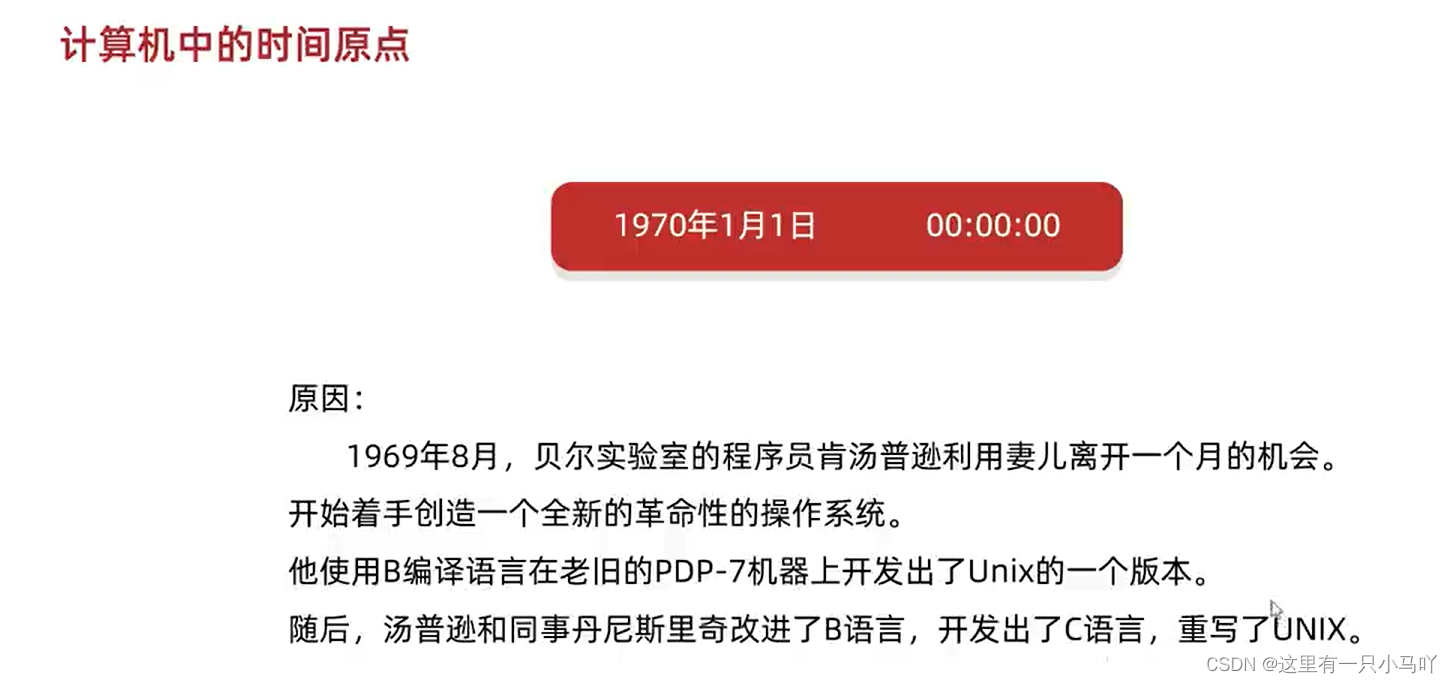
2.7 JDK7时间 2.7.1 Date时间
全世界的时间,有一个统一的计算标准——格林尼治时间/格林威治时间(Greenwich Mean Time)简称GMT
全世界的时间,有一个统一的计算标准——原子钟
Date类是一个JDK写好的Javabean类,用来描述时间,精确到毫秒。
利用空参构造创建的对象,默认表示系统当前时间。
利用有参构造创建的对象,表示指定的时间。
1 2 3 4 public Date ( ) 创建Date对象,表示当前时间public Date (long date) 创建Date对象,表示指定时间public void setTime (long time) 设置/修改亳秒值public long getTime ( ) 获取时间对象的毫秒值
学会掌握上述方法
1 2 3 4 5 6 7 8 9 10 11 import java.util.Date;public class main { public static void main (String[] args) { Date d1 = new Date (0L ); Long time = d1.getTime(); time = time+ 1000L *60 *60 *24 *365 ; d1.setTime(time); System.out.println(d1); } }
比较两个时间谁在前
1 2 3 4 5 6 7 8 9 10 11 12 13 14 15 16 17 18 19 20 21 22 23 24 25 26 27 28 import java.text.SimpleDateFormat;import java.util.Date;public class main { public static void main (String[] args) { SimpleDateFormat sdf1 = new SimpleDateFormat (); Date d1 = new Date (0L ); String str1 = sdf1.format(d1); System.out.println(str1); SimpleDateFormat sdf2 = new SimpleDateFormat ("yyyy年MM月dd日 HH:mm:ss" ); String str2 = sdf2.format(d1); System.out.println(str2); } } Lobster AIjava运行123456789101112131415 import java.text.ParseException;import java.text.SimpleDateFormat;import java.util.Date;public class main { public static void main (String[] args) throws ParseException { String str = "2222-02-22 02:22:22" ; SimpleDateFormat sdf1 = new SimpleDateFormat ("yyyy-MM-dd HH:mm:ss" ); Date date = sdf1.parse(str); System.out.println(date); } }
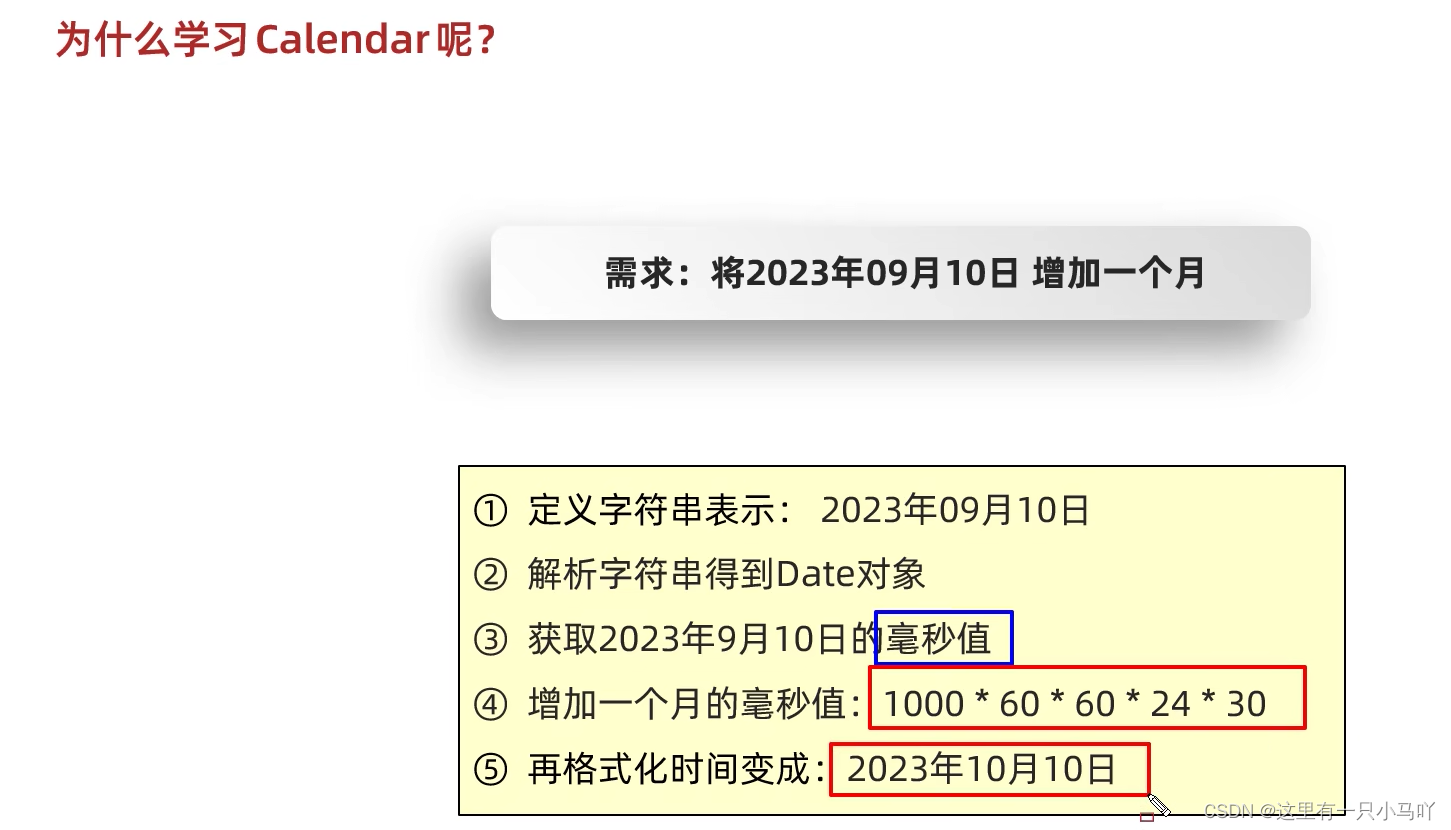
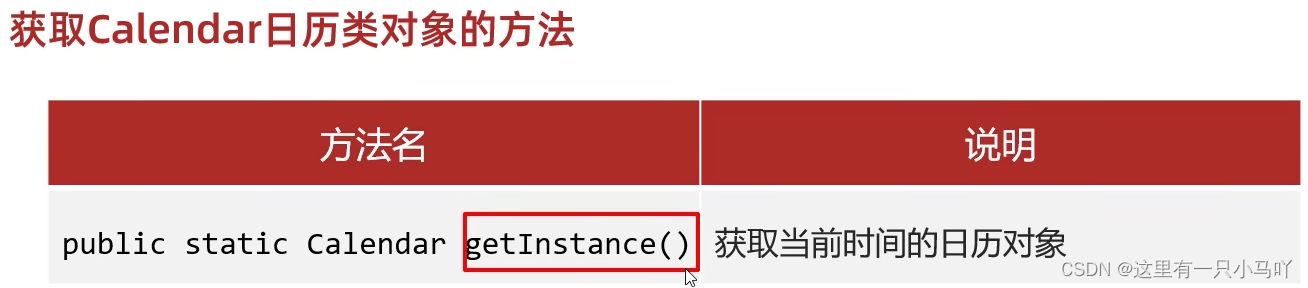
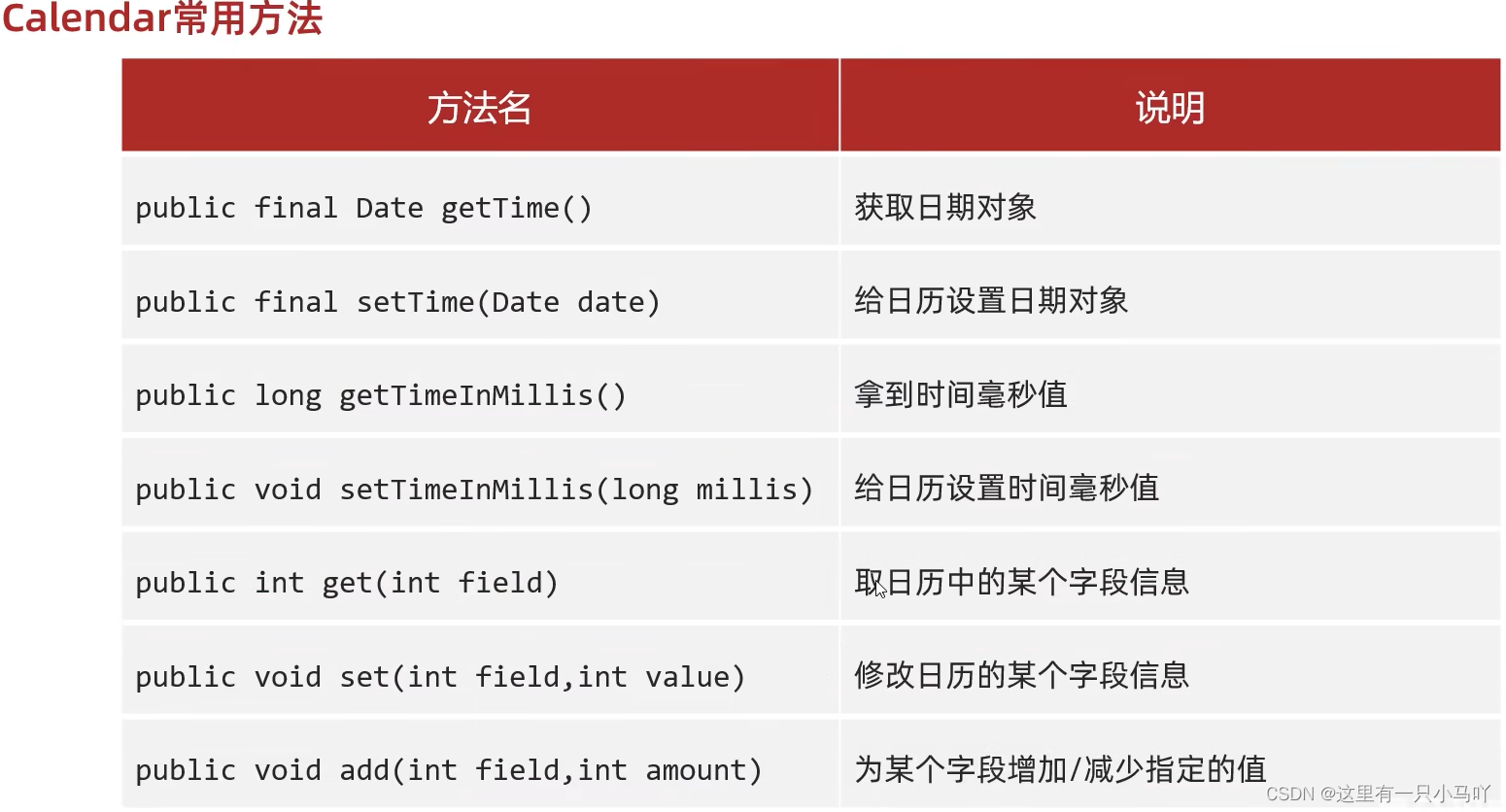
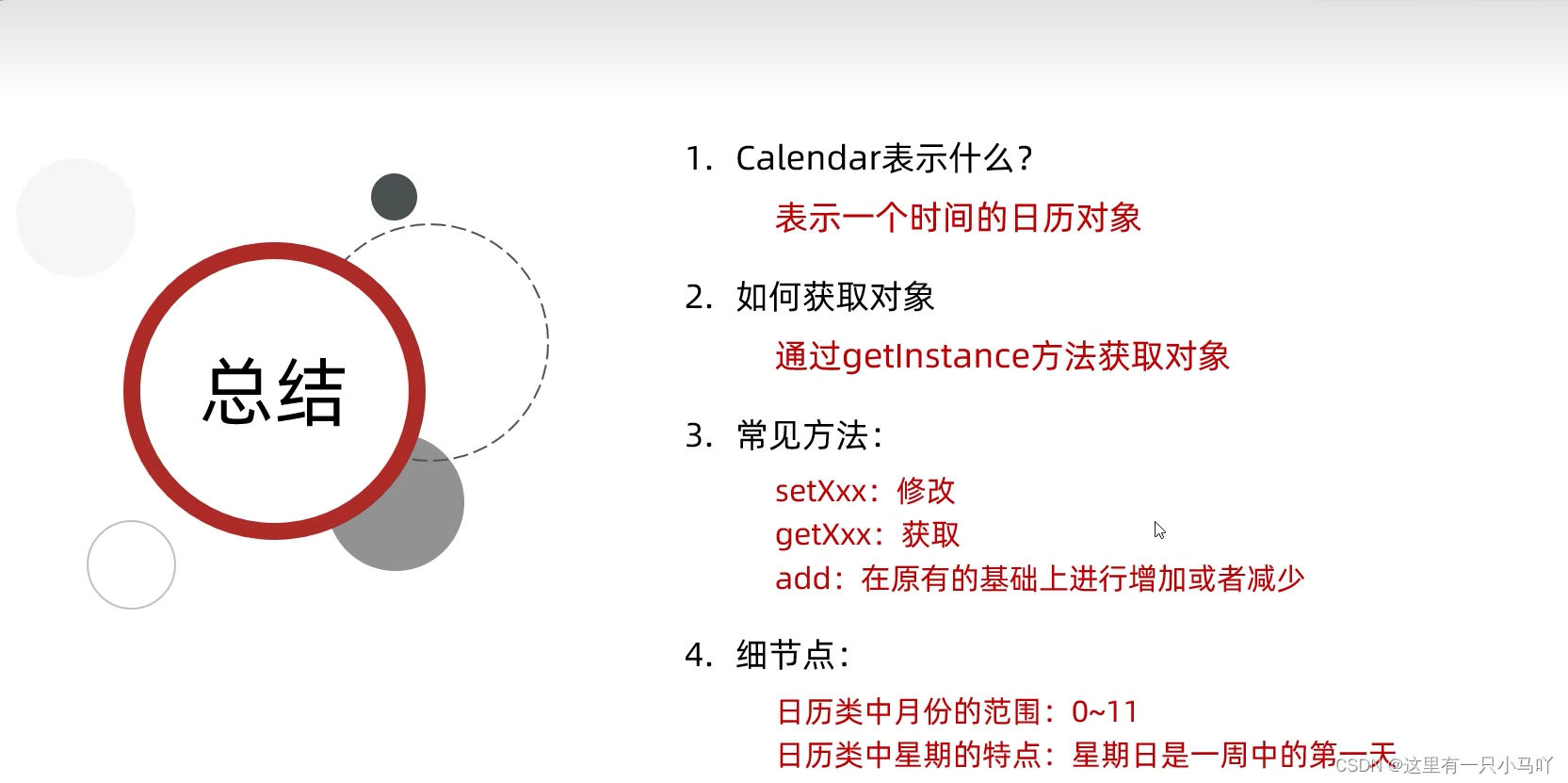
2.7.3 Calendar日历
1 2 3 4 5 6 7 8 9 10 11 12 13 14 15 16 17 18 19 20 21 22 23 24 25 26 27 import java.text.ParseException;import java.text.SimpleDateFormat;import java.util.Calendar;import java.util.Date;public class main { public static void main (String[] args) throws ParseException { Calendar c= Calendar.getInstance(); Date d = new Date (0L ); c.setTime(d); System.out.println(c); int year = c.get(1 ); int month = c.get(2 ) + 1 ; int date = c.get(5 ); System. out. println(year + "," + month + "," + date); } }
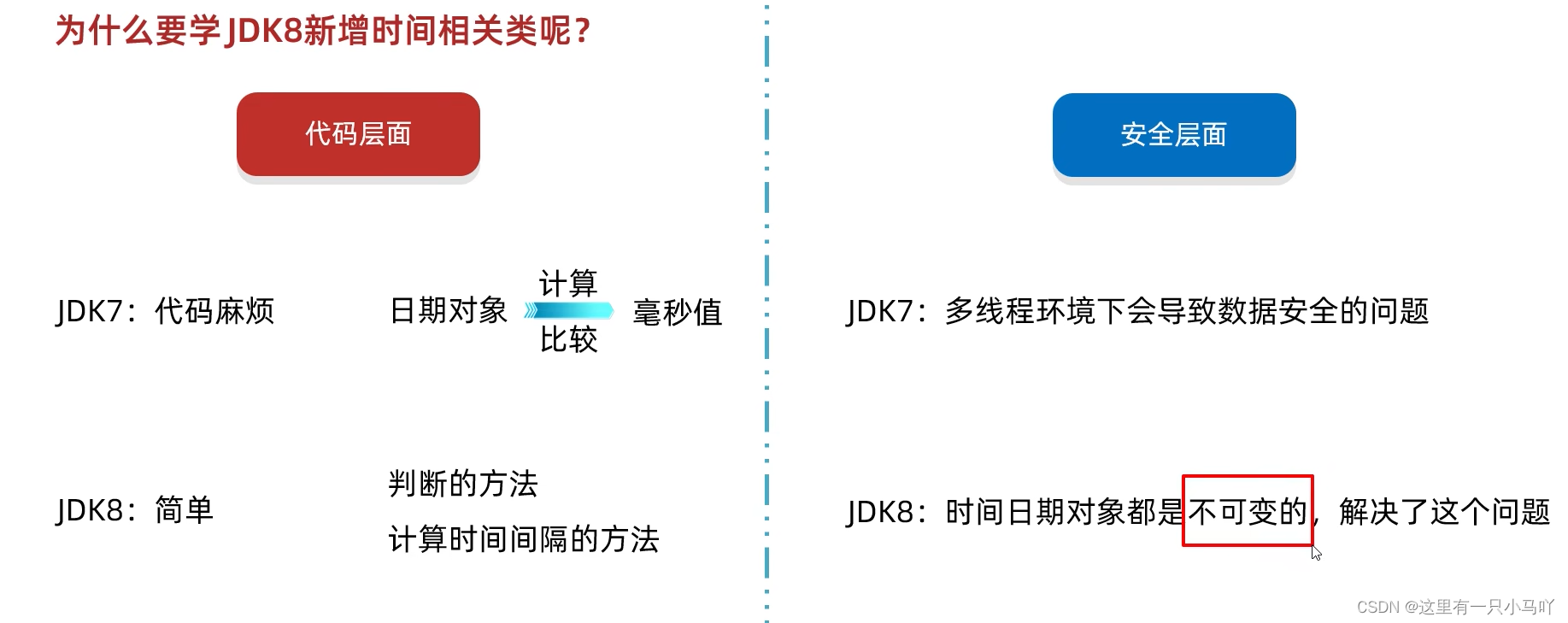
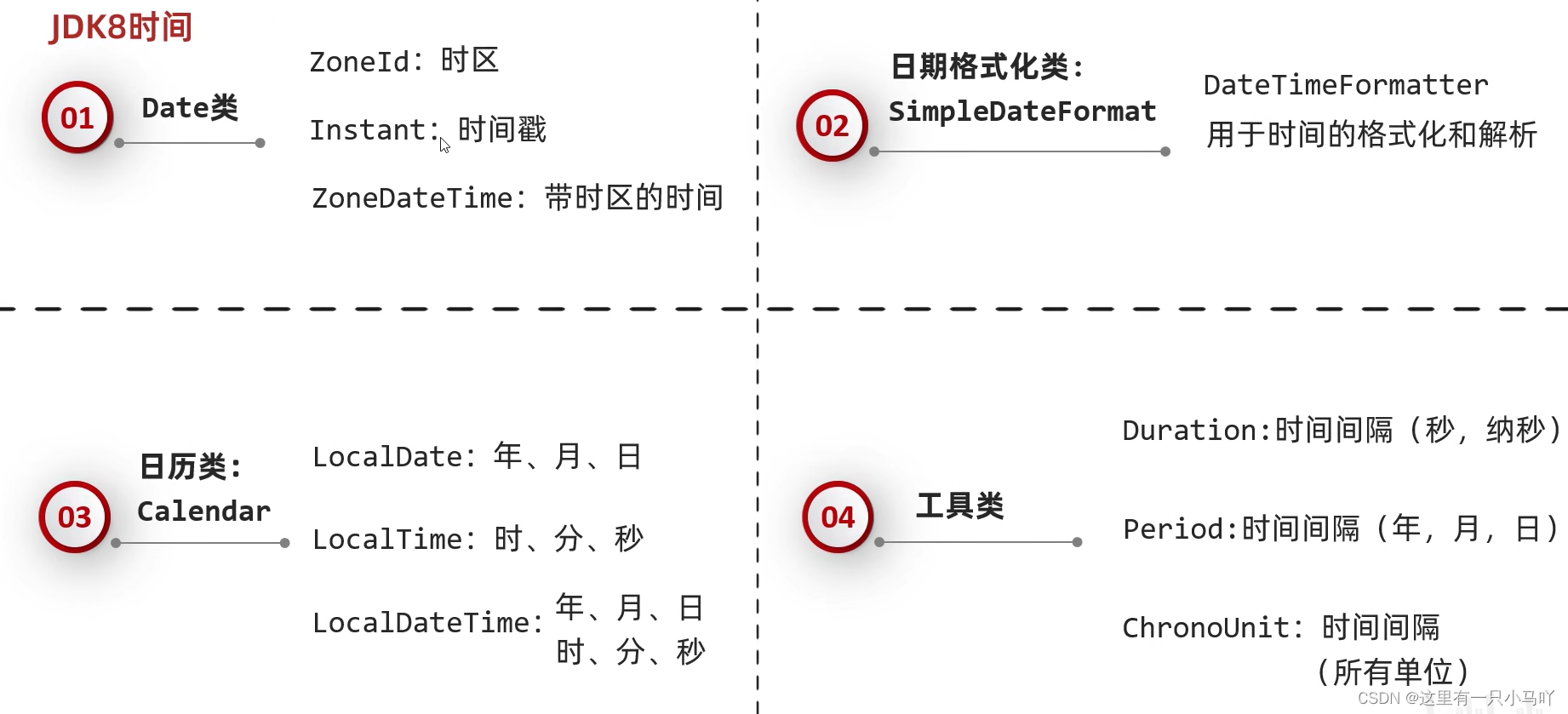
2.8 JDK8时间 JDK8新增时间相关类
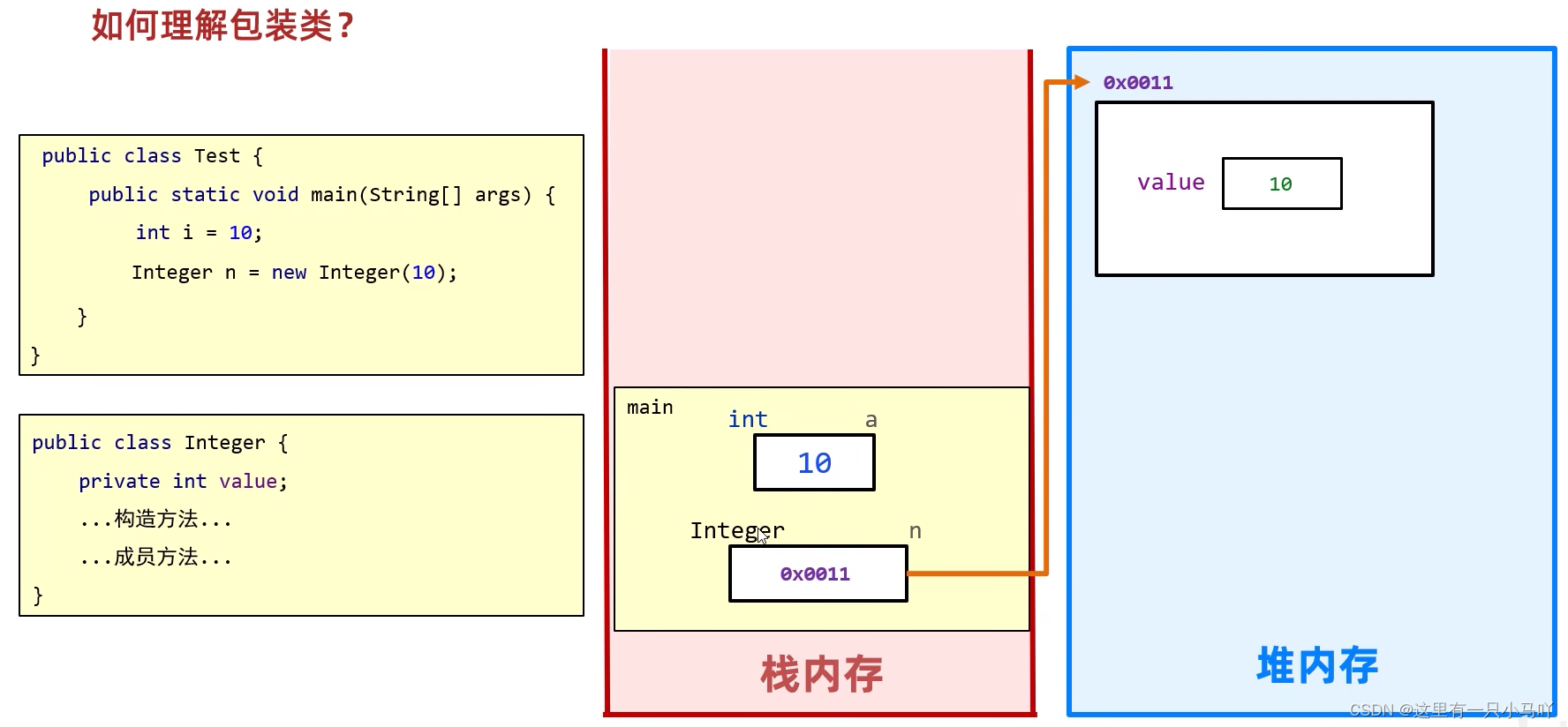
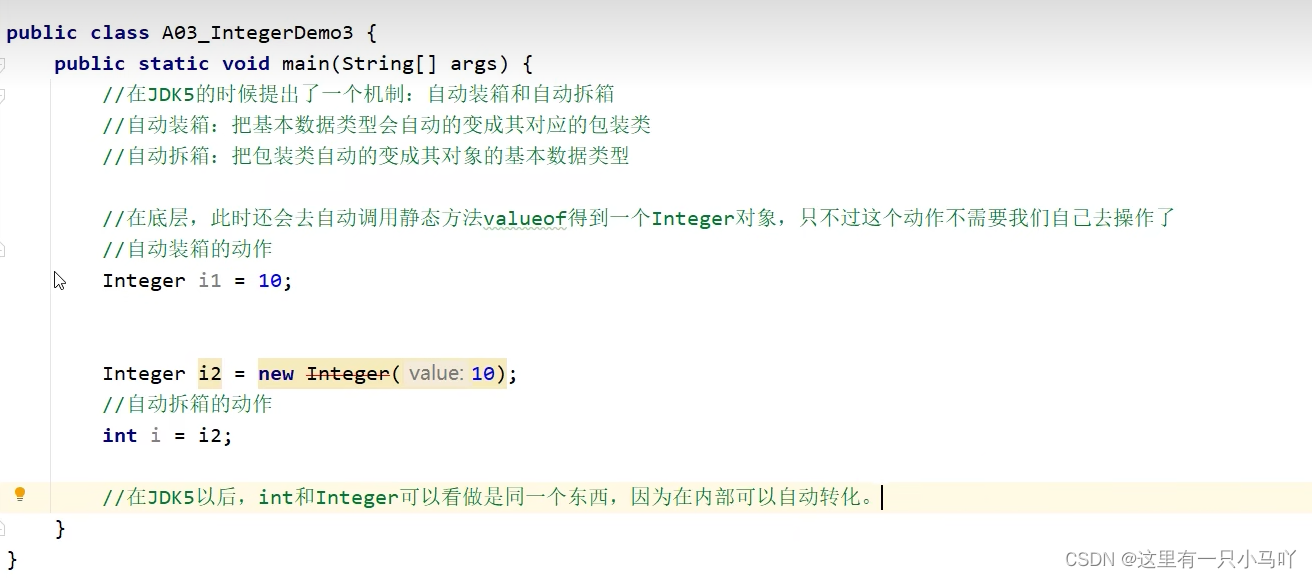
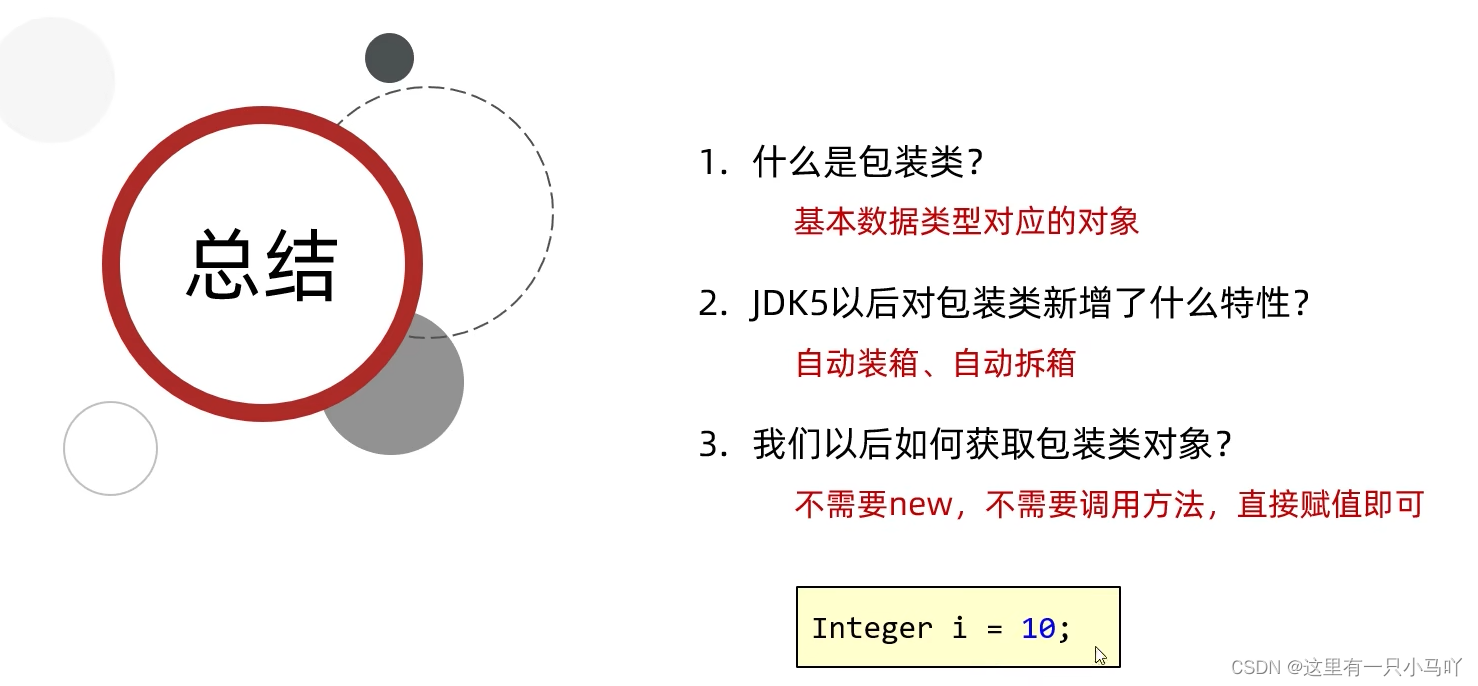
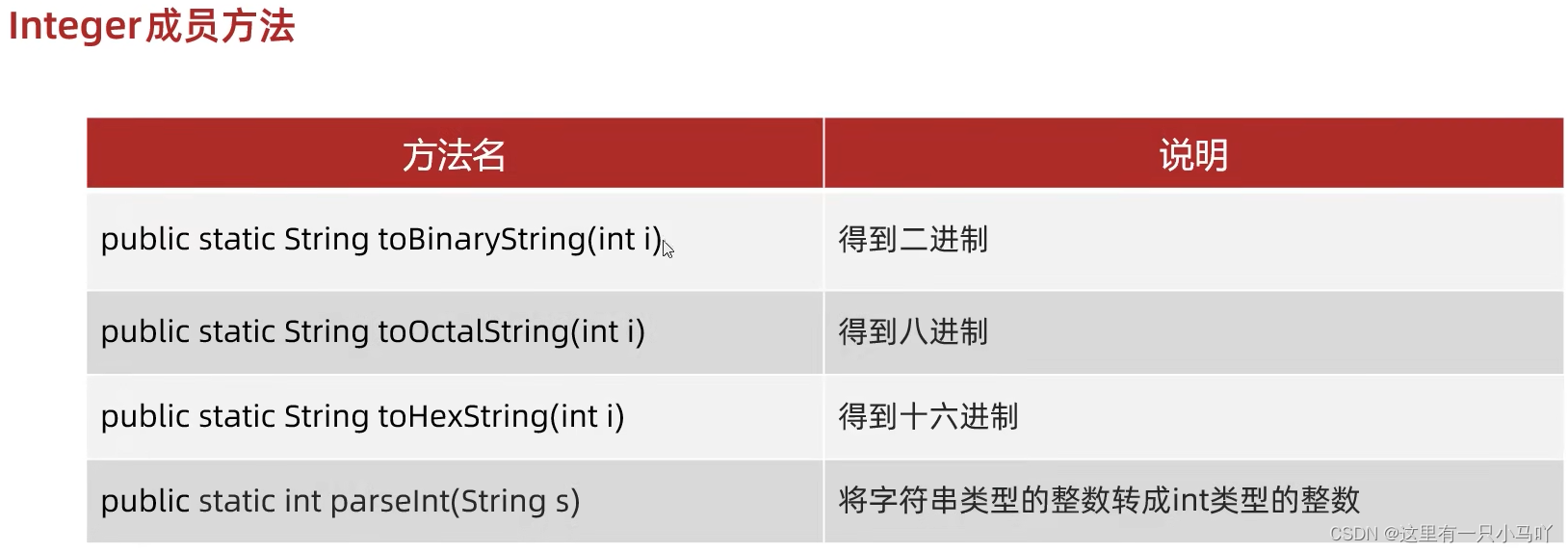
2.9 包装类
包装类:用一个对象,把基本数据类型 给包起来
1 2 3 4 5 6 7 8 9 10 11 12 13 14 15 16 17 18 19 20 21 22 23 24 25 26 27 28 29 30 31 32 33 34 35 36 37 public class main { public static void main (String[] args) { String str1 = Integer.toBinaryString(123 ); System.out.println(str1); String str2 = Integer.toOctalString(123 ); System.out.println(str2); String str3 = Integer.toHexString(123 ); System.out.println(str3); } } import java.util.Scanner;public class main { public static void main (String[] args) { Scanner sc = new Scanner (System.in); System. out. println("请输入一个字符串" ); String str = sc.nextLine(); System.out.println(str); } }















 微信
微信 支付宝
支付宝