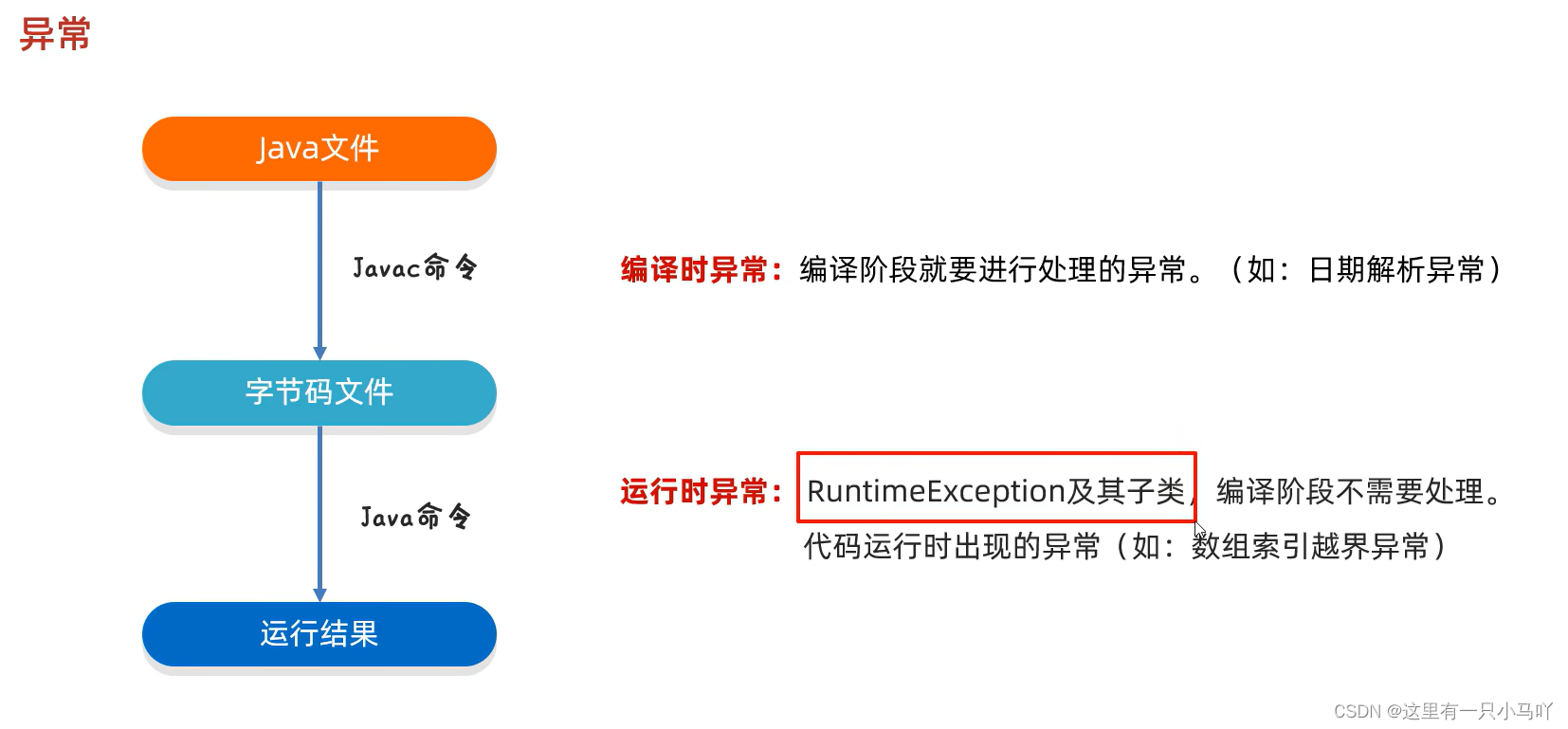
黑马程序员Java零基础视频教程_下部(P52-P134)学习笔记 1. 异常 1.1 异常体系介绍 异常:异常就是代表程序出现的问题
误区:不是让我们以后不出异常,而是程序出了异常之后,该如何处理
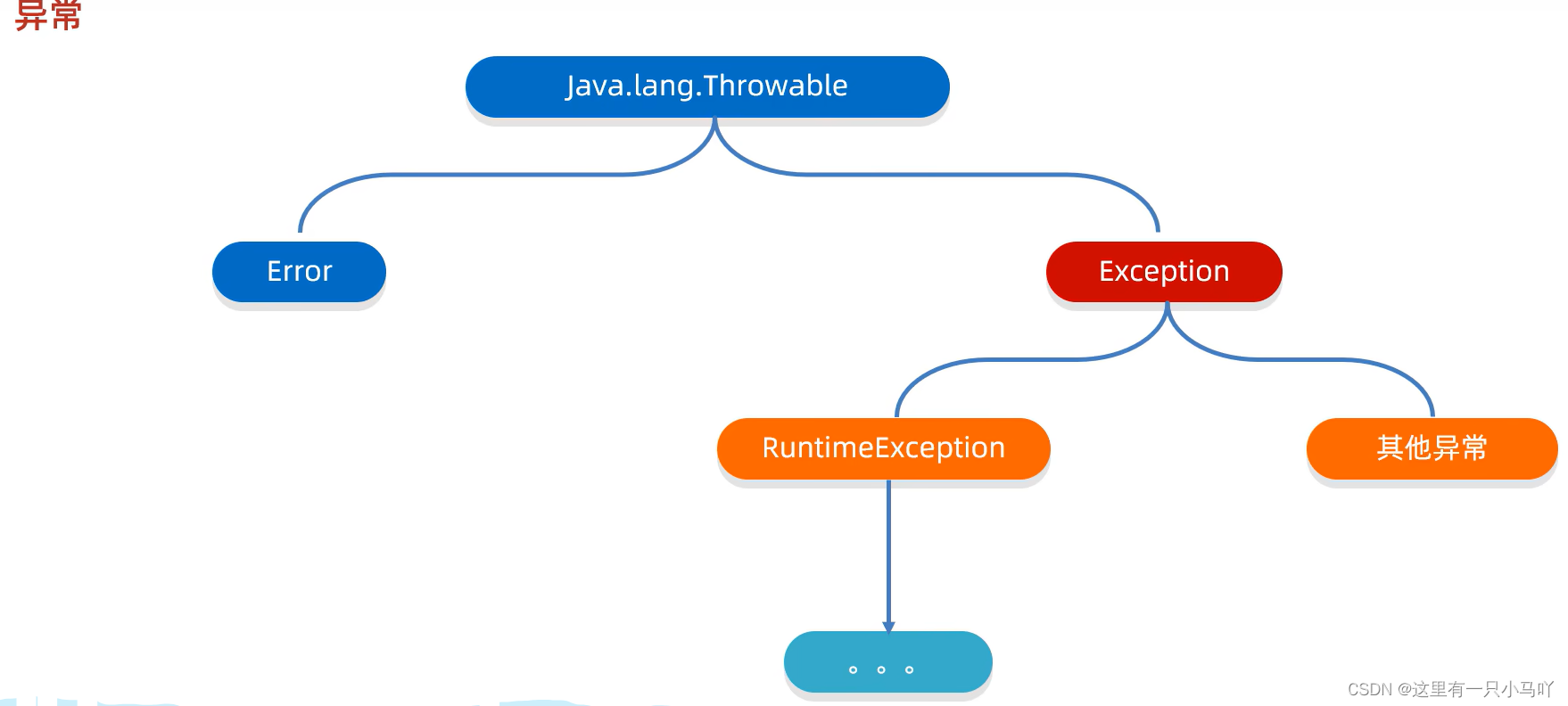
RuntimeException及其子类 ,编译阶段不会出现异常提醒。
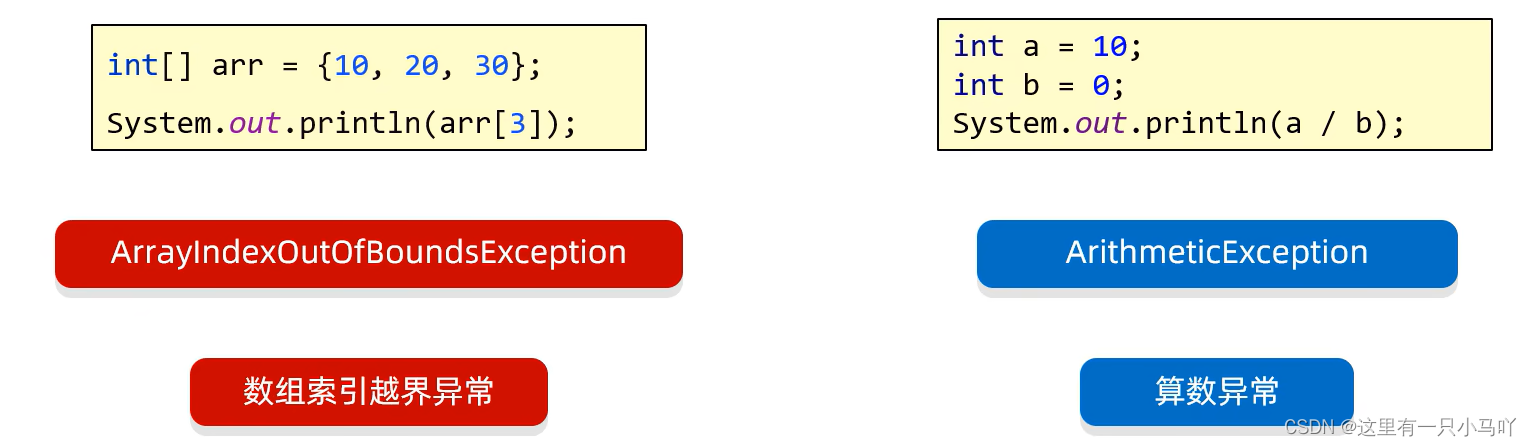
运行时出现的异常 如:数组索引越界异常
编译时异常:编译阶段就会出现异常提醒的。如: 日期解析异常
1.2 编译时异常和运行时异常 编译时异常
1
2
3
4
5
6
7
8
9
10
11
12
13
14
15
import java.text.ParseException;import java.text.SimpleDateFormat;import java.util.*;import java.lang.String;public class main { public static void main (String[] args) throws ParseException { String time = "2030年1月1日" ; SimpleDateFormat sdf = new SimpleDateFormat ("yyyy年MM月dd日" ); Date date = sdf.parse(time); System.out.println(date); } }
运行时异常
1.3 异常在代码中的两个作用 异常的作用
作用一:异常是用来查询bug的关键参考信息
作用二:异常可以作为方法内部的一种特殊返回值 ,以便通知调用者底层的执行情况
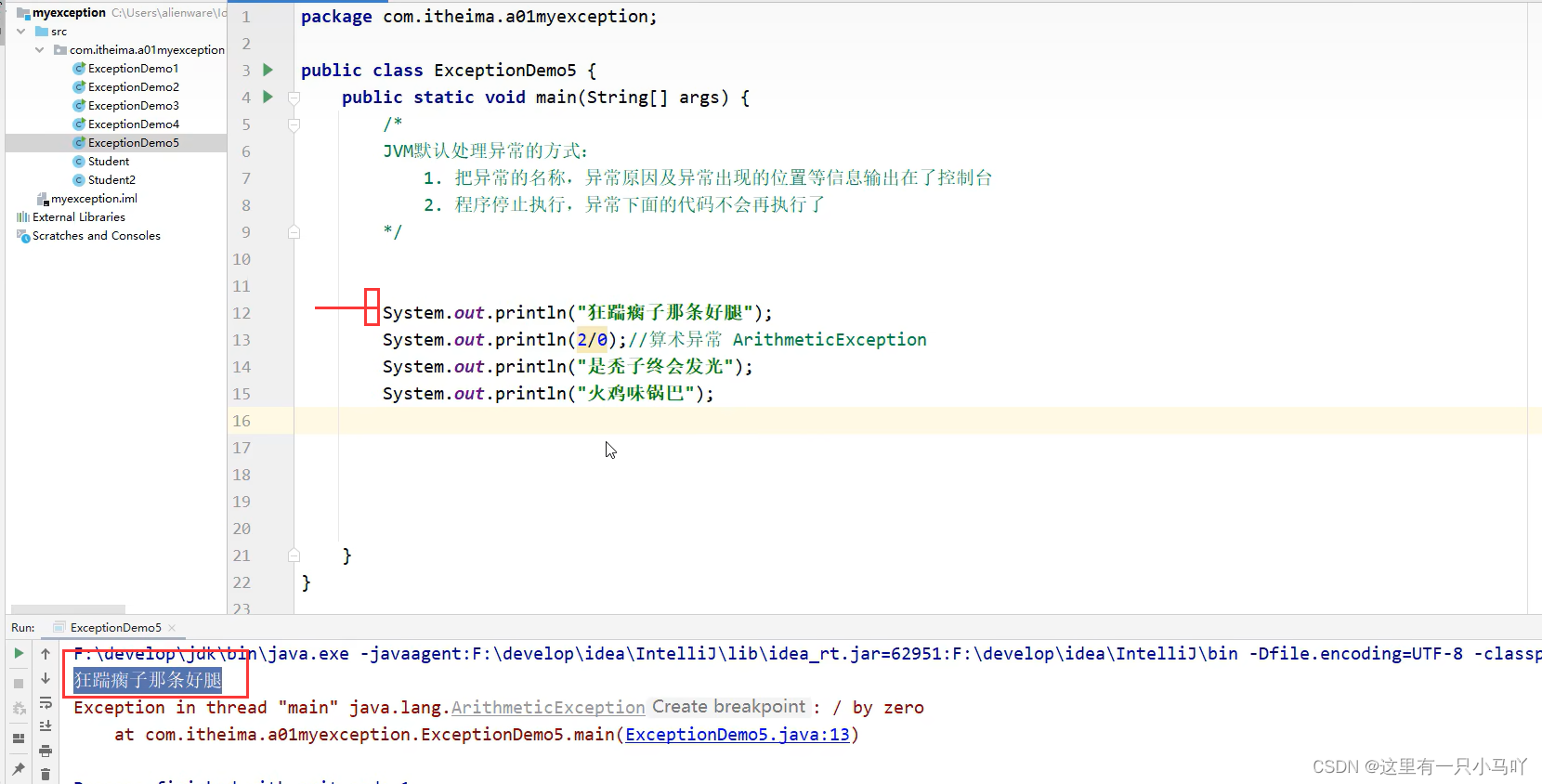
1.4 JVM虚拟机 默认处理异常的方式
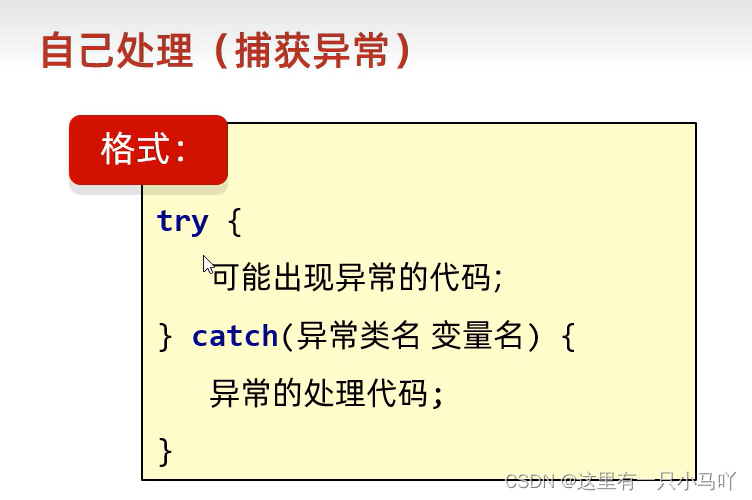
1.5 try…catch捕获异常
1
2
3
4
5
6
7
8
9
10
11
12
13
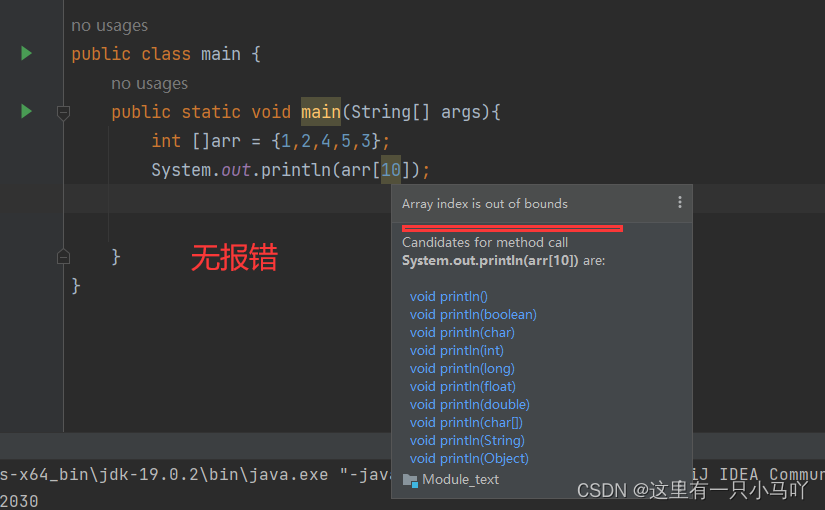
import java.lang.String;public class main { public static void main (String[] args) { int []arr = {1 ,2 ,4 ,5 ,3 }; try { System.out.println(arr[10 ]);} catch (ArrayIndexOutOfBoundsException e){ System.out.println("索引越界了" ); } System.out.println("执行了嘛" ); } }
1.6 捕获异常灵魂四问(①②) 灵魂一问:如果try中没有遇到问题,怎么执行?
1
2
3
4
5
6
7
8
9
10
11
12
13
import java.lang.String;public class main { public static void main (String[] args) { int []arr = {1 ,2 ,4 ,5 ,3 }; try { System.out.println(arr[1 ]);} catch (ArrayIndexOutOfBoundsException e){ System.out.println("索引越界了" ); } System.out.println("执行了嘛" ); } }
会把try里面所有的代码全部执行完毕,不会执行catch
灵魂二问:如果try中可能会遇到多个问题,怎么执行?
1
2
3
4
5
6
7
8
9
10
11
12
13
14
15
16
import java.lang.String;public class main { public static void main (String[] args) { int []arr = {1 ,2 ,4 ,5 ,3 }; try { System.out.println(arr[10 ]); System.out.println(2 /0 ); } catch (ArrayIndexOutOfBoundsException e){ System.out.println("索引越界了" ); } System.out.println("执行了嘛" ); } }
多个问题 多个catch
如果我们要捕获多个异常,这些异常中如果存在父子关系的话,那么父类一定要写在下面
了解性:
1.7 捕获异常灵魂四问(③④) 灵魂三问:如果try中遇到的问题没有被捕获,怎么执行?
如果没有捕获,此时相当于白写try catch 还是让虚拟机处理 ,然后运行的时候出错。
灵魂四问:如果try中遇到了问题,那么try下面的其他代码还会执行吗?
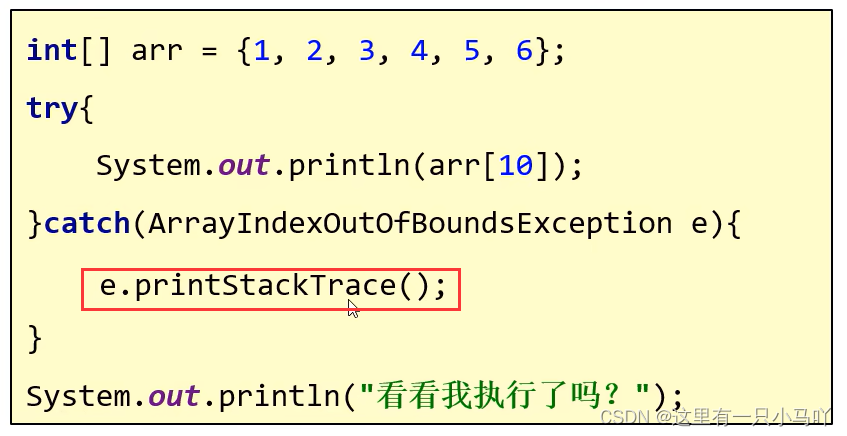
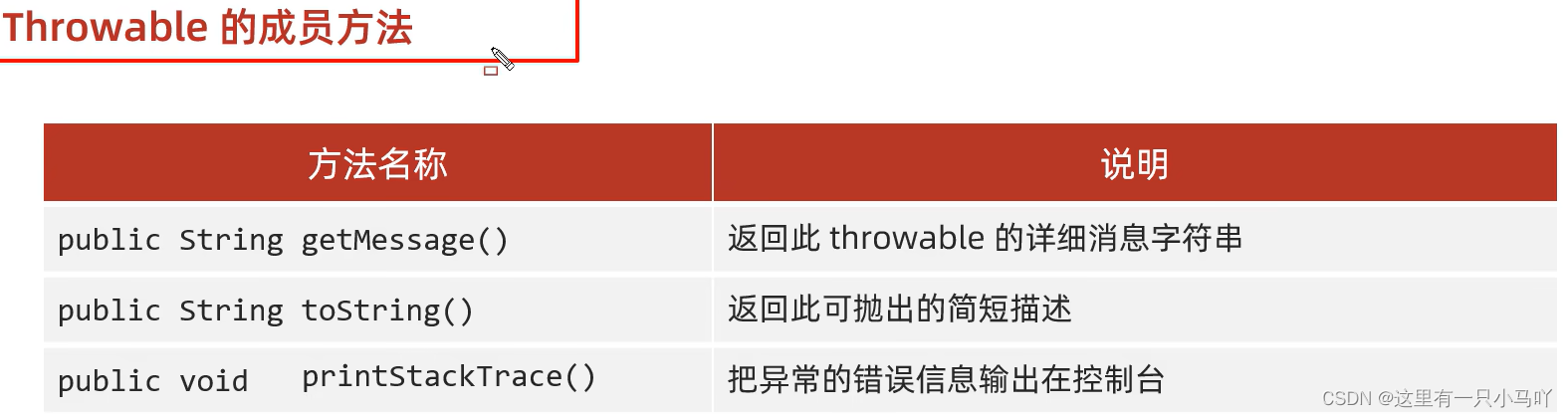
1.8 异常中的常见方法 以上的处理 我们只是输出一个文字,但是现实不是这样的。
1
2
3
4
5
6
7
8
9
10
11
12
13
14
15
16
17
18
19
import java.lang.String;public class main { public static void main (String[] args) { int []arr = {1 ,2 ,4 ,5 ,3 }; try { System.out.println(arr[10 ]); } catch (ArrayIndexOutOfBoundsException e) { System.out.println(e.getMessage()); System.out.println(e.toString()); e.printStackTrace(); } System.out.println("执行了嘛" ); } }
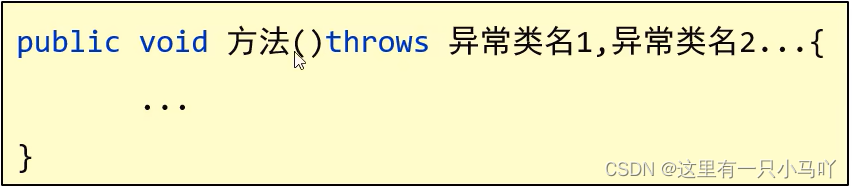
1.9 抛出异常 1.9.1 throws
注意:写在方法定义处,表示声明一个异常
编译时异常 :必须要写。运行时异常 :可以不写。
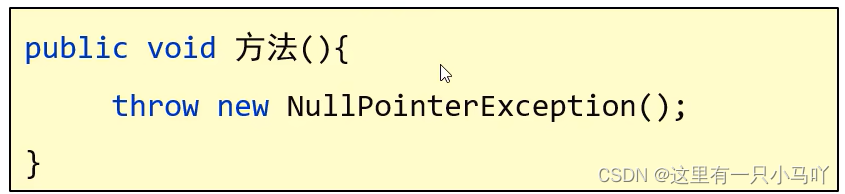
1.9.2 throw
注意:写在方法内,结束方法
1
2
3
4
5
6
7
8
9
10
11
12
13
14
15
16
17
18
19
20
21
22
23
import java.lang.String;public class main { public static void main (String[] args) { int []arr = null ; System.out.println(getMax(arr)); } public static int getMax (int [] arr) { if (arr==null ){ throw new NullPointerException (); } int max = arr[0 ]; for (int i = 0 ; i < arr.length; i++) { if (arr[i]>max){ max = arr[i]; } } return max; } }
抛出异常后,没有执行下面的语句
1
2
3
4
5
6
7
8
9
10
11
12
13
14
15
16
17
18
19
20
21
22
23
24
25
26
27
28
29
import java.lang.String;public class main { public static void main (String[] args) { int []arr = {}; System.out.println(getMax(arr)); } public static int getMax (int [] arr) { if (arr==null ){ throw new NullPointerException (); } if (arr.length==0 ) { throw new ArrayIndexOutOfBoundsException (); } int max = arr[0 ]; for (int i = 0 ; i < arr.length; i++) { if (arr[i]>max){ max = arr[i]; } } return max; } }
再完善
1
2
3
4
5
6
7
8
9
10
11
12
13
14
15
16
17
18
19
20
21
22
23
24
25
26
27
28
29
30
31
32
33
34
35
36
import java.lang.String;public class main { public static void main (String[] args) { int []arr = {}; int max = 0 ; try { max = getMax(arr); } catch (NullPointerException e) { System.out.println("NullPointerException" ); }catch (ArrayIndexOutOfBoundsException e) { System.out.println("ArrayIndexOutOfBoundsException" ); } System.out.println(max); } public static int getMax (int [] arr) { if (arr==null ){ throw new NullPointerException (); } if (arr.length==0 ) { throw new ArrayIndexOutOfBoundsException (); } int max = arr[0 ]; for (int i = 0 ; i < arr.length; i++) { if (arr[i]>max){ max = arr[i]; } } return max; } }
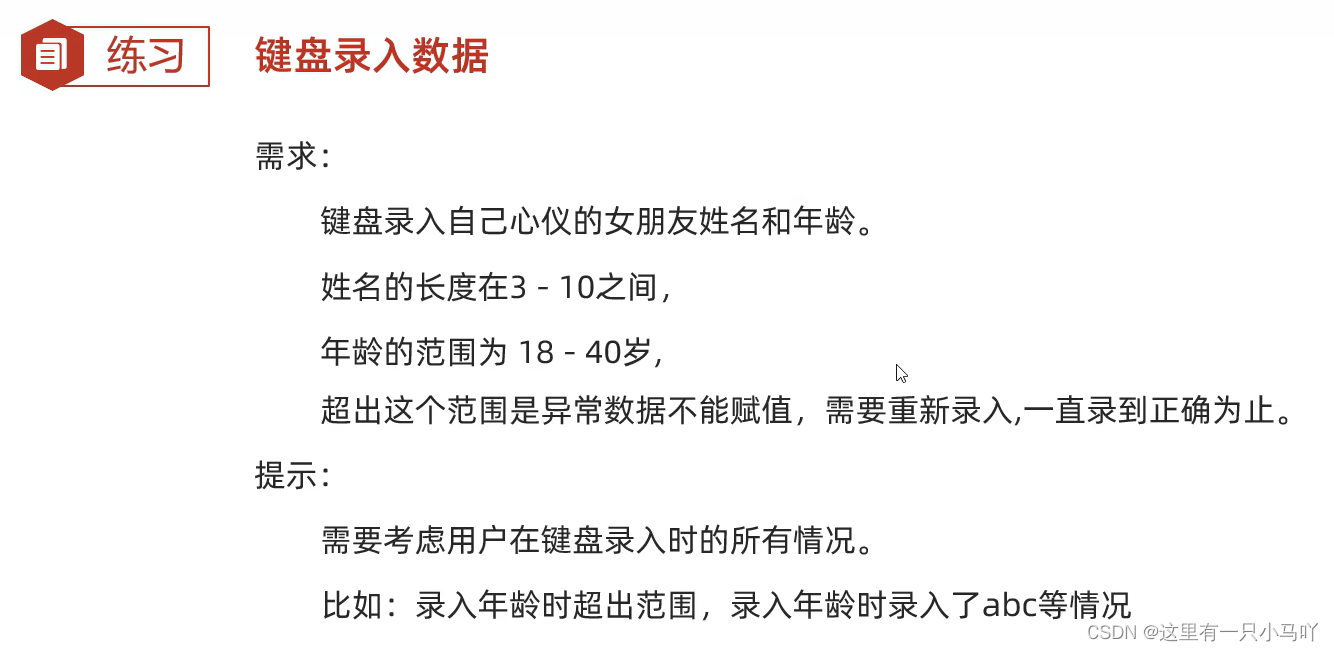
1.10 综合练习
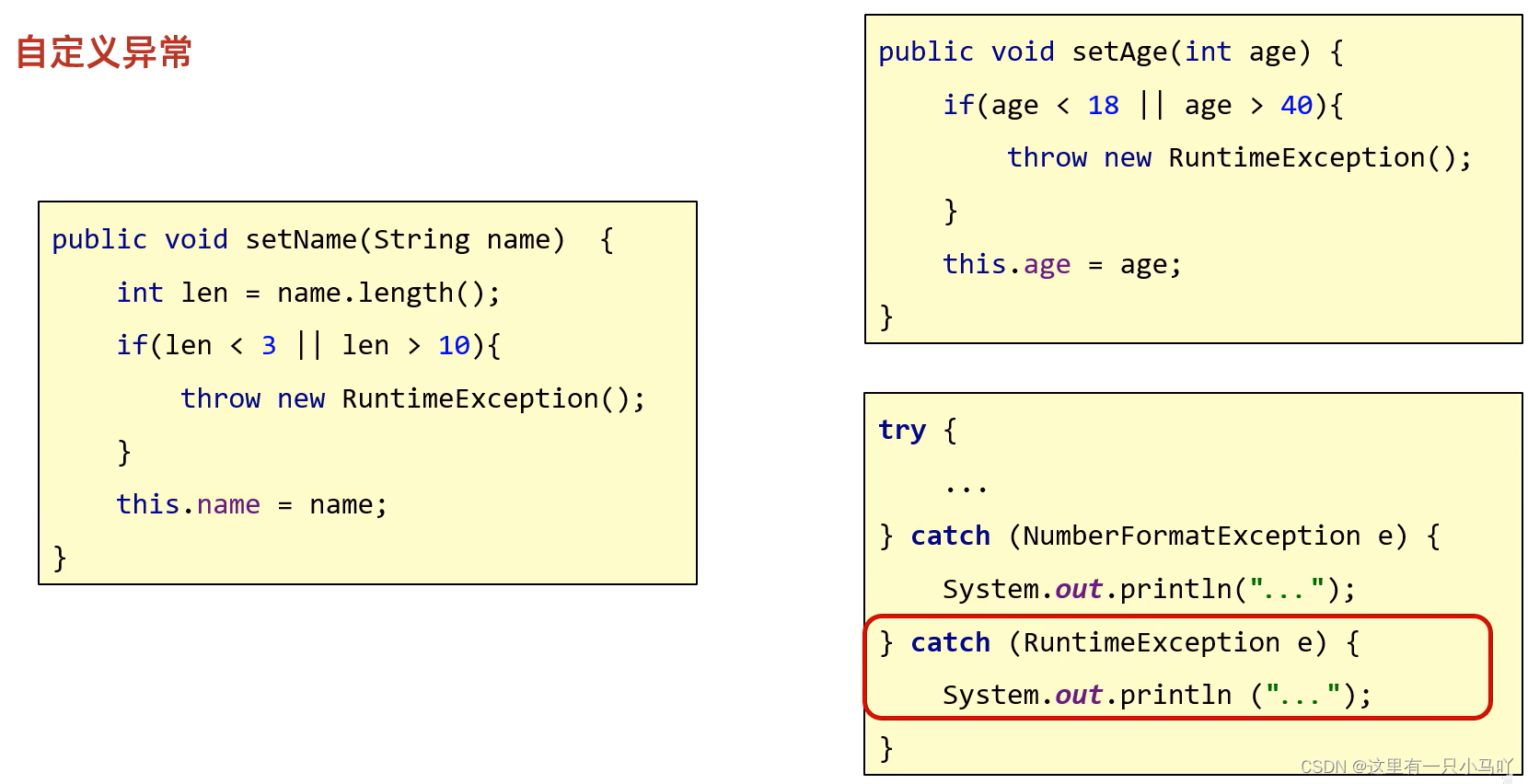
1.11 自定义异常
①定义异常类
②写继承关系
③空参构造
④带参构造
意义:就是为了让控制台的报错信息更加的见名之意
1
2
3
4
5
6
7
8
9
10
11
12
13
14
15
16
17
18
19
20
21
22
23
24
25
26
27
28
29
30
31
32
33
34
35
36
37
38
39
40
41
42
43
44
45
46
47
48
49
50
51
52
53
54
55
56
57
58
59
60
61
62
63
64
65
66
67
68
69
70
71
72
73
74
75
76
77
78
79
80
81
82
83
84
85
86
87
88
89
90
91
92
93
94
95
96
97
98
99
100
101
102
103
104
105
106
107
108
109
110
111
112
113
114
115
116
117
118
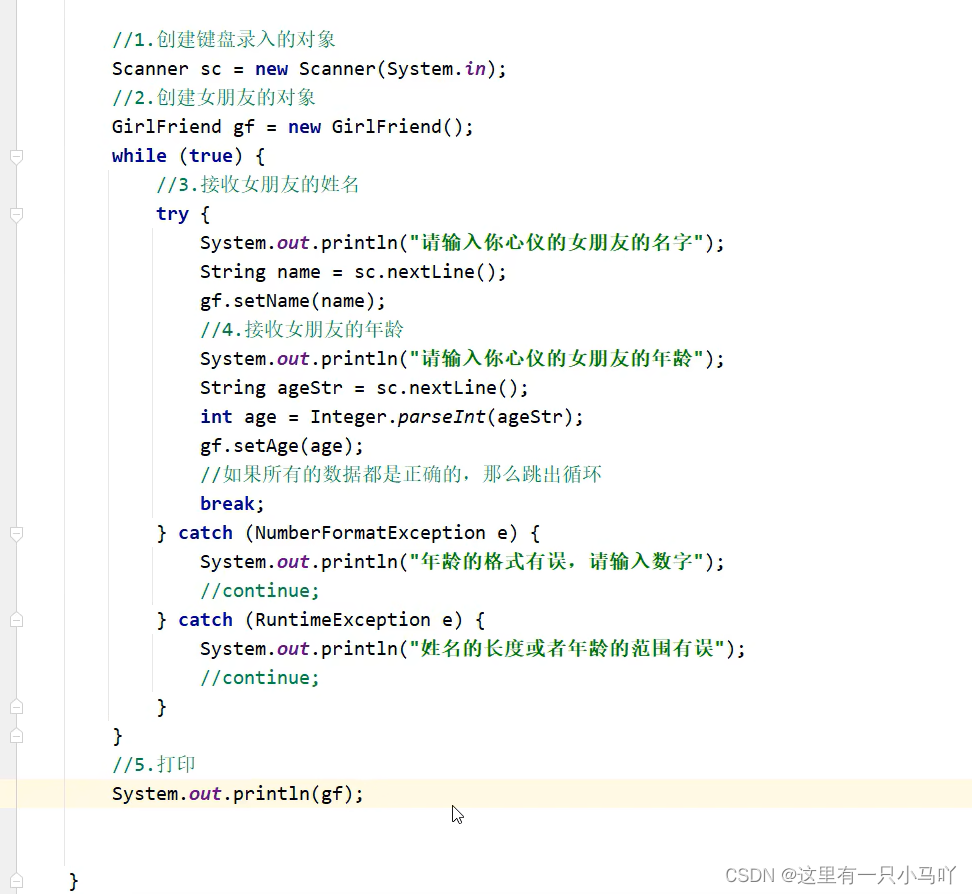
public class Actor { private String name; private int age; public Actor () { } public Actor (String name, int age) { this .name = name; this .age = age; } public String getName () { return name; } public void setName (String name) { int len = name.length(); if (len < 3 ||len > 10 ){ throw new NameFormatException (); } this .name = name; } public int getAge () { return age; } public void setAge (int age) { if (age < 18 ||age > 40 ){ throw new AgeOutBoundsException (); } this .age = age; } public String toString () { return "Actor{name = " + name + ", age = " + age + "}" ; } } public class NameFormatException extends RuntimeException { public NameFormatException () { } public NameFormatException (String message) { super (message); } } Lobster AIjava运行123456789 public class AgeOutBoundsException extends RuntimeException { public AgeOutBoundsException () { } public AgeOutBoundsException (String message) { super (message); } } Lobster AIjava运行123456789 import java.lang.String;import java.util.Scanner;public class main { public static void main (String[] args) { Scanner sc = new Scanner (System.in); Actor ac = new Actor (); while (true ) { try { System.out.println("请输入你心仪的女朋友的名字" ); String name = sc.nextLine(); ac.setName(name); System.out.println("请输入你心仪的女朋友的年龄" ); String ageStr = sc.nextLine(); int age = Integer.parseInt(ageStr); ac.setAge(age); break ; } catch (NameFormatException e) { e.printStackTrace(); } catch (AgeOutBoundsException e) { e.printStackTrace(); }catch (RuntimeException e) { e.printStackTrace(); } } System.out.println(ac); } }
2. File 2.1 File的概述和构造方法
File对象就表示一个路径,可以是文件的路径、也可以是文件夹的路径
这个路径可以是存在的,也允许是不存在的
1
2
3
4
5
6
7
8
9
10
11
12
13
14
15
16
17
18
19
20
21
22
23
24
25
26
27
28
29
30
import java.io.File;import java.io.FileReader;import java.lang.String;import java.util.Scanner;public class main { public static void main (String[] args) { String str = "C:\\Users\\HP\\Desktop\\Ctest\\test4\\a.txt" ; File f1 = new File (str); System.out.println(f1); String parent = "C:\\Users\\HP\\Desktop\\Ctest\\test4" ; String child = "a.txt" ; File f2 = new File (parent,child); System.out.println(f2); File f3 = new File (parent+"\\" +child); System.out.println(f3); File f = new File ("C:\\Users\\HP\\Desktop\\Ctest\\test4" ); File f4 = new File (f,child); System.out.println(f4); } }
这个路径可以是”假的“,也就是说你获取的a.txt 可能不存在 下面会学到这个文件是否存在的判断
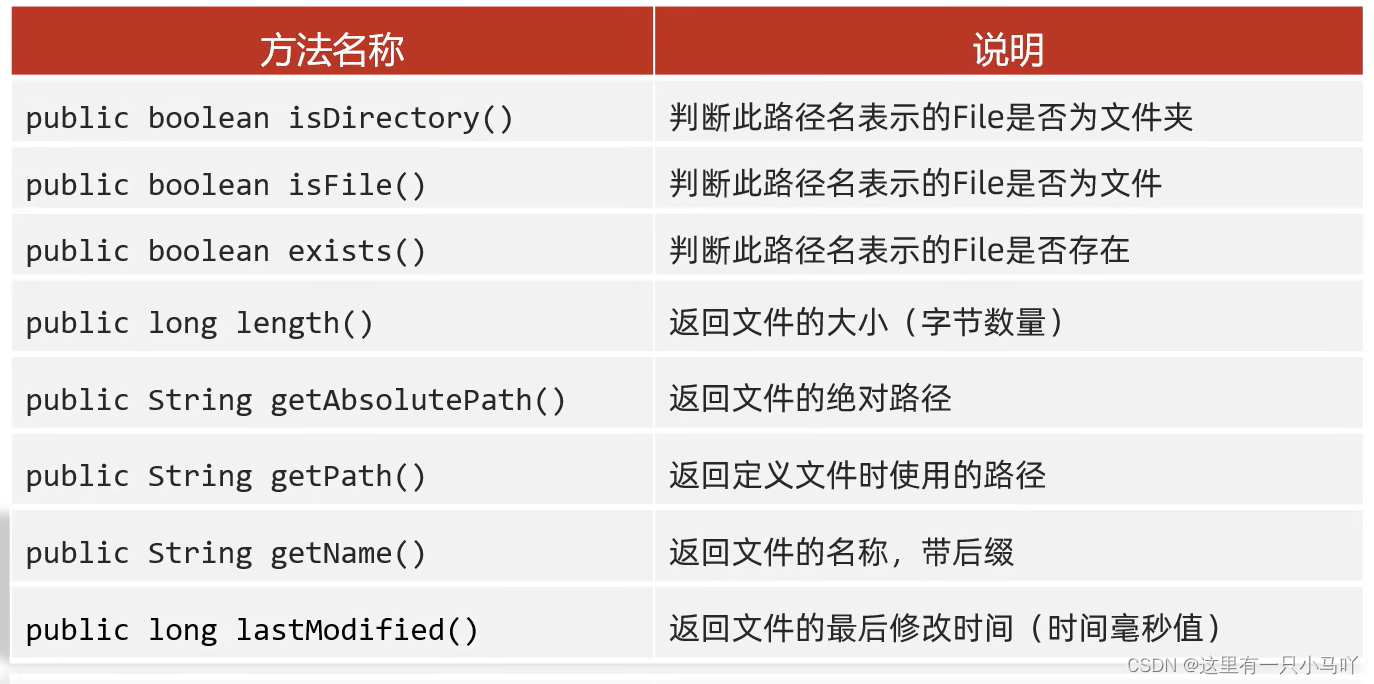
2.2 File的成员方法(判断、获取)
length返回文件的大小 (字节数量)
细节1:这个方法只能获取文件的大小,单位是字节
细节2:这个方法无法获取文件夹的大小,
1
2
3
4
5
6
7
8
9
10
11
12
13
14
15
16
17
18
19
20
21
22
23
24
25
26
27
28
29
30
31
32
33
34
package com.itheima.a01myfile;import java.io.File;public class FileDemo2 { public static void main (String[] args) { File f1 = new File ("D:\\aaa\\a.txt" ); System.out.println(f1.isDirectory()); System.out.println(f1.isFile()); System.out.println(f1.exists()); System.out.println("--------------------------------------" ); File f2 = new File ("D:\\aaa\\bbb" ); System.out.println(f2.isDirectory()); System.out.println(f2.isFile()); System.out.println(f2.exists()); System.out.println("--------------------------------------" ); File f3 = new File ("D:\\aaa\\c.txt" ); System.out.println(f3.isDirectory()); System.out.println(f3.isFile()); System.out.println(f3.exists()); } }
1
2
3
4
5
6
7
8
9
10
11
12
13
14
15
16
17
18
19
20
21
22
23
24
25
26
27
28
29
30
31
32
33
34
35
36
37
38
39
40
41
42
43
44
45
46
47
48
49
50
51
52
53
54
55
56
57
58
59
60
61
62
63
64
65
66
67
68
69
70
71
72
73
74
75
76
77
78
79
80
81
82
83
84
85
86
87
88
package com.itheima.a01myfile;import java.io.File;public class FileDemo3 { public static void main (String[] args) { File f1 = new File ("D:\\aaa\\a.txt" ); long len = f1.length(); System.out.println(len); File f2 = new File ("D:\\aaa\\bbb" ); long len2 = f2.length(); System.out.println(len2); System.out.println("====================================" ); File f3 = new File ("D:\\aaa\\a.txt" ); String path1 = f3.getAbsolutePath(); System.out.println(path1); File f4 = new File ("myFile\\a.txt" ); String path2 = f4.getAbsolutePath(); System.out.println(path2); System.out.println("====================================" ); File f5 = new File ("D:\\aaa\\a.txt" ); String path3 = f5.getPath(); System.out.println(path3); File f6 = new File ("myFile\\a.txt" ); String path4 = f6.getPath(); System.out.println(path4); System.out.println("====================================" ); File f7 = new File ("D:\\aaa\\a.txt" ); String name1 = f7.getName(); System.out.println(name1); File f8 = new File ("D:\\aaa\\bbb" ); String name2 = f8.getName(); System.out.println(name2); System.out.println("====================================" ); File f9 = new File ("D:\\aaa\\a.txt" ); long time = f9.lastModified(); System.out.println(time); } }
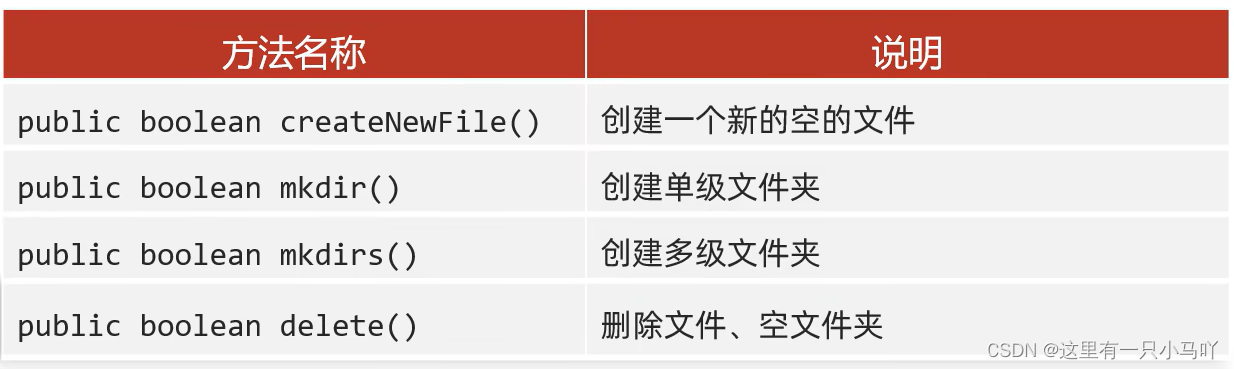
2.3 File的成员方法(创建、删除)
createNewFile ——创建一个新的空的文件
细节1:如果当前路径表示的文件是不存在的,则创建成功,方法返回true
细节2:如果父级路径是不存在的,那么方法会有异常IOException
细节3: createNewFtle方法创建的一 定是 文件,如果路径中不包含后缀名,则创建一个没 有后缀的文件
mkdir ——make Directory, 文件夹(目录)
细节1: windows 当中路径是唯一的, 如果当前路径已经存在,则创建失败,返回false
细节2: mkdir方法只能创建单级文件夹,无法创建多级文件夹。
1
2
3
4
5
6
7
8
9
10
11
12
13
14
15
16
17
18
19
20
21
22
23
24
25
package com.itheima.a01myfile;import java.io.File;public class FileDemo5 { public static void main (String[] args) { File f1 = new File ("D:\\aaa\\eee" ); boolean b = f1.delete(); System.out.println(b); } }
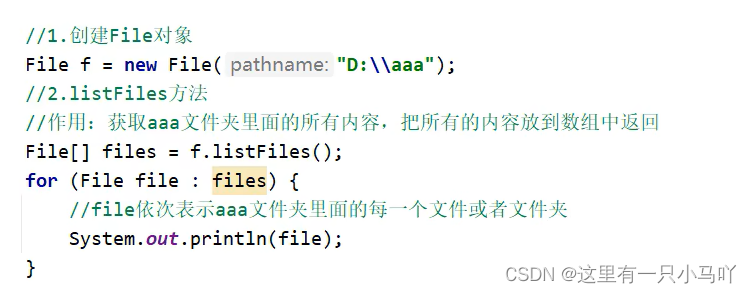
2.4 File的成员方法(获取并遍历)
当调用者File表示的路径不存在 时,返回null
当调用者File表示的路径是文件 时,返回null
当调用者File表示的路径是一个空文件夹 时,返回一个长度为0的数组
当调用者File表示的路径是一个有内容的文件夹时,将里面所有文件和文件夹的路径放在File数组 中返回
当调用者File表示的路径是一个有隐藏文件的文件夹 时,将里面所有文件和文件夹的路径 放在File数组中返回,包含隐藏文件
当调用者File表示的路径是需要权限 才能访问的文件夹时,返回null
1
2
3
4
5
6
7
8
9
10
11
12
13
14
15
16
17
18
19
20
21
22
23
package com.itheima.a01myfile;import java.io.File;public class FileDemo6 { public static void main (String[] args) { File f = new File ("D:\\aaa" ); File[] files = f.listFiles(); for (File file : files) { System.out.println(file); } } }
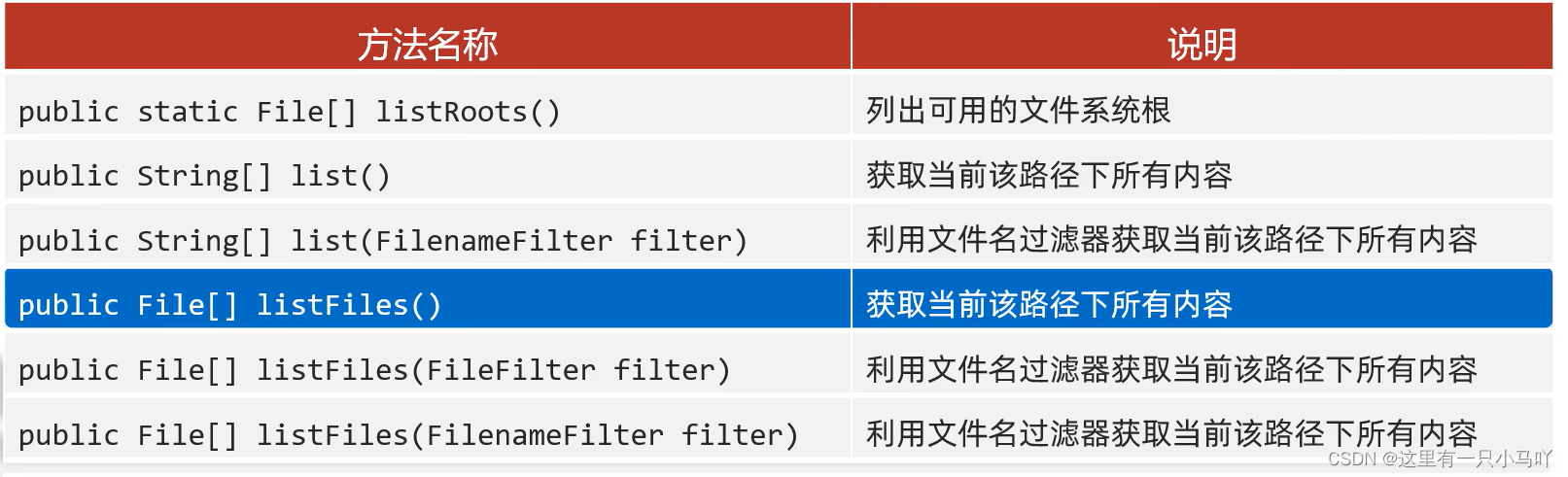
2.5 File的成员方法(所有获取并遍历…)
1
2
3
4
5
6
7
8
9
10
11
12
13
14
15
16
17
18
19
20
21
22
23
24
25
26
27
28
29
30
31
32
33
34
35
36
37
38
39
40
41
42
43
44
45
46
47
48
49
50
51
52
53
package com.itheima.a01myfile;import java.io.File;import java.io.FilenameFilter;import java.util.Arrays;public class FileDemo7 { public static void main (String[] args) { File f2 = new File ("D:\\aaa" ); String[] arr3 = f2.list(new FilenameFilter () { @Override public boolean accept (File dir, String name) { File src = new File (dir,name); return src.isFile() && name.endsWith(".txt" ); } }); System.out.println(Arrays.toString(arr3)); } }
2.6 综合练习 2.6.1 创建文件
1
2
3
4
5
6
7
8
9
10
11
12
13
14
15
16
17
18
19
20
21
22
import java.io.File;import java.io.IOException;import java.lang.String;public class main { public static void main (String[] args) throws IOException { String str = "C:\\Users\\HP\\Desktop\\Ctest\\test4\\Module_text\\src\\aaa" ; File f1 = new File (str); f1.mkdirs(); File src = new File (f1,"a.txt" ); boolean newFile = src.createNewFile(); if (newFile){ System.out.println("创建成功" ); }else { System.out.println("创建失败" ); } } }
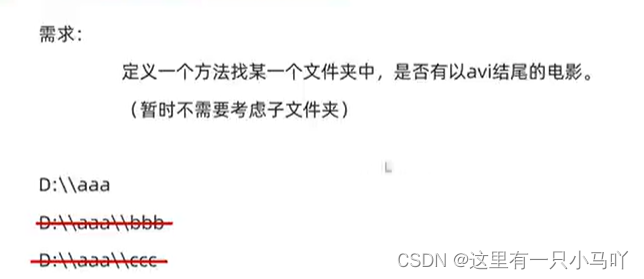
2.6.2 单个文件夹查找文件
1
2
3
4
5
6
7
8
9
10
11
12
13
14
15
16
17
18
19
20
21
22
23
24
25
26
import java.io.File;import java.io.IOException;import java.lang.String;public class main { public static void main (String[] args) throws IOException { String str = "C:\\Users\\HP\\Desktop\\Ctest\\test4\\Module_text\\src\\aaa" ; File f1 = new File (str); System.out.println(haveAVI(f1)); } public static boolean haveAVI (File file) { File[] files = file.listFiles(); for (File f:files){ if (f.isFile()&&f.getName().endsWith(".avi" )) { return true ; } } return false ; } }
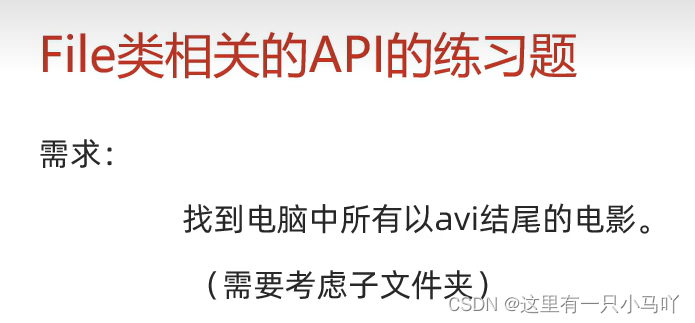
2.6.3 遍历硬盘查找文件
1
2
3
4
5
6
7
8
9
10
11
12
13
14
15
16
17
18
19
20
21
22
23
24
25
26
27
28
29
30
31
32
33
34
35
36
37
38
39
40
41
42
43
44
45
46
47
48
49
50
51
52
53
import java.io.File;import java.io.IOException;import java.lang.String;public class main { public static void main (String[] args) throws IOException { findAVI(); } public static void findAVI () { File[] files = File.listRoots(); for (File f:files) { haveAVI(f); } } public static void haveAVI (File file) { File[] files = file.listFiles(); if (files!=null ) { for (File f:files){ if (f.isFile()) { if (f.getName().endsWith(".avi" )) { System.out.println(f); } } else { haveAVI(f); } } } } }
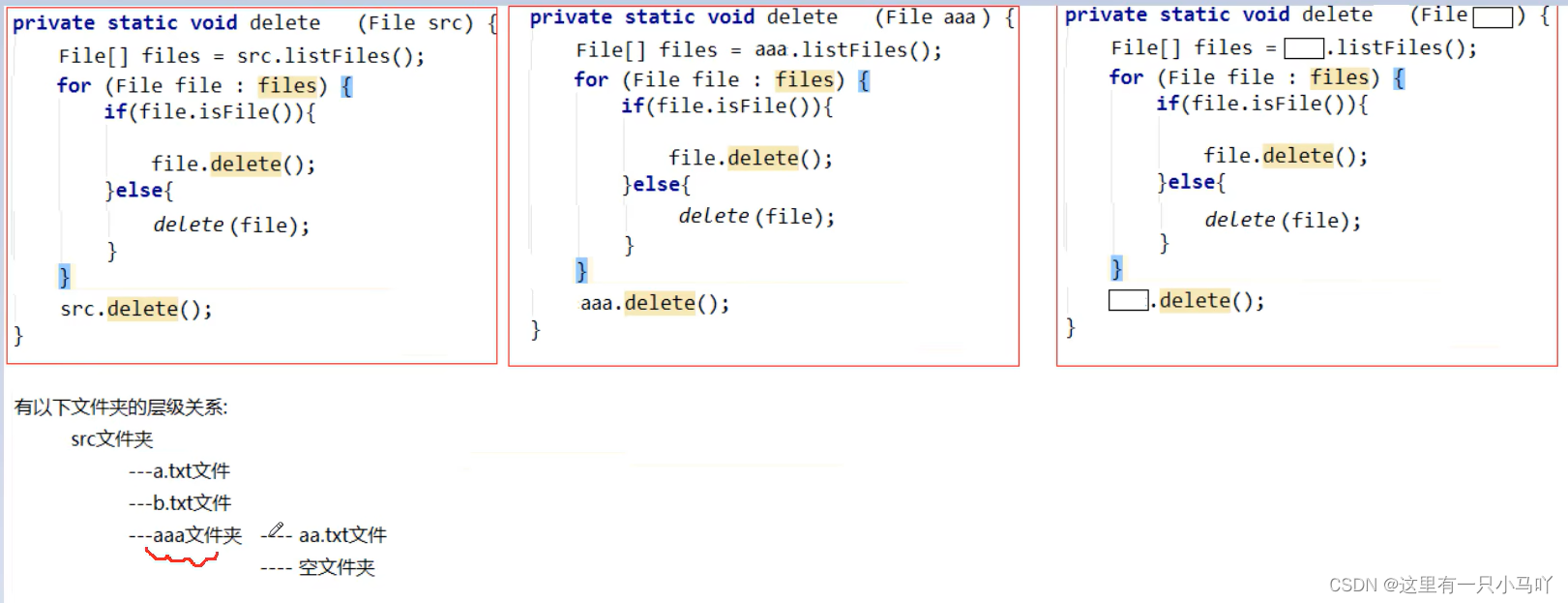
2.6.4 删除文件夹
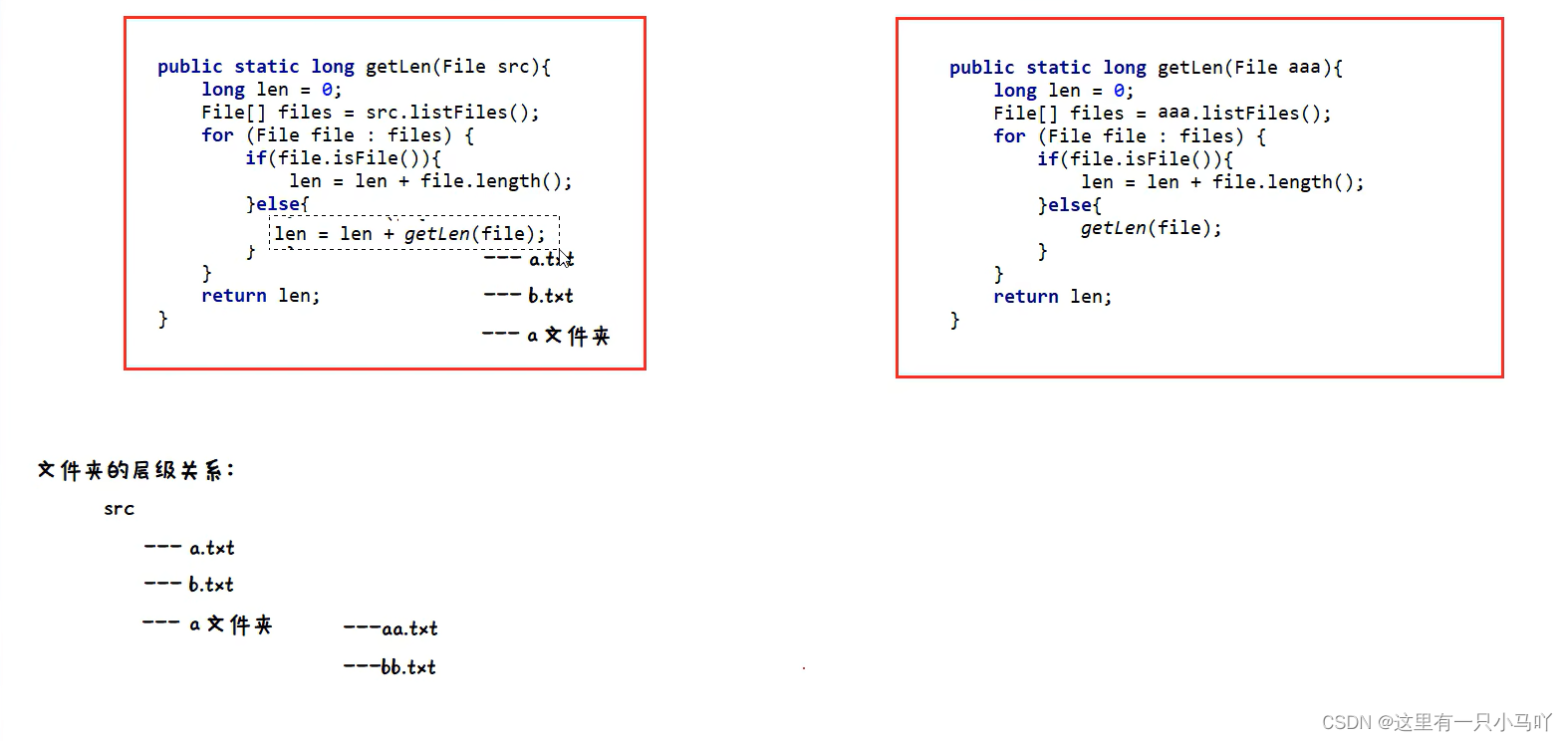
2.6.5 统计文件夹大小
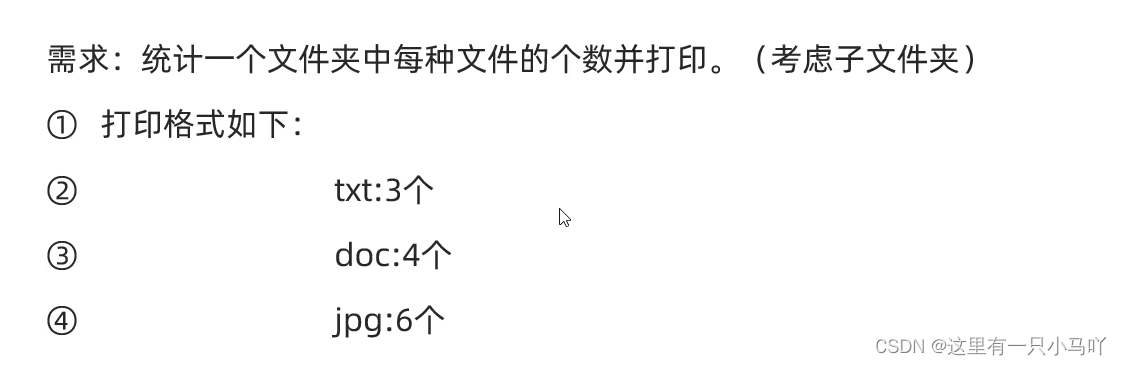
2.6.6 统计各种文件数量
1
2
3
4
5
6
7
8
9
10
11
12
13
14
15
16
17
18
19
20
21
22
23
24
25
26
27
28
29
30
31
32
33
34
35
36
37
38
39
40
41
42
43
44
45
46
47
48
49
50
51
52
53
54
55
56
57
58
59
60
61
62
63
64
65
66
67
68
69
70
71
72
73
74
import java.io.File;import java.io.IOException;import java.lang.String;import java.util.HashMap;import java.util.HashSet;import java.util.Map;import java.util.Set;public class main { public static void main (String[] args) throws IOException { File file = new File ("C:\\Users\\HP\\Desktop\\Ctest\\test4\\Module_text\\src" ); System.out.println(getCount(file)); } public static HashMap<String,Integer> getCount (File src) { HashMap<String,Integer> hm = new HashMap <>(); File [] files = src.listFiles(); for (File file:files){ if (file.isFile()) { String name = file.getName(); String [] arr = name.split("\\." ); if (arr.length>=2 ) { String endname = arr[arr.length-1 ]; if (hm.containsKey(endname)) { int count = hm.get(endname); count++; hm.put(endname,count); } else { hm.put(endname,1 ); } } else { HashMap<String,Integer> sonmap = getCount(file); Set<Map.Entry<String, Integer>> entries = sonmap.entrySet(); for (Map.Entry<String, Integer> entry:entries) { String key = entry.getKey(); int value = entry.getValue(); if (hm.containsKey(key)) { int count = hm.get(key); count = count +value; hm.put(key,count); } else { hm.put(key,value); } } } } } return hm; } }
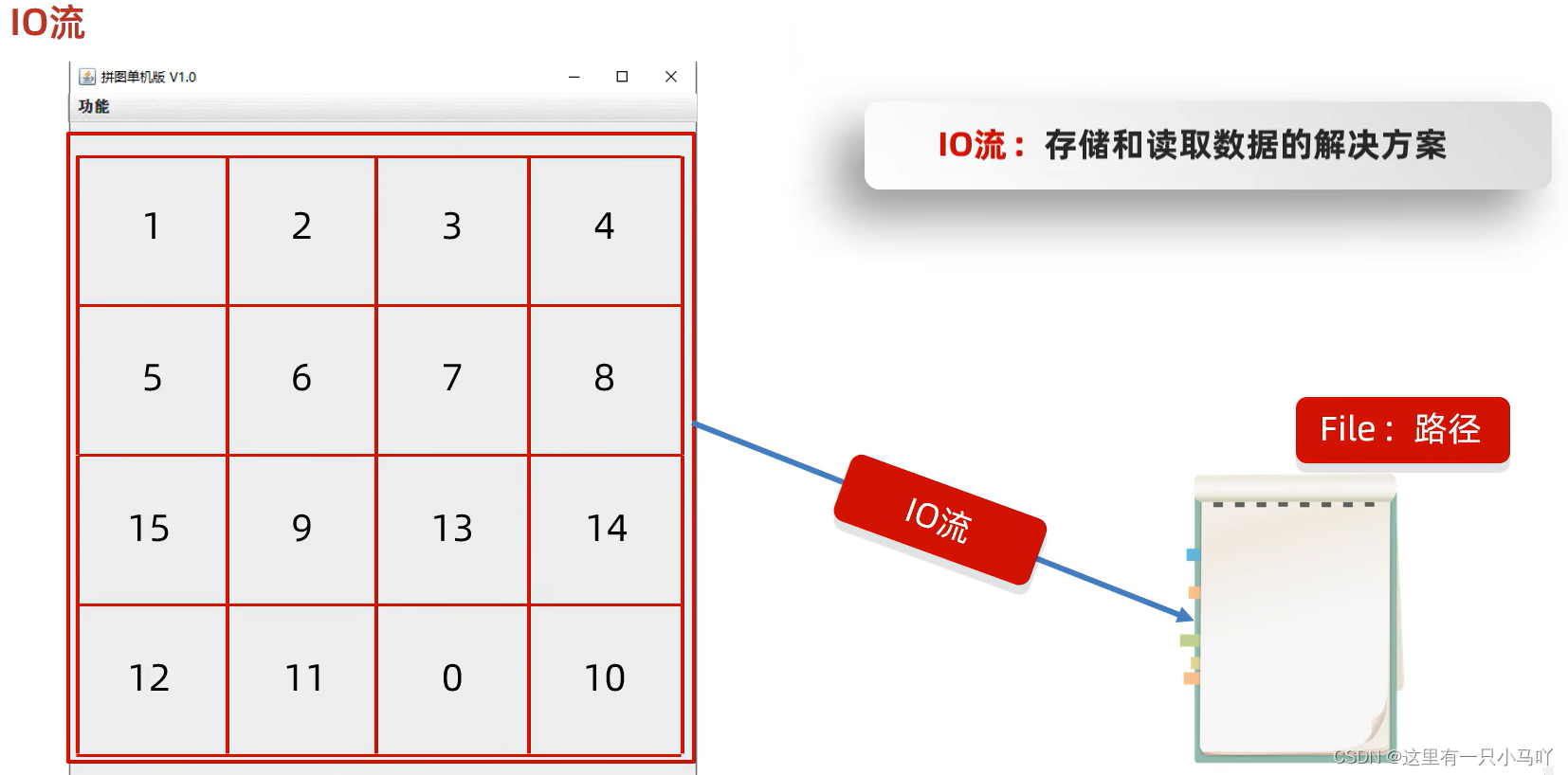
3 IO流 3.0 概述和基础用法
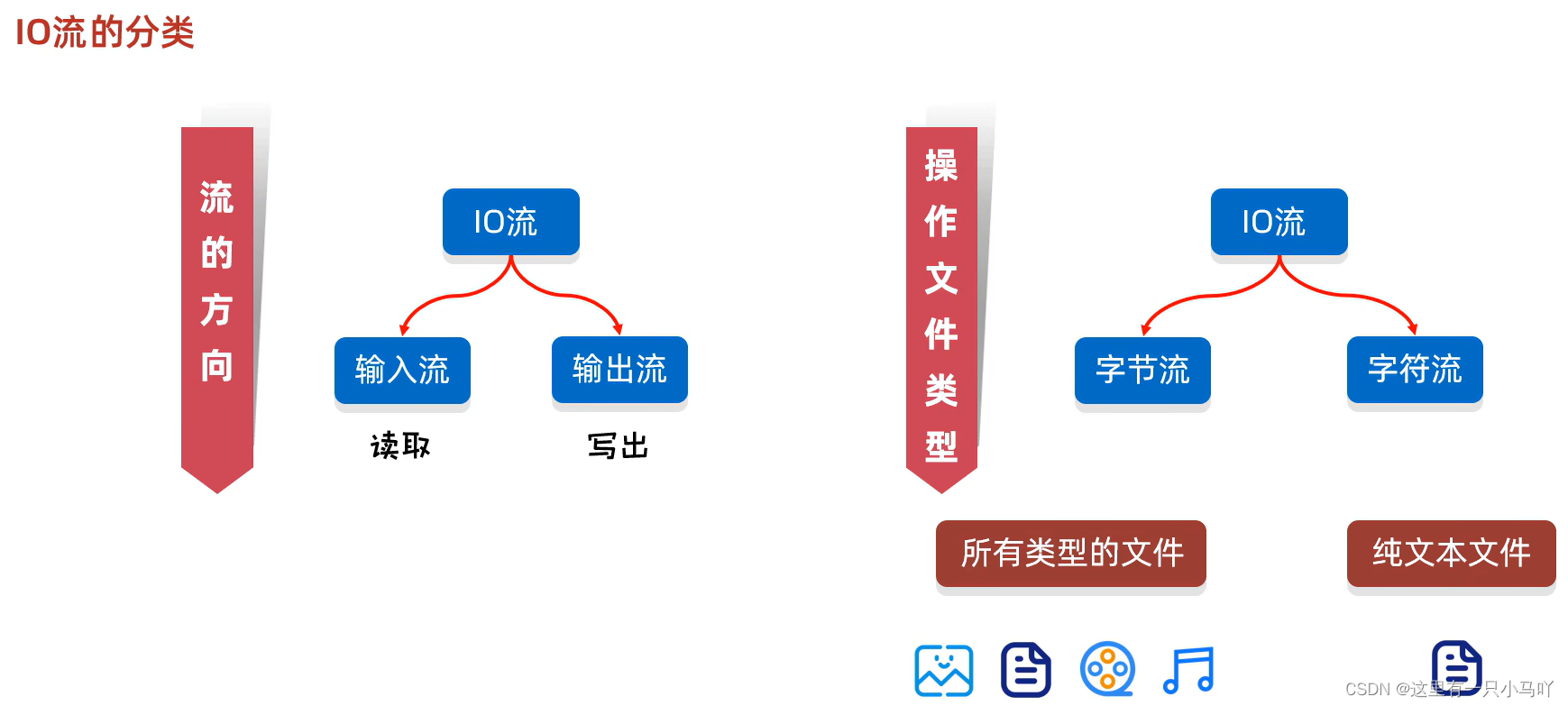
File:表示系统中得文件或者文件夹得路径
注意: File类 只能对文件本身进行操作,不能读写文件里面存储的数据 。
IO流:写出数据output、读取数据input
word 与excel 不是纯文本文件 ,txt与md是纯文本文件
FileOutputStream:操作本地文件的字节输出流,可以把程序中的数据写到本地文件中。
1
2
3
4
5
6
7
8
9
10
11
12
13
14
import java.io.*;import java.lang.String;public class main { public static void main (String[] args) throws IOException { FileOutputStream fos = new FileOutputStream ("C:\\Users\\HP\\Desktop\\Ctest\\test4\\Module_text\\src\\aaa\\a.txt" ); fos.write(97 ); fos.close(); } }
字节输出流的细节:
创建字节输出流对象
细节1:参数是字符串表示的路径或者是File对象都是可以的
细节2:如果文件不存在 会创建一个新的文件 ,但是要保证父级路径是存在的 。
细节3:如果文件已经存在的话,会清空文件!!!!
写数据
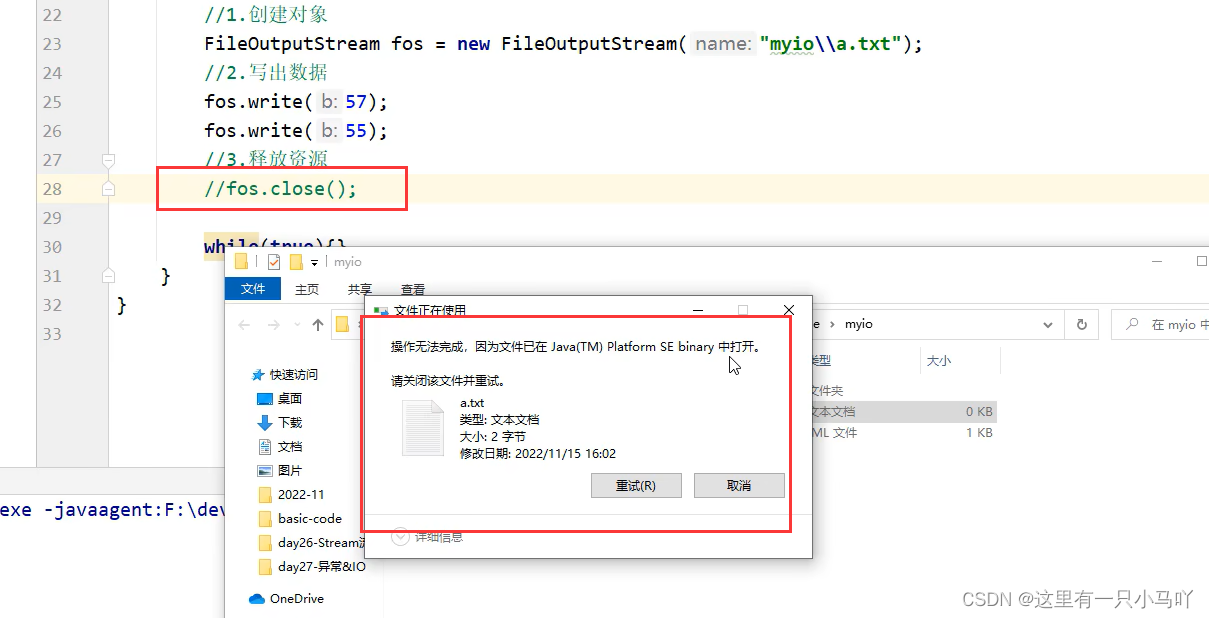
释放资源
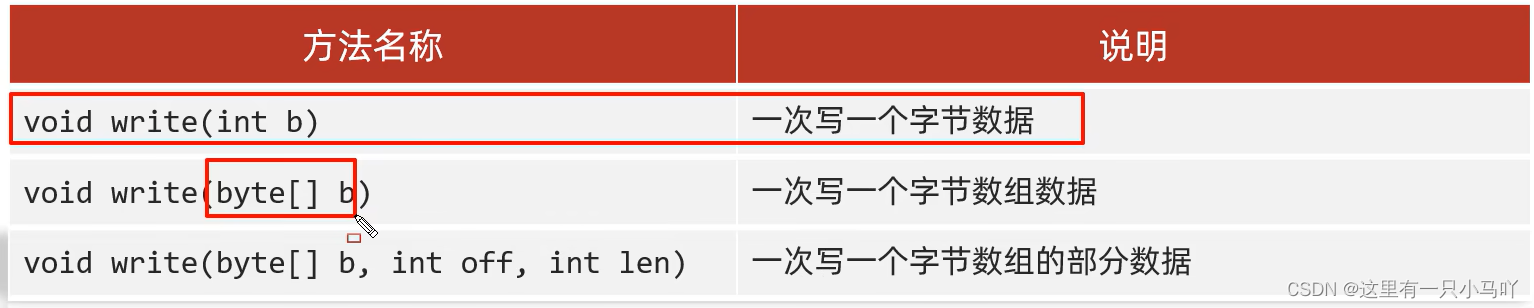
FileOutputStream写数据的3种方式
1
2
3
4
5
6
7
8
9
10
11
12
13
14
15
import java.io.*;import java.lang.String;public class main { public static void main (String[] args) throws IOException { FileOutputStream fos = new FileOutputStream ("C:\\Users\\HP\\Desktop\\Ctest\\test4\\Module_text\\src\\aaa\\a.txt" ); fos.write(98 ); byte [] b = {97 ,92 ,95 ,92 ,95 ,96 ,34 ,56 ,24 }; fos.write(b); fos.write(b,1 ,3 ); fos.close(); } }
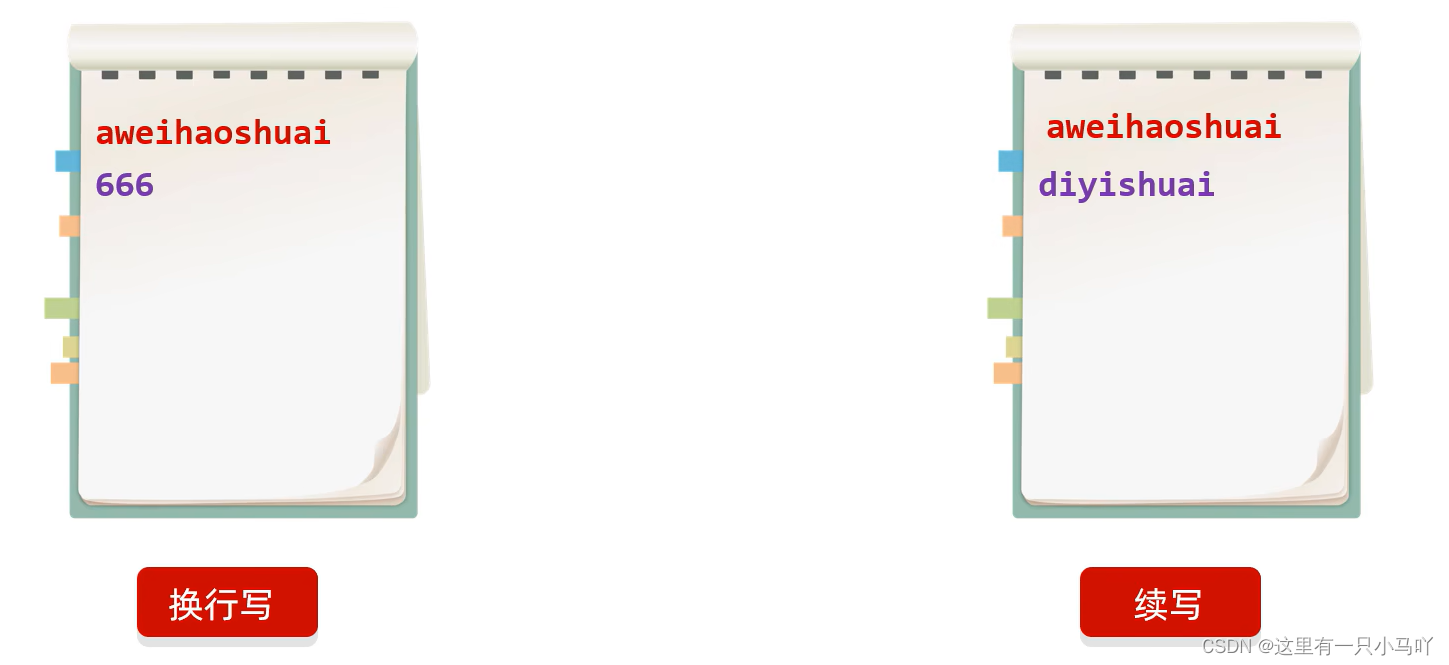
3.1 换行与续写 FileOutputStream写数据的两个小问题
1
2
3
4
5
6
7
8
9
10
11
12
13
14
15
16
17
18
19
20
21
22
23
24
25
26
27
28
29
30
31
32
33
34
35
36
37
38
39
40
41
42
43
44
45
46
47
48
49
import java.io.*;import java.lang.String;public class main {```java public static void main (String[] args) throws IOException { FileOutputStream fos = new FileOutputStream ("C:\\Users\\HP\\Desktop\\Ctest\\test4\\Module_text\\src\\aaa\\a.txt" ); String str = "asfdsdfsafds" ; fos.write(str.getBytes()); fos.write('\n' ); fos.write(str.getBytes()); fos.close(); } } import java.io.*;import java.lang.String;public class main { public static void main (String[] args) throws IOException { FileOutputStream fos = new FileOutputStream ("C:\\Users\\HP\\Desktop\\Ctest\\test4\\Module_text\\src\\aaa\\a.txt" ); String str = "asfdsdfsafds" ; fos.write(str.getBytes()); fos.write("\r\n" .getBytes()); fos.write(str.getBytes()); fos.close(); } }
注意:FileOutputStream fos = new FileOutputStream("C:\\Users\\HP\\Desktop\\Ctest\\test4\\Module_text\\src\\aaa\\a.txt",true);
1
2
3
4
5
6
7
8
9
10
11
12
13
14
15
16
17
18
19
20
21
22
23
24
25
26
27
28
29
30
31
32
33
34
import java.io.*;import java.lang.String;public class main { public static void main (String[] args) throws IOException { FileOutputStream fos = new FileOutputStream ("C:\\Users\\HP\\Desktop\\Ctest\\test4\\Module_text\\src\\aaa\\a.txt" ,true ); String str = "asfdsdfsafds" ; fos.write(str.getBytes()); fos.write("\r\n" .getBytes()); fos.write(str.getBytes()); fos.close(); } }
3.2 字节输入流的基本用法 and 字节输入流读取数据的细节 FilelnputStream :操作本地文件的字节输入流,可以把本地文件中的数据读取到程序中来。
1
2
3
4
5
6
7
8
9
10
11
12
13
14
15
16
17
18
19
20
21
22
23
24
25
26
27
28
29
30
31
32
33
import java.io.*;import java.lang.String;public class main { public static void main (String[] args) throws IOException { FileInputStream fis = new FileInputStream ("C:\\Users\\HP\\Desktop\\Ctest\\test4\\Module_text\\src\\aaa\\a.txt" ); System.out.println(fis.read()); fis.close(); } } import java.io.*;import java.lang.String;public class main { public static void main (String[] args) throws IOException { FileInputStream fis = new FileInputStream ("C:\\Users\\HP\\Desktop\\Ctest\\test4\\Module_text\\src\\aaa\\a.txt" ); System.out.println(fis.read()); System.out.println((char )fis.read()); fis.close(); } }
当读不到得时候 read 读出是-1
创建字节输入流对象
读取数据
细节1:一次读一个字节 ,读出来的是数据在ASCII上对应的数字
细节2:读到文件末尾 了, read方法返回-1 。
细节3:空格 对应得是32 ASCII
释放资源
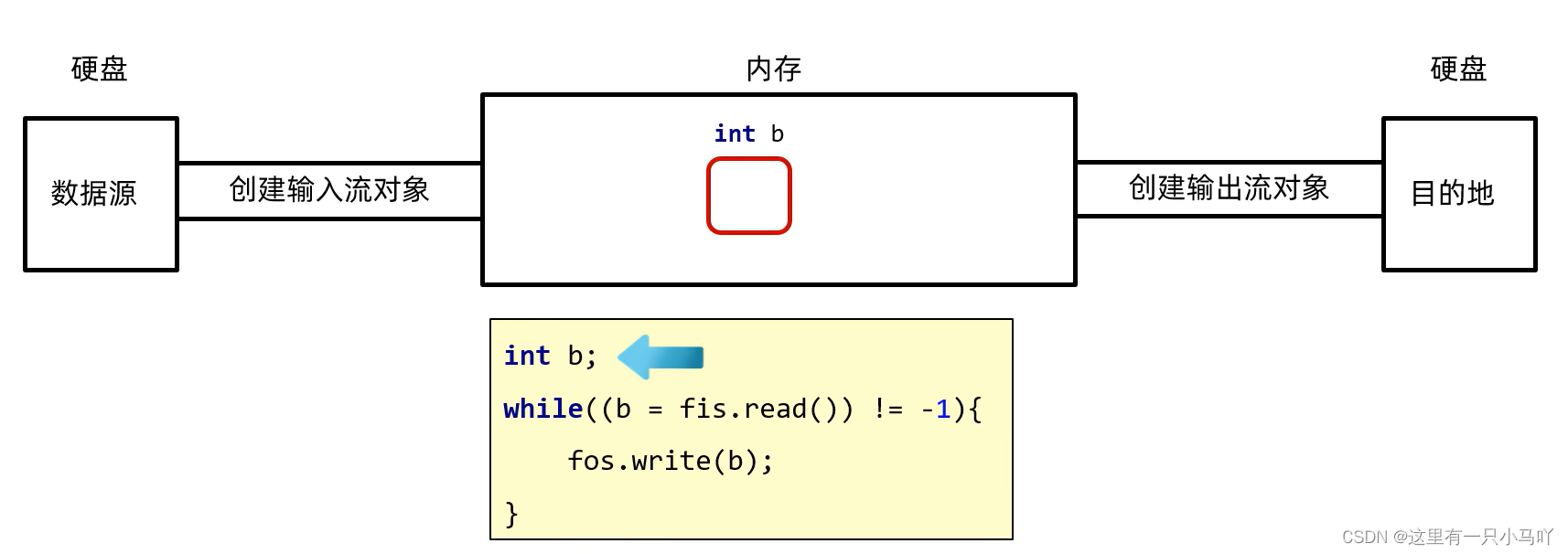
3.3 字节输入流循环读取 and 文件拷贝的基本代码 1 2 3 4 5 6 7 8 9 10 11 12 13 14 15 16 17 18 19 import java.io.*;import java.lang.String;public class main { public static void main (String[] args) throws IOException { FileInputStream fis = new FileInputStream ("C:\\Users\\HP\\Desktop\\Ctest\\test4\\Module_text\\src\\aaa\\a.txt" ); int b; while ((b = fis.read()) != -1 ) { System.out.print((char ) b); } fis.close(); } }
不能一次循环 重复写fis.read () 因为 用一次 指针就跳1
把a.txt拷贝到b.txt
1
2
3
4
5
6
7
8
9
10
11
12
13
14
15
16
17
18
19
import java.io.*;import java.lang.String;public class main { public static void main (String[] args) throws IOException { FileInputStream fis = new FileInputStream ("C:\\Users\\HP\\Desktop\\Ctest\\test4\\Module_text\\src\\aaa\\a.txt" ); FileOutputStream fos = new FileOutputStream ("C:\\Users\\HP\\Desktop\\Ctest\\test4\\Module_text\\src\\b.txt" ); int b; while ((b =fis.read() ) != -1 ) { fos.write(b); } fos.close(); fis.close(); } }
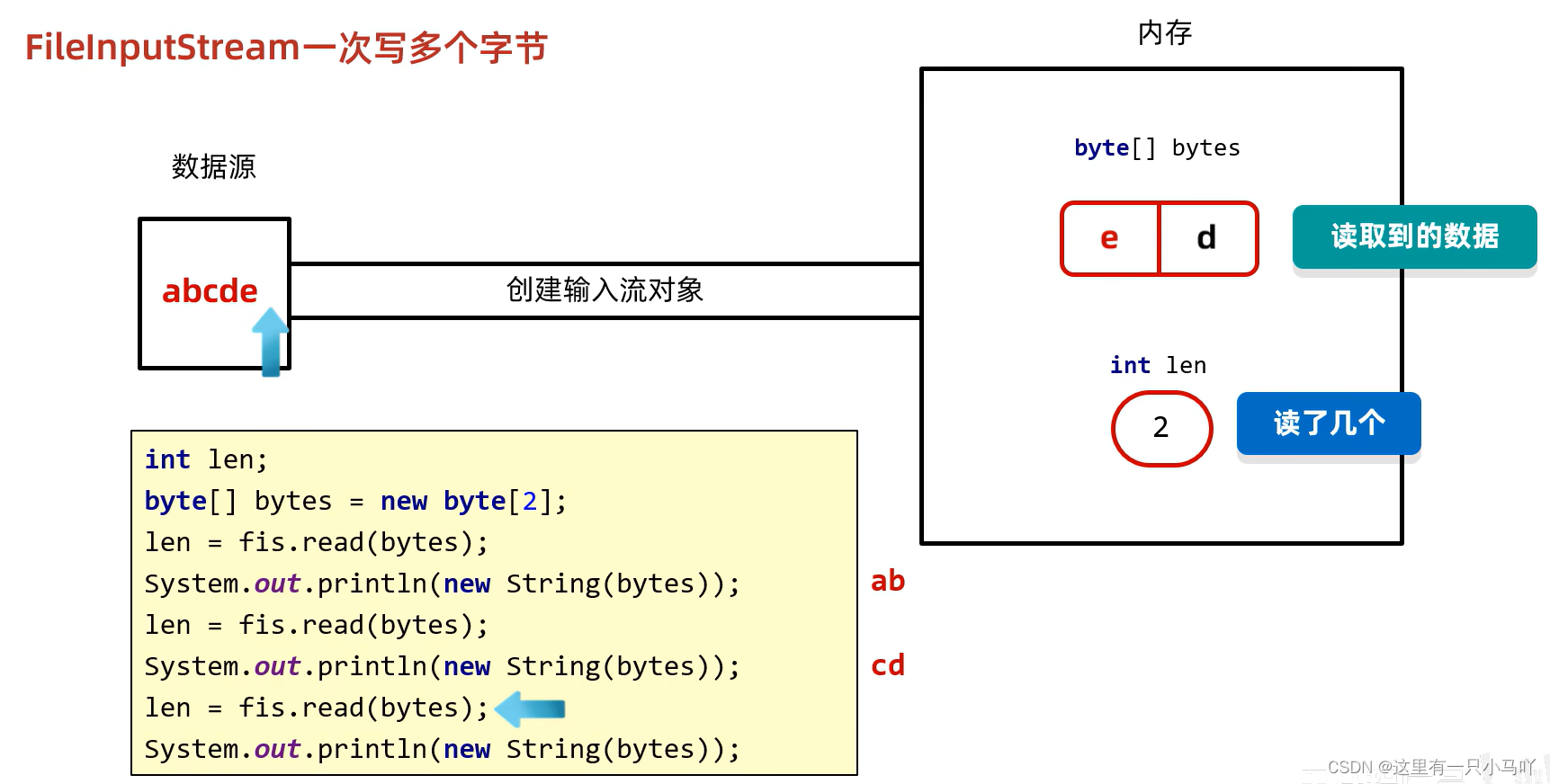
3.4 文件拷贝的弊端和解决方案 and 文件拷贝改写 IO流:如果拷贝的文件过大 ,那么速度会不会有影响?
因为一次循环只拷贝了一个字节!!!
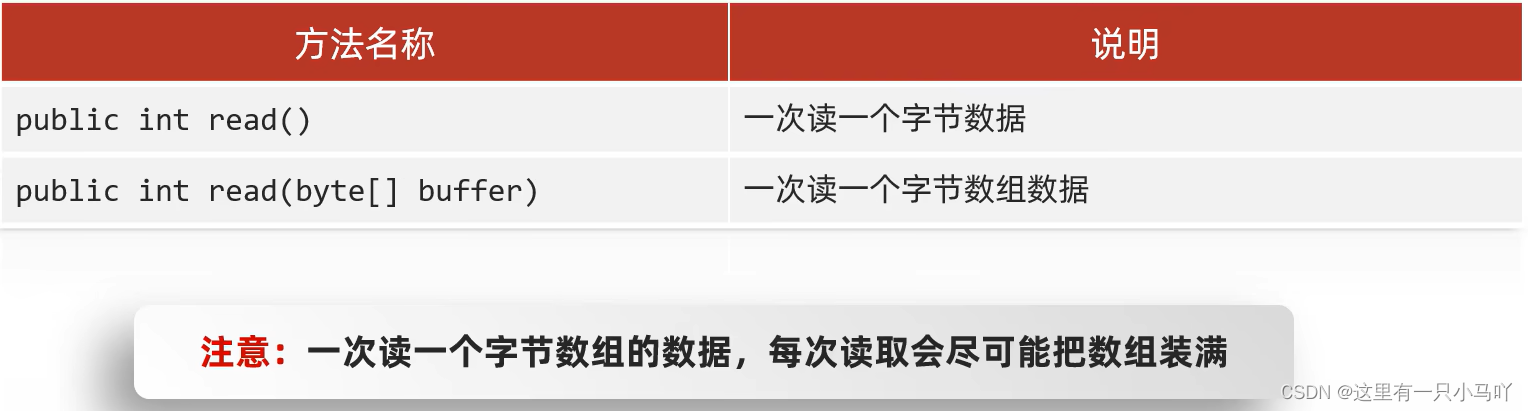
1 2 3 4 5 6 7 8 9 10 11 12 13 14 15 16 17 18 19 20 21 22 23 24 25 26 27 28 29 30 31 32 33 34 35 36 37 38 39 40 41 42 43 44 45 46 47 48 import java.io.*;import java.lang.String;public class main { public static void main (String[] args) throws IOException { FileInputStream fis = new FileInputStream ("C:\\Users\\HP\\Desktop\\Ctest\\test4\\Module_text\\src\\aaa\\a.txt" ); byte [] bytes = new byte [2 ]; int len = fis.read(bytes); System.out.println(len); String str = new String (bytes); System.out.println(str); int len1 = fis.read(bytes); System.out.println(len1); String str1 = new String (bytes); System.out.println(str1); int len2 = fis.read(bytes); System.out.println(len2); String str2 = new String (bytes); System.out.println(str2); int len3 = fis.read(bytes); System.out.println(len3); String str3 = new String (bytes); System.out.println(str3); fis.close(); } }
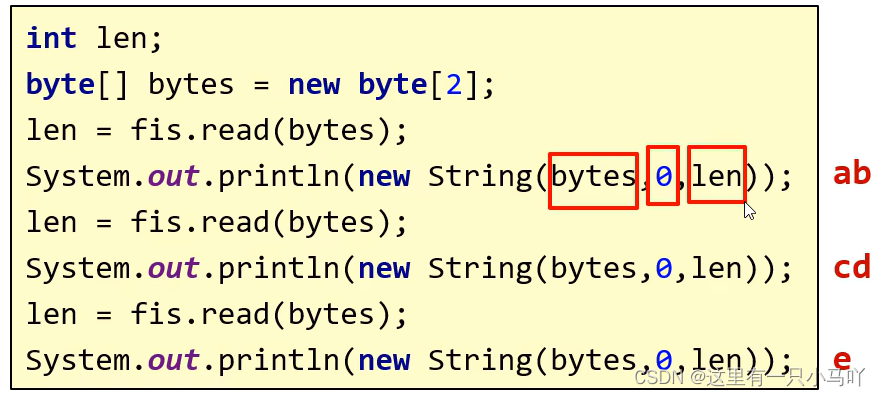
(bytes,0,len)含义:从0索引开始,读取len个字符的长度
1 2 3 4 5 6 7 8 9 10 11 12 13 14 15 16 17 18 19 20 21 22 23 24 25 26 27 28 29 30 31 32 33 34 35 36 37 38 39 40 41 42 43 import java.io.*;import java.lang.String;public class main { public static void main (String[] args) throws IOException { FileInputStream fis = new FileInputStream ("C:\\Users\\HP\\Desktop\\Ctest\\test4\\Module_text\\src\\aaa\\a.txt" ); byte [] bytes = new byte [2 ]; int len = fis.read(bytes); System.out.println(len); String str = new String (bytes,0 ,len); System.out.println(str); int len1 = fis.read(bytes); System.out.println(len1); String str1 = new String (bytes,0 ,len1); System.out.println(str1); int len2 = fis.read(bytes); System.out.println(len2); String str2 = new String (bytes,0 ,len2); System.out.println(str2); fis.close(); } }
更改后!
1 2 3 4 5 6 7 8 9 10 11 12 13 14 15 16 17 18 19 20 21 22 23 24 25 26 import java.io.*;import java.lang.String;public class main { public static void main (String[] args) throws IOException { long l1 = System.currentTimeMillis(); FileInputStream fis = new FileInputStream ("C:\\Users\\HP\\Desktop\\Ctest\\test4\\Module_text\\src\\aaa\\a.txt" ); FileOutputStream fos = new FileOutputStream ("C:\\Users\\HP\\Desktop\\Ctest\\test4\\Module_text\\src\\b.txt" ); byte [] bytes = new byte [200 ]; int len; while ((len = fis.read(bytes)) != -1 ) { fos.write(bytes); } fis.close(); fos.close(); long l2 = System.currentTimeMillis(); System.out.println(l2-l1); } }
3.5 流中不同JDK版本捕获异常 and 字符集详解(ASCII,GBK)
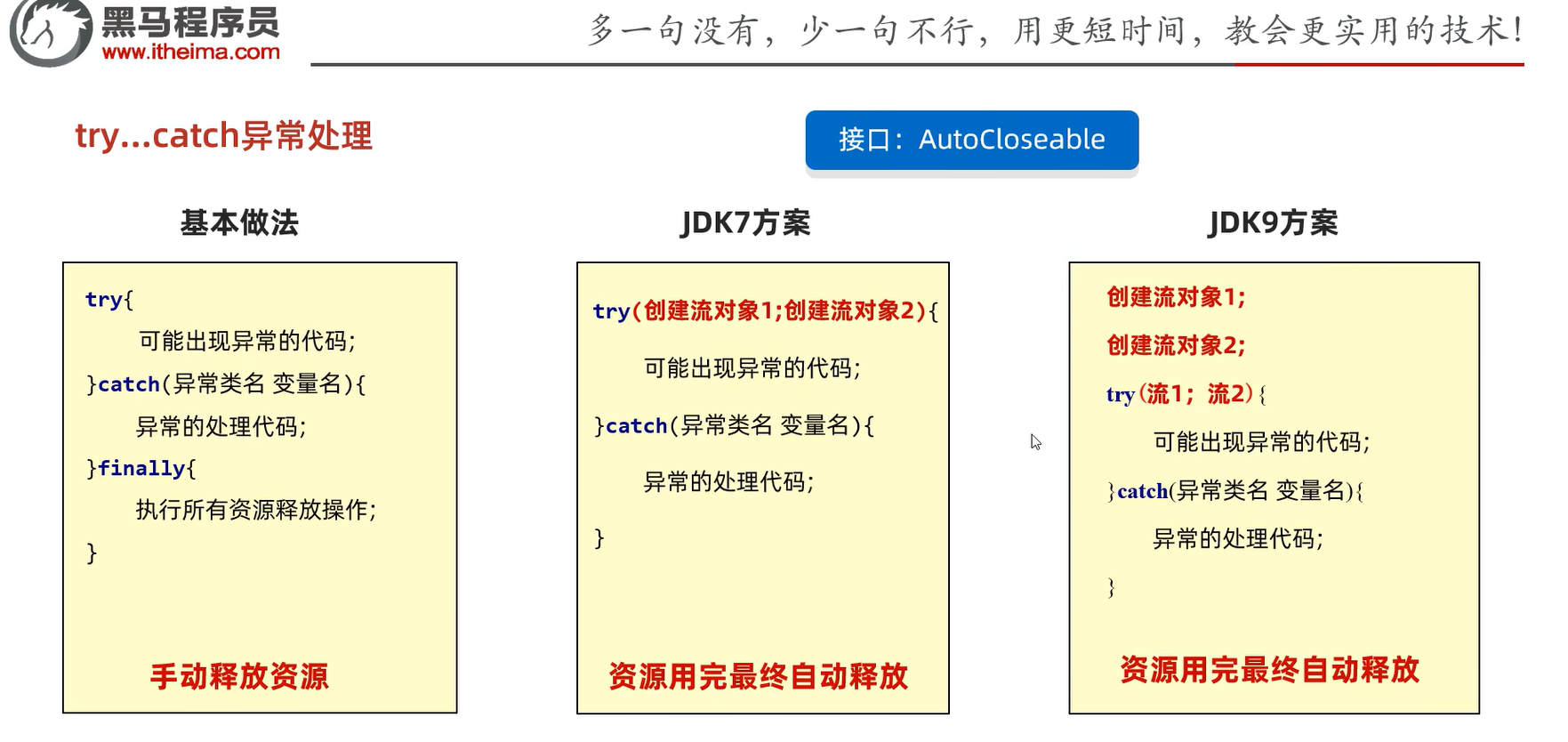
try catch
finally里面的代码一定会执行,除非jvm提前停止运行,所以回收资源这一类的就非常适合放到finally里面
1 2 3 4 5 6 7 8 9 10 11 12 13 14 15 16 17 18 19 20 21 22 23 24 25 26 27 28 29 30 31 32 33 import java.io.*;import java.lang.String;public class main { public static void main (String[] args) { FileOutputStream fos = null ; try { fos = new FileOutputStream ("C:\\Users\\HP\\Desktop\\Ctest\\test4\\Module_text\\src\\a.txt" ); fos.write(97 ); } catch (IOException e){ e.printStackTrace(); }finally { if (fos!=null ) { try { fos.close(); } catch (IOException e) { throw new RuntimeException (e); } } } } }
有没有简单的方法!!!!JDK7
1 2 3 4 5 6 7 8 9 10 11 12 13 14 15 16 17 18 19 20 21 22 23 24 25 26 27 28 import java.io.*;import java.lang.String;public class main { public static void main (String[] args) { try (FileInputStream fis = new FileInputStream ("C:\\Users\\HP\\Desktop\\Ctest\\test4\\Module_text\\src\\aaa\\a.txt" ); FileOutputStream fos = new FileOutputStream ("C:\\Users\\HP\\Desktop\\Ctest\\test4\\Module_text\\src\\a.txt" ); ){ int len; byte [] bytes = new byte [200 ]; while ((len = fis.read(bytes)) != -1 ) { fos.write(bytes); } } catch (IOException e) { e.printStackTrace(); } } }
JDK9
1 2 3 4 5 6 7 8 9 10 11 12 13 14 15 16 17 18 19 20 21 22 23 24 25 26 27 import java.io.*;import java.lang.String;public class main { public static void main (String[] args) throws FileNotFoundException { FileInputStream fis = new FileInputStream ("C:\\Users\\HP\\Desktop\\Ctest\\test4\\Module_text\\src\\aaa\\a.txt" ); FileOutputStream fos = new FileOutputStream ("C:\\Users\\HP\\Desktop\\Ctest\\test4\\Module_text\\src\\a.txt" ); try (fis;fos;){ int len; byte [] bytes = new byte [200 ]; while ((len = fis.read(bytes)) != -1 ) { fos.write(bytes); } } catch (IOException e) { e.printStackTrace(); } } }
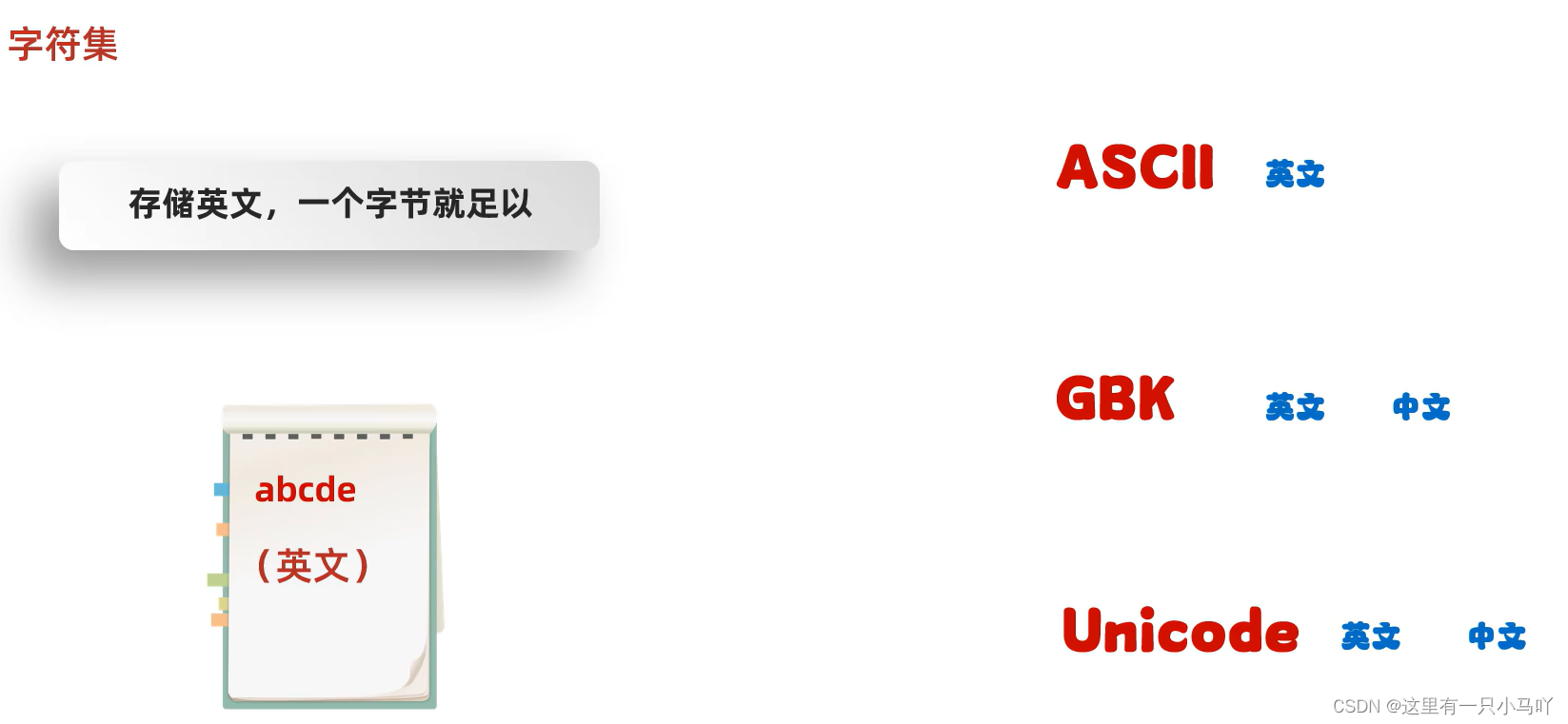
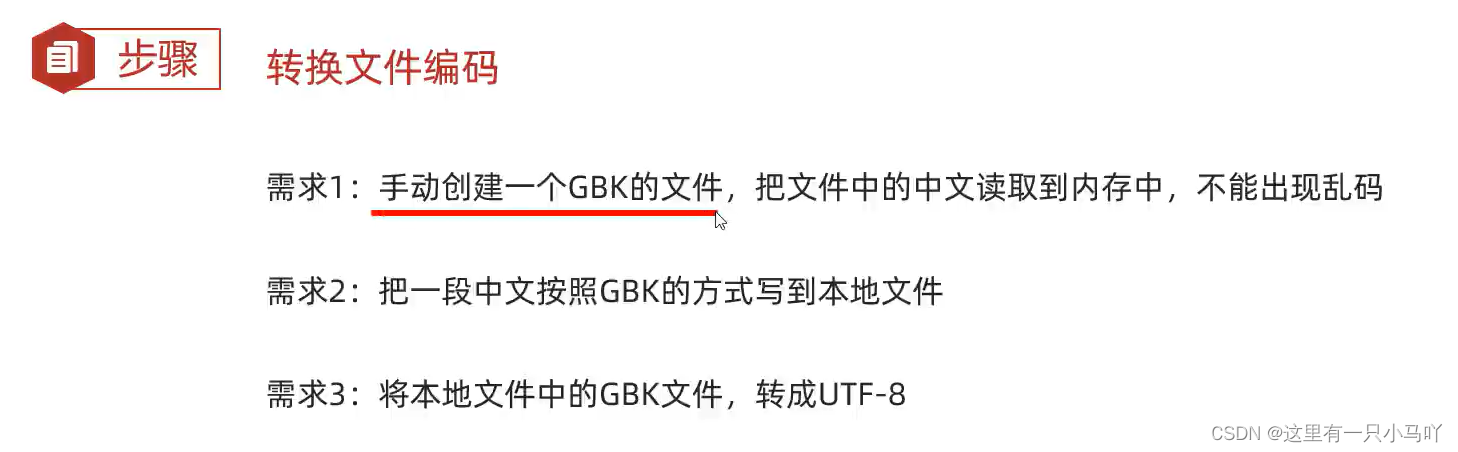
3.6 字符集详解(ASCII,GBK,Unicode) 出现中文,读取出现乱码现象
1 2 3 4 5 6 7 8 9 10 11 12 13 14 15 16 17 18 19 import java.io.*;import java.lang.String;public class main { public static void main (String[] args) throws IOException { FileInputStream fis = new FileInputStream ("C:\\Users\\HP\\Desktop\\Ctest\\test4\\Module_text\\src\\a.txt" ); int b; while ((b = fis.read())!= -1 ) { System.out.print((char )b); } fis.close(); } }
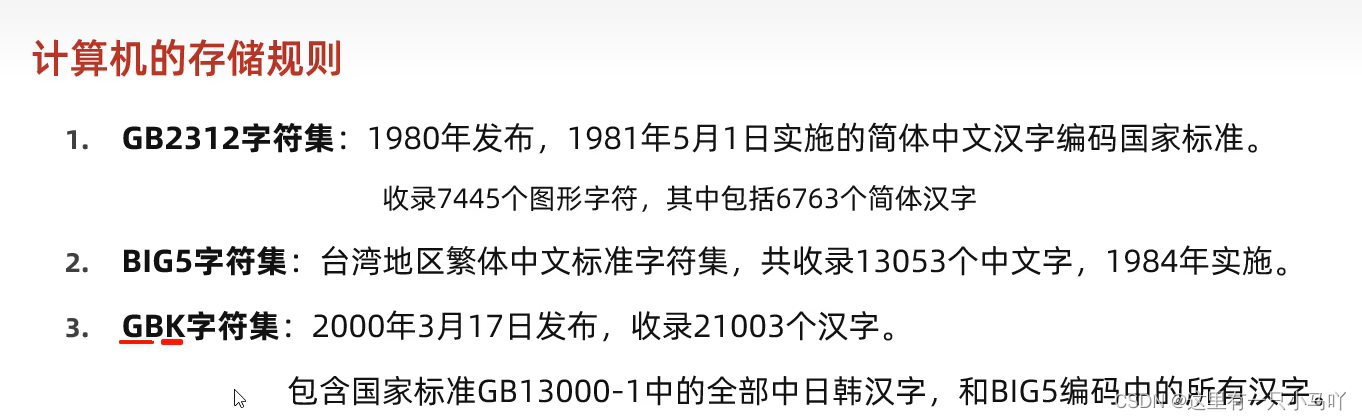
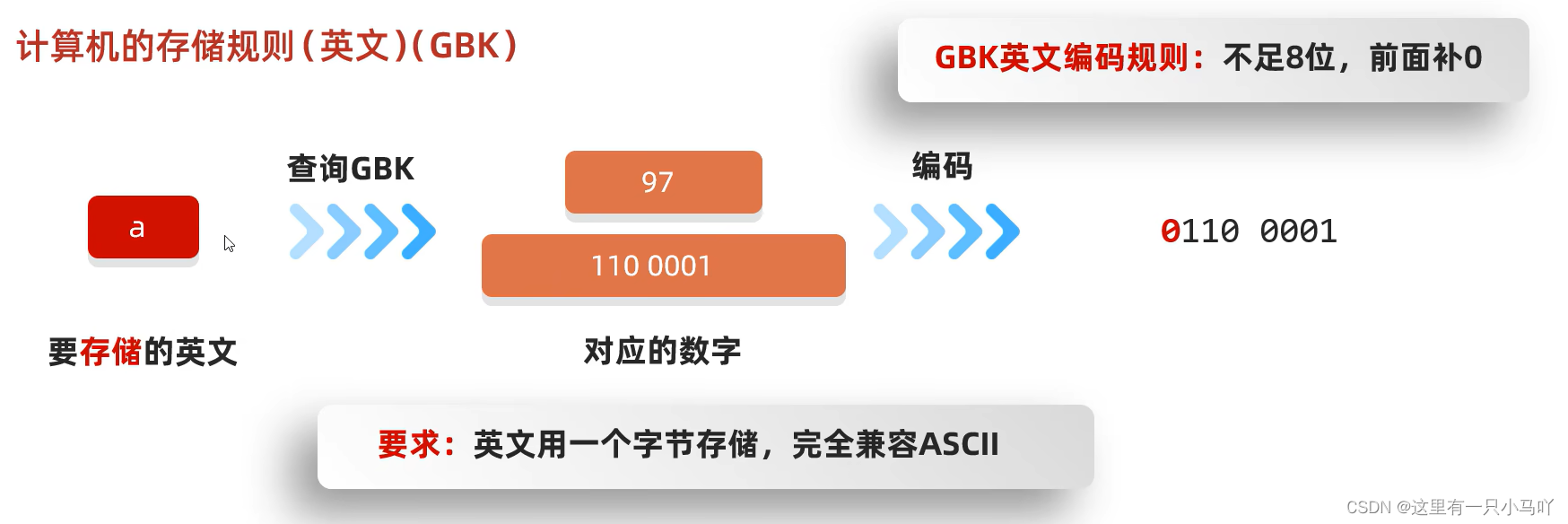
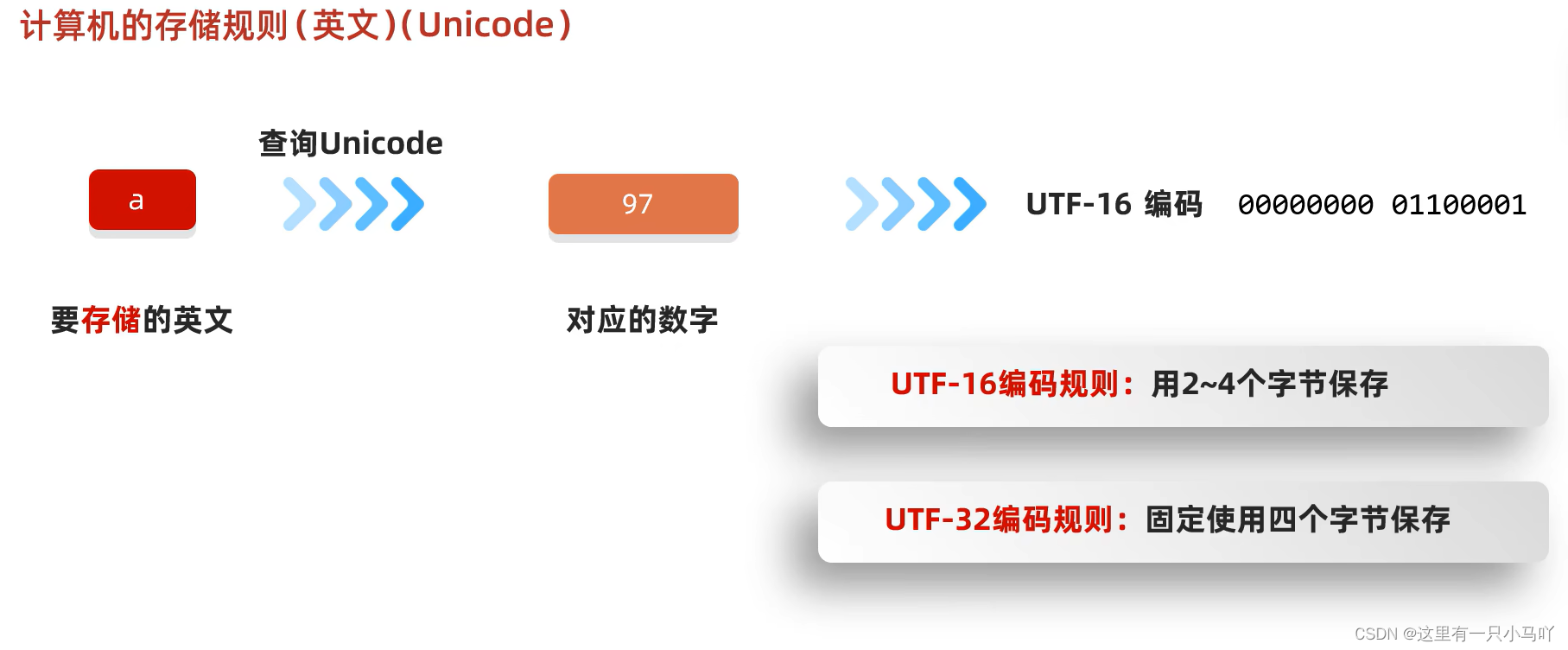
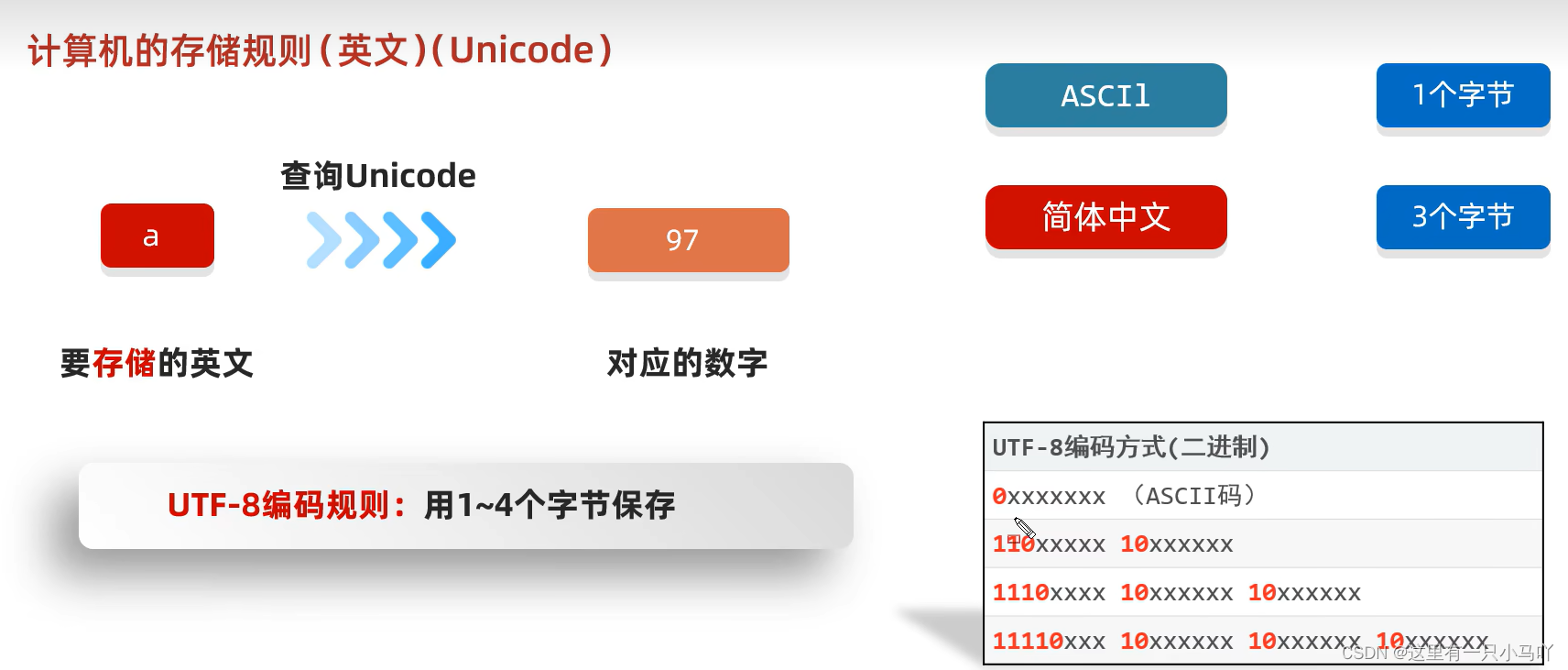
字节 是计算机中存储的最小单元 存储英文字母 的时候,只需要一个字节 就可以
3.6.1 ASCII GBK 。系统显示ANSI
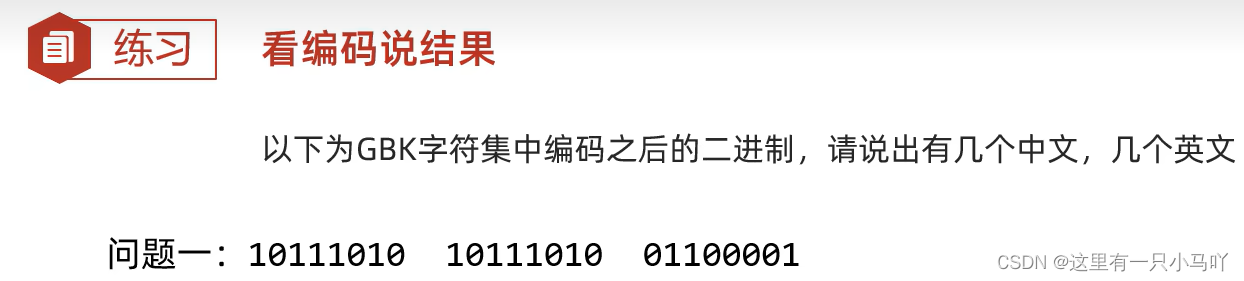
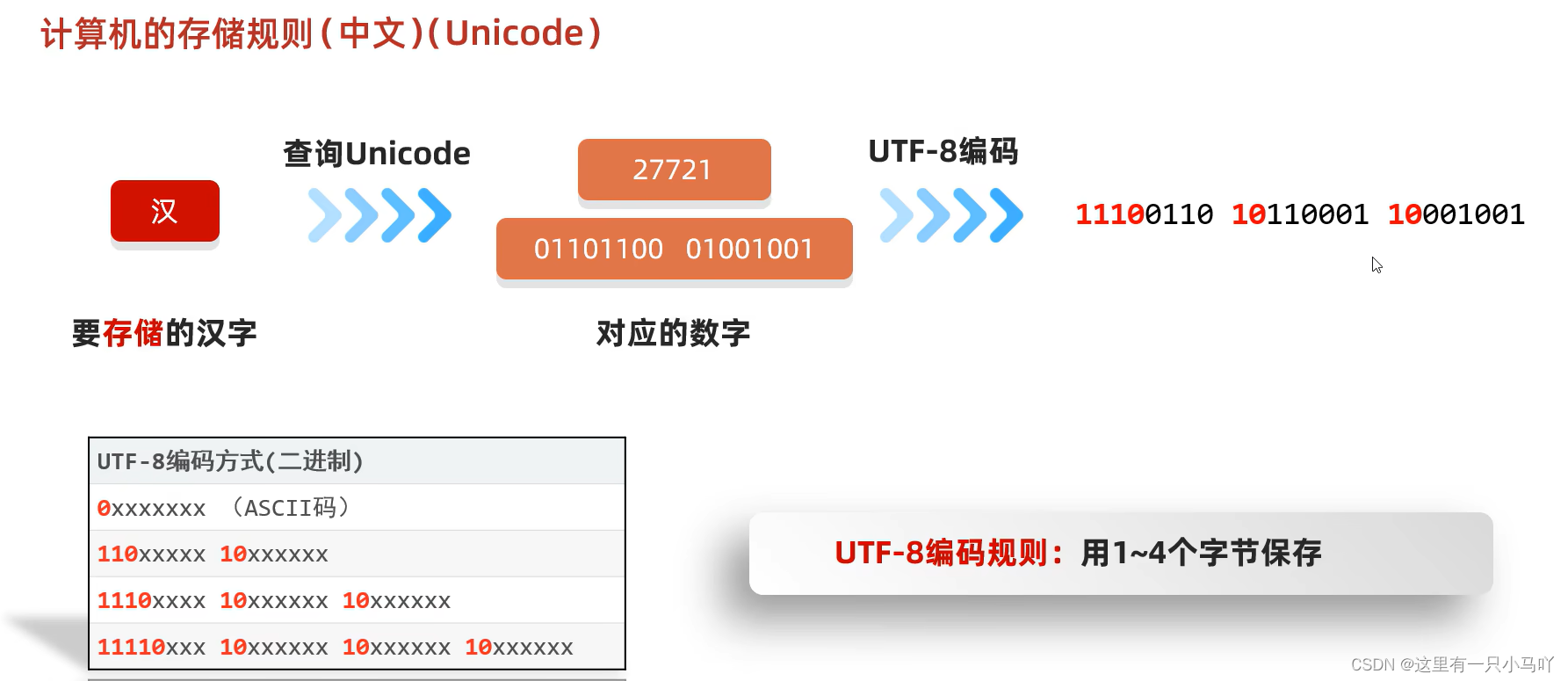
规则1:一个汉字使用2个字节存储 !!!高位字节 低位字节
规则2:高位字节二进制一定以1开头 ,转成十进制之后是一个负数
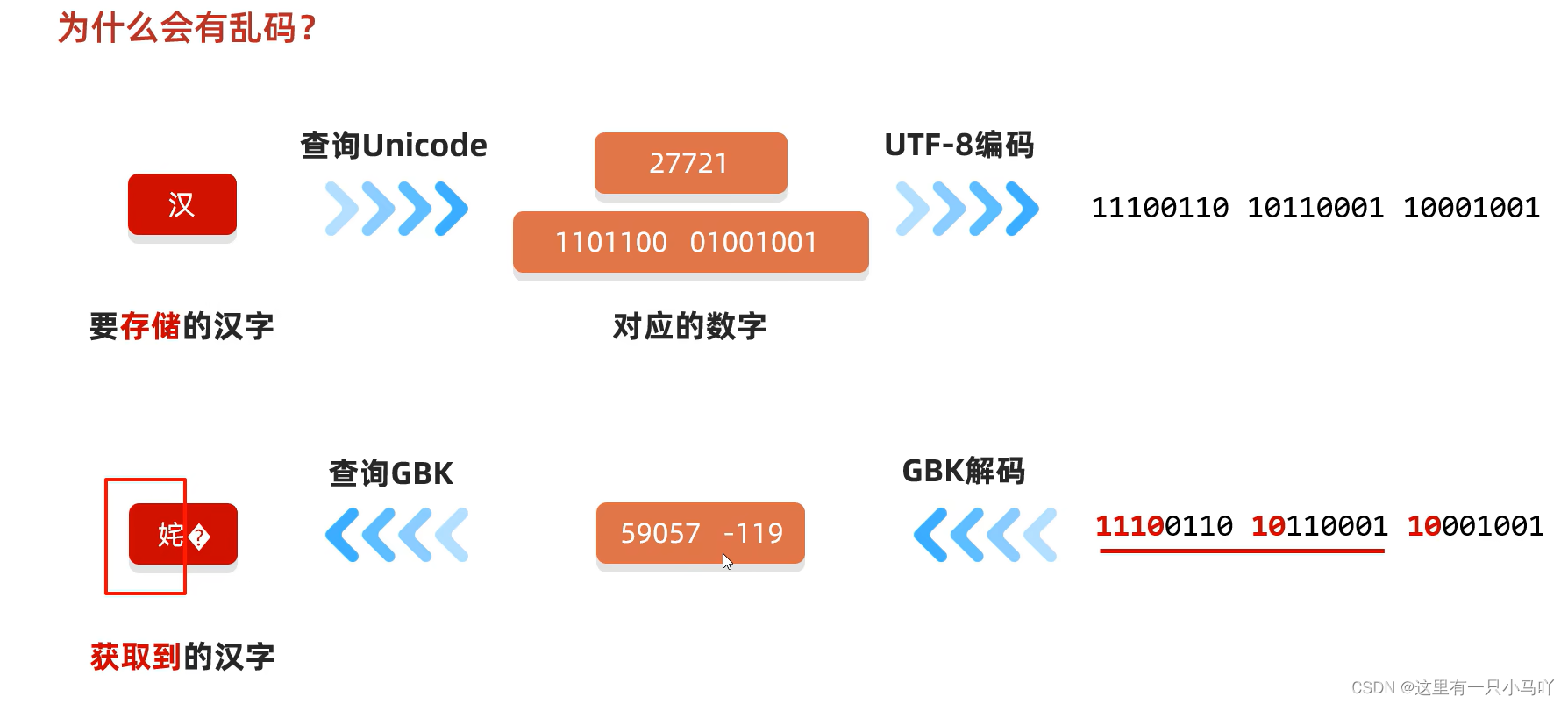
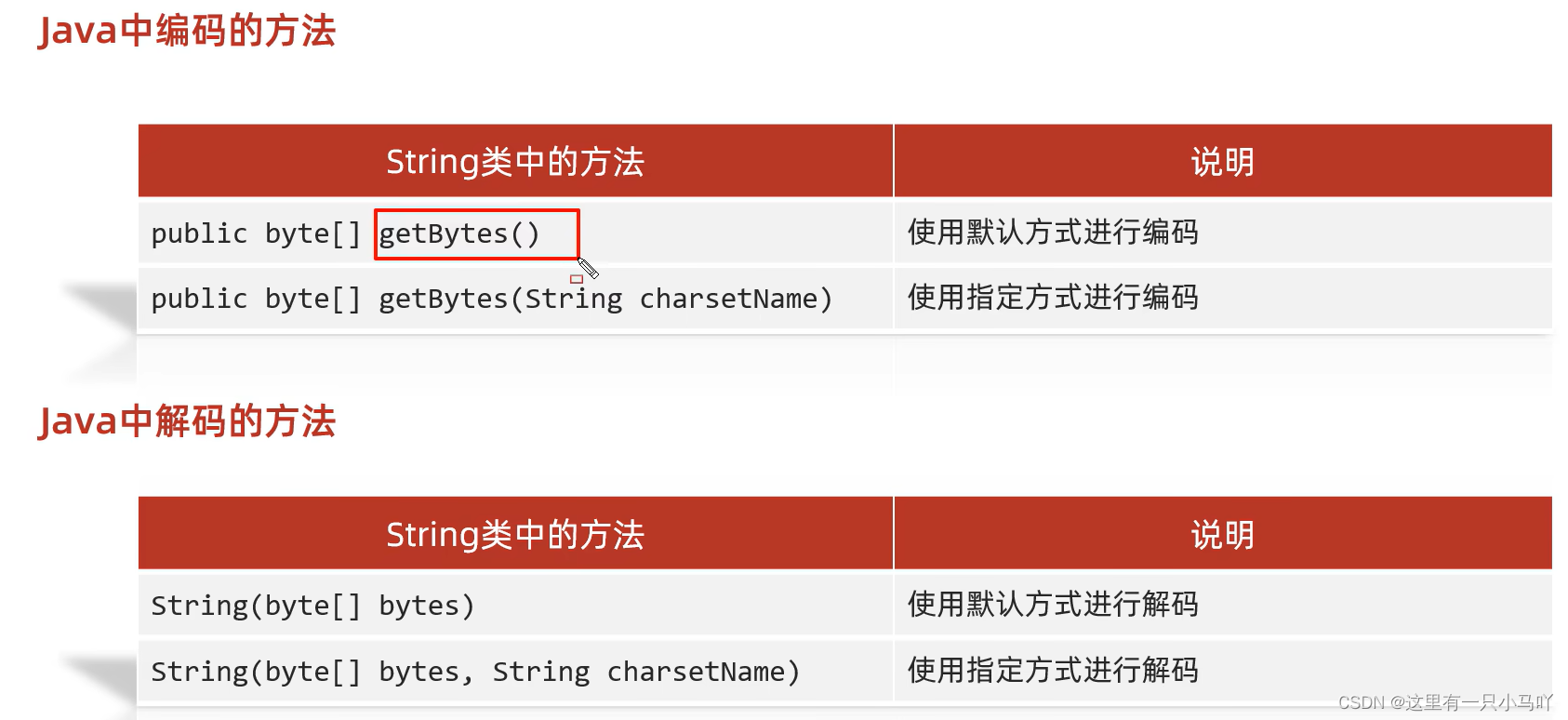
3.7为什么会有乱码? and Java 中编码和解码的代码实现
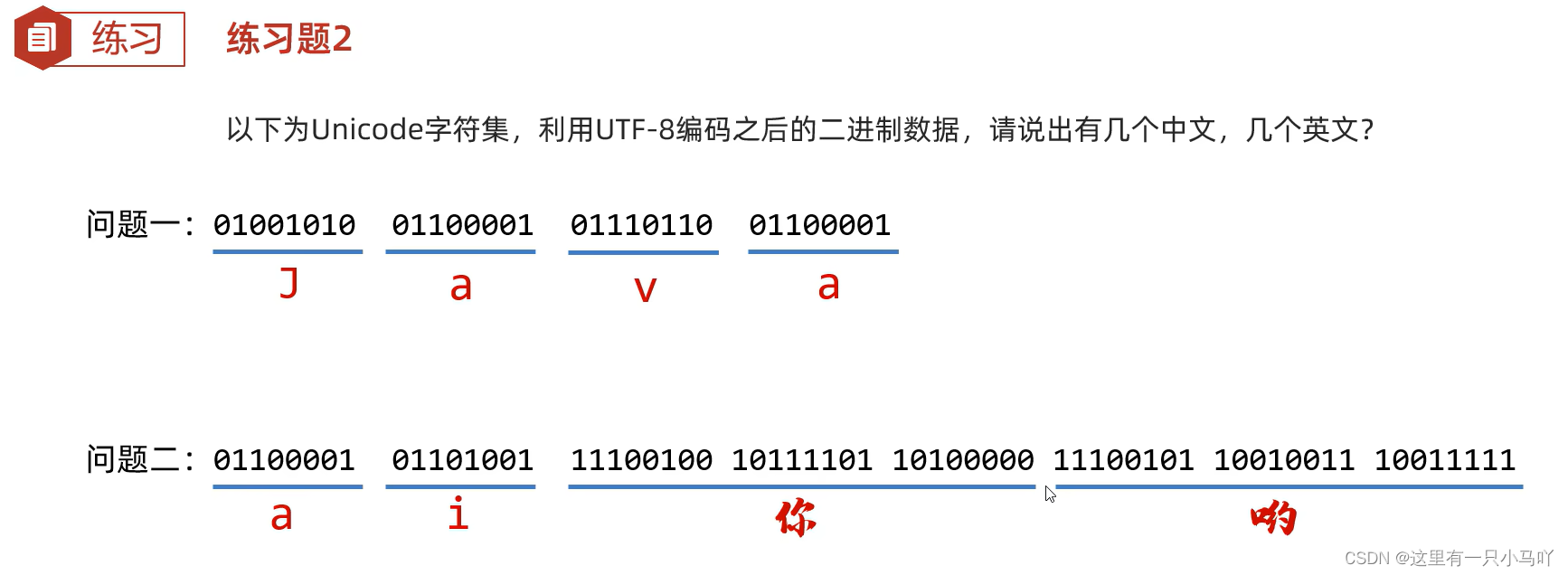
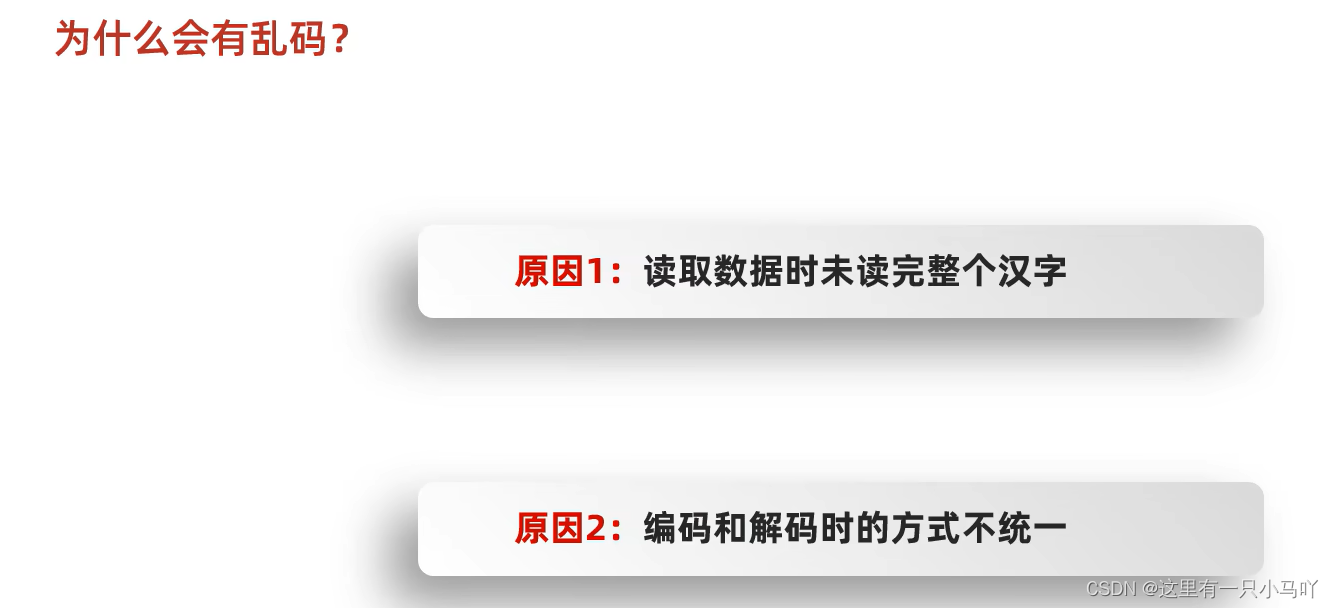
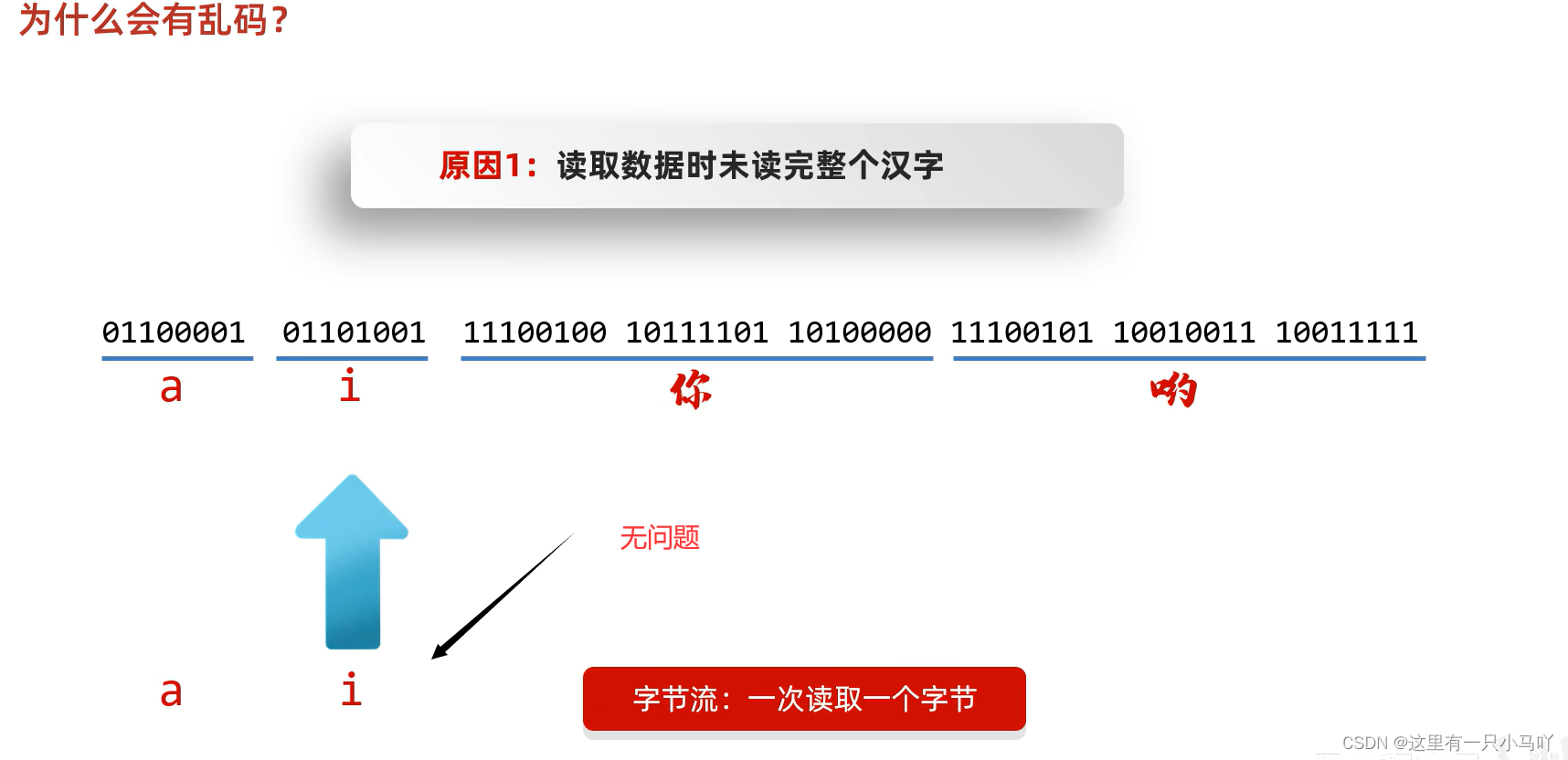
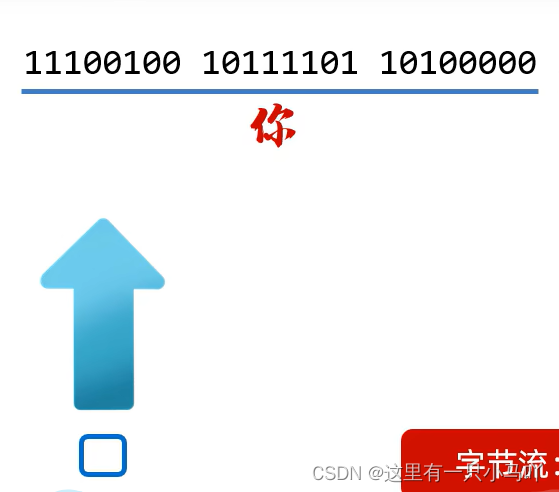
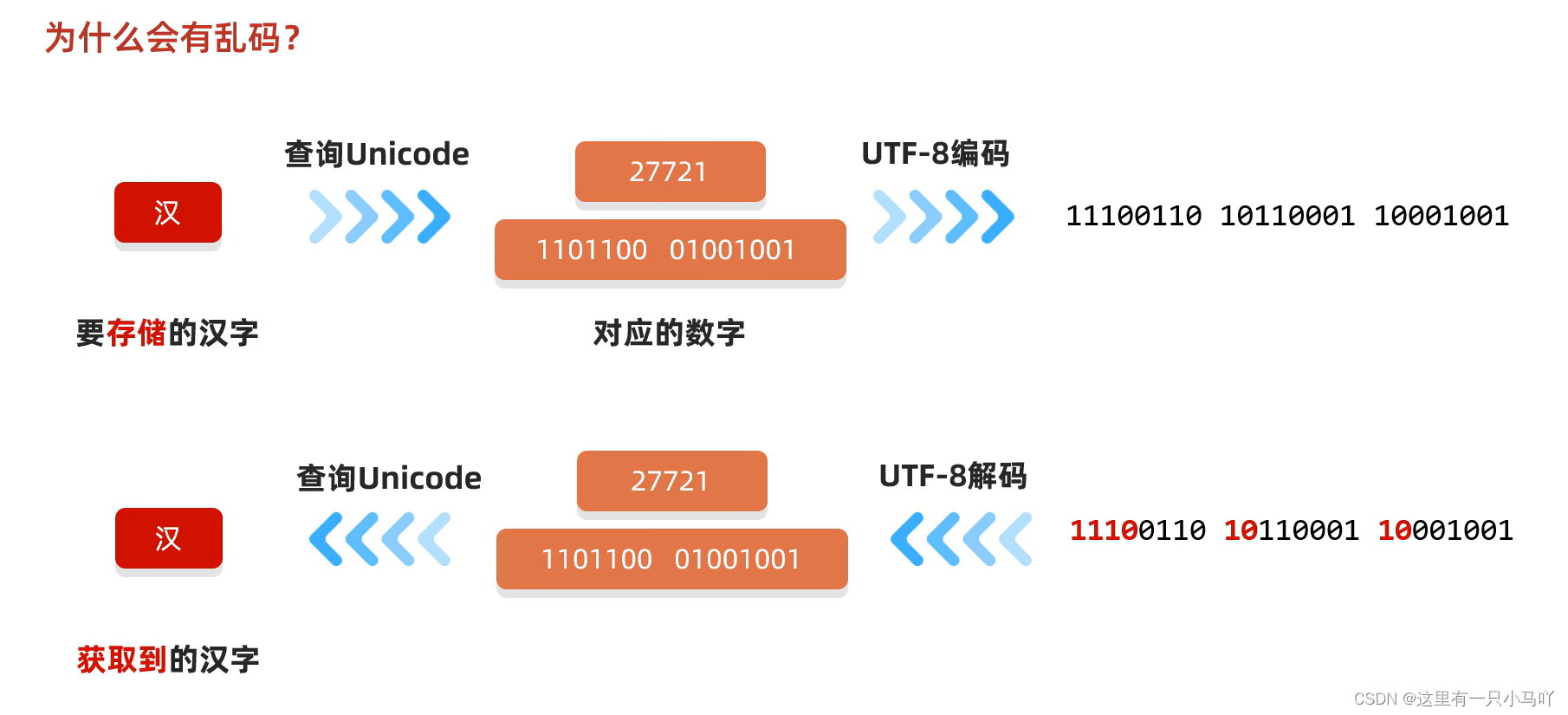
不要用字节流 读取文本文件编码解码时使用同一个码表,同一个编码方式
扩展:字节流读取中文会乱码,但是为什么拷贝不会乱码呢?
1 2 3 4 5 6 7 8 9 10 11 12 13 14 15 16 17 18 19 20 21 22 23 import java.io.*;import java.lang.String;public class main { public static void main (String[] args) throws IOException { FileInputStream fis = new FileInputStream ("C:\\Users\\HP\\Desktop\\Ctest\\test4\\Module_text\\src\\aaa\\a.txt" ); FileOutputStream fos = new FileOutputStream ("C:\\Users\\HP\\Desktop\\Ctest\\test4\\Module_text\\src\\a.txt" ); int len ; byte [] bytes = new byte [200 ]; while ((len = fis.read(bytes))!=-1 ) { fos.write(bytes,0 ,len); } fos.close(); fis.close(); } }
1 2 3 4 5 6 7 8 9 10 11 12 13 14 15 16 17 18 19 20 21 22 23 24 25 26 27 28 29 30 31 32 33 34 35 36 37 38 39 40 41 42 43 44 45 46 47 48 49 import java.io.*;import java.lang.String;import java.nio.charset.StandardCharsets;import java.util.Arrays;import java.util.Collections;import java.lang.String;public class main { public static void main (String[] args) throws UnsupportedEncodingException { String str = "一个一个" ; byte [] bytes = str.getBytes(StandardCharsets.UTF_8); System.out.println(Arrays.toString(bytes)); byte [] bytes2 = str.getBytes("GBK" ); System.out.println(Arrays.toString(bytes2)); } } Lobster AIjava运行1234567891011121314151617181920 import java.io.*;import java.lang.String;import java.nio.charset.StandardCharsets;import java.util.Arrays;public class main { public static void main (String[] args) throws UnsupportedEncodingException { String str = "一个一个" ; byte [] bytes = str.getBytes(StandardCharsets.UTF_8); System.out.println(Arrays.toString(bytes)); byte [] bytes2 = str.getBytes("GBK" ); System.out.println(Arrays.toString(bytes2)); String str2 = new String (bytes); System.out.println(str2); String str3 = new String (bytes2); System.out.println(str3); String str4 = new String (bytes2,"GBK" ); System.out.println(str4); } }
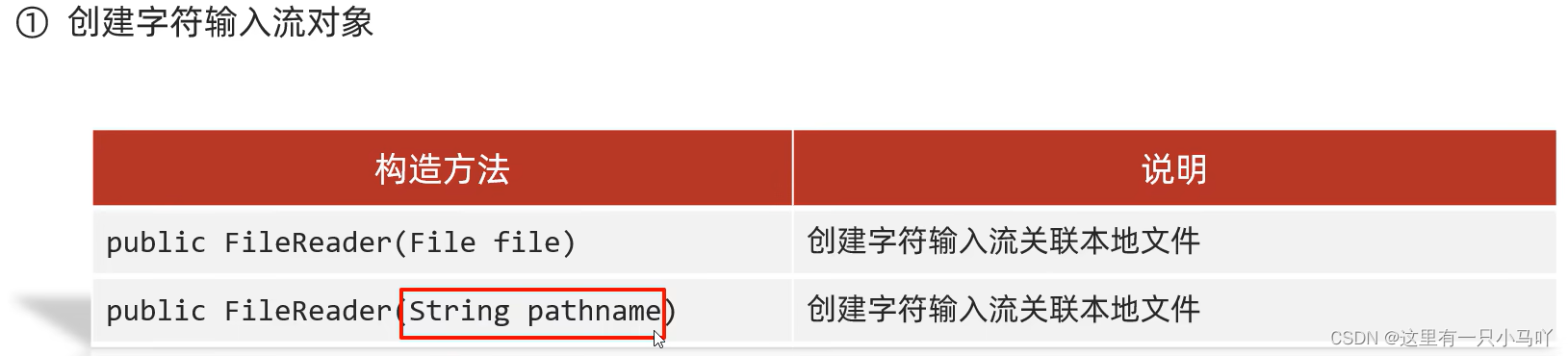
3.8 字符输入流空参、有参read方法详解
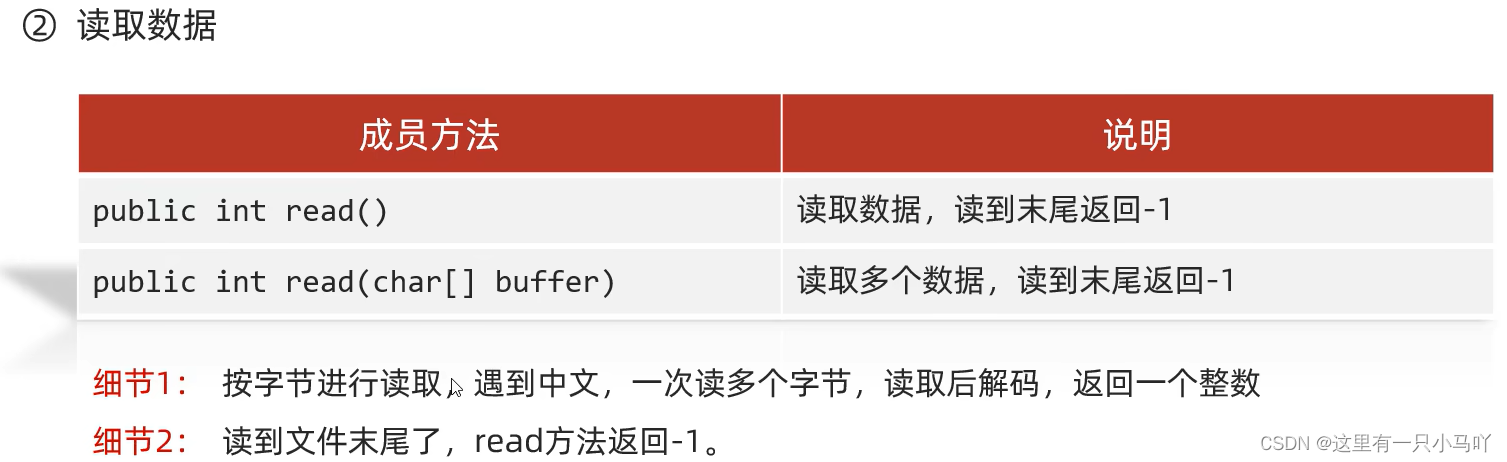
XX流:默认也是一次读第一个字节,当遇到中文时,一次读多个字节
OK!字符流横空出现!!!!!!!!!!!!!!!!
特点
输入流:一次读一个字节 ,遇到中文时,一次读多个字节
输出流:底层会把数据按照指定的编码方式进行编码,变成字节 再写到文件中
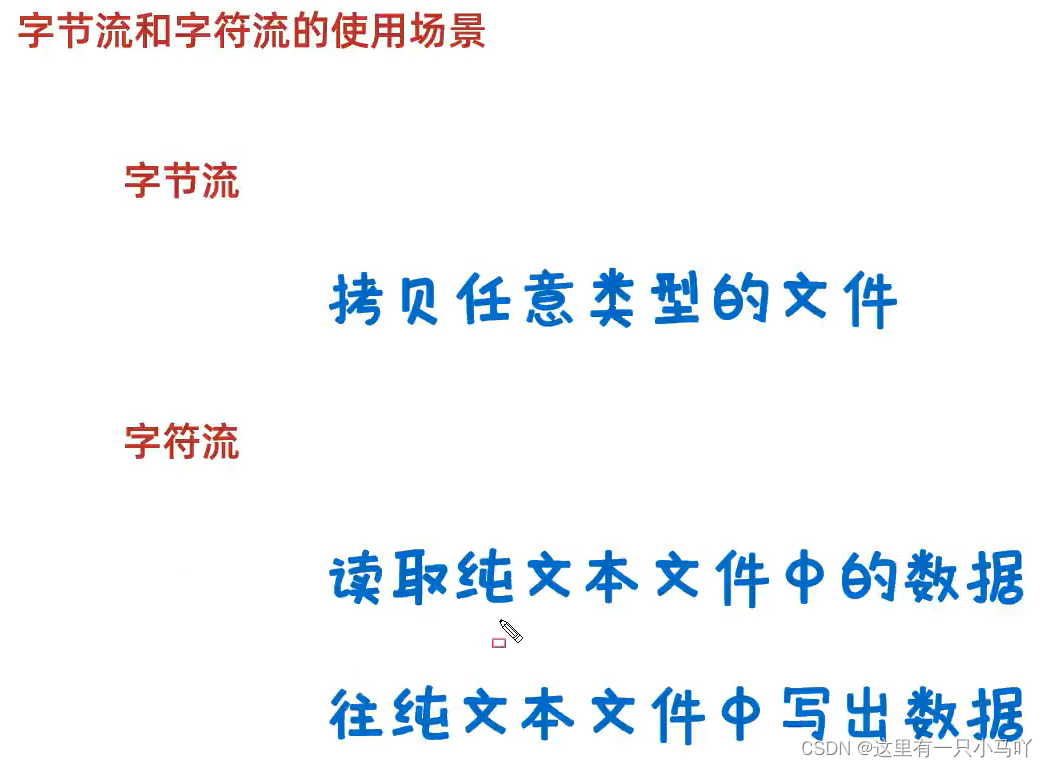
使用场景
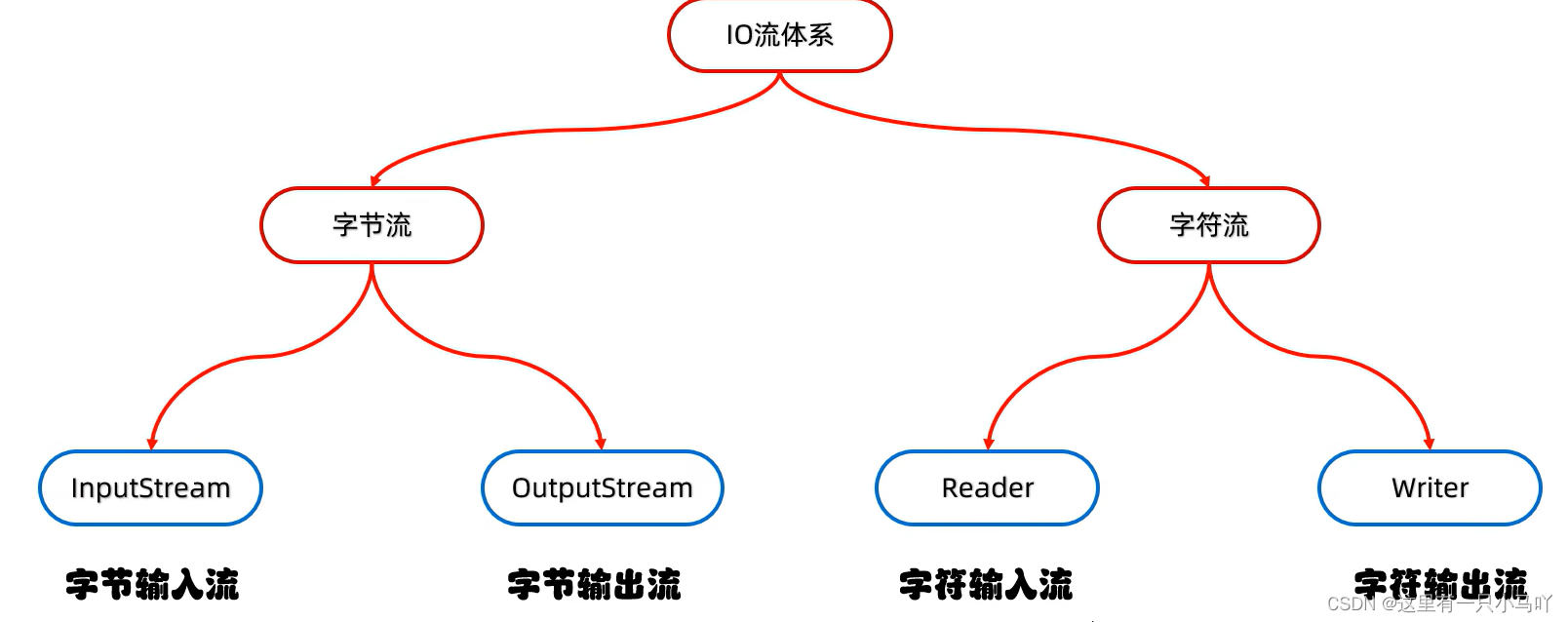
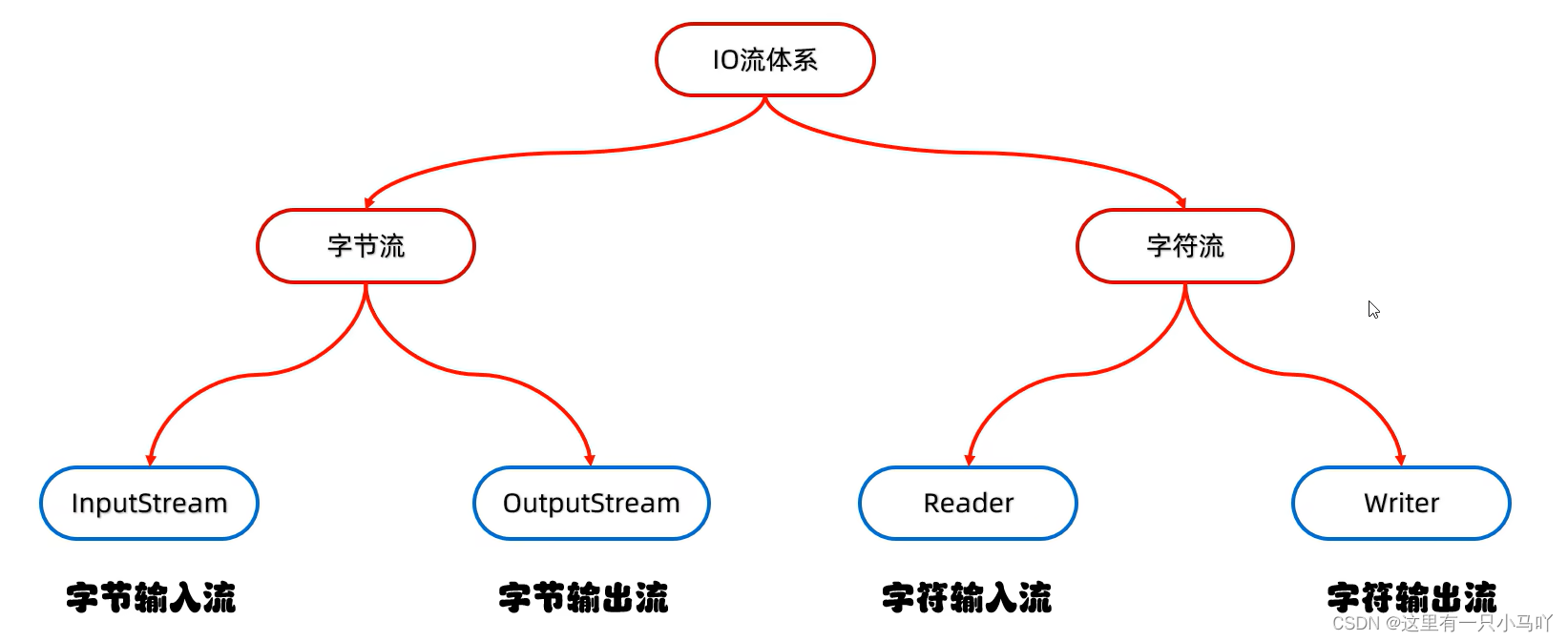
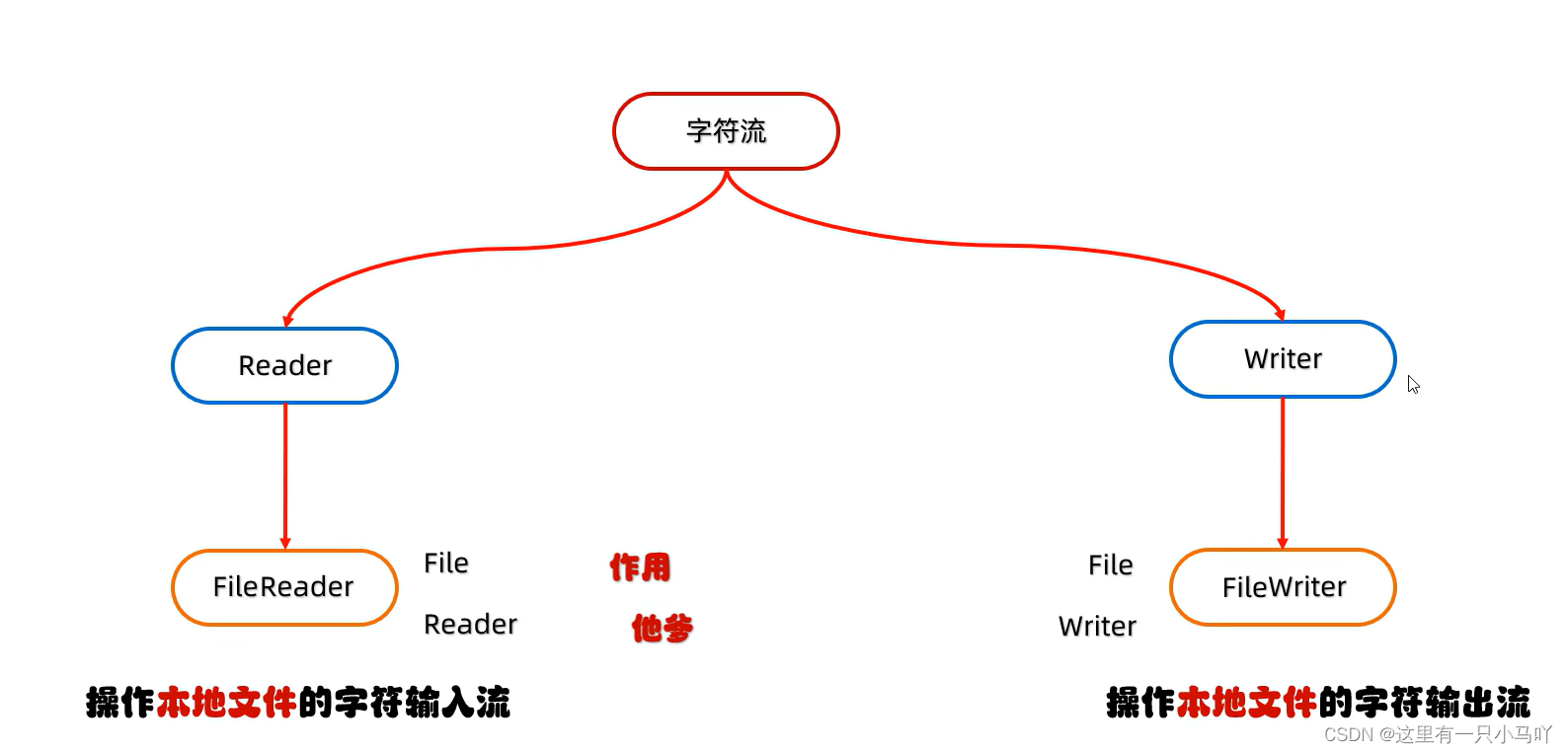
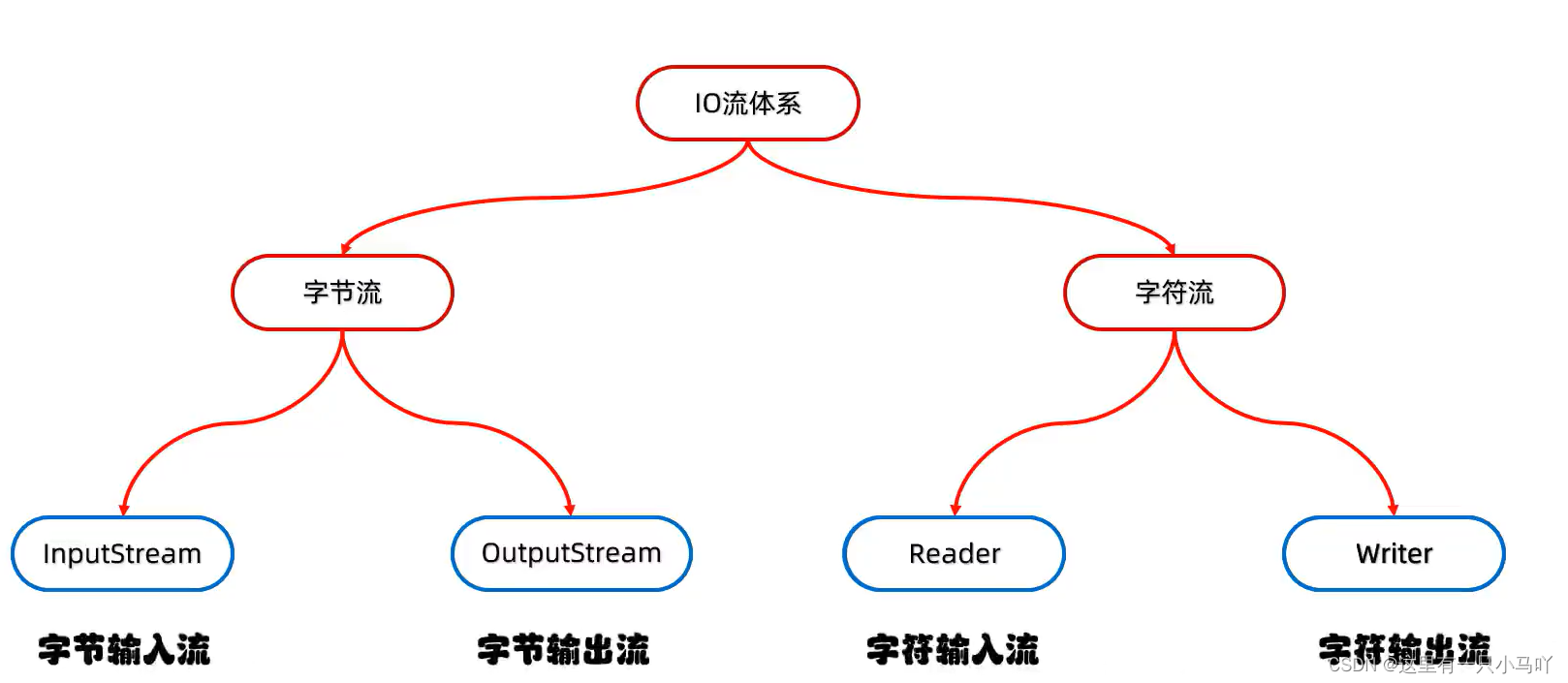
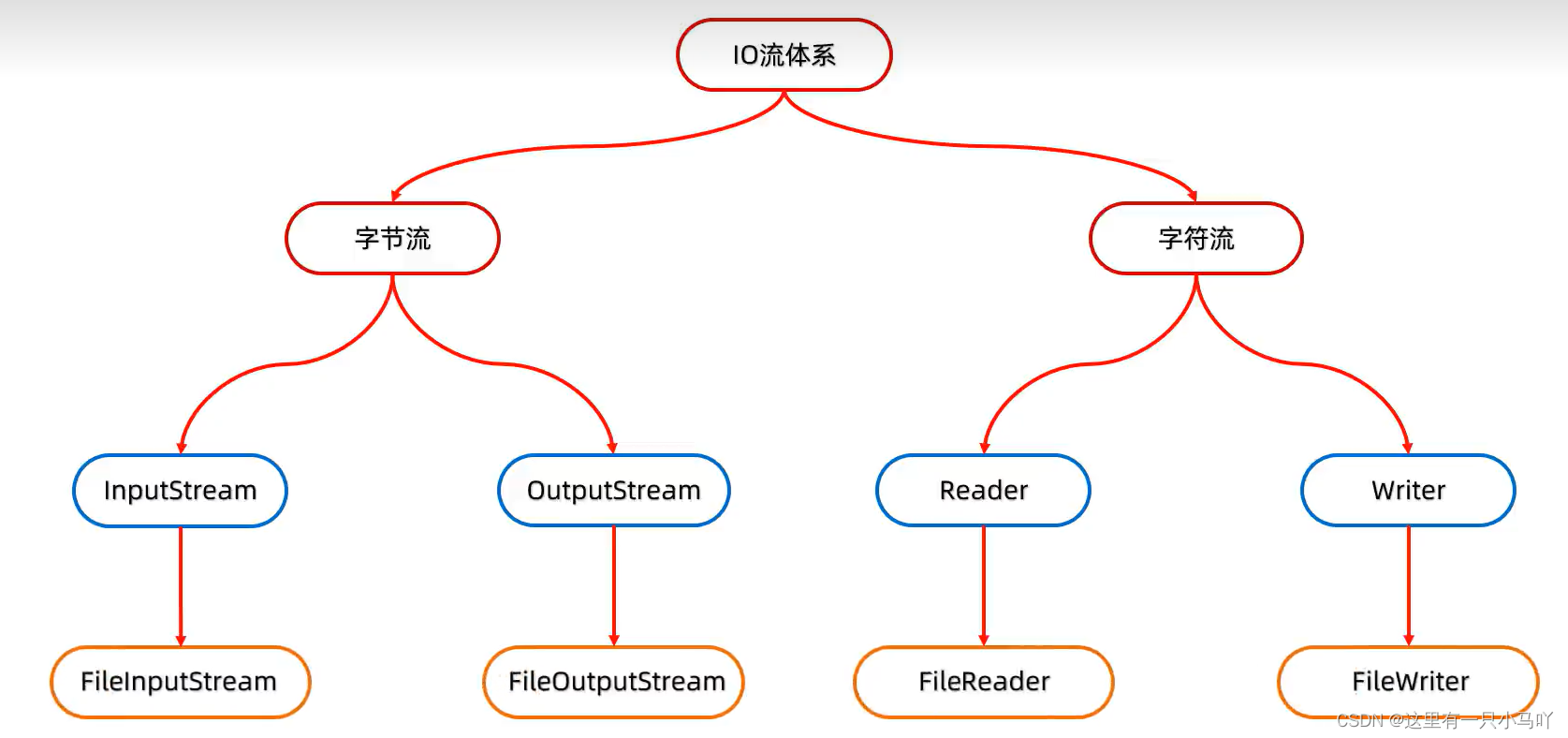
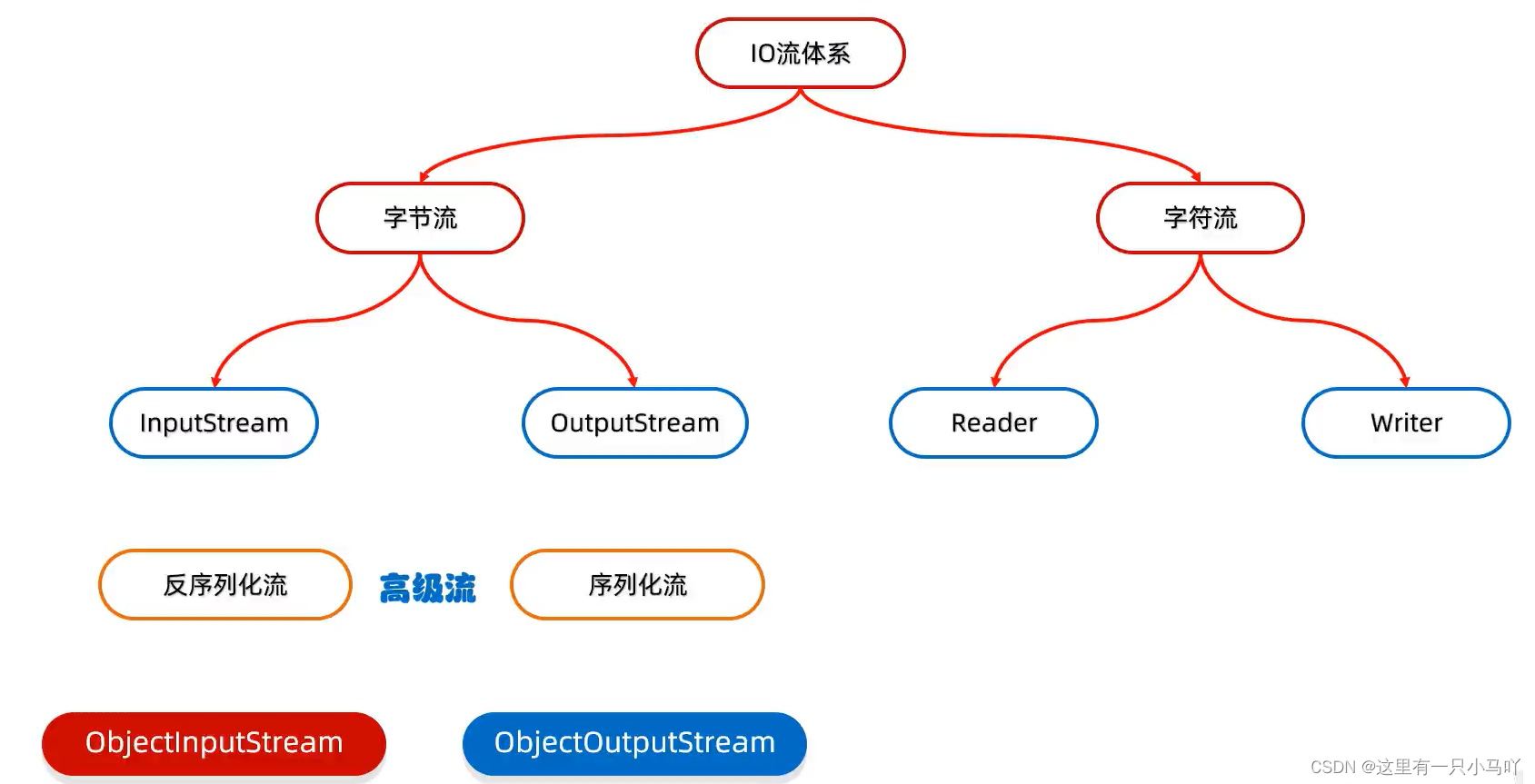
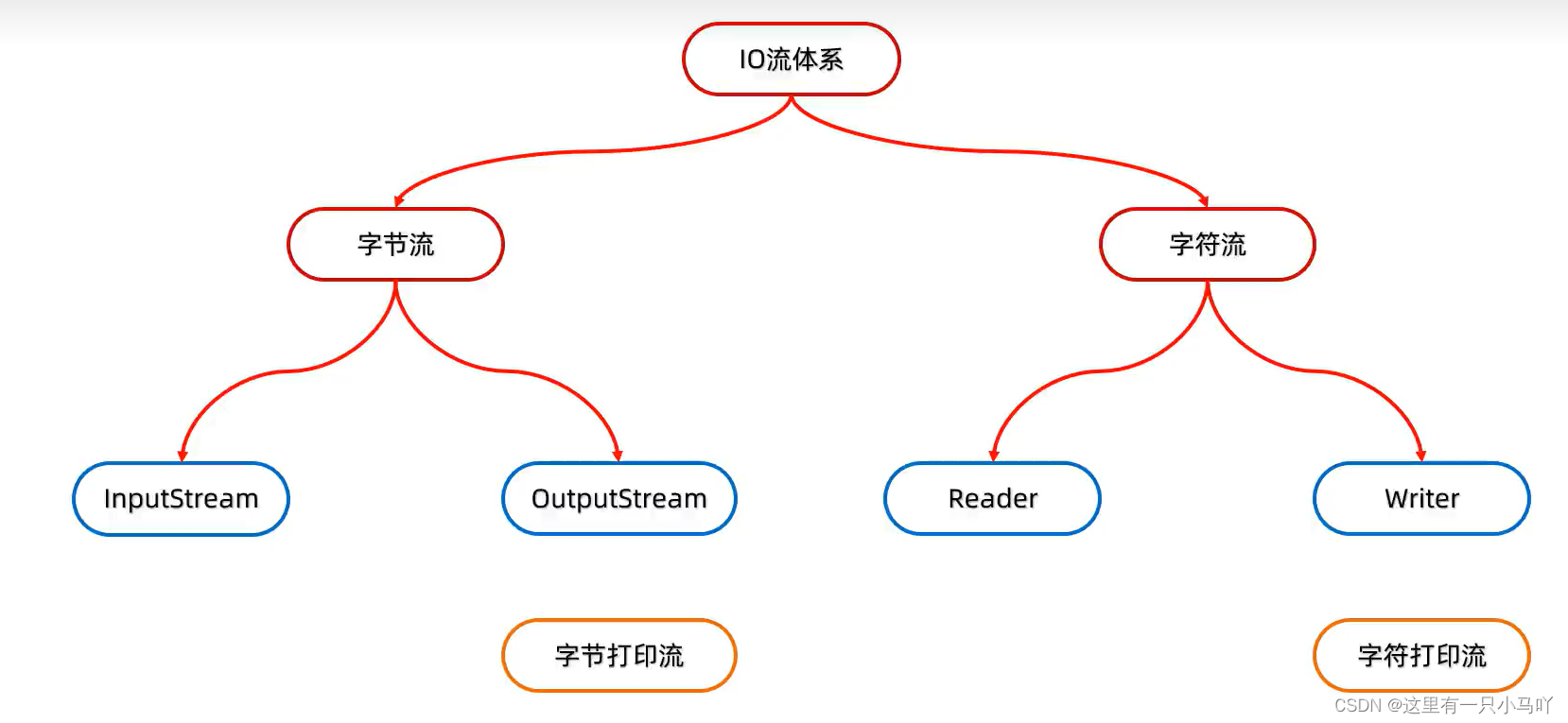
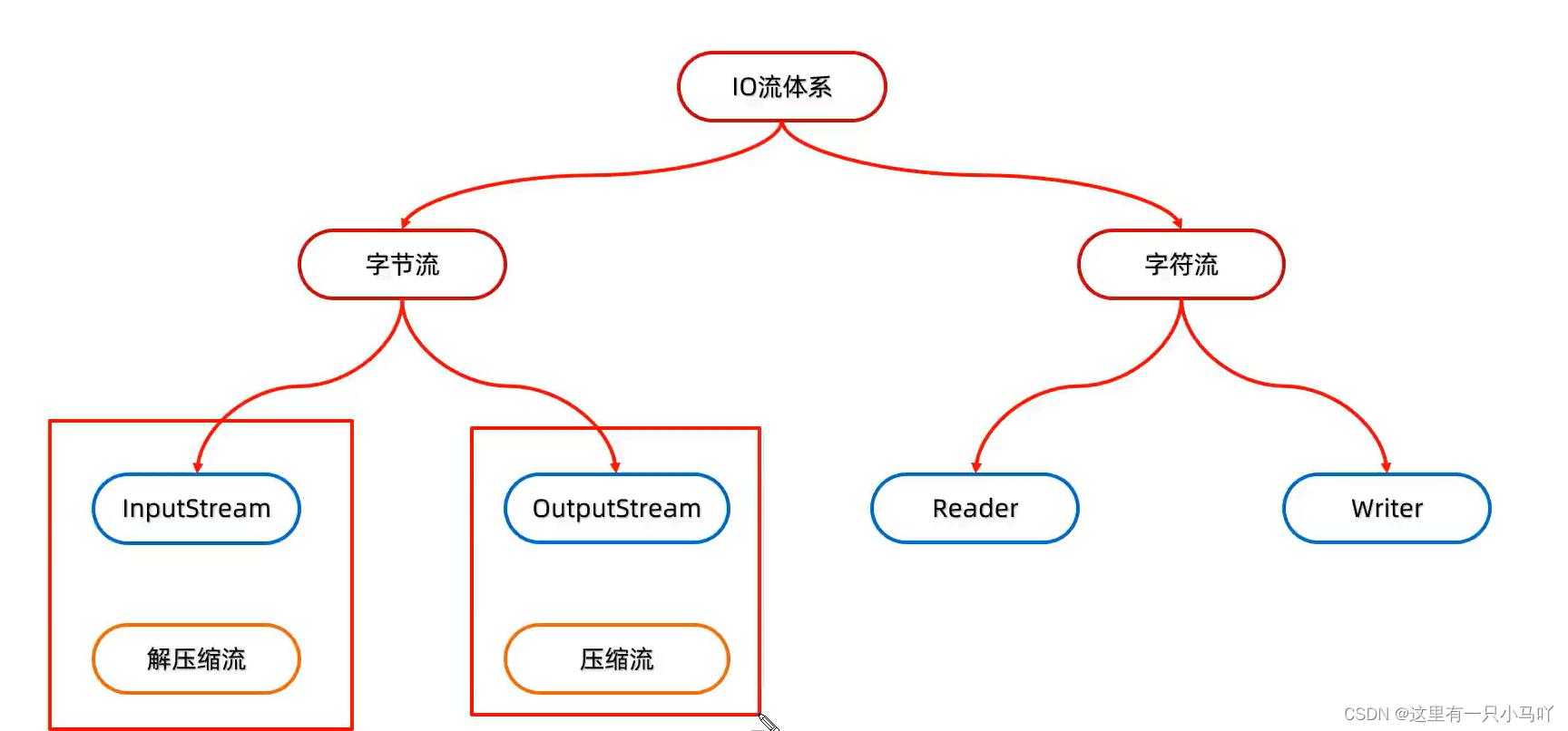
重新回顾我们的IO流体系 蓝色框框都是抽象类
1 2 3 4 5 6 7 8 9 10 11 12 13 14 15 16 17 18 19 20 21 22 23 24 25 26 27 28 29 30 31 32 33 34 35 36 37 38 39 40 41 42 43 44 45 46 47 48 49 50 51 52 53 54 import java.io.*;import java.lang.String;import java.nio.charset.StandardCharsets;import java.util.Arrays;public class main { public static void main (String[] args) throws IOException { FileReader fr = new FileReader ("C:\\Users\\HP\\Desktop\\Ctest\\test4\\Module_text\\src\\aaa\\a.txt" ); int c; while ((c= fr.read())!=-1 ) { System.out.println(c); } fr.close(); } } import java.io.*;import java.lang.String;import java.nio.charset.StandardCharsets;import java.util.Arrays;public class main { public static void main (String[] args) throws IOException { FileReader fr = new FileReader ("C:\\Users\\HP\\Desktop\\Ctest\\test4\\Module_text\\src\\aaa\\a.txt" ); int c; while ((c= fr.read())!=-1 ) { System.out.print((char ) c); } fr.close(); } }
有参!!!
1 2 3 4 5 6 7 8 9 10 11 12 13 14 15 16 17 18 19 import java.io.*;import java.lang.String;public class main { public static void main (String[] args) throws IOException { FileReader fr = new FileReader ("C:\\Users\\HP\\Desktop\\Ctest\\test4\\Module_text\\src\\aaa\\a.txt" ); char [] chars = new char [6 ]; int len ; while ((len =fr.read(chars)) !=-1 ) { System.out.println(new String (chars,0 ,len)); } fr.close(); } }
\r\n是每一段最后的换行符!!!! 所以要考虑他们
3.9 字符流输出流写出数据
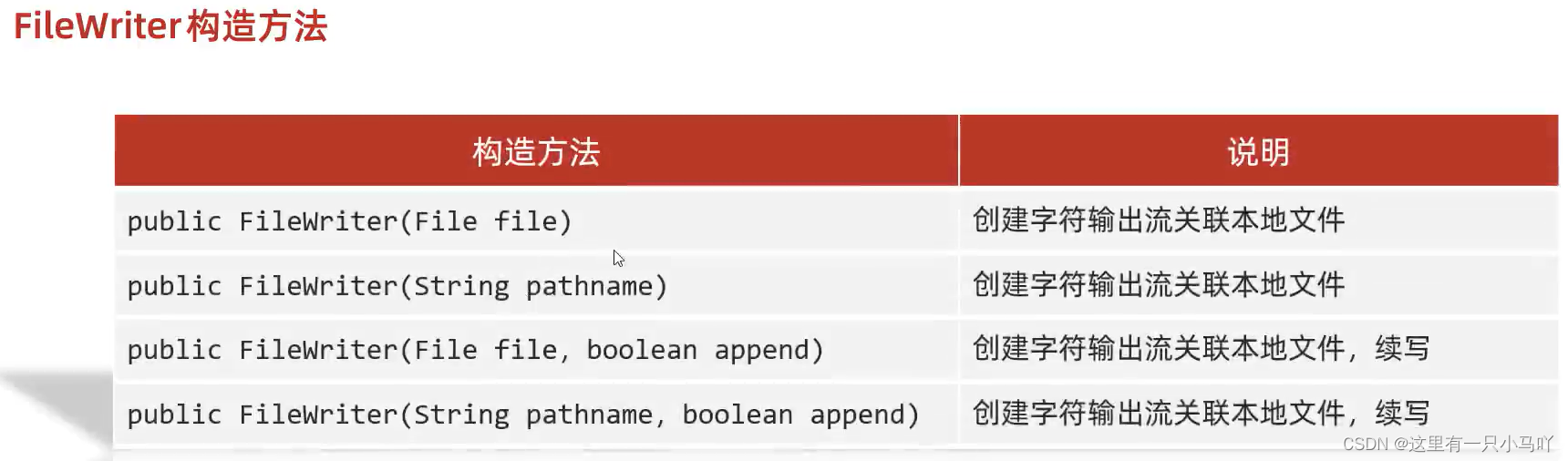
创建字符输出流对象
细节1:参数是字符串表示的路径或者File对象都是可以的
细节2:如果文件不存在会创建一个新的文件, 但是要保证父级路径是存在的
细节3:同样,如果存在内容会被清空!!!!!!!!
写数据
细节:如果write方法的参数是整数,但是实际上写到本地文件中的是整数在字符集上对应的字符
释放资源
1 2 3 4 5 6 7 8 9 10 11 12 13 14 import java.io.*;import java.lang.String;public class main { public static void main (String[] args) throws IOException { FileWriter fw = new FileWriter ("C:\\Users\\HP\\Desktop\\Ctest\\test4\\Module_text\\src\\aaa\\a.txt" ); fw.write(97 ); fw.close(); } }
但是如果超出了一个字节 字节流可以用嘛?——不行
写一个
1 2 3 4 5 6 7 8 9 10 11 12 13 14 15 16 17 18 19 20 21 import java.io.*;import java.lang.String;public class main { public static void main (String[] args) throws IOException { FileWriter fw = new FileWriter ("C:\\Users\\HP\\Desktop\\Ctest\\test4\\Module_text\\src\\aaa\\a.txt" ); FileReader fr = new FileReader ("C:\\Users\\HP\\Desktop\\Ctest\\test4\\Module_text\\src\\aaa\\a.txt" ); fw.write(25105 ); fw.close(); int c ; char [] chars = new char [2 ]; while ((c = fr.read(chars))!= -1 ) { System.out.println(new String (chars,0 ,c)); } fr.close(); } }
写字符串
1 2 3 4 5 6 7 8 9 10 11 12 13 14 15 16 17 18 19 20 21 22 import java.io.*;import java.lang.String;public class main { public static void main (String[] args) throws IOException { FileWriter fw = new FileWriter ("C:\\Users\\HP\\Desktop\\Ctest\\test4\\Module_text\\src\\aaa\\a.txt" ); FileReader fr = new FileReader ("C:\\Users\\HP\\Desktop\\Ctest\\test4\\Module_text\\src\\aaa\\a.txt" ); String str = "一个一个梦飞出了天窗" ; fw.write(str); fw.close(); int c ; char [] chars = new char [2 ]; while ((c = fr.read(chars))!= -1 ) { System.out.print(new String (chars,0 ,c)); } fr.close(); } }
char[ ]
1
2
3
4
5
6
7
8
9
10
11
12
13
14
15
16
17
18
19
20
21
22
23
24
25
26
import java.io.*;import java.lang.String;public class main { public static void main (String[] args) throws IOException { FileWriter fw = new FileWriter ("C:\\Users\\HP\\Desktop\\Ctest\\test4\\Module_text\\src\\aaa\\a.txt" ); FileReader fr = new FileReader ("C:\\Users\\HP\\Desktop\\Ctest\\test4\\Module_text\\src\\aaa\\a.txt" ); char [] chars1 = {'一' ,'个' ,'梦' ,'飞' }; fw.write(chars1); fw.close(); int c ; char [] chars = new char [2 ]; while ((c = fr.read(chars))!= -1 ) { System.out.print(new String (chars,0 ,c)); } fr.close(); } }
3.10 综合练习
1 2 3 4 5 6 7 8 9 10 11 12 13 14 15 16 17 18 19 20 21 22 23 24 25 26 27 28 29 30 31 32 33 34 35 36 37 38 39 40 41 42 43 44 import java.io.*;import java.lang.String;public class main { public static void main (String[] args) throws IOException { File src = new File ("F:\\QQ_DownLoad_Document\\Bigdata-个人作业" ); File dest = new File ("F:\\Two or three things on the table\\Bigdata-个人作业" ); copydir(src,dest); } private static void copydir (File src, File dest) throws IOException { dest.mkdirs(); File[] files = src.listFiles(); for (File file:files) { if (file.isFile()) { FileInputStream fis = new FileInputStream (file); FileOutputStream fos = new FileOutputStream (new File (dest,file.getName())); byte [] bytes = new byte [1024 ]; int len; while ((len= fis.read(bytes))!=-1 ){ fos.write(bytes,0 ,len); } fos.close(); fis.close(); } else { copydir(file,new File (dest,file.getName())); } } } }
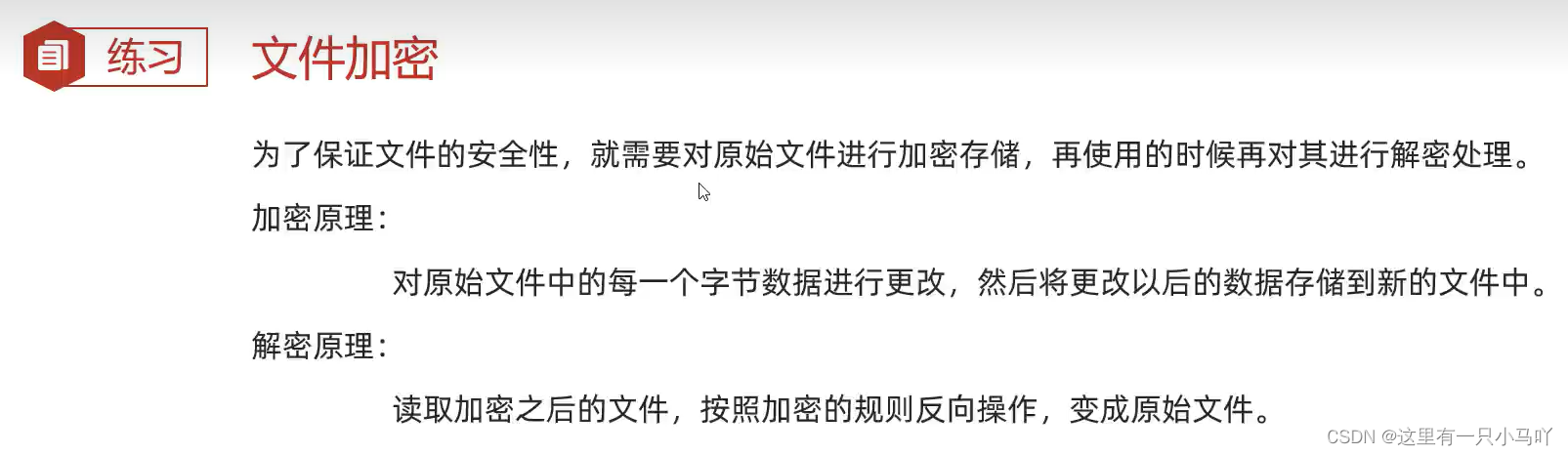
1 2 3 4 5 6 7 8 9 10 11 12 13 14 15 16 17 18 19 20 21 22 23 24 25 26 27 28 29 30 31 32 33 34 35 36 37 38 import java.io.*;import java.lang.String;import java.util.Arrays;public class main { public static void main (String[] args) throws IOException { FileInputStream fis = new FileInputStream ("F:\\Two or three things on the table\\123.txt" ); FileOutputStream fos = new FileOutputStream ("F:\\Two or three things on the table\\456.txt" ); int len; byte [] bytes = new byte [200 ]; while ((len = fis.read(bytes))!=-1 ) { for (int i = 0 ; i < bytes.length; i++) { bytes[i] = (byte ) (bytes[i]+1 ); } fos.write(bytes,0 ,len); } fos.close(); fis.close(); FileInputStream fis2 = new FileInputStream ("F:\\Two or three things on the table\\456.txt" ); FileOutputStream fos2 = new FileOutputStream ("F:\\Two or three things on the table\\789.txt" ); int len2; byte [] bytes1 = new byte [200 ]; while ((len2=fis2.read(bytes1))!= -1 ) { for (int i = 0 ; i < bytes1.length; i++) { bytes1[i] = (byte ) (bytes1[i]-1 ); } fos2.write(bytes1,0 ,len2); } fis2.close(); fos2.close(); } }
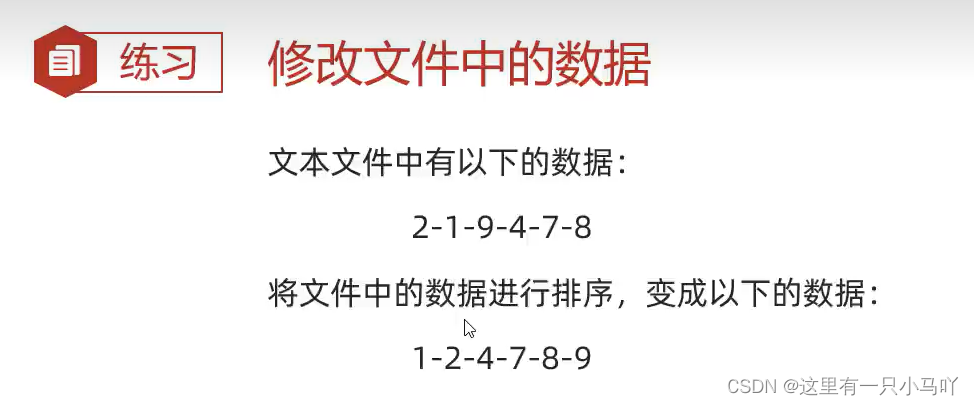
1 2 3 4 5 6 7 8 9 10 11 12 13 14 15 16 17 18 19 20 21 22 23 24 25 26 27 28 29 30 31 32 33 34 35 36 37 38 39 40 41 42 43 44 45 46 import java.io.*;import java.lang.String;import java.util.*;public class main { public static void main (String[] args) throws IOException { FileInputStream fis = new FileInputStream ("F:\\Two or three things on the table\\123.txt" ); String str = new String (); int len; byte [] bytes = new byte [10 ]; while ((len = fis.read(bytes))!= -1 ) { String st = new String (bytes,0 ,len); str = str + st; } fis.close(); for (int i = 0 ; i < str.length(); i++) { System.out.print(str.charAt(i)); } String str2 = new String (); String[] split = str.split("-" ); ArrayList<Integer> arr = new ArrayList <>(); for (int i = 0 ; i < split.length; i++) { arr.add(Integer.valueOf(split[i])); } System.out.println(arr); Collections.sort(arr); System.out.println(arr); StringJoiner sj = new StringJoiner ("-" ); for (int i = 0 ; i < arr.size(); i++) { sj.add(arr.get(i).toString()); } System.out.println(sj); FileOutputStream fileOutputStream = new FileOutputStream ("F:\\Two or three things on the table\\123.txt" ); fileOutputStream.write(sj.toString().getBytes()); fileOutputStream.close(); } }
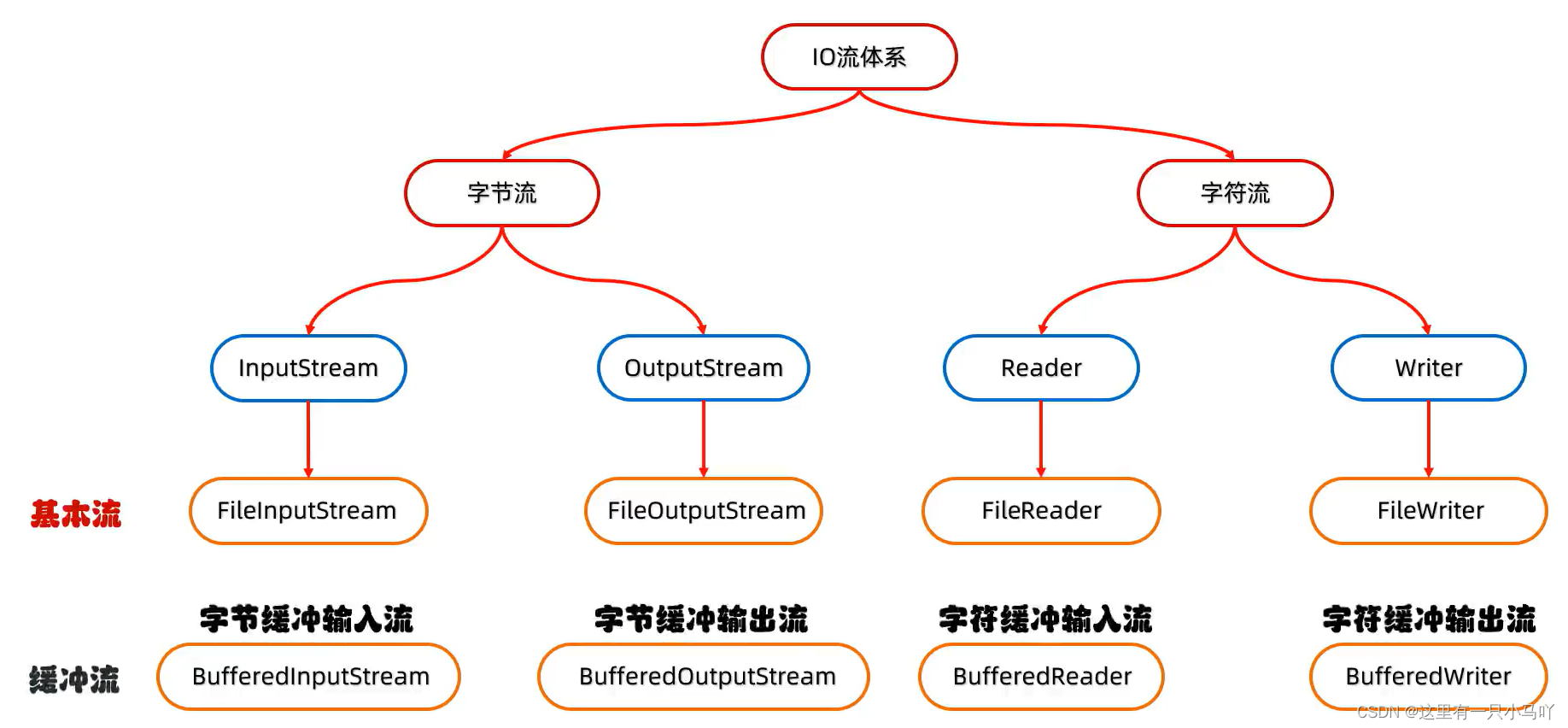
3.11 字节缓冲流拷贝文件 and 字节缓冲流拷贝文件 再次熟悉IO流体系结构
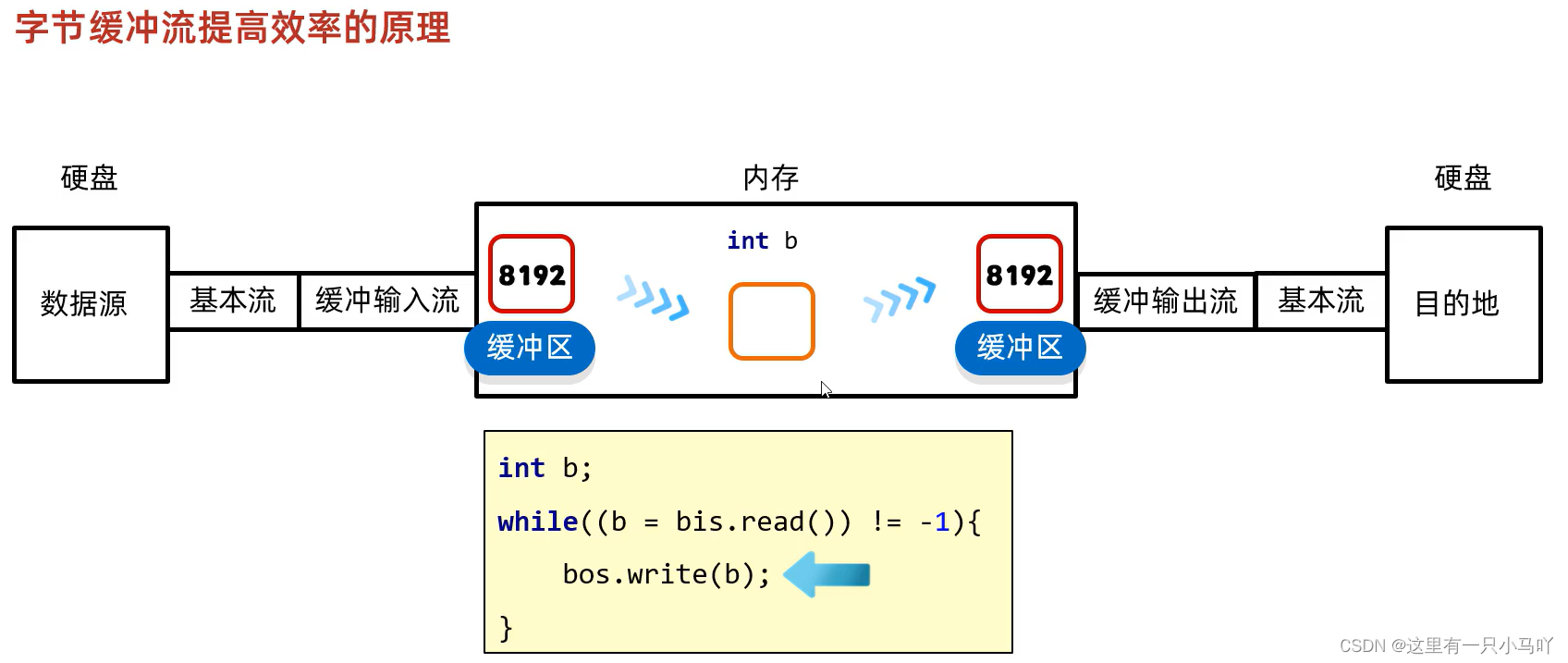
3.11.1 缓冲流 8192的缓冲区 提高性能
3.12 字节缓冲流的读写原理
内存和内存打交道是非常快的,但是硬盘和内存就不行,节省的是硬盘到内存之间的时间。
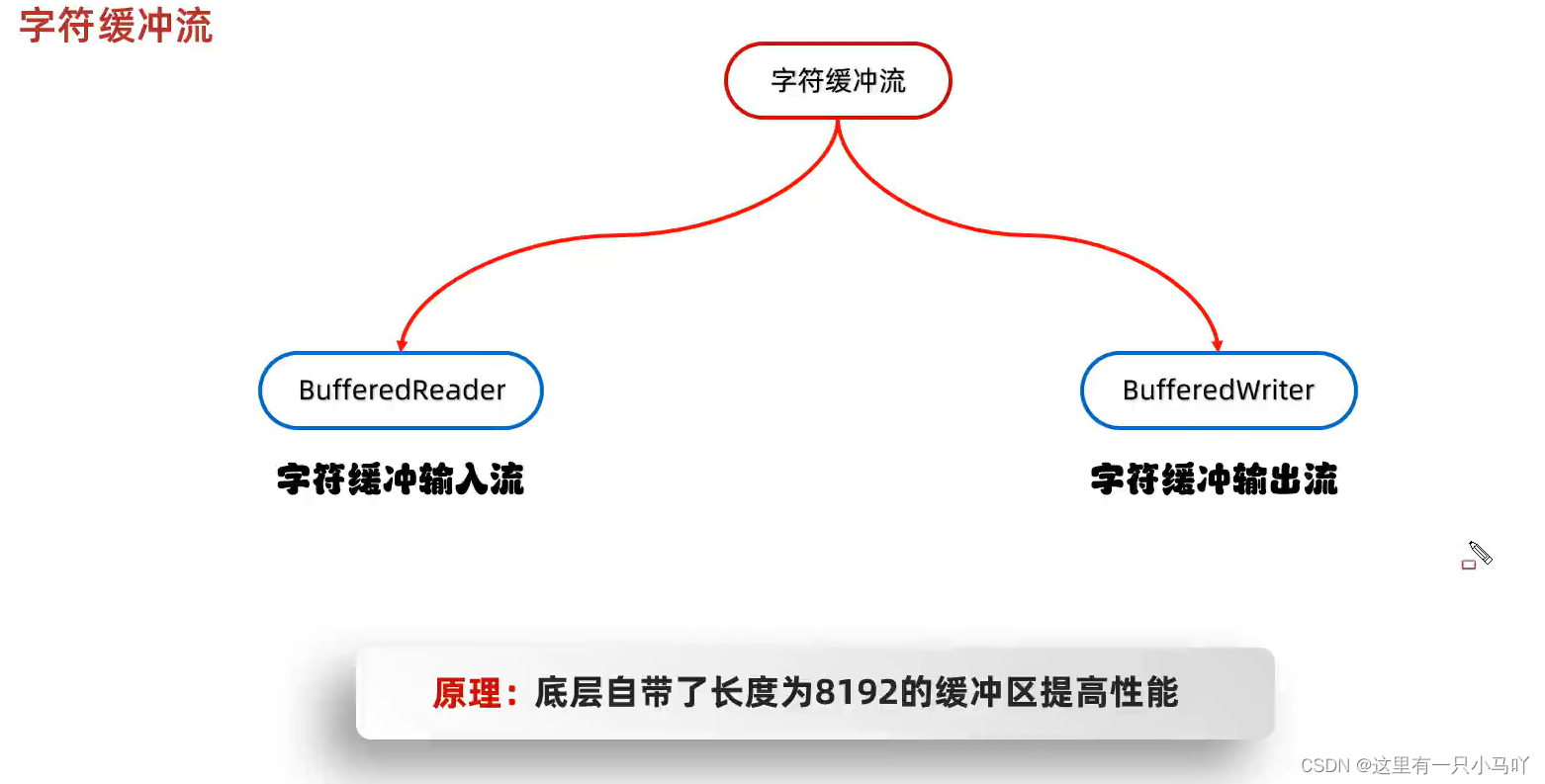
3.13 字符缓冲流
8192的缓冲区 提高性能
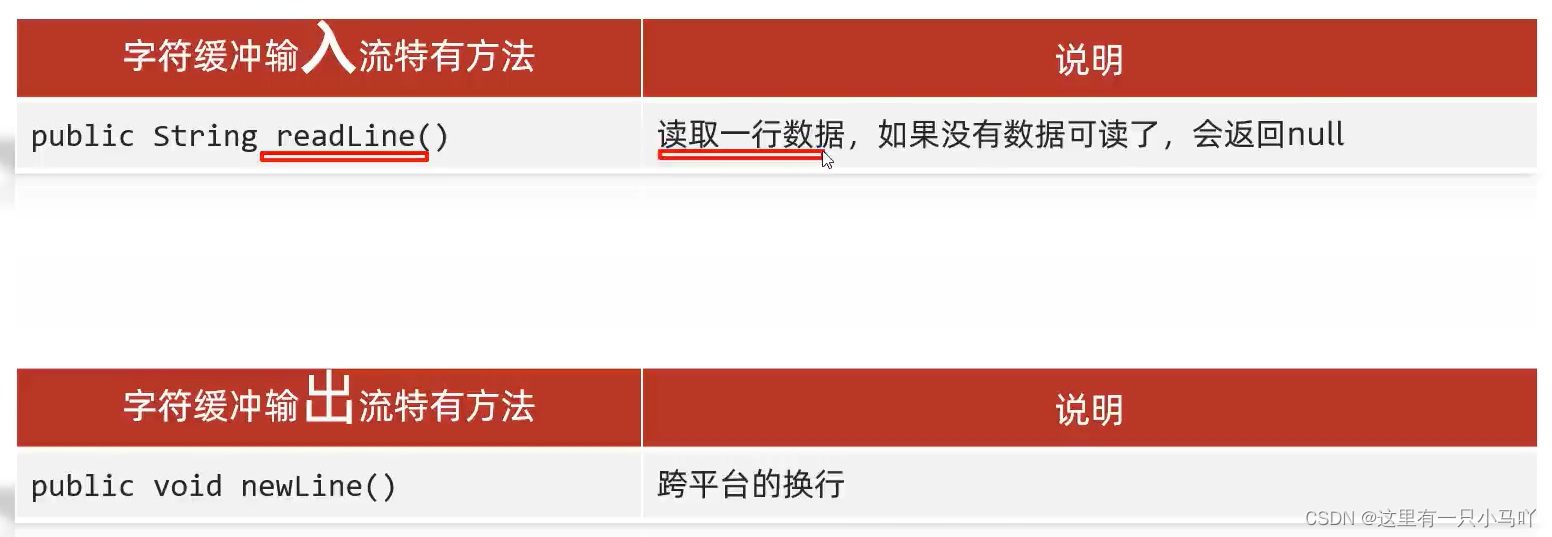
新方法!!!
1 2 3 4 5 6 7 8 9 10 11 12 13 14 15 16 import java.io.*;import java.lang.String;import java.util.*;public class main { public static void main (String[] args) throws IOException { BufferedReader br = new BufferedReader (new FileReader ("C:\\Users\\HP\\Desktop\\Ctest\\test4\\Module_text\\src\\aaa\\a.txt" )); String line = br.readLine(); System.out.println(line); br.close(); } } Lobster AIjava运行123456789101112131415
3.13 综合练习
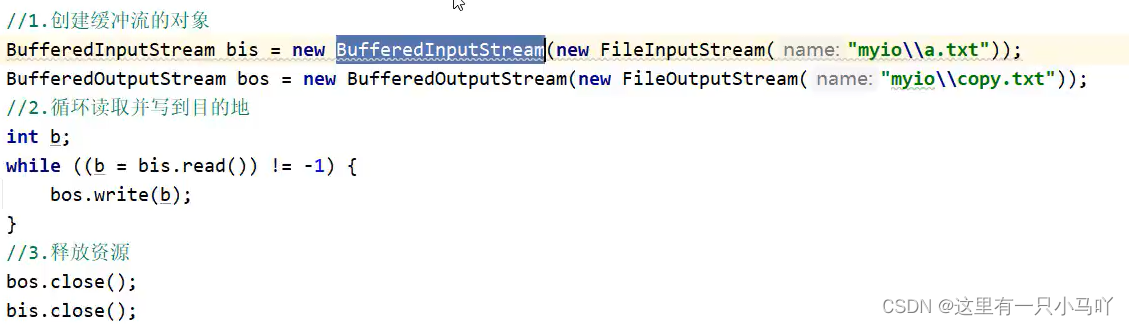
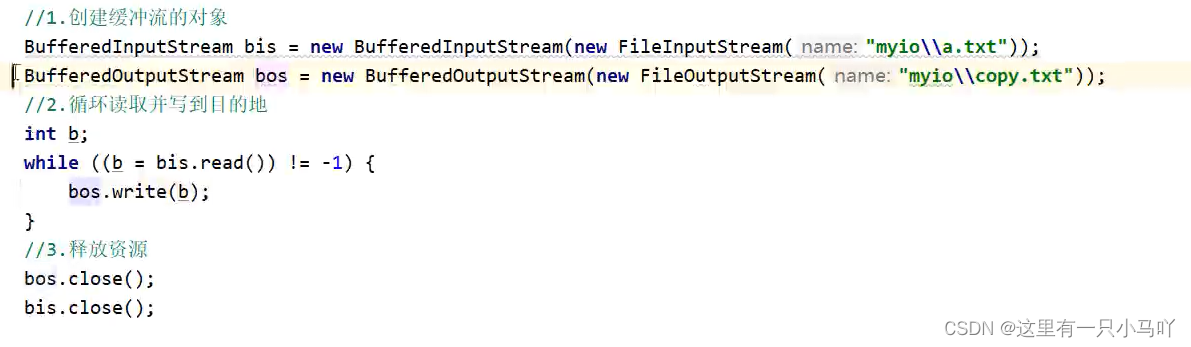
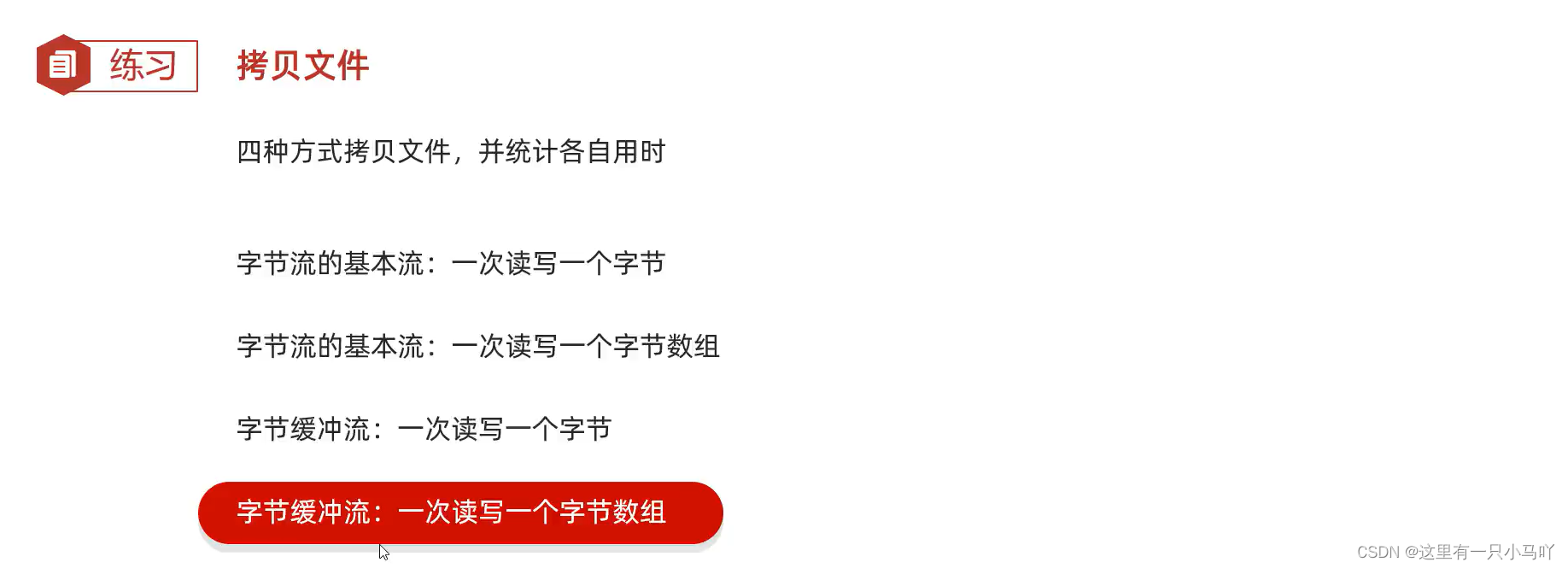
1 2 3 4 5 6 7 8 9 10 11 12 13 14 15 16 17 18 19 20 21 22 23 24 25 26 27 28 29 30 31 32 33 34 35 36 37 38 39 40 41 42 43 44 45 46 47 48 49 50 51 52 53 54 55 56 57 58 59 60 61 62 63 64 65 import java.io.*;import java.lang.String;import java.util.*;public class main { public static void main (String[] args) throws IOException { long l1 = System.currentTimeMillis(); FileInputStream fis = new FileInputStream ("C:\\Users\\HP\\Desktop\\Ctest\\test4\\Module_text\\src\\aaa\\a.txt" ); FileOutputStream fos = new FileOutputStream ("C:\\Users\\HP\\Desktop\\Ctest\\test4\\Module_text\\src\\aaa\\b.txt" ); int len; while ((len = fis.read())!= -1 ) { fos.write(len); } fos.close(); fis.close(); long l2 = System.currentTimeMillis(); System.out.println("字节流读写一个字节:" +(l2-l1) +"秒" ); long l3 = System.currentTimeMillis(); FileInputStream fis2 = new FileInputStream ("C:\\Users\\HP\\Desktop\\Ctest\\test4\\Module_text\\src\\aaa\\a.txt" ); FileOutputStream fos2 = new FileOutputStream ("C:\\Users\\HP\\Desktop\\Ctest\\test4\\Module_text\\src\\aaa\\b.txt" ); int len2; byte [] bytes = new byte [8192 ]; while ((len2 = fis2.read(bytes))!= -1 ) { fos2.write(bytes); } fos2.close(); fis2.close(); long l4 = System.currentTimeMillis(); System.out.println("字节流读写一个字节数组:" +(l4-l3) +"毫秒" ); long l5 = System.currentTimeMillis(); BufferedInputStream bis = new BufferedInputStream (new FileInputStream ( "C:\\Users\\HP\\Desktop\\Ctest\\test4\\Module_text\\src\\aaa\\a.txt" )); BufferedOutputStream bos = new BufferedOutputStream ( new FileOutputStream ( "C:\\Users\\HP\\Desktop\\Ctest\\test4\\Module_text\\src\\aaa\\b.txt" )); int b; while ((b = bis.read()) != -1 ) { bos.write(b); } bos.close(); bis.close(); long l6 = System.currentTimeMillis(); System.out.println("字节缓冲流流读写一个字节:" +(l6-l5)+"毫秒" ); long l7 = System.currentTimeMillis(); BufferedInputStream bis2 = new BufferedInputStream (new FileInputStream ( "C:\\Users\\HP\\Desktop\\Ctest\\test4\\Module_text\\src\\aaa\\a.txt" )); BufferedOutputStream bos2 = new BufferedOutputStream ( new FileOutputStream ( "C:\\Users\\HP\\Desktop\\Ctest\\test4\\Module_text\\src\\aaa\\b.txt" )); int b2; byte [] b11 = new byte [8192 ]; while ((b2 = bis2.read(b11)) != -1 ) { bos2.write(b11,0 ,b2); } bos2.close(); bis2.close(); long l8 = System.currentTimeMillis(); System.out.println("字节缓冲流流读写一个字节数组:" +(l8-l7)+"毫秒" ); } }
//3.举头望明月
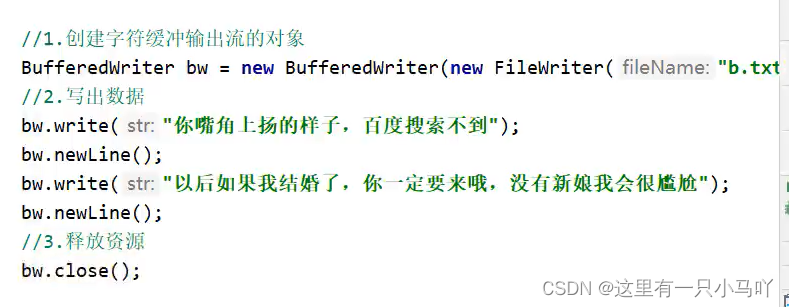
1 2 3 4 5 6 7 8 9 10 11 12 13 14 15 16 17 18 19 20 21 22 23 24 25 26 27 28 29 30 31 32 33 34 35 36 37 38 39 40 41 42 43 44 45 import java.io.*;import java.lang.String;import java.util.*;public class main { public static void main (String[] args) throws IOException { BufferedReader br = new BufferedReader ( new FileReader ("C:\\Users\\HP\\Desktop\\Ctest\\test4\\Module_text\\src\\aaa\\a.txt" ) ); String line; ArrayList<String> list = new ArrayList <>(); while ((line=br.readLine())!=null ) { list.add(line); } br.close(); System.out.println(list); Collections.sort(list, new Comparator <String>() { @Override public int compare (String o1, String o2) { if (o1.charAt(0 )>=o2.charAt(0 ))return 1 ; return -1 ; } }); System.out.println(list); BufferedWriter bw = new BufferedWriter (new FileWriter ("C:\\Users\\HP\\Desktop\\Ctest\\test4\\Module_text\\src\\aaa\\b.txt" )); for (String str:list) { bw.write(str); bw.newLine(); } bw.close(); } } Lobster AIjava运行1234567891011121314151617181920212223242526272829303132333435363738394041424344
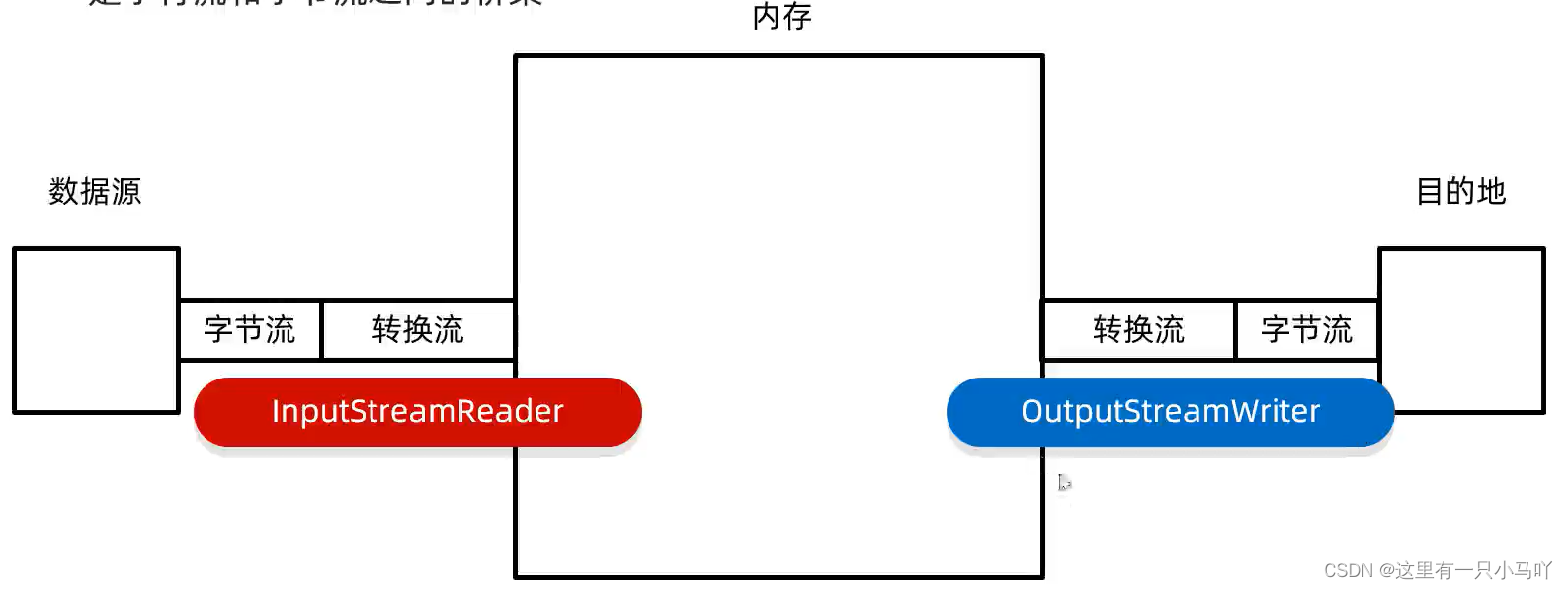
3.14 转换流 3.14.1 转换流基本用法 转换流——是字符流和字节流之间的桥梁
作用一:指定字符集读写(JDK11淘汰)
1 2 3 4 5 6 7 8 9 10 11 12 13 14 15 16 17 18 19 20 import java.io.*;import java.lang.String;import java.util.*;public class main { public static void main (String[] args) throws IOException { InputStreamReader isr = new InputStreamReader (new FileInputStream ("C:\\Users\\HP\\Desktop\\Ctest\\test4\\Module_text\\src\\aaa\\a.txt" )); int ch; while ((ch=isr.read())!=-1 ) { System.out.print((char )ch); } isr.close(); } }
作用二:字节流想要使用字符流的方法
1 2 3 4 5 6 7 8 9 10 11 12 13 14 15 16 17 18 19 20 21 22 23 24 25 import java.io.*;import java.lang.String;import java.nio.charset.Charset;import java.util.*;public class main { public static void main (String[] args) throws IOException { FileWriter fw = new FileWriter ("C:\\Users\\HP\\Desktop\\Ctest\\test4\\Module_text\\src\\aaa\\b.txt" , Charset.forName("GBK" )); fw.write("你好" ); fw.close(); } }
3.14.2 转换流练习
1 2 3 4 5 6 7 8 9 10 11 12 13 14 15 16 17 18 19 20 21 22 23 import java.io.*;import java.lang.String;import java.nio.charset.Charset;import java.util.*;public class main { public static void main (String[] args) throws IOException { InputStreamReader isr = new InputStreamReader (new FileInputStream ("C:\\Users\\HP\\Desktop\\Ctest\\test4\\Module_text\\src\\aaa\\b.txt" ),"GBK" ); OutputStreamWriter osw = new OutputStreamWriter (new FileOutputStream ("C:\\Users\\HP\\Desktop\\Ctest\\test4\\Module_text\\src\\aaa\\c.txt" ),"UTF-8" ); int b; while ((b = isr.read())!= -1 ) { osw.write(b); } osw.close(); isr.close(); } }
1 2 3 4 5 6 7 8 9 10 11 12 13 14 15 16 17 18 19 20 21 22 23 24 25 26 27 28 29 30 31 32 33 34 35 36 37 38 39 40 41 42 43 44 45 import java.io.*;import java.lang.String;import java.nio.charset.Charset;import java.util.*;public class main { public static void main (String[] args) throws IOException { FileInputStream fis = new FileInputStream ("C:\\Users\\HP\\Desktop\\Ctest\\test4\\Module_text\\src\\aaa\\a.txt" ); InputStreamReader isr = new InputStreamReader (fis); BufferedReader br = new BufferedReader (isr); String str = br.readLine(); System.out.println(str); br.close(); } } Lobster AIjava运行123456789101112131415161718192021 import java.io.*;import java.lang.String;import java.nio.charset.Charset;import java.util.*;public class main { public static void main (String[] args) throws IOException { FileInputStream fis = new FileInputStream ("C:\\Users\\HP\\Desktop\\Ctest\\test4\\Module_text\\src\\aaa\\a.txt" ); InputStreamReader isr = new InputStreamReader (fis); BufferedReader br = new BufferedReader (isr); String line; while ((line = br.readLine())!=null ) { System.out.println(line); } br.close(); } }
3.15 序列化流
1 2 3 4 5 6 7 8 9 10 11 12 13 14 15 16 17 18 import java.io.*;import java.lang.String;public class main { public static void main (String[] args) throws IOException { Actor aaaa = new Actor ("zhangsan" ,23 ); ObjectOutputStream ops = new ObjectOutputStream (new FileOutputStream ("C:\\Users\\HP\\Desktop\\Ctest\\test4\\Module_text\\src\\a.txt" )); ops.writeObject(aaaa); ops.close(); } } Lobster AIjava运行1234567891011121314151617
读
1 2 3 4 5 6 7 8 9 10 11 12 13 14 15 16 17 18 19 import java.io.*;import java.lang.String;public class main { public static void main (String[] args) throws IOException, ClassNotFoundException { Actor aaaa = new Actor (); ObjectInputStream ips = new ObjectInputStream (new FileInputStream ("C:\\Users\\HP\\Desktop\\Ctest\\test4\\Module_text\\src\\a.txt" )); Object o = ips.readObject(); System.out.println(o); ips.close(); } } Lobster AIjava运行123456789101112131415161718
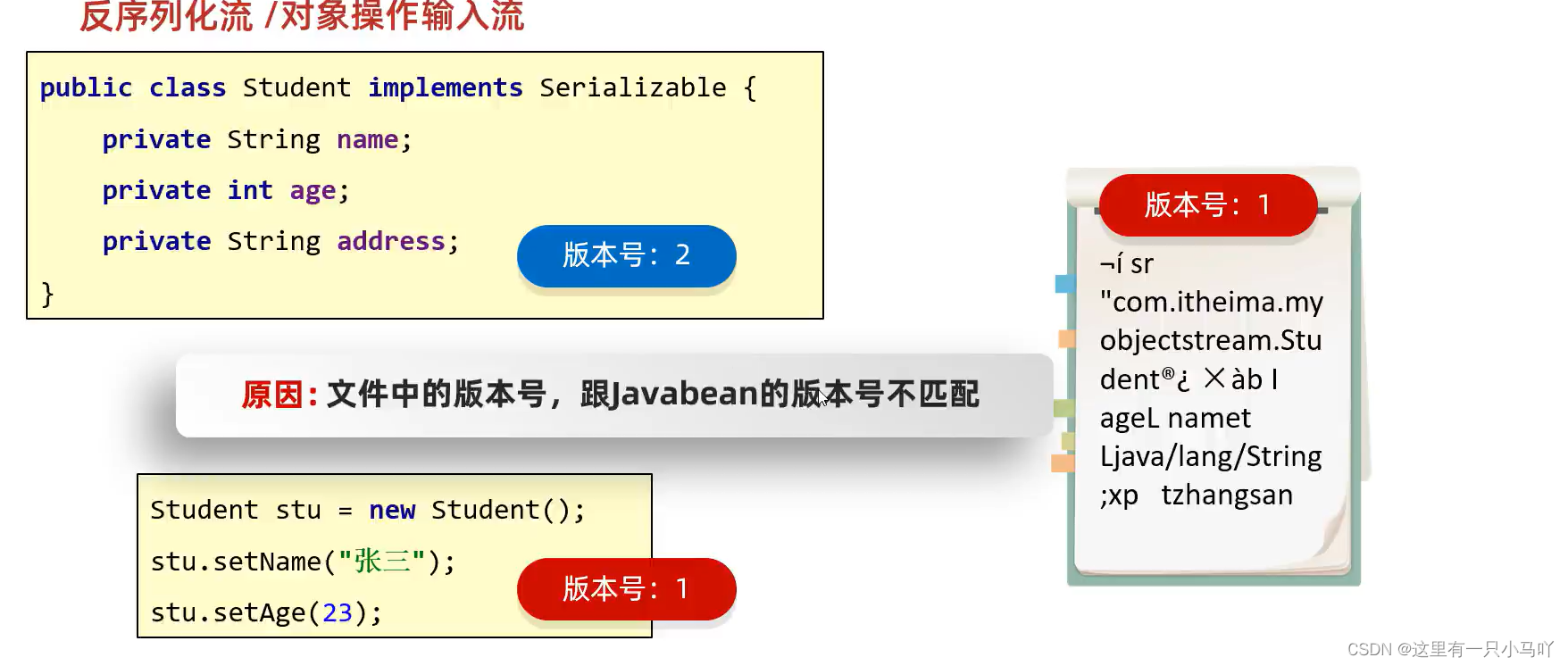
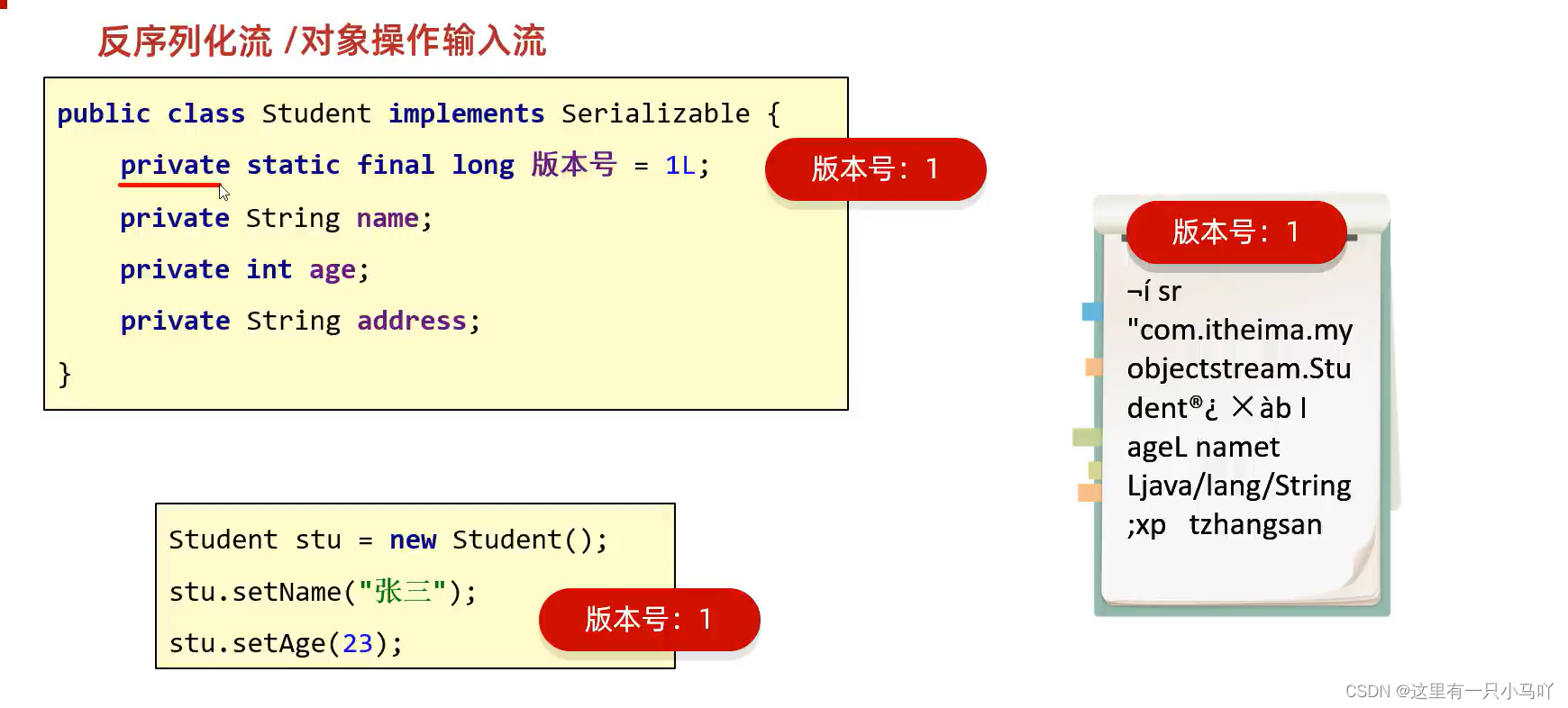
版本号的不一致 ,导致了Student stu = (Student) ips.readObject(); 报错!!!!
1 2 3 4 5 6 7 8 9 10 11 12 13 14 15 16 17 18 19 20 21 22 23 24 25 26 27 28 29 30 31 32 33 34 35 36 37 38 39 40 41 42 43 44 45 46 47 48 49 50 51 52 53 54 55 56 57 58 59 import java.io.Serial;import java.io.Serializable;import java.util.Set;public class Actor implements Serializable { private static final long serialVersionUID = 1L ; private String name; private int age; private String address; public Actor () { } public Actor (String name, int age) { this .name = name; this .age = age; } public String getName () { return name; } public void setName (String name) { this .name = name; } public int getAge () { return age; } public void setAge (int age) { this .age = age; } public String toString () { return "Actor{name = " + name + ", age = " + age + "}" ; } } Lobster AIjava运行12345678910111213141516171819202122232425262728293031323334353637383940414243444546474849505152535455565758
解决办法2:
1
2
3
4
5
6
7
8
9
10
11
12
13
14
15
16
17
18
19
import java.io.*;import java.lang.String;public class main { public static void main (String[] args) throws IOException, ClassNotFoundException { Actor aaaa = new Actor (); ObjectInputStream ips = new ObjectInputStream (new FileInputStream ("C:\\Users\\HP\\Desktop\\Ctest\\test4\\Module_text\\src\\a.txt" )); Actor o = (Actor) ips.readObject(); System.out.println(o); ips.close(); } } Lobster AIjava运行123456789101112131415161718
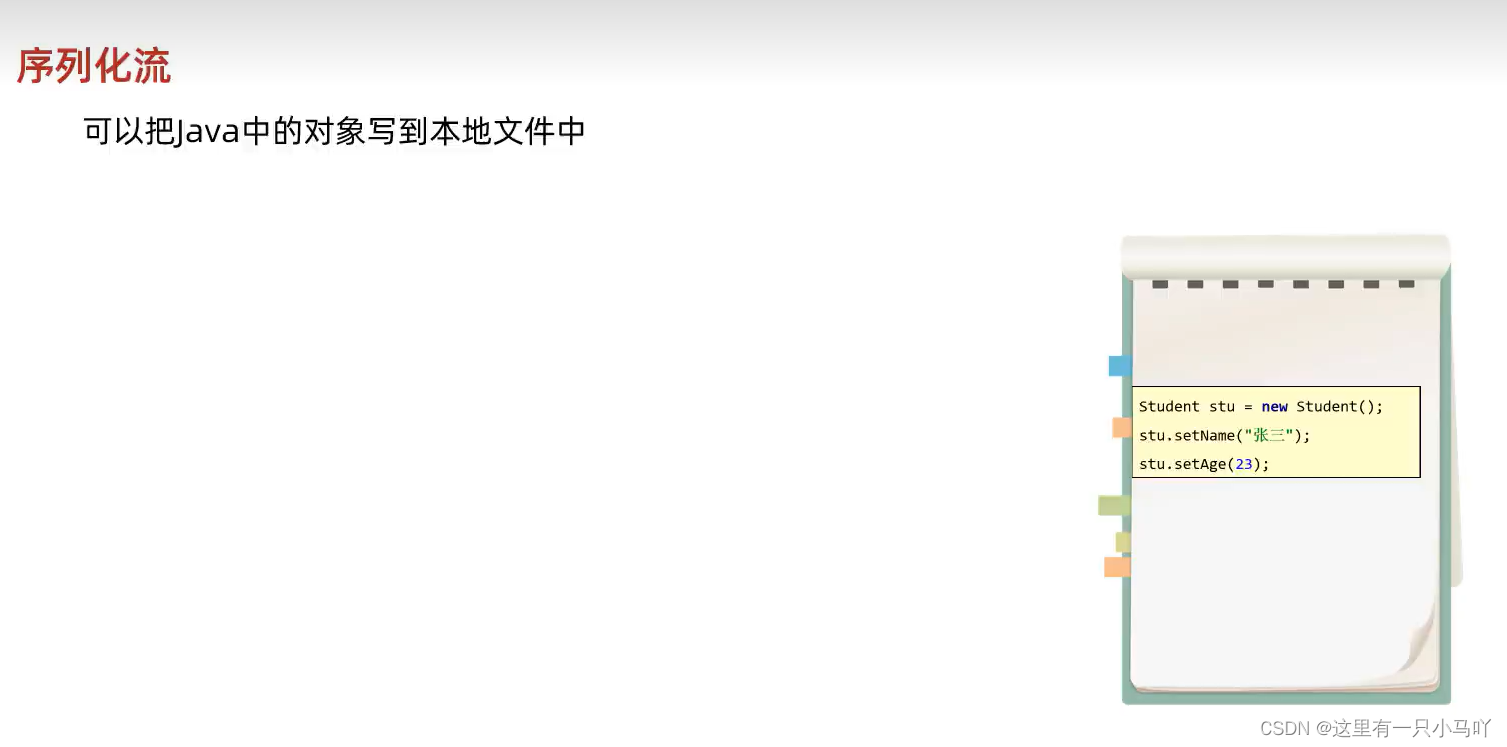
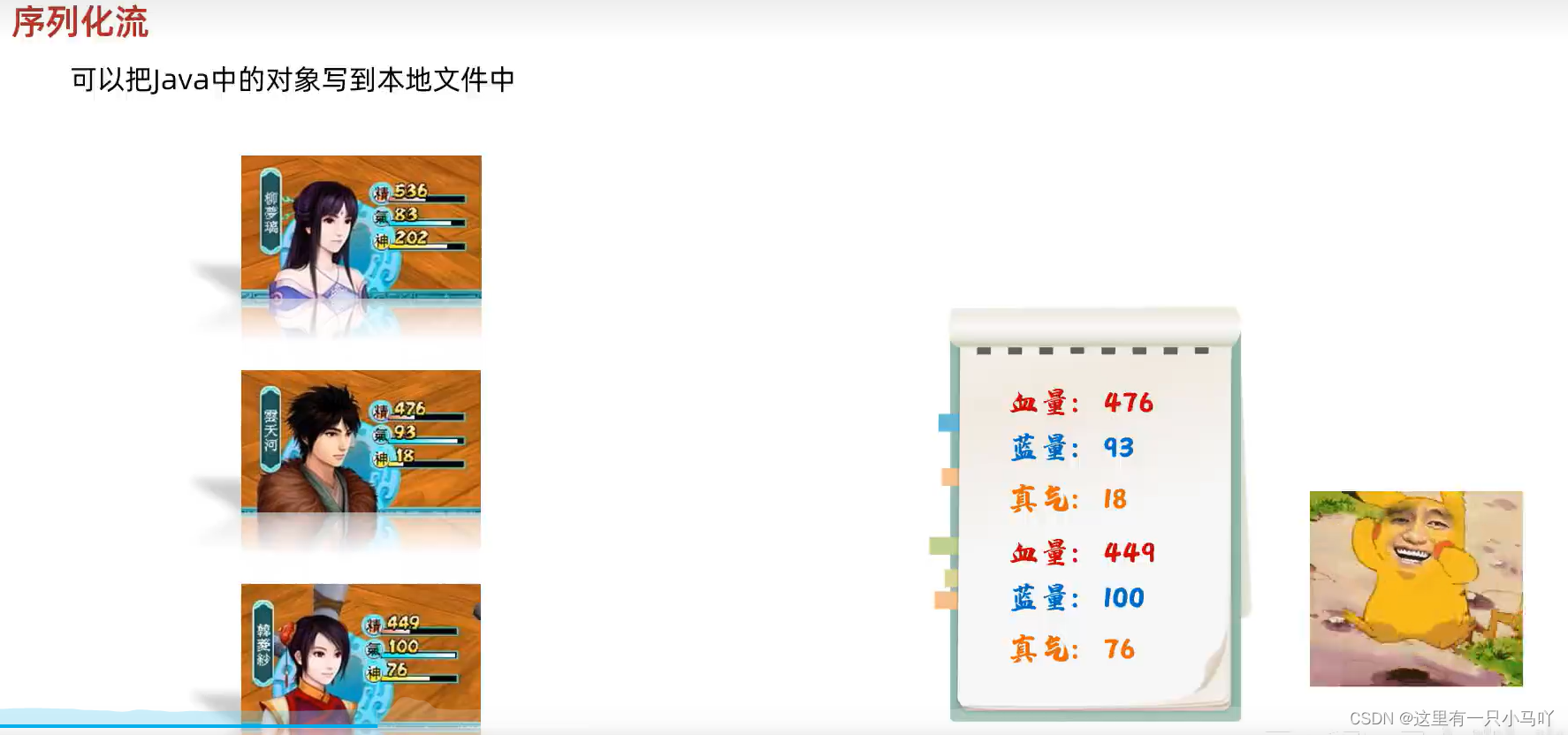
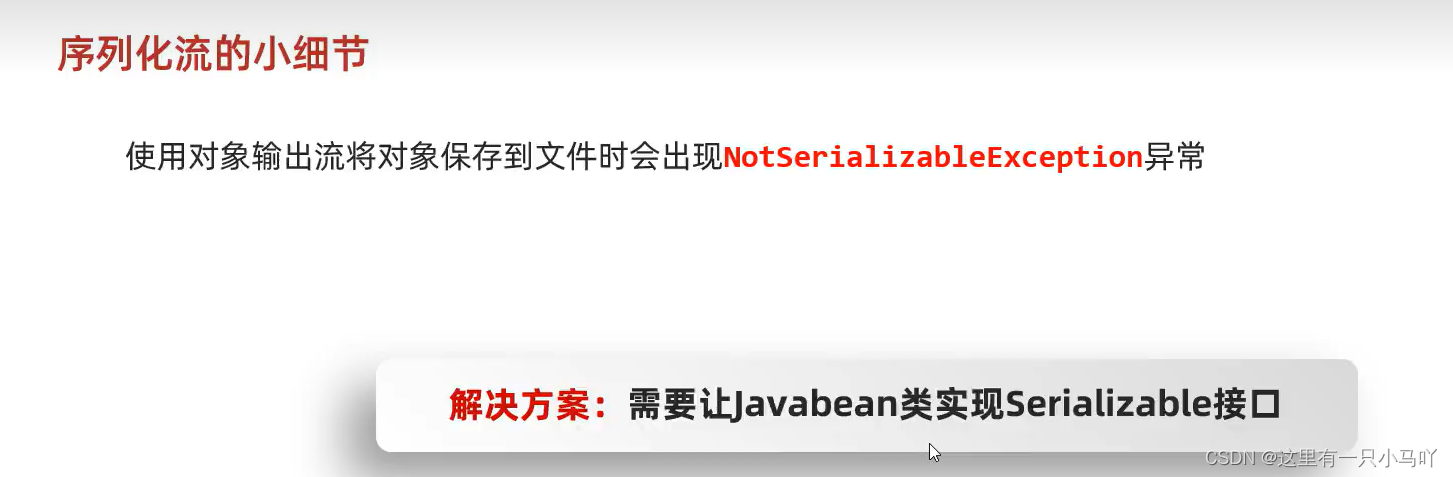
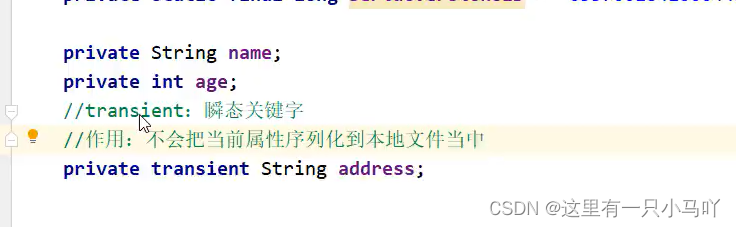
使用序列化流将对象写到文件时,需要让Javabean类实现Serializable接口。
序列化流写到文件中的数据是不能修改的,一旦修改就无法再次读回来了
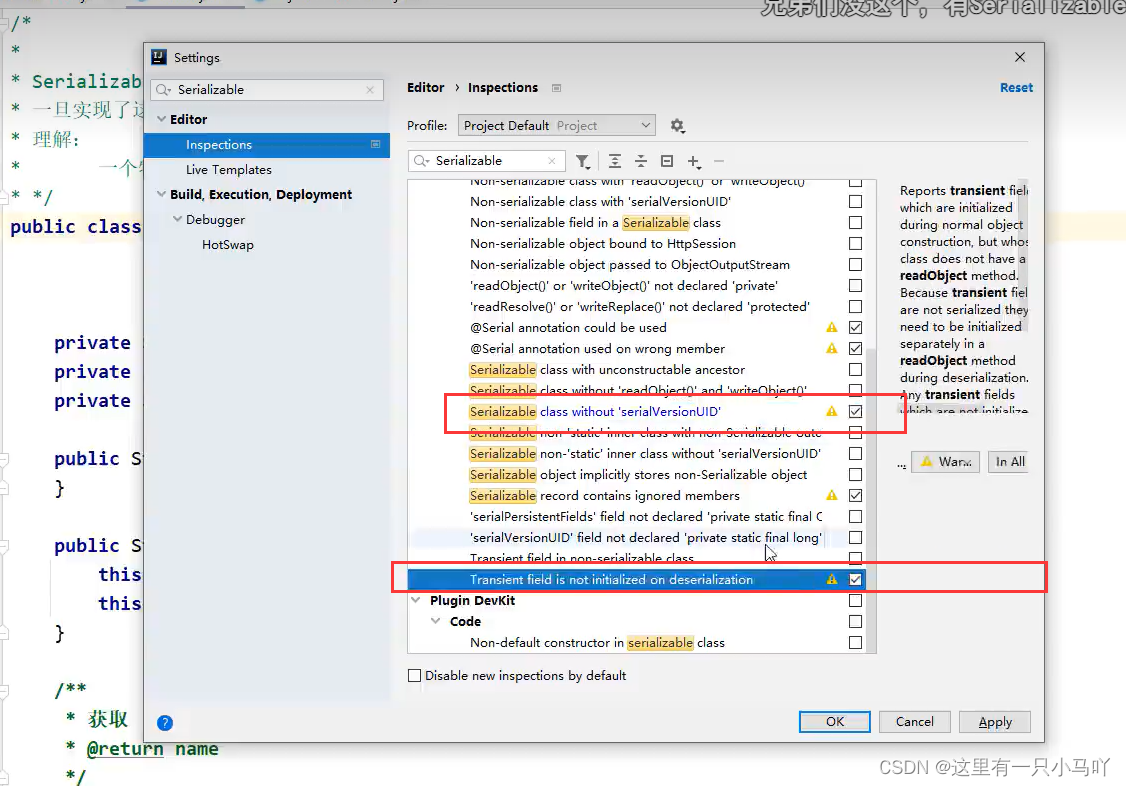
序列化对象后,修改了Javabean类,再次反序列化,会不会有问题?给Javabean类添加serialVersionUID (序列号、版本号)
写
1 2 3 4 5 6 7 8 9 10 11 12 13 14 15 16 17 18 19 20 21 22 23 24 25 26 27 28 29 30 import java.io.*;import java.lang.String;public class main { public static void main (String[] args) throws IOException, ClassNotFoundException { Actor aaaa = new Actor ("aa" ,12 ,"武汉" ); Actor bbbb = new Actor ("bb" ,32 ,"长沙" ); Actor cccc = new Actor ("cc" ,54 ,"新疆" ); Actor dddd = new Actor ("dd" ,34 ,"吐鲁番" ); ObjectOutputStream ops = new ObjectOutputStream (new FileOutputStream ("C:\\Users\\HP\\Desktop\\Ctest\\test4\\Module_text\\src\\a.txt" )); ops.writeObject(aaaa); ops.writeObject(bbbb);ops.writeObject(cccc); ops.writeObject(dddd); ops.close(); } } Lobster AIjava运行1234567891011121314151617181920212223242526272829
读
1 2 3 4 5 6 7 8 9 10 11 12 13 14 15 16 17 18 19 20 21 22 23 24 25 26 27 import java.io.*;import java.lang.String;public class main { public static void main (String[] args) throws IOException, ClassNotFoundException { ObjectInputStream ips = new ObjectInputStream (new FileInputStream ("C:\\Users\\HP\\Desktop\\Ctest\\test4\\Module_text\\src\\a.txt" )); Actor a = (Actor) ips.readObject(); Actor b = (Actor) ips.readObject(); Actor c = (Actor) ips.readObject(); Actor d = (Actor) ips.readObject(); System.out.println(a); System.out.println(b); System.out.println(c); System.out.println(d); ips.close(); } } Lobster AIjava运行1234567891011121314151617181920212223242526
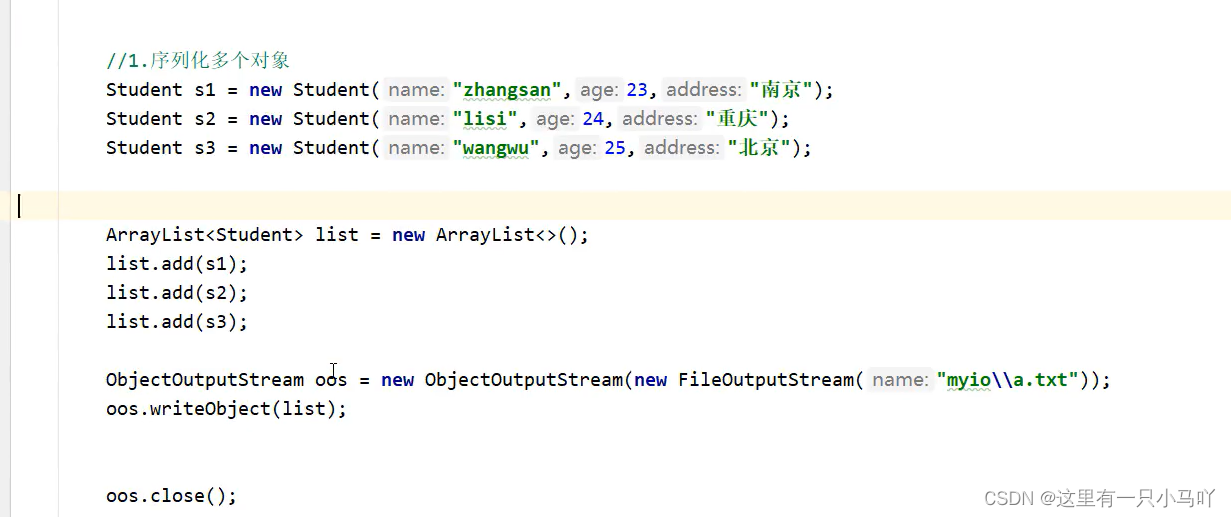
但是我可能忘了我究竟是几个
1 2 3 4 5 6 7 8 9 10 11 12 13 14 15 16 17 18 19 20 21 22 23 import java.io.*;import java.lang.String;import java.util.ArrayList;public class main { public static void main (String[] args) throws IOException, ClassNotFoundException { ObjectInputStream ips = new ObjectInputStream (new FileInputStream ("C:\\Users\\HP\\Desktop\\Ctest\\test4\\Module_text\\src\\a.txt" )); ArrayList<Actor> arr = (ArrayList<Actor>) ips.readObject(); for (Actor a :arr) { System.out.println(a); } ips.close(); } } Lobster AIjava运行12345678910111213141516171819202122
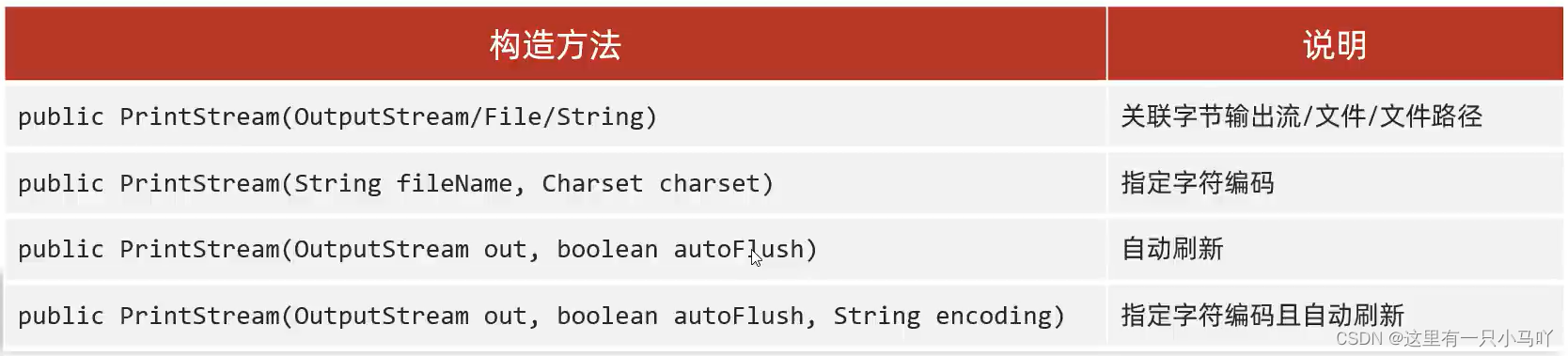
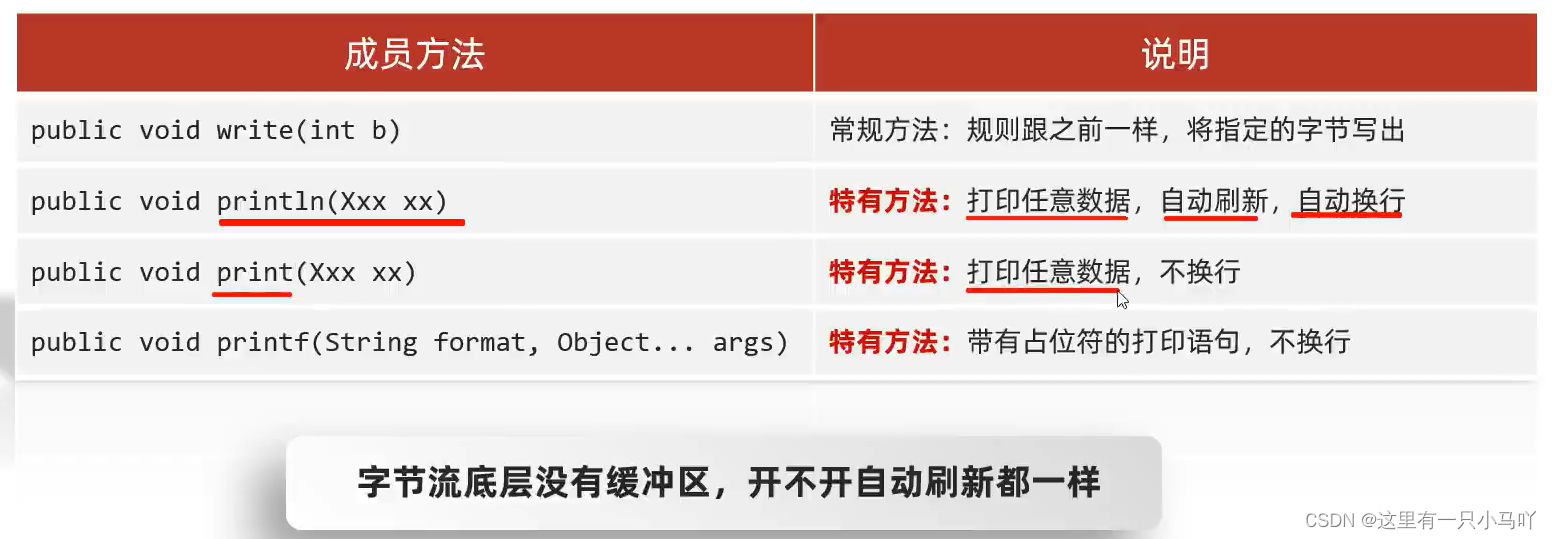
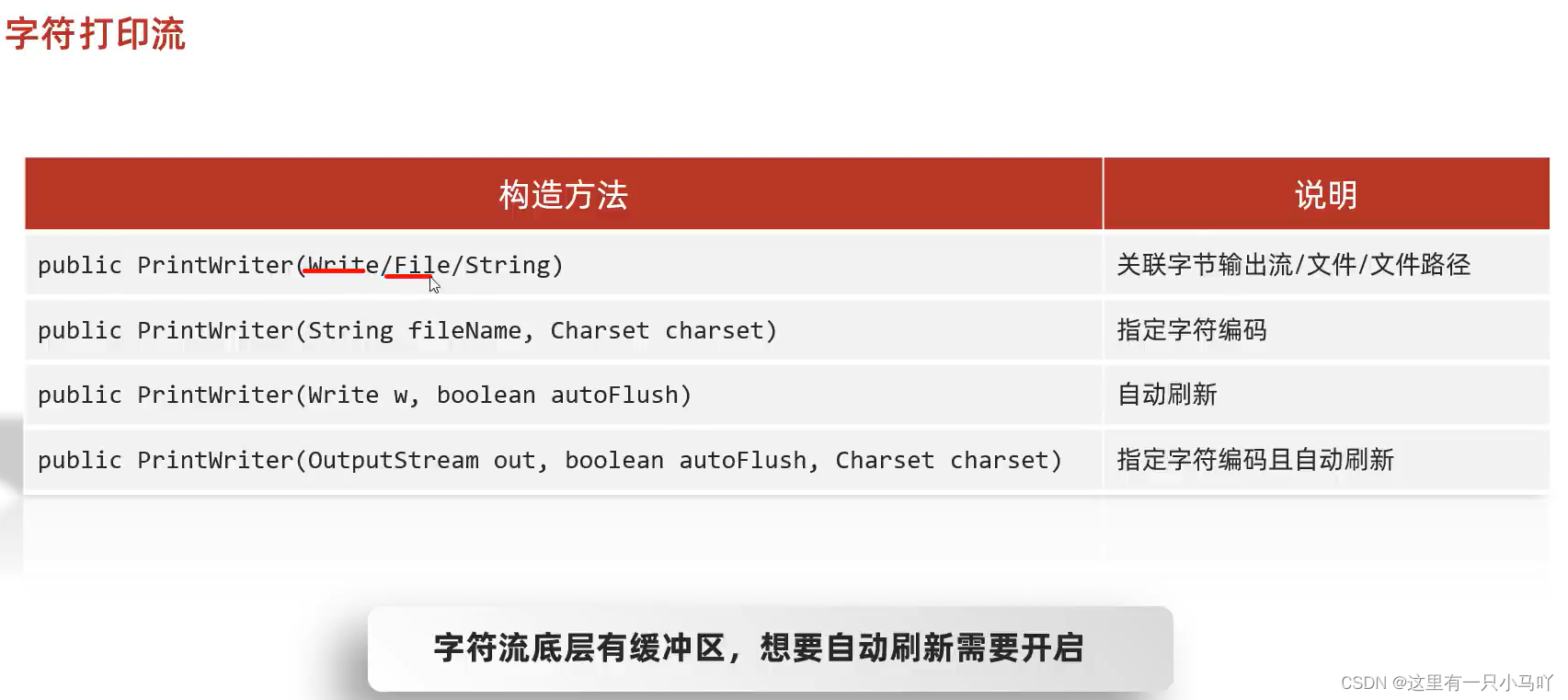
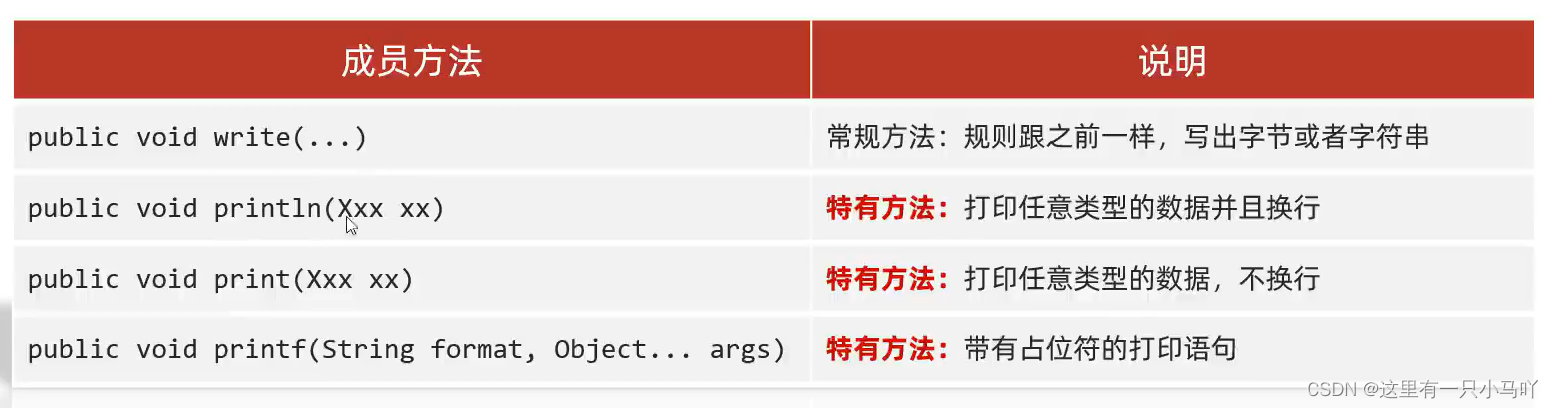
3.16 打印流 只有写!!!!打印流
特点1:打印流只操作文件目的地,不操作数据源
特点2:特有的写出方法可以实现,数据原样写出
特点3:特有的写出方法,可以实现自动刷新,自动换行
字节打印流
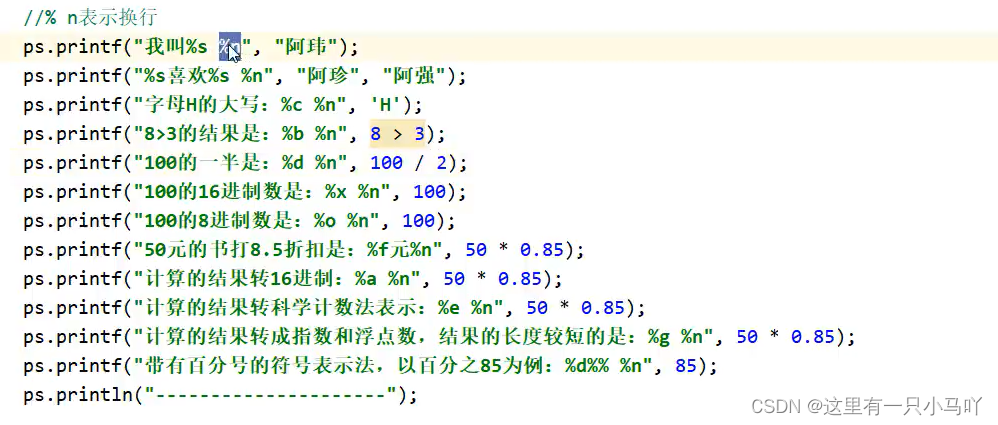
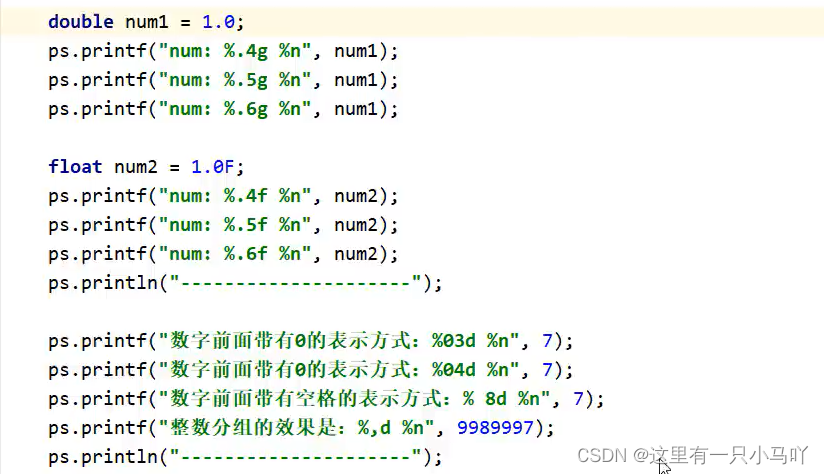
1 2 3 4 5 6 7 8 9 10 11 12 13 14 15 16 17 18 19 20 import java.io.*;import java.lang.String;import java.nio.charset.Charset;import java.util.ArrayList;public class main { public static void main (String[] args) throws IOException, ClassNotFoundException { PrintStream ps = new PrintStream ( new FileOutputStream ("C:\\Users\\HP\\Desktop\\Ctest\\test4\\Module_text\\src\\a.txt" ),true , Charset.forName("UTF-8" )); ps.println(97 ); ps.println(true ); ps.printf("%s爱上了%s" ,"zm" ,"yy" ); ps.close(); } } Lobster AIjava运行12345678910111213141516171819
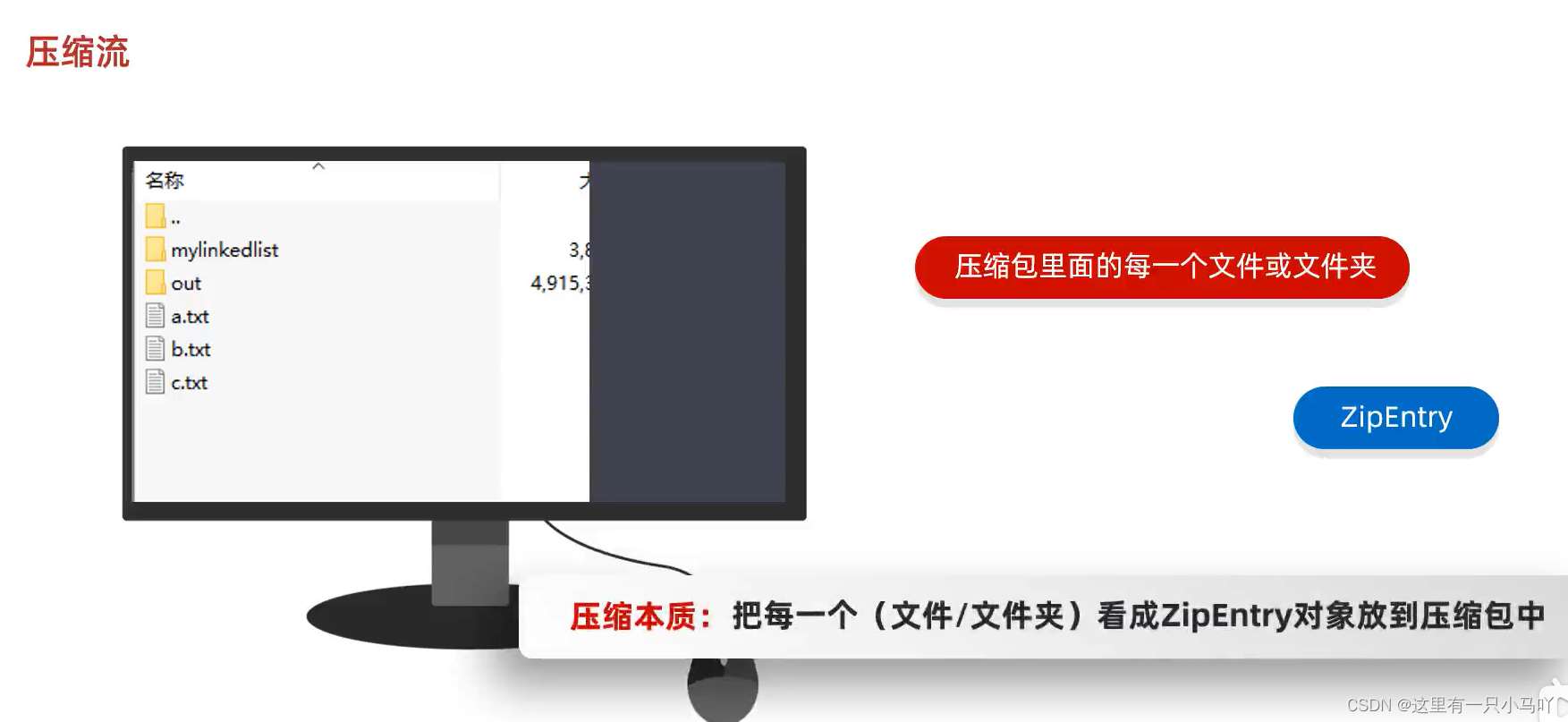
3.17 压缩流
3.17.1 解压 一定不能有中文路径
1 2 3 4 5 6 7 8 9 10 11 12 13 14 15 16 17 18 19 20 21 22 23 24 25 26 27 28 29 30 31 32 33 34 35 36 37 38 39 40 41 42 43 44 45 46 import java.io.*;import java.lang.String;import java.util.zip.ZipEntry;import java.util.zip.ZipInputStream;public class main { public static void main (String[] args) throws IOException, ClassNotFoundException { File src = new File ("F:\\Two or three things on the table\\111.zip" ); File dest = new File ("F:\\Two or three things on the table" ); unzip(src,dest); } public static void unzip (File src,File dest) throws IOException { ZipInputStream zip = new ZipInputStream (new FileInputStream (src)); ZipEntry entry; while ((entry = zip.getNextEntry())!= null ) { if (entry.isDirectory()) { File f = new File (dest,entry.toString()); { f.mkdirs(); } } else { FileOutputStream fos = new FileOutputStream (new File (dest,entry.toString())); int b; while ((b = zip.read()) != -1 ){ fos.write(b); } fos.close(); zip.closeEntry(); } } zip.close(); } } Lobster AIjava运行123456789101112131415161718192021222324252627282930313233343536373839404142434445
3.17.2 压缩单个文件
1 2 3 4 5 6 7 8 9 10 11 12 13 14 15 16 17 18 19 20 21 22 23 24 25 26 27 28 29 30 31 32 33 34 35 36 37 38 39 40 41 import java.io.*;import java.lang.String;import java.util.zip.ZipEntry;import java.util.zip.ZipInputStream;import java.util.zip.ZipOutputStream;public class main { public static void main (String[] args) throws IOException, ClassNotFoundException { File src = new File ("C:\\Users\\HP\\Desktop\\Ctest\\test4\\Module_text\\src\\a.txt" ); File dest = new File ("C:\\Users\\HP\\Desktop\\Ctest\\test4\\Module_text\\src\\" ); toZip(src,dest); } public static void toZip (File src,File dest) throws IOException { ZipOutputStream zos = new ZipOutputStream (new FileOutputStream (new File (dest,"a.zip" ))); ZipEntry entry= new ZipEntry ("a.txt" ); zos.putNextEntry(entry); FileInputStream fis = new FileInputStream (src); int b; while ((b=fis.read())!=-1 ) { zos.write(b); } zos.closeEntry();zos.close(); } } Lobster AIjava运行12345678910111213141516171819202122232425262728293031323334353637383940
3.17.3 压缩文件夹 1 2 3 4 5 6 7 8 9 10 11 12 13 14 15 16 17 18 19 20 21 22 23 24 25 26 27 28 29 30 31 32 33 34 35 36 37 38 39 40 41 42 43 44 45 46 47 48 49 50 51 52 53 import java.io.*;import java.lang.String;import java.util.zip.ZipEntry;import java.util.zip.ZipInputStream;import java.util.zip.ZipOutputStream;public class main { public static void main (String[] args) throws IOException, ClassNotFoundException { File src = new File ("F:\\Two or three things on the table\\111" ); File destParent = src.getParentFile(); File dest = new File (destParent, src.getName() + ".zip" ); ZipOutputStream zos = new ZipOutputStream (new FileOutputStream (dest)); System.out.println(dest); toZip(src,zos,src.getName()); zos.close(); } public static void toZip (File src,ZipOutputStream zos, String name) throws IOException { File[] files = src.listFiles(); for (File file:files) { if (file.isFile()) { ZipEntry entry = new ZipEntry (name+"\\" +file.getName()); zos.putNextEntry(entry); FileInputStream fis = new FileInputStream (file); int b; while ((b = fis.read()) != -1 ) { zos.write(b); } fis.close(); zos.closeEntry(); } else { toZip(file,zos,name+"\\" +file.getName()); } } } }
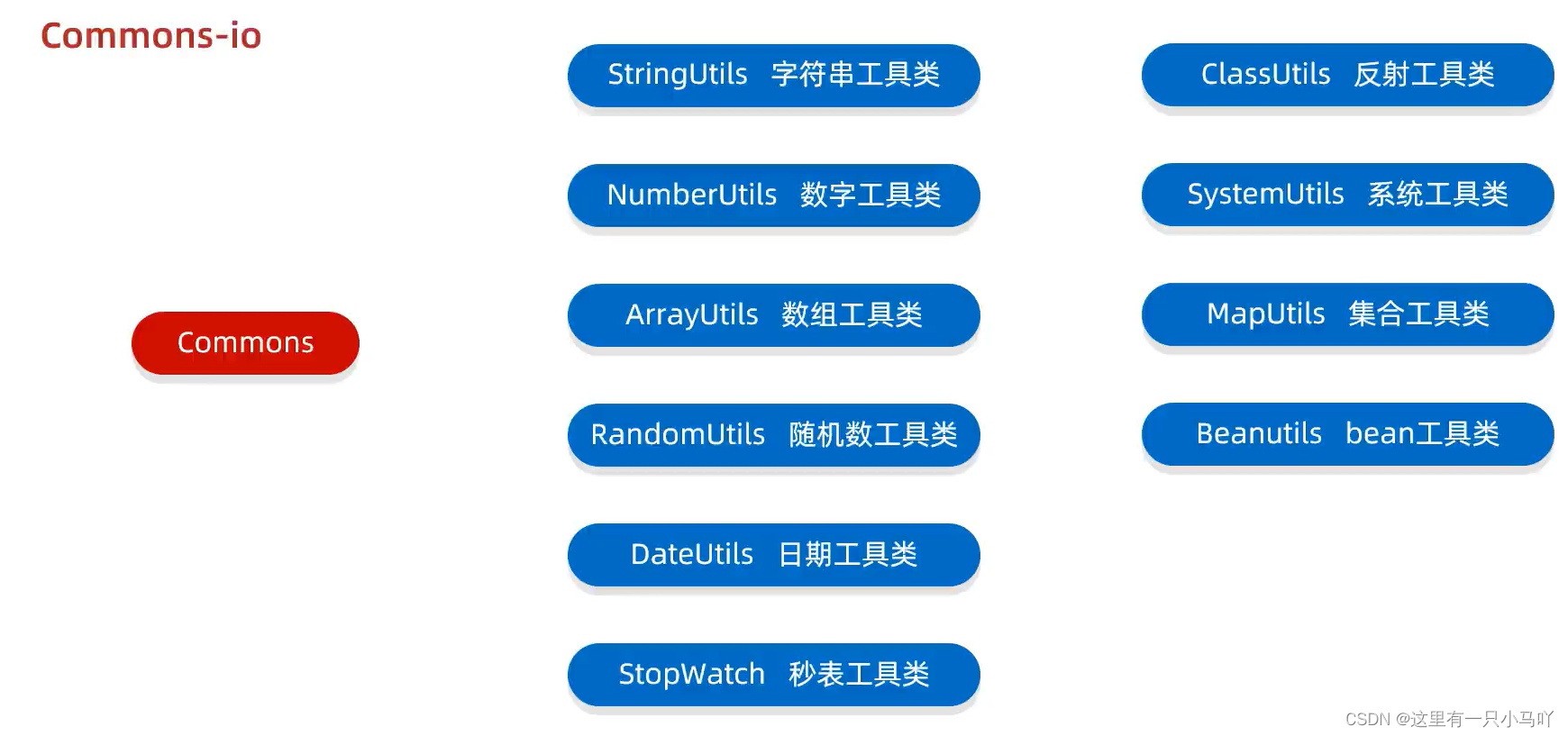
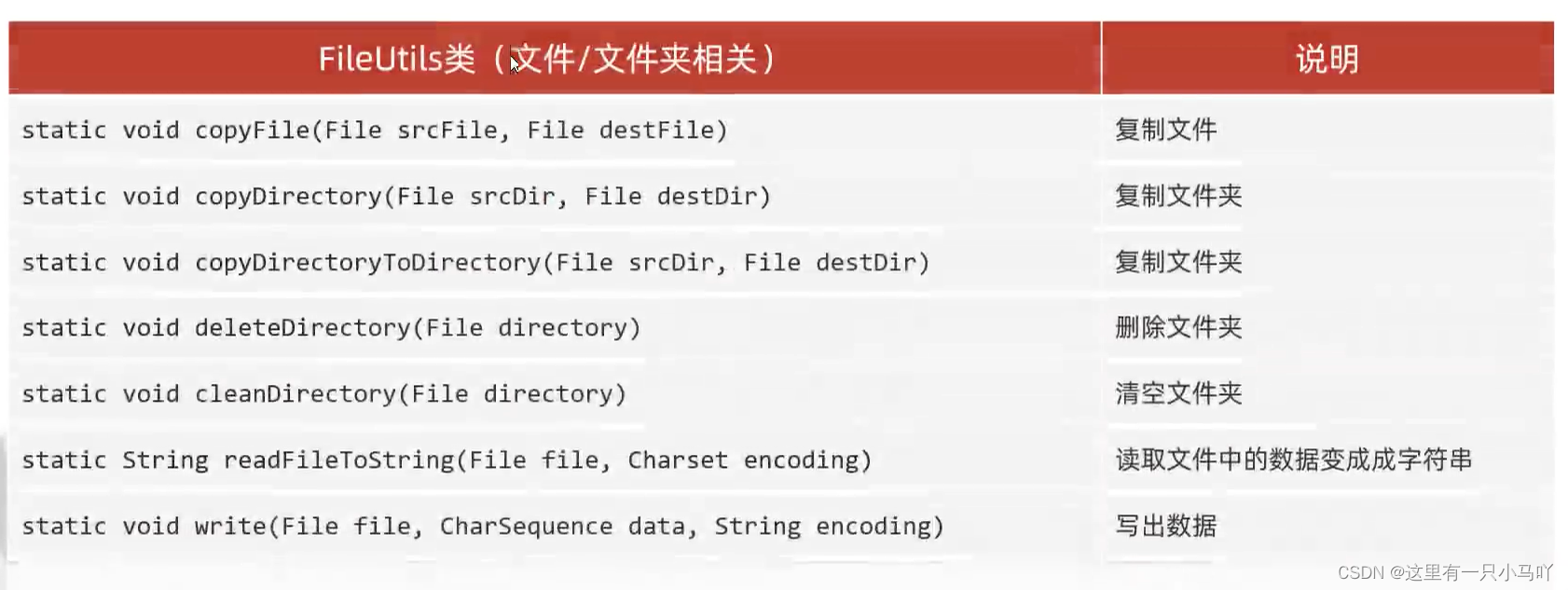
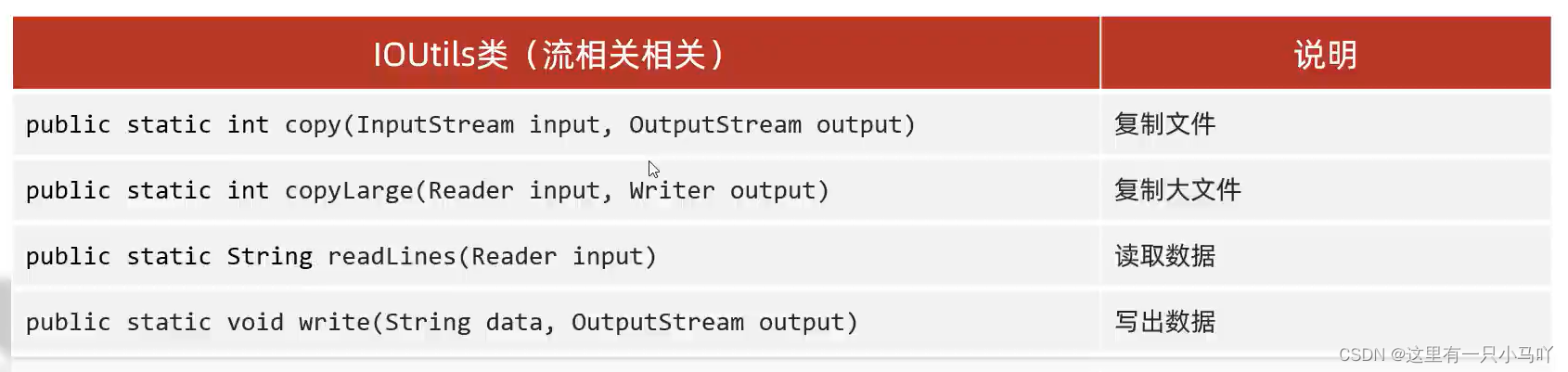
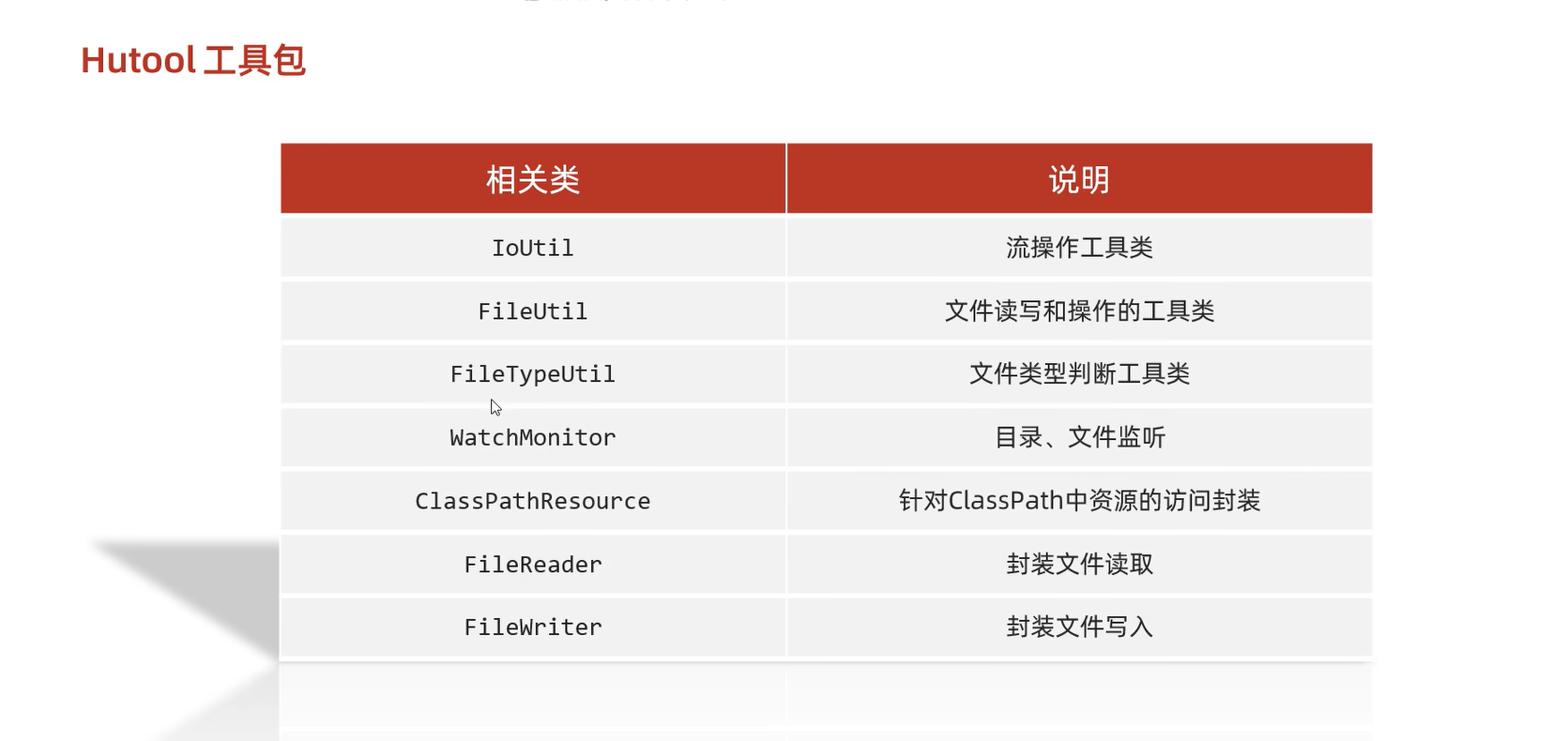
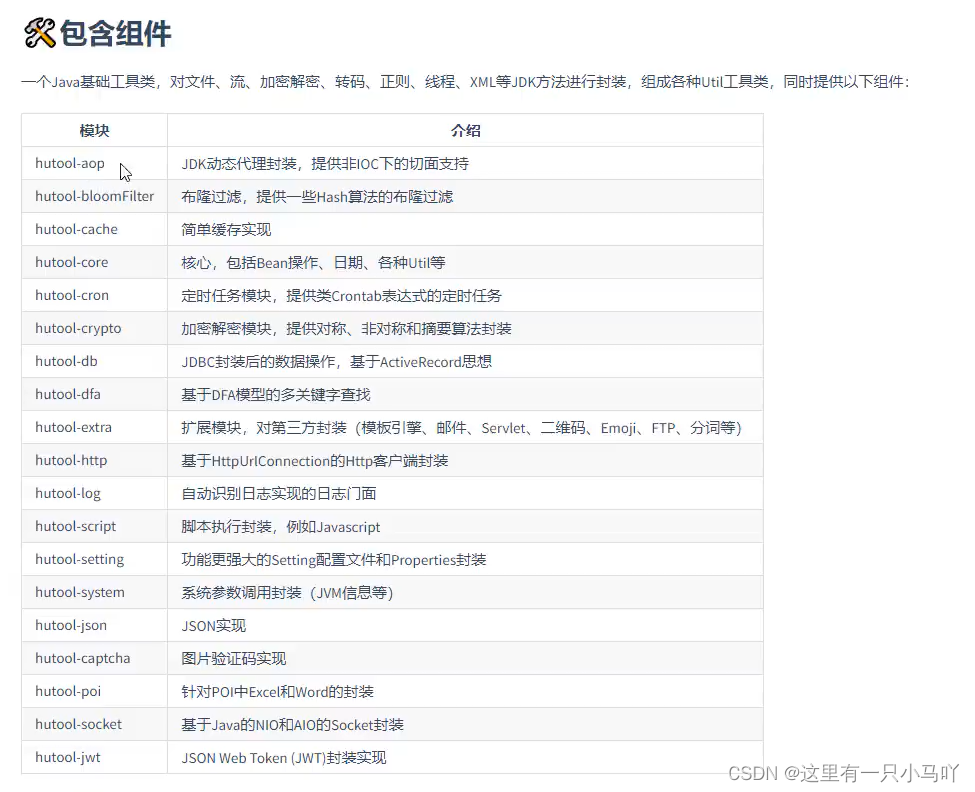
3.18 Commons-io



















 微信
微信 支付宝
支付宝